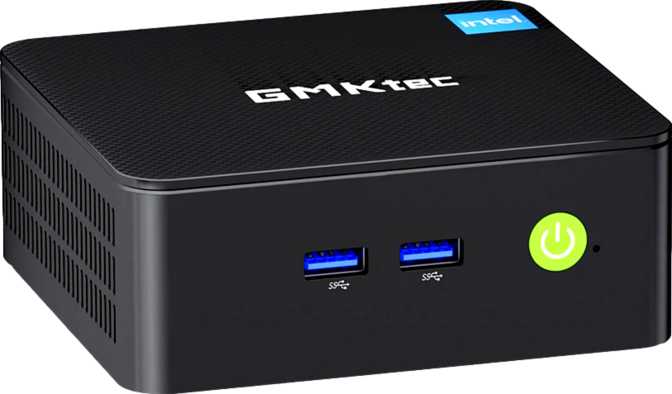
GMKtec NucBox G3 Pro: A Compact PC That Knows Its Lane
Mini PCsA capable compact desktop for focused everyday workloads
A Surprisingly Capable Compact PC — If You Know What You're Getting Into
The mini PC category has grown crowded with machines promising desktop-grade performance in a package the size of a paperback novel. Most fail to live up to that billing in at least one meaningful way. The GMKtec NucBox G3 Pro takes a different approach — it doesn't try to be something it isn't.
It's a lean, quiet, power-efficient compact desktop aimed squarely at everyday computing tasks, and within that lane it delivers more than its modest footprint might suggest. The real question is whether it handles the demands of its intended audience without frustrating them daily. That answer leans firmly positive.
Design and Build: Small Enough to Disappear, Solid Enough to Trust
Physical footprint, build quality, and daily handling
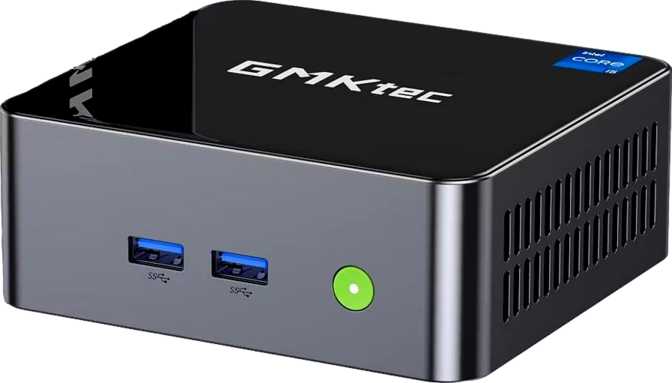
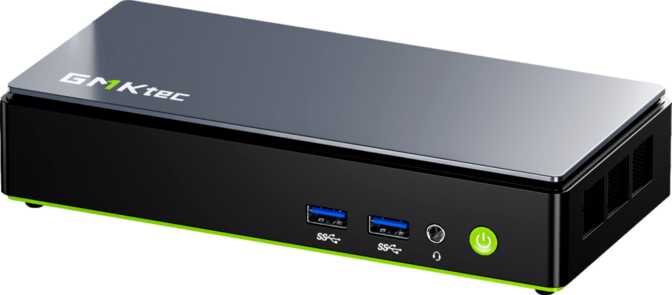
At roughly 106 mm wide and 114 mm deep — about the footprint of two stacked decks of cards — the NucBox G3 Pro is genuinely unobtrusive. It can sit flat on a desk, mount behind a monitor with a VESA bracket (sold separately), or tuck into a shelf without dominating the space. For setups where the computer itself should be invisible, this form factor is a genuine advantage.
The chassis feels appropriately solid for the price tier. It isn't the premium brushed aluminum of a Mac Mini, but the housing has enough rigidity that picking it up doesn't produce any flex or creaking. Ventilation slots are positioned to allow passive airflow to assist the internal fan, keeping thermal management under sustained loads manageable without the unit running loud enough to distract in a quiet room.
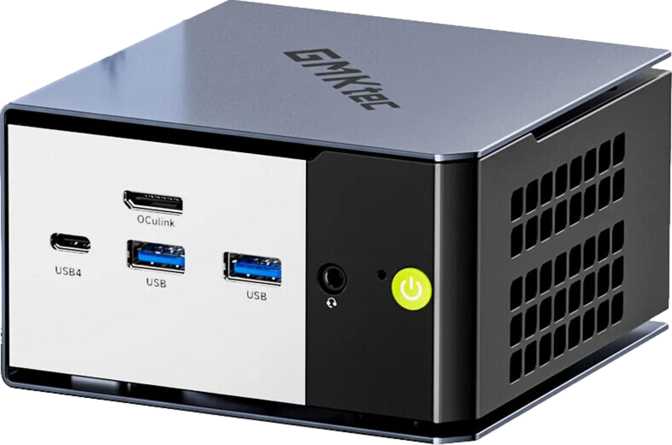
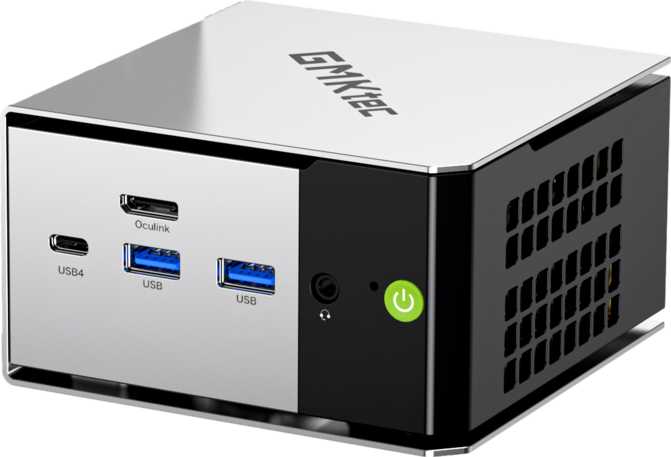
The port layout is practical rather than exciting. Everything connects at the rear or sides, keeping cable clutter reasonably contained. Setting this machine up is refreshingly straightforward — plug in power, displays, and peripherals, and you're done.
Physical Quick-Reference
- Width
- 106 mm
- Depth
- 114 mm
- Form Factor
- Ultra-compact desktop
- Cooling
- Active fan + passive vents
- Warranty
- 1 year
Performance: Understanding What the Hardware Actually Delivers
CPU analysis, real-world benchmarks, and memory configuration
The Processor in Plain Terms
The NucBox G3 Pro runs on a dual-core, four-thread processor operating within a 15-watt thermal envelope. That 15 W ceiling is the defining characteristic of this chip — it's the same power budget used in thin laptops, which means the machine stays cool and quiet, but also means it can't sustain the kind of peak output that a full desktop processor delivers.
The base clock sits at 2.1 GHz per core, with the ability to burst up to 4.1 GHz for short, demanding tasks. The CPU handles single tasks quickly — opening applications, loading web pages, processing a spreadsheet — but slows down when many things compete for its attention simultaneously. Think of it less like a sprinter and more like a very efficient commuter: steady and reliable, not built for all-out speed.
With only two physical cores appearing as four threads to the operating system, the NucBox G3 Pro performs best when workloads are focused rather than scattered. Running a video call while browsing and streaming music is well within its reach. Encoding video, running complex simulations, or juggling several virtual machines will push it to its limits.
CPU Specifications
Intel UHD 620 platform — laptop-class chip
- Architecture Dual-Core, 4-Thread
- Base / Turbo Speed 2.1 GHz / 4.1 GHz
- Thermal Limit 15 W (laptop-class)
- L3 Cache 4 MB
- Key Instruction Sets AVX, AES, SSE 4.2
Benchmark Context
The multi-core PassMark score of approximately 3,900 places this processor firmly in the “capable for productivity, limited for heavy computation” tier. The single-core result of around 2,193 is respectable in context — single-threaded responsiveness governs how snappy everyday interactions feel, and the turbo burst capability keeps the experience from feeling sluggish. Geekbench 6 results align with expectations for a low-power, dual-core configuration, confirming the machine as a competent daily driver rather than a performance workhorse.
Memory and Storage: Where the NucBox G3 Pro Punches Above Its Weight
Sixteen gigabytes of dual-channel DDR4 memory is a genuinely strong configuration for this price class. Many competing machines ship with 8 GB of soldered, single-channel memory — a combination that creates real bottlenecks in everyday use. The G3 Pro's dual-channel setup means the processor and integrated graphics exchange data with memory at roughly twice the bandwidth of a single-channel equivalent.
The maximum supported capacity of 64 GB is significant for power users who run memory-intensive software or multiple virtual machines. Whether the processor would benefit meaningfully from beyond 16 GB in most scenarios is debatable, but having the headroom is a marker of a more flexible, future-tolerant design. Upgrades use standard SO-DIMM DDR4 modules.
The 512 GB NVMe solid-state drive handles storage duties with the speed characteristic of the NVMe standard — application launches feel fast, file transfers are quick, and the system boots in seconds rather than the minutes associated with older spinning drives.
512 GB comfortably covers an operating system, all standard software, and a reasonable working file library. Heavy media collections or large game installations will require an external USB drive for overflow, but for the intended audience, this is not a daily constraint.
Graphics and Display Output
Integrated GPU capabilities, multi-monitor support, and output limitations
The integrated Intel UHD Graphics 620 drives the visual output. At its base the GPU runs conservatively to preserve thermals, but it ramps up to 1 GHz under demand — managing smooth video playback, basic image editing, and general desktop use without issue. Support for DirectX 12 and OpenGL 4.5 covers compatibility with modern creative tools, productivity software, and older or indie game titles.
The NucBox G3 Pro supports up to three simultaneous displays, a meaningful capability for this machine class. Multi-monitor productivity setups — code on one screen, documentation on a second, communications on a third — become possible without additional hardware investment.
The memory bandwidth available to the GPU, just over 41 GB/s, is determined by the shared dual-channel memory configuration. This is meaningfully faster than what single-channel systems provide, translating to better graphics performance in tasks like smooth 4K video playback or rendering across multiple displays simultaneously.
GPU Quick-Reference
- GPU Model Intel UHD 620
- Base / Turbo Clock 300 MHz / 1,000 MHz
- Simultaneous Displays Up to 3
- DirectX Version DirectX 12
- OpenGL Version 4.5
- Memory Bandwidth 41.66 GB/s
Both HDMI ports on the NucBox G3 Pro use the HDMI 1.4 specification, which supports 4K resolution only at 30 frames per second. For static desktop productivity work, 4K at 30 Hz is perfectly usable. For video playback or any motion-heavy use, 30 Hz appears visibly choppy compared to the 60 Hz standard modern displays expect. There are no DisplayPort outputs, no USB-C video path, and no Thunderbolt connectivity. If your display setup requires 4K at 60 Hz, this machine's video output is a hard limitation.
Connectivity: Modern Wireless, Conservative Wired Ports
Wireless standards, port selection, and interface trade-offs
Wi-Fi 6 (802.11ax) support is a notable inclusion at this price point. Wi-Fi 6 delivers faster throughput, better efficiency in congested wireless environments — apartments, offices with many competing devices — and reduced latency compared to Wi-Fi 5 equipment. The G3 Pro remains backward compatible with older wireless standards, so it works on any existing network while being genuinely future-prepared.
- Wi-Fi 6 (802.11ax) — latest wireless generation
- Wi-Fi 5 / Wi-Fi 4 backwards compatible
- Bluetooth 5.2 — stable, low-latency peripherals & audio
The four USB-A ports deliver 5 Gbps transfer speeds — fast enough for external SSDs, flash drives, keyboards, mice, and webcams. The complete absence of USB-C ports is a meaningful omission that will frustrate users who have standardized on that connector for monitors, docks, or charging accessories.
- 4 × USB-A 3.2 Gen 1 at 5 Gbps each
- 2 × HDMI 1.4 (4K at 30 Hz per port)
- 1 × Gigabit Ethernet (RJ-45)
- 3.5 mm audio jack (headphones & speakers)
- No USB-C ports of any kind
Real-World Usage: Who This Machine Is For
Ideal use cases and scenarios where this hardware falls short
A Strong Fit For
-
Home Office Workers
Handling email, video calls, document editing, and web-based tools. The processing power covers this comfortably, and the small footprint is easy to tuck under a monitor.
-
Multi-Display Productivity Setups
Where three screens are needed for desktop work without gaming or rendering demands.
-
Media Center Builds
Streaming content to a television or projector. The Wi-Fi 6 connection and HDMI outputs make this a clean, low-clutter solution.
-
Digital Signage and Kiosk Deployments
Where a machine must run reliably in a fixed location displaying content continuously.
-
Secondary and Dedicated-Purpose Machines
A bedroom computer, dedicated video conferencing station, or lightweight remote development terminal.
-
Upgraders from Older Hardware
Anyone coming from hardware five or more years old will feel a dramatic improvement without paying desktop-class prices.
The Wrong Tool For
-
Video Editing and 3D Rendering
Benchmark render times confirm this clearly. Even light video editing in a professional timeline editor will feel frustratingly slow.
-
Gaming Beyond Casual or Retro Titles
Modern games are out of reach; competitive gaming is entirely incompatible with this hardware's graphics capabilities.
-
Developers Running Local AI Models or Heavy Compilers
Parallelized computation and heavy compilation tasks exceed what the dual-core 15 W processor can handle without sustained frustration.
-
Users Requiring USB-C or 4K at 60 Hz
The complete absence of USB-C ports and the HDMI 1.4 output ceiling will create ongoing friction for users who depend on these modern standards.
Competitive Positioning: How It Stands Against Similar Options
Where the G3 Pro wins, where it loses, and what the alternatives offer
| Feature | GMKtec NucBox G3 Pro | Typical Entry Mini PC (8 GB / 256 GB) |
Mid-Range Mini PC (AMD Ryzen) |
|---|---|---|---|
| RAM Configuration | 16 GB Dual-Channel | 8 GB Single-Channel | 16 GB Dual-Channel |
| Storage | 512 GB NVMe | 256 GB eMMC or NVMe | 512 GB NVMe |
| Wi-Fi Standard | Wi-Fi 6 | Wi-Fi 5 | Wi-Fi 6 |
| CPU Cores / Threads | 2C / 4T | 4C / 4T (typically) | 6C–8C / 12–16T |
| Multi-Core Performance | Moderate | Moderate | Significantly Higher |
| USB-C Ports | None | Varies by model | Often Included |
| Max Simultaneous Displays | 3 | 2 | 2–3 |
| Max Upgradeable RAM | 64 GB | Often Soldered | 32–64 GB |
The NucBox G3 Pro's main advantages over budget entry-level machines are its memory configuration and wireless specification — both meaningfully better than cheaper alternatives that cut corners in exactly those areas. Its primary disadvantage relative to slightly more expensive AMD Ryzen-based options is raw CPU performance, where modern multi-core chips offer substantially more throughput for productivity and creative work. If budget is flexible enough to reach a Ryzen-based mini PC, that performance delta is worth the additional cost for users who push hardware regularly.
Strengths and Weaknesses: An Honest Assessment
What this machine genuinely gets right and where it runs out of road
Where It Excels
The dual-channel memory configuration — 16 GB at 3,200 MHz — is the single biggest differentiator from cheaper alternatives. This isn't a marginal upgrade: it directly improves both CPU and GPU performance in multitasking and graphics-adjacent tasks, and the G3 Pro's smooth daily performance relative to its price tier is largely attributable to this decision.
The 512 GB NVMe storage is similarly generous and eliminates one of the most common frustrations of budget mini PCs — cramped storage that forces compromises on day one. Wi-Fi 6 is a forward-thinking inclusion that ensures the machine remains relevant as wireless infrastructure improves.
The ability to expand memory to 64 GB if needed provides genuine longevity. Support for three simultaneous displays stands out in this market segment and adds real value for productivity-focused users.
Where It Falls Short
The processor at its core is showing its generation. Built on a 14 nm process with just two cores, it reflects older design decisions, and the performance gap between this chip and more modern architectures — including newer Intel and AMD options in the same mini PC category — is noticeable in anything CPU-bound.
The complete absence of USB-C is a usability limitation that will increasingly chafe as the industry continues its shift toward that connector standard. The dual HDMI outputs at HDMI 1.4 limit users who want 4K at full 60 Hz refresh rates, a real constraint for modern high-quality monitors.
The one-year warranty is shorter than what some competitors offer, which matters for a machine intended to run continuously in office or kiosk scenarios.
Answers to Common Pre-Purchase Questions
What real buyers search for before committing to this machine
The GMKtec NucBox G3 Pro earns its place in a specific, well-defined category: compact desktop computing for everyday tasks, done properly.
Its memory and storage configuration put it meaningfully ahead of cheaper alternatives that cut corners in exactly those areas, and its Wi-Fi 6 support reflects genuine forward thinking rather than cost-cutting. The machine handles the computing demands of its intended audience — home office users, media center builders, digital signage deployments, and secondary PC buyers — without frustrating them daily.
What holds it back is the processor at its core — a dual-core, older-generation chip that satisfies daily productivity demands without difficulty but runs out of headroom quickly when tasks scale up. Pair that with the absence of USB-C, the HDMI 1.4 ceiling, and a one-year warranty, and the picture is clear: an excellent machine for the right buyer, and a wrong fit for anyone whose workload exceeds its scope.
Buy it if…
You need a quiet, compact everyday PC for productivity, multi-display office work, media streaming, or kiosk and signage deployment.
Skip it if…
You need USB-C connectivity, 4K at 60 Hz displays, serious CPU throughput, or a machine that can double as a creative or development workstation.