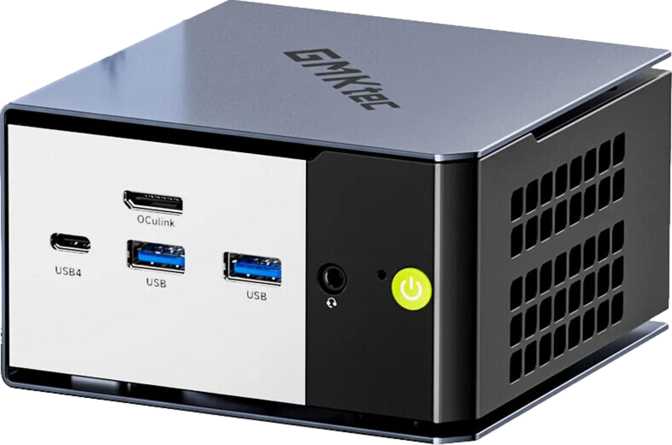
GMKtec NucBox K16 Review: Big Performance in a Tiny Package
Mini PCsCompact build, serious credentials. The NucBox K16 packs dual Ethernet, Thunderbolt 4, eight processing cores, and DDR5-6400 memory into a chassis smaller than a hardback novel — a connectivity profile that belongs on machines far larger.
Most compact desktop computers force a negotiation: you accept slower performance, fewer ports, or weaker graphics in exchange for the convenience of a small footprint. That negotiation has shaped buyer expectations in the mini PC category for years. The GMKtec NucBox K16 arrives as a direct argument against that assumption.
Pack eight processor cores, 32 gigabytes of fast next-generation memory, a GPU with genuine compute capability, Thunderbolt 4, dual Ethernet, and a complete high-speed USB layout into a chassis smaller than a hardback novel — and you have a machine that earns a second look from buyers who would normally walk straight to a full-tower desktop.
The question worth spending time on is not whether the NucBox K16 is small. It is whether everything crammed into that small package actually performs when it counts. That is what this review answers.
Physical Footprint and Build Quality
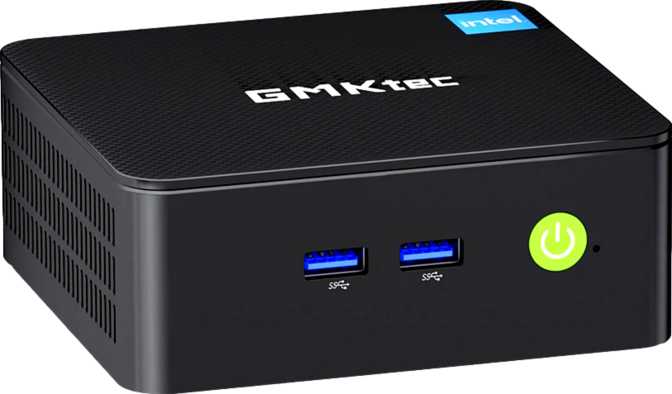
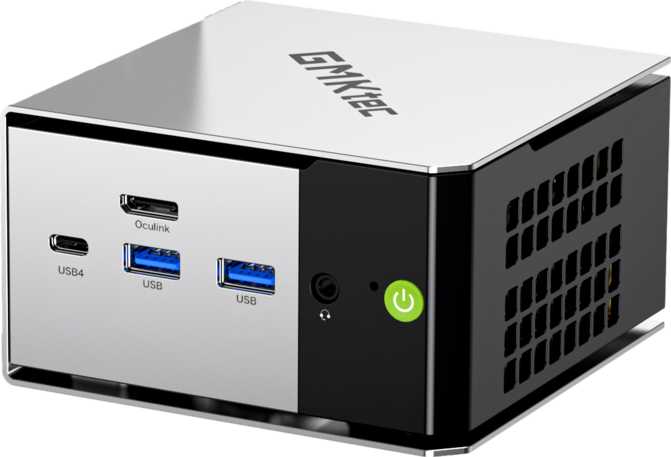
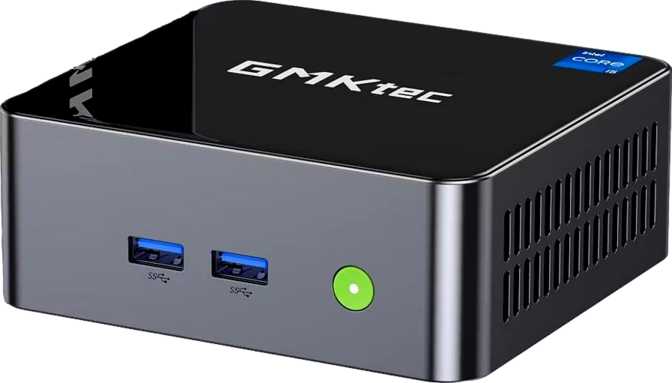
The NucBox K16 occupies a physical space of approximately 111mm wide, 107mm deep, and 56mm tall — roughly the volume of a large coffee mug lying on its side. At under 670 cubic centimeters total, it is genuinely pocketable in a coat and easily mountable behind any VESA-compatible monitor using an aftermarket bracket. On a desk, it effectively disappears.
The design language is deliberately neutral. GMKtec is not trying to make the NucBox K16 a statement piece; they are trying to make it invisible in a workspace. The chassis surface is clean and unadorned, suited equally to a home office shelf, a TV cabinet, or a tucked-away server rack position.
The one area where physical reality asserts itself is thermal management. Pushing an eight-core processor rated at 50 watts of sustained power through a chassis this compact demands active cooling. During light tasks — web browsing, documents, video calls — the machine is genuinely quiet. Under sustained CPU load, the fan becomes noticeable. This is not a silent machine for recording environments; it stays quiet until the work demands otherwise.
- Width
- 111 mm
- Depth
- 107 mm
- Height
- 56 mm
- Total Volume
- 665 cm³
- Form Factor
- Mini PC
- Cooling System
- Active Fan
- Warranty Period
- 1 Year
CPU Performance
Eight cores, sixteen threads, and a 50-watt thermal budget that lets the chip breathe — rare in a chassis this compact.
The NucBox K16 is built around an AMD-based mobile-class processor running in a configuration that prioritizes performance over power economy. Eight physical cores with simultaneous multithreading means the processor handles sixteen parallel workstreams at once — delivering faster multi-tasking, smoother background operations, and better responsiveness when multiple applications compete for resources.
The processor sustains a competitive base clock across all cores and can push individual cores up to 4.75 GHz when a workload calls for single-thread burst speed. The 50-watt sustained power budget is on the higher end of what mini PCs typically allow. Most compact machines throttle their processors aggressively to keep heat and noise down. GMKtec has configured the NucBox K16 to extract genuine, sustained output instead.
The 16 megabytes of L3 cache — the fast local memory pool closest to the processing cores — reduces how often the chip needs to reach out to slower system memory. Combined with DDR5-6400 dual-channel memory, the data pathway from storage to processor is well-matched to the machine's workload targets.
Integrated GPU: AMD Radeon 680M
RDNA 2.0 architecture — the same design that powered AMD's dedicated mid-range graphics cards — miniaturized into the processor die.
The Radeon 680M is not a stripped-down display driver. It is a real graphics architecture carrying genuine compute capability. At just under 3.4 trillion floating-point operations per second, with 768 programmable shading units clocked at 2,000 MHz base and up to 2,200 MHz under boost, it approaches the compute output of entry-level dedicated gaming GPUs from a recent product generation.
The NucBox K16's DDR5-6400 memory configuration is critical here. The Radeon 680M has no dedicated video memory of its own — it draws directly from the system's main memory pool. The faster that memory runs, the more graphics data the GPU can process per second. The machine's memory speed directly affects what the GPU achieves; this is why that specification matters beyond the headline figure.
For gaming: esports titles and older AAA releases at 1080p with medium to high settings are comfortable. Demanding modern releases at maximum settings require compromises to stay playable. This is an integrated GPU in a 50-watt system — it performs remarkably well for what it is, but it is not a replacement for a discrete gaming card.
For non-gaming workloads, the GPU delivers hardware video decoding for smooth media playback, GPU-accelerated processing for compatible creative and productivity software, and full API support for professional applications that leverage GPU compute pipelines. The chip is manufactured on a 6-nanometer process — a modern, efficient node that extracts maximum performance from its power budget.
Memory: DDR5-6400 at Its Rated Ceiling
Next-generation memory running at maximum rated speed — not conservatively tuned as in many competing configurations at this price point.
The 32 gigabytes of DDR5 memory in the NucBox K16, running at 6,400 MHz across two channels, is one of the most technically distinguished aspects of this machine. DDR5 is the current generation of system memory, offering higher bandwidth and improved efficiency compared to the DDR4 found in many competing mini PCs at similar price points. The NucBox K16 runs its memory at the maximum rated speed for this configuration — not a conservative, power-saving figure.
For everyday use, 32 gigabytes provides comfortable headroom for dozens of browser tabs, video calls, office applications, and media playback running concurrently. Developers running containers and lightweight virtual machines alongside a full development environment will find the headroom ample. Creative professionals working in photo editing, vector graphics, or audio production will not encounter memory-related slowdowns in typical project sizes.
The two-channel memory configuration means the CPU and GPU access memory simultaneously without competing — this directly and measurably improves integrated GPU performance. The platform supports expansion to 64 gigabytes for workloads that genuinely demand it.
- Generation
- DDR5 (Latest Standard)
- Speed
- 6,400 MHz (Maximum Rated)
- Configuration
- Dual-Channel
- ECC Support
- Yes — Rare in Mini PCs
Storage: Fast Interface, Limited Capacity
PCIe 4.0 NVMe speed is excellent — 512 GB base capacity requires advance planning for heavy users.
The NucBox K16 ships with a 512-gigabyte NVMe SSD using a PCIe 4.0 interface — the high-performance storage standard that delivers read and write speeds dramatically faster than older SATA-connected drives. Boot times are near-instant, application launches feel immediate, and large file transfers happen at the drive's rated speeds without waiting.
The practical limitation is capacity. For users who store media libraries, game installations, large project files, or operating system images locally, 512 gigabytes fills faster than expected. There is no external memory card slot, so supplemental storage requires a USB-connected external drive or — for higher-performance needs — an external NVMe enclosure connected through the USB 4 or Thunderbolt 4 port. This is a workable solution, but it is a planning consideration buyers should address before purchase rather than after.
- USB-A external drive — up to 10 Gbps per port
- USB 4 external NVMe enclosure — up to 40 Gbps
- Thunderbolt 4 storage device — up to 40 Gbps
Connectivity: Where the NucBox K16 Stands Apart
The port selection is the most distinctive characteristic of this product — and the area most likely to be the deciding factor in a purchase.
All ports high-speed
USB-A port
eGPU enclosure support
8K capable
output port
Home lab essential
Consistent latency
connectivity
Why Dual Ethernet Changes Things
Two physical Ethernet ports on a machine this compact stops networking-aware buyers in their tracks. Dual Ethernet enables use cases a single-port machine cannot support: running the NucBox K16 as a home router or firewall, separating a home lab from a primary home network, maintaining simultaneous wired connections to two network segments, or configuring link aggregation for doubled throughput on a compatible switch. For users who do not need dual Ethernet, the second port provides useful flexibility — a wired backup connection, a direct link to a NAS, or a secondary guest network segment.
Thunderbolt 4 on AMD: Rare and Meaningful
Thunderbolt 4 is notable on an AMD-based mini PC — not all AMD platforms include it. It supports external GPU enclosures, providing a meaningful long-term upgrade path for users who want discrete graphics performance without committing to a full desktop build.
Wi-Fi 6E adds the 6 GHz radio band alongside established 2.4 GHz and 5 GHz. The 6 GHz band carries far less interference from neighboring networks, delivering more consistent speeds and lower latency in congested wireless environments such as apartment buildings and dense offices.
Who Should Buy the NucBox K16
Matching the right buyer to the right machine is as important as the specification review itself.
- Multi-Monitor Home Office ProfessionalFour display outputs, 32GB RAM, eight cores, and Thunderbolt 4 — every standard professional workload without desk space sacrifice.
- Home Lab and Self-Hosted Services UserDual Ethernet, ECC memory, and eight-core performance make this an unusually capable home server for network services and lightweight virtualization.
- Developer with a Compact Workspace32GB DDR5, eight cores for fast compilation, Thunderbolt 4 for expandability — handles containers and virtual machines alongside a full development environment.
- Occasional GamerThe Radeon 680M handles esports titles, older releases, and indie games at 1080p. Gaming as a secondary use case without requiring a separate machine.
- Living Room Media HubHardware video decoding, HDMI 2.1, Wi-Fi 6E, Bluetooth 5.2 — quiet during light media use with full 4K playback capability.
- Serious GamersDemanding modern releases at high settings will reach the Radeon 680M's ceiling quickly. The base system is not a gaming PC and should not be purchased as one.
- Heavy Video Editors and 3D RenderersThe Radeon 680M is insufficient for GPU-accelerated render workflows, and 512 GB base storage is too limited for large project file management.
- Buyers Who Prioritize Silence Above AllUnder sustained CPU load, the cooling fan is audible. For recording environments or noise-sensitive contexts, this may be a disqualifying characteristic.
- Users Expecting Extended Warranty CoverageThe NucBox K16 ships with a one-year warranty — short for a primary desktop or server application where long-term reliability carries real stakes.
How the NucBox K16 Compares
Positioned against the most common alternatives in the compact desktop PC category.
| Feature Area | GMKtec NucBox K16 | Typical AMD Mini PC | Typical Intel Mini PC |
|---|---|---|---|
| Integrated GPU Architecture | RDNA 2.0 (Radeon 680M) | RDNA 2 or RDNA 3 (varies) | Intel Iris Xe or Arc (varies) |
| Memory Generation | DDR5 at 6,400 MHz | DDR5 (often at lower speeds) | DDR4 or DDR5 (varies) |
| Standard RAM Capacity | 32 GB | 16–32 GB typical | 16 GB typical |
| Thunderbolt 4 | Included | Rare on AMD | Common |
| Dual Ethernet | Included | Uncommon | Uncommon |
| USB-A Port Speed | All at 10 Gbps | Mixed speeds typical | Mixed speeds typical |
| ECC Memory Support | Supported | Uncommon | Uncommon |
| Wi-Fi Generation | Wi-Fi 6E | Wi-Fi 5 or 6 common | Wi-Fi 6 or 6E (varies) |
| Simultaneous Displays | 4 | 3 typical | 3–4 (varies) |
Comparison reflects common configurations in the mini PC market. Individual models vary — always verify specifications for the specific product being compared.
An Honest Assessment
The strengths are real, not theoretical. The weaknesses are equally real — both deserve equal attention before purchasing.
Questions Real Buyers Ask
The questions that actually determine whether the NucBox K16 is the right purchase — answered directly.
The GMKtec NucBox K16: Our Purchase Recommendation
A connectivity and memory profile that belongs on machines far larger — at a form factor that fits behind your monitor.
- Dual Ethernet + Thunderbolt 4 + ECC — an unmatched combination at this size and price class
- 32GB DDR5-6400 handles virtually every professional workload without memory pressure
- All-10Gbps USB-A ports — no slow legacy connections anywhere on the machine
- Wi-Fi 6E and four simultaneous display outputs for flexible workspace configurations
The GMKtec NucBox K16 earns a confident recommendation for home office professionals, home lab users, developers, and compact workstation builders who will use its connectivity depth fully. For general buyers who prioritize simplicity and extended coverage over specification depth, a careful comparison with newer platform alternatives is worth the time before deciding.