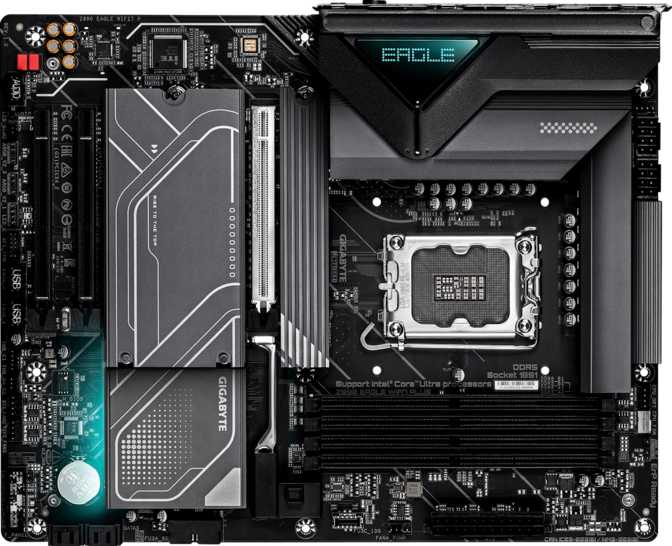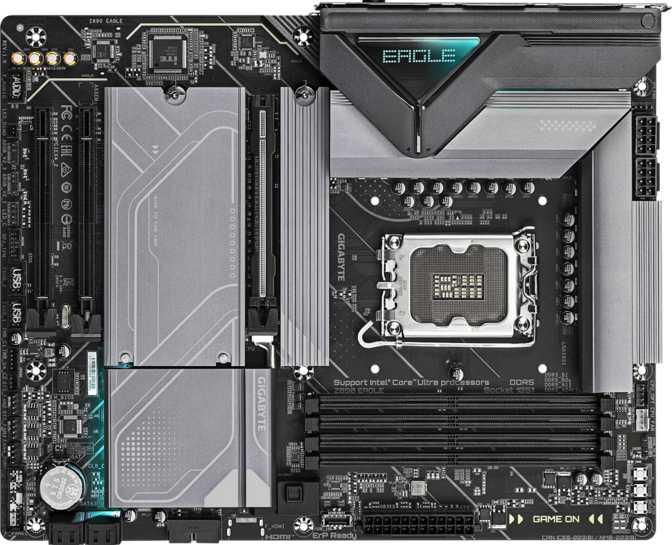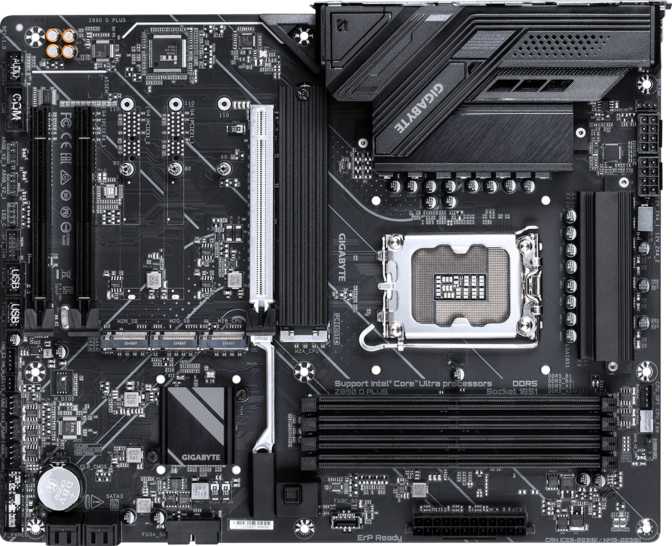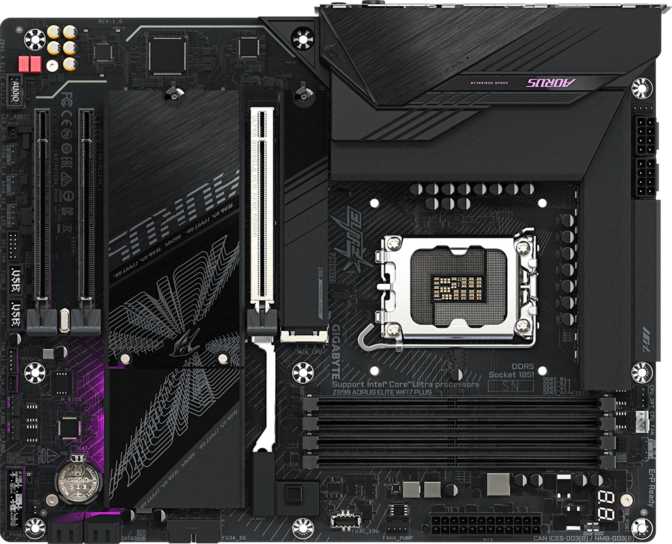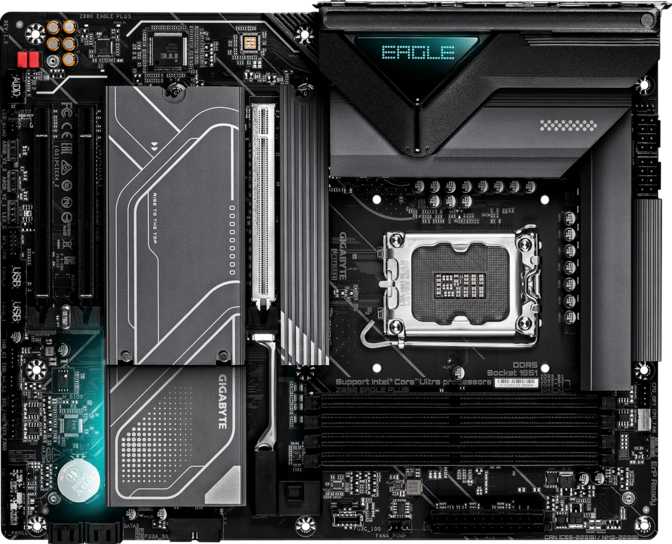
Gigabyte Z890 Eagle Plus Review: Built for Wired Desktop Builders
MotherboardsQuick Verdict
Intel Z890 • LGA 1851 • ATX Form Factor
Built for wired desktop builders who want modern Intel platform features without flagship-tier pricing. Thunderbolt 4, four M.2 slots, and deep DDR5 overclocking headroom make this a standout in its segment — but the complete absence of wireless connectivity is the defining trade-off you must weigh before buying.
- Platform: LGA 1851, Z890, ATX
- RAM: 4× DDR5 — max 256 GB
- Storage: 4× M.2 + 4× SATA 3
- GPU Slot: PCIe 5.0 x16
- Top USB: Thunderbolt 4 + USB4 40 Gbps
- Audio: 120 dB SNR, 7.1-ch
- Warranty: 3 Years
Who the Z890 Eagle Plus Is Built For
The Z890 Eagle Plus sits at an interesting crossroads in the Intel platform ecosystem. Built around Intel's LGA 1851 socket and the Z890 chipset, it targets builders who want a capable, overclock-friendly foundation for a high-performance desktop without paying a premium for features they may never use.
This is not a stripped-down board that corners you into compromises. It ships with four M.2 slots, a PCIe 5.0 primary lane, Thunderbolt 4, and DDR5 support pushing well beyond everyday frequencies. At the same time, it leaves out integrated wireless connectivity entirely — a deliberate positioning choice that shapes exactly who should, and should not, consider it.
The Z890 Eagle Plus ships with no integrated wireless of any kind. If your desktop connects over Ethernet, this is a complete non-issue. If your build location requires wireless, budget for a separate PCIe Wi-Fi adapter — or choose a board that includes it by default.
Best Suited For
- High-performance wired desktop builds
- Creators needing Thunderbolt 4 peripherals
- Gaming rigs on the current Intel Z890 platform
- Prosumer workstations requiring flexible RAID storage
Design, Build Quality, and Physical Experience
Form Factor and Layout
The Z890 Eagle Plus uses the standard ATX layout at 305 × 244 mm — the most widely used motherboard size on the market. It slots into the overwhelming majority of mid-tower and full-tower cases without any clearance concerns, making enclosure selection completely straightforward for most builders.
RGB lighting is present and integrated tastefully, complementing the board's aesthetic without dominating it. Gigabyte's RGB Fusion software gives full control over the lighting zones — or you can disable them entirely for a clean, understated look that suits professional environments just as well as gaming setups.
BIOS and Reliability Features
A dedicated Clear CMOS mechanism means BIOS recovery after a failed overclock does not require disassembling the system. For first-time overclockers, this is a meaningful safeguard — you can push settings confidently knowing a clean reset is always available without pulling the motherboard battery.
No Dual BIOS: Unlike Gigabyte's higher-tier AORUS boards, the Eagle Plus ships without a physical BIOS backup chip. If a firmware update goes wrong, standard recovery procedures apply. Builders who update firmware frequently should factor this into their decision.
Memory: DDR5 at Its Most Versatile
Future-proofs the platform for VM-heavy workloads, large datasets, and memory-intensive professional applications
Dual-channel configuration doubles memory bandwidth when slots are populated in matched pairs
Represents the current ceiling of DDR5 overclocking — achievable only with high-binned, matched memory kits
For most builders — whether gaming, content creation, or heavy multitasking — the realistic target is a 32 GB or 64 GB DDR5 kit running in dual-channel mode. The board delivers its best memory bandwidth in this configuration, and the performance gap between modest and aggressive DDR5 frequencies is tangible in real-world application loading and frame pacing.
Pushing memory beyond its rated XMP speed requires manual timing tuning in the BIOS. The Eagle Plus exposes the full set of primary and secondary DDR5 timing controls for precision tuning. Casual builders should enable XMP first — that single toggle delivers a meaningful speed improvement over stock JEDEC speeds with zero risk or effort required.
ECC Memory: Not Supported
The Z890 Eagle Plus does not support ECC (Error-Correcting Code) memory. ECC detects and corrects single-bit memory errors in real time — a requirement for servers, scientific computing, and financial processing. For gaming, creative work, and general professional tasks, the absence of ECC has no practical impact on the user experience.
Storage: Four M.2 Slots and Full RAID Flexibility
NVMe and SATA Coverage
Four M.2 sockets are a genuine highlight of the Eagle Plus's internal storage layout. M.2 is the standard interface for modern NVMe SSDs — drives that load operating systems in seconds and transfer files at speeds that make traditional hard drives feel obsolete. Four slots means you can run a primary boot drive, a secondary high-speed storage drive, and still have two slots free for future expansion, all without touching a single SATA port.
The four SATA 3 connectors remain relevant for builders with large-capacity HDDs for media archives, backup storage, or older SATA SSDs carried over from a previous build. SATA throughput is entirely sufficient for sequential reads and writes where bulk storage matters more than peak speed.
RAID Configuration Support
Full RAID support across all four major modes is a meaningful capability for a mainstream Z890 board — many competing boards at this segment restrict RAID to the two basic modes. All four are available here, covering everything from raw-speed setups to full mirrored redundancy.
Connectivity: Wired Strength, No Wireless
The rear I/O is where this board's identity is clearest. The port selection is genuinely strong for wired builds — but the complete absence of Wi-Fi and Bluetooth is the defining characteristic every buyer must account for before purchasing.
Rear Panel Port Breakdown
| Port Type | Count | Speed / Standard | Typical Use Case |
|---|---|---|---|
| USB4 (Type-C) | 1 | 40 Gbps | External NVMe enclosures, high-bandwidth docks |
| Thunderbolt 4 (Type-C) | 1 | 40 Gbps + TB protocol | TB docks, daisy-chained displays, TB SSDs |
| USB 3.2 Gen 2 (Type-A) | 2 | 10 Gbps | Portable SSDs, fast flash drives |
| USB 3.2 Gen 1 (Type-A) | 3 | 5 Gbps | Keyboards, mice, standard peripherals |
| USB 2.0 (Type-A) | 4 | 480 Mbps | Legacy devices, audio interfaces |
| DisplayPort | 1 | CPU iGPU passthrough | Display output when using CPU integrated graphics |
| RJ45 Ethernet | 1 | Gigabit | Wired network connection |
| Wi-Fi / Bluetooth | None | — | Not included — separate PCIe card required |
Internal Case Headers
Thunderbolt 4 — An Unexpected Inclusion
Thunderbolt 4 is typically reserved for premium boards. Its presence here opens compatibility with Thunderbolt docks, high-performance displays, daisy-chained device setups, and professional audio and video interfaces — without requiring a move up to the flagship pricing tier.
DisplayPort Note
The rear DisplayPort activates only when the installed processor includes Intel integrated graphics. Builders pairing this board with a discrete GPU will route all video through that card. The port is most useful during initial setup before a GPU is installed.
Expansion Slots: Built for the Modern GPU Era
The primary GPU slot runs PCIe 5.0 at full x16 electrical bandwidth — the current generation standard for discrete graphics cards. PCIe 5.0 doubles the interface bandwidth versus PCIe 4.0 for that lane, which matters both for high-end GPUs today and for next-generation NVMe drives that may occupy the primary M.2 position in future builds.
Two secondary PCIe x4 slots handle additional expansion cards — well-suited for capture cards, extra storage controllers, USB expansion, 10 GbE networking upgrades, or dedicated audio hardware. There are no PCIe x1 slots on this board, which streamlines the layout but does reduce legacy compatibility with older low-profile expansion cards.
Single GPU Only: There is no second full-length PCIe x16 slot. Multi-GPU configurations are not possible on this board. This is consistent with where the market has moved — multi-GPU gaming is effectively obsolete, and the vast majority of desktop builders will never need or miss this capability.
| Slot | Generation | Primary Use |
|---|---|---|
| x16 (Primary) | PCIe 5.0 | Discrete GPU |
| x4 (Secondary) | PCIe x4 | Capture / NIC / Storage |
| x4 (Third) | PCIe x4 | Capture / NIC / Storage |
Audio: Above Average for the Segment
The onboard audio achieves a 120 dB signal-to-noise ratio — a measurement that reflects how cleanly audio signal is separated from the background electrical noise generated by the rest of the board's components. At 120 dB, this sits well above what budget boards deliver and into territory where most listeners will not perceive any audible noise floor, even through quality headphones or bookshelf speakers.
Full 7.1 surround channel support covers complete surround setups including front, rear, side, and center speaker configurations. Two rear-panel analog audio jacks handle the physical connections for the majority of users, while an S/PDIF optical output provides a digital path for external DACs, AV receivers, or audio equipment that accepts an optical digital input.
For dedicated audiophiles, a separate DAC or dedicated sound card will always outperform integrated audio. For gaming, music listening, and video editing, however, the Z890 Eagle Plus's audio implementation removes any practical need to budget for an audio card upgrade at build time.
Overclocking: Capable, Guided, and Honest
The Z890 chipset is Intel's unlocked, overclock-capable platform, and the Eagle Plus takes full advantage of that. The board exposes CPU multiplier and voltage controls for Intel's unlocked K-series processors in the LGA 1851 family, alongside Gigabyte's automated overclocking profiles that handle the tuning work for builders who prefer not to manually adjust each parameter from scratch.
For memory overclocking, enabling XMP in the BIOS is the starting point — a one-setting change that pushes memory to its rated speed and delivers a noticeable improvement over default JEDEC frequencies. Manual tuning beyond XMP is supported through the full set of DDR5 primary and secondary timing controls, enabling the kind of precision work that can reach the platform's upper frequency ceiling with the right memory kit.
Builders chasing extreme all-core CPU overclocks on the highest-TDP processors should compare the Eagle Plus's VRM design against boards from Gigabyte's AORUS line or competing premium tiers. The Eagle Plus is well-suited for moderate to meaningful overclocking; sustained extreme voltages on the most power-hungry chips is where heavier VRM configurations earn their premium.
- CPU multiplier and voltage control for K-series processors
- Automated OC profiles via Gigabyte BIOS tools
- XMP support for one-click DDR5 speed activation
- Full DDR5 primary and secondary timing controls
- Clear CMOS for safe recovery after failed tweaks
- No dual BIOS for firmware-level fallback protection
Who Should Buy This Board — and Who Shouldn't
This Is the Right Choice If...
- You are building a wired desktop and wireless connectivity is not needed
- Thunderbolt 4 compatibility matters to your workflow without paying flagship board pricing
- Four M.2 slots are a priority for your storage configuration
- You want guided BIOS overclocking tools that don't demand expert-level knowledge
- Full RAID 0/1/5/10 support is needed for your storage or backup workflow
- A 3-year warranty and reliable brand support factor into your purchase decision
This Is the Wrong Choice If...
- Your build location requires wireless connectivity — a PCIe Wi-Fi adapter adds cost and consumes an expansion slot
- ECC memory support is required for data-critical or mission-critical applications
- You need a second full-length PCIe x16 slot for compute hardware or specialized expansion cards
- Dual BIOS as a physical firmware safety net is a firm requirement for your use case
Competitive Positioning: How It Stacks Up
The Z890 Eagle Plus trades built-in wireless — included in most mid-range Z890 rivals — for Thunderbolt 4 and a more complete RAID configuration. For buyers who have weighed that trade-off, the board delivers strong value at its price point.
| Feature | Gigabyte Z890 Eagle Plus | Typical Z890 Mid-Range Rival |
|---|---|---|
| Wi-Fi / Bluetooth | Not Included | Usually Included |
| Thunderbolt 4 | Yes — Rear Panel | Rare at This Price |
| M.2 Slots | 4 Slots | 3–4 Slots |
| PCIe 5.0 x16 Primary | ||
| Dual BIOS | Varies by model | |
| RAID Modes | 0, 1, 5 & 10 | Often 0 and 1 Only |
| CPU Overclocking | ||
| Onboard Audio SNR | 120 dB | 108–120 dB |
Common Questions Before You Buy
Final Verdict
Gigabyte Z890 Eagle Plus — Mid-Range Z890 ATX Motherboard
The Gigabyte Z890 Eagle Plus is a well-constructed, feature-dense mid-range motherboard for builders who know exactly what they are getting into. The absence of integrated wireless is a real constraint — not a minor footnote — and it meaningfully narrows the target audience. Anyone who needs wireless should factor in the cost and slot overhead of a PCIe adapter, or look at a board that includes it natively.
But for the buyer it is designed for — someone building a wired desktop who values Thunderbolt 4, four M.2 slots, capable DDR5 overclocking, and thorough storage flexibility — the Eagle Plus delivers a genuinely compelling package. The three-year warranty reflects confidence in the hardware, the BIOS overclocking tools lower the barrier for less experienced builders without limiting what enthusiasts can do manually, and the complete RAID mode support and strong onboard audio round out a board that punches above its positioning.
If you are planning a high-performance wired desktop on the Intel Z890 platform and have weighed the wireless trade-off clearly, the Z890 Eagle Plus earns a strong recommendation. Add a Wi-Fi card if your setup requires it — and this becomes a well-rounded build foundation that is difficult to fault at its segment.