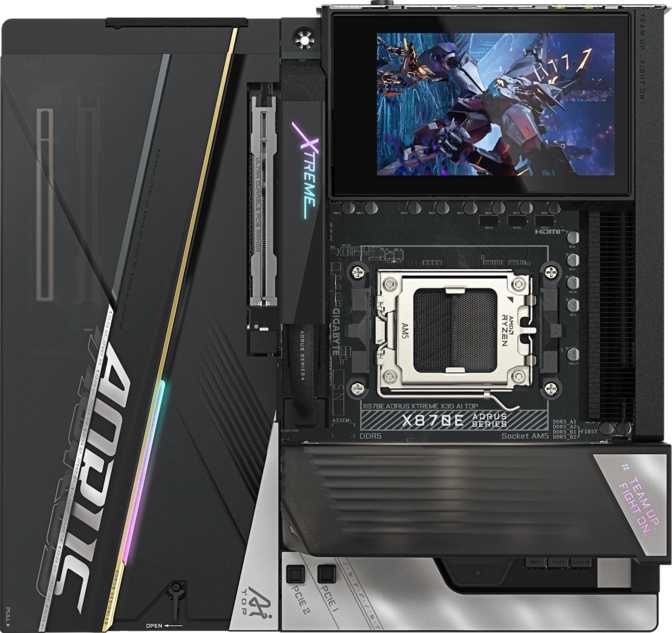
When Only the Best Will Do
There is a tier of motherboard that exists not because most people need it, but because some people refuse to compromise. The Gigabyte X870E Aorus Xtreme X3D AI Top sits at that tier — an Extended ATX flagship built around AMD’s X870E chipset, designed for the AM5 platform, and loaded with a connectivity specification that reads more like a server rack than a consumer desktop component. If you are reading this review, you are probably already serious about your build. This article will tell you exactly what you are getting, what you are paying for, and — just as importantly — whether it actually matches your needs.
Design and Build Quality
Physical Presence
The Xtreme X3D AI Top follows the Extended ATX standard, measuring 285mm tall and 305mm wide. That is meaningfully larger than a standard ATX board. Before anything else, confirm your chassis supports E-ATX — many mid-tower cases do not. You will need a full-tower or a purpose-built enthusiast case. This is not a casual caveat; it affects your entire build plan.
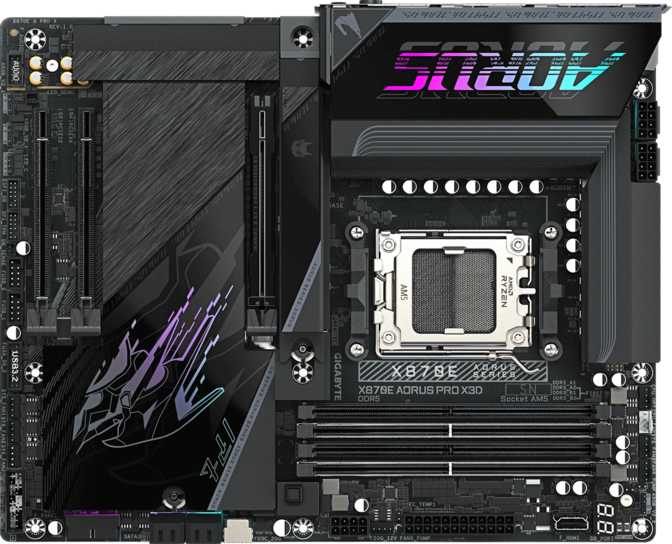
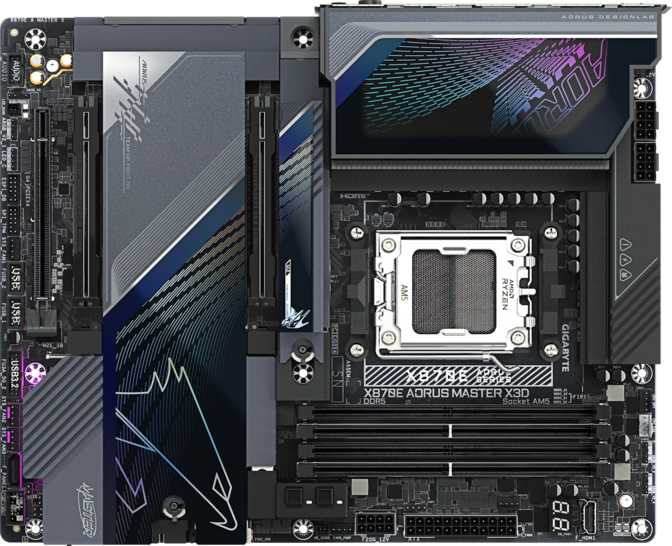
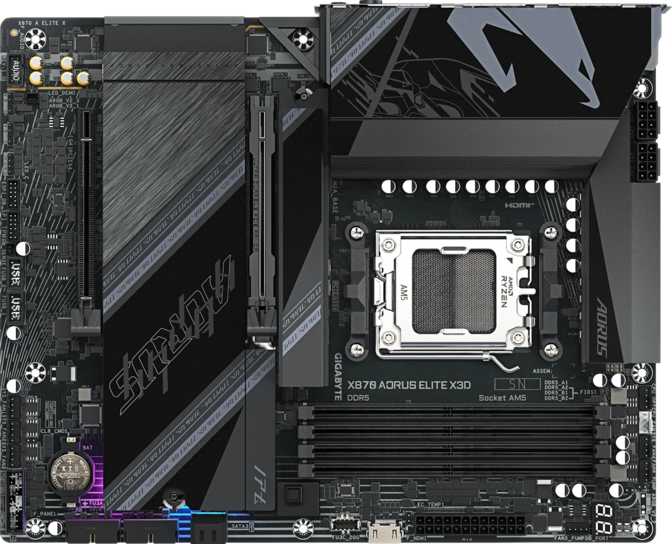
In person, the board carries Gigabyte’s Aorus flagship aesthetic: a dark, angular design language with embedded RGB lighting distributed across the heatsink shrouds, I/O cover, and PCB accents. The lighting is addressable and integrates with Gigabyte’s RGB Fusion ecosystem for synchronization with compatible peripherals and components. For builders who consider visual coherence part of their craft, the implementation here is deliberate rather than gratuitous.
The power delivery system — indicated by the scale and quantity of heatsinks across the VRM area — is clearly engineered for sustained high-current loads. This is not decorative metal. The heatsink coverage on the voltage regulators suggests Gigabyte is targeting builders running the most power-hungry AM5 processors under extended workloads, with thermal headroom to spare.
Build Confidence
Physical build quality on a board at this price level is expected to be excellent, and the Xtreme X3D AI Top does not disappoint. PCIe slot reinforcement, M.2 shield covers with tool-free mechanisms, pre-installed I/O shield, and labeled connectors throughout reduce the friction of building. The CMOS reset button is accessible without disassembling the system — a practical feature that anyone who has ever troubleshot a boot failure will appreciate immediately.
Platform and Performance Foundation
The AM5 and X870E Combination
The AM5 socket is AMD’s current-generation platform, supporting Ryzen 7000 and Ryzen 9000 series processors. It is a long-term platform commitment — AMD has publicly committed to AM5 longevity — which makes a high-end board like this a meaningful investment rather than a disposable one.
The X870E chipset is the top-tier variant of AMD’s 800-series chipsets. The “E” designation (Extreme) mandates USB4 40Gbps support and PCIe 5.0 connectivity for both storage and graphics — requirements that the Xtreme X3D AI Top fully satisfies and then exceeds. Choosing X870E over the standard X870 ensures you lose nothing in terms of platform capability; this is the complete expression of what AM5 can offer.
Memory Performance: From Everyday to Extreme
Four DDR5 memory slots support up to 256GB of total capacity across two channels — enough for the most demanding content creation, virtualization, or professional workstation scenarios. At stock configuration, the board supports DDR5 speeds appropriate for daily computing. However, the overclocking headroom here is exceptional: with the right memory kits and tuning, the platform can push RAM well beyond what most competing platforms can achieve, reaching speeds that provide measurable gains in latency-sensitive workloads and competitive gaming.
To put that in context: standard DDR5 out of the box runs at roughly 4800–5600 MT/s. The upper limit this board supports under overclocking represents nearly double that figure. For most users, mid-range DDR5 kits running at tuned speeds will be the sweet spot. For memory enthusiasts and overclockers, the ceiling exists to be pushed.
ECC (Error-Correcting Code) memory is not supported. This is a desktop-class platform choice. If data integrity for mission-critical professional workloads requiring ECC is your priority, you are looking at a different platform entirely (EPYC or Threadripper). For everyone else, this is a non-issue.
Connectivity: The Specification That Sets This Board Apart
This is where the Xtreme X3D AI Top truly separates itself from even other high-end motherboards. The rear I/O and internal connectivity suite is extraordinary.
Rear I/O Breakdown
| Port Type | Quantity | What It Means in Practice |
|---|---|---|
| USB-A 3.2 Gen 2 (10Gbps) | 8 | Fast transfer for external SSDs, hubs, and peripherals — enough for a fully populated desk setup without needing an external hub. |
| USB-C 3.2 Gen 2 (10Gbps) | 1 | Modern device compatibility at full fast-transfer speeds for USB-C peripherals and drives. |
| USB-C 3.2 Gen 2×2 (20Gbps) | 1 | Twice the bandwidth of standard Gen 2; ideal for the fastest portable SSDs currently available. |
| USB4 at 40Gbps | 2 | The current peak of consumer USB speed; fully compatible with Thunderbolt 3 and 4 devices and docks. |
| Thunderbolt 4 (Certified) | 2 | Native Intel Thunderbolt 4 certified ports delivering 40Gbps with support for daisy-chaining, display output, and eGPU docks. |
| 2.5GbE RJ45 | 2 | Dual wired network ports — route gaming and workstation traffic on completely separate connections simultaneously. |
| HDMI 2.1 | 1 | Display output via integrated CPU graphics; useful for diagnostics or builds using a Ryzen G-series processor without a discrete GPU. |
The absence of any USB 2.0 or USB 3.2 Gen 1 ports on the rear I/O is a statement. Every single port on this board delivers meaningful real-world performance. Eight high-speed USB-A ports on the rear panel alone means most users will never need a USB hub connected to this board.
Wireless Connectivity
Wi-Fi 7 (802.11be) is the headline wireless standard here, backward compatible with Wi-Fi 6E, 6, 5, and older networks. Wi-Fi 7 delivers theoretical multi-gigabit wireless speeds and dramatically improved performance in congested environments — meaningful if your router supports it, and future-proof if it does not yet. Bluetooth 5.4 handles peripherals, headsets, and mobile device pairing with the current standard for range and reliability.
Internal Expansion and Storage
Five M.2 slots represent exceptional internal storage capacity. Running a primary OS drive, a secondary fast storage volume, a dedicated scratch disk for video editing, and still having slots available for expansion — that is real flexibility for content creators and power users. All five slots are positioned to take advantage of PCIe 5.0 or PCIe 4.0 NVMe drives depending on the specific slot configuration.
Two SATA 3 connectors remain for legacy storage or SATA SSDs, though the M.2 slots will be the primary storage path for most builds on this board. Full RAID support across levels 0, 1, 5, and 10 means this board can serve as the foundation for a workstation requiring data redundancy or performance striping — without needing a dedicated RAID card.
Six fan headers provide granular control over cooling across a complex thermal environment — enough for radiators, multiple case fans, and additional VRM or chipset cooling without resorting to fan hubs.
Graphics and Expansion Slots
The primary PCIe 5.0 x16 slot serves the discrete graphics card. PCIe 5.0 doubles the bandwidth available to a GPU compared to PCIe 4.0, and while current graphics cards do not saturate even PCIe 4.0 in most scenarios, this future-proofs the slot for upcoming GPU generations. There is no performance disadvantage to running a current GPU here — it simply operates at the speed the card itself demands.
An additional PCIe x8 slot and a PCIe x4 slot expand the board’s capability for capture cards, networking cards, PCIe storage controllers, or professional accelerators. The x4 slot is particularly useful for high-end add-in cards that do not require full x16 bandwidth.
Builders expecting traditional SLI or CrossFire multi-GPU rendering setups will find this is not the board’s design intent — nor is that a relevant concern for the vast majority of current workloads.
Audio
The onboard audio implementation delivers a 120 decibel signal-to-noise ratio from its DAC. Consumer-grade audio cards typically fall between 97 and 110 dB SNR — 120 dB represents audiophile-tier performance from integrated audio.
For headphone and speaker users who have not invested in a dedicated external DAC or sound card, this board’s audio output is genuinely competitive with standalone mid-range audio hardware. Eight-channel output supports full surround configurations for home theater PC setups. The two audio jacks on the rear panel handle headphone and microphone connections directly.
The board does not include an S/PDIF optical output. Users relying on optical for external receivers or DACs will need an adapter or alternative solution.
Overclocking and BIOS
The Xtreme X3D AI Top is explicitly designed for overclocking. The BIOS includes automated overclocking options for users who want performance gains without manual tuning, alongside a full manual suite for those who want to control every variable. The power delivery infrastructure supports pushing AMD’s top-tier processors beyond their stock configurations without thermal throttling under sustained loads.
A physical CMOS reset button accessible on the rear I/O is essential for overclockers — when a configuration does not boot, recovery is a single button press rather than a hunt for jumpers or coin cell removal. This detail matters more than it sounds on a board used for aggressive tuning.
Notable omission: The board does not include a dual BIOS backup feature. This is notable at this price point. A secondary BIOS chip provides insurance against corruption from a failed update. Users who frequently update firmware or push experimental settings should manage BIOS updates with standard care appropriate for a single-BIOS configuration.
Who This Board Is For
This is the right board if you…
- Are building an AM5 flagship workstation or high-performance desktop with the best available Ryzen processor
- Need extensive USB connectivity without an external hub — particularly USB4 or Thunderbolt 4 for docks, eGPUs, or professional interfaces
- Run multiple high-speed NVMe drives and want every slot to matter
- Plan to overclock memory significantly or push CPU performance boundaries
- Work in content creation, 3D rendering, scientific computing, or development workflows that benefit from maximum platform throughput
- Need dual wired network connections for separating traffic or maintaining redundancy
This is not the right board if you…
- Are building a standard gaming PC where a mid-range X870 or B850 board would deliver identical gaming performance at a fraction of the cost
- Have a standard ATX case — you will need to buy a new one to fit E-ATX
- Need ECC memory support for professional data integrity workloads
- Prefer a dual BIOS safety net for frequent firmware experimentation
- Are primarily concerned with value-per-dollar rather than capability ceiling
Competitive Positioning
At the X870E flagship tier, the Xtreme X3D AI Top competes directly with boards like the ASUS ROG Crosshair X870E Hero, MSI MEG X870E ACE, and ASRock X870E Taichi Aqua. The differentiators at this level are narrow but meaningful.
| Feature | Gigabyte X870E Aorus Xtreme X3D AI Top | Typical X870E Flagship Competitor |
|---|---|---|
| Rear USB-A Ports | 8 × USB 3.2 Gen 2 (10Gbps) | Usually 4–6 high-speed ports |
| Thunderbolt 4 | 2 certified ports | Often 1, sometimes 0 |
| USB4 40Gbps | 2 ports | 1–2 ports typically |
| M.2 Slots | 5 | 4–5 typically |
| Wi-Fi Standard | Wi-Fi 7 | Wi-Fi 7 (standard at this tier) |
| Dual BIOS | No | Varies — some competitors include it |
| Form Factor | E-ATX | Varies — ATX or E-ATX |
Strengths and Honest Weaknesses
The Xtreme X3D AI Top’s strongest argument is its I/O completeness. A board that eliminates the need for a USB hub, supports the fastest external connectivity standards, and provides five M.2 slots — all while maintaining Wi-Fi 7 and dual 2.5GbE — is a legitimate all-in-one platform for a demanding workstation. The memory overclocking ceiling is also a genuine technical achievement that enthusiasts and competitive overclockers will notice.
The 120 dB audio SNR deserves more attention than it typically gets in flagship board comparisons. Many builders at this level purchase a discrete sound card anyway, but for those who do not, this board’s audio quality reduces that pressure significantly. The platform’s commitment to PCIe 5.0 across both primary GPU and storage slots also provides genuine long-term relevance as drive and GPU generations evolve.
The absence of dual BIOS is an unusual omission for a board at this price. It will not matter to most users, but it is a legitimate concern for those who live in BIOS beta testing territory. No secondary BIOS chip means a failed or corrupted firmware update requires more deliberate recovery steps than competitors that include this feature as standard.
The E-ATX form factor is also a real constraint — it narrows case compatibility and raises total system cost if a chassis upgrade is required. The two SATA connectors feel minimal for a board of this scale, though the five M.2 slots make this largely irrelevant for anyone building with modern storage. If you have an existing library of 3.5-inch HDDs or SATA SSDs you planned to migrate, plan accordingly.
Answers to Questions Buyers Are Actually Asking
Final Verdict
The Gigabyte X870E Aorus Xtreme X3D AI Top is a technically complete flagship AM5 motherboard with an I/O specification that genuinely earns its position at the top of the product stack. The rear USB density, dual Thunderbolt 4, five M.2 slots, dual 2.5GbE, and Wi-Fi 7 combination is not marketing padding — it reflects a board designed to be the last connectivity bottleneck you ever encounter in a desktop build.
For enthusiasts building an uncompromised AMD workstation or high-performance PC, this board delivers everything the X870E platform offers and then adds generously on top. It is a long-term investment in a platform AMD has committed to supporting, on a board with room to grow as drives, peripherals, and processors evolve.
The dual BIOS omission and E-ATX size requirement are real considerations that should inform your decision — neither is a reason to avoid the board, but both are reasons to think carefully before committing. If those factors do not disqualify it for your use case, there is very little else to hold against it.
Purchase Verdict
For serious AM5 builds where platform completeness matters more than saving money on the motherboard, this is one of the most capable foundations currently available. Buy it if you will use what it offers. Do not buy it if you are treating it as a status upgrade to an otherwise modest build — the premium does not translate into gaming performance gains that a less expensive X870E board would not also provide. Know what you need, match it to what this board delivers, and the decision becomes straightforward.