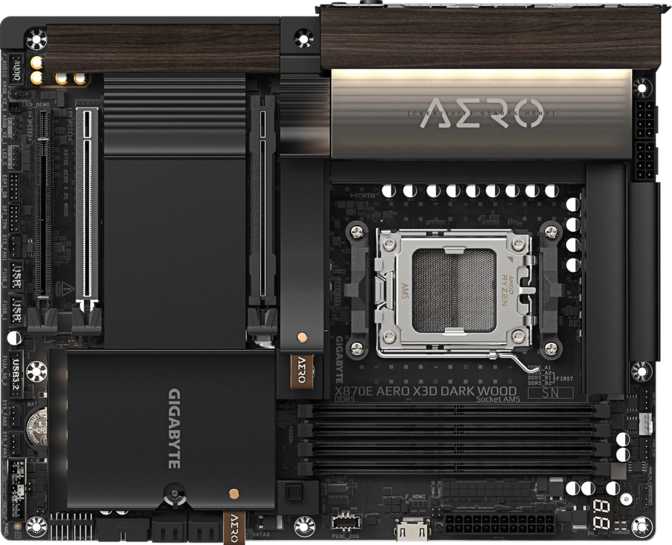
Gigabyte X870E Aero X3D Dark Wood: The AM5 Flagship Reviewed
MotherboardsAMD's AM5 platform has matured into a genuinely compelling ecosystem, and the boards competing at its highest tier have followed suit. The Gigabyte X870E Aero X3D Dark Wood is not a board you buy because you need a motherboard — it is a board you buy because you have committed to building something specific: a high-performance, future-proof system where connectivity, overclocking headroom, and long-term expandability are non-negotiable. "X870E" places it on AMD's premier chipset, "Aero" references Gigabyte's creator-and-enthusiast design language, and "Dark Wood" signals immediately that this is not another aggressive black-and-RGB gaming slab.
Design and Build Quality: The Dark Wood Aesthetic in Practice
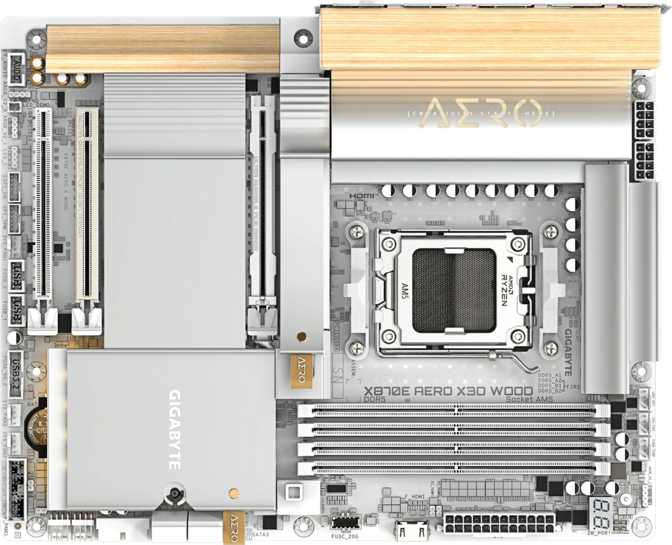
The "Dark Wood" designation refers to a decorative panel or heatsink overlay incorporating a dark woodgrain texture — a deliberate departure from the brushed aluminum and aggressive RGB that define most high-end motherboards. It reads as premium rather than flashy, and it suits builds housed in cases with tempered glass panels where subtlety is the design goal.
Dimensionally, this is a standard ATX board at 305 mm wide and 244 mm tall. It fits any full-tower or mid-tower case with ATX support, and you will not encounter the GPU clearance issues that sometimes affect E-ATX boards. The ATX form factor also means broad compatibility with aftermarket coolers, so you are not sacrificing cooling flexibility for aesthetics.
RGB lighting is present and integrated, positioned as accent rather than spectacle — consistent with the Aero line's philosophy of refined rather than loud illumination. Synchronization with other components is fully supported, as is disabling it entirely for those who prefer a clean, understated look.
Cooling coverage: Eight fan and pump headers provide enough channels to support a full custom cooling loop or multiple radiator fans simultaneously — without adding a separate fan controller. That headroom covers even complex multi-radiator configurations without compromise.
Platform Foundation: What AMD X870E Brings to an AM5 Build
The X870E chipset is AMD's highest-tier offering for the AM5 socket — the version of the platform that unlocks the most PCIe lanes, the most USB bandwidth, and the broadest overclocking support. Full compatibility with AMD's current Ryzen 7000 and Ryzen 9000 series processors, including 3D V-Cache variants, is guaranteed by the AM5 socket standard.
The board's "X3D" naming strongly implies optimization for AMD X3D CPUs in particular. Those processors carry specific power delivery and thermal characteristics, and a board marketed around that compatibility warrants the inference that its VRM design is suited to sustaining them at full load — including the elevated power draw that 3D V-Cache chips can generate under demanding conditions.
The AM5 platform exclusively uses DDR5 memory, bringing higher bandwidth ceilings and lower operating voltages per module compared to DDR4. DDR5 pricing has normalized considerably since the platform's launch, and the performance advantages at the top of the speed range are real in bandwidth-sensitive applications — content creation, high-resolution gaming, and data-intensive workloads all benefit.
Memory Performance: From Everyday Speeds to Extreme Overclocking
Four DIMM slots accommodate up to 256 gigabytes of DDR5 memory — covering every consumer use case and most professional workstation scenarios. For the vast majority of buyers, two high-speed 32 GB sticks will be the practical starting point, leaving two slots open for future expansion without any rebuild required.
Standard Operation
The board runs DDR5 at its rated speeds by default, maintaining stability without any user configuration required. Current DDR5 kits advertised at specific speeds will operate at those speeds out of the box, making setup straightforward for users who have no interest in manual tuning.
Extreme Overclocking Ceiling
Support for memory overclocking up to 9000 MHz places this board at the current frontier of what the AM5 memory controller can sustain. Reaching those numbers demands premium hand-binned memory kits and careful BIOS tuning — but even without pursuing the ceiling, mid-range overclock targets of 6000–7200 MHz sit comfortably within the board's capable range rather than straining its limits.
Dual-channel memory configuration is fully supported — two matched sticks consistently outperform a single stick of equivalent total capacity. ECC error-correcting memory is not supported, placing this board firmly in the consumer and enthusiast category rather than the workstation or server platform segment.
Storage: Fast Paths and Plenty of Them
NVMe M.2 — The Primary Storage Backbone
Four M.2 sockets accommodate four simultaneous NVMe solid-state drives. At the X870E tier, at least some of these slots operate over PCIe 5.0 lanes — supporting drives capable of sustained sequential reads exceeding 14,000 MB/s. Having all four slots available from the start means storage expansion later never requires displacing an existing drive to make room.
SATA — For Bulk and Legacy Storage
Four SATA 3 connectors serve 2.5-inch SSDs and traditional spinning hard drives — useful for migrating existing storage from a previous build or adding high-capacity bulk storage at a cost-per-gigabyte that NVMe cannot yet match. No mSATA or eSATA connectors are present, keeping the interface selection clean and current-generation.
RAID Configuration Support
| RAID Level | Purpose | Supported |
|---|---|---|
| RAID 0 | Striping for maximum sequential read/write speed | |
| RAID 1 | Mirroring for complete data redundancy | |
| RAID 5 | Parity-based protection with sustained read performance | |
| RAID 10 | Combined striping and mirroring for speed and redundancy | |
| RAID 0+1 | Alternative mirror-stripe configuration |
PCIe Expansion: Built for Next-Generation GPUs and Beyond
Two PCIe 5.0 x16 slots anchor the expansion layout. The primary slot delivers the maximum bandwidth the current GPU generation can use — with no practical bottleneck — while positioning the build for next-generation graphics cards that will push PCIe 5.0 throughput more aggressively. The secondary PCIe 5.0 x16 slot adds flexibility for compute cards, high-bandwidth capture hardware, or PCIe 5.0 NVMe add-in cards when the primary slot is occupied by a GPU.
There are no PCIe x1 or legacy PCI slots — a deliberate choice to eliminate older expansion standards in favor of a cleaner, higher-bandwidth layout. Users relying on PCIe x1 devices should verify their compatibility needs before committing to this board.
Connectivity: Where the X870E Aero X3D Dark Wood Truly Stands Apart
The rear I/O panel is exceptional by any current standard — and this is where the board makes its most compelling argument for its position in the market.
USB Port Hierarchy
| Standard | Speed | Rear Ports | What It Means in Practice |
|---|---|---|---|
| USB 4 | 40 Gbps | 2 | Saturates the fastest external NVMe enclosures; supports dual 4K display output over a single cable |
| Thunderbolt 4 | 40 Gbps | 2 | Full Thunderbolt ecosystem: docks, eGPUs, and certified professional audio interfaces |
| USB 3.2 Gen 2x2 | 20 Gbps | 1 | High-speed external SSDs without saturation; faster than most portable drives can sustain |
| USB 3.2 Gen 2 (Type-A) | 10 Gbps | 5 | Everyday peripherals — headsets, mice, keyboards, and standard external drives |
| USB 3.2 Gen 1 (Type-A) | 5 Gbps | 3 | Lower-demand devices; still exceeds the bandwidth needs of most standard peripherals |
Internal headers expand front-panel connectivity further: four USB 3.2 Gen 1 headers, one USB 3.2 Gen 2x2 internal header, and four USB 2.0 headers for legacy front-panel connectors found on older cases.
Wired and Wireless Networking
Dual Ethernet
Two independent wired network connections serve real use cases: pairing a NAS alongside a workstation, bonding connections for higher aggregate throughput, or running separate network segments in a home lab. This is a feature that earns its inclusion rather than existing purely as a spec sheet line item.
Wi-Fi 7 + Bluetooth 5.4
Wi-Fi 7 operates across 2.4 GHz, 5 GHz, and 6 GHz bands simultaneously, delivering the highest currently available wireless throughput with backward compatibility through Wi-Fi 6E, 6, 5, and 4. Bluetooth 5.4 handles wireless peripherals and audio devices with the current generation's improved connection stability.
Video Output
An HDMI 2.1 port provides display output for AMD APU processors with integrated Radeon graphics. For builders running a dedicated GPU — as nearly everyone at this performance tier will — this port functions as a secondary or emergency display connection rather than the primary one.
Audio: Onboard Sound That Challenges Discrete Cards
A 120 dB signal-to-noise ratio on the digital-to-analog converter is a meaningful figure. Most mid-range boards land in the 97–108 dB range; audiophile-grade external DACs typically begin around 110 dB. At 120 dB, the onboard audio here is clean enough that many critical listeners — including those using open-back headphones — will not feel compelled to add discrete audio hardware to their build.
Only two analog audio jacks are present on the rear panel — minimal for a board at this tier. Competitors typically offer five or six jacks for a full analog 7.1 surround speaker setup. The S/PDIF digital output compensates partially, but users with existing analog surround speaker systems will notice the limitation.
Overclocking and BIOS: Tools for the Technically Inclined
AMD's X870E chipset provides full overclocking support for compatible Ryzen processors, and the board's design reflects that priority throughout. Automated overclock profiles allow users who want performance gains without manual tuning to engage a feature and move on — the board applies a pre-validated profile, and the system runs at elevated performance without any BIOS exploration required.
For those who want full manual control, the BIOS exposes memory timings, voltage curves, and CPU frequency parameters up to and including the 9000 MHz memory ceiling covered above. A physical Clear CMOS button provides an immediate escape hatch when an overclock destabilizes the system — no battery removal or pin-shorting required when iterating through tight sub-timings late in a tuning session.
Notable Omission: No Dual BIOS
This board does not include a backup BIOS chip. Most competing flagship boards include dual BIOS as a safety net for failed firmware updates. Without it, a corrupted flash requires either a BIOS flashback recovery method or a service return. Users who update BIOS firmware frequently, or who pursue aggressive memory overclocking that may trigger recovery cycles, should weigh this gap carefully before purchasing.
Who This Motherboard Is For — and Who Should Look Elsewhere
This Board Is the Right Choice If You Are:
- Building a high-end AMD Ryzen system around a Ryzen X3D processor and want to fully unlock its performance without compromise.
- Connecting professional peripherals requiring Thunderbolt 4 or USB 4 bandwidth: external high-speed storage, eGPUs, Thunderbolt docks, or certified professional audio interfaces.
- Running a home lab, pairing a NAS alongside a workstation, or any setup where dual independent ethernet connections deliver real operational value.
- Planning significant storage expansion over time and wanting four M.2 NVMe slots available from day one.
- Wanting a premium build that stands apart visually from the standard aggressive-RGB enthusiast board aesthetic.
Consider a Different Board If You Are:
- Building a budget or mid-range system where most of this board's connectivity ceiling would go untouched — excellent X670 and B650 alternatives exist at significantly lower prices.
- Requiring dual BIOS as a non-negotiable safety net — competing X870E flagships often include it, and this board does not.
- Needing ECC error-correcting memory — consumer AM5 boards do not support it, and HEDT or workstation platforms are the correct solution for that requirement.
- Running a drive-heavy storage server requiring more than four SATA ports — the SATA count is adequate for typical desktop builds but limiting for NAS-style configurations.
How It Stacks Up Against X870E Competitors
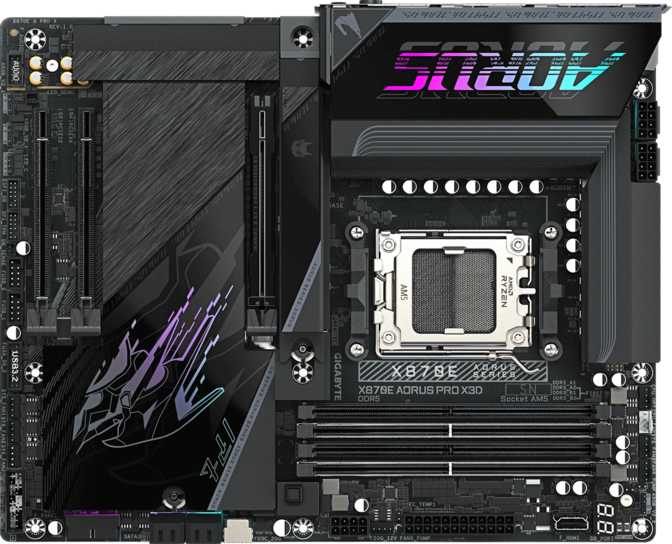
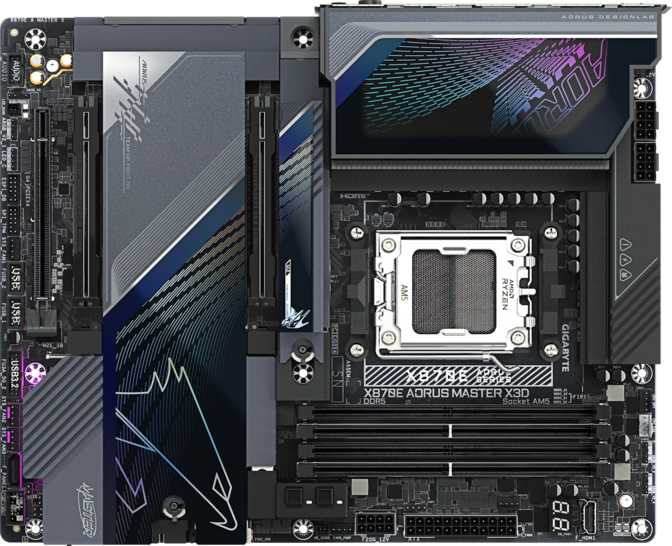
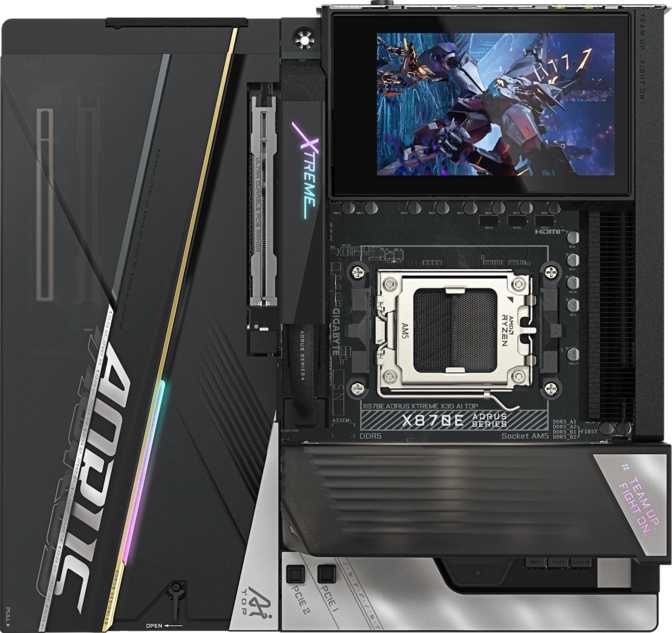
At the X870E tier, competition comes from ASUS (ROG Crosshair X870E Hero, ROG Maximus), MSI (MEG X870E ACE), and Gigabyte's own Aorus Master and Aorus Xtreme variants.
| Feature | X870E Aero X3D Dark Wood | Typical X870E Competitor |
|---|---|---|
| USB 4 (40 Gbps) Ports | 2 | 1–2 |
| Thunderbolt 4 Ports | 2 | 0–2 |
| M.2 Sockets | 4 | 4–5 |
| Dual Ethernet | Yes | Sometimes |
| Wi-Fi Generation | Wi-Fi 7 | Wi-Fi 7 |
| Max Memory Overclock | 9000 MHz | 8000–9200 MHz |
| Dual BIOS | No | Often Yes |
| Aesthetic Theme | Dark Wood / Restrained | Aggressive / RGB-heavy |
| Fan Headers | 8 | 7–10 |
Honest Assessment: Strengths and Real Weaknesses
Where This Board Excels
The connectivity suite is the board's most compelling argument. Two USB 4 ports and two Thunderbolt 4 ports on a single board is genuinely uncommon — most boards offer one or the other at this count, not both. For a workstation that simultaneously connects Thunderbolt peripherals and high-speed external storage, this combination is a real-world differentiator rather than a spec sheet talking point.
The 9000 MHz memory overclocking ceiling reflects serious engineering investment in the AM5 memory subsystem. Even conservative overclockers benefit — kits targeting 6000–7200 MHz operate comfortably within the board's sweet spot rather than straining at its upper limit, which translates to better long-term stability at those speeds.
The onboard audio at 120 dB signal-to-noise is high enough that most critical listeners, including those using open-back headphones, will not need to add discrete audio hardware. The Dark Wood aesthetic successfully differentiates the board from the sea of visually identical flagships competing at the same price tier.
Where It Falls Short
The absence of dual BIOS is the most significant specification-level gap. Gigabyte's own Aorus variants sometimes include it, and the omission here transfers recovery risk to the buyer in the event of a failed firmware update. Board-level failures are rare, but at this price tier, buyers reasonably expect a backup chip, and the recovery path without one is more involved than it should be.
Only two analog audio jacks on the rear panel is minimal for a flagship board. Full analog 7.1 surround speaker setups require five or more jacks — users with existing speaker arrays will find the board limiting unless they route audio through the S/PDIF digital output to a dedicated receiver.
The Dark Wood aesthetic, while well-executed, functions as a primary design motivator rather than an incidental one. Buyers who don't connect with that visual direction may find better fit in the Aorus Master or competing ROG flagships, where the same performance tier comes with different styling priorities.
Questions Real Buyers Ask Before Purchasing
Final Verdict
Highly RecommendedGigabyte X870E Aero X3D Dark Wood — AMD X870E / AM5 / ATX
The Gigabyte X870E Aero X3D Dark Wood is a high-conviction product for a specific type of builder. The connectivity suite genuinely stretches beyond the competition in the ways that matter most: dual USB 4 and dual Thunderbolt 4 on a single board is uncommon, and dual ethernet adds operational utility that most competing flagships treat as optional. Wi-Fi 7, two PCIe 5.0 x16 slots, and a 9000 MHz memory overclocking ceiling cover the full scope of what the AM5 platform can currently sustain.
The missing dual BIOS is the only specification-level weakness that genuinely matters — worth factoring in if you update firmware aggressively. The limited analog audio jacks on the rear panel affect a specific subset of buyers with analog surround speaker systems, but will not be noticed by the majority.
If your build centers on an AMD Ryzen processor — especially a 3D V-Cache variant — and you intend to connect Thunderbolt peripherals, fast external storage, or a dual-network configuration, this board was designed for exactly that use case. For a general gaming build that will not leverage its connectivity ceiling, step down to a B650E or entry-level X870 board and direct the savings toward storage or memory where the impact will be more tangible.
At a Glance
- 2× USB 4 (40 Gbps) ports
- 2× Thunderbolt 4 ports
- Dual ethernet on-board
- Wi-Fi 7 + Bluetooth 5.4
- 2× PCIe 5.0 x16 slots
- 4× M.2 NVMe slots
- 9000 MHz DDR5 OC ceiling
- 120 dB onboard audio SNR
- No dual BIOS backup chip
- Only 2 rear analog audio jacks