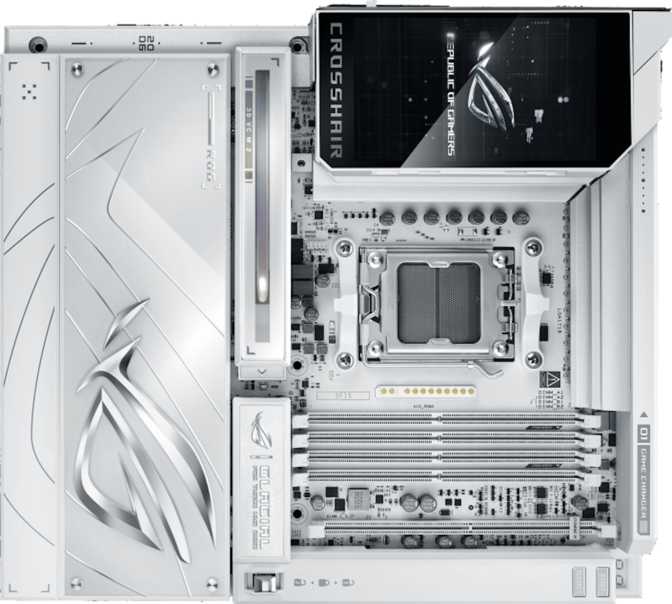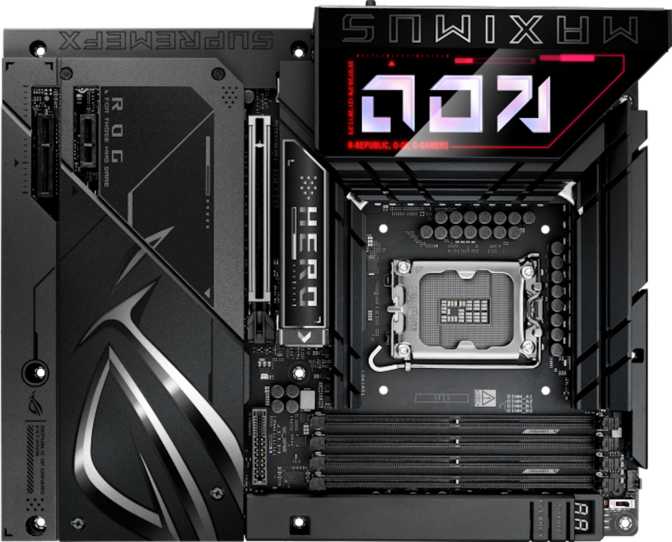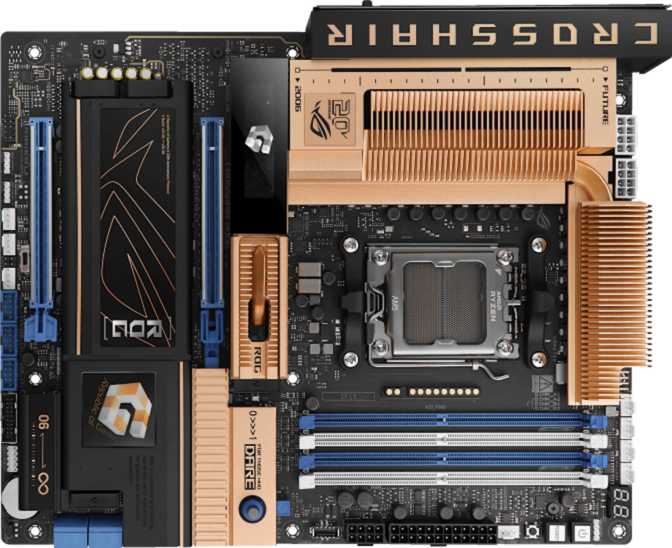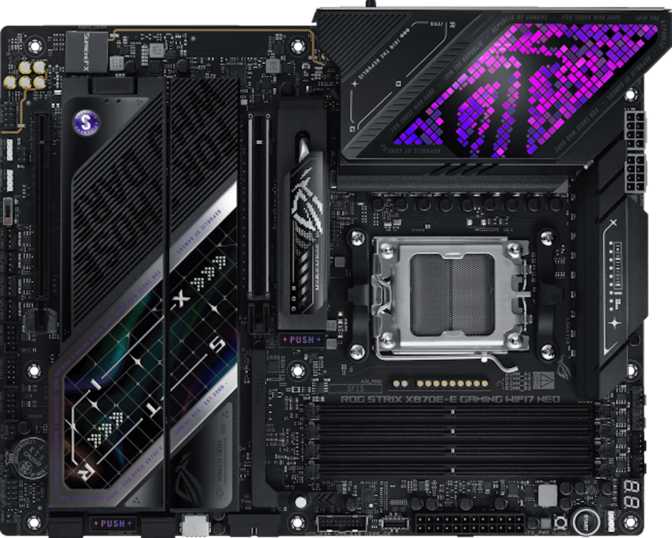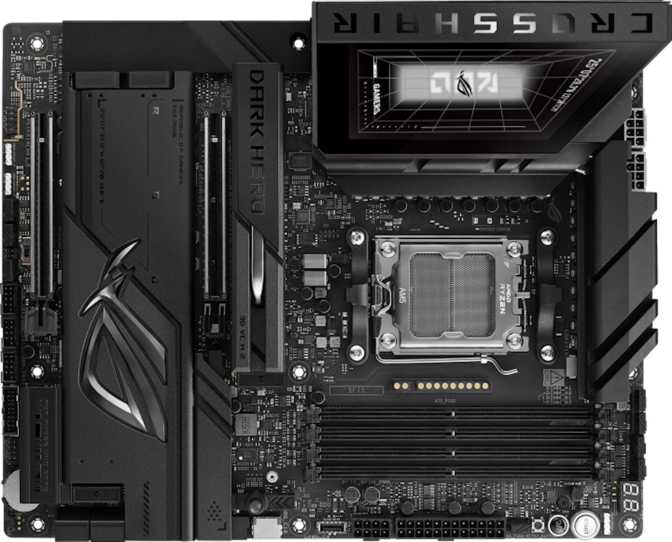
ASUS ROG Crosshair X870E Dark Hero: Full Review for Serious Builders
MotherboardsThe ROG Crosshair lineage has long been ASUS's flagship statement for AMD platforms — a series reserved for builders who refuse to compromise. The X870E Dark Hero inherits that legacy with the X870E chipset at its core, landing at the absolute top of AMD's current motherboard hierarchy. This is not a board you buy because it fits your budget. You buy it because your next build deserves every ounce of capability the AM5 platform can deliver, and you want a foundation that won't become a bottleneck for years.
The "Dark Hero" identity carries its own meaning within the Crosshair family: a blacked-out aesthetic compared to the chrome-and-flash of other flagship gaming boards — but with identical or superior engineering underneath. If you want the performance without the neon spectacle, this is the board the ROG lineup built for you.
Every major dimension of the X870E Dark Hero is examined here — connectivity, storage, memory, overclocking, audio, competitive positioning, and real-world fit — so you can make a fully informed purchase decision without visiting a second source.
Design and Build Quality
A Premium Physical Presence
At standard ATX dimensions — 305mm wide by 244mm tall — the Dark Hero fits any full-tower or mid-tower case designed for modern high-end builds. The board uses those dimensions deliberately: the layout is dense, considered, and uncluttered in a way that mid-range boards rarely manage. Heatsink coverage is extensive, running across the VRM zone and M.2 areas, giving the board a blacked-out armor aesthetic that earns the "Dark Hero" name.
The color language is predominantly matte black, with subtle RGB accents that glow without overwhelming. For builders who want lighting they can dial back or turn off entirely, the RGB implementation here is tasteful rather than compulsory.
Build Confidence
The board carries a 3-year warranty — the standard for premium ASUS ROG products — which reflects genuine confidence in component quality. Reinforced PCIe slots, a solid M.2 retention system, and quality rear-panel shielding all signal that this is built to be assembled once and trusted. It does not feel brittle during installation, a practical detail that matters when building inside a chassis with limited clearance.
Core Performance: What the X870E Platform Means in Practice
AM5 Socket — Built for the Long Haul
The AM5 socket means this board is compatible with AMD's current-generation Ryzen 7000 and Ryzen 9000 series processors. More importantly, AMD has historically committed to socket longevity — AM4 lasted nearly a decade — so investing in AM5 now is a reasonable bet that future CPU upgrades won't require replacing the board alongside them.
X870E is the top chipset tier for AM5. Where standard X670 or B650 boards manage connectivity through compromises and lane-sharing, X870E provides maximum PCIe 5.0 lane availability natively — from both the CPU and the chipset — with no shortcuts taken.
Dual PCIe 5.0 x16 Slots
Most motherboards offer one PCIe 5.0 x16 slot for the primary GPU. The Dark Hero offers two. The primary slot runs your graphics card at full PCIe 5.0 x16 bandwidth — twice the theoretical ceiling of PCIe 4.0. Current GPU generations don't yet saturate PCIe 4.0, but this future-proofs the board against the next GPU generation and allows demanding workflows like GPU-accelerated compute alongside a gaming card without bandwidth compromise.
The board carries no PCIe 3.0 or x1 slots — a clean break from older peripheral ecosystems. Users migrating builds that rely on PCIe x1 accessories such as older sound cards or capture cards will need USB or M.2 alternatives before making the move.
Memory: The Case for Enthusiast DDR5
Four Slots, Enormous Ceiling
Four DDR5 memory slots with a capacity ceiling of 256GB gives this board room for configurations most users will never need to fill — and that's actually the point. Having headroom means doubling your RAM years from now requires only buying new DIMMs, not a new platform. The board supports two-channel DDR5 operation, which is the standard for AM5 builds. Filling all four slots provides maximum capacity while operating in dual-channel mode with two sticks per channel — the configuration AMD's memory controller handles best.
Overclocked Memory Support
The officially supported overclocked memory speed extends to 9600MHz, placing this board at the cutting edge of EXPO (AMD's memory overclocking standard) compatibility. Standard DDR5 kits run at 4800–6000MHz; enthusiast kits target 6000–7200MHz for optimal AMD performance. Reaching 9600MHz requires top-tier memory kits, excellent cooling, and careful tuning — but the platform ceiling being this high means that as memory technology advances, this board is ready.
For most builders today, 6000MHz CL30 DDR5 hits the optimal performance-per-dollar point on this platform. The additional headroom exists for those who want to extract every last frame or tune every sub-timing — it's there when you need it, invisible when you don't.
Storage: Five M.2 Slots and Full RAID Flexibility
M.2 Density Done Right
Five M.2 slots is the definitive statement of a storage-forward board. Most high-end builds are shifting entirely to NVMe SSDs, and this board accommodates up to five simultaneously — covering a primary OS drive, a secondary games library, content creation scratch storage, and more. The first M.2 slot connects directly to the CPU for maximum throughput, which is where your fastest PCIe 5.0 NVMe drive belongs. Remaining slots are chipset-connected and still operate at PCIe 4.0 speeds, meaning sequential reads exceeding 7,000 MB/s per slot. Four SATA 3 connectors remain available for bulk media or archival hard drives.
RAID Without the Compromises
The board supports four RAID configurations — a feature set that signals ASUS designed the Dark Hero with professional workstations in mind, not just gaming rigs:
- RAID 0 — Combines drives for maximum sequential speed. No fault tolerance.
- RAID 1 — Mirrors data across two drives for full redundancy.
- RAID 5 — Balances storage efficiency with fault tolerance across three or more drives. Typically reserved for NAS environments; its inclusion on a desktop board is notable.
- RAID 10 — Combines mirroring and striping for both speed and redundancy.
Connectivity: Where This Board Separates Itself
The rear I/O panel is where premium motherboards either earn their price or fail to justify it. The Dark Hero does not fail. Every USB port on the back panel is a high-speed connection — there are no USB 2.0 ports anywhere on the rear I/O, a deliberate decision that reflects who this board is built for.
USB: A Generational Statement
The combination of USB4 and Thunderbolt 4 on an AMD board is significant. Thunderbolt on AMD platforms has historically been uncommon; its presence here opens the door to the full Thunderbolt ecosystem — high-resolution displays, certified docks, eGPU enclosures, and ultra-fast NVMe enclosures — without requiring an Intel system.
Dual 2.5G Ethernet
Two independent RJ45 ports operate at 2.5 Gigabit each — five times the speed of standard Gigabit ethernet. For most home users, the typical application is one port for primary connectivity while dedicating the second to a NAS or secondary network. For content creators, link aggregation — bonding both ports for combined throughput — allows a single machine to push data to a NAS at sustained multi-gigabit speeds.
Wi-Fi 7 and Bluetooth 5.4
Wi-Fi 7 is the current wireless standard, supporting the 6GHz band and theoretical multi-gigabit speeds through Multi-Link Operation. In practical terms it delivers meaningfully lower latency and higher throughput in congested environments compared to Wi-Fi 6E, though real gains depend on having a Wi-Fi 7 router. The board is backward compatible with Wi-Fi 6E, 6, 5, and 4 — existing router infrastructure is not a barrier. Bluetooth 5.4, the latest specification, handles wireless peripherals, headphones, and controllers without issue.
The Bluetooth implementation does not support the aptX codec. Users who rely on Bluetooth headphones for high-quality wireless audio won't have aptX HD available via this path. This affects a small subset of users but is worth stating plainly for audiophiles who route premium audio through Bluetooth.
Audio Performance
The onboard audio codec delivers a 120dB signal-to-noise ratio across a 7.1-channel configuration. Consumer-grade integrated audio typically falls in the 97–108dB range; anything above 115dB approaches dedicated external DAC performance. In practical terms, wired headphone users and audiophiles who haven't moved to a dedicated DAC will find this board's audio output genuinely high quality — not merely acceptable for a motherboard. The S/PDIF optical output expands connectivity to AV receivers and external DACs for those who want a clean digital handoff.
BIOS, Overclocking, and Firmware
Dual BIOS for Risk-Free Experimentation
Two BIOS chips mean that a failed overclock, a corrupted firmware update, or a bad flash never bricks this board. If the primary BIOS becomes unbootable, the board falls back to the secondary copy automatically. This is standard practice in enthusiast boards but not universal across the category — it's a meaningful safety net for users who push their system aggressively.
Clear CMOS Without the Hassle
A dedicated CMOS clear button provides another layer of recovery convenience. Rather than locating a jumper on the board while the system is half-disassembled, a single external button resets the BIOS to defaults. For overclockers who tune memory or CPU settings regularly, this is a quality-of-life feature that genuinely gets used.
Overclocking for All Skill Levels
ASUS has invested heavily in BIOS usability for the Crosshair line, with an interface that offers both an accessible EZ Mode for beginners and a comprehensive Advanced Mode with every tunable parameter exposed. EXPO memory profile support means enabling optimized memory speeds is as simple as toggling a setting; manual DDR5 tuning down to individual sub-timings is available for those who want it.
Who This Board Is For — and Who Should Look Elsewhere
This Board Suits
- High-end gaming PC builders who want the strongest available AMD platform and plan to upgrade CPUs one or two generations forward without replacing the motherboard.
- Content creators working in video, 3D, or audio production who need NVMe storage density, fast USB for external drives, and dual LAN for NAS connectivity.
- Professionals who run Thunderbolt-centric peripherals and previously had to choose Intel platforms to access that ecosystem.
- Overclockers and enthusiasts who want every tuning parameter exposed and a BIOS that won't punish experimentation with permanent consequences.
- Network-intensive users who benefit from dual 2.5G ethernet and want Wi-Fi 7 as a cutting-edge wireless link.
This Board Does Not Suit
- Budget-conscious builders. This is a flagship-tier product with a flagship-tier price, and the gains over a mid-range X670 or B650 board require a usage profile that actually leverages the extra connectivity.
- Casual gaming builds with a single SSD and standard peripherals. A B650E board at a fraction of the price delivers the same gaming frame rates in nearly all scenarios.
- Anyone needing integrated graphics without a discrete GPU. A separate graphics card is mandatory unless using an AMD CPU with a built-in Radeon graphics core.
- Users with a large collection of older PCIe x1 expansion cards. The absence of legacy slots means those devices won't have a home here.
Competitive Positioning
The X870E tier over X670E primarily means guaranteed PCIe 5.0 on both the primary M.2 and GPU slots simultaneously, with more chipset lane availability for additional connectivity. The Dark Hero's dual Thunderbolt 4 ports are rare at any price point on AMD platforms — that feature alone differentiates it from competing X870E boards that offer USB4 without Thunderbolt certification.
| Feature | ROG Crosshair X870E Dark Hero | Typical X670E Competitor | Typical B650E Mid-Range |
|---|---|---|---|
| Chipset Tier | X870E (Top) | X670E (High) | B650E (Mid) |
| PCIe 5.0 x16 Slots | 2 | 1 | 1 |
| M.2 Slots | 5 | 4–5 | 2–3 |
| USB4 40Gbps Ports | 2 | 0–1 | 0 |
| Thunderbolt 4 | 2 Ports | Rare | None |
| Wi-Fi Generation | Wi-Fi 7 | Wi-Fi 6E | Wi-Fi 6 / 6E |
| Dual 2.5G LAN | Yes (2×2.5G) | Sometimes | Rarely |
| Dual BIOS | Yes | Varies | Rarely |
| Audio SNR | 120 dB | 108–118 dB | 97–108 dB |
| Memory Ceiling | 256GB DDR5 | 128–192GB | 64–128GB |
Honest Assessment: Strengths and Weaknesses
What the Dark Hero Gets Right
The Dark Hero's greatest strength is completeness. Very few use cases reveal a gap. Connectivity, storage density, audio quality, wireless generation, overclocking support, and BIOS recovery options are all executed at or near the top of what the category offers. The dual Thunderbolt 4 implementation on an AMD platform is the most differentiating feature in the specification set — no competing board handles this better. Five M.2 slots without requiring a riser or add-in card is a genuine achievement in board layout, and the 120dB audio codec approaches what dedicated DACs deliver most users in daily listening. The BIOS experience is one of the most mature in the enthusiast segment, balancing accessibility with depth in a way that few boards manage regardless of price.
Where It Falls Short
The wireless audio limitation — no aptX codec support via Bluetooth — is a small but real gap for users who rely on Bluetooth headphones with high-quality codec streaming. It won't affect most users, but for audiophiles routing premium audio through Bluetooth, the onboard implementation stops short.
The absence of legacy PCIe slots is a deliberate design decision, not an oversight, but it needs to be stated plainly. Users migrating from older builds who still rely on PCIe x1 accessories will need USB or M.2 alternatives. And the board's value proposition is most obvious only in builds that actually exploit its depth — a single-GPU gaming build with one SSD captures perhaps 30% of what this board can do. Buy it for the build that needs it, not for the name.
Questions Real Buyers Ask
Final Verdict
The ASUS ROG Crosshair X870E Dark Hero is the answer to a specific question: what does the AM5 platform look like when built without any compromises? The answer is comprehensive — dual Thunderbolt 4 where it's genuinely rare on AMD, five M.2 slots before the storage arms race forces any choices, dual 2.5G LAN for the networked professional, Wi-Fi 7 for the wireless future, and a memory platform that can scale well beyond what any current kit demands.
It is not a board that makes an average build dramatically better. It is a board that makes an ambitious build complete — one where the motherboard will not be the component holding anything back, today or in a future upgrade cycle.
Your build includes a flagship CPU, multiple NVMe drives, Thunderbolt peripherals, and a workflow that pushes bandwidth in multiple directions simultaneously. The Dark Hero is the right foundation for that machine.
Your build is a single GPU, a single SSD, and standard peripherals. A B650E board at significantly lower cost delivers identical gaming performance and lets you spend the savings where they show up on screen.