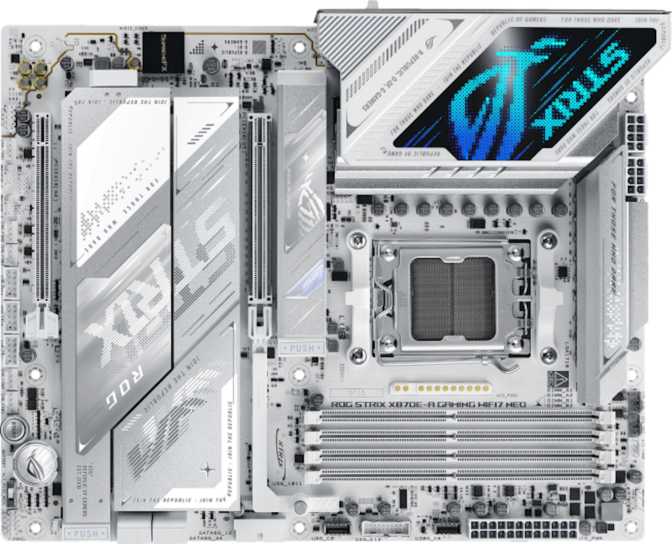
Asus ROG Strix X870E-A Gaming Wi-Fi 7 Neo: Full Review
MotherboardsAMD's AM5 platform has matured into something genuinely exciting, and the motherboard you pair with a Ryzen processor matters more than most buyers realize. The Asus ROG Strix X870E-A Gaming Wi-Fi 7 Neo sits at the premium end of the X870 ecosystem — not the absolute ceiling in price, but close enough that it needs to justify every dollar with substance, not just styling. This is a board built for people who want their system to last through multiple GPU generations, support the fastest storage and memory available today, and never hit a wall on connectivity. Whether it actually delivers on that promise is what this review is here to answer.
Design and Build Quality
Physical Presence
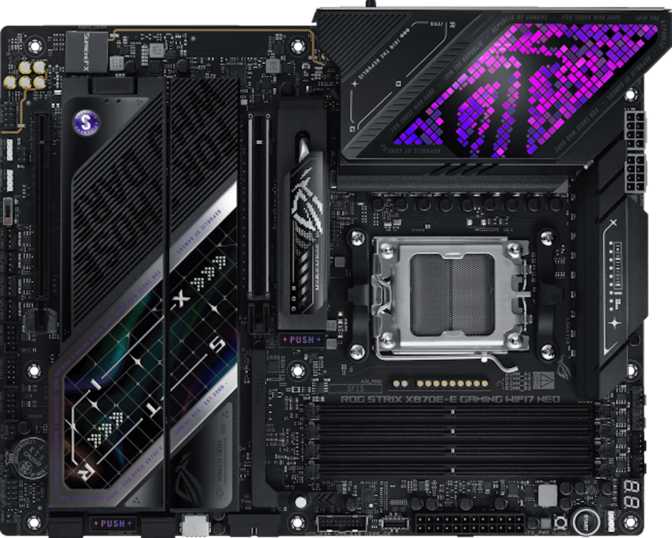
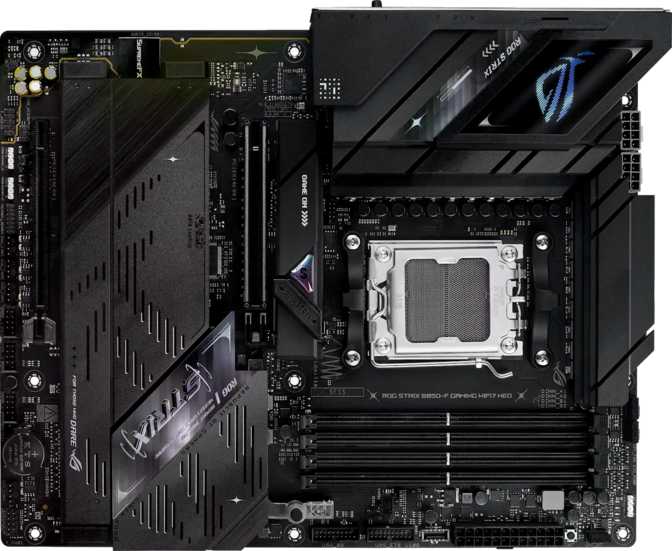
Standard ATX dimensions mean this board fits any mid or full tower case that supports the format — nothing exotic required. At 305 × 244 mm, it fills the tray completely and presents the kind of visual density that signals serious engineering underneath the surface.
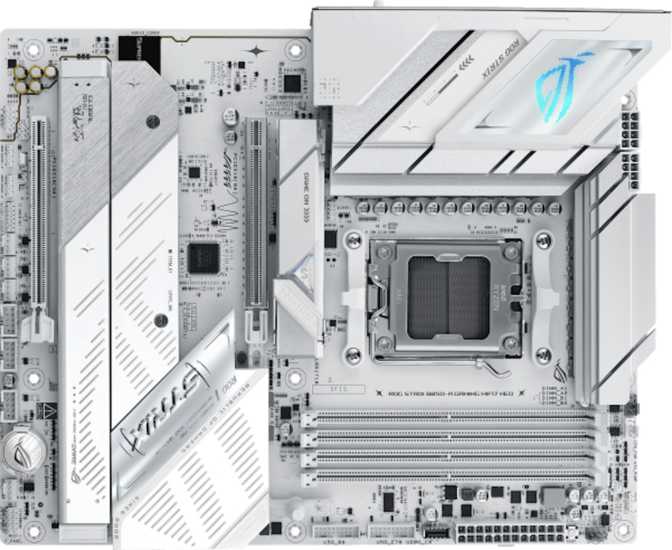
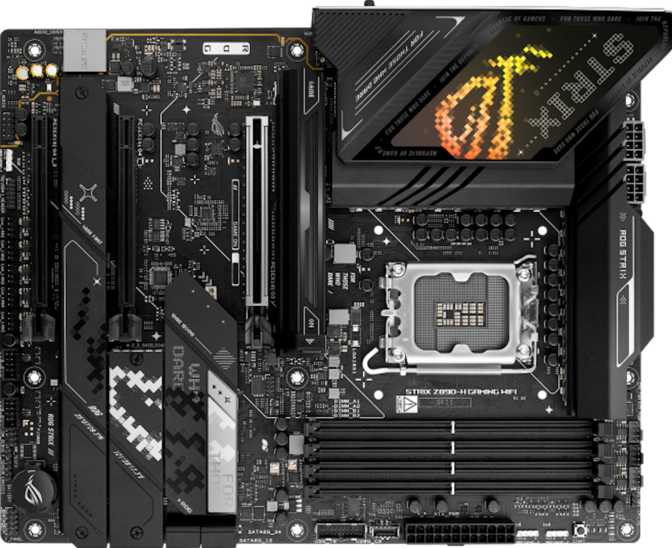
The PCB is dark, the heatsink coverage is extensive, and the ROG aesthetic is present without being juvenile. This is a board that looks expensive in a chassis with a side window, but won't embarrass a builder who wants something that leans workstation-adjacent rather than RGB carnival.
RGB Lighting and BIOS Controls
Addressable RGB lighting integrates with Asus's Aura Sync ecosystem, enabling synchronized illumination across GPU, RAM, fans, and case strips. For those who prefer a clean build, the lighting can be turned off entirely through the BIOS or Armoury Crate software — it never affects performance either way.
A dedicated Clear CMOS button means a failed overclock costs thirty seconds, not a screwdriver and a removed battery. Recovery from aggressive tuning attempts is deliberate rather than stressful.
Platform and Core Performance
AM5 and X870 — What the Foundation Means
The AM5 socket is AMD's current-generation platform, designed for long-term relevance. AMD has committed to socket longevity, meaning future Ryzen processors will fit this board without requiring new hardware. The X870 chipset unlocks the widest range of overclocking, connectivity, and PCIe routing options AMD currently offers.
For buyers who want to extract maximum performance from their Ryzen chip today and still have headroom as the platform matures, this is the correct starting point. Easy overclocking is explicitly enabled — the BIOS provides the controls to push memory and CPU performance without requiring deep technical expertise.
PCIe Slot Configuration
| Slot | Standard | Primary Use Case |
|---|---|---|
| Primary x16 | PCIe 5.0 | Current and next-gen discrete GPU — never bandwidth-bottlenecked |
| Secondary x16 | PCIe 4.0 | Capture cards, secondary GPU, high-bandwidth PCIe devices |
No PCIe 3.0 or legacy slots — this board commits fully to modern standards and doesn't try to serve every legacy peripheral simultaneously.
Memory: Speed, Capacity, and Real-World Impact
DDR5 and What 9600 MHz Actually Means
This board uses DDR5 exclusively — the correct decision for a platform at this tier. Four physical slots support up to 256 GB of total memory in a dual-channel configuration. For most users, 64 or 128 GB will cover any conceivable workload for years.
XMP and EXPO profiles push memory speeds to 9600 MHz. At that frequency, the bandwidth advantage becomes material for these workloads:
- Video editing timelines and large export queues
- 3D rendering scenes held entirely in system RAM
- Large database and analytics operations
- CPU-side AI and machine learning inference workloads
Gamers will see diminishing returns beyond a certain threshold. Content creators and power users who saturate memory bandwidth, however, will notice the gap between a board capped at 6000 MHz and one that comfortably reaches toward 9600 MHz.
- DDR Version
- DDR5
- Slots Available
- 4 DIMM slots
- Maximum Capacity
- 256 GB
- Max OC Speed
- 9600 MHz
- Memory Channels
- Dual-channel
- ECC Support
- Not supported
Storage: Four M.2 Slots and Full RAID Support
The M.2 Advantage
Four M.2 sockets is a generous allocation. A system builder can install a primary NVMe drive for the OS, a secondary for project files, a third for game libraries, and still have a fourth slot free for future expansion — all without a single SATA cable.
Four SATA 3 ports remain available for bulk HDDs, backup drives, or existing hardware carried over from a previous build. NVMe and SATA storage coexist simultaneously without conflict.
RAID Configuration Support
All four primary RAID configurations are supported, making this board viable for a home content creator who wants simple redundant storage without a dedicated NAS device.
Connectivity: A Port Lineup That Actually Impresses
Rear I/O Panel — Breakdown by Priority
The fastest standard USB available. Drives external NVMe enclosures, high-resolution docking stations, and external displays at full speed — no adapter required.
40 Gbps with daisy-chaining. Enables professional docking stations, eGPU setups, and Apple-ecosystem peripherals. Having both USB4 and TB4 simultaneously is rare at this price tier.
10 Gbps each — fast enough for any current external SSD or high-speed peripheral. Five ports reduces the need for hubs in workstation-heavy setups.
5 Gbps — appropriate for keyboards, mice, headsets, and anything that doesn't need high throughput. Keeps premium ports free for storage and displays.
10 Gbps in the modern connector format — ideal for current Android devices, compact drives, and accessories that have moved past the Type-A connector.
Connects to integrated graphics for initial setup or use without a discrete GPU. Not the primary gaming display output — your graphics card handles that role.
Wireless: Wi-Fi 7 and Bluetooth 5.4
Wi-Fi 7 (802.11be) brings multi-link operation — simultaneous transmission and reception across multiple frequency bands — with theoretical throughput that exceeds most home internet connections. For competitive gaming, this means lower latency and more consistent packet delivery compared to Wi-Fi 6.
The adapter is fully backward-compatible with Wi-Fi 6, 6E, 5, and older standards. Bluetooth 5.4 handles wireless peripherals and audio devices without requiring a separate USB dongle.
Internal Expansion Headers
- 4 × USB 3.2 Gen 1 internal headers for front-panel connections
- 1 × USB 3.2 Gen 2×2 header (20 Gbps) for premium case front-panel USB-C
- 6 × USB 2.0 internal for legacy front-panel connectors and internal hubs
- 1 × RJ45 wired Ethernet port for stable, low-latency network access
Audio Performance
The onboard audio achieves a 120 dB signal-to-noise ratio on the DAC — a figure that represents genuinely clean audio reproduction. At this level, the output is transparent enough that most listeners cannot distinguish it from a dedicated budget audio card.
The 7.1 channel support means surround sound configurations are handled natively, and S/PDIF digital output enables connection to external DACs, AV receivers, or studio monitors with digital inputs.
For the majority of users — competitive gamers with headsets, content creators using USB microphones and studio monitors — this onboard solution is completely sufficient. Dedicated audio enthusiasts with high-impedance headphones may still prefer a discrete interface, but the use case for that upgrade is narrower than many assume.
Thermal Management: Seven Fan Headers
Seven fan headers give genuine flexibility in system cooling. A typical full-tower build might dedicate one to a CPU cooler, two for front intake, one rear exhaust, one top exhaust, and one for the GPU zone — leaving a spare for future expansion or an AIO pump.
All headers support both PWM and DC control. Temperature-curve tuning through the BIOS or Armoury Crate enables near-silent operation under light loads and aggressive cooling when sustained workloads demand it.
Who This Board Is For
- PC builders planning a multi-year flagship build — PCIe 5.0, USB4, Thunderbolt 4, and Wi-Fi 7 represent current maximums that will stay relevant well into future hardware generations
- Content creators and video editors who saturate memory bandwidth and rely on fast parallel storage access for large project files
- Enthusiast overclockers who want extensive memory speed headroom and full BIOS-level control over voltages and timings
- Users with Thunderbolt peripherals, professional docking stations, or external storage ecosystems that demand TB4 bandwidth
- Competitive and high-refresh-rate gamers who want a platform with no bottlenecks and room to upgrade GPU and CPU independently
- Budget-conscious builders — B650 or X670 boards offer strong value if Thunderbolt 4, USB4, and extreme memory overclocking aren't required priorities
- Those needing ECC memory support — server and mission-critical workstation builds require a different platform entirely
- Dual-GPU build setups — with only two full-length PCIe slots, true multi-GPU configurations are not a primary use case here
- Buyers who want dual BIOS protection — firmware recovery requires deliberate steps through FlashBack rather than automatic failover
How It Compares to the Competition
| Feature | ROG Strix X870E-A Wi-Fi 7 Neo | Typical X870 Mid-Range | Typical B650E |
|---|---|---|---|
| PCIe Generation | Gen 5 Primary Slot | Gen 5 Primary | Varies |
| M.2 Slots | 4 | 3–4 | 2–3 |
| USB4 / Thunderbolt 4 | Both included | Often one or neither | Rarely available |
| Wi-Fi Generation | Wi-Fi 7 | Wi-Fi 6E or 7 | Wi-Fi 6 or 6E |
| Max Memory Speed | 9600 MHz | 6400–8000 MHz | 6000–7600 MHz |
| Fan Headers | 7 | 5–7 | 4–6 |
| Onboard Audio SNR | 120 dB | 108–120 dB | 97–110 dB |
| Dual BIOS | No | Sometimes | Sometimes |
| Warranty | 3 years | 3 years | 3 years |
Strengths and Weaknesses, Stated Honestly
The rear connectivity is among the most complete at this tier. The co-existence of USB4 and Thunderbolt 4 alongside a full complement of fast Type-A ports means peripheral expansion needs are covered for the lifetime of the build — not just today's hardware.
The memory frequency ceiling is genuinely high, not merely marketed as high. Wi-Fi 7 is no longer a speculative investment — it delivers measurable improvements on compatible routers, and including it here without a premium surcharge is the right call.
Asus's Aura Sync ecosystem, the BIOS-level fan curve controls, and the three-year warranty backed by mature support infrastructure round out a package that holds up against close examination.
The absence of dual BIOS at this price is a real omission for builders who push limits aggressively. Firmware corruption events are rare, but some direct competitors offer automatic failover that this board simply does not.
The single RJ45 port means users who want dedicated 10GbE networking will need a PCIe add-in card, which occupies one of only two available full-length slots.
The premium pricing demands honest acknowledgment: if your build doesn't specifically need Thunderbolt 4, USB4, or extreme memory overclocking, a more affordable X870 or B650E board may serve equally well at meaningfully lower cost.
Questions Buyers Actually Ask
The Asus ROG Strix X870E-A Gaming Wi-Fi 7 Neo is a mature, fully-equipped platform for anyone building around AMD's current Ryzen generation and planning to use that system seriously for years. It doesn't cut corners where it counts — USB4 and Thunderbolt 4 together, Wi-Fi 7, four M.2 slots, a high memory speed ceiling, and genuine audio quality form a package that holds up against close examination.
The dual BIOS absence is a real concession worth noting, and the premium pricing demands honest acknowledgment: if your build doesn't specifically need Thunderbolt 4, USB4, or extreme memory overclocking, a more affordable X870 or B650E board may serve you equally well at lower cost.
Purchase Verdict
For the buyer who wants to build once and not compromise — who values connectivity depth, memory performance headroom, and long platform relevance above all else — this board earns a confident recommendation. It is not the board for everyone. It is, however, precisely the right board for the builder who knows exactly why they need it.