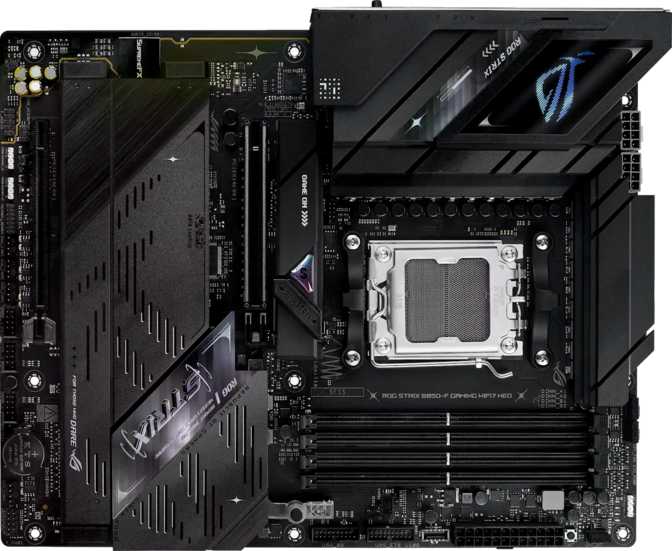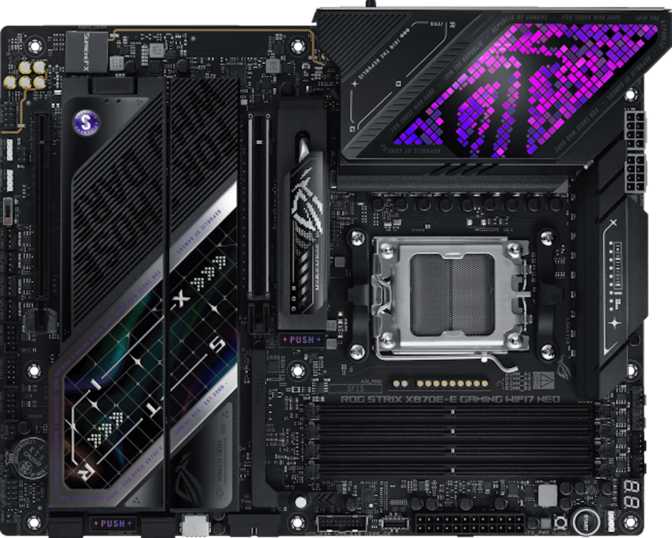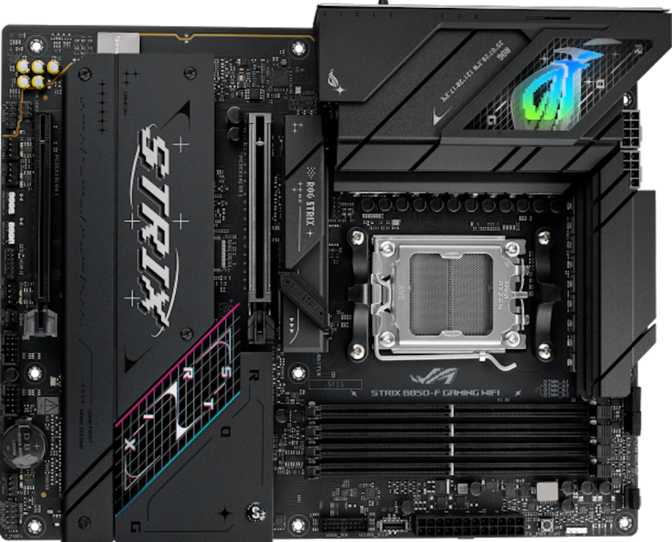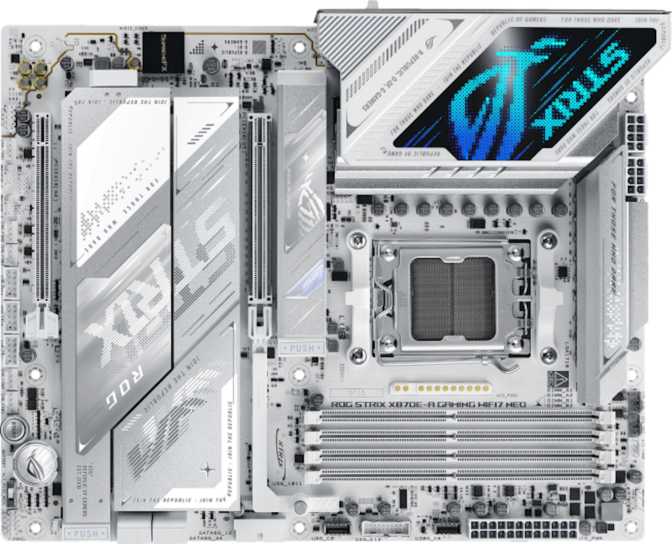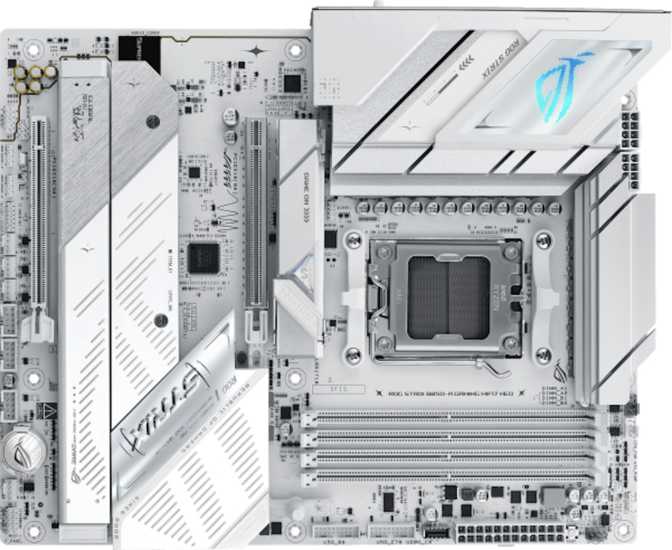
AMD's AM5 platform has matured into a genuinely compelling ecosystem, and the B850 chipset sits at an interesting crossroads: it offers many premium features previously locked behind X670 pricing, without forcing you to pay for overclocking headroom you may never use. The Asus ROG Strix B850-A Gaming Wi-Fi 7 Neo ships with Wi-Fi 7, a PCIe 5.0 primary slot, four M.2 sockets, and a memory subsystem capable of speeds that would have seemed excessive just two years ago. Whether all of that translates into real-world value depends entirely on what you are building and what you expect from it.
At a Glance
Key specification highlights before you read further
Design and Build Quality
Physical Presence and Form Factor
The B850-A follows the standard ATX footprint, fitting comfortably into any mid-tower or full-tower case. This form factor provides enough physical space for proper VRM heatsink coverage, well-spaced M.2 slots, and breathing room between expansion slots — without pushing into E-ATX territory that demands a larger and more expensive case.
Visually, the board carries ROG Strix's characteristic aesthetic: a dark PCB with angular design lines and addressable RGB lighting built in. The lighting integrates with Asus's Aura Sync ecosystem, coordinating across compatible components from a single software interface. For builders who want a cohesive look across their system, this matters. For those who do not, the RGB turns off entirely.
Build Confidence
The three-year warranty signals genuine confidence in the hardware — covering the realistic lifespan of most gaming builds before a platform upgrade becomes tempting. The board does not feature dual BIOS, which some competing products at this tier include. Asus does, however, include an easy CMOS reset mechanism that handles most common recovery scenarios without component removal or a coin-cell battery workaround.
- Form FactorATX (Standard)
- Dimensions305 x 244 mm
- CPU SocketAM5
- ChipsetB850
- RGB LightingAura Sync
- Easy CMOS ResetYes
- Dual BIOSNo
- Warranty Period3 Years
The AM5 Platform and Overclocking Support
Why AM5 Matters Here
The AM5 socket is AMD's current-generation CPU platform, compatible with Ryzen 7000, 8000, and 9000 series processors. Choosing AM5 today means investing in a platform with genuine longevity — AMD has publicly committed to keeping AM5 viable for years, so a CPU upgrade down the road will not require purchasing a new motherboard alongside it.
The B850 chipset sits just below the flagship X870 in AMD's lineup. The practical difference for most users is minor: B850 boards support CPU and memory overclocking, PCIe 5.0 on the primary GPU slot, and high-speed NVMe storage — covering everything a performance gaming or content creation build actually demands.
Overclocking Capability
This board is rated for overclocking, which reflects both the VRM power delivery design and the depth of the BIOS feature set. AMD's Precision Boost Overdrive tools allow even users unfamiliar with manual overclocking to safely extract additional performance through the BIOS interface, without touching voltage sliders.
For memory specifically, the B850-A supports profiles up to 9000 MHz — a ceiling that exceeds what most DDR5 kits are rated for at retail. Standard DDR5-6000 or DDR5-6400 kits, currently the sweet spot for AMD Ryzen systems, run stably within XMP and EXPO profiles without any manual tuning required. The extreme headroom is there for enthusiasts who want to push binned memory kits beyond their rated specifications.
Memory Configuration
Capacity and Speed
Four DDR5 memory slots in a dual-channel configuration support up to 256 GB total. That ceiling far exceeds what any gaming workload demands — even professional video editing and 3D rendering rarely approaches 128 GB in a consumer system. The headroom is more relevant for workstation-adjacent workflows where data sets are exceptionally large.
Dual-channel memory allows the processor to access two modules simultaneously, effectively doubling the bandwidth available compared to a single-stick setup. For gaming, this is a meaningful and measurable difference. The recommended practice is to install two matched sticks in the board's alternating slots as specified in the manual, rather than loading a single large module into one slot.
No ECC Support
The board does not support ECC (Error-Correcting Code) memory — a technology that detects and corrects single-bit errors in real time, used in servers, medical equipment, and financial systems. For gaming, creative work, and general computing, ECC is entirely unnecessary. Its absence here is both expected and appropriate for this market segment.
- Memory StandardDDR5
- Total Slots4 DIMM
- Maximum Capacity256 GB
- ChannelsDual-Channel
- OC Speed Ceiling9000 MHz
- ECC SupportNo
Storage: Four M.2 Slots and a SATA Limitation
NVMe Expansion
Four M.2 sockets is a standout of the B850-A's storage layout. M.2 is the interface used by modern NVMe SSDs — fast, compact drives that have largely replaced traditional storage in new builds. Four slots means you can house a boot drive, game library drive, creative project scratch drive, and a dedicated capture drive simultaneously, all without a single cable run.
Builders managing large game libraries — modern titles regularly exceed 100 GB each — or 4K video editing workflows will find four M.2 slots genuinely useful rather than speculative. This is significantly more generous than entry-level boards that typically offer only one or two slots.
SATA Availability and RAID
The board includes only two SATA 3 ports — on the lower end for a board at this price point. For new builds relying entirely on NVMe drives, this will not matter at all. For builders migrating from older systems or planning to carry multiple spinning hard drives, two ports is a real constraint worth accounting for before purchasing.
All four major RAID configurations are supported across SATA and M.2 storage. This is a niche capability for most buyers, but content creators managing large raw media and small business setups may find RAID 1 mirroring genuinely valuable for on-machine data protection without a separate NAS device.
- M.2 NVMe Slots4 Slots
- SATA 3 Ports2 Ports
- Fan Headers6 Headers
- U.2 SocketsNone
| Mode | Purpose | Status |
|---|---|---|
| RAID 0 | Speed striping | |
| RAID 1 | Mirror backup | |
| RAID 5 | Parity + speed | |
| RAID 10 | Mirror + stripe |
Connectivity: Ports, Slots, and Wireless
USB Port Complement
The rear panel and internal headers together provide an exceptionally complete USB ecosystem. Fourteen ports are directly accessible from the rear panel — a combination of Type-A and Type-C at the high-speed end that future-proofs peripheral connectivity, while maintaining full backward compatibility with the Type-A devices that still dominate desktop setups.
Rear Panel — Direct Access
| Port Type | Count | Speed |
|---|---|---|
| USB-A 3.2 Gen 2 | 2 | 10 Gbps |
| USB-C 3.2 Gen 2 | 2 | 10 Gbps |
| USB-A 3.2 Gen 1 | 6 | 5 Gbps |
| USB 2.0 | 2 | 480 Mbps |
Internal Headers — Front Panel
| Header Type | Count | Speed |
|---|---|---|
| USB 3.2 Gen 1 | 4 | 5 Gbps |
| USB 3.2 Gen 2x2 | 1 | 20 Gbps |
| USB 2.0 | 6 | 480 Mbps |
The 20 Gbps Gen 2x2 header supports cases with a front-panel USB-C port at full speed — a capability absent from the rear panel itself.
Networking: Wi-Fi 7 and Ethernet
Wi-Fi 7 introduces multi-link operation — using multiple frequency bands simultaneously to reduce latency and improve stability. For competitive gaming on a wireless connection, this is the most capable standard currently available.
Important: Wi-Fi 7 benefits require a Wi-Fi 7 router on the other end. On a Wi-Fi 6 network, the adapter operates in Wi-Fi 6 mode automatically — no penalty, but no advantage either.
One wired Ethernet port handles cabled connections. B850-class boards at this tier typically ship with a 2.5 Gbps controller — an improvement over standard 1 Gbps that matches most modern home routers and NAS devices. Buyers who require 10 Gbps Ethernet for professional networking should verify the specific controller before purchasing.
Bluetooth 5.4 covers controllers, headsets, keyboards, and other current-generation wireless accessories.
Expansion Slots
| Slot | Interface | Typical Use | Qty |
|---|---|---|---|
| Primary x16 | PCIe 5.0 | Current and next-generation graphics cards | 1 |
| Secondary x16 (x4 wired) | PCIe 4.0 | Capture cards and add-in cards | 1 |
There are no PCIe x1 slots on this board. Specialized sound cards or legacy x1 expansion cards are not supported.
Video Output
One HDMI 2.1 port on the rear panel functions when using a Ryzen processor with integrated graphics — which most Ryzen 7000 and 9000 series CPUs include. This port handles display output during initial setup, BIOS troubleshooting, or as a secondary display when a discrete GPU is also installed. There are no DisplayPort outputs on the rear panel; multi-monitor setups draw from the discrete graphics card's own connectors, which is the standard configuration for any dedicated gaming or creative build.
Audio Capabilities
The onboard audio system delivers 7.1 surround channel support backed by a digital-to-analog converter with a 120 dB signal-to-noise ratio — a measurement of how cleanly the audio output separates useful signal from electronic noise. At 120 dB, this sits toward the upper end of what onboard audio solutions achieve. Most listeners using wired headphones or bookshelf speakers will hear no background hiss or distortion in quiet passages.
Two analog audio jacks on the rear panel handle physical connections, and S/PDIF optical output is also included. The optical output routes digital audio to an external DAC, AV receiver, or soundbar without the signal ever converting to analog inside the PC — eliminating potential electromagnetic interference from system components entirely.
For most users with headphones in the sub-$300 range or standard stereo speakers, the onboard audio here is entirely sufficient. Audiophiles running high-impedance planar magnetic headphones may still prefer a dedicated external DAC, but that is a preference rather than a necessity given these specifications.
- Surround Support7.1 Channels
- SNR (DAC)120 dB
- Analog Jacks2 Ports
- S/PDIF OpticalIncluded
Who Should Buy the ROG Strix B850-A Gaming Wi-Fi 7 Neo
-
AMD Ryzen AM5 buildersWho want modern connectivity without committing to X870E pricing
-
Mid-to-high-end gaming buildsFour M.2 slots, PCIe 5.0, and generous memory headroom mean this board stays relevant longer
-
Wireless-first setupsWi-Fi 7 is a genuine long-term investment for those planning to upgrade their router infrastructure
-
Aesthetics-focused buildersROG Strix design language with full Aura Sync RGB ecosystem integration
-
Creative professionalsWho need fast storage across multiple drives without a dedicated NAS device
-
Are on a tight budgetThe Wi-Fi 7 and four M.2 slots carry a premium over capable budget B850 alternatives
-
Need Thunderbolt or USB4External GPU enclosures and Thunderbolt docks require an X870E board with explicit Thunderbolt 4 support
-
Run four or more SATA drivesOnly two SATA ports are present — a real constraint for large multi-drive builds
-
Need ECC reliabilityThis is a gaming and prosumer board — server-grade memory integrity features are not included
Competitive Positioning
The B850 motherboard market has grown competitive. The ROG Strix B850-A's differentiators are Wi-Fi 7 at a tier where some competitors ship Wi-Fi 6E, four M.2 slots where several mid-range boards stop at three, and ROG's established reputation for BIOS polish and long-term firmware support. Against X870 entry-level boards, the B850-A trades some additional chipset PCIe lanes for a lower price — lanes that go unused in the vast majority of single-GPU gaming builds.
| Feature |
ROG Strix B850-A
|
Typical B850 Mid-Range | Typical X870 Entry |
|---|---|---|---|
| Wi-Fi Generation | Wi-Fi 7 | Wi-Fi 6E | Wi-Fi 7 |
| M.2 Slots | 4 | 3 | 4 |
| PCIe 5.0 x16 | |||
| USB-C Rear (10 Gbps) | 2 ports | 1 port | 2 ports |
| Dual BIOS | Varies | Varies | |
| Overclocking |
Strengths and Weaknesses, Honestly Assessed
The B850-A concentrates premium features into a package that avoids X870 pricing. Wi-Fi 7, four M.2 slots, PCIe 5.0, and a generous USB layout give it staying power that cheaper B850 boards cannot match. The ROG Strix brand also carries genuine weight: Asus's BIOS environment is widely regarded as one of the most accessible and feature-complete across all user skill levels, and the brand's track record for firmware updates and long-term compatibility is consistently strong.
The three-year warranty, easy CMOS reset, and RAID flexibility across all four major configurations round out a package that feels considered rather than spec-sheet driven.
Only two SATA ports will frustrate specific builds — a constraint that feels inconsistent with the rest of the board's ambition. The absence of dual BIOS is a minor but genuine omission for a premium-branded product; it is the kind of protection that matters precisely when you least expect to need it.
There is no Thunderbolt support — a hard limitation for content creators relying on Thunderbolt docks or external GPU enclosures. Buyers should also be clear-eyed about the Wi-Fi 7 premium: if your router is Wi-Fi 5 or Wi-Fi 6 today and you have no plans to upgrade it, you will see zero benefit from Wi-Fi 7 on this board until you do.
Questions Real Buyers Ask
Final Verdict
The Asus ROG Strix B850-A Gaming Wi-Fi 7 Neo is a mature, thoughtfully equipped motherboard that earns its position in the mid-to-high tier of the AM5 ecosystem. It will not frustrate an enthusiast builder, and it will not overwhelm a first-time PC builder stepping up to a serious platform for the first time.
Four M.2 slots, Wi-Fi 7, PCIe 5.0 readiness, and a generous USB layout give it staying power that cheaper B850 boards simply do not match. The caveat is clear: you are paying for connectivity and brand. If you need Thunderbolt, look elsewhere. If you are running six SATA drives, look elsewhere. But for the builder who wants a clean, capable, future-ready AM5 foundation — and who values knowing the firmware support, BIOS polish, and platform longevity are all handled — this board delivers without reservation.
Purchase Verdict
Recommended for AM5 builders prioritizing wireless capability, multi-NVMe storage, and long-term platform headroom. Verify your specific SATA port count and USB4/Thunderbolt requirements before committing.