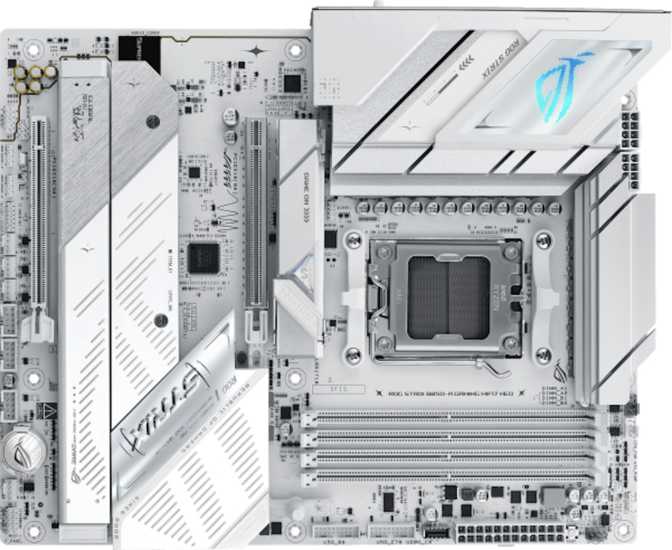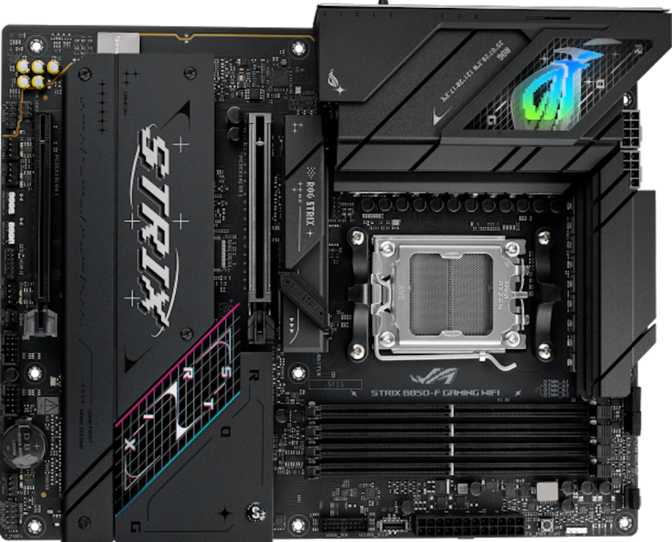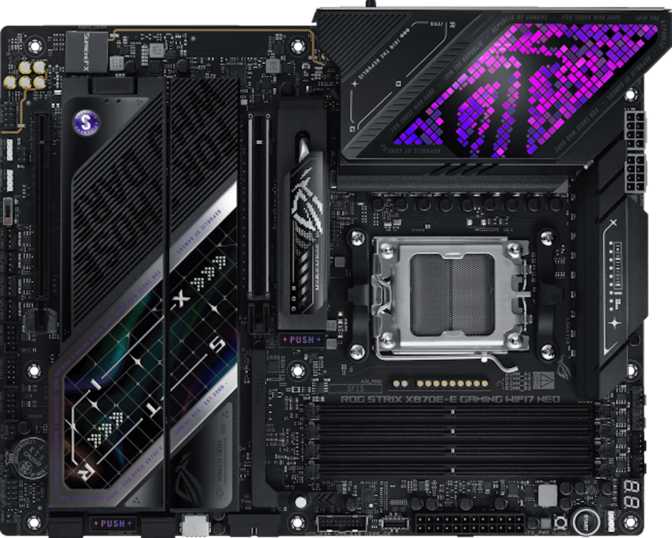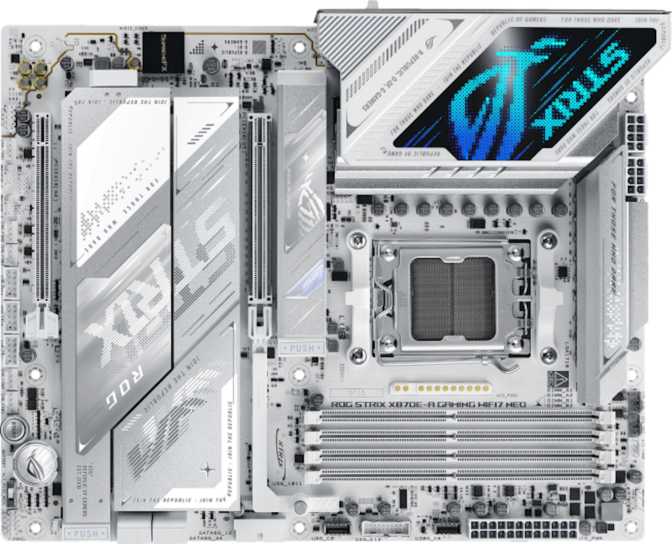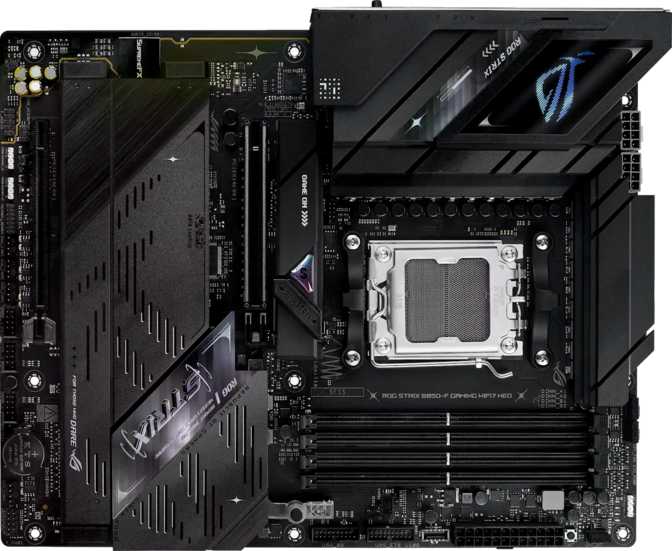
Why the ROG Strix B850-F Demands Attention
The B850 chipset occupies a precise position in AMD's lineup — powerful enough for serious gaming and content creation, priced below the flagship X870E tier. What makes the ROG Strix B850-F remarkable is how little it concedes to reach that price point. Wi-Fi 7, PCIe 5.0, four M.2 slots, and a 12-port USB rear panel arrive on a platform designed to outlast several CPU upgrade cycles.
Editor's Score
out of 5
Design, Build, and Physical Experience
Physical Presence and Aesthetics
The ROG Strix B850-F follows the standard ATX footprint — 305 mm wide and 244 mm tall — fitting any ATX-compatible mid-tower or full-tower chassis without issue. This is the form factor that has defined mainstream builds for decades, and compatibility concerns simply do not apply.
Visually, the board carries the ROG Strix identity: angular heatsink styling, integrated RGB lighting zones, and a dark PCB with contrasting armor plating over the VRM and chipset areas. The lighting zones are positioned for visibility through a side-panel window and are controllable through Asus's Armoury Crate software for synchronized lighting across ROG components.
Build and Component Quality
The heatsink coverage over the VRM area signals that Asus has taken power delivery seriously — a critical detail when pairing this board with a high-core-count AMD Ryzen processor. The primary PCIe x16 slot uses ROG's reinforced SafeSlot construction, which matters practically when installing and removing heavy graphics cards repeatedly over a system's lifetime.
A hardware clear CMOS button is externally accessible, meaning BIOS resets require no tools and no case opening. For builders who push memory overclocks to the edge and occasionally face a failed boot, this convenience becomes genuinely important rather than a minor nicety.
RGB lighting is hardware-integrated and pairs naturally with other ROG components for a unified look. It can also be disabled entirely in the BIOS for builds where lighting is unwanted.
AM5 Platform and Processor Compatibility
The ROG Strix B850-F is built around AMD's AM5 socket, supporting Ryzen 7000 and 9000 series processors. AMD has committed to the AM5 platform for multiple CPU generations — a credible claim backed by their historical platform support track record — making this board a reasonable investment for anyone planning a CPU upgrade two or three years from now without replacing the motherboard.
The B850 chipset represents a meaningful generational advance over prior mid-range options. PCIe 5.0 is natively supported on the primary graphics slot, eliminating any platform-level bottleneck for current and near-future GPU generations as the industry transitions to the new standard.
- SocketAM5
- ChipsetAMD B850
- Supported CPUsRyzen 7000 / 9000 Series
- Primary PCIe SlotPCIe 5.0 x16
- Secondary PCIe SlotPCIe 4.0 x16
- Integrated GraphicsNot present on board
DDR5 Memory: Performance and Overclocking Headroom
This board uses DDR5 memory exclusively — the right call for a platform targeting the next several years. DDR5's higher bandwidth directly benefits AMD Ryzen processors, which use a unified memory architecture where RAM speed influences CPU performance across gaming and lightly threaded workloads alike.
Configuration and Capacity
Four memory slots give you the flexibility to start with two sticks and expand later, or populate all four slots from day one. Maximum supported capacity reaches 256 GB — far beyond any gaming or creative workstation need today, but a compelling long-term reassurance.
- 4 DIMM slots — dual-channel configuration
- Maximum supported capacity: 256 GB total
- EXPO profile support for one-click speed activation
- ECC memory not supported
Frequency Tiers Explained
How different DDR5 speed tiers relate to this platform:
Storage Architecture and Expansion Slots
Four M.2 slots is a standout specification at this price tier. Paired with a PCIe 5.0 primary graphics slot, the expansion architecture here keeps pace with current and upcoming hardware without compromise.
No platform-level bottleneck for current or upcoming GPU generations.
Suitable for secondary GPUs, capture cards, and high-performance add-in cards.
Removed intentionally — board space used for practical M.2 routing instead.
Four M.2 Slots: A Complete Storage Blueprint
Having four independent M.2 slots eliminates the storage compromises that define cheaper builds. Here is a practical allocation for a fully loaded system:
SATA Ports and RAID Support
Two SATA 3 ports accommodate traditional 2.5-inch SSDs or 3.5-inch hard drives — sufficient for modern M.2-first builds, but a genuine limitation for builders migrating a large existing SATA drive collection.
RAID support is comprehensive for a gaming platform, covering all standard array configurations:
Connectivity: A 12-Port USB Rear Panel
Twelve rear USB ports is exceptional for a mid-range board. For a multi-monitor, multi-peripheral gaming desk or a content creator with a dense accessory ecosystem, this eliminates the need for a USB hub in almost every real-world scenario.
Rear Panel USB Breakdown
| Port Type | Count | Real-World Speed | Best For |
|---|---|---|---|
| USB 3.2 Gen 2 Type-A | 2 | Up to 10 Gbps | Fast external SSDs, modern peripherals |
| USB 3.2 Gen 1 Type-A | 5 | Up to 5 Gbps | Keyboards, mice, standard USB devices |
| USB 3.2 Gen 2 Type-C | 2 | Up to 10 Gbps | Modern smartphones, accessories |
| USB 3.2 Gen 1 Type-C | 1 | Up to 5 Gbps | Mid-speed Type-C devices |
| USB 2.0 Type-A | 2 | 480 Mbps | Legacy devices, wireless receiver dongles |
| Total Rear Ports | 12 | Exceptional density for a mid-range motherboard | |
Internal Headers for Case Connectivity
Front-panel USB-A ports for case connectivity — 4 additional USB-A ports at 5 Gbps each.
High-speed front-panel USB-C at up to 20 Gbps. Supports modern cases with fast front USB-C ports.
Independent per-header voltage or PWM control for CPU cooler, AIO radiator, and case fans.
Wireless Connectivity and Onboard Audio
Wi-Fi 7 and Bluetooth 5.4
The integrated wireless adapter covers every major Wi-Fi generation up to and including Wi-Fi 7 (802.11be). The practical advantages over Wi-Fi 6E are meaningful in the right environment:
Wi-Fi 7 simultaneously uses multiple frequency bands — 2.4 GHz, 5 GHz, and 6 GHz — aggregating bandwidth and reducing latency. For online gaming, where consistent low latency matters more than peak throughput, MLO is a genuine quality-of-life improvement.
In the 6 GHz band, Wi-Fi 7 supports double the channel width of Wi-Fi 6E, translating to theoretical throughput far beyond what most home connections can saturate.
Connects to Wi-Fi 6, Wi-Fi 5, and older 802.11n networks without issue. You gain Wi-Fi 7 benefits when your router supports it and fall back gracefully when it does not.
Supports current-generation wireless gamepads, headsets, keyboards, and audio accessories. aptX codec is not present, so Bluetooth audio quality relies on standard codecs. For gaming controllers and headsets this is invisible; audiophiles pairing a Bluetooth speaker should confirm codec compatibility before purchasing.
Onboard Audio Quality
The onboard audio delivers a 120 dB signal-to-noise ratio — the measurement that most directly reflects how clean and quiet the audio output is. Entry-level boards typically deliver around 97–100 dB. A 120 dB rating places this squarely in dedicated sound card performance territory for most listening scenarios.
Two rear audio jacks handle physical connections, complemented by an S/PDIF optical output for connecting to an AV receiver or external DAC.
Display Output, BIOS, and Overclocking
Display Output
A single HDMI 2.1 port on the rear panel supports 4K at up to 144 Hz or 8K at 60 Hz — relevant when using an AMD Ryzen G-series processor with integrated Radeon graphics. For standard gaming builds with a discrete GPU, this port serves as a diagnostic output during initial setup or a secondary display connection if your GPU's ports are fully occupied.
BIOS, Overclocking, and Firmware
Asus's UEFI BIOS is one of the more approachable implementations in the industry. EZ Mode presents a simplified overview for first-time builders, while Advanced Mode exposes every voltage, frequency, and memory timing parameter for experienced users. The board is rated for easy overclocking.
Accessible without opening the case. Invaluable for recovering from aggressive memory overclocks that cause a no-post situation.
If a firmware update fails, recovery requires a USB drive. Builders who update BIOS frequently should note this as a real omission at this tier.
Real-World Fit: Who Should Buy This Board
The ROG Strix B850-F serves a specific kind of builder well — and is genuinely the wrong choice for others. Knowing which camp you fall into before purchasing saves time and money.
-
High-Refresh Gaming Builds
PCIe 5.0 delivers full GPU bandwidth for current and upcoming graphics cards. Wi-Fi 7's MLO reduces wireless gaming latency compared to previous wireless standards.
-
Content Creators Who Game
Four M.2 slots accommodate a dedicated boot drive, game library, project storage, and render cache simultaneously. Twelve rear USB ports remove hub dependency for cameras, audio interfaces, and streaming accessories.
-
Long-Term Platform Builders
AM5 longevity, DDR5 generational headroom, and Wi-Fi 7 make this a platform that won't need replacing when you upgrade your CPU in three to four years.
-
Memory Overclockers
The validated 9000 MHz ceiling and deep EXPO profile support make this one of the higher-headroom B-series boards for DDR5 enthusiasts.
-
Strict Budget Builders
A B650 board delivers the core AM5 platform at a meaningfully lower price, trading away Wi-Fi 7, some M.2 slots, and the higher-tier USB layout. If price is the primary constraint, start there.
-
Heavy SATA Drive Users
Only two SATA ports. Builders migrating from older systems with four or more hard drives or SATA SSDs will either need an expansion card or a trimmed drive inventory.
-
Workstation ECC Users
ECC memory is not supported. AMD Threadripper or EPYC platforms are the purpose-built solution for that workload.
-
Builders Prioritizing Dual BIOS
If firmware recovery redundancy is a top concern — especially where remote management matters — boards with dual BIOS are the more conservative choice.
How It Compares to the Alternatives
The B850-F competes directly against a budget B650 board below it and a premium X870E board above it. Understanding where each sits confirms whether the B850-F is the right call for your specific needs.
| Feature | ROG Strix B850-F This Board |
Typical B650 Budget Tier |
Typical X870E Premium Tier |
|---|---|---|---|
| CPU Platform | AM5 | AM5 | AM5 |
| Primary PCIe Slot | PCIe 5.0 x16 | PCIe 4.0 or 5.0 (varies) | PCIe 5.0 x16 |
| Wi-Fi Generation | Wi-Fi 7 | Wi-Fi 6E (typically) | Wi-Fi 7 |
| M.2 Slots | 4 | 2–3 (typically) | 4–5 |
| Rear USB Count | 12 ports | 8–10 (typically) | 10–12 |
| DDR5 OC Ceiling | ~9000 MHz | ~6800–7600 MHz | ~9000+ MHz |
| Dual BIOS | No | Varies | Often Yes |
| Price Tier | Mid-High | Mid | Premium |
Honest Assessment: Strengths and Weaknesses
What It Gets Right
The ROG Strix B850-F's strongest argument is that it refuses to cut the features that actually affect daily use. Most mid-range boards trim USB ports, skip Wi-Fi 7, reduce M.2 slots, or cap memory overclocks. This board does none of those things, resulting in a platform that is complete out of the box, where you are unlikely to discover a missing capability six months into ownership.
The audio subsystem deserves separate recognition. A 120 dB SNR DAC is not standard at this price tier. Builders who care about headphone quality without purchasing a dedicated sound card will hear a genuine difference compared to boards with a 97–105 dB onboard solution.
The USB rear panel density alone sets this board apart. Twelve ports eliminates the hub-and-cable-management headaches that follow users of boards with eight or fewer rear ports into every desk setup they build.
Where It Falls Short
The absence of dual BIOS is a meaningful omission for anyone who updates firmware regularly or intends to push experimental BIOS settings. Without a backup firmware chip, a failed BIOS flash requires manual USB drive recovery — an uncommon but non-trivial risk worth accepting consciously before you purchase.
Two SATA ports will frustrate anyone migrating an existing drive collection built around traditional storage. Asus expects this board's buyers to be primarily M.2-focused builders, which is accurate for new builds but genuinely inconvenient for upgrade scenarios involving multiple legacy drives.
The single rear HDMI output with no DisplayPort is a minor friction point affecting only specific integrated-graphics scenarios. It is not a build-breaker, but it limits rear-IO display flexibility for builders using a Ryzen G-series CPU who want DisplayPort's refresh rate or resolution advantages over HDMI.
Common Questions Answered
Final Verdict
The Right Board for Most Serious Builders
The Asus ROG Strix B850-F Gaming Wi-Fi 7 Neo earns a clear recommendation for builders who want a future-ready AM5 platform without paying for X870E features they will not use. It prioritizes the right things: PCIe 5.0 throughput, Wi-Fi 7 wireless, DDR5 memory headroom, a complete USB ecosystem, high-quality onboard audio, and four M.2 slots that eliminate storage compromises entirely.
For strict budget-first builds, step down to a B650 board and accept the feature trade-offs. For extreme CPU overclocking ambitions, step up to X870E and accept the price premium. For everyone in between — which is most builders — the ROG Strix B850-F hits the target with precision.
Overall Score
out of 5