Asus ROG Crosshair X870E Glacial Review: AMD's Flagship Motherboard
MotherboardsThere is a version of this board purchase that makes complete sense, and a version that does not — knowing which side of that line you are on will save you significant money or significant regret. The Asus ROG Crosshair X870E Glacial sits at the absolute summit of AMD's AM5 platform. It does not ask you to pick your battles. It wins all of them simultaneously, and it charges accordingly. If you are building a workstation, a content creation powerhouse, or an elite gaming rig around a current-generation AMD Ryzen processor and you refuse to accept limitations anywhere — connectivity, storage, overclocking, audio, or aesthetics — this is the board the rest of the market is measured against.
Design and Build Quality: The "Glacial" Identity
Form Factor & Aesthetics
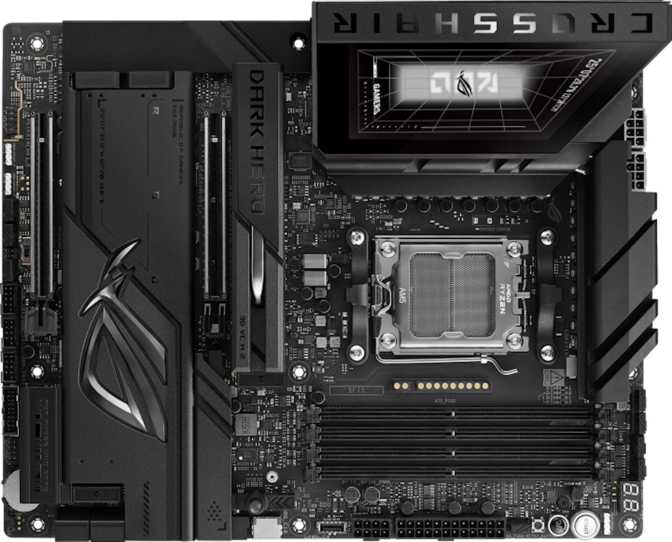
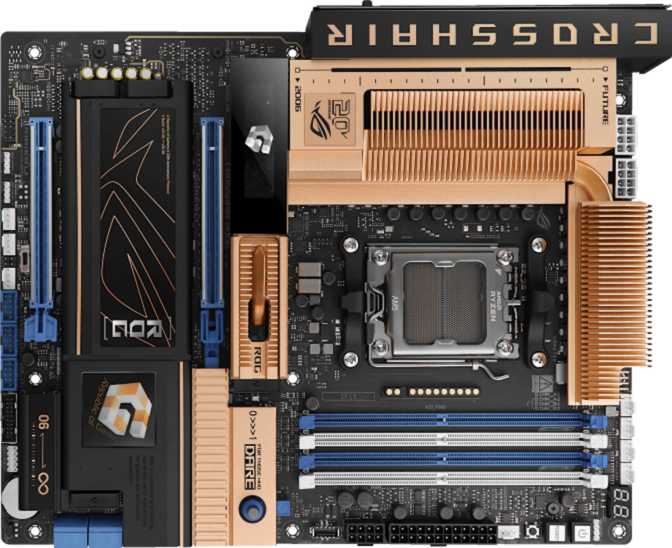
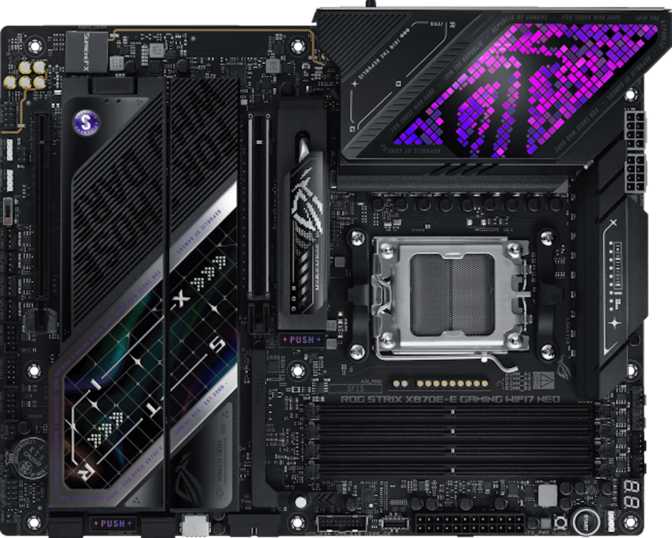
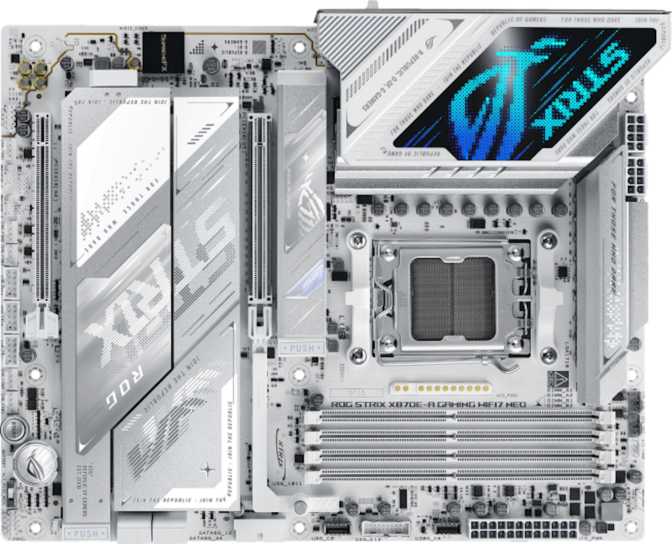
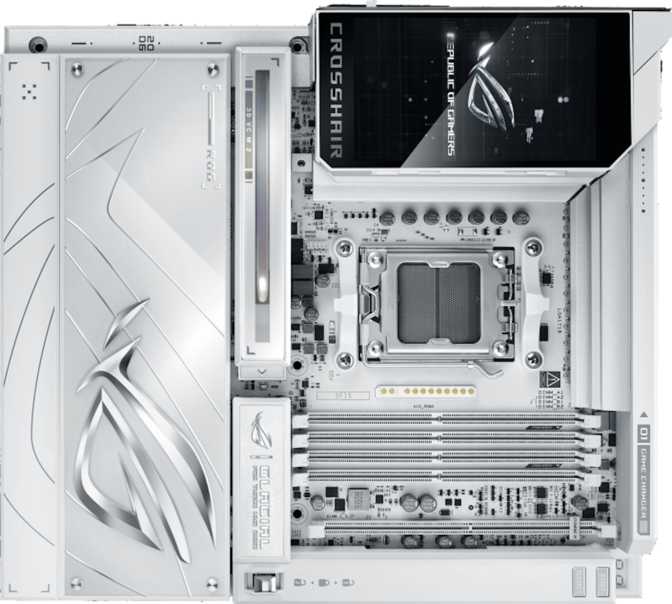
The name "Glacial" is not arbitrary branding. Asus has given this board a distinctive visual identity built around cool-toned aesthetics — expect a design language that leans into whites, silvers, and frosted finishes rather than the aggressive black-and-red armor typical of ROG products. The RGB lighting system is embedded throughout, and at this tier the implementation is nuanced rather than garish — zones are deliberate, and Aura Sync integration means the lighting communicates with your other ROG components.
Critical Compatibility Check Before You Buy
At 305mm × 277mm, the Glacial uses an Extended-ATX footprint. This is wider and taller than a standard ATX board. Mid-tower cases frequently cannot accommodate it. You need a full-tower or a case explicitly marketed as E-ATX compatible — confirm this before purchasing.
Build quality at this tier is expected to be exceptional, and the Crosshair line has never disappointed. Reinforced PCIe slots, high-density VRM assemblies, and extensive heatsink coverage across the board are characteristic of the X870E Glacial. This is a board that feels substantial during installation and inspires confidence throughout its lifespan.
Platform and Processor Compatibility
X870E Chipset & AM5 Socket
The Crosshair X870E Glacial is built on the X870E chipset — the highest-tier chipset in AMD's current lineup for AM5 processors. The AM5 socket accepts current-generation AMD Ryzen 7000 and 9000-series processors.
For buyers new to AMD's platform: AM5 is a long-term socket commitment. AMD has publicly committed to its longevity, meaning this board should support future Ryzen generations without requiring a full platform rebuild. For enthusiasts who upgrade CPUs more frequently than they rebuild entire systems, this matters enormously as an investment consideration.
The X870E designation specifically — as opposed to X870 or B850 — signals that this chipset delivers the maximum available high-speed lanes for storage and connectivity. Everything downstream flows directly from this platform headroom.
Memory: DDR5 Pushed to Its Limits
DDR5 Configuration & Overclocking Ceiling
Configuration at a Glance
- Four DDR5 slots in dual-channel configuration
- Maximum 256GB total capacity — relevant for VM and rendering workloads
- Overclocking validated up to 9600MHz with XMP/EXPO or manual tuning
- ECC memory not supported — unsuitable for medical or financial computing
Speed in Context
DDR5 at 6000–6400MHz is the practical performance sweet spot for most users today. Anything above 7200MHz enters enthusiast overclocking territory.
The 9600MHz ceiling means this board will not become the limiting factor even as DDR5 kits continue pushing faster. For most users — gamers, creatives, streamers — ECC's absence is irrelevant.
Storage: Seven M.2 Slots Is Not a Typo
M.2 Expansion, SATA & Full RAID Support
Seven M.2 slots. On a single motherboard.
A typical enthusiast board offers two to four M.2 slots. High-end boards push to five or six. Seven is exceptional — and it changes what this board can do fundamentally.
All-NVMe Builds
Seven separate high-speed drives installable directly on the board — no PCIe expansion cards needed.
Content Creation
OS drive, active project drives, and cache drives all separated cleanly for maximum workflow efficiency.
NAS / RAID Arrays
Full RAID 0, 1, 5, and 10 support across M.2 and SATA, entirely from the board itself.
RAID Support Summary
| RAID Mode | Purpose | Supported |
|---|---|---|
| RAID 0 | Speed striping — maximum read/write throughput | |
| RAID 1 | Mirroring — data redundancy and protection | |
| RAID 5 | Parity — balanced speed, storage efficiency, and redundancy | |
| RAID 10 | Mirroring with striping — best of speed and redundancy |
PCIe Expansion: Full PCIe 5.0 Throughout
Slot Configuration & Future-Proofing
The Glacial offers two full-length PCIe 5.0 x16 expansion slots — the maximum available bandwidth from the AM5 platform. PCIe 5.0 delivers twice the bandwidth of PCIe 4.0, and while today's GPUs do not saturate even PCIe 4.0 bandwidth, future generations will. This board will not become a bottleneck.
The second PCIe 5.0 x16 slot enables multi-GPU configurations or the installation of high-bandwidth expansion cards — PCIe 5.0 NVMe RAID controllers, Thunderbolt expansion cards, or professional compute accelerators. Two full-bandwidth PCIe 5.0 x16 lanes is a configuration you simply do not find on mainstream or mid-range boards.
Connectivity: Where the Glacial Truly Separates Itself
Rear I/O Panel, Internal Headers & Wireless
Rear I/O Panel Breakdown
Every single USB-A port on the rear panel runs at the highest single-lane USB-A standard. Zero legacy USB 2.0 or USB 3.2 Gen 1 ports.
Two Thunderbolt 4 ports on an AMD board is extraordinary. Opens the entire Thunderbolt ecosystem: docks, external GPUs, pro audio interfaces, daisy-chained displays.
Two separate wired network connections. Useful for NAS configurations, virtualization setups, or dedicated gaming and work network separation.
Wi-Fi 7 is fully backward compatible with older routers. Bluetooth 5.4 is current-generation. Both are future-proofed for years ahead.
Four USB 3.2 Gen 2 Type-C ports for modern peripherals, smartphones, and accessories — in addition to the two Thunderbolt 4 USB-C ports above.
Seven fan headers allow direct motherboard control of a fully air-cooled or hybrid-cooled system without a separate fan controller. Internal USB headers add 10 additional ports via case connectors.
Audio: Audiophile-Grade Onboard Sound
120dB SNR, 7.1 Surround & S/PDIF Output
The Glacial's audio subsystem achieves a 120dB signal-to-noise ratio — a measurement of how cleanly the audio output separates signal from electrical interference. Most enthusiast headphones and speakers have a perceptible quality ceiling well below what 120dB SNR can reproduce. This board will not be the limiting factor in your audio chain.
A 7.1 surround sound channel configuration supports full home theater setups and gaming headsets with positional audio processing. The S/PDIF optical output allows connection to external DACs or AV receivers if you prefer to route audio externally.
Audio at a Glance
- 120dB DAC Signal-to-Noise Ratio
- 7.1 Surround Sound Channel Support
- S/PDIF Optical Output
- 2 dedicated audio connectors
Overclocking and BIOS Features
Dual BIOS, Easy Reset & Full Tuning Control
Easy overclocking support is built into both the hardware and firmware of the Crosshair X870E Glacial. The Crosshair line is ROG's flagship overclocking platform, and the BIOS features expected here include extensive manual voltage controls, per-core frequency tuning, detailed power limit adjustments, and support for AMD's EXPO memory profiles for one-click memory overclocking.
Dual BIOS — Your Safety Net
Two separate BIOS chips are installed. If a failed overclock or firmware update corrupts the primary BIOS, the board automatically falls back to the backup — no chip pulling, no recovery mode, no drama.
Physical BIOS Reset
A dedicated Clear CMOS mechanism means recovery from a failed overclock does not require opening the case or moving a jumper by hand. Recovery is a single button press.
Who Should Buy the ROG Crosshair X870E Glacial
Built For These Builders
- Enthusiasts who want the most capable AMD AM5 platform without worrying about bottlenecks today or years ahead.
- Content creators and professionals who need extensive simultaneous storage — seven M.2 slots means a fully multi-drive, all-solid-state workflow from the board alone.
- Power users who require Thunderbolt connectivity on an AMD platform — dual Thunderbolt 4 / USB4 40Gbps ports are rare and genuinely meaningful.
- Overclockers who want the best possible hardware foundation and the full Ryzen tuning experience.
- High-end streaming and e-sports builds where separate network interfaces, maximum USB density, and top-tier wireless all matter simultaneously.
Not the Right Choice For
- Budget-conscious builders — the value-per-dollar proposition is poor unless you actively need its differentiating features.
- Standard gaming builds where a B850 or non-E X870 board would deliver identical in-game performance at a fraction of the cost.
- Compact or mid-tower builds — the E-ATX footprint is a hard compatibility limit that excludes most popular case sizes.
- Workloads requiring ECC memory — scientific computing, financial modeling, or mission-critical data processing are not supported.
- Buyers who primarily use SATA storage — if your drives are 2.5-inch SSDs or HDDs, seven M.2 slots are entirely wasted.
How It Compares to the Competition
Glacial vs. Typical High-End X870E vs. Mid-Range X870
| Feature | ROG Crosshair X870E Glacial | Typical High-End X870E | Mid-Range X870 |
|---|---|---|---|
| M.2 Slots | 7 Slots | 4–5 | 2–3 |
| Thunderbolt 4 Ports | 2 Ports | 0–1 | 0 |
| USB4 40Gbps | 2 Ports | 0–1 | 0 |
| PCIe 5.0 x16 Slots | 2 Slots | 1–2 | 1 |
| Rear USB-A Ports | 8 (all Gen 2) | 4–6 | 4 |
| Dual Ethernet | Sometimes | ||
| Wi-Fi Version | Wi-Fi 7 | Wi-Fi 6E or 7 | Wi-Fi 6/6E |
| Dual BIOS | Sometimes | ||
| Audio SNR | 120 dB | 108–120 dB | 97–108 dB |
Competing board figures represent category ranges based on published specifications from comparable products. Exact values vary by manufacturer and model.
Strengths and Weaknesses, Honestly Stated
A Balanced Assessment
Where It Excels
The Glacial's strengths are not in question. Seven M.2 slots, dual Thunderbolt 4, dual Ethernet, PCIe 5.0 throughout, and 9600MHz+ DDR5 support collectively represent a specification set that no competing board fully matches in one package. The audio subsystem is genuinely excellent. The wireless stack is state of the art. Dual BIOS and a physical Clear CMOS solution make it a safe platform for aggressive tuning — you can push the platform hard without fearing a permanent brick.
For the user who actively uses what it offers, there is no better-equipped AM5 board available today.
Where It Falls Short
The E-ATX form factor is a genuine limitation that excludes most available cases — and the cases that do fit tend to be expensive full-towers, compounding the overall build cost further. The absence of any video output means you cannot display anything during initial build or GPU troubleshooting without a discrete card installed.
There is also a philosophical concern worth raising: the Glacial is so fully featured that it tempts builders to over-configure — paying for seven M.2 slots and using two. Buy this board because you need what it does, not because you want the best on paper.
Frequently Asked Questions
Answers to What Buyers Actually Search For
Final Verdict
The Asus ROG Crosshair X870E Glacial is the answer to a very specific question: what does it look like when an AM5 motherboard refuses to compromise on anything? Seven M.2 slots, dual Thunderbolt 4 with USB4 40Gbps, dual Ethernet, Wi-Fi 7, eight 10Gbps USB-A ports, two PCIe 5.0 x16 slots, and DDR5 support at speeds no other component in the system will max out — it is a complete, fully realized platform.
If you need any three of those things simultaneously and at full capability, no other board delivers them all in one package. That is the Glacial's value proposition, stated plainly.
If your build requires fewer than that — if you need one good M.2 slot, one PCIe slot, fast USB, and Wi-Fi — a board at one-third the price serves you equally well. The Glacial is not a better buy for most people. It is the only buy for a specific set of people, and those people know exactly who they are.
Recommended For
Enthusiast and professional builders constructing an AM5 flagship who require maximum storage expansion, Thunderbolt 4 access, and the densest connectivity profile possible in a single board.
Skip It If
Your use case does not actively leverage the Glacial's differentiating features. The spending gap between this and a capable X870 alternative is significant enough to fund a meaningful GPU or CPU upgrade instead.