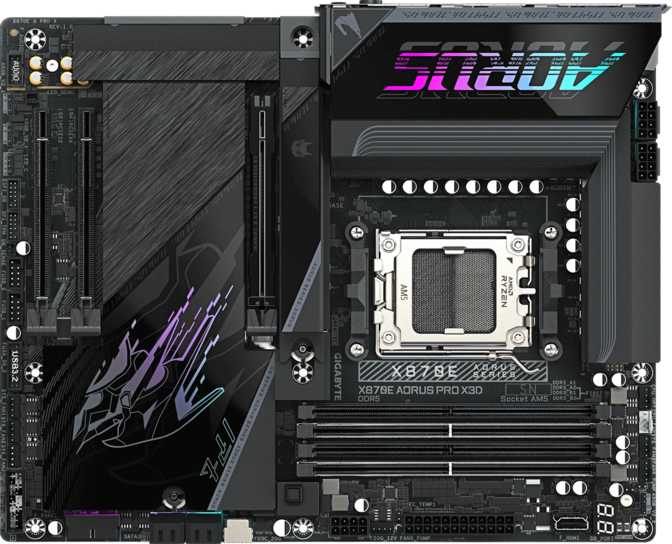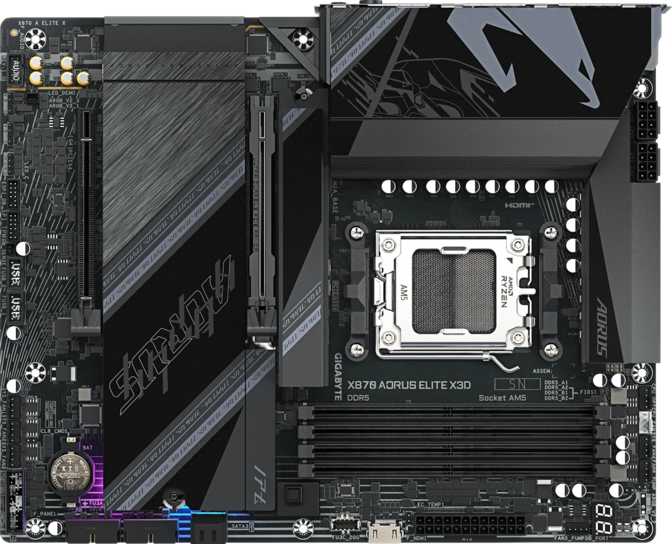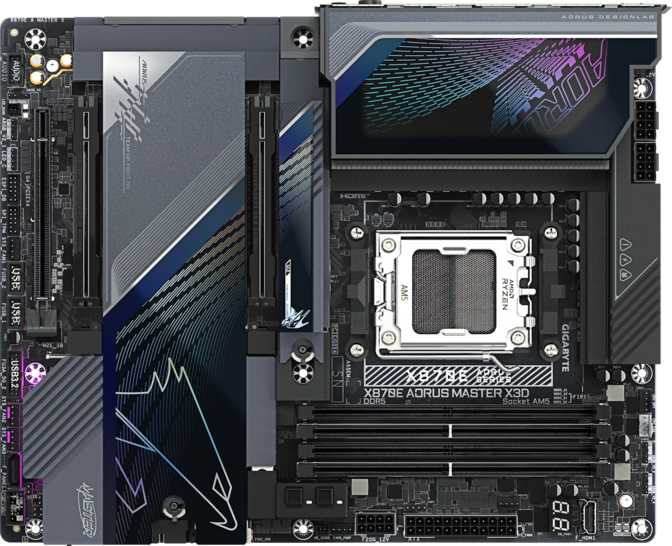
Gigabyte X870E Aorus Master X3D — Full Expert Motherboard Review
MotherboardsThe X870E Platform at Its Peak
AMD's AM5 platform has matured considerably, and the X870E chipset sits at the very top of what that ecosystem currently offers. The Gigabyte X870E Aorus Master X3D is not a board you buy simply because you need a motherboard — it is a board you build around when you refuse to leave performance, connectivity, or longevity on the table.
The X3D designation signals specific tuning and validation around AMD's 3D V-Cache processor lineup — chips that dominate gaming frame rates and certain productivity workloads by stacking additional cache directly onto the processor die. Pairing such a CPU with a board that cannot fully exploit it is wasteful. This one will not hold it back.
For experienced builders, the specification profile reads immediately as flagship-tier: dual PCIe 5.0 primary slots, USB4 at full 40 Gbps, Wi-Fi 7, and storage expansion that rivals dedicated workstation boards. For those newer to high-end PC building, the short version is this — the X870E Aorus Master X3D is built to be the last AM5 motherboard you will ever need to buy.
Key Specifications at a Glance
| CPU Socket | AM5 — Compatible with AMD Ryzen processors on the current-generation desktop platform |
|---|---|
| Chipset | X870E — AMD's flagship desktop chipset with full PCIe 5.0 and USB4 support |
| Form Factor | ATX (305 × 244 mm) — Standard mid-tower and full-tower case compatible |
| Memory | 4 × DDR5 slots, dual-channel, up to 256 GB total, up to 9000 MHz (OC) |
| Storage | 5 × M.2 NVMe + 2 × SATA 3 — RAID 0, 1, 5, 10 supported |
| Expansion Slots | 2 × PCIe 5.0 x16, 1 × PCIe 4.0 x16 |
| Rear USB (Type-A) | 7 × USB 3.2 Gen 2 at 10 Gbps each |
| Rear USB (Type-C) | 2 × USB4 40 Gbps, 2 × Thunderbolt 4, 1 × USB 3.2 Gen 2x2, 1 × USB 3.2 Gen 2 |
| Networking | Dual RJ45 + Wi-Fi 7 (802.11be) + Bluetooth 5.4 |
| Audio | 120 dB SNR DAC — 5.1 surround, S/PDIF optical output |
| Fan Headers | 8 headers — PWM and DC control modes both supported |
| Video Output | HDMI 2.1 — discrete GPU required, no integrated graphics |
| Warranty | 3 years manufacturer warranty |
Build Quality and Physical Design
ATX Form Factor and Dimensions
The board follows the standard ATX footprint at 305 mm wide and 244 mm tall — dimensions that fit comfortably in any mid-tower or full-tower case designed for ATX. Case compatibility is rarely a concern at these established measurements.
If you are working with a smaller Micro-ATX or Mini-ITX enclosure, this board simply will not fit. The ATX specification is a firm physical constraint. Small form factor builders need to look elsewhere entirely.
RGB Lighting and Aesthetics
RGB lighting is integrated into the board's design within Gigabyte's Fusion 2.0 ecosystem. It contributes to the premium visual appearance without overwhelming the build, and can be fully disabled or customized through software if your preference leans toward a cleaner look.
The visual language leans into high-tech aesthetics with dark tones and metallic accents. The board photographs well through a side-panel window, and every square centimeter of the densely populated PCB serves a functional purpose.
Memory — DDR5 Pushed to Its Limits
Capacity and Configuration
Four DDR5 memory slots run in dual-channel configuration, which means your memory controller operates at maximum theoretical bandwidth when slots are populated in matched pairs. Two sticks delivers the balanced, high-performance daily-driver configuration most users want. Four sticks opens up capacity for heavy virtualization, large-dataset creative work, or professional applications that consume memory aggressively.
Total capacity extends to 256 gigabytes — a ceiling that is entirely theoretical for the vast majority of users. In practice, 32 GB to 64 GB covers gaming and content creation comfortably, with room to expand by simply adding more sticks later.
Speed Headroom and Overclocking
The board runs DDR5 natively at speeds suitable for current-generation kits without any configuration changes. The overclocking ceiling extends to 9000 MHz — an extreme figure that few DDR5 kits on the market even qualify to reach, and one that requires premium modules, careful voltage management, and a cooperative CPU memory controller.
For most users, running a quality kit at its rated XMP or EXPO profile represents the practical sweet spot. The 9000 MHz headroom exists for enthusiasts who treat memory tuning as a discipline in itself, and the BIOS is fully equipped to support that ambition.
Storage — Five M.2 Slots and Real Redundancy
5 × M.2 NVMe
OS drive, application drive, scratch disk, fast backup, and future expansion — all NVMe, with PCIe 5.0 availability for the fastest drives currently on the market.
2 × SATA 3
Present for legacy drives and bulk storage HDDs. The lean count reflects a deliberate NVMe-first design philosophy. Users with large existing SATA libraries should plan accordingly.
Full RAID Support
RAID 0, 1, 5, and 10 are all available — covering performance striping, data mirroring, parity protection, and hybrid configurations for professional use.
RAID Configurations Explained
| RAID Level | How It Works | Best Used For |
|---|---|---|
| RAID 0 | Stripes data across two or more drives for maximum throughput | Video editing scratch disks, cache volumes where speed matters more than redundancy |
| RAID 1 | Mirrors data identically across two drives simultaneously | Simple on-system data protection for important project files |
| RAID 5 | Distributes parity data across three or more drives for fault tolerance | Creative project libraries, small business shared storage |
| RAID 10 | Combines striping and mirroring for both performance and redundancy | Demanding workloads requiring both maximum speed and data protection |
All drives can operate independently in standard AHCI mode. RAID is entirely optional and configured through the BIOS.
Connectivity — A Masterclass in Modern Port Selection
The rear I/O panel on a flagship board is where the specification sheet either proves itself or reveals its shortcuts. The X870E Aorus Master X3D reveals nothing but intentionality.
Rear USB — Zero Compromises
| Port Type | Count | Speed | Real-World Use Case |
|---|---|---|---|
| USB 3.2 Gen 2 — Type-A | 7 | 10 Gbps each | External SSDs, storage hubs, professional audio and video devices |
| USB-C 3.2 Gen 2 | 1 | 10 Gbps | Modern smartphones, compact external drives, standard USB-C peripherals |
| USB-C 3.2 Gen 2×2 | 1 | 20 Gbps | High-end external storage enclosures, professional peripherals with faster transfer requirements |
| USB4 40 Gbps — Type-C | 2 | 40 Gbps each | External NVMe enclosures at near-internal speeds, high-bandwidth docks |
| Thunderbolt 4 — Type-C | 2 | 40 Gbps + TB ecosystem | eGPU enclosures, Thunderbolt docks, TB monitors, daisy-chain configurations |
Wireless — Wi-Fi 7 and Bluetooth 5.4
The wireless stack represents the current leading generation of both technologies. Wi-Fi 7 (802.11be) increases theoretical throughput significantly over Wi-Fi 6E while improving performance in congested wireless environments and reducing latency — benefits most apparent in dense apartment buildings or homes with many connected devices.
Bluetooth 5.4 covers all current wireless peripherals, headphones, audio devices, and game controllers with maximum range and reliability. Both wireless technologies are backward compatible with all earlier device generations.
Dual Wired Ethernet
Two RJ45 ports give this board a genuine networking advantage over single-LAN competitors. Use cases include running one port to a NAS while the other connects to a router, link aggregation for combined bandwidth, dual-WAN failover, or simply maintaining a backup physical connection.
For content creators who transfer large files to network-attached storage regularly, or for streamers who want guaranteed bandwidth without risking contention, dual wired networking is a daily-use benefit — not a theoretical specification.
Front-Panel and Internal USB Headers
Expansion Slots — PCIe 5.0 as the New Standard
Your GPU lives here at full bandwidth. Current-generation graphics cards do not saturate this interface — the headroom is built for GPU architectures ahead. No compromises, no bandwidth sharing.
A second GPU, a PCIe 5.0 NVMe expansion card, or any other PCIe 5.0 peripheral. Runs at full PCIe 5.0 bandwidth — unlike reduced secondary slots found on many competing boards.
For cards that do not require PCIe 5.0 bandwidth — capture cards, additional NVMe controllers, RAID expansion cards, or dedicated network adapters.
Audio — 120 dB Signal-to-Noise for Serious Listening
The onboard audio solution achieves a 120 dB signal-to-noise ratio from its digital-to-analog converter — a measurement that reflects how much musical signal is present relative to background electronic noise. For context, most budget and mid-range motherboard audio circuits land in the 90–100 dB range. The jump to 120 dB pushes the noise floor below the threshold of audibility for virtually all headphones and speaker systems, including audiophile-grade high-sensitivity models.
Multichannel surround output covers 5.1 configurations, meaning users with multi-speaker setups can run full surround sound directly from the board without a dedicated sound card. A digital S/PDIF optical output handles connections to external DACs and AV receivers for those who prefer to route audio to a separate device.
The two analog audio connectors are intentionally lean. If you need multiple discrete analog outputs for professional studio monitoring, a dedicated audio interface will serve you better than any integrated solution — including this one.
Audio at a Glance
- 120 dB SNR DACNoise floor effectively below audibility for virtually all listening setups
- 5.1 Surround OutputFull multi-speaker surround without needing a separate sound card
- S/PDIF Optical OutDigital connection to external DACs, AV receivers, and optical systems
- 2 Analog JacksSufficient for most setups; studio monitoring may prefer a dedicated interface
Fan and Thermal Control
Eight fan headers is a count that accommodates even the most aggressively cooled builds without requiring a separate fan controller hub. Whether your setup involves a 360 mm AIO liquid cooler, a dual-tower air cooler with multiple attached fans, six case fans, and a dedicated chipset cooler — or any combination — eight direct motherboard control points give you the granularity to manage every thermal zone independently.
Both PWM (Pulse Width Modulation) and DC control modes are supported on all headers. PWM is the current standard, allowing precise speed adjustment independent of voltage. DC mode maintains backward compatibility with older voltage-controlled fans, so you will never encounter a fan this board cannot manage natively.
Individual fan curve profiles can be assigned per header and tied to specific thermal sensors on the board — your CPU fan responds to CPU temperature, case fans respond to ambient intake temperature, and so on — all configurable without third-party utilities.
Overclocking and BIOS
The board is explicitly built for overclocking. AMD's open platform on AM5 grants full access to CPU frequency and voltage controls, and the X870E Aorus Master X3D's BIOS exposes all of it — plus an extended memory tuning suite for pushing DDR5 performance well beyond factory specifications.
BIOS Tools and Features
- Physical Clear CMOS Button
Located directly on the rear I/O panel — one button press recovers from any failed overclock or boot loop without opening the case. Essential for anyone who pushes settings aggressively.
- Q-Flash BIOS Update Utility
Gigabyte's built-in update tool minimizes firmware corruption risk. Always use Q-Flash for firmware updates rather than OS-level methods — it is the more reliable path.
- XMP and EXPO Profile Support
One-click activation of memory manufacturer overclock profiles. The easiest way to get certified, stable performance from a premium DDR5 kit without manual tuning.
One Notable Caveat
This board does not include a secondary firmware chip as a fallback against a corrupted BIOS. Most high-end Gigabyte boards carry this protection — the X870E Aorus Master X3D does not. A completely failed firmware update requires professional service recovery.
ASUS ROG and MSI flagship boards at this price point typically include dual BIOS as a standard feature. Users who update firmware frequently, experiment with beta BIOS versions, or push aggressive overclocking settings should weigh this trade-off carefully.
Who This Board Is Built For
Strong Match — These Buyers Get Maximum Value
The X3D Gaming Build
Building around an AMD Ryzen 3D V-Cache CPU with no plans to change the platform for three to five years. This board provides every resource that CPU needs to hit its performance ceiling — no power delivery constraints, no bandwidth bottlenecks.
Content Creators
Producing high-resolution video, managing large RAW photo libraries, or running professional audio production. Fast USB rear ports, dual networking for NAS transfers, five NVMe slots for project storage, and excellent onboard audio combine into a genuinely productive platform.
Enthusiast Overclockers
Treating DDR5 memory tuning as a technical discipline rather than a checkbox. The 9000 MHz overclocking ceiling combined with a BIOS that exposes every relevant parameter makes this a serious platform for memory performance exploration.
Poor Match — These Buyers Should Look Elsewhere
Budget Builders
The feature set commands a premium that delivers no practical benefit to someone running a single SSD and a mid-range GPU.
SATA-Heavy Libraries
Users migrating six or more SATA drives from an older platform will find the two SATA ports severely limiting.
Dual BIOS Required
If a backup BIOS chip is a non-negotiable requirement for peace of mind, competing boards at this tier provide that protection.
Small Form Factor
The ATX footprint is absolute — Micro-ATX and Mini-ITX case owners need a different board entirely.
How It Compares to the Competition
The X870E Aorus Master X3D competes directly with ASUS ROG, MSI, and ASRock's flagship X870E offerings. The table below highlights the factors that actually differentiate these boards at this tier, based on published flagship specifications.
| Differentiating Feature | Gigabyte X870E Aorus Master X3D | ASUS ROG Crosshair X870E Hero | MSI MEG X870E Ace | ASRock X870E Taichi |
|---|---|---|---|---|
| High-Speed USB-C Ports (Rear) | 4 (2× USB4 + 2× TB4) | Typically 2–3 | Typically 2–3 | Typically 2–3 |
| M.2 NVMe Slots | 5 | Up to 4 | Up to 4 | Up to 4 |
| Dual BIOS Backup | Not included | Yes | Yes | Model dependent |
| PCIe 5.0 × 16 Slots | 2 | 2 | 2 | 2 |
| Wi-Fi Generation | Wi-Fi 7 | Wi-Fi 7 | Wi-Fi 7 | Wi-Fi 7 |
| Dual Wired LAN | Yes | Varies by model | Varies by model | Varies by model |
| Onboard Audio SNR | 120 dB | Comparable | Comparable | Comparable |
Competitor data reflects typical flagship specifications based on published information. Individual variants may differ — verify directly with each manufacturer before purchase.
Honest Assessment — Strengths and Weaknesses
What It Does Well
- Rear I/O that rivals dedicated workstation boards
Four high-bandwidth USB-C ports — two USB4 and two Thunderbolt 4 — alongside seven USB 3.2 Gen 2 Type-A ports places this among the most capable rear panels on any AM5 motherboard currently available.
- Five M.2 NVMe slots with PCIe 5.0 headroom
Storage expansion without meaningful limit. Room to run the fastest available NVMe drives today and grow into future storage generations without replacing the board.
- Extreme DDR5 memory overclocking ceiling
The 9000 MHz headroom and the BIOS infrastructure to chase it. Memory tuning is a first-class feature here, not an afterthought bolted on for marketing purposes.
- Dual Ethernet plus Wi-Fi 7
Covers every networking scenario — high-speed wired, NAS access, link aggregation, Wi-Fi 7 for wireless upgrades, and Bluetooth 5.4 for peripherals.
- Audiophile-grade onboard audio
At 120 dB signal-to-noise ratio, the onboard audio eliminates the need for a discrete sound card in virtually all high-quality listening and production setups.
Where It Falls Short
- No dual BIOS backup chip
The most meaningful shortcoming compared to competing flagships. ASUS ROG and MSI include secondary firmware as insurance against a failed flash — this board does not. A completely failed update requires professional service.
- Only two SATA ports
Users migrating from platforms with large 2.5-inch SSD or hard drive libraries will find this count insufficient. The NVMe-first design philosophy is explicit and SATA is clearly a concession, not a priority.
- No PCIe x1 slots for legacy expansion
Legacy sound cards, older network adapters, and small-format PCIe accessories have no place on this board. Deliberate by design, but a real constraint for users with existing PCIe x1 hardware.
- Premium price demands full utilization
This board earns its cost only when the buyer actually leverages the connectivity and expansion advantages it offers. Those who cannot use the USB4, Thunderbolt 4, and five M.2 slots pay for features they will never touch.
Common Questions Before You Buy
Final Verdict
The Gigabyte X870E Aorus Master X3D is a meticulously specified flagship AM5 motherboard that delivers in almost every dimension that matters to its intended buyer. The rear I/O panel alone — with dual USB4 40 Gbps, dual Thunderbolt 4, and seven USB 3.2 Gen 2 Type-A ports — would justify serious consideration. Combine that with five M.2 slots, dual wired networking, Wi-Fi 7, Bluetooth 5.4, excellent onboard audio, and a BIOS toolset built for aggressive memory and CPU tuning, and the value proposition for the right buyer is unambiguous.
The absent dual BIOS is the one area where Gigabyte has made a choice that distinguishes this board unfavorably from some rivals. It is a real consideration — not dismissible — but it is not a dealbreaker for buyers who understand the risk and manage firmware updates carefully using the included Q-Flash utility.
Building around a 3D V-Cache CPU and want the most capable AM5 connectivity available without adding expansion cards. Every port on this board will earn its place.
A dual BIOS chip is essential for your peace of mind, or you need more than two SATA ports to accommodate an existing drive library.
You are on a tight budget, building in a compact case, or cannot practically use flagship-tier USB connectivity and five-slot NVMe storage expansion.