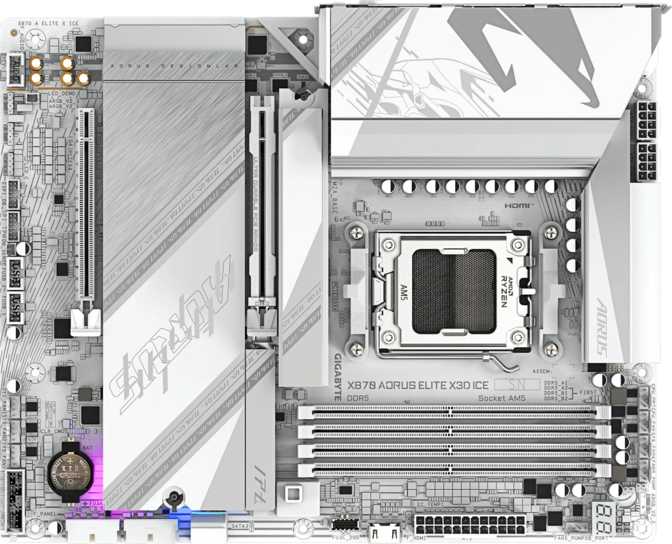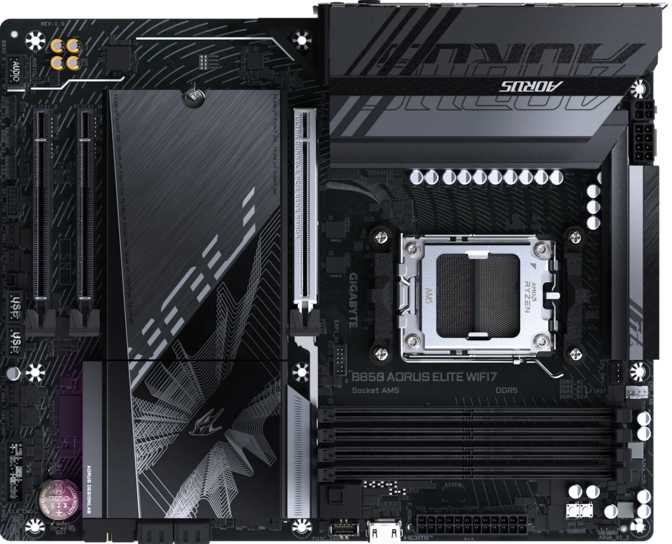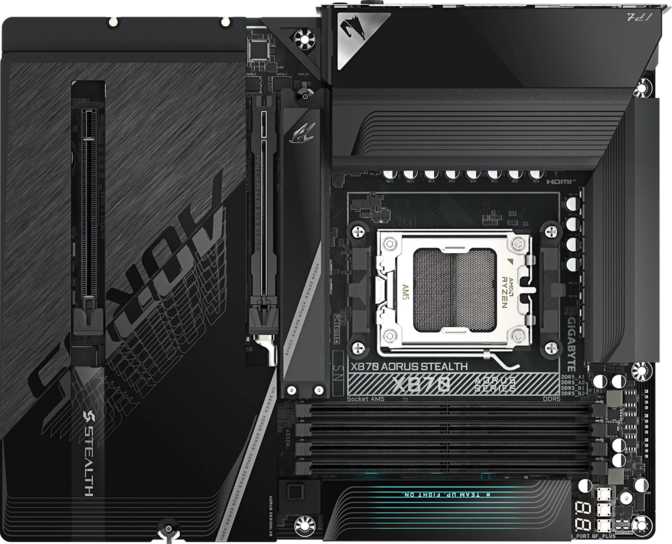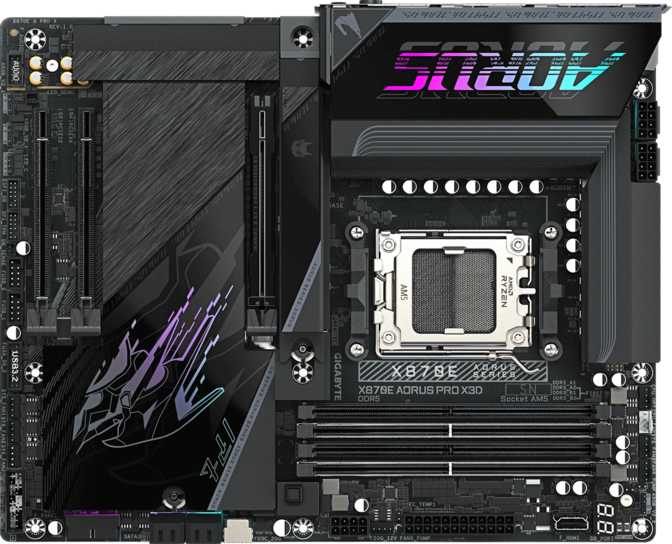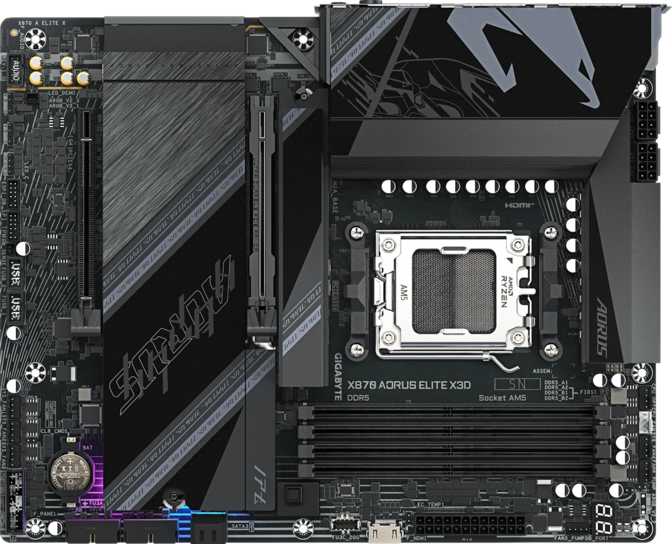
Gigabyte X870 Aorus Elite X3D Review: Full Analysis for AMD Builders
MotherboardsGigabyte X870 Aorus Elite X3D At a Glance
AMD X870 Chipset • AM5 Socket • ATX Form Factor • DDR5 • 3-Year Warranty
Editorial Score
Highly Recommended
For AMD enthusiasts and 3D V-Cache builders who will leverage its full feature set.
AMD's AM5 platform has matured into a compelling ecosystem, and the Gigabyte X870 Aorus Elite X3D sits at an interesting crossroads: it carries the full weight of a flagship-adjacent chipset while the "X3D" designation signals optimized compatibility and tuning support for AMD's 3D V-Cache processors — the gaming-focused chips that have redefined single-threaded performance expectations. If you're building around one of those processors, or planning to in the future, this board was designed with your use case in mind. But even paired with a standard Ryzen 7000 or 9000 series chip, the hardware underneath the Aorus branding holds up on its own merits — particularly for builders who value connectivity and future-proofing over raw chipset tier.
Who This Review Is For
This review covers the X870 Aorus Elite X3D for both first-time motherboard buyers and experienced builders. Technical terms are explained in context. Specification analysis is written for readers who already know what the specs mean — without excluding those who are learning.
Design and Build Quality
| Form Factor | ATX (305 × 244 mm) |
|---|---|
| Socket | AMD AM5 (LGA1718) |
| Chipset | AMD X870 |
| Fan Headers | 8 (individually addressable) |
| RGB Lighting | Yes — Aorus ecosystem sync |
| Clear CMOS | Physical button (no disassembly) |
| Dual BIOS | Not included |
| Warranty | 3 Years |
ATX Done Right
The standard ATX footprint fits comfortably in virtually every mid-tower and full-tower case without clearance guesswork. Whether you're planning a new build or dropping this into an existing chassis, dimensional compatibility is a non-issue.
RGB lighting is integrated into the board's visual identity rather than added as a marketing tick — synchronized through Gigabyte's software ecosystem and coordinated with other compatible components across your system. For those who prefer a cleaner look, the lighting can be disabled entirely through the BIOS or software.
Eight fan and pump headers distributed across the board support serious cooling configurations — custom liquid loops with multiple pumps and radiators, or elaborate air-cooling setups — without Y-splitters or external controllers. Each header is individually addressable for per-zone thermal management.
There is no dual BIOS chip on this board. Without an automatic fallback, a failed firmware update leaves no recovery path without a USB BIOS flashback. Maintain a recovery USB drive with a known-good image if you plan frequent BIOS modifications.
Platform and Chipset: What X870 Actually Means
The X870 chipset represents AMD's upper tier for the AM5 platform — not the absolute peak (that belongs to X870E), but a full step above the B650 and B650E boards that serve the mainstream market. What separates X870 from those alternatives in practical terms comes down to bandwidth, connectivity options, and the ceiling for high-speed memory and storage configurations.
The AM5 socket uses the LGA1718 format, which means your processor seats pin-side-up on the board — a departure from AMD's traditional approach, and one that makes the CPU itself less physically vulnerable during installation. All current-generation AMD Ryzen 7000 and 9000 series desktop processors are compatible, and the platform's architecture supports PCIe 5.0 natively from the CPU itself.
AMD has publicly committed to AM5 as their primary desktop socket through the remainder of this decade. Upgrading to a next-generation processor years from now won't require replacing the motherboard — that upgrade path is a real differentiator when comparing AMD to Intel's current platform trajectory.
AMD's stated AM5 commitment means future Ryzen processor generations drop directly into this board. The platform investment extends well beyond the first build cycle.
Pins on the motherboard, not the CPU — the processor itself is less vulnerable to physical damage during installation compared to AMD's previous PGA format.
The X3D designation indicates tuned power delivery and BIOS configuration for AMD's 3D V-Cache processors, whose specific TDP and power management characteristics benefit from a board designed around them.
Expansion Slots and Storage
PCIe Expansion: 5.0 Front and Center
The fastest consumer GPU interface currently available. Current discrete graphics cards do not saturate PCIe 4.0 bandwidth in typical gaming, but PCIe 5.0 eliminates any theoretical bottleneck for upcoming GPU generations and GPU-accelerated compute workloads where interface bandwidth is genuinely relevant.
High-resolution texture streaming and GPU-accelerated professional tasks benefit most from the additional headroom.
The secondary slot runs at x4 bandwidth — appropriate for capture cards, network adapters, and peripherals that don't require full x16 lanes. There are no PCIe 3.0 or 4.0 x16 slots; this is a deliberate layout choice that prioritizes clean single-GPU configurations.
Multi-GPU gaming is functionally deprecated at the software level, making this the right trade-off for modern builds.
Storage: Four M.2 Slots and Comprehensive RAID
Four M.2 sockets define the storage personality of this board. With the primary M.2 slot connecting directly to the CPU via PCIe 5.0 — drives using this interface can sustain read speeds that would have seemed extraordinary a few years ago. The remaining slots draw from chipset lanes but remain capable of running high-speed PCIe 4.0 NVMe drives without bottlenecking real-world workloads.
Two SATA 3 ports handle traditional 2.5-inch SSDs or mechanical drives for mass storage — bulk media archives, backup drives, or secondary data volumes. If you're a content creator with terabytes of footage or a gamer with a large library, having SATA alongside four NVMe slots gives genuine flexibility rather than forcing a choice between speed and capacity.
With only two SATA ports, builders planning three or more traditional drives will need to prioritize NVMe for primary storage or accept that expansion requires an add-in controller card.
Striping across drives for maximum throughput — no redundancy, best raw speed.
Mirroring for full redundancy — data survives a single drive failure.
Distributed parity — speed, capacity, and redundancy balanced. Rare on consumer boards at this tier.
Combines mirroring and striping for both speed and redundancy across four drives.
Memory: DDR5 Pushed to Its Limits
4
Memory Slots
256GB
Maximum Capacity
8800
Max OC Speed (MHz)
DDR5
Memory Standard
The four-slot configuration matters more than it might seem. Entry-level X870 boards sometimes trim to two slots to reduce costs. Four slots here means starting with 32GB or 64GB and adding more later without discarding existing modules — a practical advantage for phased builds or incremental upgrades.
The overclocked ceiling of 8800MHz puts this board among the most aggressive DDR5 overclock targets in the consumer space. DDR5 at stock speeds is already substantially faster than the fastest DDR4 configurations; 8800MHz represents the bleeding edge of what current DDR5 kits can achieve.
Memory speed matters more on AMD's AM5 platform than on previous generations. The Infinity Fabric that connects CPU cores to the rest of the system is sensitive to memory latency and bandwidth — properly tuned RAM translates into measurable performance gains, particularly in gaming. For 3D V-Cache processors specifically, the interplay between memory configuration and cache behavior is nuanced enough that overclocking headroom is meaningful, not merely a spec sheet figure.
Memory Quick Reference
- DDR5 only — no DDR4 backward compatibility on AM5
- EXPO profile support for one-click rated-speed activation
- Dual-channel architecture — install in matched pairs for full bandwidth
- 4 slots allow future capacity expansion without replacing modules
- ECC memory not supported — standard for consumer AM5 boards
Connectivity: Built for the Next Five Years
The rear I/O and internal headers together represent one of the most forward-looking connectivity configurations available at this price level.
Wireless: Wi-Fi 7 Included
The integrated wireless adapter supports Wi-Fi 7 — the current leading edge of consumer wireless standards. Wi-Fi 7 operates across 2.4GHz, 5GHz, and 6GHz bands simultaneously through Multi-Link Operation, delivering dramatically higher throughput and lower latency than Wi-Fi 6E.
If your router supports Wi-Fi 6E or 7, your connection speed is limited by the router and ISP — not this board. If your router is older, the adapter operates in backward-compatible modes down to Wi-Fi 4 without any configuration.
Bluetooth
Version 5.4
Supports the latest low-energy protocols for headsets, controllers, keyboards, and mice with current-generation efficiency.
Wired Network
One RJ45 ethernet port handles wired network connectivity. For productivity-critical workloads where latency and reliability are non-negotiable, the single wired port covers all typical home and small-office networking scenarios.
Tip for Network-Intensive Users
If high-speed wired networking is critical to your workflow, verify the exact ethernet controller speed through Gigabyte's detailed product page before purchasing — the PCIe x4 secondary slot can accommodate a multi-port or 10GbE add-in card if needed.
USB Port Breakdown
The rear I/O USB lineup is where this board separates itself most clearly from mid-range alternatives. Highlighted cards indicate ports with exceptional bandwidth.
USB 4
Type-A
×2
Thunderbolt 4
Type-C
×2
USB 3.2
Gen 2 Type-A
×2
USB 3.2
Gen 2 Type-C
×1
USB 3.2
Gen 1 Type-A
×4
USB 2.0
Type-A
×1
Thunderbolt 4 vs USB4: What is the Difference?
Thunderbolt 4 is a superset of USB4 that adds guaranteed bandwidth allocation for displays and data simultaneously, daisy-chaining of up to six devices, and compatibility with the broader Thunderbolt device ecosystem. USB4 at 40Gbps offers the same raw bandwidth. For Thunderbolt-branded peripherals, use the Thunderbolt ports. For USB4 devices, either set of ports works interchangeably.
Internal Headers for Case Expansion
4× USB 3.2 Gen 1 Headers
Front-panel connections for cases with USB-A ports
4× USB 2.0 Headers
For additional front-panel or internal device connections
1× USB 3.2 Gen 2x2 Header
20Gbps Type-C connector for premium case front panels
Audio and Video Output
High-Fidelity Onboard Sound
The onboard audio solution delivers 7.1 surround sound capability with a signal-to-noise ratio of 120 decibels. For context: most mid-range audio hardware operates in the 95–108dB range. At 120dB SNR, background hiss is inaudible under normal listening conditions and dynamic range is preserved at levels that satisfy audiophiles who haven't invested in a dedicated external DAC.
S/PDIF digital optical output enables a direct digital connection to AV receivers, soundbars, or DACs with optical inputs — preserving audio quality without any analog conversion inside the PC. The signal path stays digital all the way to the destination device.
Two analog audio jacks on the rear panel cover standard headphones, speakers, and microphone connections. Internal front-panel audio headers connect to case-mounted jacks for a complete audio routing setup.
120 dB
Signal-to-Noise Ratio (DAC)
7.1
Audio Channels
S/PDIF
Digital Optical Out
HDMI 2.1 Output
The rear panel HDMI 2.1 port works with processors that include Radeon integrated graphics. Primarily useful for initial system setup, troubleshooting, or running a secondary display without occupying discrete GPU outputs. Note: not all AM5 processors include integrated graphics — confirm your CPU choice before relying on this port.
Overclocking and BIOS
The X870 Aorus Elite X3D carries full overclocking capability — CPU frequency, core voltage, power limits, and memory timing can all be adjusted through the UEFI BIOS. The board offers automated tuning profiles alongside full manual control, making it accessible for beginners exploring overclocking for the first time while giving experienced tuners the depth they need.
For memory overclocking specifically, EXPO profile support means most high-performance DDR5 kits configure to their rated speed with a single BIOS toggle, without requiring manual timing adjustments. The 8800MHz ceiling means the board won't be the limiting factor as DDR5 kit performance continues to evolve.
A TPM 2.0 header accommodates a discrete TPM module, meeting security requirements for Windows 11 and enterprise environments beyond what AMD's firmware-based fTPM already provides.
Physical Clear CMOS Button
Resets BIOS to defaults without opening the case or pulling the motherboard battery — an essential convenience for active overclockers.
EXPO Profile Support
One-click DDR5 memory speed activation to rated kit speeds — no manual timing entry required for standard configurations.
TPM 2.0 Header
Supports discrete TPM module for enterprise security requirements and Windows 11 compliance beyond firmware TPM.
No Dual BIOS: Without a backup BIOS chip, maintain a USB drive with a recovery image. Gigabyte's Q-Flash feature supports USB BIOS recovery even when the system won't POST.
Who This Motherboard Is For
- Building around an AMD 3D V-Cache processor, or planning to upgrade to one within the platform's lifespan
- Content creators who need Thunderbolt 4 for professional audio interfaces, fast external storage, or Thunderbolt docking stations
- Gamers who want PCIe 5.0 GPU support and aggressive memory overclocking for maximum AM5 platform performance
- Users who want Wi-Fi 7 without purchasing a separate add-in card, simplifying the build and saving a PCIe slot
- Builders committing to the platform for five or more years who want every modern standard in place from day one
- Small creative studios needing RAID 5 capability without a dedicated hardware controller
- Your build is primarily for office productivity or light gaming — the connectivity overhead adds cost without benefit in these scenarios
- Dual BIOS is non-negotiable for your BIOS experimentation workflow — competing boards at this tier offer that safety net
- Your storage plan includes three or more SATA drives — two SATA ports is a genuine constraint for legacy-heavy storage configurations
- Budget is the primary consideration — a B650E board covers the fundamentals at a meaningfully lower price if the premium features won't be used
- You require ECC memory support — this platform does not accommodate error-correcting memory modules
How It Compares to the Alternatives
The X870 Aorus Elite X3D sits between two clear alternatives: the top-of-platform X870E tier above it and the more affordable B650E tier below. Here is how the key differences break down in practice.
| Feature | X870 Aorus Elite X3D | Typical X870E Boards | Typical B650E Boards |
|---|---|---|---|
| Chipset Tier | X870 | X870E (Highest) | B650E |
| PCIe 5.0 x16 GPU Slot | Yes | Yes | Yes (most) |
| M.2 NVMe Slots | 4 | 4 – 5 | 2 – 3 |
| USB4 40Gbps Ports | 2 | 2 – 4 | 0 – 1 |
| Thunderbolt 4 | 2 Ports | Varies | Rare |
| Wi-Fi Generation | Wi-Fi 7 | Wi-Fi 6E or 7 | Wi-Fi 6 or 6E |
| Memory Slots | 4 | 4 | 4 |
| Fan Headers | 8 | 8 – 10 | 6 – 8 |
| Dual BIOS | No | Often Yes | Sometimes |
| RAID 5 Support | Yes | Yes | Rarely |
Comparisons reflect typical configurations at each platform tier. Individual models within each category vary. Highlighted column represents the board under review.
Honest Strengths and Weaknesses
-
Thunderbolt 4 at a Non-Flagship Price
Genuinely rare at this price level — most AM5 boards skip Thunderbolt entirely because it requires Intel-licensed controller chips and adds design complexity. Its inclusion is a meaningful differentiator for Thunderbolt device users.
-
USB4 40Gbps on the Rear I/O
Two USB4 ports create an I/O panel that rivals premium workstation builds. At this speed, external NVMe drives reach their own storage limits before the interface becomes a constraint.
-
Storage Configuration Flexibility
Four M.2 slots, PCIe 5.0 primary storage, and RAID 5 capability together create a storage ecosystem that competes with workstation-class platforms — without dedicated hardware controllers.
-
Wi-Fi 7 is Current-Generation
The wireless integration represents the current standard, not last year's technology recycled under a new product name. Wi-Fi 7 with Bluetooth 5.4 covers all connectivity use cases for years to come.
-
DDR5 Overclocking Headroom
An 8800MHz ceiling positions the board among the most capable DDR5 overclock platforms available, and the board won't be the limiting factor as DDR5 kit performance continues to advance.
-
No Dual BIOS Safety Net
For active overclockers and BIOS enthusiasts, the absence of a backup BIOS chip is a real consideration. It's not disqualifying — millions of stable overclocked systems run single-BIOS boards — but the safety net is absent. Be methodical with firmware updates.
-
Only Two SATA Ports
A genuinely lean count for builders who rely on multiple SATA devices. A storage plan involving three or more traditional drives requires either re-architecting around NVMe or adding a controller card, which consumes the secondary PCIe slot.
-
Single Ethernet Port
One wired network port covers typical home and small-office scenarios, but multi-port or high-speed 10GbE configurations require an add-in card. Verify the ethernet controller's rated speed through Gigabyte's product documentation if wired throughput is critical to your workflow.
-
Premium Feature Overhead
If Thunderbolt 4, Wi-Fi 7, and USB4 are not part of your use case today or in the near future, the platform overhead is real money spent on features sitting idle. A B650E alternative delivers the fundamentals at a meaningful price difference.
Questions Buyers Ask Before Purchasing
The Right Board for the Right Builder
The Gigabyte X870 Aorus Elite X3D makes a specific argument: you should not have to choose between enthusiast-grade connectivity and a price point that does not require a major budget stretch. The Thunderbolt 4 implementation at this tier is unusual. The USB4 connectivity is genuinely useful. Wi-Fi 7 is present and current-generation. The overclocking headroom for both CPU and DDR5 memory is among the most generous on the AM5 platform.
Best For
3D V-Cache builds, content creators with Thunderbolt peripherals, and platform-forward enthusiasts
Key Caveats
No dual BIOS, only two SATA ports, and premium overhead for users who will not use its connectivity advantages
Editorial Score
8.5 out of 10 — Highly recommended for buyers who will leverage its full specification set
Purchase Verdict
Its appeal is strongest for builders who are serious about their AMD platform investment, particularly those pairing it with a 3D V-Cache processor or planning to do so. Content creators who depend on Thunderbolt peripherals and enthusiasts who want future-proof connectivity without stepping to a full X870E board will find it hits a sensible, well-considered middle point. If your build is more straightforward and the premium features go unused, there are less expensive AM5 options that cover the fundamentals cleanly. But if you will use what this board offers, the Gigabyte X870 Aorus Elite X3D earns its place at the top of the consideration list.