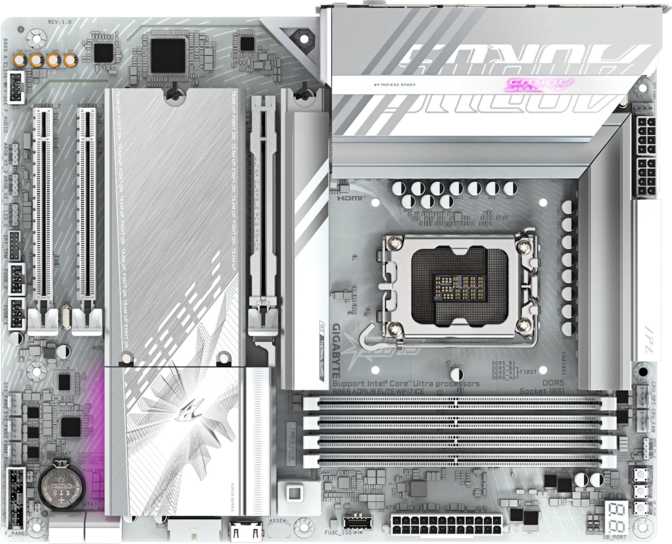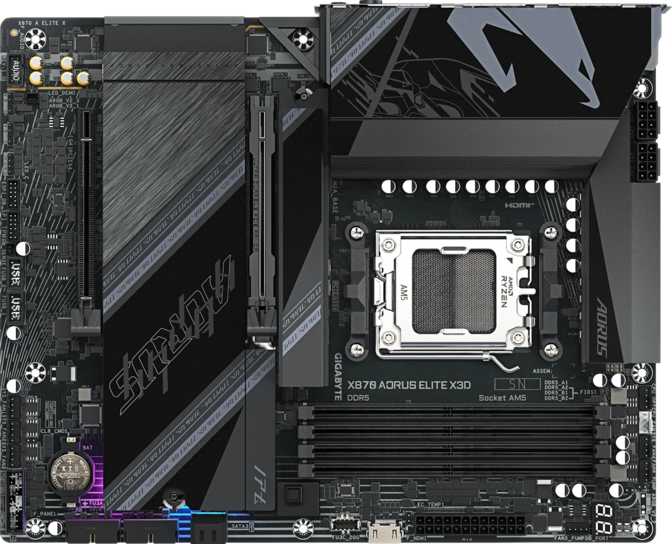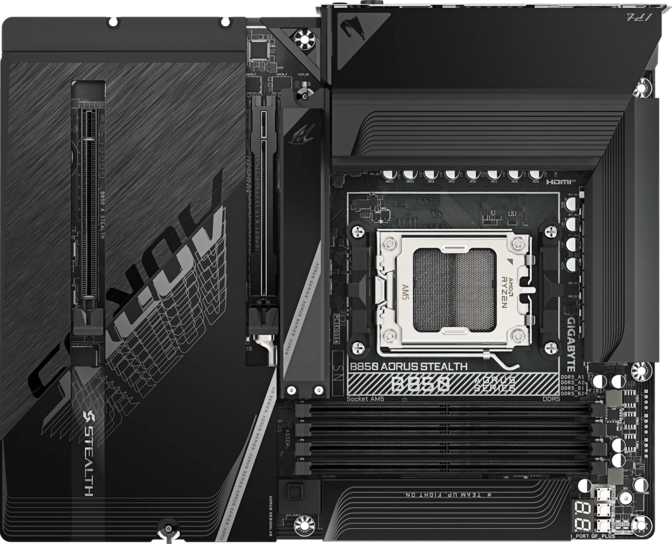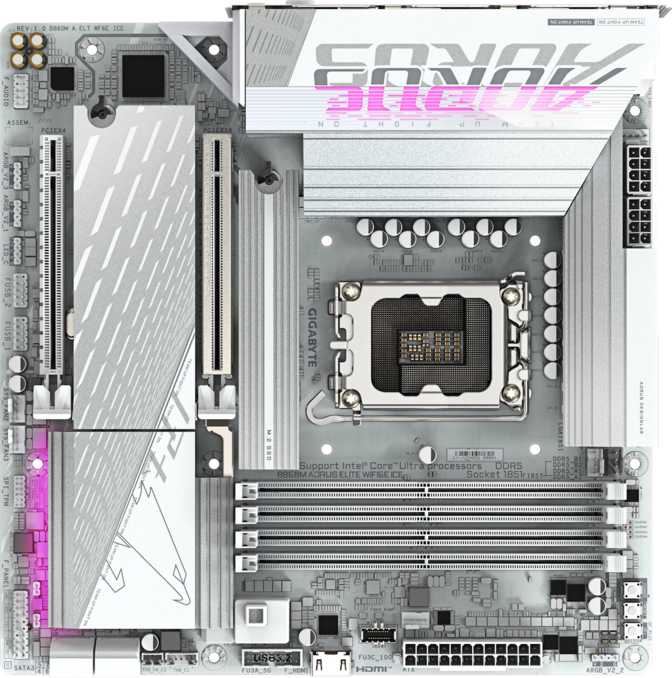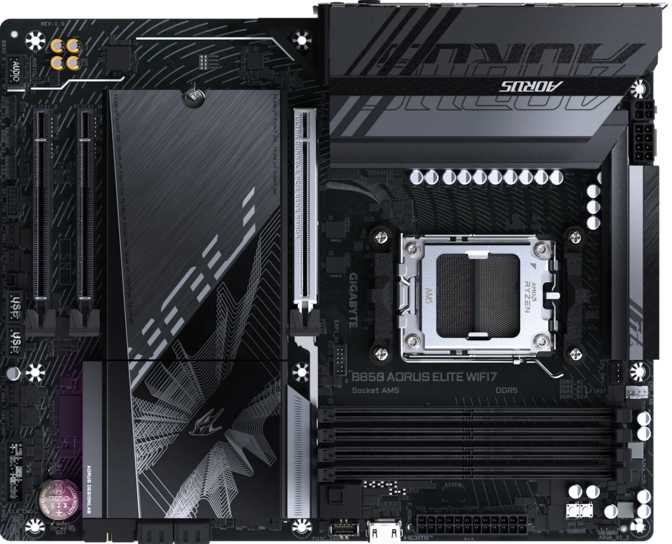
Gigabyte B850 Aorus Elite WiFi7: An Honest, In-Depth Review
MotherboardsChoosing a motherboard rarely feels exciting, but it quietly decides almost everything else about your build — which CPUs you can run, how far you can push your memory, how many drives you can fit, and whether your wireless connection feels instant or sluggish. The Gigabyte B850 Aorus Elite WiFi7 lands in that crucial mid-tier spot on AMD's AM5 platform, aiming to give builders most of what the flagship boards offer without the flagship price tag. After working through its full specification sheet line by line, this is a board built for people who want a serious, long-term gaming or productivity rig rather than a bare-minimum placeholder — with a couple of corners cut that enthusiasts will notice immediately.
Strong memory overclocking, generous storage, and genuine Wi-Fi 7 connectivity, held back only by a missing HDMI port and no Clear CMOS button.
- Best for
- Gamers & creators
- Platform
- AM5 / B850
- Form factor
- ATX
First Impressions: Build Quality and Physical Design
What it feels like to actually mount and live with this board
The board uses the full-size ATX layout, measuring 244 mm tall by 305 mm wide. That is the standard mid-tower-friendly footprint, so if you already own or are planning to buy a typical ATX or mid-tower case, this board will simply fit without awkward measuring or cable-routing compromises. A full ATX board generally has more physical room for spaced-out components, better-cooled power delivery, and more expansion headers than the smaller Micro-ATX or Mini-ITX boards in the same family.
Gigabyte has integrated RGB lighting directly into the board, which plugs into the same ecosystem most builders already use for synchronized lighting across fans, RAM, and the case itself. For anyone building inside a tempered-glass or mesh-front case, that lighting becomes part of the finished look rather than an afterthought.
One feature that deserves real praise is dual BIOS support. In plain terms, the board carries two independent copies of its firmware. If a BIOS update goes wrong, or the primary chip becomes corrupted, the board automatically falls back to the secondary chip and keeps your system bootable — a genuine safety net for builders who flash new firmware to support new CPUs or chase memory overclocks.
- Form factorATX, 244 × 305 mm
- RGB lightingIntegrated
- Dual BIOSYes
- Clear CMOS buttonNot included
- Warranty3 years
The AM5 Platform and B850 Chipset: What You're Actually Buying
Understanding the socket and chipset behind the name
This board uses AMD's AM5 socket, the same physical CPU socket AMD has committed to using across multiple processor generations. Buying into AM5 now is a bet on staying current for several CPU generations rather than needing a whole new motherboard every time you want a new processor — similar to how a smartphone's operating system gets years of updates after purchase.
The B850 chipset sits in the upper-middle of AMD's current lineup. Think of a chipset as the traffic controller of a motherboard: it determines how many high-speed lanes are available for extra M.2 slots, USB ports, and expansion cards beyond what the CPU provides directly. B850 delivers meaningfully more connectivity and overclocking flexibility than entry-level boards, while leaving the very highest-end features — like multiple full-bandwidth PCIe 5.0 slots or built-in Thunderbolt — to pricier flagship boards.
A three-year warranty backs this up, signaling confidence in the components surviving years of thermal cycling under daily gaming or workstation loads.
The board carries a single CPU socket, standard for desktop builds, and confirms it has no integrated graphics chip and no pre-installed CPU. You supply your own AM5 processor, and whether you get video output at all depends on whether that processor has its own onboard graphics — a detail that matters when we get to display outputs below.
Memory Performance: DDR5 Speed, Capacity, and Real-World Headroom
What the numbers on a memory spec sheet actually translate to
The Elite WiFi7 supports DDR5 memory exclusively, the current generation offering higher bandwidth than DDR4 — useful for gaming frame consistency and tasks like video editing or heavy multitasking.
With four memory slots and support for up to 256GB total, this board comfortably covers everything from a lean 32GB gaming setup to a heavily loaded configuration for video editing, 3D rendering, or running multiple virtual machines. Most gamers will never fill all four slots, but creators will appreciate the ceiling.
Officially, memory runs at speeds up to 5200 MHz at stock — already strong. Far more interesting is the overclocked ceiling of 8200 MHz, an exceptionally high number for any consumer memory controller. That tells you Gigabyte invested real engineering effort into trace layout and power delivery specifically for memory. Casual builders won't touch this ceiling, but its presence signals a genuinely well-engineered board underneath.
Memory runs in dual-channel configuration — always populate slots in matched pairs for full bandwidth. One notable absence: no ECC support. ECC automatically corrects small memory errors, which matters for mission-critical workstations but changes nothing for gaming or content creation in daily use.
Stock Memory Speed
5200 MHz
Overclocked Ceiling
8200 MHz
- 4 slots, up to 256GB
- Dual-channel DDR5
- No ECC support
Wireless Connectivity: Wi-Fi 7 and Bluetooth 5.4 Explained
What the headline feature actually means for daily use
Wi-Fi 7, Full Backward Range
This board supports the full spread of Wi-Fi generations — 802.11n, 802.11ac, 802.11ax (Wi-Fi 6 and 6E), and the newest 802.11be standard — meaning it connects cleanly to virtually any router you already own while staying ready for next-generation routers as they become common.
In real terms, Wi-Fi 7 brings higher peak throughput for large file transfers and high-bitrate streaming, reduced latency that benefits online gaming when wired isn't practical, and better performance in congested environments like apartment buildings. If you can run Ethernet, it's a nice-to-have. If your PC sits far from the router, it's a meaningful upgrade.
Bluetooth 5.4
Bluetooth 5.4 is the current-generation standard, offering improved power efficiency and lower latency for wireless keyboards, mice, controllers, and headsets compared to older versions.
One omission worth flagging: no aptX support, a higher-fidelity Bluetooth audio codec favored by some wireless headphone users. If you use wired headphones or a USB DAC, this is irrelevant. If you rely specifically on aptX-certified headphones for critical listening, note it before buying.
Rear I/O and Port Selection
What actually plugs in without an adapter or compromise
| Connection Type | Quantity | What It Means for You |
|---|---|---|
| USB 3.2 Gen 2 Type-A | 2 | Fast-charging and high-speed transfer for external SSDs and fast flash drives |
| USB 3.2 Gen 1 Type-A | 5 | Everyday peripherals — mice, keyboards, webcams, controllers |
| USB 3.2 Gen 2 Type-C | 1 | Modern reversible connector for phones, fast external drives, some docks |
| USB 2.0 | 4 | Low-bandwidth devices like keyboards, mice, or legacy peripherals |
| DisplayPort | 1 | Video output — only usable with a CPU that has built-in graphics |
| RJ45 Ethernet | 1 | Wired internet for the most stable, lowest-latency networking |
With twelve total rear USB ports spanning USB 2.0 through USB 3.2 Gen 2, day-to-day peripheral connectivity is comfortably covered for keyboard, mouse, webcam, external drive, controller, and headset simultaneously without needing a hub.
Internal Expansion: Storage, Cooling, and Front-Panel Connectivity
What the headers inside the case give you room to grow into
Up to 7 Drives
3 M.2 NVMe sockets plus 4 SATA 3 connectors — room for a fast boot drive, a games drive, and bulk storage without ever feeling cramped.
6 Fan Headers
Enough connection points for multiple case intake and exhaust fans plus a CPU cooler, no splitters required for a well-ventilated build.
TPM Header
Windows 11 requires TPM 2.0 for installation and security features like BitLocker — this header covers that requirement.
Front-panel USB gets real attention too: beyond the rear ports, internal headers support additional USB 3.2 Gen 1 ports, a fast 20Gbps USB 3.2 Gen 2x2 Type-C header ideal for modern cases with a front-panel USB-C port, and multiple USB 2.0 headers for case-front mic and headphone combos or RGB controllers.
PCIe Expansion
The primary slot supports PCIe 5.0 x16, the current top-tier graphics interface. Today's graphics cards don't yet saturate even PCIe 4.0 bandwidth, so there's no measurable frame-rate gain right now — but the headroom means this board won't bottleneck future cards, extending its useful life.
Two additional PCIe x1 slots suit sound cards, capture cards, or extra controller cards. There's no second full-length x16 slot, confirming a single-GPU design — sensible, since multi-GPU gaming setups have been effectively abandoned by the industry.
Audio Quality
Onboard audio supports 7.1-channel surround sound, enough for a full multi-speaker setup without an external sound card. Two audio connector clusters let you route front-panel and rear-panel audio separately.
An S/PDIF digital output lets a clean digital signal pass through optical cable to an external receiver or soundbar, avoiding the slight quality loss that can affect analog connections.
RAID Flexibility
The storage controller supports RAID 0, 1, 5, and 10:
- RAID 0 — stripes for max speed, no redundancy
- RAID 1 — mirrors two drives for safety
- RAID 5 — balances speed and redundancy
- RAID 10 — mirroring plus striping
Who This Motherboard Is Genuinely Built For
- A gamer building around a discrete GPU who wants strong memory overclocking potential
- A content creator needing generous storage and high memory capacity
- In a home with weak or distant Wi-Fi coverage that benefits from Wi-Fi 7's range
- Planning multiple future CPU upgrades on the same AM5 board
- Relying on an HDMI-only monitor or TV and don't want an adapter
- A workstation user who specifically needs ECC memory support
- A budget builder who doesn't need Wi-Fi, RGB, or overclocking headroom
- Specifically chasing Thunderbolt or USB4 connectivity
How It Compares to Other AM5 Boards
Where B850 sits in AMD's current motherboard hierarchy
| Tier | Typical Strengths | Typical Trade-offs |
|---|---|---|
| Entry B650 | Lower cost, simpler VRM design | Fewer PCIe lanes, often no Wi-Fi 7 or RGB integration |
| This BoardB850 Aorus Elite WiFi7 | Fast memory overclocking, Wi-Fi 7, ample storage, PCIe 5.0 graphics slot | No HDMI, no Clear CMOS button, no ECC support |
| Premium X870E | Built-in USB4/Thunderbolt, additional full-bandwidth PCIe 5.0 lanes | Higher price for connectivity most users won't use |
That positioning makes the B850 Aorus Elite WiFi7 a genuine middle-ground choice: builders get the platform's most meaningfully useful features without paying for connectivity most users won't use, like Thunderbolt support intended primarily for professional video editors working with external capture devices.
The Honest Take: Strengths and Weaknesses
What Stands Out
- An impressive memory overclocking ceiling that signals real engineering quality underneath
- Generous storage and fan header counts that most builders won't bump against
- Full Wi-Fi 7 backward compatibility that keeps the board relevant for years
- Dual BIOS quietly protects against one of the most stressful failure scenarios a builder can face
Where It Falls Short
- No HDMI output may catch buyers with an older monitor or TV off guard
- No dedicated Clear CMOS button will mildly annoy aggressive overclockers
- No ECC memory support rules this out for error-corrected workstation builds
- None of these are dealbreakers for the board's intended gaming or creator audience
Frequently Asked Questions
A Confident Recommendation for Gamers and Creators
The Gigabyte B850 Aorus Elite WiFi7 earns its place as one of the more sensible mid-range AM5 motherboards for builders who want genuine longevity rather than a board they'll outgrow within a year. Strong memory overclocking headroom, ample storage expansion, future-ready PCIe 5.0 graphics support, and properly modern Wi-Fi 7 connectivity combine into a board engineered with actual enthusiasts in mind. The missing HDMI port and absent Clear CMOS button are real, specific trade-offs worth knowing before you buy — but neither undermines what this board does well. For a discrete-GPU gaming rig or content-creation workstation that doesn't need Thunderbolt-class connectivity, this board is a confident recommendation; just check the HDMI and ECC details against your exact setup first.
Recommended for AM5 Builds