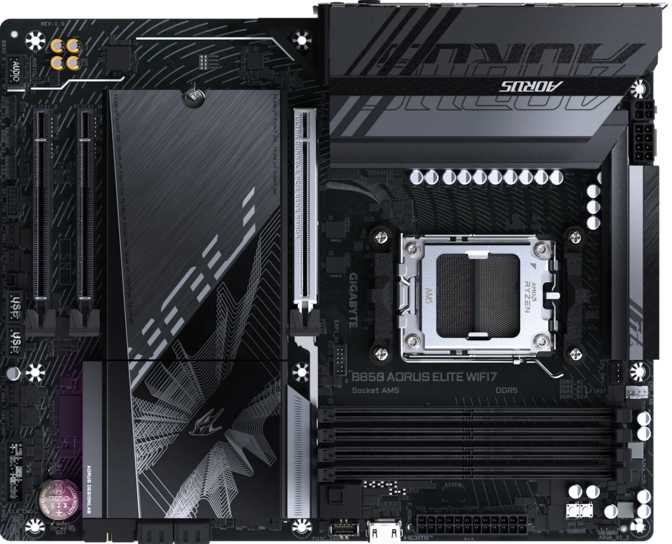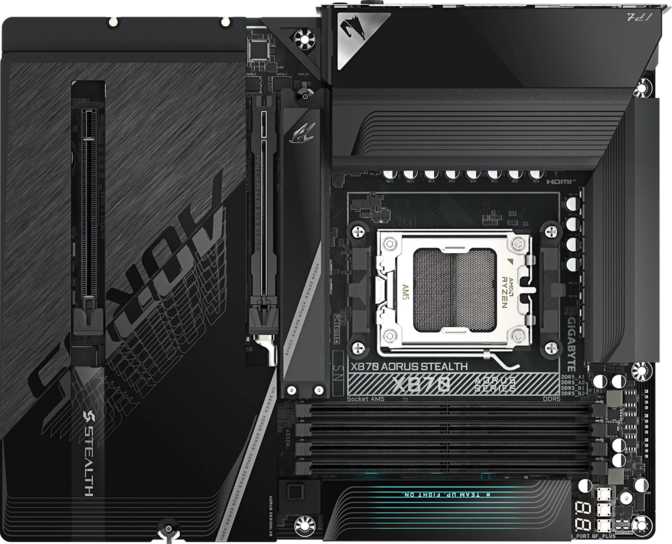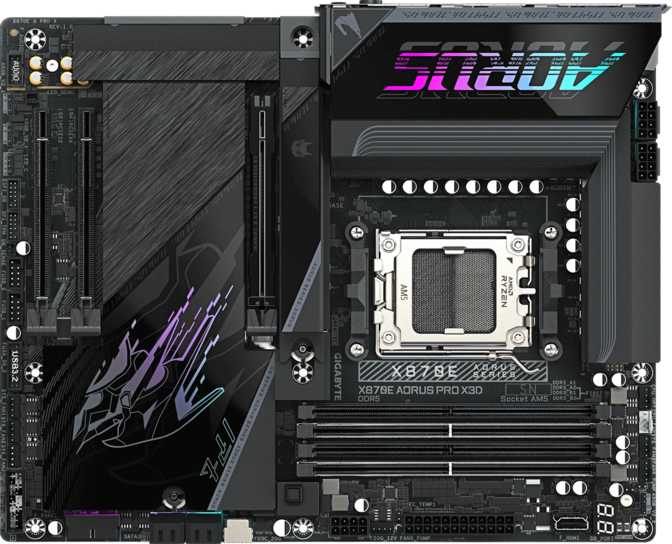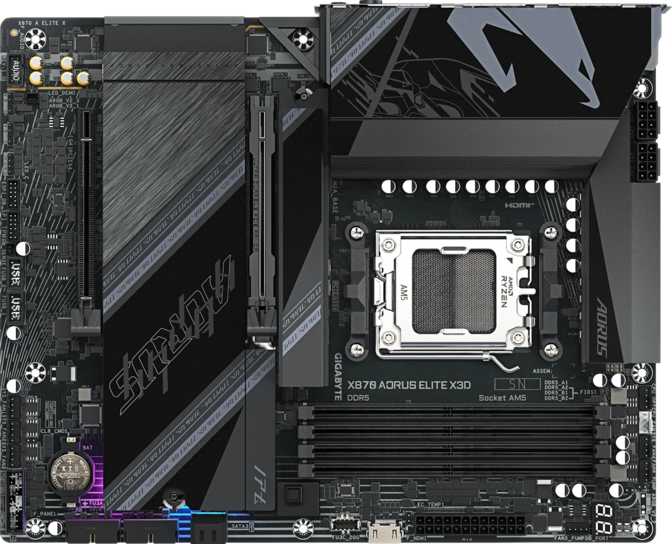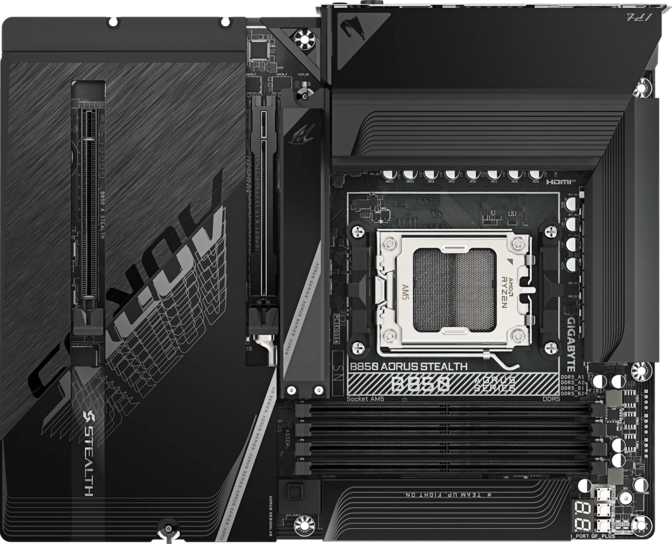
Gigabyte B850 Aorus Stealth Review: AMD's Best Mid-Range AM5 Board?
MotherboardsAt a Glance
The B850 chipset sits in an interesting position — it offers more than the entry-level B650 boards that dominated the early AM5 era, yet stops short of the full X870E feature set that carries a significant price premium. The Gigabyte B850 Aorus Stealth lands squarely in that space and makes a compelling case that most builders don't need to spend more. It pairs serious connectivity credentials with a restrained aesthetic that breaks from the usual RGB-drenched Aorus playbook — and the result is a board that deserves careful consideration from anyone building around AMD's current-generation platform.
Editorial Score
Design and Build Quality
A Stealth Identity That Holds Up
The "Stealth" designation in this board's name isn't just marketing. Where the wider Aorus lineup tends toward aggressive angular heatsinks and prominent lighting arrays, this board reads as deliberately composed. The color palette leans dark and neutral, and the overall silhouette reads as professional rather than theatrical.
That said, it isn't entirely without flair. RGB lighting is present — subtle accent zones rather than a full wash — giving builders who want a lit system a foundation to work with, while keeping the build readable under a side panel without looking like a casino floor.
At full ATX dimensions (305 mm × 244 mm), this board fills a standard mid-tower or full-tower case without requiring any compromises. Builders moving from micro-ATX or compact systems should verify their case supports ATX before purchasing, but for the vast majority of desktop builds, sizing is a non-issue.
The heatsink coverage across the VRM area and M.2 zones indicates Gigabyte is taking thermal management seriously. These aren't decorative slabs — they're load-bearing components in your system's thermal strategy, and they matter when the board is running an overclocked processor or fast NVMe drives under sustained load.
Physical Specifications
- Form Factor
- ATX
- Dimensions
- 305 × 244 mm
- CPU Socket
- AM5
- Chipset
- B850
- RGB Lighting
- Yes (accent zones)
- Dual BIOS
- No
- Warranty
- 3 Years
Platform and CPU Compatibility
The B850 Aorus Stealth uses the AM5 socket — AMD's current CPU platform designed for Ryzen 7000 and 9000 series processors. AMD has publicly committed to AM5 longevity, meaning a board purchased today should remain viable through multiple future CPU generations without a socket change.
The B850 chipset brings PCIe 5.0 support to more lanes than B650, reflected directly in this board's slot configuration. For builders considering a PCIe 5.0 graphics card or NVMe drive now or in the future, the B850 foundation matters. It's the chipset that makes this board's storage capabilities possible at a mid-range price.
Memory: Speed, Capacity, and Overclocking Headroom
Memory is where this platform makes a clear generational statement. The board runs DDR5 exclusively — the AM5 standard — with four physical slots supporting a dual-channel configuration for maximum bandwidth when populated with matched pairs.
DDR5 With a Serious Ceiling
The supported capacity reaches 256 GB across four slots — far beyond what any gaming or content creation workload will realistically need in the foreseeable future. This isn't a number to chase; it's a reassuring indicator that the platform won't become the limiting factor as your workload or ambitions grow over time.
Standard JEDEC operation tops out at around 5200 MHz — a comfortable baseline for modern DDR5 kits. Most kits ship with XMP or EXPO profiles that push well beyond this, and enabling those profiles in the BIOS takes about two minutes. It's the first thing you should do after a successful first boot.
For overclockers pushing custom timings or voltage-tuned kits, the ceiling extends dramatically into territory that only purpose-built extreme memory kits can practically reach — a signal that the memory controller and BIOS are not artificially constrained. One note: ECC (Error-Correcting Code) memory is not supported, which is standard for consumer B-series boards and only becomes relevant in professional server or workstation contexts.
Memory at a Glance
| Type | DDR5 (Exclusive) |
| Slots | 4 (Dual Channel) |
| Max Capacity | 256 GB |
| JEDEC Speed | Up to 5200 MHz |
| OC Ceiling | Up to 8200 MHz |
| XMP / EXPO | Supported |
| ECC Support | No |
Storage: Four M.2 Slots and the PCIe 5.0 Advantage
Four M.2 slots is a genuine differentiator at the B-series price tier. Many competing boards in this range offer two or three, which forces builders to choose between fast NVMe storage and other expansion. Here, the math is straightforward: boot drive, high-capacity data drive, game library drive, and a fourth slot for future expansion — all without replacing the motherboard.
The PCIe 5.0 Primary Slot
PCIe 5.0 NVMe drives deliver roughly twice the bandwidth ceiling of their PCIe 4.0 predecessors. The practical benefit depends on your workload: sequential file transfers in large media projects, game shader compilation, and write-heavy content creation tasks all show measurable gains. For pure gaming and everyday productivity, the speed difference versus PCIe 4.0 is smaller in real-world use — but the slot is there.
You can start with a PCIe 4.0 drive today and upgrade to Gen 5 when pricing becomes more accessible, without touching the rest of your build. That's the kind of future-proofing that actually matters.
Two SATA 3 ports round out the storage picture for users with existing 2.5-inch SSDs or hard drives — useful for a secondary archive drive or migrating storage from a previous build. Full RAID support across all four major levels (0, 1, 5, and 10) is available without additional controllers.
Storage Summary
| M.2 Slots | 4 |
| Primary Slot | PCIe 5.0 |
| SATA 3 Ports | 2 |
| RAID Levels | 0, 1, 5, 10 |
| U.2 / mSATA | None |
Expansion Slots, Ports, and Connectivity
The expansion slot layout reflects a deliberate philosophy, and the rear I/O panel is where many boards in this tier reveal their compromises. The B850 Aorus Stealth holds its own with a practical, well-rounded mix — though one limitation deserves your attention before you buy.
Expansion Slots
One full-bandwidth PCIe 5.0 x16 slot handles the primary GPU. Any current or upcoming graphics card — AMD's RDNA 4 lineup or NVIDIA's Ada and Blackwell architectures — is fully supported without bandwidth constraints. A secondary PCIe x4 slot serves lower-bandwidth expansion cards: capture cards, NVMe adapters, USB hubs, sound cards, or 10GbE network adapters.
There are no additional x16 slots, and that's the right call for this market. Multi-GPU setups have effectively exited mainstream relevance, and the silicon area saved by omitting redundant high-bandwidth slots goes toward features that actually matter.
Rear I/O Ports
| Port Type | Standard | Max Speed | Count |
|---|---|---|---|
| USB-A | USB 2.0 | 480 Mbps | 4 |
| USB-A | USB 3.2 Gen 1 | 5 Gbps | 4 |
| USB-A | USB 3.2 Gen 2 | 10 Gbps | 2 |
| USB-C | USB 3.2 Gen 2 | 10 Gbps | 1 |
| Ethernet | RJ45 | Gigabit | 1 |
| Video Output | HDMI 2.1 | 4K @ 120Hz | 1 |
| Audio Jacks | 3.5 mm Analog | — | 2 |
| Optical Audio | S/PDIF Out | — | 1 |
Internal Expansion Headers
| Header Type | Standard | Max Speed | Count |
|---|---|---|---|
| USB-A (front panel) | USB 3.2 Gen 1 | 5 Gbps | 2 |
| USB-C (front panel) | USB 3.2 Gen 2x2 | 20 Gbps | 1 |
| USB (front panel) | USB 2.0 | 480 Mbps | 4 |
| Fan / Pump Headers | 4-pin PWM | — | 8 |
Wireless Connectivity
Wireless is built in — not an afterthought requiring an add-in card. The module covers every current Wi-Fi standard through Wi-Fi 7 (802.11be), the newest specification available for consumer networking. Wi-Fi 7 operates across 2.4 GHz, 5 GHz, and 6 GHz bands simultaneously, enabling multi-link operation that can meaningfully reduce latency and increase throughput in congested environments.
To use Wi-Fi 7 at its peak, you'll need a Wi-Fi 7 router — the router is always the other half of the equation. The module is fully backward compatible with Wi-Fi 6E, 6, 5, and 4, so it works with whatever router you have today while remaining ready for a network upgrade whenever you make one.
Bluetooth 5.4 covers audio devices, input peripherals, and nearby device connectivity. For users who prefer wireless desktop setups, this combination eliminates the need for any USB adapters.
Onboard Audio
The onboard audio supports a 7.1 surround configuration — eight discrete channels — serving gaming surround setups and home-theater use cases where audio routes through the PC.
The signal-to-noise ratio sits at 120 dB, which is strong for integrated audio. In practical terms, the background noise floor is very low relative to the signal — audio playback sounds clean even at volume. Audiophiles with external DACs will continue to prefer their dedicated hardware, but for users relying on onboard audio for headsets or powered speakers, 120 dB SNR is genuinely good performance.
Two rear audio jacks handle physical connections, and S/PDIF optical output allows digital audio passthrough to AV receivers or external DACs without the signal passing through the board's analog stage — a feature more budget-oriented boards frequently omit.
| Channels | 7.1 Surround |
| SNR (DAC) | 120 dB |
| Rear Jacks | 2 |
| S/PDIF Optical Out | Yes |
| aptX Bluetooth Audio | No |
Overclocking
The B850 Aorus Stealth supports overclocking, and Gigabyte's BIOS implementation on Aorus boards has a track record of being approachable for beginners while offering the granular controls that experienced tuners expect.
Memory Overclocking
This is where most users will start. Enabling an EXPO or XMP profile for a supported DDR5 kit takes two minutes in the BIOS and typically yields meaningful improvements in memory-bandwidth-sensitive workloads. The memory ceiling is well beyond what commercial kits commonly achieve, so the board won't be the limiting factor in your memory tuning journey.
CPU Overclocking
Ryzen's Precision Boost algorithm handles much of the automatic frequency management, and manual PBO (Precision Boost Overdrive) tuning gives users a well-documented path to additional headroom. B850 overclocking is not artificially locked down — it's a functional tier that respects AMD's defined scope for the chipset while leaving meaningful room for enthusiast tuning.
Who Should Buy the B850 Aorus Stealth
It's the Right Board For
- Mid-to-high-end gaming builds where you want a board that doesn't create future bottlenecks — four M.2 slots and PCIe 5.0 leave significant room to grow without replacing the motherboard.
- Content creators and prosumers who need multiple fast NVMe drives and clean onboard audio but don't require Thunderbolt connectivity.
- Wireless-first desktop setups where Wi-Fi 7 and Bluetooth 5.4 eliminate the need for any additional adapters.
- Builders who prefer a clean, non-aggressive aesthetic without abandoning the Aorus performance ecosystem.
- First-time AM5 builders who want a capable, future-relevant board with a three-year warranty and a chipset that doesn't artificially restrict CPU performance.
It's Not the Right Board For
- Thunderbolt users — if you depend on a Thunderbolt dock, eGPU, or high-bandwidth Thunderbolt storage daily, this board has no native Thunderbolt support of any kind.
- Dual-GPU or extreme multi-expansion builds — the slot configuration assumes a single GPU; there are no additional x16 slots.
- ECC memory workloads — professional environments requiring error-correcting memory need X-series boards with ECC support; B850 does not provide it.
- Ultra-compact build enthusiasts — ATX is the format; micro-ATX and ITX builders need to look at a different product line entirely.
How It Compares to the Competition
The Aorus Stealth's strongest argument against B650 alternatives is the M.2 count, PCIe 5.0 confidence, and Wi-Fi 7. Against X870E boards, the value case is equally clear: you sacrifice Thunderbolt and dual BIOS, but save meaningfully for hardware that most users will never stress to the point where those missing features become real problems.
| Feature | B850 Aorus Stealth | Typical B650 Board | Typical X870E Board |
|---|---|---|---|
| PCIe 5.0 x16 GPU Slot | Sometimes | ||
| M.2 Slots | 4 | 2 – 3 | 3 – 5 |
| Wi-Fi Version | Wi-Fi 7 | Wi-Fi 6 / 6E | Wi-Fi 7 |
| Rear USB-C Speed | 10 Gbps | 10 Gbps | 20 – 40 Gbps |
| Thunderbolt 4 | Some models | ||
| Fan Headers | 8 | 4 – 6 | 6 – 8 |
| Dual BIOS | Varies | Often yes | |
| Full RAID Support | Partial | ||
| Price Tier | Mid | Budget – Mid | Premium |
Honest Assessment: Strengths and Limitations
Where It Excels
The B850 Aorus Stealth succeeds at what B-series boards should do: deliver a feature set that would have qualified as flagship material on an older platform, at a price that makes sense for a standard gaming or prosumer build. Four M.2 slots, Wi-Fi 7, eight fan headers, PCIe 5.0, and 120 dB audio are not small concessions to hit a lower price bracket — they're specifications that compete with boards costing significantly more.
The three-year warranty is meaningful. Motherboard failures are low-probability but high-impact; knowing that Gigabyte stands behind this board for three years provides practical peace of mind for a component that most users never replace during a build's lifetime.
Where It Falls Short
The limitations are real, not manufactured. No dual BIOS is the most practically significant — it introduces more risk into the BIOS flashing process. The single USB-C port on the rear at 10 Gbps will frustrate users who live in a USB4 or Thunderbolt workflow. The absence of a CMOS reset button is a minor inconvenience for tinkerers and a non-issue for users who configure their system once.
The DisplayPort omission on the rear I/O is worth flagging for APU users who prefer DisplayPort over HDMI — an adapter will be required. It's a small thing, but worth knowing before the board arrives.
Common Questions From Buyers
Final Verdict
The Gigabyte B850 Aorus Stealth is a well-considered board for builders who want a capable AM5 platform without paying for X870E features they won't use. It offers four M.2 slots, Wi-Fi 7, PCIe 5.0, and an eight-header fan configuration — a combination that competes on paper with boards that cost noticeably more.
The trade-offs are specific: no Thunderbolt, no dual BIOS, one rear USB-C port at 10 Gbps, and no DisplayPort. If none of those limitations apply to your workflow, this board earns a clear recommendation. If one of them is central to how you work — particularly Thunderbolt — look elsewhere before committing.
For the target buyer — an AM5 gaming or prosumer build where longevity, clean aesthetics, and strong storage and wireless connectivity matter more than extreme overclocking infrastructure — the B850 Aorus Stealth is a confident buy backed by a three-year warranty and a platform AMD has committed to supporting well into the future.
AM5 gaming builds, prosumer creators, wireless-first desktops, multi-drive workstations
Thunderbolt 4, dual BIOS recovery, high-bandwidth USB-C, or ECC memory support