Gigabyte B850 Eagle Wi-Fi 7 Ice: Full Review for AMD AM5 Builders
MotherboardsAt a Glance
Quick Verdict — B850 Eagle Wi-Fi 7 Ice
The B850 Eagle Wi-Fi 7 Ice sits exactly where Gigabyte intended it: above the bandwidth ceiling of previous B-series boards and below the price premium of AMD’s X870 tier. PCIe 5.0 on the GPU slot, Wi-Fi 7 built in, three M.2 sockets, and a genuinely committed white aesthetic make this a rational, forward-looking choice for the right AM5 builder. Where it concedes ground—USB 4, dual BIOS, optical audio—those gaps are deliberate rather than accidental, and they affect a defined minority of buyers.
Strengths
- PCIe 5.0 x16 GPU slot
- Wi-Fi 7 (802.11be) onboard
- Three M.2 storage sockets
- DDR5 up to 256 GB total
- Bluetooth 5.4
- Committed white “Ice” aesthetic
- 3-year warranty
Limitations
- No USB 4 or Thunderbolt
- No dual BIOS protection
- No physical CMOS clear button
- No optical S/PDIF output
- No ECC memory support
Review Score
For mid-to-high-end AM5 gaming & productivity builds
What This Board Brings to Your Build
Eight specification highlights that define the B850 Eagle Wi-Fi 7 Ice’s character — translated into what they actually mean.
AM5 Platform
B850 Chipset
PCIe 5.0 x16
Primary GPU Slot
Wi-Fi 7
802.11be + Bluetooth 5.4
DDR5 Memory
4 Slots / Up to 256 GB
3× M.2 Sockets
Plus 4× SATA 3
Full RAID Support
Modes 0 / 1 / 5 / 10
Overclocking Ready
CPU & Memory OC
3-Year Warranty
ATX, 305×244 mm
Design and Build Quality
What “Ice” Actually Means for Your Build
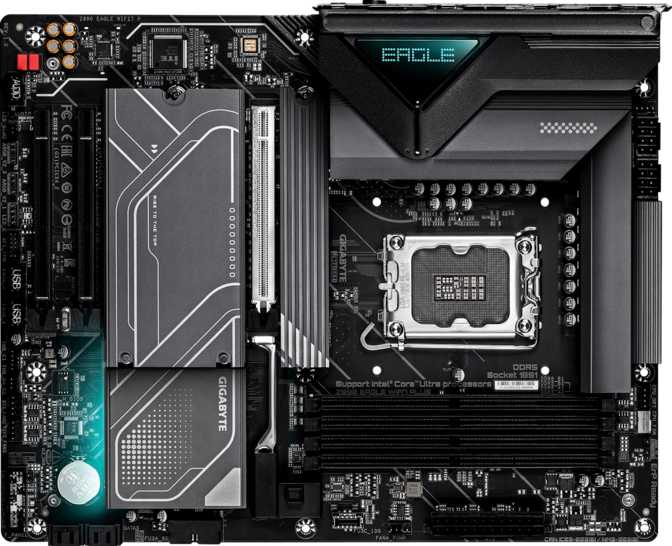
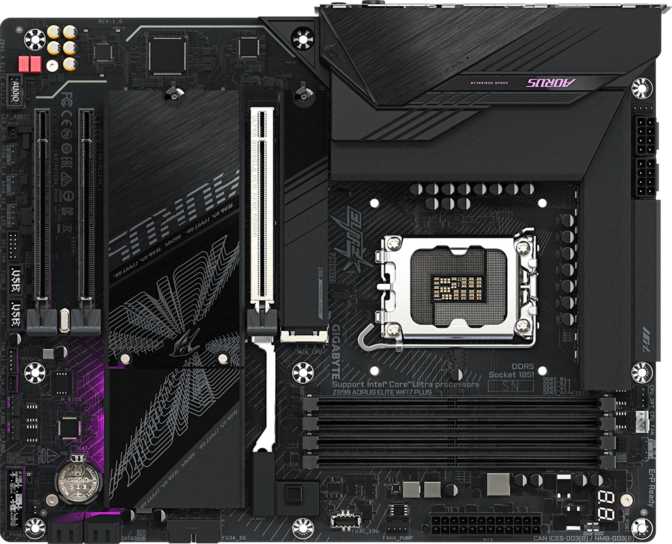
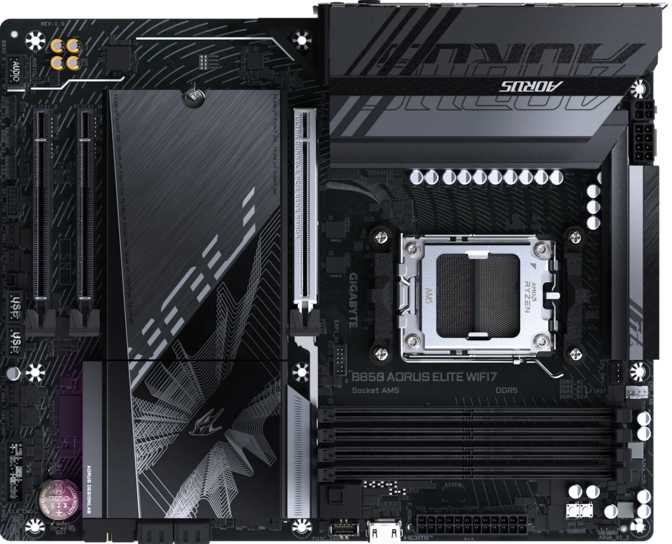
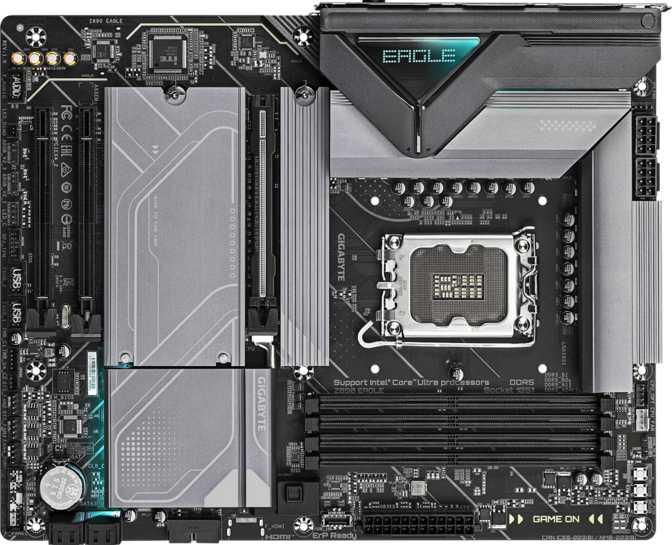
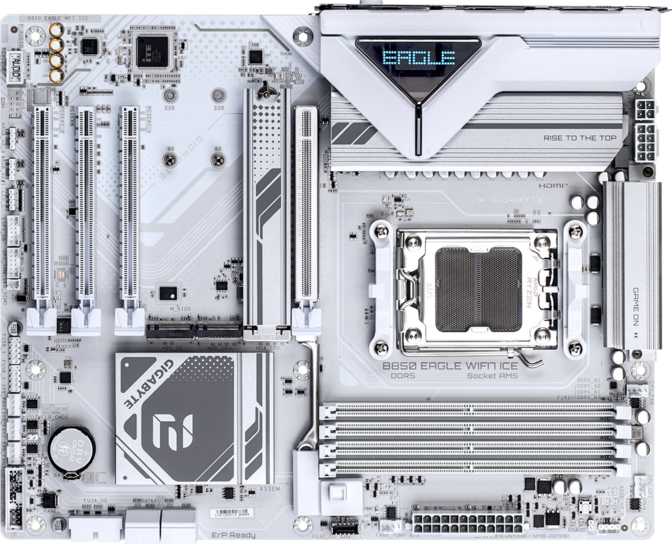
Gigabyte’s “Ice” designation signals a predominantly white PCB design, and it deserves to be treated as a meaningful build consideration rather than a cosmetic footnote. White motherboards are harder to execute well than black designs—component placement, heatsink finishing, and solder points all become more visible against a light background. When done correctly, the result stands out in a glass-panel case in a way that black-dominant builds cannot match. Gigabyte’s commitment here extends across the board rather than applying token white paint to a dark substrate.
The ATX form factor means this board fits any standard full-size or extended-ATX enclosure without compromise. The full footprint allows adequate space for heatsinks, VRM coverage, and component clearance without the cramped layouts that appear on smaller form factors. RGB lighting is integrated and controllable through Gigabyte’s RGB Fusion ecosystem. Against white and silver components, addressable RGB reads as cleaner and more architectural than it typically does against black substrates.
Two design decisions are worth knowing before purchase, particularly for builders who plan active BIOS experimentation.
No Physical CMOS Clear Button
Resetting the BIOS to factory defaults requires the traditional jumper or header short-circuit method. For most builds this situation never arises—but for anyone planning active overclocking experiments, it adds friction when recovery is needed quickly.
No Dual BIOS Chip
A secondary firmware store provides automatic failover if a BIOS update corrupts the primary chip. Its absence is an accepted tradeoff at this price tier, but it shifts a small amount of risk onto the builder when updating firmware on unstable or bleeding-edge releases.
Platform Foundation: AM5 and the B850 Chipset
The architecture beneath the white PCB—and why it matters for your next two upgrade cycles.
The AM5 platform is AMD’s current-generation CPU ecosystem, built for Ryzen 7000 and Ryzen 9000 series processors. It is DDR5-native and PCIe 5.0-capable across the board—everything before it was the previous generation. AMD has publicly committed to AM5 compatibility through future processor releases, which means any build on this platform carries a genuine upgrade path rather than a planned obsolescence date baked in at purchase.
The B850 chipset’s defining capability over its B650 predecessor is PCIe 5.0 connectivity to the primary graphics slot. B650 boards largely withheld this from the GPU position, reserving the full-speed interface for M.2 storage instead. On this board, the GPU slot runs at the current generation’s full bandwidth ceiling. Whether any game or application today approaches that ceiling is a separate conversation; the point is that the board does not introduce a bottleneck the platform itself doesn’t already have. Overclocking is fully supported across all compatible AM5 processors—a genuine platform advantage over some competing ecosystems that restrict tuning to specific CPU variants.
Ryzen 7000 & 9000 Ready
Single AM5 socket with AMD’s forward compatibility commitment
PCIe 5.0 on GPU Slot
B850’s key differentiator over B650: full current-gen bandwidth for graphics
Overclocking Unlocked
CPU and memory tuning available across all compatible AM5 Ryzen processors
Memory: DDR5 Headroom That Runs Deep
Four slots, a generous speed ceiling, and a capacity range that outlasts any realistic ownership cycle.
Four DIMM slots in dual-channel configuration give this board substantial memory range. At the baseline JEDEC standard for DDR5, the platform already delivers memory bandwidth that exceeds the practical ceiling of the previous DDR4 generation—this is a generational step in how fast data moves between memory and processor, not an incremental adjustment.
The overclocking ceiling for memory is notably high. With DDR5 kits specifically rated for aggressive frequency operation, the board can push well beyond JEDEC baselines—roughly 60% higher than the base standard. For most gaming and productivity workloads, chasing the absolute maximum offers diminishing returns, but the ceiling ensures the board never becomes the limiting factor as kits improve and software matures. ECC memory—the error-correcting type used in servers where data integrity is critical—is not supported. This is a consumer-grade platform; anyone whose workload requires hardware-level memory error correction needs a workstation chipset rather than any B-series board.
Memory Specifications Explained
| Parameter | Value | What It Means |
|---|---|---|
| DDR Version | DDR5 | Current generation; highest consumer memory bandwidth available |
| Slots | 4 DIMM | Dual-channel; room for future capacity upgrades without replacing existing sticks |
| Base Speed | 5200 MHz | JEDEC standard DDR5; no kit profile activation needed to hit this floor |
| OC Ceiling | 8200 MHz | With EXPO/XMP-rated kits; significant headroom above standard speeds |
| Max Capacity | 256 GB | 64 GB per slot; no capacity ceiling across any realistic ownership lifespan |
| Channels | Dual-channel | Maximum bandwidth architecture for consumer platforms |
| ECC Support | None | Consumer platform only; ECC requires workstation-class chipsets |
Practical note: Gaming builds typically run 32–64 GB total. The 256 GB ceiling exists for demanding professional workstations and ensures this board won’t impose memory limits across a multi-year ownership period for any realistic use case.
Graphics and Expansion Slots
A PCIe 5.0 primary slot and a practical secondary layout for add-in cards.
The GPU sits in a PCIe 5.0 x16 slot—the current generation, full-width interface. No bandwidth bottleneck is introduced between the processor and the graphics card, whether that card is current-generation or the generation after it. For a board that will likely outlast two GPU upgrade cycles, this matters more than it might seem on day one when every available card runs comfortably within older PCIe standards.
Beyond the primary graphics slot, a secondary PCIe x4 slot handles add-in cards: capture cards, discrete networking adapters, NVMe-to-PCIe adapters, or USB expansion cards. Two smaller PCIe x1 slots serve low-bandwidth peripherals. Legacy PCI slots are absent—an expected omission for any current-generation platform. Only configurations requiring multiple high-bandwidth PCIe devices simultaneously will encounter the limits of this layout; those use cases belong on X870-class boards regardless of price.
Expansion Slot Layout
| Slot | Interface | Count | Primary Use Case |
|---|---|---|---|
| Primary GPU | PCIe 5.0 x16 | 1 | Discrete graphics card, current and next-gen |
| Secondary | PCIe x4 | 1 | Capture cards, NVMe adapters, network cards |
| Auxiliary | PCIe x1 | 2 | Sound cards, low-bandwidth peripherals |
Storage: M.2, SATA, and Full RAID
Three M.2 sockets, four SATA ports, and every mainstream RAID configuration covered.
Three M.2 sockets is the practical configuration for a board at this level. One slot is table stakes; two covers most builders; three enables a full NVMe ecosystem without consuming any SATA connectors—a fast system drive, a secondary drive dedicated to game libraries or large creative files, and a third for overflow or scheduled backup, all running simultaneously at NVMe speeds.
Four SATA 3 ports at the current 6 Gbps standard provide legacy drive connectivity for builders migrating 2.5-inch SSDs from a previous system, adding high-capacity spinning hard drives for media archives, or connecting optical drives. These ports cover the requirement without sacrificing M.2 slot count. No older-generation SATA 2 connectors are present—a clean, current-generation lineup throughout.
- M.2 Sockets3
- SATA 3 Connectors (6 Gbps)4
- SATA 2 ConnectorsNone
- U.2 SocketsNone
- mSATANone
- RAID 0 — Striping for throughput
- RAID 1 — Mirroring for redundancy
- RAID 5 — Parity-distributed striping
- RAID 10 — Mirror and stripe combined
- RAID 0+1 (distinct variant)
Connectivity: Ports, Headers, and One Key Gap
What’s on the rear panel, what connects inside the case, and what’s conspicuously absent.
- USB 3.2 Gen 2 — 10 Gbps (Type-A)2
- USB 3.2 Gen 1 — 5 Gbps (Type-A)2
- USB 3.2 Gen 1 — 5 Gbps (Type-C)1
- USB 2.0 (Type-A)4
- HDMI 2.1 Video Output1
- DisplayPort Video Output1
- RJ45 Wired Ethernet1
- 3.5mm Audio Jacks3
- PS/2 Legacy Port1
USB 4 / Thunderbolt: Absent. Content creators moving large files to external NVMe drives, Thunderbolt dock users, and dual-display-over-cable setups are hard constraints this board cannot meet.
- Fan Headers6
- USB 3.2 Gen 1 Internal Header2
- USB 3.0 Expansion Header2
- USB 2.0 Internal Header4
- M.2 Sockets3
- SATA 3 Connectors4
- TPM Connector
- U.2 Sockets0
Fan headroom: Six headers cover most builds comfortably. Configurations with eight or more fans benefit from a hub connected to a single header to multiply control points.
Wireless: What Wi-Fi 7 Actually Changes Day to Day
Multi-Link Operation is the feature that matters—not the headline speed number.
Wi-Fi 7 (802.11be) is a substantive upgrade over Wi-Fi 6E, not a marketing revision. The architectural change that matters most is Multi-Link Operation: where previous generations could only use one frequency band at a time, Wi-Fi 7 devices can simultaneously connect across multiple bands—pulling data from both the 5 GHz and 6 GHz channels at once. In environments with congested wireless traffic, this doesn’t just increase peak speed; it improves consistency and reduces the latency spikes that cause stuttering in online games and interruptions in video calls.
For gaming specifically, where latency variance matters more than raw throughput, Wi-Fi 7’s approach to channel management is a more meaningful improvement than the headline speed figures suggest. For large file transfers—video exports, game library moves, media backups—the throughput increase over Wi-Fi 6E is tangible under real-world conditions.
The board maintains full backward compatibility with all prior Wi-Fi generations down to the original 802.11n standard, meaning it works with any router currently in use. Given that motherboards typically outlast routers in a system’s lifespan, buying Wi-Fi 7 now is rational long-term planning. Bluetooth 5.4 adds improved coexistence with Wi-Fi signals, reducing the audio dropouts and connection instability common on earlier combined implementations—a practical benefit for wireless headsets and controllers used alongside active Wi-Fi.
Supported Wireless Standards
Backward compatible with all prior generations. Full Wi-Fi 7 advantage activates when the router also supports 802.11be—a router upgrade unlocks the capability without any board change.
Audio and Overclocking Capabilities
Onboard Audio
The onboard audio supports the full 7.1 channel surround configuration through three rear-panel analog jacks. A dedicated front-panel header extends the setup with front headphone and microphone connections, completing the surround configuration for consumer speaker systems and gaming headsets without requiring a discrete audio card.
For desktop speaker pairs, gaming headsets, and the broad majority of headphone amplifiers, the three-connector rear layout covers everything without additional hardware. The absent feature worth naming directly is optical S/PDIF output. Home theater receivers, soundbars, and some DACs that accept only optical digital audio cannot connect directly to this board’s rear panel—a USB DAC or audio adapter becomes necessary for those chains.
No Optical S/PDIF Output: Legacy home theater optical connections require a USB audio adapter workaround. This is a common omission at this price tier; most modern audio chains have moved to HDMI ARC.
BIOS and Overclocking
The B850 platform’s overclocking tools are accessible without being intimidating. Memory profiles—AMD’s EXPO standard for DDR5 kits optimized for this platform and Intel’s XMP 3.0 for cross-compatible modules—can be activated with a single BIOS selection rather than manual frequency and timing configuration. CPU frequency tuning is available for compatible processors, and Gigabyte’s BIOS interface on Eagle-tier boards balances accessibility for first-time tuners with sufficient depth for experienced overclockers.
Two specific safety features are absent. There is no backup BIOS chip, meaning a corrupted firmware update could require professional recovery service rather than automatic failover. There is no physical CMOS clear button, so a hard BIOS reset involves a jumper procedure rather than a button press. For users who stay on stable BIOS releases and don’t push memory or CPU to unstable limits, neither of these matters in practice.
Overclocker caution: No dual BIOS and no physical CMOS reset. Recovery from a corrupted BIOS requires manual jumper intervention rather than a one-button safety net.
Who Should Buy This Board
The B850 Eagle Wi-Fi 7 Ice has a well-defined target audience—and an equally well-defined list of buyers who should look elsewhere.
- Mid-to-high-end gaming builders pairing a current Ryzen AM5 processor with a current-generation discrete GPU. PCIe 5.0 eliminates any bandwidth limitation through the next GPU upgrade cycle.
- White and silver-themed build enthusiasts who need a board that commits to the aesthetic across the full PCB, not one that adds white highlights to a dark design language.
- AM5 first-timers with upgrade intentions. AMD’s stated forward compatibility means a future CPU upgrade doesn’t require replacing the motherboard alongside it.
- Builders who care about wireless quality. Wi-Fi 7 is the correct standard for current and upcoming routers. Buying it now avoids a future board swap just to gain wireless capability.
- Rely on Thunderbolt or USB 4. High-resolution video workflows using external NVMe drives, Thunderbolt dock users, and single-cable dual-display setups are hard constraints this board cannot address.
- Require ECC memory. Workloads where hardware-level memory error correction is architecturally necessary belong on workstation chipsets, not any consumer B-series board.
- Are on a tight budget. If the cost difference between this and a B650 board could meaningfully improve the GPU, memory kit, or storage, the B650 is the more rational strategy for a mid-range discrete card.
- Overclock aggressively and experimentally. Frequent BIOS testing and memory instability recovery are more friction-heavy without dual BIOS and a physical CMOS clear button.
Competitive Positioning
Where the B850 Eagle Wi-Fi 7 Ice sits relative to the AM5 chipset tier above and below it.
| Feature | B850 Eagle Wi-Fi 7 Ice This Board |
Typical B650 Board | Typical X870 Board |
|---|---|---|---|
| GPU Slot Bandwidth | PCIe 5.0 x16 | PCIe 4.0 x16 | PCIe 5.0 x16 |
| Wireless Standard | Wi-Fi 7 | Wi-Fi 6E (common) | Wi-Fi 7 |
| M.2 Slots | 3 | 2–3 | 3–4 |
| USB 4 / Thunderbolt | Often included | ||
| Dual BIOS | Often yes | ||
| Physical CMOS Reset | Varies | Often yes | |
| White Build Aesthetic | Typically black | Varies by brand | |
| Price Tier | Mid-Range | Entry to Mid | Premium |
The B850 gains the PCIe 5.0 GPU slot and Wi-Fi 7 over B650 boards while conceding USB 4, dual BIOS, and premium VRM configurations to X870. For most gaming and productivity builds, the X870 advantages address needs that genuinely never arise in practice.
The Honest Assessment
This board is strong where its target audience feels it most. PCIe 5.0 on the GPU slot is forward-looking without requiring any immediate change in workflow. Wi-Fi 7 built into the board is the correct wireless standard for the current decade’s router generation. Three M.2 slots provide storage flexibility that builders will actually use—not a checkbox feature.
The DDR5 overclocking headroom stands out for enthusiasts. The platform supports frequencies significantly beyond JEDEC baselines, which translates to meaningful memory bandwidth increases for workloads that benefit from it. The 256 GB capacity ceiling ensures the board won’t impose memory limits across any realistic upgrade cycle. The “Ice” aesthetic is genuinely committed rather than token—a real differentiator in a category where most boards are visually indistinguishable.
The limitations are specific rather than fundamental. USB 4 is a concrete gap for users who have already built workflows around it; those users can identify themselves clearly before purchase. Dual BIOS and CMOS clear button absences are risk factors for a defined subset of overclockers, not a meaningful concern for the builder who sets a stable configuration and leaves it.
The absent optical audio output restricts a specific legacy connection type in an era where most audio chains have moved past it. Where the board declines to distinguish itself—extreme VRM configurations, premium audio implementations, maximum header counts—it doesn’t embarrass itself either. These are features positioned above this board’s target audience and price point, and paying for them on an X870 board is rarely justified for gaming and standard productivity use.
Frequently Asked Questions
The questions real buyers search for before purchasing this board.
Clear Recommendation
The Gigabyte B850 Eagle Wi-Fi 7 Ice earns a confident recommendation for mid-to-high-end AMD builds where the builder wants forward-looking connectivity, current-generation wireless, and a white aesthetic executed properly.
Buy this board if you’re pairing it with a Ryzen 7000 or 9000 series processor, planning a current-generation discrete GPU, and want Wi-Fi 7 without paying X870 prices. The PCIe 5.0 GPU slot eliminates bandwidth limitations through the next upgrade cycle. DDR5 memory headroom means the board won’t impose limits as workloads evolve. The white design is genuinely committed rather than token—a meaningful distinction in a category where most options are visually identical at a glance.
Pass on this board if Thunderbolt 4 or USB 4 connectivity is non-negotiable for your workflow, if ECC memory is architecturally required, or if your budget creates a genuine choice between this board and a meaningfully better GPU or CPU. For the majority of AM5 platform builders, this board represents a well-calibrated position: significant where the target audience experiences it, honest about what it does not offer, and visually distinctive in a space where that has become its own advantage.