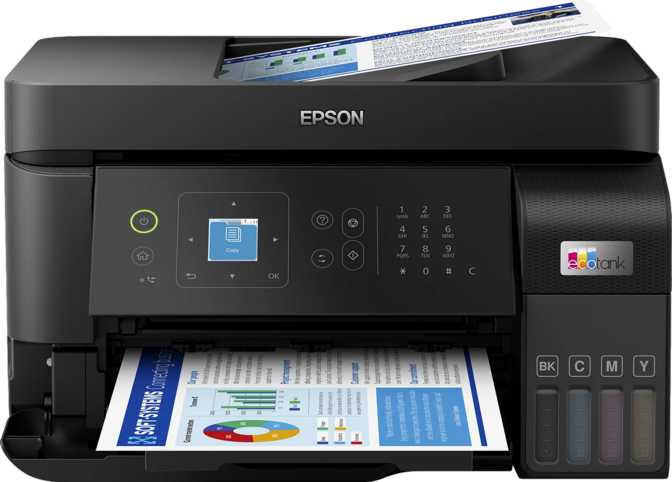
Epson EcoTank L5590 Review: A Thorough Look at Real-World Performance
PrintersThe inkjet printer has a reputation problem. For decades, the business model leaned on selling hardware cheaply and recovering margin through cartridge replacements — a cycle that left regular users paying far more per printed page than they realized. The Epson EcoTank L5590 is a direct response to that dynamic. Built around refillable ink tanks rather than disposable cartridges, it makes a credible case that the real cost of printing is something worth taking seriously before buying any printer.
The EcoTank system is the headline, but it is supported by genuine all-around capability: print, scan, copy, and fax in a single device, wireless connectivity covering Apple, Android, and wired business networks, and print speeds that sit alongside laser printers at this price point. Whether that combination fits your workflow depends on specific requirements — this review works through all of them.
Editorial Performance Ratings
Design and Build: Functional Over Flashy
Physical experience, footprint, tray capacity, and the control panel
Size, Weight, and Permanent Footprint
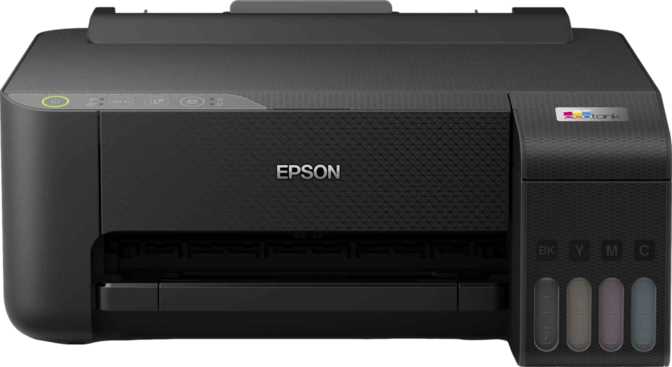
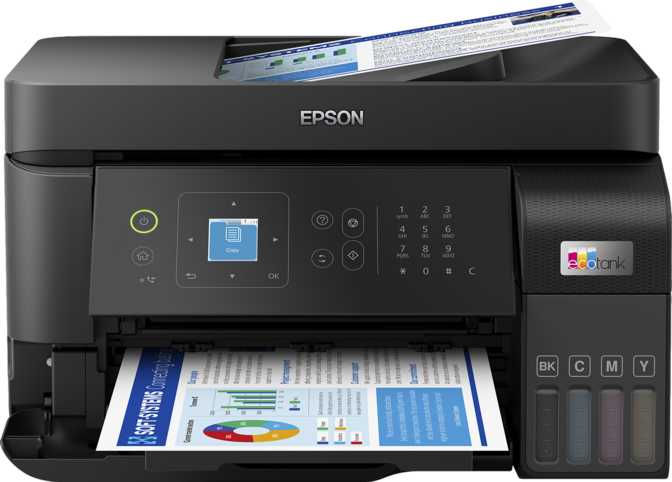
The L5590 is a substantial machine. At 375 mm wide, 237 mm deep, and 347 mm tall, it occupies a meaningful desk footprint — notably wider than it is deep — and stands tall enough that positioning under a shelf is not an option. This is not a printer you tuck into a drawer between uses. It earns a permanent spot on a desk or a dedicated printer stand.
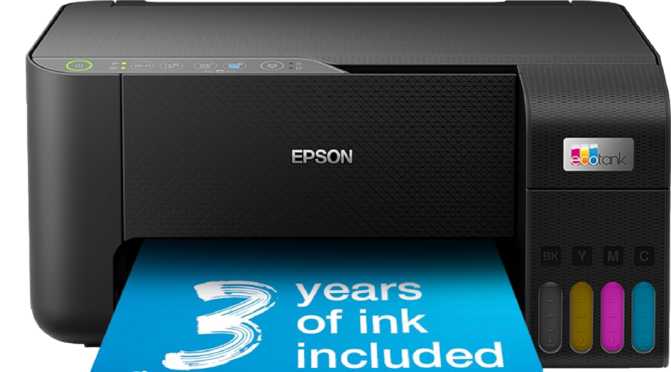
At just over five kilograms, the machine feels planted and stable during operation. The all-plastic casing is standard for this category — nothing about the exterior reads as premium, but everything feels intentional and durable. The ink tanks, visible through translucent windows on the exterior, deliver one of the most practically useful design decisions Epson made here: levels are always apparent at a glance, eliminating both menu navigation and surprise empty-ink announcements mid-job.
Input and Output Tray Capacities
The single input tray holds 100 sheets — enough for a full morning of standard office printing before a reload is needed. The output tray is considerably more modest, collecting up to 30 printed pages before reaching capacity. For short-to-medium jobs, this creates no practical problem. For longer unattended print runs, clearing the output tray periodically is a necessary operational step rather than an occasional inconvenience.
The Control Panel: Functional but Dated
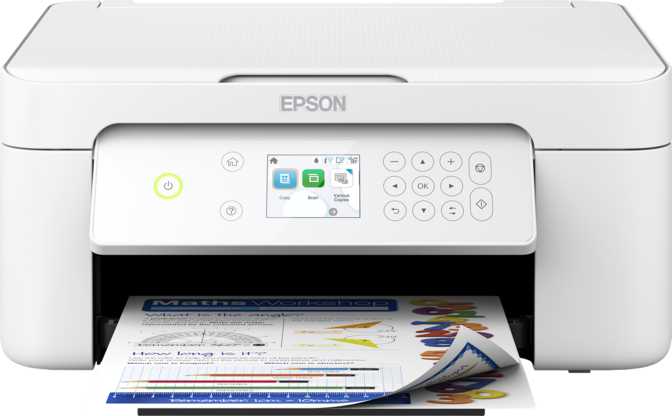
A compact 1.44-inch display sits at the front panel, flanked by physical navigation buttons. It is not a touchscreen. Tasks complete through directional button presses and confirmations — a workflow that functions adequately for basic operations but demands patience for anything more complex, such as initial network setup or fax menu configuration. For daily printing tasks sent from a connected device or the companion app, the panel receives minimal interaction, which considerably reduces this friction in practice.
| Width | 375 mm |
|---|---|
| Depth | 237 mm |
| Height | 347 mm |
| Weight | 5.2 kg |
| Input Tray | 100 sheets |
| Output Tray | 30 sheets |
| Display | 1.44" non-touch |
| Ink System | EcoTank |
Print Performance: Where This Printer Earns Its Place
Speed analysis, resolution quality, and the manual duplex reality
Document Speed That Competes With Laser
Black-and-white document printing operates at 33 pages per minute — a pace that competes directly with laser printers at similar price points. A multi-page report prints as a background task rather than something you stand and wait for. Color output runs at 20 pages per minute, naturally slower due to multi-layer ink deposition, but quick by inkjet standards. Mixed-content documents — formatted invoices, spreadsheets with colored headers, presentation drafts — move through the queue without hesitation.
Resolution and Document Output Quality
Peak output reaches up to 4800 x 1200 dpi — a resolution that produces sharp, clean text and handles color graphics at a level appropriate for business correspondence, internal reports, and professional presentations. A document from this printer will not prompt questions about its origin as a consumer inkjet. Note that the onboard processing memory is deliberately conservative; very large graphic-intensive files — high-resolution multi-page brochures, for instance — may process in segments rather than as a single uninterrupted pass. For standard document queues, this edge case is rarely relevant.
Print Strengths
- 33 ppm black output rivals laser competitors at this price tier
- 4800 x 1200 dpi resolution delivers crisp, professional-quality text
- 20 ppm color is genuinely fast by inkjet standards
- Mixed text-and-graphic documents process without noticeable delay
Hard Limitations
- No borderless printing — all output carries white margins on all four sides
- No automatic duplex — two-sided printing requires a manual two-pass process
- Very large graphic-intensive files may segment-process rather than print in a single pass
The Manual Duplex Reality
Double-sided printing requires printing the first side, manually removing the stack, reinserting it, and running a second pass. For occasional needs this is manageable. For offices where two-sided output is a daily format — meeting handouts, contracts, training documents — the cumulative friction becomes a genuine workflow concern. Automatic duplex is the one capability where some competing models at this price level hold a meaningful advantage, and it is worth weighing honestly before deciding.
Scanning: Two Input Methods, Clear Practical Limits
Flatbed and ADF scanning, native scan-to-PDF, and what it cannot do
Accepts stacks of individual pages fed through automatically, without manual page-by-page placement. A ten-page report scans in the time it would take to manually position the first two sheets on a flatbed-only machine.
Multi-page stacks output as a single, unified PDF file without additional software steps on a connected computer. For offices building digital document archives, this is a practical, frictionless workflow that removes genuine daily tedium.
Handles single pages, open booklets, and originals that cannot pass through a paper path — anything that needs to lie flat for accurate capture. The maximum scan area covers a full A4/Letter page, accommodating the vast majority of office and personal documents without restriction.
The optical scan resolution captures text, table structures, and fine print with the clarity needed for digital archiving. Scan-to-PDF works natively on both input paths without additional software.
Key Scanner Limitations
Fax: Relevant Where It Still Matters
Built-in fax for legal, healthcare, and administrative environments
The L5590 includes fully functional fax capability — more relevant than it might appear in certain professional contexts. Legal offices, healthcare environments, government form processing, and businesses whose clients and suppliers still rely on fax as the standard documented communication channel will find this a practical operational inclusion rather than a legacy curiosity.
The system transmits at the standard ITU V.34 fax line speed, stores a meaningful buffer of received pages for unattended reception, and operates at a resolution appropriate for transmitting text documents with full legibility. There is no integrated answering machine. If the fax line doubles as a voice line, an external device or a dedicated fax line arrangement is required for both services to coexist reliably.
| Transmission Speed | 33.6 kbps |
|---|---|
| Page Memory | 100 pages |
| Fax Resolution | 200 x 200 dpi |
| Answering Machine | Not included |
Connectivity: Platform-Agnostic and Well-Covered
AirPrint, Mopria, Wi-Fi Direct, Ethernet, USB, and the companion app
The L5590 removes the usual platform friction from wireless printing. Every major printing standard is covered — from Apple to Android to wired office infrastructure — without requiring third-party driver installations for basic functionality. A connected device on any platform discovers and uses this printer without friction.
AirPrint
Native Apple support — no app required on iPhone or iPad
Mopria
Standard Android print dialog — works without extra setup
Wi-Fi Direct
Connects directly without a router or shared network
Ethernet
Stable wired LAN integration for office networks
USB
Direct single-computer connection without a network
App Control
Dedicated smartphone app for remote print and scan
What Is Not Included
The EcoTank System: What the Name Actually Means
The fundamental economics of refillable ink versus disposable cartridges
The "EcoTank" designation is not decorative branding — it describes the fundamental difference in how ink is stored and replenished. Rather than sealed cartridges discarded after a few hundred pages, the L5590 uses large, externally visible tanks refilled directly from ink bottles. This shifts the entire cost structure of printing.
Traditional inkjet cartridges carry high per-page costs when averaged across their lifespan. The tank-based approach inverts that equation. Each ink bottle refill covers a substantially greater print volume than any standard cartridge provides. For anyone printing regularly — a home office worker producing weekly documentation, a small business processing daily correspondence — the long-term per-page cost is meaningfully lower.
The visible tanks also solve a chronic frustration: running out of ink mid-job. Because levels are immediately apparent through the translucent tank walls, refilling becomes a planned, convenient task rather than an emergency announcement during an important document run.
EcoTank devices cost more at purchase than equivalent cartridge-fed machines. This gap is the entry price into the lower running-cost model.
Each bottle refill covers far more printing than standard cartridges. For regular users, the total cost of ownership tips decisively in the EcoTank's favor over time.
Translucent tank walls show exact levels at a glance — no menus, no apps, no guesswork. You refill when convenient, not when the printer demands it.
Very low-volume occasional users may never recover the higher purchase price through ink savings. A simpler cartridge machine may fit that usage pattern more efficiently.
Operational Noise: A Realistic Expectation
What 54 dB means in a real office or home environment
During active printing, the L5590 registers at a level comparable to the lower end of a normal two-person conversation. In an active office environment, this blends into ambient background noise without drawing attention. In a quiet home study — particularly during video calls or concentration-sensitive work — the printer will be audible to both the person using it and to anyone else in the room.
Relative Noise Level — 54 dB
Scale: 30 dB (near-silence) to 80 dB (loud conversation). This printer sits in the moderate range, typical for an inkjet multifunction of its speed and size class.
The L5590 is not exceptional in noise terms for its category. If near-silent operation is a genuine priority, a laser printer specifically characterized for low acoustic output, or a device in a separate room, would be a more appropriate choice.
Who This Printer Is Built For — and Who Should Look Elsewhere
Understanding fit before spending money is the whole point of a review
-
Home office workers and small businesses printing at moderate-to-high volume who want to reduce recurring ink costs over time without sacrificing print speed
-
Multi-platform environments where Apple devices, Android devices, and a wired office network all need reliable printing access from a single machine
-
Offices where fax remains a daily requirement — legal practices, healthcare providers, administrative offices, and similar professional environments
-
Document-focused printing operations — correspondence, reports, forms, and PDF output where photographic quality is not the objective
-
High-volume duplex printing environments — users whose daily output format is routinely double-sided will encounter real, recurring friction with the manual two-pass process
-
Photo and creative printing — the complete absence of borderless printing means no edge-to-edge output; this machine cannot substitute for a dedicated photo printer
-
Very low-volume or occasional users — printing only a handful of pages per week means the EcoTank cost advantage may never fully materialize from the higher purchase price
-
Workflows requiring native scan-to-editable-text — without built-in OCR, producing editable documents from physical originals requires external software on a connected computer
How the L5590 Compares to Logical Alternatives
EcoTank inkjet vs. standard cartridge inkjet vs. entry laser multifunction
| Feature | Epson EcoTank L5590 | Standard Cartridge Inkjet | Entry Laser Multifunction |
|---|---|---|---|
| Per-Page Running Cost | Low | High | Low to Moderate |
| Upfront Purchase Cost | Higher | Lower | Moderate to High |
| Black Document Speed | Fast (33 ppm) | Typically Slower | Fast |
| Automatic Duplex Printing | No | Sometimes Available | Often Available |
| Color Output Quality | Good for Documents | Comparable | Limited Range |
| Built-In Fax | Yes | Varies by Model | Common in Office Models |
| Wireless Platform Coverage | Comprehensive | Varies | Varies |
| Physical Footprint | Large | Compact to Medium | Compact to Medium |
vs. Cartridge Inkjet Multifunctions
The recurring cost advantage of the EcoTank system is decisive for regular users. The duplex gap is real — some cartridge inkjets at this price range include automatic duplexing — and should weigh meaningfully in comparisons for any office with consistent two-sided printing needs.
vs. Entry Laser Multifunctions
A laser machine typically includes automatic duplex and comparable or faster monochrome speeds. Toner cartridges also cover more pages per replacement. The trade-off is color: inkjet produces superior gradients and handles color content better than laser. Near-exclusively monochrome, high-volume environments should give laser a serious look before choosing the L5590.
Strengths and Weaknesses: An Honest Assessment
What this printer gets right, where it falls short, and how to read both
Where It Genuinely Excels
The EcoTank economics are the headline advantage, and they are well-grounded. The higher upfront cost is a one-time entry into a fundamentally lower per-page cost structure, and for any user printing in volume, that gap pays down quickly. This is not a marketing claim — it is a direct consequence of the ink delivery system, and it is the single most important reason to consider this machine.
Supporting that headline is genuine all-around capability. The document print speeds sit alongside competitors costing considerably more. The wireless connectivity stack — covering AirPrint, Mopria, Wi-Fi Direct, Ethernet, and USB — means every device on every platform connects without driver hunting or configuration headaches. The ADF makes multi-page scanning a background task rather than a manual chore. Fax capability covers the professional environments where it remains operationally necessary.
The visually accessible ink tanks are a practical quality-of-life feature that sounds minor until you have experienced the alternative — the sudden discovery of an empty cartridge during a time-sensitive print run.
Where It Falls Visibly Short
The absence of automatic duplex printing is the L5590's most significant functional gap. How much that matters depends entirely on the workflow: for occasional two-sided printing, the manual two-pass process is an inconvenience. For offices that routinely produce double-sided output, it is a genuine productivity constraint. This is not a hidden weakness — it is a clear specification — but it deserves direct acknowledgement rather than a footnote.
The front panel is functional but dated. The 1.44-inch non-touchscreen display with physical navigation buttons belongs to a design era before touchscreens became the standard expectation on consumer devices. For users who configure once and print daily without touching the panel again, this barely registers. For users who need to navigate menus regularly, the friction accumulates.
The limited output tray capacity means longer print runs require periodic attendance. The absence of borderless printing forecloses photo and creative printing entirely. Neither weakness is ambiguous: the L5590 is not trying to be a photo printer, and it does not pretend otherwise. Its scope is defined and honest.
Questions Real Buyers Search For
Practical answers before you commit to a purchase
Final Verdict
Who should buy the Epson EcoTank L5590
The Epson EcoTank L5590 makes a clear, defensible case for home office and small business users who have assessed their printing habits honestly and concluded they print frequently enough for lower per-page running costs to matter. Paired with comprehensive wireless coverage across every major printing platform, functional fax capability for environments that need it, and an ADF that removes genuine daily tedium from multi-page scanning and copying tasks, it covers the core requirements of a working office printing setup without unnecessary complexity.
Consider Alternatives If
- Automatic duplex printing is a daily workflow requirement
- Photo or edge-to-edge creative printing is part of your intended use
- Print volume is low enough that the EcoTank upfront cost never pays back
For the user this printer is designed for, the L5590 builds a cost-grounded, functionally capable case. Buy it knowing its scope, and it will serve that scope well.