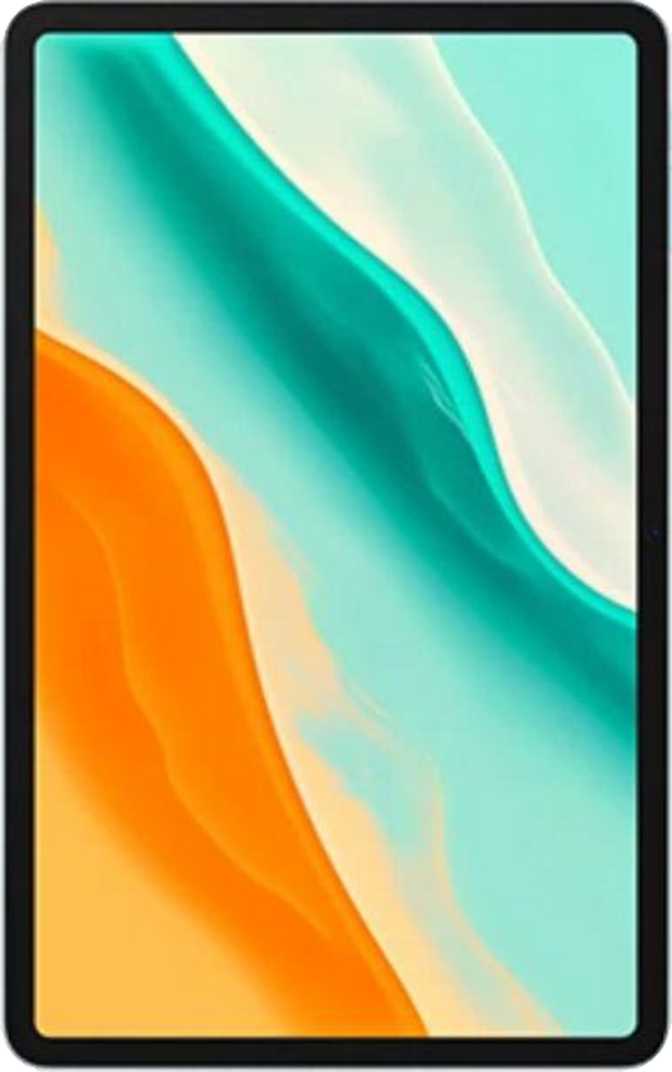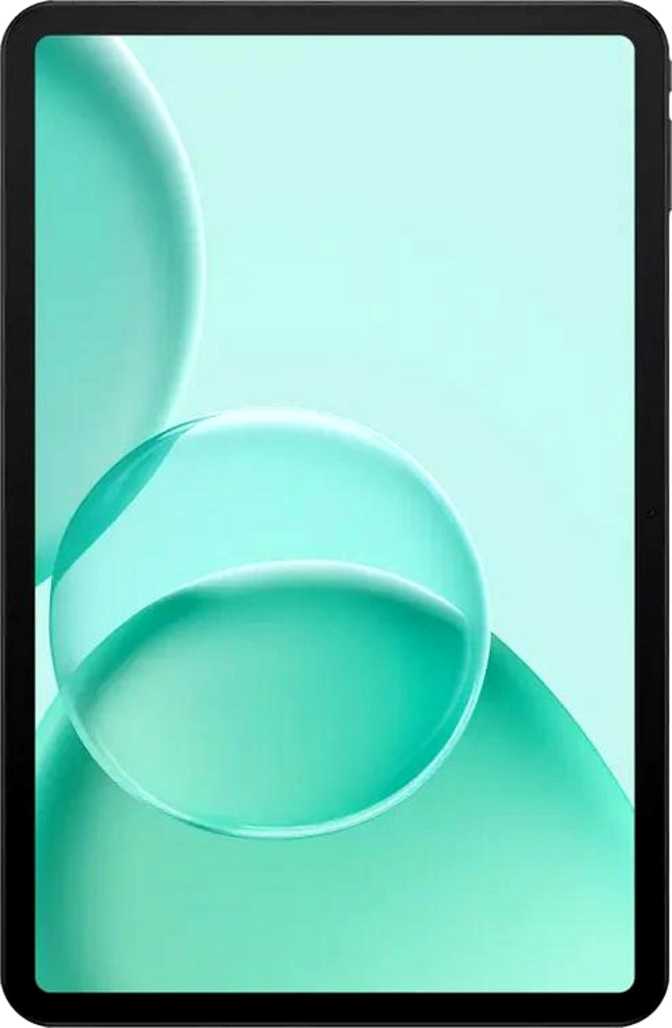
Doogee Tab G6 Max Full Review: Outstanding Battery, Budget Price
TabletsAt a Glance
Solid Budget Pick
Exceptional battery and screen real estate for the price
Category Ratings
Display
13.4" IPS
90Hz Refresh Rate
Battery
11,000 mAh
18W Fast Charging
Storage
256 GB
+ microSD Expandable
Chipset
Unisoc T620
8-Core · 12nm
Software
Android 16
LTE + Wi-Fi 5
Design and Build Quality
At 305mm wide and 199mm tall, the Doogee Tab G6 Max sits in the same physical footprint as a 13-inch laptop. This is unmistakably a large-format device built for desks, laps, and flat surfaces, not for one-handed use while standing in a queue.
At just 7.7mm thin, the profile is genuinely impressive for a tablet of this scale. It does not feel like a slab despite its dimensions. The honest trade-off is 545 grams of weight — extended two-handed holding in landscape will bring on arm fatigue faster than a smaller 10- or 11-inch alternative. A stand or case will significantly improve long-form use comfort.
The display surface carries no branded damage-resistant glass and no anti-reflection coating. Glare from overhead lighting and direct sunlight is a real consideration here. There is no water or dust resistance rating of any kind, so this should not be treated as an outdoor or kitchen-counter companion.
No stylus or detachable keyboard ships in the box. Both are separate purchases if your workflow requires them — a factor to include in your overall budget calculation.
Physical Specifications
- Width
- 305 mm
- Height
- 199 mm
- Thickness
- 7.7 mm (impressively slim)
- Weight
- 545 g
- Water Resistance
- None
- Stylus Included
- No
- Gorilla Glass
- Not present
The Display: 13.4 Inches of IPS at 90Hz
13.4"
Screen Size
90Hz
Refresh Rate
174
Pixels Per Inch
IPS
Panel Technology
What Works Well
IPS technology delivers wide viewing angles — colors hold up well when the screen is tilted or shared with someone seated beside you. On a 13.4-inch display, this matters considerably more than it would on a phone.
The 1920 × 1200 resolution produces clean, readable text and smooth video at typical viewing distances. At 174 pixels per inch, you won’t notice individual pixels in everyday use. It is not a razor-sharp 2K panel, but the large physical size means you sit further away, which closes the perceptible quality gap.
The 90Hz refresh rate is a meaningful step up from the 60Hz standard seen in most budget tablets. Scrolling through long documents, social feeds, and web pages feels noticeably more fluid — a tangible quality-of-life improvement that specs alone cannot fully convey.
Known Limitations
-
No HDR Support
HDR10, Dolby Vision, and HLG are all absent. Streaming platforms will render HDR content in standard dynamic range only.
-
No Anti-Reflection Coating
Glare from windows and overhead lighting can be distracting. This tablet performs best in controlled indoor lighting conditions.
-
No Damage-Resistant Glass
No Gorilla Glass or equivalent coating is present. A protective case is strongly recommended, especially for regular transport.
Performance: Competent Daily Driver, Not a Powerhouse
The Processor Explained
The Unisoc T620 is an eight-core chip built on a 12-nanometer process — a mature, energy-efficient architecture. All eight cores operate at 1.9GHz, and the big.LITTLE design intelligently distributes workloads: lighter tasks like reading and email use fewer cores at reduced power draw, while demanding applications draw on the full chip.
Standard cross-device benchmarks place this chip firmly at the entry-to-mid performance tier. Web browsing, document editing, video streaming, video calls, and casual gaming all run without complaint. The ceiling reveals itself in graphically demanding games, video editing tools, and sustained heavy multitasking with multiple large applications open at once.
Memory and Storage
Six gigabytes of RAM handles Android 16 well under normal use patterns. The operating system efficiently manages recently used apps, and typical two-to-three-app multitasking feels smooth. Virtual RAM expansion up to 12GB is supported — the device can allocate a portion of internal storage to supplement physical memory, a useful feature for heavier sessions.
The 256GB internal storage removes one of the most persistent frustrations of budget tablets. Paired with the microSD card slot, the available capacity is effectively user-controlled with no hard ceiling. The eMMC 5.1 storage type is appropriate for this tier: app loading and routine file access feel responsive, while large file operations are slower than UFS-based devices at higher price points.
Software Advantage
Shipping with Android 16 is a genuine differentiator. Many competing budget tablets from smaller brands launch on Android 11 or 12. The G6 Max delivers current-generation software from day one, even if future OS updates are not guaranteed.
Benchmark Snapshot
Geekbench 6 — Single Core
497
Geekbench 6 — Multi Core
1,541
Entry-to-mid tier. Smooth for everyday tasks; demanding apps will approach the ceiling.
Chip & Memory Specs
- Chipset
- Unisoc T620
- Process Node
- 12 nm
- CPU Cores
- 8 × 1.9 GHz
- RAM
- 6 GB LPDDR4
- Storage
- 256 GB eMMC
- GPU
- Mali-G57MC
- Android
- Android 16
Camera System: Functional, Not Photographic
Tablets are rarely bought for their cameras, and the G6 Max follows that category norm. Both cameras handle their intended purposes adequately and struggle beyond them.
The 13-megapixel rear sensor handles document scanning, whiteboard capture, and reference photos in daylight without issue. Touch autofocus and continuous autofocus during video recording keep footage stable and responsive. Manual controls for ISO, white balance, exposure, and focus offer more creative flexibility than most budget tablets provide.
Video recording tops out at 1080p at 30 frames per second. No optical zoom means a fixed field of view, and the absence of optical image stabilization means handheld video carries natural movement. A single LED flash doubles as a video light for low-light capture.
- Touch & continuous autofocus
- Manual ISO, exposure & white balance
- Built-in HDR mode & slow-motion video
- No optical zoom or stabilization
- Max 1080p @ 30fps video
The 8-megapixel front camera is the more practically important of the two for most tablet users. Video calls on a 13-inch screen with this sensor produce clear, well-framed results in good lighting. Remote participants will see you cleanly in well-lit rooms.
There is no front-facing flash. Quality drops noticeably in dim or backlit environments — sitting with a window behind you will create a silhouette effect the camera cannot compensate for. Position yourself facing your light source for best results.
- Clear video call quality in good lighting
- 8 MP delivers above-average front clarity for the price
- No front-facing flash
- Significant quality drop in low-light conditions
Battery and Charging: The Strongest Argument for This Tablet
11,000
mAh Capacity
18W
Fast Charging
USB-C
Port Type
What 11,000 mAh Means in Practice
The average mid-range tablet ships with somewhere between 7,000 and 8,000mAh. The G6 Max carries approximately 35 to 55 percent more capacity than that typical baseline — a tangible, real-world advantage that changes daily charging habits in a meaningful way.
For most users — web browsing, streaming, reading, and video calls at moderate brightness — the G6 Max should comfortably carry two full days before reaching a low battery warning. Heavy users working in split-screen at high brightness should still exceed a full day. Charging anxiety is effectively eliminated for typical use patterns.
The 18-watt wired fast charging restores meaningful capacity in a 30-minute top-up session. Filling the entire battery from empty takes approximately two hours, which is expected for a reservoir this large. There is no wireless charging — USB-C is the only input method.
Ideal for Travelers and Commuters
A long-haul flight, a full conference day, or a weekend trip with light usage are all realistic single-charge scenarios. This tablet genuinely frees you from hunting for outlets.
Audio: Above Average for the Price
Stereo Speakers
The large chassis provides physical space for proper stereo placement, creating real left-right separation. Content watching, video calls, and ambient listening all benefit noticeably over the mono-speaker budget tablets this competes with.
3.5mm Headphone Jack
A feature disappearing from modern tablets. Wired headphone users, those connecting to car audio, and anyone relying on aux speakers will find the port here — a practical decision the spec sheet alone undersells.
Bluetooth 5.2
Stable, low-latency wireless audio for everyday earbuds and speakers. High-resolution codecs (aptX, LDAC, aptX HD) are not supported, so audiophiles with premium wireless headphones won’t unlock their equipment’s full capability.
Connectivity: Solid Foundation With Notable Gaps
Mobile Data and Wireless
The G6 Max includes an LTE (4G) cellular module with a single SIM card slot. Insert a data SIM and you have mobile browsing without relying on Wi-Fi — a practical advantage over Wi-Fi-only tablets for users on the move. There is no 5G support; LTE throughput in ideal conditions supports up to approximately 300 Mbps download, which is more than sufficient for streaming, calls, and cloud-based applications.
Wi-Fi covers both Wi-Fi 4 and Wi-Fi 5 (802.11ac) standards, working reliably with most modern dual-band home routers and public hotspots. Wi-Fi 6 is absent, but for everyday connectivity this is rarely a practical limitation.
Location and Sensors
The tablet includes a gyroscope, accelerometer, and compass. Galileo satellite positioning is supported, but there is no dedicated GPS receiver. Location-dependent apps rely on network-assisted positioning rather than direct satellite lock. In cities with strong cellular signal, this works adequately for general location awareness. For precision navigation, offline maps in rural areas, or hiking applications, the absence of standalone GPS is a genuine and meaningful functional limitation — not a minor footnote.
Connectivity Feature Matrix
- LTE (4G)
- 5G
- Wi-Fi 5 (802.11ac)
- Wi-Fi 6
- Bluetooth 5.2
- USB-C
- NFC
- Dedicated GPS
- Galileo Positioning
- Fingerprint Scanner
- microSD Slot
Software and Productivity: Android 16 in Full
Running Android 16 at launch puts the G6 Max ahead of many competing budget tablets, which still ship on Android 11 or 12. The software experience is current, privacy-conscious, and feature-rich from day one.
Split-Screen Multitasking
The 13.4-inch canvas makes split-screen genuinely practical. A document alongside a browser, or a video call alongside your notes, remains comfortably usable at this screen size.
Picture-in-Picture
Video continues in a floating overlay while you navigate other apps — keep a video call visible while referencing a document, or watch a tutorial alongside your work.
Live Text Recognition
Point the camera at printed text — menus, labels, documents — and interact with it directly. A practical feature for students and professionals alike.
Privacy Controls
Per-app camera and microphone permissions, app tracking blocking, clipboard warnings, and granular location access management are all built into Android 16.
Multi-User Profiles
Multiple users can maintain completely separate profiles on one device — relevant for shared family tablets, households with children, and classroom deployments.
Child Lock
Built-in child lock and content restrictions let parents manage access without third-party apps, making the G6 Max a more family-ready choice out of the box.
Who Should Buy This — and Who Should Not
This Tablet Is Right for You If…
-
You Travel or Commute Frequently
Multi-day battery life eliminates outlet-hunting on long journeys, full conference days, and extended travel without access to charging.
-
You Primarily Consume Media at Home
Streaming, YouTube, casual gaming, and reading on a large stereo-equipped screen at a price that requires no justification.
-
You Are a Student
256GB storage, split-screen multitasking, microSD expansion, LTE connectivity, and Android 16 make this a capable study tool at a budget price.
-
You Need a Family Shared Device
Multi-user profiles and a built-in child lock make this a practical household tablet for adults and children sharing one device.
-
Your Remote Work Needs Are Foundational
Document editing, video calls, and cloud tools on a large screen are all within comfortable reach for basic remote work scenarios.
This Tablet Is Not Right for You If…
-
You Play Demanding Mobile Games
Current-generation graphically intensive titles will expose the performance ceiling quickly. Frame drops in demanding games are a realistic expectation.
-
You Are a Creator or Professional
Color-accurate display work, video editing, and sustained creative workloads require mid-range or premium hardware. This is not that device.
-
You Rely Heavily on Navigation
No dedicated GPS means turn-by-turn navigation depends entirely on mobile signal quality. Hikers, drivers in rural areas, and offline map users should look elsewhere.
-
You Need Contactless Payments
No NFC means Google Pay and all NFC-based contactless payment or pairing functions are unavailable on this device.
-
You Need a Portable, One-Handed Device
At 545 grams and 13.4 inches, this is designed for surfaces. One-handed use while standing is genuinely uncomfortable for extended periods.
How It Compares: Budget vs Mid-Range Tablets
The G6 Max’s position is clearest when measured against what you’d otherwise spend money on in the same or adjacent price brackets.
| Feature | Doogee Tab G6 Max | Typical 10" Budget Tablet | Typical 12" Mid-Range Tablet |
|---|---|---|---|
| Screen Size | 13.4" | 10–11" | 11–12" |
| Battery Capacity | ~11,000 mAh | 6,000–8,000 mAh | 8,000–10,000 mAh |
| Refresh Rate | 90 Hz | 60 Hz | 90–120 Hz |
| Base Storage | 256 GB | 64–128 GB | 128–256 GB |
| Chipset Tier | Entry-to-Mid | Entry | Mid |
| LTE Built-In | Yes | Sometimes | Yes |
| Dedicated GPS | No | Usually Yes | Yes |
| HDR Display | No | No | Sometimes |
| NFC | No | Rarely | Sometimes |
| Weight | 545 g | 450–500 g | 500–570 g |
Honest Strengths and Weaknesses
Where It Genuinely Delivers
The battery is the defining specification. Eleven thousand milliamp-hours at this price tier is genuinely unusual, and it fundamentally changes the daily ownership experience. Charging anxiety for typical use patterns is effectively eliminated — this is a device that can run two days without looking for a socket.
The 256GB base storage removes a persistent frustration of budget devices. Combined with a microSD slot, the storage ceiling is entirely user-controlled. Most users will never feel constrained.
The 13.4-inch display, despite its panel limitations, is genuinely enjoyable for media consumption and extended reading sessions. Screen size matters, and this tablet has a lot of it. Paired with stereo speakers and a 3.5mm jack, the audio-visual experience is clearly prioritized for this price.
Android 16 at launch delivers a current-generation software experience with modern privacy architecture, quality-of-life features, and a feature set that makes daily use meaningfully comfortable — more so than the hardware tier alone would suggest.
Where It Falls Short
The absence of a dedicated GPS receiver is a more significant limitation than the spec sheet implies. For users accustomed to reliable navigation and location-accurate apps regardless of signal quality, this creates a daily frustration rather than an occasional inconvenience.
No fingerprint scanner means security relies entirely on PIN, pattern, or password entry. On a device this large, full-screen PIN unlock feels disproportionate and adds persistent small friction to routine use.
The display carries no damage-resistant glass and no anti-reflection coating. On a large tablet that’s more likely to be set on surfaces and used near windows, both omissions carry long-term practical consequences.
The Unisoc T620 is entry-tier silicon. It performs its role without complaint in everyday use, but anyone stepping down from a mid-range phone will notice the difference in app transitions and multitasking edge cases. No OS update guarantee means this device should be evaluated entirely on what it ships with — not what it might someday receive.
Common Buyer Questions Answered
Solid Budget Pick
Final Verdict
The Doogee Tab G6 Max is a specific tablet for a specific buyer — and when the match fits, it fits well.
If a large Android tablet for media, reading, and everyday productivity with exceptional battery endurance, a generous storage baseline, and a current Android version is what you need, the G6 Max earns a clear recommendation. It over-delivers on battery life and screen real estate relative to its price, and Android 16’s feature set makes it more capable day-to-day than the hardware tier alone suggests.
If GPS, NFC, a fingerprint scanner, HDR content, or demanding gaming and creative performance are essential requirements, this is the wrong device for those needs. Those are categorical functional gaps, not minor quibbles.
Buy It If You Want
- Multi-day battery life
- Large 13.4" screen for media & work
- 256GB storage at a budget price
- Android 16 from day one
Skip It If You Need
- Dedicated GPS navigation
- NFC and contactless payments
- HDR display support
- Fingerprint security