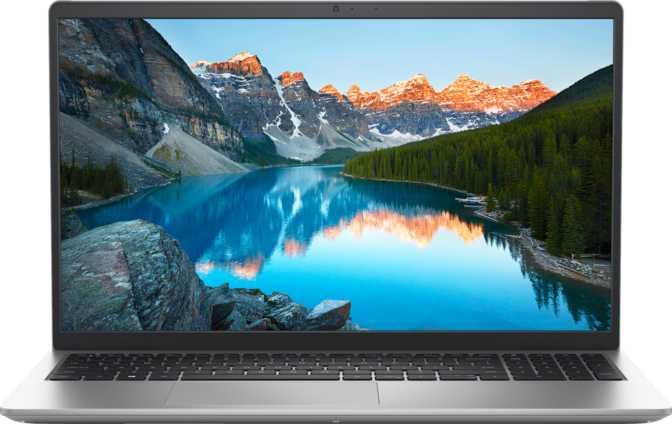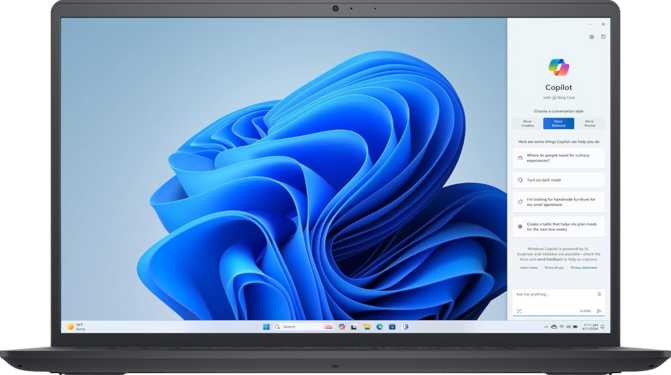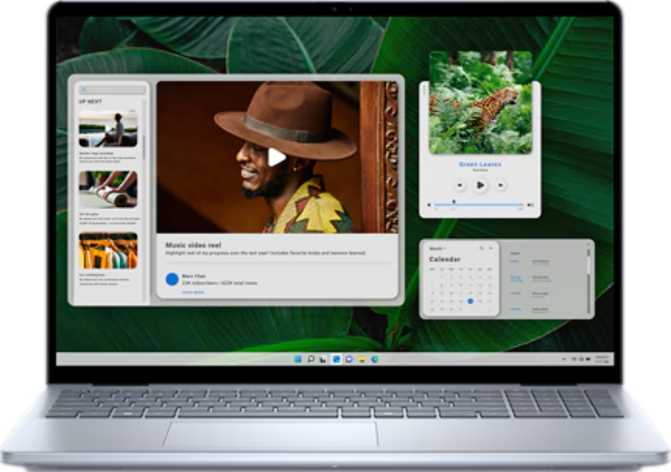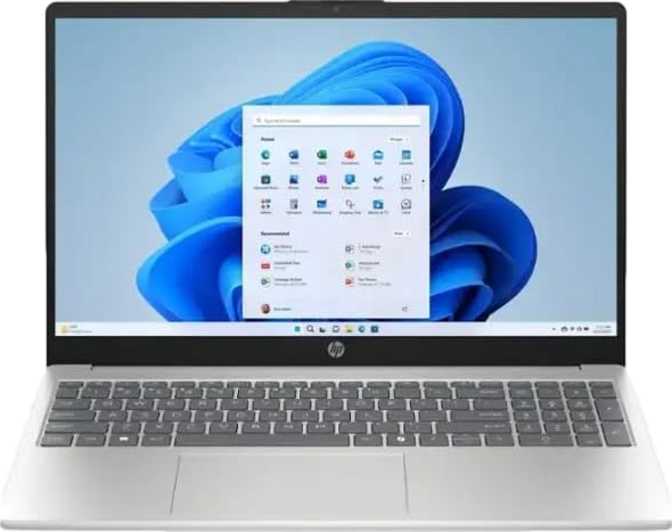
Most buyers shopping in the mainstream laptop segment expect compromise — a little RAM here, a cramped drive there, a display that strains after an hour. The Dell Inspiron 15 3535 sets out to challenge that assumption, arriving with a memory and storage configuration that many business-class machines don't match. Whether it delivers depends entirely on what you actually need a laptop for. This review answers that question in full.
At a Glance
Overall verdict score, key specifications, and category ratings
Best for productivity users who prioritize raw capacity over premium ergonomics
Design and Build Quality
A Practical Machine That Knows What It Is
The Inspiron 15 3535 is not trying to win a design award. Its identity is squarely utilitarian — a large-format productivity laptop aimed at people who need screen real estate, storage depth, and long-session comfort far more than a machine that turns heads. The 15.6-inch chassis gives you ample desk presence and a keyboard deck spacious enough for extended typing sessions, with conventional ergonomics that require zero adjustment period.
The cooling system is active and fan-based, meaning the machine handles sustained workloads without throttling but will periodically remind you it is working under pressure. It carries no weather resistance and no rugged certification — this is a desk and lap machine, not a field tool, and treating it as one is the right expectation to set.
There is no key illumination anywhere on this machine. In dim lighting — on a flight, in a hotel room, or away from a well-lit desk — you are typing entirely from memory. For a laptop with this level of internal specification, the omission is a real daily inconvenience, not an occasional one.
Neither a fingerprint reader nor facial recognition is on offer. Every session begins with a PIN or password entry without exception. For users who value fast, hands-free unlocking, this is a recurring friction point worth weighing before purchasing.
Display: What You Live With Every Day
The Full HD panel delivers a clean, sharp image at standard viewing distances. Text is crisp, images are detailed, and the overall visual experience is comfortable for hours-long work sessions. This is not a high-DPI panel — there is no retina-class sharpness — but at 15.6 inches the pixel density is entirely appropriate for typical arm's-length use.
The anti-reflection coating earns its keep in real-world conditions. Working near a window or under fluorescent office lighting, a glossy screen becomes a mirror that competes with your content. The matte treatment here keeps reflections diffused and your focus where it belongs.
Touchscreen Functionality
The touch screen responds well for scrolling, tapping, and menu navigation. No stylus is included and the display is not optimized for precision pen input, so creative drawing workflows are not what this capability is designed for. Users migrating from tablet habits will find it a natural extension of how they interact with content day-to-day.
60 Hz Refresh Rate
Entirely adequate for productivity work, media consumption, and general web browsing — video playback looks smooth and content is easy on the eyes. The limitation only surfaces with gaming, where even casual competitive titles benefit from higher frame rates this display simply cannot deliver. This is a productivity panel built for comfort, not speed.
Performance: The Engine Under the Hood
An eight-core AMD processor built on a 7-nanometer manufacturing process sits at the heart of this machine. Sixteen processing threads and a top clock speed above 4.5 GHz give it the bandwidth to handle the full spectrum of productivity workloads without breaking a sweat. Below is a full breakdown across every performance dimension.
CPU Benchmark Results
| Benchmark | Score | What It Means in Practice |
|---|---|---|
| PassMark (Multi-Core) | 18,042 | Capable mainstream tier — heavy multitasking handled fluently |
| PassMark (Single-Core) | 3,006 | Adequate responsiveness for everyday application launches |
| Geekbench 6 (Multi-Core) | 6,277 | Competitive in the productivity laptop segment |
| Geekbench 6 (Single-Core) | 1,633 | Mid-range single-thread output; newer architectures score higher |
64 GB RAM: The Headline Specification
Sixty-four gigabytes of DDR4 memory running across a dual-channel configuration is not a typical mainstream laptop spec — it is what you would expect from a mid-range workstation or a developer's primary machine. Most competitors in this category ship with 8 or 16 gigabytes. This machine ships at the absolute platform maximum.
In practice, you will never hit a memory ceiling doing normal productivity work. Dozens of browser tabs, multiple office applications, background sync services, video calls, and virtual machines running simultaneously — the system carries all of it without slowing down. The dual-channel architecture also meaningfully boosts integrated GPU throughput compared to single-channel configurations running the same chip.
2 TB NVMe: Speed and Depth Together
A two-terabyte NVMe solid-state drive over PCIe 3.0 delivers both speed and capacity that mainstream laptops rarely combine. NVMe drives load applications, transfer files, and wake from sleep dramatically faster than the SATA-based SSDs still found in cheaper machines — the difference is immediately noticeable when launching large applications or handling big file transfers.
Two terabytes of local storage means a full photo library, a large media collection, years of documents, and a complete software suite can all live on-device without cloud offloading or external drives. For anyone who has managed a near-full laptop drive, this capacity changes how you work.
Integrated Graphics: Capable for Productivity, Not Gaming
The AMD Radeon Vega 8 integrated graphics engine handles everything the display is designed for — video playback, light image editing, casual software, and general visual work all run without issue. What it will not do is run modern 3D games at playable settings. With 512 shader units and 8 render output units, this is a productivity accelerator, not a gaming engine.
- High-resolution video playback
- Light photo and image editing
- DirectX 12 and OpenCL 2.2 support
- GPU-accelerated productivity applications
- Modern 3D gaming at playable settings
- Ray tracing or hardware AI upscaling
- Heavy video export and render pipelines
- Demanding GPU compute or ML workloads
Connectivity: Ports, Wireless, and What's Missing
Available Connections
| Port / Feature | Standard | Primary Use |
|---|---|---|
| USB-A × 2 | USB 3.2 Gen 1 (5 Gbps) | Peripherals, drives, charging |
| USB-C × 1 | USB 3.2 Gen 1 (5 Gbps) | Modern accessories, charging |
| HDMI × 1 | HDMI 1.4 | External monitor or TV output |
| SD Card Slot | External memory | Camera and device file transfers |
| 3.5 mm Audio | Headset jack | Headphones and headsets |
| Wi-Fi | Wireless networking | All network access on this machine |
Notable Absences
-
No Ethernet (RJ45)
All networking is wireless. A USB-to-Ethernet adapter resolves this for under fifteen dollars — worth buying alongside the machine if wired access matters. -
No Thunderbolt
High-bandwidth docking stations and ultra-fast external drives requiring Thunderbolt are not compatible with this machine. -
HDMI 1.4 Only
4K output to an external display caps at 30 Hz. Fine for productivity work; limiting if you need fast-refresh external screens. -
No DisplayPort
DisplayPort monitors require an HDMI cable or a USB-C to DisplayPort adapter to connect.
Audio and Webcam
Stereo Speakers
Stereo output from two channels makes a meaningful difference over a single mono driver for video calls, casual music, and media consumption. Dolby Atmos processing is absent, so audio is functional rather than premium. For serious listening, the standard 3.5 mm headphone jack remains the better path by a significant margin.
Webcam and Microphone
A front-facing camera and single microphone handle standard video conferencing. The specification data provides no resolution or quality figures beyond their presence, so expectations should be calibrated around functional rather than broadcast-quality performance. These components are tools for regular calls, not content creation or streaming.
Battery and Power
The processor's 15-watt thermal design is the most instructive figure here. Lower-wattage chips are historically associated with better battery endurance under moderate loads, since the chip never draws aggressively on the pack during everyday tasks. The practical trade-off is a ceiling on sustained peak performance — the machine is tuned for all-day endurance over maximum burst output, a balance that favors all-day portable use.
Sleep-and-charge functionality means connected USB devices continue receiving power even when the laptop is suspended. For anyone who charges a phone or wireless earbuds through their laptop overnight, this is a small but genuinely appreciated quality-of-life feature.
Who Should Buy the Dell Inspiron 15 3535?
Strong Fit
-
Students and Academics
Large research file libraries, multiple applications, and a full local document archive are handled without constraint. The memory and storage configuration removes every ceiling a typical entry-level machine would impose. -
Remote and Hybrid Workers
Video conferencing, office suites, cloud tools, and collaboration software running simultaneously won't cause the machine to slow down under typical workday loads. -
Developers and Engineers
Running local servers, containers, and large codebases is where 64 GB of memory delivers exceptional value for the price — a configuration most developer machines at this tier can't match. -
Light Content Creators
Photo editing, audio work, and video rough cuts benefit from the storage depth and memory headroom. Graphics-intensive export pipelines will hit the integrated GPU ceiling, but day-to-day creative organization work is handled well.
Poor Fit
-
Gamers
The integrated GPU and 60 Hz display are incompatible with gaming expectations at any meaningful level. Even casual esports titles will disappoint on this hardware configuration. -
Frequent Travelers
Anyone who regularly works in low-light environments — on flights, in hotel rooms — will find the absent keyboard backlight a persistent, recurring inconvenience that doesn't go away. -
Wired Network Power Users
No Ethernet port means adapters are required in environments where Wi-Fi is unreliable, restricted, or prohibited — a permanent workaround rather than a native solution. -
Security-Focused Buyers
No fingerprint reader and no facial recognition means PIN or password authentication for every single session, with no biometric shortcut available at any level.
Competitive Positioning
The Inspiron 15 3535's clearest advantage over comparably priced alternatives is internal specification depth. Where competitors often include backlit keyboards, Ethernet ports, and biometric scanners, Dell redirects that budget into raw memory and storage capacity — a deliberate and polarizing trade-off.
| Feature | Dell Inspiron 15 3535 | Typical 15″ Mainstream | Budget-Class Alternative |
|---|---|---|---|
| RAM | 64 GB DDR4 | 8–16 GB | 8 GB |
| Storage | 2 TB NVMe | 256–512 GB SSD | 256 GB SSD / HDD |
| Display | FHD Touch, Anti-Glare | FHD, Non-Touch | FHD or HD |
| Keyboard Backlight | No | Often Yes | Rarely |
| Ethernet Port | No | Often Yes | Often Yes |
| Biometric Login | No | Often Fingerprint | Rarely |
| Integrated GPU | Radeon Vega 8 | Intel Iris Xe / Radeon 680M | Varies |
Against machines with newer-generation AMD processors, the architecture here shows its age in single-core benchmarks. Buyers who prioritize CPU modernity and faster integrated graphics over memory depth should weigh whether a newer-chip machine better serves their specific workflow.
Honest Assessment: Strengths and Weaknesses
Where It Earns Genuine Respect
The Inspiron 15 3535 earns real credit for its storage and memory generosity. It would be easy to dismiss a machine with an aging processor architecture and no dedicated GPU, but the internal capacity changes the practical calculus for a specific type of buyer. Anyone who has spent time managing a constrained-storage laptop or watched a 16 GB machine grind mid-session will immediately understand the value proposition here.
The dual-channel memory architecture also benefits the integrated Radeon Vega 8 in ways a single-channel machine with the same processor would not match. Real-world GPU performance is measurably better here than on configurations running the same chip with half the memory bandwidth — a quiet but meaningful advantage for display-intensive tasks.
Where It Falls Short
The quality-of-life details that distinguish a premium experience from a utilitarian one are where this machine consistently disappoints. The missing keyboard backlight is the most glaring example — it is a daily inconvenience, not an occasional footnote. The absence of any biometric login at this specification level is a genuine missed opportunity.
The processor is competent but not cutting-edge. It handles productivity workloads fluently and delivers good battery economy, but buyers who want the latest per-core efficiency and faster integrated graphics from newer architectures will need to look elsewhere at a higher price point. The connectivity story — adequate but adapter-dependent — is another area where direct competitors offer more without asking you to carry extra hardware.
Common Questions Buyers Ask Before Purchasing
Final Verdict
The Dell Inspiron 15 3535 in this configuration makes one specific bet that its competitors don't: load it with memory and storage, price it to sell, and let the internal depth carry the value argument. For the buyer whose primary pain point is a machine that runs out of RAM mid-session or a drive that fills within a year, this laptop solves those problems definitively and at a price most business-class alternatives won't match.
It is not a machine for gamers, not well-suited for anyone who works frequently in dim environments, and not a first choice for professionals who need wired network access without carrying an adapter. The missing keyboard backlight is a real daily frustration, and the absent biometric login is a genuine modern omission. But for productivity-focused users — students, developers, remote workers, and multitaskers — who want a large-screen laptop capable of carrying a full demanding workload without running out of headroom, the Inspiron 15 3535 delivers a value-per-gigabyte argument that is genuinely difficult to dismiss.
Productivity, development, multitasking, large file workloads
Gaming, frequent dim-light use, wired-network environments