DALI Sonik 1 Review: A Compact Bookshelf Speaker With Serious Audio Intentions
Home Audio SpeakersThe bookshelf speaker category is brutally competitive. Every price bracket is packed with options from brands with decades of engineering heritage — and buyers are right to be skeptical. When DALI, a Danish loudspeaker manufacturer with a long-standing reputation for musicality and natural sound reproduction, releases the Sonik 1, it arrives with a certain weight of expectation. This is a passive, two-way speaker designed for people who want real hi-fi performance without committing to floorstanding towers or a dedicated listening room.
Design and Build: Understated, Purposeful, Well-Proportioned
Physical design, cabinet quality, and placement flexibility
Physical Presence
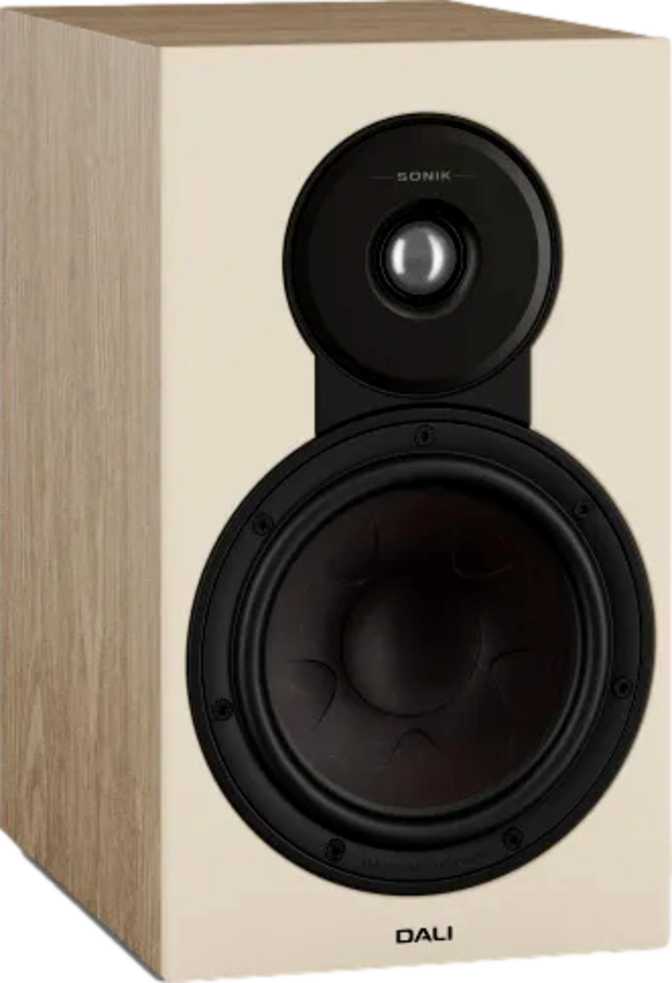
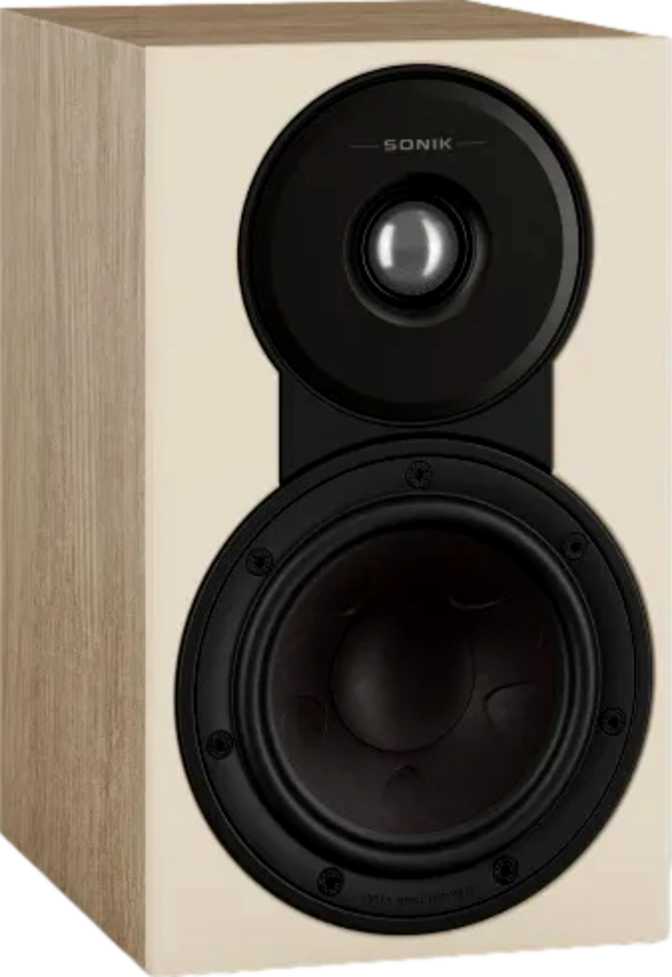
The Sonik 1 sits comfortably in the bookshelf speaker archetype — compact enough to live on a shelf, stand, or desk surface without dominating the room, yet substantial enough to communicate that something engineered is inside. At 162 mm wide, 274 mm tall, and 231 mm deep, it occupies roughly the footprint of a hardcover book standing upright, though with considerably more depth. Each cabinet weighs in at 4.1 kg, which is reassuring — lightweight speakers often have thin, resonant cabinet walls, and that weight suggests DALI has used material density where it matters.
The cabinet volume of just over 10 liters is meaningful context. Bookshelf speaker enclosures are always a compromise between physical size and acoustic space, and 10 liters gives the internal tuning enough room to work with — particularly given the bass reflex ported design.
Wall Mounting Option
The Sonik 1 is wall-mountable — not universally true of bookshelf speakers at this tier. This meaningfully expands placement flexibility. Wall mounting changes the acoustic interaction with the room: being close to a wall generally reinforces bass, which is something to factor into listening position and amplifier pairing decisions. For living rooms where stand placement isn't practical, or home theater setups where speakers need to flank a display, this is a genuinely useful feature.
| Width | 162 mm |
| Height | 274 mm |
| Depth | 231 mm |
| Weight (each) | 4.1 kg |
| Cabinet Volume | ~10.25 L |
| Enclosure Type | Bass Reflex (Ported) |
| Wall Mountable | Yes |
| Warranty | 5 Years |
Driver Configuration: How the Sonik 1 Produces Sound
Tweeter, woofer, and crossover analysis
2-Way Architecture
The Sonik 1 divides sound reproduction between two specialized drivers: a tweeter for high frequencies and a woofer for midrange and bass. This is the proven standard for bookshelf speakers, and when executed well, it produces coherent, tonally balanced sound. The crossover point sits at 2.8 kHz — a thoughtful placement in a region of human hearing where phase and tonal discontinuity are most noticeable. A clean crossover here helps the two drivers blend without drawing attention to the transition.
1.1-Inch Tweeter
Slightly larger than the 1-inch soft-dome tweeters common across competing speakers, the 1.1-inch driver handles its frequency range with less effort and reduced thermal stress — important during longer sessions at moderate-to-high volumes. It extends high-frequency reach to 26,000 Hz, well beyond the accepted upper limit of human hearing. A tweeter operating comfortably beyond its required range tends to sound more relaxed and natural within it — less harsh, less strained at the top end.
5.25-Inch Woofer
The main driver is the workhorse responsible for everything from vocal presence and guitar body to upper bass reproduction. For a cabinet of this volume, 5.25 inches is an appropriate choice — large enough to move meaningful air and produce convincing midrange weight, compact enough to integrate cleanly without overloading the enclosure. The practical result is a speaker that handles acoustic instruments, vocals, and moderate bass content with authority.
Bass Performance: What the Ported Enclosure Really Means
Low-frequency extension and placement considerations
The Sonik 1 uses a bass reflex enclosure — a ported or vented design where a carefully tuned opening in the cabinet redirects rear wave energy from the woofer constructively, extending bass output lower than a sealed enclosure of the same size could achieve.
The result is a low-frequency floor of 51 Hz. For a bookshelf speaker this size, that is a solid figure. It means the Sonik 1 can reproduce the lower registers of bass guitar, the weight of kick drums, and the lower notes of a piano without the sound becoming thin or lightweight. However, it will not reach into true sub-bass territory — the deep, physical rumble of large orchestral organs or heavy electronic bass. For most music listeners, this covers the vast majority of musical content without issue.
For home theater enthusiasts or bass-heavy music listeners, pairing with a subwoofer would unlock the full potential of the system. As standalone speakers, however, the Sonik 1 handles the frequency range that matters most in everyday listening.
| Lowest Frequency | 51 Hz |
| Highest Frequency | 26,000 Hz |
| Crossover Point | 2.8 kHz |
| Enclosure | Bass Reflex |
| Subwoofer Needed? | Optional |
Power Handling and Amplifier Pairing
Impedance, wattage, and what amplifier to choose
6-Ohm Impedance Explained
The Sonik 1 presents a nominal impedance of 6 ohms — a middle-ground figure that sits below the 8-ohm standard most amplifiers are designed around, but far less demanding than 4-ohm speakers that stress amplifier output stages. Most modern integrated amplifiers, AV receivers, and hi-fi stereo amplifiers are specified for both 6- and 8-ohm loads, so the Sonik 1 should pair without issue across a wide range of equipment. If you are using a vintage or entry-level amplifier, it is worth confirming it can handle a 6-ohm load before purchase.
100-Watt Peak Handling
The speaker can accept up to 100 watts at peak — generous headroom for a bookshelf speaker. In practical terms, this means the Sonik 1 will not be stressed by moderate to powerful amplifiers during dynamic musical passages. Peak power handling is not the same as recommended amplifier power.
Running a 100-watt speaker with a 30-watt amplifier is entirely appropriate, and in many listening rooms, more than sufficient. The 100-watt ceiling simply confirms the speaker can absorb transient peaks without distress.
Real-World Usage: Who the DALI Sonik 1 Is Built For
Ideal buyers and honest mismatches
- You are building your first proper hi-fi system and graduating from a Bluetooth speaker or soundbar — the Sonik 1 delivers genuine separation, staging, and tonal accuracy that all-in-one systems simply cannot replicate.
- You listen at a desktop or in a near-field position, 1–2 metres from the speaker. At this scale and proximity, the Sonik 1 can sound considerably larger than it looks.
- You want a speaker for a bedroom, study, or apartment living room where physical size matters as much as sound quality, and extreme volume levels are not the priority.
- You are building a home theater secondary or surround configuration where wall mounting, musical frequency range, and consistent tone are required.
- Deep bass without a subwoofer is your priority. The 51 Hz floor is respectable but will leave electronic music, hip-hop, and cinematic bass feeling incomplete without a dedicated sub.
- You are equipping a large, open-plan listening space. Bookshelf speakers have physical output limits — a floorstanding speaker will simply move more air and fill the room more convincingly.
- You want a self-contained active system with a built-in amplifier. The Sonik 1 is passive and requires a separate amplifier investment. That is not a flaw — it is a category distinction that matters for your budget planning.
Competitive Positioning: Where the Sonik 1 Sits
How the Sonik 1 compares to typical alternatives at this tier
| Feature | DALI Sonik 1 | Typical Entry Competitor | Typical Mid-Tier Competitor |
|---|---|---|---|
| Driver Layout | 2-Way | 2-Way | 2-Way |
| Woofer Size | 5.25 inch | 4–5 inch | 5.25–6.5 inch |
| Tweeter Size | 1.1 inch | 1 inch | 1 inch |
| Low-Frequency Extension | 51 Hz | 60–80 Hz | 45–55 Hz |
| Enclosure Type | Bass Reflex | Bass Reflex | Bass Reflex |
| Impedance | 6 Ohm | 8 Ohm | 6–8 Ohm |
| Peak Power Handling | 100 W | 80–100 W | 100–120 W |
| Wall Mountable | Sometimes | Sometimes | |
| Warranty Period | 5 Years | 2 Years | 2–3 Years |
The Sonik 1's specifications cluster it firmly in the credible mid-tier of the passive bookshelf speaker market. The slightly larger tweeter, solid bass extension for its cabinet size, and longer-than-average warranty differentiate it from cheaper alternatives. Where DALI's engineering heritage is relevant is in crossover tuning and driver voicing — areas where Danish hi-fi design has a strong track record. The specifications suggest a speaker tuned for musical naturalness over hyped frequency extremes.
Honest Strengths and Limitations
A candid assessment grounded in the engineering
Where It Stands Out
The Sonik 1's strengths are clearest in what its specifications imply about its engineering priorities. The extended tweeter reach, the generous peak power handling relative to its size, and the well-placed crossover frequency all point to a speaker tuned for tonal balance and long-term listening comfort — not a speaker that impresses in a 30-second showroom demo through boosted bass and exaggerated treble sparkle.
For listeners who value musicality and coherence over spectacle, that is exactly the right approach. The five-year warranty is not a minor footnote either — it reflects either confidence in the product's longevity or a brand willing to stand behind it financially. In a market where build quality varies wildly at this tier, that coverage is genuine value.
Where It Has Limits
The limitations are honest and predictable. Bass extension stops well above sub-bass territory, and this is a physical reality of the cabinet volume and driver size — not a flaw, but a known constraint that any prospective buyer should assess against their listening habits before committing.
The 6-ohm impedance, while broadly compatible, deserves verification against your specific amplifier before purchase. And as a passive speaker, the Sonik 1 requires a separate amplifier investment that buyers coming from all-in-one systems should budget for. These are category realities, not product failures — but they matter for decision-making.
Questions Buyers Ask Before Purchasing
Honest answers to real pre-purchase concerns
The DALI Sonik 1 is a well-specified, thoughtfully designed passive bookshelf speaker that delivers what its brand lineage promises: a focus on musical coherence over superficial specification wins. Its 5.25-inch woofer and 1.1-inch tweeter are matched by a crossover designed to hand off smoothly between them. Its bass extension is honest and useful without being falsely inflated. Its power handling gives amplifier pairing flexibility, and its five-year warranty reflects genuine product confidence.
This is the right speaker for someone who wants to build or upgrade a dedicated two-channel audio system in a small to medium-sized room, values tonal balance and long listening sessions over sheer volume or exaggerated bass, and wants the flexibility of wall mounting. It is not the right choice for someone who needs a self-contained active system, demands room-filling bass without a subwoofer, or is equipping a large listening space.
Our Recommendation
If you are ready to invest in a proper passive speaker setup and want a brand with serious audio credentials behind the product, the DALI Sonik 1 earns a confident recommendation for music-first listeners in compact to medium-sized rooms.