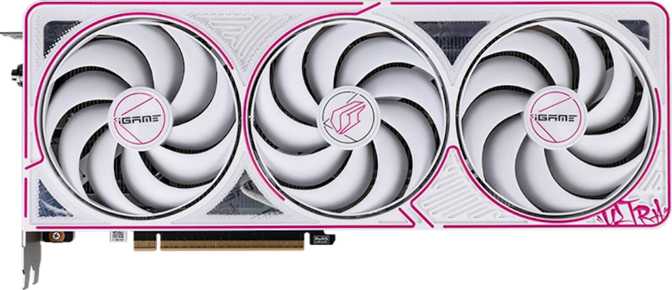
Colorful iGame GeForce RTX 5060 Ultra Z OC – An Honest Review
Graphics CardsThe mainstream GPU segment is where most gamers actually live, and NVIDIA knows it. The GeForce RTX 5060 brings the company's newest Blackwell architecture down to an attainable price tier — and Colorful's iGame Ultra Z OC variant is one of the most aggressively tuned factory-overclocked versions of this card available. If you have been waiting to upgrade from an older GPU, this is the first Blackwell card worth seriously considering for a mid-range build.
Colorful is not a household name in Western markets the way ASUS or MSI are, but the brand carries a strong track record in Asia and an increasingly competent global presence. The Ultra Z OC sits at the top of their iGame lineup — so you get Colorful's best cooler design, visual hardware, and factory overclock on this chip, not a budget interpretation of it.
At a Glance
The core numbers that define the Colorful iGame GeForce RTX 5060 Ultra Z OC
Architecture
Blackwell
5nm · 21.9B transistors
Compute
19.81 TFLOPS
FP32 floating-point
Video Memory
8GB GDDR7
448 GB/s bandwidth
Power Draw
145W TDP
650W PSU minimum
Display Outputs
4 Simultaneous
3× DP · 1× HDMI 2.1b
Card Length
300.5mm
Mid-tower compatible
Design and Build Quality
Physical Presence
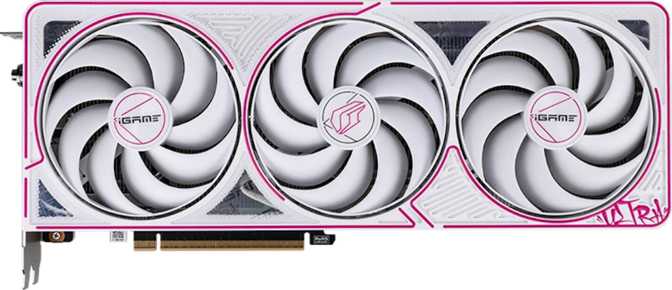
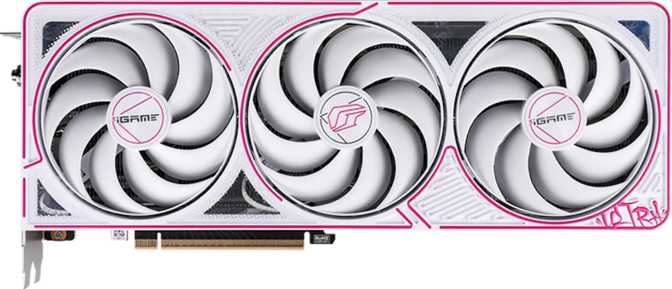
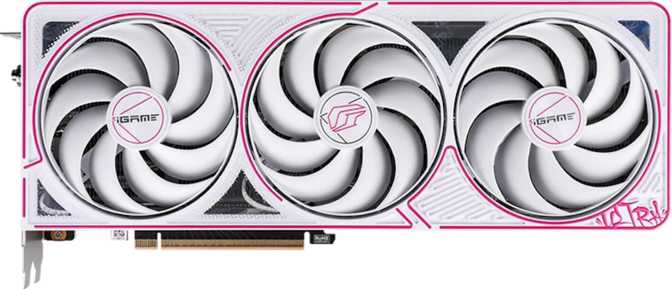
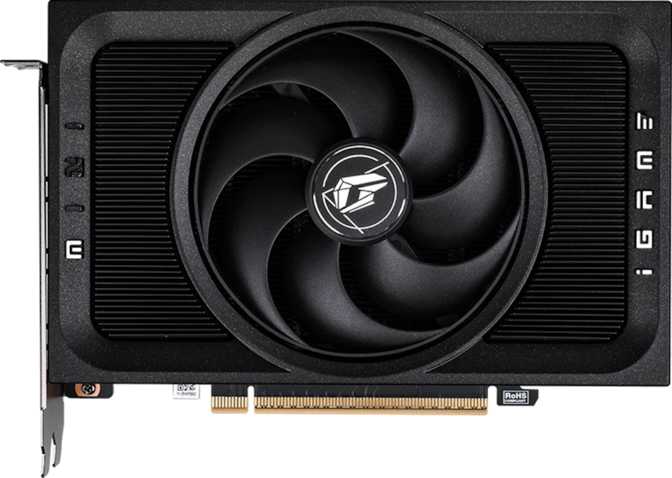
At just over 300mm in length and 120mm in height, the iGame Ultra Z OC occupies a sweet spot between approachable and imposing. It fits comfortably in mid-tower cases without the anxiety that comes with larger cards exceeding 340mm. The height profile indicates a dual or 2.5-slot cooler configuration, meaning it will not conflict with neighboring PCIe slots in most standard ATX motherboard layouts.
The build quality reflects the iGame Ultra tier: a reinforced metal backplate, Colorful's signature angular shroud design, and the brand's characteristic attention to visual drama. This is not a workstation card trying to look inconspicuous — it is built to be seen.
Cooling Solution
The card uses an air-cooling configuration entirely appropriate for its power class. At 145W, the thermal load sits well below what high-end GPUs demand, giving the cooler genuine margin to spare. The factory overclock Colorful has applied is a positive signal here — it means the thermal solution is not operating near its limits under gaming loads, which supports sustained boost clock performance and long-term hardware reliability.
RGB Lighting
RGB illumination is present and properly implemented. Colorful's iGame software supports synchronization with other system components, and the lighting zones on the shroud are a genuine design element rather than an afterthought strip. Whether this is a priority for your build or entirely irrelevant, it is executed at the level expected from a premium board partner product.
- Length300.5 mm
- Height120 mm
- Cooling TypeAir (Fan)
- RGB LightingYes
- PCIe InterfaceGen 5.0
- Boost Clock2580 MHz
- Base Clock2280 MHz
Performance Analysis
Why the Architecture Matters
Blackwell is NVIDIA's most recent GPU architecture, manufactured on a 5-nanometer process. Smaller transistor sizes mean more processing units packed into the same physical space and more efficient power delivery at equivalent performance levels. The RTX 5060 carries nearly 22 billion transistors on that process node — a figure that would have qualified as flagship-class just two GPU generations ago.
This is not a rebadge or a minor refresh. The architectural shift from Ada Lovelace to Blackwell brings genuine improvements in shader throughput, ray tracing hardware efficiency, and AI acceleration that translate into real-world gains across rasterization, lighting quality, and upscaling fidelity.
Raw Compute Capability
The iGame Ultra Z OC runs at a factory-overclocked boost frequency meaningfully above NVIDIA's reference specification. Running that clock across 3,840 shader processors yields nearly 20 TFLOPS of floating-point compute — the metric most directly tied to rendering throughput. A card considered a strong 1080p and 1440p performer two generations back delivered roughly 16 TFLOPS. The RTX 5060 Ultra Z OC exceeds that without requiring a higher power envelope.
Texture throughput exceeds 300 GTexels per second and 48 render output units handle the final pixel delivery to the display. The configuration is built for smooth, high-frame-rate gaming at 1080p and capable 1440p performance — particularly with DLSS handling resolution work.
The Memory Configuration: GDDR7 on a 128-bit Bus
This is the specification that generates the most discussion, and it deserves a clear-headed breakdown. Two things are true simultaneously: GDDR7 is a meaningful upgrade over the previous generation, and 8GB is a ceiling worth knowing before you buy.
The VRAM Reality Check
8GB is more than adequate for 1080p gaming today. At 1440p, most titles run well with selective settings adjustments in the heaviest workloads. For 4K gaming or VRAM-intensive creative work, this ceiling becomes a practical limitation — not a theoretical one. Buy this card with clear eyes: it is optimized for the present and near future, not a decade-long investment.
GDDR7 memory operates at an effective speed that pushes total bandwidth to 448 GB/s. A high-end card from a prior generation achieved around 320 GB/s despite using a much wider memory bus. GDDR7's raw speed substantially compensates for the narrower bus, and the real-world gap is smaller than the raw specification difference implies.
The summary: GDDR7's bandwidth efficiency makes the 128-bit bus workable. The 8GB ceiling is a genuine long-term ownership consideration but not a current barrier for the majority of gaming use cases this card targets.
Key Features Explained
What each capability means for real-world use — not just what it says on the box
DLSS 4
The single most important feature on this card. As a Blackwell GPU, it supports DLSS 4 with Multi Frame Generation — allowing the GPU to produce multiple AI-interpolated frames between each natively rendered one. A game running at 60 native frames per second can display well over 100 on-screen with minimal input lag penalty.
This is what makes the RTX 5060 viable at 1440p and capable at 4K in lighter titles. Upgraders from non-DLSS cards will notice the difference immediately.
Ray Tracing
Dedicated ray tracing hardware is present, and Blackwell's implementation is more efficient than its predecessor. Ray tracing at native 1080p is a reasonable ask in most current titles.
The practical sweet spot is pairing ray tracing with DLSS at 1440p — AI upscaling handles resolution load while the RT hardware manages lighting. Native 4K with full ray tracing enabled pushes beyond this card's comfortable operating range.
Display Outputs
Three DisplayPort outputs and one HDMI 2.1b port support up to four simultaneous displays. HDMI 2.1b handles 4K at 144Hz and 8K content — the output hardware will not be the bottleneck if you upgrade your monitor later.
No USB-C ports are included. Four outputs without adapters is a generous allocation at this price tier, covering both multi-monitor gaming and productivity setups.
Resizable BAR
Intel Resizable BAR lets the CPU access the full GPU memory pool directly rather than through a limited window. On compatible platforms — virtually every modern gaming PC — this delivers small but measurable frame rate improvements in CPU-limited scenarios. It requires only a BIOS toggle and costs nothing in exchange.
DirectX 12 Ultimate
Full DirectX 12 Ultimate compatibility covers every current and next-generation rendering feature: variable-rate shading, mesh shaders, DirectX Raytracing, and sampler feedback. If a game engine exposes these capabilities, the RTX 5060 Ultra Z OC can use them. OpenGL 4.6 support covers legacy and cross-platform titles that bypass DirectX entirely.
iGame Build Quality
As Colorful's premium board partner tier, the Ultra Z OC includes a reinforced metal backplate, a full multi-fan air cooler with genuine thermal headroom, and iGame RGB software for system lighting synchronization. These are the details that separate a properly engineered board partner product from a reference-spec card running the same chip.
Power Consumption and System Requirements
The 145W TDP is one of the most attractive characteristics of this card from a system-builder's perspective. That figure is modest enough that a quality 650W power supply handles this GPU comfortably alongside a modern mid-range processor. You do not need to budget for an 850W or 1000W unit just to accommodate this card — a genuine cost saving for a complete build.
The PCIe 5.0 interface ensures maximum bandwidth between GPU and CPU. PCIe 4.0 boards run this card without meaningful performance loss — bandwidth rarely saturates PCIe 4.0 in gaming workloads, so upgrading your motherboard purely for interface compatibility is unnecessary.
For builders pairing this GPU with the rest of a system: 16GB of system RAM is the workable minimum. A 32GB configuration is the better target if the machine will handle gaming alongside content creation or live streaming.
- Minimum PSU650W
- Recommended PSU750W
- PCIe SlotPCIe 5.0 (4.0 OK)
- Minimum System RAM16GB
- Recommended RAM32GB
- Case Clearance300.5mm+
Who This Card Is For
Matching the right buyer to the right GPU is as important as the specification analysis itself
- High-refresh 1080p gamers. At 1080p this card has excess headroom. Competitive-grade smoothness at 144Hz, 165Hz, or 240Hz is its natural operating environment.
- 1440p gamers using DLSS. With DLSS 4 enabled, the Ultra Z OC delivers an excellent 2560×1440 experience in most titles without compromise.
- Upgraders from RTX 20-series and older. The generational jump in rasterization, ray tracing quality, and DLSS capability is substantial and immediately felt in daily use.
- Power-constrained or compact builds. 145W is genuinely modest for this performance tier, making it compatible with smaller PSUs, ITX cases, and tight thermal budgets.
- Multi-display users. Three DisplayPort outputs and one HDMI 2.1b port cover up to four screens simultaneously without adapters.
- A native 4K gamer. The combination of 8GB VRAM and the compute tier makes native 4K in demanding titles a real stretch. DLSS Quality mode at 4K is feasible but highly title-dependent.
- A content creator with GPU-heavy workflows. Video rendering, 3D scene baking, and AI creative tools that push past 8GB VRAM will encounter this ceiling sooner than a gamer will.
- Planning to hold for 4+ years. 8GB may feel constraining as game texture budgets grow. Consider this a 2–3 year card rather than a long-term set-and-forget purchase.
- A VR enthusiast with demanding titles. VR imposes heavy VRAM pressure by rendering both eyes independently. The 8GB ceiling surfaces here more readily than in flat-screen gaming.
Competitive Comparison
How the iGame GeForce RTX 5060 Ultra Z OC positions against its logical alternatives at this price tier
| Card | Architecture | Compute | VRAM | Mem. Bandwidth | TDP |
|---|---|---|---|---|---|
| RTX 5060 Ultra Z OCThis Card | Blackwell (NVIDIA) | ~19.8 TFLOPS | 8GB GDDR7 | 448 GB/s | 145W |
| RTX 4060 Ti | Ada Lovelace (NVIDIA) | ~22.1 TFLOPS | 8GB or 16GB GDDR6 | 288 GB/s | 165W |
| RTX 4060 | Ada Lovelace (NVIDIA) | ~15.1 TFLOPS | 8GB GDDR6 | 272 GB/s | 115W |
| RX 7600 | RDNA 3 (AMD) | ~21.7 TFLOPS | 8GB GDDR6 | 288 GB/s | 165W |
| RX 7700 | RDNA 3 (AMD) | ~27.7 TFLOPS | 12GB GDDR6 | 288 GB/s | 170W |
Competitor figures represent reference specifications for comparative context. The RTX 5060 Ultra Z OC is factory overclocked above NVIDIA's reference specification.
Honest Assessment
- The GDDR7 implementation delivers over 60% more memory bandwidth than previous-generation equivalents. This is not just a specification talking point — it shows in texture-heavy scenarios where the memory bus would otherwise create a visible bottleneck.
- 145W is an impressively efficient thermal budget for Blackwell-class performance, making this viable in compact builds and keeping PSU costs meaningfully lower than higher-tier graphics cards require.
- The factory overclock delivers above-reference speeds by default — buyers receive a free performance increment without aftermarket modifications, thermal risk, or warranty concerns.
- iGame Ultra build quality — reinforced backplate, a properly dimensioned cooler with real headroom, and integrated RGB — sets this apart from minimum-spec board partner designs running the same chip.
- 8GB VRAM is the defining constraint of this product tier. It is fine today, adequate near-term, and potentially limiting as game asset quality continues to scale. This is an NVIDIA platform decision affecting every RTX 5060 equally, but it should be understood clearly before buying.
- The 128-bit memory bus, while partially rescued by GDDR7 speed, remains narrower than AMD alternatives at comparable price points and is measurable in memory-bandwidth-limited scenarios even if it rarely dominates the gaming experience.
- Colorful's after-sales service outside Asia is less established than ASUS, MSI, or Gigabyte. Worth factoring in if regional warranty coverage matters to your purchase decision.
Questions Buyers Commonly Ask
Direct answers to what real purchasers search for before committing
Final Verdict
Recommended
For 1080p & 1440p Gaming
The Colorful iGame GeForce RTX 5060 Ultra Z OC is the right card for a specific buyer in a specific situation — and a confident recommendation within those parameters. For 1080p gaming at high refresh rates, this is close to the ideal mainstream purchase right now. At 1440p with DLSS 4's Multi Frame Generation, the resolution becomes far more accessible than the raw compute tier would suggest on its own.
The factory overclock, GDDR7's substantial bandwidth advantage over previous-generation equivalents, and Blackwell's architectural efficiency combine to make the Ultra Z OC a genuinely refined product for its intended use case. Colorful's iGame build quality adds tangible value over entry-tier board partner designs running the same chip.
The honest asterisk remains the 8GB VRAM ceiling. If your habits involve texture-maxed AAA titles at high resolutions, 4K ambitions, or GPU-accelerated creative workflows, examine the RTX 4060 Ti 16GB or AMD alternatives with larger memory pools before committing to this card.