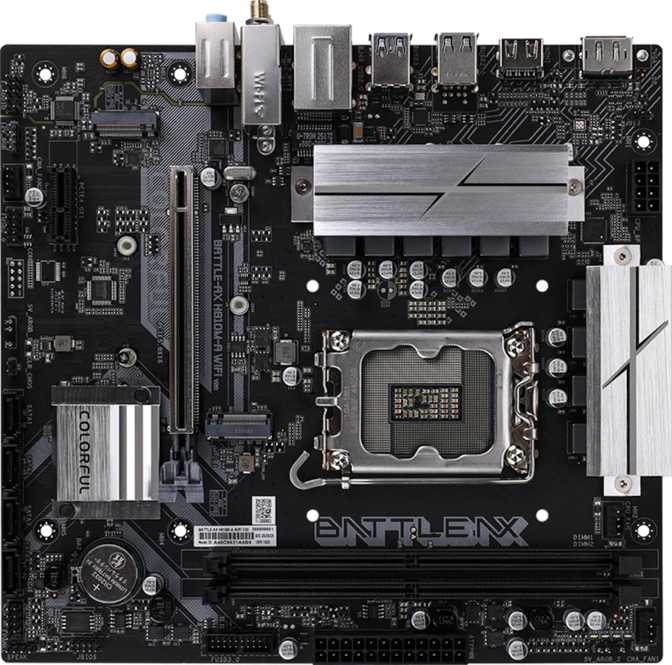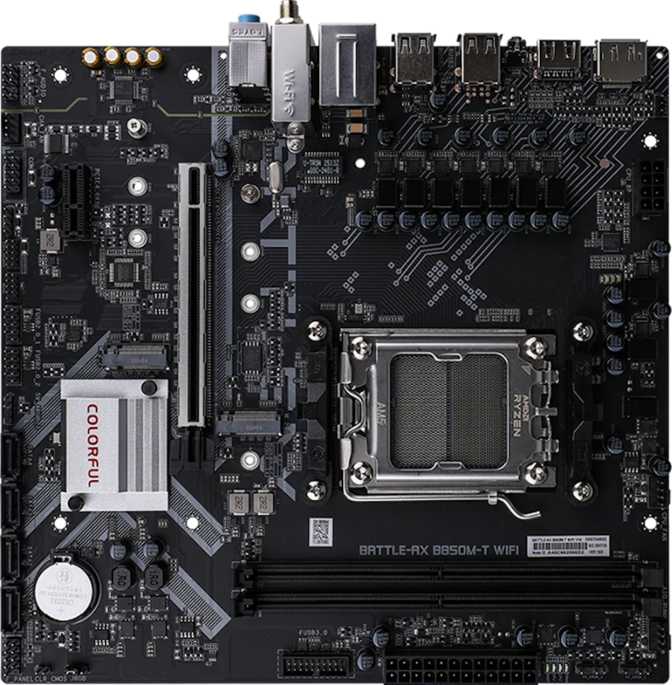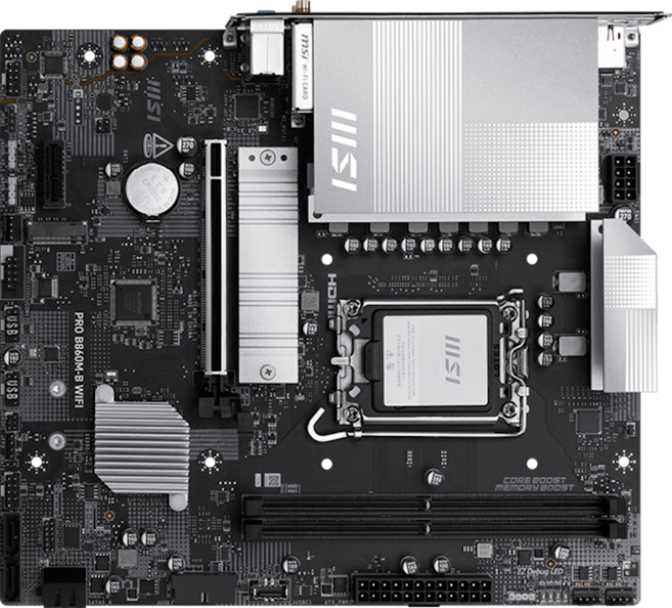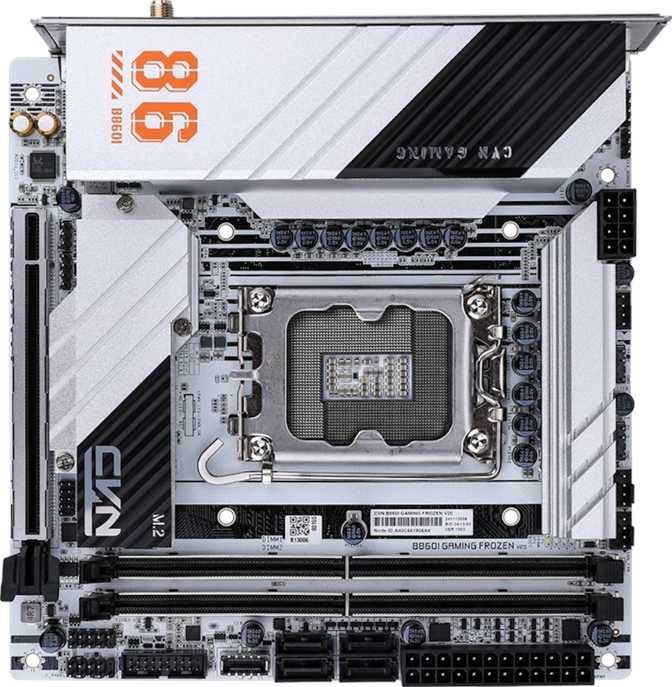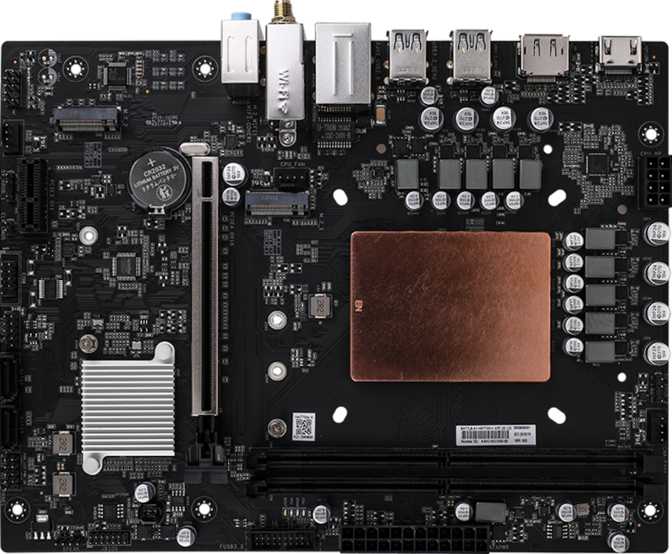
The Colorful Battle-AX HM770M-K Wi-Fi D5 V20 occupies a specific and deliberate position in the motherboard market: a compact, Wi-Fi 6-equipped DDR5 platform for builders who want modern connectivity and memory support without the physical footprint — or price — of a full-size board. Colorful is a brand with deep roots in Asian markets and growing recognition globally, and this board represents their attempt to bring serious specifications to a Micro-ATX chassis at a competitive price point.
Compact boards always involve trade-offs. The question is never whether compromises exist — they do — it is whether those compromises align with your actual build goals. That is exactly what this review answers.
Design, Build Quality, and Physical Experience
Form Factor · Aesthetics · Layout
A Board Built for Compact Builds
At 237 mm wide and 184 mm tall, the Battle-AX HM770M-K fits comfortably into any case that accepts Micro-ATX motherboards, including many compact mid-towers and a wide range of smaller enclosures. If your build needs to fit under a desk, inside a tighter cabinet, or simply does not need the sprawl of a full ATX board, the physical dimensions here are genuinely practical.
The board ships without RGB lighting — a deliberate omission, not an oversight. For builders who prioritize clean, understated aesthetics or are tired of managing lighting software, this is a welcome choice. The look is utilitarian and focused. There is no secondary BIOS chip and no dedicated CMOS reset button, which reflects the cost-conscious design philosophy.
Build quality is consistent with what Colorful delivers at this tier. The PCB feels solid, component placement is logical, and the layout does not create unusual clearance conflicts between a large CPU cooler and the M.2 or memory slots.
- Micro-ATX Form FactorFits compact mid-towers and smaller enclosures
- No RGB LightingClean look — no lighting software to manage
- Solid PCB ConstructionNo clearance conflicts at this board size
- No CMOS Reset ButtonBIOS recovery requires more steps than on premium boards
Why Micro-ATX Is a Legitimate Choice
Micro-ATX is not just a budget concession — it is a legitimate form factor for office workstations, home theater PCs, general-purpose family desktops, and anyone who needs a capable machine in a smaller footprint. This board fits all of those use cases well, provided the I/O configuration meets your peripheral needs.
The H770 Platform: Capable Without the Enthusiast Premium
Chipset Tier · PCIe Generation · CPU and Memory Overclocking
Chipset Positioning
The H770 chipset places this board above Intel's entry-level B760 but below the fully unlocked Z790. In practical terms, the platform supports a wide range of processors and provides more connectivity lanes than budget boards, but CPU overclocking through the multiplier is locked out. You cannot push a K-series processor beyond its stock boost limits by adjusting multiplier ratios on this board.
What the board does support is memory overclocking through Intel's XMP profile system, allowing a DDR5 kit to run at its rated speed above the platform's conservative defaults. You still get faster RAM performance without needing an unlocked chipset — a meaningful distinction for the price tier.
Single PCIe 4.0 x16 Slot: Enough for Modern Builds
One full-length PCIe slot is available, operating at PCIe 4.0 speeds — twice the data bandwidth of PCIe 3.0 at the same lane count. This is sufficient for every current consumer graphics card. Even the fastest GPUs available do not fully saturate a PCIe 4.0 x16 connection during gaming workloads.
There is no secondary x16 slot, ruling out multi-GPU configurations — but multi-GPU setups are effectively irrelevant in today's consumer GPU market. One PCIe x1 slot is available for capture cards, sound cards, or network adapters.
Memory: DDR5 With Real Headroom
DDR5 Standard · Dual-Channel · XMP Overclocking · Capacity Ceiling
Modern Memory Standard, Two Slots
This board runs DDR5 memory exclusively — it does not support DDR4. DDR5 brings higher base bandwidth, improved power efficiency at the module level, and a roadmap for higher-capacity and faster kits compared to its predecessor. Two memory slots are standard for Micro-ATX designs. You can install a matched dual-channel kit for full performance, or start with a single stick and add a second later. If both slots are filled and you later want more RAM, you would need to replace the entire kit — there is no third slot to expand into.
How Fast Can the RAM Actually Run?
With XMP profiles enabled — a single menu-item change in BIOS taking under a minute even for first-time builders — the memory runs at its full rated speed above the platform's conservative default. This is not voltage tuning or stability testing; it is simply telling the board to honor what the RAM was designed to do.
Manual tuning pushes beyond the standard XMP ceiling, with the board handling frequencies that target enthusiast DDR5 kits without requiring a Z-series chipset. ECC memory — used in servers for error correction — is not supported here, which affects almost no home user.
| Standard | DDR5 Only |
| Slots | 2 (Dual-Channel) |
| Max Capacity | 96 GB |
| Rated Max Speed | 5600 MHz |
| With XMP Enabled | Up to 6400 MHz |
| ECC Support | Not Available |
Storage: Two M.2 Slots and SATA for the Basics
NVMe PCIe 4.0 · SATA 3 · Drive Compatibility
NVMe Storage — Where Modern Builds Live
Two M.2 slots accept NVMe solid-state drives, which connect directly to the motherboard without cables and deliver dramatically faster speeds than traditional drives. Two slots means you can install both an OS drive and a secondary storage drive while keeping the inside of your build clean and airflow unobstructed. Both slots operate at PCIe 4.0, supporting current-generation NVMe drives at their full rated speeds. Older PCIe 3.0 NVMe drives also work correctly — the slots are backward compatible.
SATA for Traditional Drives
Two SATA 3 connectors are available for hard drives, SATA SSDs, or optical drives. Two ports is on the lower end for storage flexibility — builders who accumulate drives over time will run into this ceiling sooner than expected. RAID configurations are not supported, so there is no option to mirror or stripe data across drives for redundancy or speed.
Connectivity: Wi-Fi 6, Bluetooth 5.2, and Wired LAN
Wi-Fi 6 (802.11ax) · Bluetooth 5.2 · Gigabit Ethernet
Wi-Fi 6 Is the Headline — and It Earns It
Wi-Fi 6 (802.11ax) is the most significant connectivity feature on this board. It handles network congestion far better than its predecessor, particularly in environments with many connected devices — a busy household, a dense apartment building, or a shared home office network. The module supports Wi-Fi 4, 5, and 6, connecting cleanly to any modern router regardless of age. If your router supports Wi-Fi 6, you get the full benefit. If not, the card falls back gracefully.
For desktop gaming, wired Ethernet remains the gold standard for latency, but Wi-Fi 6 narrows that gap significantly compared to earlier wireless generations. Wired connectivity is available through the dedicated RJ45 port for those who can run a cable.
Bluetooth 5.2 for Peripheral Freedom
Bluetooth 5.2 comes integrated alongside the Wi-Fi module, handling wireless keyboards, mice, headsets, gamepads, and speakers without requiring a USB dongle. Version 5.2 adds improvements to audio connection profiles and stability over earlier Bluetooth versions.
One caveat: the board does not support the aptX audio codec, which some audiophile Bluetooth headphones use for higher-quality wireless audio. Standard Bluetooth audio codecs function correctly for the overwhelming majority of users, but buyers with aptX-specific headsets should verify compatibility with standard codec alternatives.
Ports: Rear Panel and Internal Headers
USB · Video Output · Fan Headers · Internal Connectors
Rear I/O Panel
The rear panel provides four USB-A ports running at USB 3.2 Gen 1 speeds — up to 5 Gbps — fast enough for external SSDs, flash drives, and most peripherals. Two additional USB 2.0 ports handle low-bandwidth devices like keyboards and mice without consuming the faster ports.
USB-C is entirely absent from the rear panel — a notable gap as USB-C becomes standard for monitors, peripherals, and charging. Buyers with USB-C accessories will need a hub or adapter.
Video outputs include one HDMI 2.0 port supporting 4K at 60 Hz and one DisplayPort output. These connectors only function if your processor includes integrated graphics — the board carries no onboard graphics of its own. Discrete GPU users will connect their monitors to the GPU's outputs instead.
Internal Headers and Expansion
Two USB 3.2 Gen 1 headers power the front USB-A ports on your case. Two USB 2.0 headers add further front-panel connectivity for a solid combined total of USB access once the case is fully connected. Three fan headers handle the CPU cooler and chassis fans — workable for moderate cooling setups, though builders running four or more fans may need a splitter cable, which reduces the granularity of per-fan speed control.
There is no TPM header on this board, which matters for certain enterprise security configurations. For home users on standard Windows setups, this will not be a practical issue.
Complete I/O Reference
| Port / Connector | Location | Count | Standard / Speed |
|---|---|---|---|
| USB-A | Rear Panel | 4 | USB 3.2 Gen 1 — 5 Gbps |
| USB-A | Rear Panel | 2 | USB 2.0 — 480 Mbps |
| USB-C | Rear Panel | 0 | Not Available |
| HDMI | Rear Panel | 1 | HDMI 2.0 — 4K/60 Hz |
| DisplayPort | Rear Panel | 1 | DisplayPort Output |
| RJ45 | Rear Panel | 1 | Gigabit Ethernet |
| USB 3.2 Gen 1 Headers | Internal | 2 | Case Front Panel (USB-A) |
| USB 2.0 Headers | Internal | 2 | Case Front Panel (USB-A) |
| Fan Headers | Internal | 3 | CPU + Chassis Fans |
| M.2 Sockets | Internal | 2 | PCIe 4.0 NVMe |
| SATA 3 Connectors | Internal | 2 | 6 Gbps |
Audio: 5.1 Surround on an Onboard Budget
Onboard Codec · Surround Sound · Optical Output
Onboard audio supports up to 5.1 surround sound — front, center, rear, and subwoofer channels — through three audio jacks on the rear panel. Stereo headset and speaker users will use one jack; the rest go unused. The codec is appropriate for gaming, video calls, and general media consumption.
There is no S/PDIF optical output, which affects users who want to connect to an AV receiver or DAC via optical cable. Those users should plan for a discrete sound card or USB audio adapter. For recording musicians or podcast producers with demanding audio requirements, external audio hardware is the better path regardless of which motherboard they choose — this is a category-wide reality, not a specific shortcoming of the Battle-AX HM770M-K.
Who This Board Is For — and Who Should Look Elsewhere
- Compact Desktop BuildersNeed Micro-ATX with modern connectivity and a single GPU slot
- Wireless-First SetupsWi-Fi 6 eliminates the need to run Ethernet cables through the home
- DDR5 Adopters on a BudgetModern memory standard without the Z790 price tag
- Home and Office General-Purpose PCsModest storage, adequate USB count, built-in wireless
- You Need Rear USB-CNo USB-C on the rear panel — a real limitation as USB-C proliferates
- You Plan Three or More Storage DrivesTwo SATA ports plus two M.2 slots is the hard ceiling
- Content Creators Needing Thunderbolt or Fast External I/OThe I/O ceiling will feel restrictive for streamers and video editors
- K-Series CPU Owners Wanting Full TuningCPU multiplier overclocking is locked on H770 — you need Z790 for that
Competitive Positioning
How the Battle-AX HM770M-K Stacks Up Against Comparable Micro-ATX DDR5 Boards
| Feature | Battle-AX HM770M-K Wi-Fi D5 V20 This Board | Typical B760M DDR5 | Typical Z790M DDR5 |
|---|---|---|---|
| Chipset Tier | H770 | B760 | Z790 |
| CPU Overclocking | No | No | Yes |
| XMP Memory Speed | Yes | Yes | Yes |
| Wi-Fi Standard | Wi-Fi 6 | Wi-Fi 5 or 6 (varies) | Wi-Fi 6 or 6E |
| M.2 Slots | 2 | 2 | 2 – 4 |
| Rear USB-C Port | No | Sometimes | Usually |
| PCIe x16 Generation | 4.0 | 4.0 | 4.0 / 5.0 |
| Warranty Period | 3 Years | 1 – 3 Years | 1 – 3 Years |
| RGB Lighting | No — clean look | Often Yes | Often Yes |
Honest Strengths and Weaknesses
A balanced assessment based on specifications and platform analysis
Where It Stands Out
The clearest strength here is Wi-Fi 6 inclusion at a price tier where Wi-Fi 5 is still common. Combined with Bluetooth 5.2, this board eliminates the need for external wireless adapters, keeping the build clean and reducing total component count.
The DDR5 platform with XMP support gives the board genuine performance headroom for users who choose a fast RAM kit. Enabling XMP is a one-menu-item task in BIOS — accessible overclocking rather than the kind requiring voltage tuning or stability testing sessions.
The three-year warranty is a confidence builder from a brand still proving itself in Western markets. It is notably longer than what many competing entry-level boards offer and contributes directly to long-term value.
Real Limitations to Consider
The absence of any USB-C port at the rear panel is the most significant gap. As USB-C proliferates across monitors, peripherals, and external drives, its absence will become more noticeable over the board's usable lifespan — not immediately, but meaningfully within a typical upgrade cycle.
Two SATA ports limit future storage expansion for users who accumulate drives. The board also lacks a dedicated CMOS reset button or dual-BIOS protection, meaning recovery from a bad firmware flash is more cumbersome than on boards with these safety features.
Three fan headers is workable but tight for builds where cooling is a priority. Builders who want independent speed control over four or more fans will need splitter cables, which reduces the precision of per-fan curve management.
Questions Real Buyers Ask Before Purchasing
Common queries answered so you can decide with confidence
Final Recommendation
The Colorful Battle-AX HM770M-K Wi-Fi D5 V20 is a competent and genuinely useful Micro-ATX DDR5 motherboard that makes smart choices in some areas and accepts real compromises in others.
The Wi-Fi 6 integration is the standout value add — you are getting a premium wireless standard without paying for premium board features you may not need. The DDR5 platform with XMP memory headroom keeps the build relevant for years ahead. The three-year warranty provides reasonable assurance from a brand that is still building its reputation in competitive markets.
Where the board falls short — no USB-C, limited SATA connectivity, only three fan headers, and no dual BIOS — these are real limitations rather than theoretical ones. Whether they matter depends entirely on your use case.
Buy This Board If
- Building a compact, wireless desktop
- Modest storage needs (up to 4 drives)
- Want DDR5 without Z790 pricing
- USB-C is not a daily requirement
Pass On It If
- USB-C is a daily connector for you
- Planning three or more storage drives
- Want dual BIOS for peace of mind
- K-series CPU with full OC intent
For the wireless desktop builder who wants DDR5 without overspending, this board makes a logical, defensible choice.