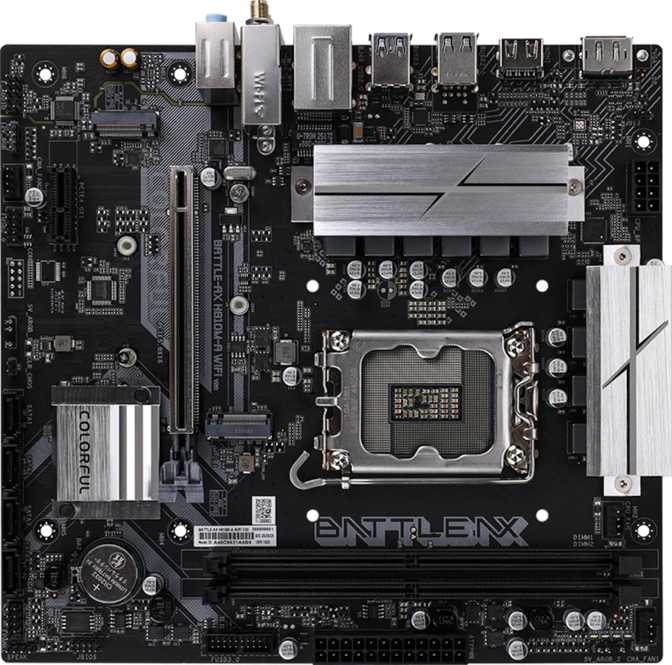
Colorful Battle-AX H810M-A Wi-Fi V20 Review: Budget LGA 1851 Build
MotherboardsQuick Overview
At a Glance
The Battle-AX H810M-A Wi-Fi V20 sits at the entry level of Intel's current-generation LGA 1851 platform — a board that trades overclocking capability and premium I/O for a clean, wireless-ready foundation with DDR5 support built in. For the right builder, that is a deliberate and sensible trade. Below is a summary of what defines this board before the full analysis.
LGA 1851 Socket
Intel Core Ultra 200 series
DDR5 Up to 96 GB
XMP speeds up to 6400 MHz
Wi-Fi 6 Built In
Plus Bluetooth 5.2
PCIe 5.0 x16 Slot
Current-gen GPU interface
Dual M.2 Sockets
Plus 4× SATA connectors
HDMI 2.0 + DisplayPort
Rear display outputs
3-Year Warranty
Competitive for the tier
Micro-ATX with RGB
225 × 210 mm footprint
Physical Experience
Design and Build Quality
Form Factor and Dimensions
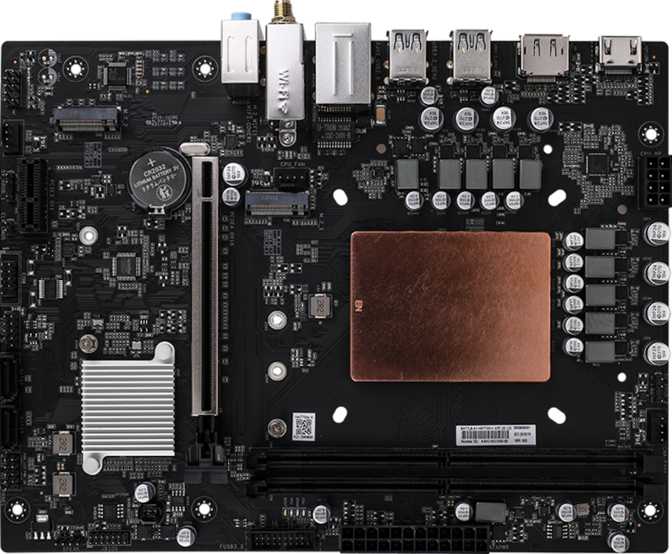
At 225 mm wide and 210 mm tall, the Battle-AX H810M-A is a proper Micro-ATX board — compact enough for mid-tower and smaller cases, but not so cramped that installation becomes frustrating. The Micro-ATX standard hits a practical sweet spot: more room for headers and expansion than Mini-ITX, without the wasted real estate of full ATX when you don't need all that space.
Colorful has included RGB lighting accents, a welcome touch at this price tier where many competing boards feel purely utilitarian. The aesthetic is present without being excessive — adding visual personality without dominating the overall build appearance.
Layout and Usability
The two DIMM slots sit in a sensible position relative to the primary PCIe slot, and the four SATA connectors are oriented to avoid cable conflicts behind a full-length graphics card. Three fan headers provide coverage for CPU, chassis intake, and chassis exhaust — enough for a standard cooling layout in a compact build.
No Clear CMOS Button or Dual BIOS
There is no externally accessible CMOS reset button and no dual BIOS safety net. For experienced builders this is a minor inconvenience. For first-time builders who are nervous about BIOS experimentation, it is worth knowing in advance.
Processor Support
Platform and Processor Compatibility
The LGA 1851 socket is home to Intel's Core Ultra 200 series — the current mainstream desktop platform. Building on this socket means you are on active, supported hardware rather than a platform approaching end-of-life. New processors for this socket will continue to be released going forward, giving your build genuine longevity.
The Core Ultra 200 platform brings modern features including DDR5 memory support and the latest PCIe generation. Pairing this board with a mid-range Core Ultra 200 processor places you squarely in current-generation territory — not previous-generation hardware wearing new packaging.
Important: Integrated Graphics and Display Output
This board carries no graphics hardware of its own. The HDMI 2.0 and DisplayPort outputs on the rear panel function only when using a processor that includes integrated graphics. If you plan to use a discrete GPU exclusively, this is a non-issue — the GPU provides its own outputs. If you were counting on rear-panel video as a fallback, confirm your chosen CPU includes integrated graphics before purchasing. Installing an F-suffix Intel processor — which omits integrated graphics — without a discrete GPU leaves you with no display output at all.
RAM Configuration
Memory: DDR5 Performance and Limitations
Speed, Capacity, and Real-World Impact
This board uses DDR5 exclusively — DDR4 modules are not supported. DDR5 delivers meaningfully higher bandwidth than DDR4, which translates to better performance in memory-sensitive workloads: content creation, large datasets, and games that scale with memory throughput.
Running two matched sticks in dual-channel mode is strongly recommended. Dual-channel effectively doubles available memory bandwidth compared to a single module and has a measurable impact on system responsiveness — particularly with processors that draw on system memory for graphics tasks.
The native speed ceiling of 5600 MHz is fast by any current standard. With XMP (Extreme Memory Profile) profiles enabled in the BIOS — a thirty-second task — capable kits can be pushed to 6400 MHz. This is one of the few meaningful tuning levers available on the H810 chipset.
The total capacity ceiling of 96 GB — 48 GB per slot using high-density modules — exceeds the demands of virtually any non-server use case, including 4K video editing and intense multitasking workloads.
Memory at a Glance
- TypeDDR5 only
- Slots2 (Dual-channel)
- Max Capacity96 GB
- Native SpeedUp to 5600 MHz
- XMP SpeedUp to 6400 MHz
- ECC SupportNo
Two-Slot Upgrade Limitation — Plan Ahead
Unlike four-slot boards where you start with two sticks and add two more later, upgrading memory capacity here requires replacing your existing modules entirely. Buying a 16 GB or 32 GB kit now and planning to upgrade later means selling or discarding what you already own. Plan your memory purchase for the long term from day one.
Drive Support
Storage Capabilities
M.2 NVMe — Primary Storage
Two M.2 sockets accept the slim, card-like NVMe SSDs that have displaced traditional hard drives in modern builds. These drives mount directly to the board with no cables required and deliver significantly faster read and write speeds than SATA-based storage.
Two sockets allow a primary drive for the operating system and applications alongside a secondary drive for games, media, or project files — a sensible two-drive configuration that handles most use cases without constraint. Having two at this price tier is not a given among H810 alternatives.
SATA — Traditional Drive Support
Four SATA 3 connectors accommodate conventional 2.5-inch SSDs and 3.5-inch mechanical hard drives. Four ports provides solid expansion headroom alongside the M.2 drives — particularly useful for media archives, local backups, or large game libraries that exceed NVMe capacity budgets.
RAID configurations are not supported on this board. This matters only to users who specifically want RAID 0 for striped performance or RAID 1 for drive mirroring. For independent multi-drive configurations, the absence of RAID has no practical impact on day-to-day use.
Ports and Expansion
Connectivity and Expansion
Graphics Card Slot
The single PCIe 5.0 x16 slot is the current-generation graphics interface, doubling the available bandwidth compared to the previous PCIe 4.0 standard. Whether this advantage is noticeable today is nuanced — most current GPUs do not saturate PCIe 4.0, let alone PCIe 5.0. The practical value is forward compatibility: graphics upgrades down the road will not face a bandwidth bottleneck on this board. An additional PCIe x1 slot handles low-profile expansion cards such as sound cards or capture cards, though much of that functionality is covered natively by the board's built-in features.
USB Connectivity
The rear panel provides a workable USB allocation for a board at this tier, though one absence stands out: there is no USB-C port anywhere on the rear panel. Users with USB-C monitors, current-generation smartphones, or accessories that rely on the USB-C connector will need adapters or must route front-panel ports through a compatible case header. There are also no high-speed 10 Gbps USB ports of any kind — the entire board tops out at 5 Gbps USB 3.2 Gen 1 speeds, which is the bottleneck for high-speed external NVMe enclosures.
| Interface | Rear Panel | Front Panel Headers | Max Speed |
|---|---|---|---|
| USB 3.2 Gen 1 (USB-A) | 4 ports | 2 headers | 5 Gbps |
| USB 2.0 | 2 ports | 2 headers | 480 Mbps |
| USB-C (any standard) | None | None | — |
| USB 3.2 Gen 2 (10 Gbps) | None | None | — |
Wireless Networking
Wi-Fi 6 (802.11ax) is the current mainstream wireless standard, delivering faster throughput and better performance in congested environments — apartment buildings with dozens of competing networks being the most relatable example — compared to Wi-Fi 5 or earlier. The board also supports Wi-Fi 4 and Wi-Fi 5 for backwards compatibility with older routers. Bluetooth 5.2 is included for wireless peripherals, headsets, and accessories without needing a separate adapter. A single Gigabit Ethernet port handles wired connections for those who prefer cable reliability.
Display Outputs
The rear panel carries one HDMI 2.0 output and one DisplayPort output. Both function with processors that include integrated graphics. Users running a discrete GPU will use the GPU's own outputs instead — these rear-panel ports become relevant only as a secondary display option or in CPU-only system configurations. The HDMI 2.0 standard supports up to 4K at 60 Hz, which covers the majority of monitor and TV use cases.
Onboard Sound
Audio Capabilities
The onboard audio delivers 5.1 surround channel capability through three rear audio jacks — covering standard stereo headphones and speakers, and basic surround sound configurations. For gaming, streaming, and everyday media use, this level of onboard audio is entirely adequate and requires no additional hardware.
There is no S/PDIF optical output on this board, meaning connections to AV receivers or soundbars via optical cable are not natively supported. Dedicated audio enthusiasts who require optical output or higher-fidelity playback will want a discrete sound card or an external DAC and amplifier. For the vast majority of desktop PC users, this absence will never come up.
- 5.1 surround channel support
- 3 rear audio jacks included
- Adequate for gaming and streaming
- No S/PDIF optical output
Performance Tuning
Overclocking: What's Possible, What Isn't
CPU Overclocking: Locked Out
The H810 chipset is a locked chipset without exception. Adjusting the processor's clock multiplier beyond its factory-rated specification is not possible regardless of which processor you install. If extracting additional CPU performance through overclocking is on your agenda — or if you have specifically purchased an unlocked K-series processor for that purpose — this board cannot deliver that functionality. A Z890 chipset board is the correct choice for CPU overclocking on the LGA 1851 platform.
Memory XMP: Available and Worth Using
Where meaningful tuning is available is memory speed via XMP profiles. Enabling XMP in the BIOS runs a capable memory kit at its full rated speed — up to 6400 MHz on this platform. This takes approximately thirty seconds in the BIOS and can produce a noticeable improvement in system responsiveness and benchmark performance at no added cost, provided your memory kit includes an XMP profile. It is the one performance lever on this platform that every buyer should use from day one.
Target Audience
Who Should — and Shouldn't — Buy This Board
Strong Fit For
- Builders assembling a space-efficient office PC or home workstation on a current-generation Intel platform without a high budget
- Gamers who want a modern PCIe 5.0 foundation and do not plan to overclock their processor
- Anyone making their first move to DDR5 on a budget — the platform is fully current without premium pricing
- Builds where wireless connectivity is essential and the built-in Wi-Fi 6 eliminates the cost of a separate adapter
- Compact case builds where Micro-ATX provides breathing room without the tight constraints of Mini-ITX
Not the Right Choice If
- You want to overclock your processor — that requires a Z890 chipset board and an unlocked K-series CPU
- You rely on USB-C devices or use high-speed external storage running at 10 Gbps or faster
- You want dual BIOS protection as a safety net during firmware updates or BIOS experimentation
- You plan to expand memory capacity incrementally — two slots means replacing modules, not supplementing them
- You need optical audio output (S/PDIF) for a home theater AV receiver connection
Market Context
Competitive Positioning
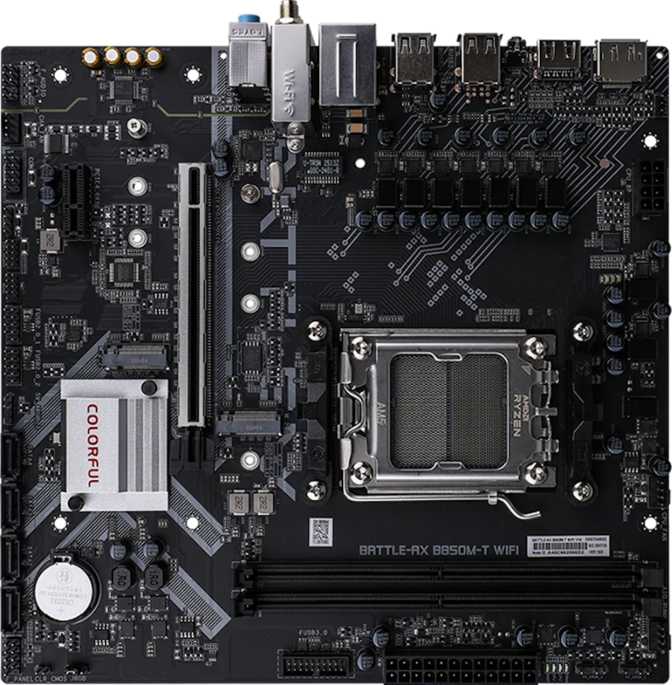
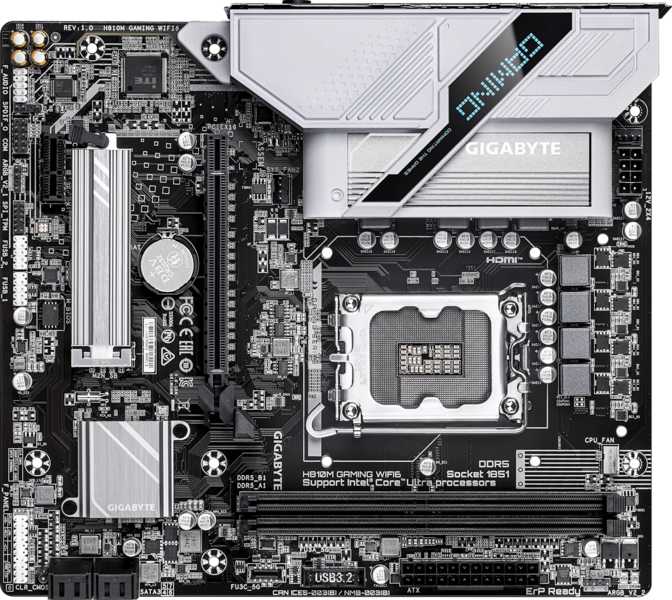
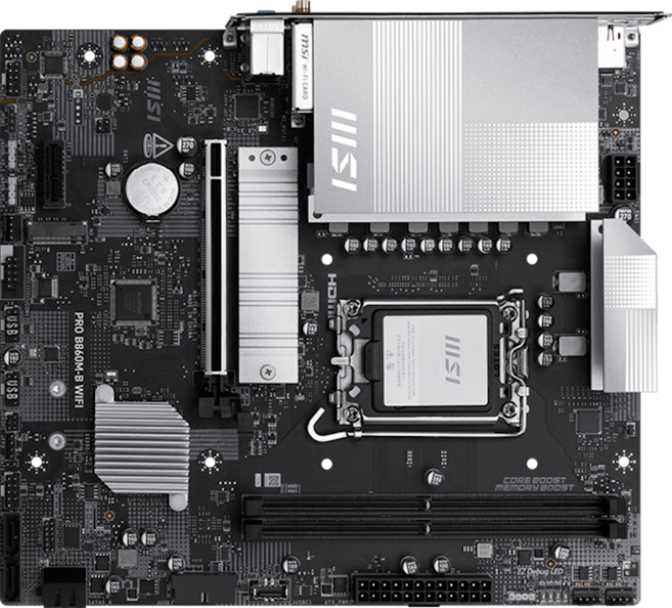
At the H810 chipset tier, the Battle-AX H810M-A V20 competes against entry-level Micro-ATX offerings from established brands. Since the chipset largely dictates platform capabilities, differentiation comes down to feature inclusion, build quality, and warranty. The table below maps how the H810M-A V20 stacks up against typical H810 alternatives in the same price range.
| Feature | H810M-A Wi-Fi V20 | Typical H810 Alternatives |
|---|---|---|
| Wi-Fi 6 | Included | Often included |
| USB-C Rear I/O | None | Occasionally 1 port |
| M.2 Sockets | 2 | Typically 1–2 |
| Memory Slots | 2 | 2 |
| RGB Lighting | Yes | Varies by model |
| Dual BIOS | No | Rarely at this tier |
| Warranty Period | 3 years | 2–3 years |
Considering a step up? A B860 chipset board adds CPU power limit flexibility, more PCIe lanes, broader USB connectivity options, and greater upgrade headroom — meaningful improvements if your budget allows the difference. If the H810 tier genuinely covers your requirements, the Battle-AX V20 holds its own against the field on the features that matter most at this level.
Honest Assessment
Strengths and Weaknesses
Where It Excels
Current-Generation Foundation
LGA 1851 with DDR5 and PCIe 5.0 means you are building on active, supported hardware. This matters for multi-year system longevity — you are not starting a build on a platform already entering its final product cycle.
Wireless That's Actually Current
Wi-Fi 6 and Bluetooth 5.2 are included without the cost of a separate adapter. Wi-Fi 6 handles congested environments better than older standards — a tangible advantage in dense living situations.
Storage Flexibility Above Its Class
Two M.2 sockets plus four SATA connectors is a combination not guaranteed at this price point. It provides genuine flexibility to grow storage without compromising speed or convenience.
Memory Ceiling Well Beyond Practical Demand
Up to 96 GB with XMP speeds reaching 6400 MHz gives this budget board a memory ceiling that most users will not come close to exhausting — and XMP takes seconds to enable.
Three-Year Warranty Coverage
Colorful's three-year warranty is competitive with the category norm and signals a reasonable degree of manufacturer confidence in the product's durability over time.
Where It Falls Short
No USB-C on the Rear Panel
This is the most visible gap in the board's rear I/O. USB-C is increasingly standard on monitors, smartphones, and accessories. Adapters and front-panel workarounds add friction to an otherwise clean setup.
Two DIMM Slots Cap Upgrade Flexibility
Future capacity upgrades require replacing existing modules rather than supplementing them. This is a genuine long-term cost consideration and should factor into the initial memory purchase decision.
CPU Overclocking Is Completely Off the Table
A chipset-level constraint, not a board design flaw — but it is absolute. There is no workaround and no partial capability. If CPU tuning matters to you even in the future, start with a Z890 board.
No Dual BIOS Recovery Safety Net
A failed BIOS update has no automatic fallback path on this board. For users who regularly update firmware or push BIOS settings, this is a real inconvenience rather than an abstract concern.
USB Speed Ceiling at 5 Gbps
No 10 Gbps USB ports exist anywhere on this board. Users with high-speed external NVMe enclosures or fast portable storage will be bottlenecked on every transfer regardless of the drive's capabilities.
Buyer Questions
Common Questions Answered
Final Recommendation
Our Verdict
Recommended For
Budget-focused builders who want a genuinely current-generation Intel platform with wireless built in and no need for CPU overclocking.
Consider Alternatives If
USB-C connectivity, CPU overclocking, dual BIOS safety, or a 10 Gbps USB port are on your list of requirements.
Peace of Mind
Three-year warranty coverage provides a reasonable safety net for a board in this price bracket.
The Colorful Battle-AX H810M-A Wi-Fi V20's strongest arguments are its platform currency and connectivity fundamentals. LGA 1851 with DDR5 and PCIe 5.0 means you are building on hardware that is actively supported — not approaching end-of-life. Wi-Fi 6 and Bluetooth 5.2 are practical inclusions that remove the cost of a separate adapter. Two M.2 sockets and four SATA ports give a compact board genuine storage flexibility. These are exactly the features that matter for a straightforward, capable build.
The weaknesses — no USB-C, no CPU overclocking, no dual BIOS, and a two-slot memory configuration — are real and clearly stated. None are hidden or surprising; they are inherent to the H810 chipset tier. For the practical builder who wants a modern, compact, wireless-ready system without unnecessary complexity or cost, the Battle-AX H810M-A Wi-Fi V20 earns a confident recommendation.