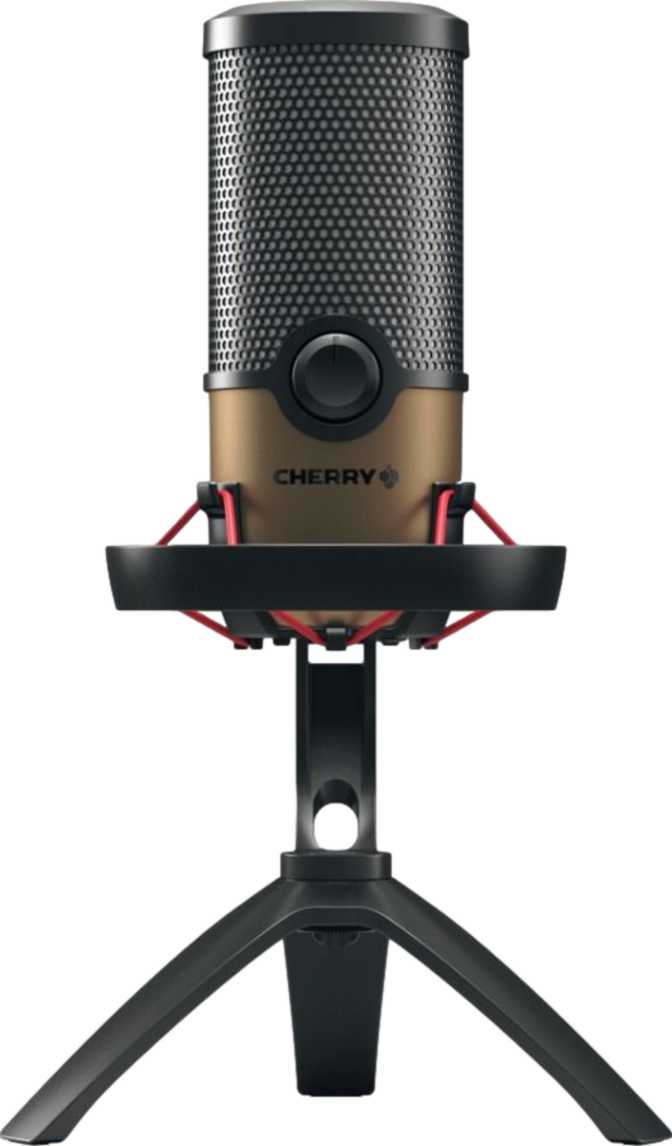
A USB Microphone Built for the Desk, Not the Studio
The Cherry UM 9.0 Pro RGB enters a crowded market with a clear identity: it is a desktop USB microphone designed for content creators, streamers, podcasters, and remote professionals who want a visually striking setup without the complexity of professional audio gear. Cherry — a brand with deep roots in high-quality keyboard hardware — brings that same peripheral-focused mindset here, and the result is a microphone that prioritizes accessibility and aesthetics alongside functional recording performance.
What makes this mic worth examining carefully is precisely what it includes and what it deliberately leaves out. Those choices reveal exactly who it was built for, and just as clearly who it was not.
- Connection USB
- Pickup Pattern Cardioid
- Frequency Range 20 Hz – 20 kHz
- Compatibility Win & Mac
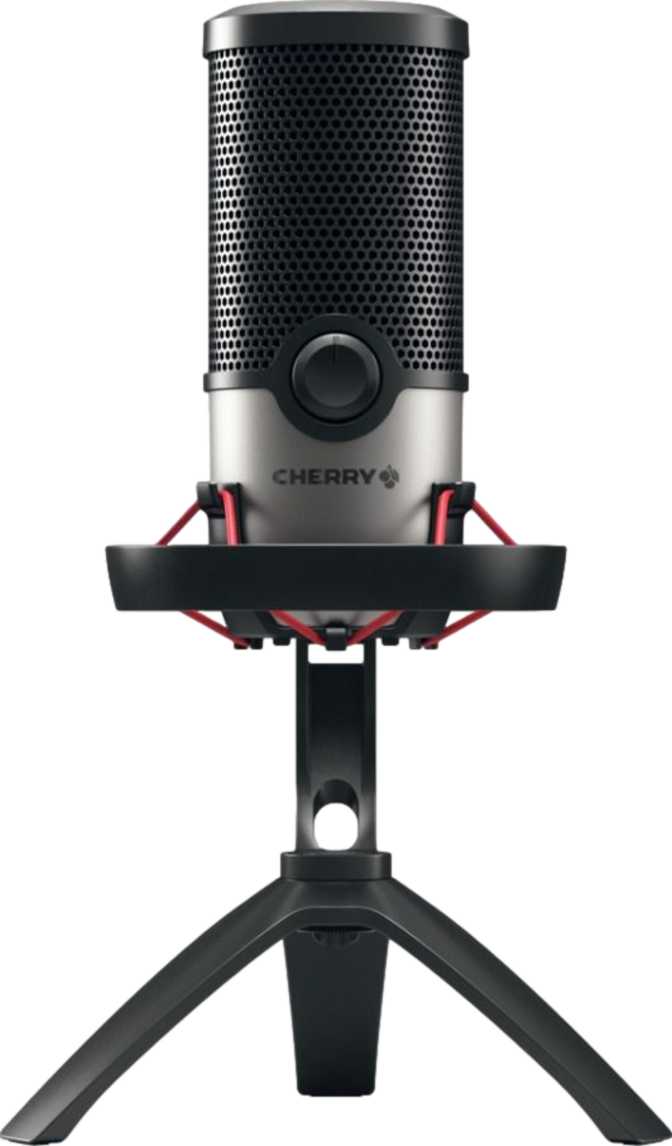
- Shock Mount Included
- Pop Filter Not Included
- Headphone Output None
- Warranty 3 Years
Design and Build: A Physical Presence You Will Notice
Size, Weight, and Build
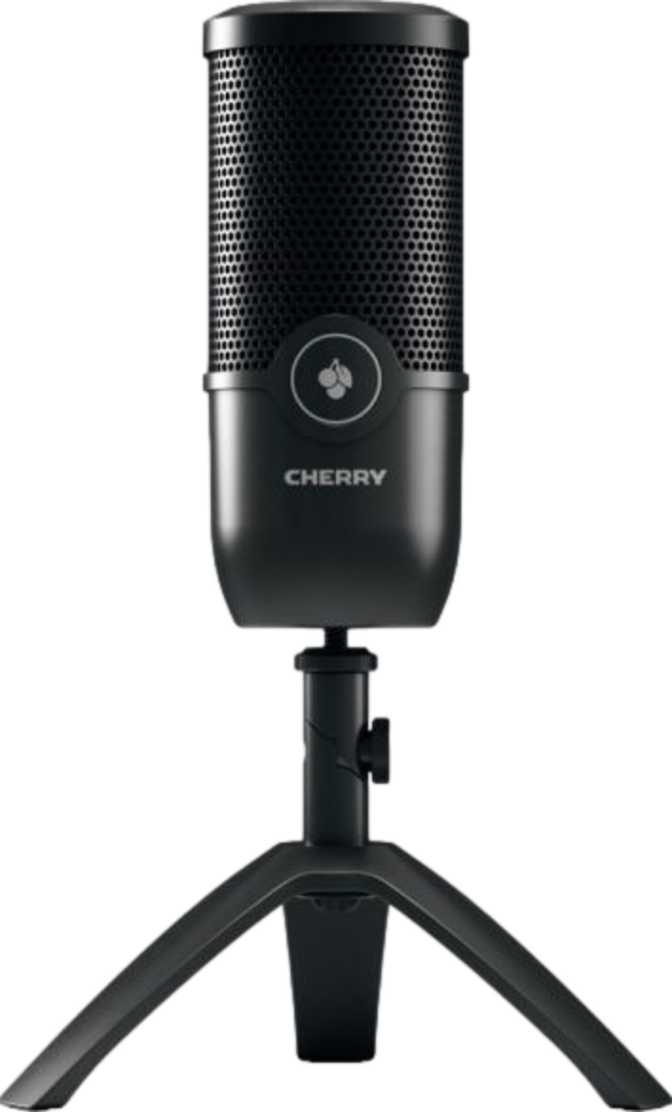
Standing at roughly the height of a standard water bottle and built with considerable width and depth, this microphone occupies meaningful desk space. At just over half a kilogram, it has a genuine density that keeps it planted confidently rather than tipping when a cable shifts.
That physical mass works in its favor during everyday use. Lighter microphones can feel insubstantial and drift; the UM 9.0 Pro RGB stays where you put it. Before buying, measure roughly a 16 cm by 15 cm footprint on your desk and confirm that space is available.
RGB Lighting
The RGB illumination here is not a subtle accent — it is part of the microphone's visual statement. Cherry has leaned into the aesthetic that defines modern gaming and streaming setups, and the UM 9.0 Pro RGB fits naturally into that world alongside backlit keyboards and illuminated peripherals.
For a streamer whose desk appears on camera, this is a considered feature. For anyone recording in a professional or shared environment, it may feel out of place. There is no neutral option: this microphone announces itself visually.
Cable Length
The included USB cable stretches to a generous length — long enough to reach from a desktop tower sitting below a desk to a microphone sitting on the surface above, with enough slack to route it cleanly without tension.
Most users will find this sufficient without needing an extension. It is a detail that sounds minor until you own a microphone with a frustratingly short cable.
What Is in the Box — and What Is Not
A shock mount is a mechanical cradle that isolates the microphone from vibrations traveling through the desk or stand — typing on your keyboard, bumping the table, adjusting your chair. Without one, those physical disturbances translate directly into audible thumps and rumbles in your recording.
Having it bundled is a meaningful addition. In the broader USB microphone market, shock mounts are frequently sold separately and can add meaningful cost to an otherwise affordable setup. You are protected against incidental desk vibration right out of the box — especially relevant for anyone recording while also typing.
A pop filter is a screen — typically foam or fabric — positioned between your mouth and the microphone capsule to soften the burst of air produced by hard consonants like "P" and "B." Without one, those sounds create a brief low-frequency spike that is difficult to remove in post-production.
The UM 9.0 Pro RGB does not include a pop filter. This is the one accessory you will almost certainly need to purchase separately. Pop filters are inexpensive and widely available, so this is not a deal-breaker — but it is an honest gap in what the package provides.
Sound Performance: What the Specs Actually Mean
Full-Spectrum Frequency Response
The UM 9.0 Pro RGB captures audio across the entire range of human hearing — from the deepest bass rumbles a person can perceive to the highest-pitched frequencies audible to most people. In practical terms, your voice is reproduced with all of its natural character intact, including the warmth in lower vocal registers and the clarity that makes speech intelligible.
Microphones that clip this range produce a recording that sounds muffled or telephonic. The UM 9.0 Pro RGB avoids that problem entirely.
Cardioid Pattern: Focused, Not Flexible
The cardioid pickup pattern means the microphone is most sensitive to sound coming from directly in front of it and progressively rejects sound from the sides and rear. Picture a heart-shaped zone extending outward — sound within that zone is captured; sound outside it is naturally attenuated.
For a single person speaking into it for a podcast, stream, or voice call, cardioid is the correct pattern. It keeps room noise and fan hum out of your recording. Multi-person recordings are simply not its intended application.
USB: Plug In and Record
Connecting via USB means this microphone contains its own built-in audio converter. You plug it into your computer, your operating system recognizes it as an audio input device, and you begin recording — no external interface, no drivers, no signal routing knowledge required.
For experienced audio engineers accustomed to XLR microphones and dedicated interfaces, the USB approach trades control for convenience. You gain simplicity; you give up the ability to swap capsules, use high-end preamps, or chain the signal through external hardware processors.
Platform Compatibility: Desktop Only
The Cherry UM 9.0 Pro RGB works with both Windows and Mac computers — covering the overwhelming majority of desktop and laptop setups used for content creation. It does not work with Android smartphones, iPhones, or iPads. This is not a configuration issue; the microphone is simply not designed for mobile devices. If you record primarily on a phone or tablet, this is not the right tool.
On-Device Controls
Physical controls are built into the microphone body itself rather than requiring you to use software. The presence of a mute function directly on the device is particularly valuable — being able to cut your audio input instantly with a physical button, without switching windows or pressing a software key, is consistently useful during live streams, calls, and recording sessions. There is no delay, no missed click, no fumbling in a menu.
Beyond mute, the control panel on the device handles basic input management. One notable absence is a visual level indicator — there is no ring of LEDs or meter on the microphone to give you a real-time read on how loud your signal is. You will need to rely on your recording software's input meter to monitor your levels, which is not inconvenient but is worth knowing in advance.
- Physical mute button on device
- On-body control panel
- No LED level indicator
- No integrated touchpad
The Missing Piece: No Headphone Monitoring
This is the most consequential gap in the Cherry UM 9.0 Pro RGB's feature set, and it deserves plain, direct treatment.
Many USB microphones at comparable positioning include a headphone jack — typically a small 3.5 mm socket — that allows you to plug headphones directly into the microphone and hear your own voice in real time as you record. This is called zero-latency monitoring, and for singers, voice actors, and anyone who finds it disorienting to hear their own voice through their computer speakers with a slight delay, it matters considerably.
The Cherry UM 9.0 Pro RGB has no headphone output of any kind. If you want to monitor your own voice while recording, you will need to use your computer's separate audio output — which introduces a small but perceptible delay, a common source of distraction during recording sessions. Alternatively, you can simply not monitor your own voice, which many podcasters and streamers do without issue.
Who Should Buy This — and Who Should Not
- Streamers and content creators who want a desktop microphone that looks great on camera and integrates visually with an illuminated setup
- Solo podcasters who need reliable cardioid capture without the complexity of an audio interface
- Remote workers and video conferencing users who want meaningfully better audio than a built-in laptop microphone
- Windows and Mac desktop users who want plug-and-play operation with an on-device mute button
- Mobile-first creators who record primarily on a smartphone or tablet — this microphone will not work in that context
- Multi-person podcast hosts needing to record more than one person at a table — the single cardioid pattern cannot handle it
- Voice actors and musicians who rely on real-time headphone monitoring to perform accurately — the missing output is a genuine obstacle
- Professional audio engineers who need XLR connectivity, external preamp options, or multiple pickup patterns
How It Compares to the Competition
The USB desktop microphone market at this level breaks into a few clear categories. Multi-pattern USB microphones offer cardioid alongside omni, bidirectional, and sometimes stereo modes — more versatile, but often larger, heavier, and priced higher. USB microphones with headphone monitoring address a need the UM 9.0 Pro RGB leaves open. Gaming and streaming mics with RGB lighting form the most direct competitive group. The table below maps Cherry's offering across each category.
| Feature | Cherry UM 9.0 Pro RGB | Multi-Pattern USB Mics | USB Mics with Monitoring | Gaming USB Mics |
|---|---|---|---|---|
| Pickup Patterns | Cardioid only | Multiple (Omni, Bidirectional, etc.) | Typically cardioid | Varies |
| Headphone Monitoring | None | Often included | Yes | Sometimes |
| Shock Mount Included | Yes | Sometimes | Sometimes | Rarely |
| RGB Lighting | Yes | Sometimes | Rarely | Common |
| Mobile Compatible | No | Sometimes | Sometimes | No |
| Plug & Play Setup | Yes | Yes | Yes | Yes |
| Warranty Coverage | 3 Years | 1–2 Years | 1–2 Years | 1–2 Years |
| Best Suited For | Solo streaming & podcasting | Versatile multi-use recording | Voice actors & singers | Gaming setups |
Cherry's offering is clean and purposeful within its lane. Where it loses ground is against competitors that include headphone monitoring; where it holds its own or gains ground is in the value of the bundled shock mount and the quality of physical construction.
Honest Assessment: Strengths and Weaknesses
The Cherry UM 9.0 Pro RGB does several things well and consistently. The weaknesses are fewer but meaningful — the result of Cherry designing a microphone for a specific user and not trying to be everything to everyone. Whether those weaknesses matter depends entirely on your recording context.
- Instant plug-and-play USB setup — no drivers or interfaces needed
- Shock mount included — genuine added value from the very first unboxing
- On-device mute button — immediately useful from day one, no software required
- Full audible spectrum frequency capture for natural, detailed voice reproduction
- Generous cable length for clean, tension-free desk routing
- Three-year warranty — unusually strong coverage for this product category
- RGB lighting integrates naturally with streaming and gaming desk setups
- No headphone output of any kind — zero-latency self-monitoring is impossible
- No pop filter included — a separate purchase is almost mandatory before recording
- Single cardioid-only pattern — no versatility for collaborative or multi-person recording
- No mobile compatibility — Android and iOS are fully unsupported
- No LED level indicator — software metering is required to monitor input levels
- Substantial physical footprint demands dedicated desk real estate
Answers to Questions Buyers Actually Ask
Final Verdict
The Cherry UM 9.0 Pro RGB is a well-built, USB-connected desktop microphone for solo creators who want visual style alongside functional audio capture. Its strengths — plug-and-play simplicity, included shock mount, on-device mute, generous warranty, and clean cardioid performance — make it a credible choice for streamers, podcasters, and remote professionals working from a Windows or Mac computer.
The purchase decision narrows to one critical question: do you need to hear yourself while recording? If you do, the missing headphone output is a real obstacle and you should look at competitors that address it. If you do not — and many streamers and podcasters genuinely do not rely on in-ear monitoring — that limitation disappears from the equation entirely.
For the right user, this microphone delivers what it promises: a desk presence that looks the part, records cleanly for solo voice work, and requires almost nothing to set up. Add a pop filter to your order, and you are ready to record.
- Best For
- Solo streamers & podcasters
- Skip If
- You need headphone monitoring
- Do Not Forget
- Buy a pop filter separately