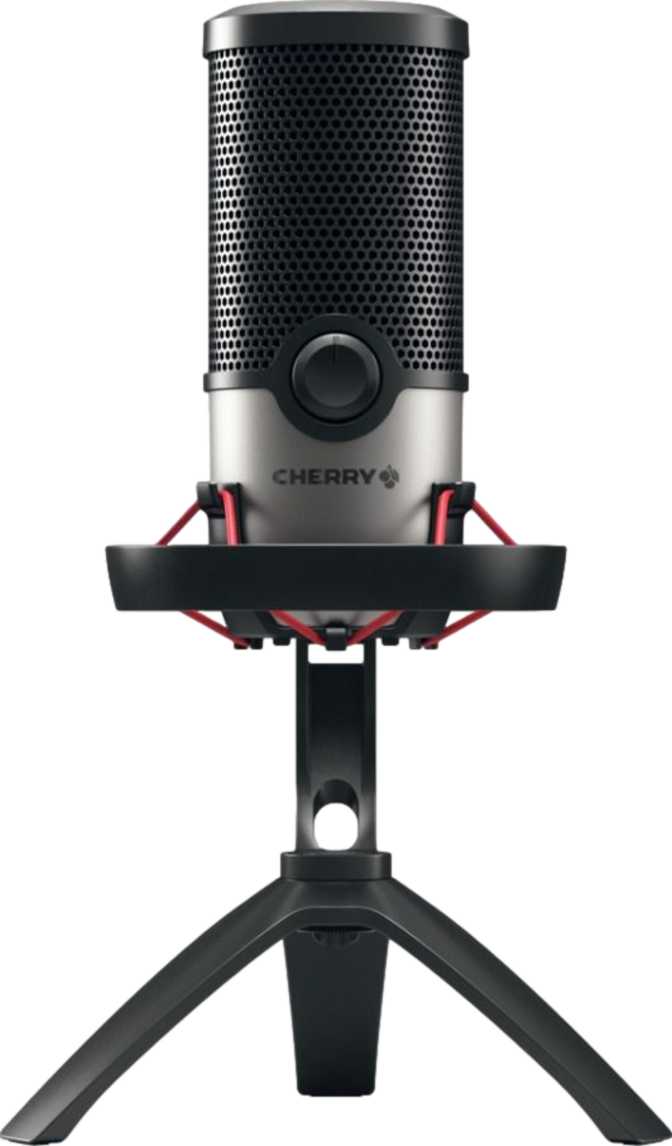
Cherry UM 6.0 Advanced: An Honest Real-World Review
MicrophonesA microphone either disappears into the background of your stream, call, or recording, or it becomes the reason people mute you, ask you to repeat yourself, or just stop watching. There's no middle ground. Before you spend money on the Cherry UM 6.0 Advanced, you need to know exactly what kind of microphone this is, what it does well, and where it draws a hard line on what it won't do.
This is a USB condenser-style microphone built for one core job: capturing a single voice clearly, with minimal fuss, plugged straight into a Windows PC or Mac. It pairs that core job with desk-friendly hardware touches, a built-in shock mount, onboard physical controls, RGB lighting, and a three-year warranty that's longer than most peripherals in this category offer. What it deliberately leaves out, multiple pickup patterns, a headphone monitoring jack, mobile device support, matters just as much as what it includes.
Design, Build Quality, and Desk Presence
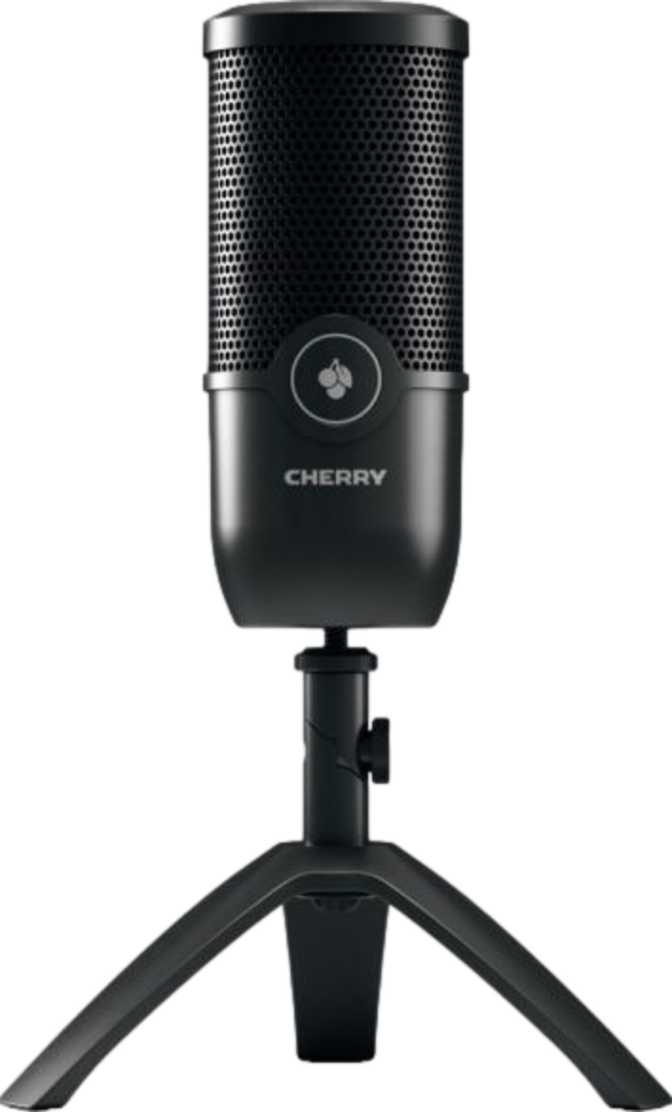
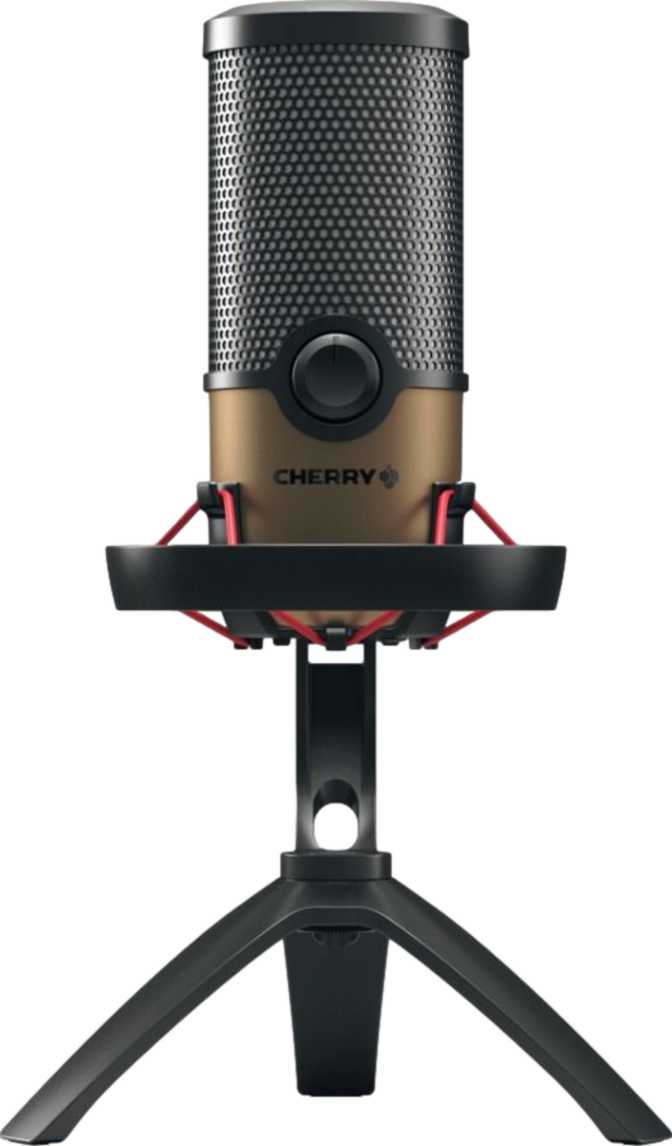
Pick this microphone up and the first thing you notice is that it doesn't feel like a toy. At 544 grams, it's noticeably heavier than the hollow plastic-bodied mics that dominate the entry-level streaming category, closer in heft to a packed travel mug than to a smartphone. That weight isn't wasted; it lowers the center of gravity, which means an accidental knock from your elbow or a heavy-handed keyboard slam is far less likely to send it rocking into frame during a stream.
Stand it upright and it rises to roughly 27 centimeters, taller than a standard wine bottle, with a footprint of about 16 by 14 centimeters at the base. That's a real piece of desk furniture, not a discreet clip-on. If your setup is already crowded with a keyboard, monitor arm, and drink coaster, measure your available space first, because this microphone will occupy a visible, permanent spot front and center.
The included 2.5-meter cable, about eight feet, is generous enough to route around a monitor arm, behind a tower PC, or down to a floor-mounted setup without needing an extension, a small but genuinely useful inclusion many competitors skip.
Built-In Shock Protection
The shock mount is built into the design rather than sold separately. A shock mount physically isolates the capsule from vibrations traveling up through the desk, every keyboard clack, every desk thump, every passing bass note from a neighboring room. Cherry is a name many associate with mechanical keyboard switches, and proper shock isolation here reads like a deliberate decision from a brand that understands exactly how much desk noise a clattering keyboard introduces. For anyone typing while talking, this is the single most practically useful design choice on the entire microphone.
What's Missing: A Pop Filter
What you won't find in the box is a pop filter, the foam or fabric screen that softens harsh "p" and "b" sounds before they hit the capsule. Plenty of microphones at this level skip it, but budget for one separately if you plan to record voiceover, narration, or any long-form spoken content where plosives will be noticeable. For casual gaming chat or video calls, you can probably skip it entirely.
Onboard Controls: The Mute Button and What's On the Device
Rather than burying every adjustment in a software panel, the Cherry UM 6.0 Advanced puts its controls directly on the hardware itself. The most important of these is a physical mute function, the kind of control you want to find by touch, without looking away from your screen or alt-tabbing out of a game mid-sentence. If you've ever fumbled through a software mixer trying to mute yourself before a coughing fit hits during a live call, you'll appreciate having that control live on the device.
Two notable omissions beginners should know about going in:
- No LED sound level indicator. Some competing microphones include a small light strip or meter that visually shows how loud you're talking, helping you avoid clipping (distorted audio from speaking too close or too loud) without opening any software. You'll need to rely on your recording or streaming software's built-in level meters instead.
- No integrated touchpad. Instead, you get a more traditional physical control layout. For some users that's a plus: touch surfaces can register accidental taps from a stray sleeve or a curious cat, while discrete physical controls tend to be more deliberate and less error-prone.
Sound Quality: What the Specs Mean for Your Voice
The technical specification that matters most here is frequency response, the range of pitches the microphone can actually capture. The Cherry UM 6.0 Advanced is rated across the full range of human hearing, from the deepest bass rumble to the highest audible treble. In practical terms, this means it's built to capture the complete tonal character of a human voice: the chest-level warmth of low speech alongside the crisp articulation of consonants and sibilance up top. This isn't an exceptional spec on its own, it's the expected baseline for a voice-focused microphone, but it confirms the hardware isn't clipping off any part of your natural vocal range before it reaches your software.
Single Pattern, Single Purpose
Here's the trade-off that matters most for buyers comparing options: this microphone offers exactly one pickup pattern, cardioid, and no others. A cardioid pattern is shaped like a heart and is most sensitive to sound coming directly from the front, while actively rejecting sound from the sides and rear. For one person talking directly into the microphone, this is genuinely the right pattern to have, because it naturally suppresses room echo, a noisy PC fan behind you, or a roommate's TV bleeding in from another room.
What it can't do is switch into an omnidirectional mode (picking up sound evenly from all directions, useful for group recordings) or a bidirectional mode (front and back simultaneously, standard for face-to-face interviews). If your use case is strictly one voice at one desk, this limitation never surfaces. If you're picturing a two-person podcast around a single microphone, it will.
No Flat Capture Mode
The absence of a flat, or neutral, unprocessed DSP mode is a meaningful detail for experienced buyers. Many microphones aimed at audio professionals offer a flat setting specifically so the recording arrives uncolored, leaving all tonal shaping to be done deliberately in post-production. Without that option here, it's reasonable to infer this microphone is tuned with some onboard sound shaping built in by default, likely aiming for a pleasant, ready-to-use voice sound straight out of the box rather than a neutral reference signal.
For streamers, gamers, and casual creators, that's convenient, you sound good without touching an equalizer. For podcast editors and audio engineers who prefer their own signature processing from a clean slate, it removes a step they'd normally rely on.
Key Features at a Glance
| Attribute | What You Get |
|---|---|
| Pickup Pattern | Cardioid only, front-focused, single fixed pattern |
| Frequency Coverage | Full audible range, low bass through high treble |
| Connection Type | USB, plug-and-play, no audio interface needed |
| Mute Control | Physical, located on-device |
| Level Monitoring | Software-based only, no onboard LED meter |
| Control Surface | Discrete on-device controls, no touchpad |
| Lighting | RGB |
| Cable Length | Roughly 2.5 meters, about 8 feet |
| Shock Isolation | Built in and included |
| Pop Filter | Not included, sold separately |
| Headphone Monitoring | Not available |
| Warranty Coverage | 3 years |
Platform Compatibility: Where This Mic Will (and Won't) Work
This is a desktop-and-laptop microphone, full stop. It works natively with both Windows and Mac OS X over USB, with no drivers, no audio interface, and no mixer required, you plug it in and your operating system recognizes it as a standard input device. That plug-and-play simplicity is genuinely beginner-friendly; there's no signal routing or gain-staging knowledge required just to get sound into your computer.
Works Natively With
- Windows PC over USB
- Mac OS X over USB
Not Supported
- Android devices
- iOS devices
If your content workflow involves recording on a phone or tablet, vlogging on the go, mobile podcast recording, or a quick voice memo, this microphone simply isn't built for that path. It's a desk-bound tool.
Monitoring Your Audio: The Headphone Jack Question
This is the question most likely to make or break a purchase for anyone who's used a USB microphone before: the Cherry UM 6.0 Advanced has no headphone output at all, neither a standard 3.5mm jack nor a larger 6.35mm connector. That means there's no way to plug headphones directly into the microphone for instant, zero-latency monitoring of your own voice.
Real-World Scenarios: Who This Microphone Fits
- A streamer or gamer who wants a reliable voice mic with an RGB aesthetic for a colorful setup
- Someone on frequent video calls who wants instant physical mute control
- A solo podcaster, YouTuber, or narrator recording one voice from a fixed desk position
- A first-time microphone buyer who wants true plug-and-play simplicity
- Recording interview-style podcasts with two or more people sharing one mic
- Creating content primarily on a phone or tablet
- A musician or audio engineer who needs zero-latency monitoring or a flat capture signal
- Working in an extremely tight desk space
How It Compares to Other USB Microphones in Its Class
| Feature | Cherry UM 6.0 Advanced | Typical Multi-Pattern Mic | Typical Budget Mic |
|---|---|---|---|
| Pickup Patterns | One (cardioid) | Multiple | One (cardioid) |
| Headphone Jack | Not included | Usually included | Often missing |
| Mobile Support | Desktop/laptop only | Varies | Desktop/laptop only |
| Physical Mute | Yes | Varies | Often missing |
| Shock Mount | Included | Varies, sometimes separate | Rarely included |
| Lighting | RGB | Rarely included | Rarely included |
| Warranty | 3 years | Typically 1-2 years | Typically 1 year |
Against feature-loaded multi-pattern microphones, the Cherry UM 6.0 Advanced trades flexibility for focus and a notably longer warranty. Against true budget single-pattern mics, it pulls ahead on build quality, included shock mounting, hardware mute control, and that same above-average warranty, while keeping the simplicity that makes both categories appealing to non-technical buyers.
Strengths and Weaknesses: An Honest Assessment
The honest case for the Cherry UM 6.0 Advanced rests on consistency and convenience rather than versatility. It does the single-voice, single-desk job extremely well: the build feels substantial rather than flimsy, the shock mount earns its place rather than being a marketing checkbox, the physical mute button works exactly when you need it to, and a three-year warranty is a meaningfully longer safety net than most of the competition offers at this level. For the specific buyer who talks into one microphone from one desk, which describes the overwhelming majority of streamers, remote workers, and casual content creators, almost nothing here gets in the way.
The honest case against it centers on flexibility and monitoring. The complete absence of a headphone jack is the weakness most likely to surprise buyers after purchase, particularly anyone coming from a microphone that included one, there's simply no way to retrofit that capability onto the hardware. The single fixed cardioid pattern closes the door on multi-person recording without ever opening it in the first place, and the lack of a flat, unprocessed capture mode means audio purists doing heavy post-production work won't get the neutral starting point they're used to. None of these are flaws in the sense of broken or poorly built features, they're boundaries, drawn deliberately around a specific use case.
Frequently Asked Questions
The Final Verdict
The Cherry UM 6.0 Advanced is a confidently built, single-purpose USB microphone, and it should be judged on exactly that purpose rather than on features it never claimed to have. If you're a streamer, gamer, remote worker, or solo content creator who wants reliable plug-and-play voice capture, a physical mute button you can hit without thinking, RGB lighting that matches your setup, and the reassurance of a three-year warranty, this microphone earns its place on your desk without hesitation.
If your needs involve recording multiple people on one microphone, monitoring your voice through a direct headphone connection, working from a phone or tablet, or capturing a flat, unprocessed signal for serious post-production work, this isn't the right tool, and no amount of RGB lighting will change that. Buy this one for what it is: a dependable, single-voice desktop microphone built for the way most people actually use one.