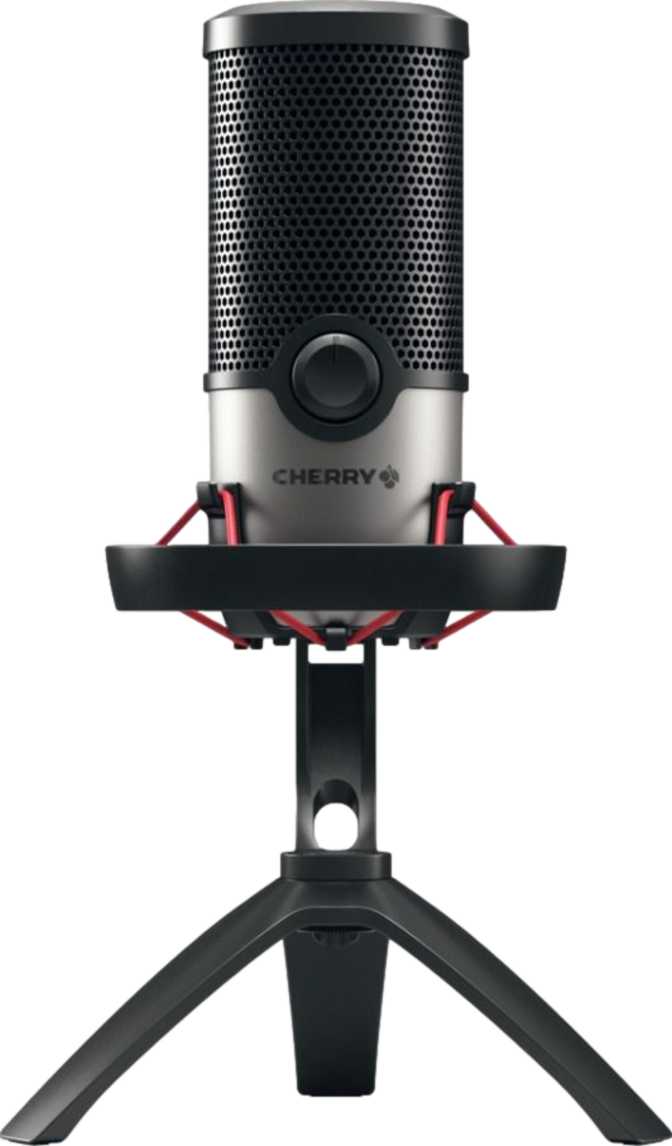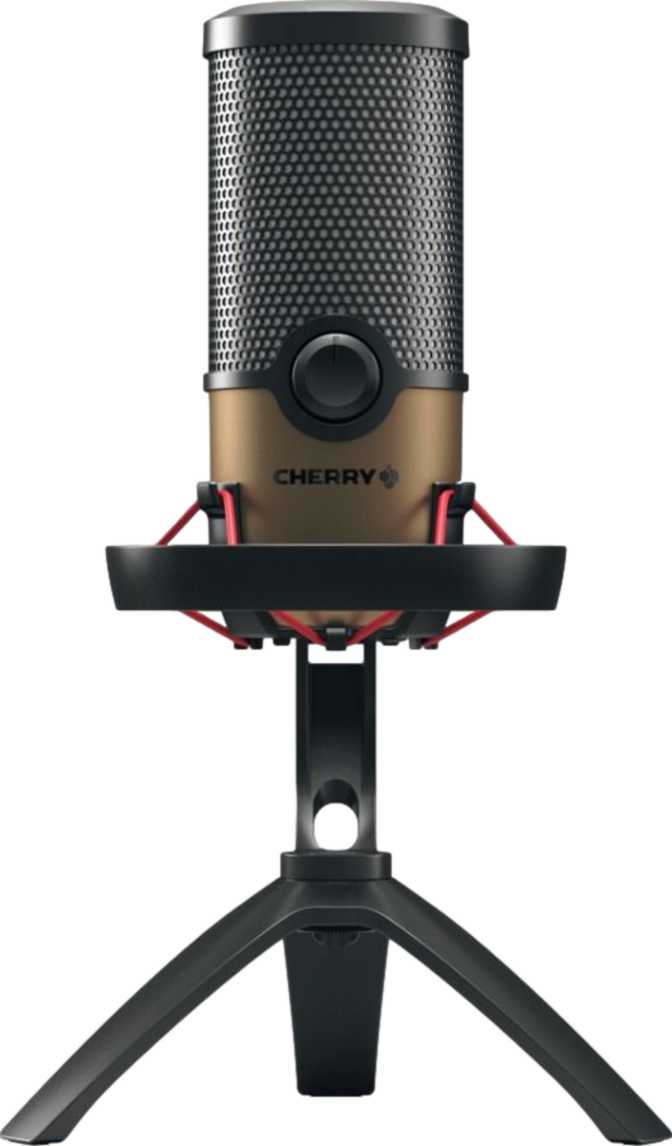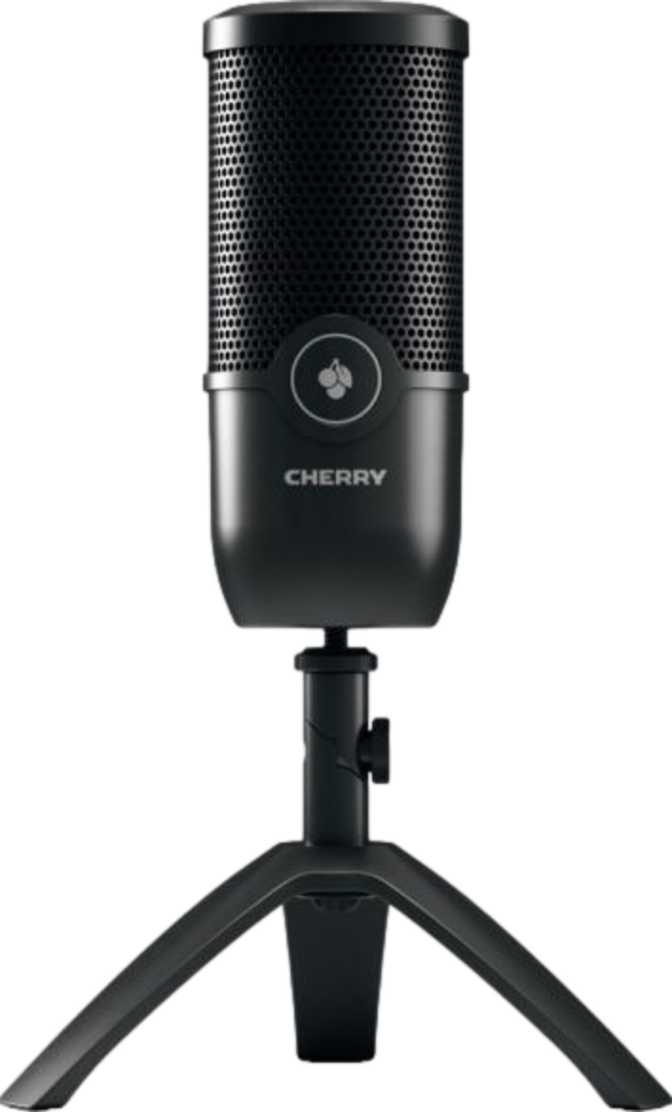
Every few months, another USB microphone arrives draped in RGB lighting, bristling with pattern options and bundled software, and claiming to be the only mic a creator will ever need. The Cherry UM 3.0 arrives making none of those claims. It is a desktop USB condenser microphone built by a German manufacturer with decades of precision hardware engineering behind it, designed with a clear purpose: deliver clean, full-spectrum voice capture to Windows and Mac users at a fixed desk, with touch-sensitive controls and a complete out-of-box package, and nothing you do not need.
That discipline comes with trade-offs worth knowing upfront. There is no headphone output. There is no mobile compatibility. There is one pickup pattern and no onboard signal processing modes. If those are non-negotiable for your workflow, you will know before reaching the end of this review. If they are not — and for a large share of podcasters, streamers, and remote professionals, they will not be — what remains is a microphone that earns its place on the desk through build quality, practical design decisions, and a manufacturer warranty that outlasts most of the competition.
Design and Build Quality: A Desk Fixture, Not a Travel Companion
The Cherry UM 3.0 is physically assertive. Standing close to the height of a standard ruler and spanning a footprint comparable to a compact desktop speaker, this microphone communicates permanence before it is even plugged in. At just under half a kilogram, it stays precisely where you position it — no cable tension pulls it off-axis, no accidental brush shifts it during a session.
CHERRY, the company behind this microphone, built its manufacturing reputation producing mechanical keyboard switches trusted by professional typists and gamers for years of intensive daily use. That engineering orientation — precision tolerances, materials built to absorb abuse without complaint — shows in the UM 3.0's housing. The construction feels settled. Components do not rattle; surfaces do not flex. It reads as expensive before you know what it costs.
There is no RGB lighting on the UM 3.0. No ambient glow, no reactive LED ring, no light show. The finishes are understated and professional. For creators who share workspaces, record video in the same frame as their microphone, or simply find visual noise distracting, this restraint is the right call. For buyers who want an illuminated centerpiece for a streaming setup, the UM 3.0 is not making that visual argument.
The Touch-Sensitive Control Panel
The most immediately distinctive design element is the touch-sensitive control panel integrated into the microphone body. Where most USB microphones rely on physical dials or mechanical push-buttons, the UM 3.0 uses a capacitive touch surface — a distinction that matters more than it first appears.
Silent Muting
Mechanical buttons click. A touch surface does not. Muting mid-session introduces no audible artifact — no click registers in your recording or stream, no matter how sensitive the capsule.
Long-Term Durability
A mechanical button accumulates wear over thousands of presses. A capacitive surface has no moving parts to degrade — critical for hardware muted and unmuted dozens of times per session, every day.
Sound Performance: What Full-Spectrum Capture Sounds Like in Practice
The Cherry UM 3.0's frequency response covers the entire span of human hearing — from its lowest audible threshold to its perceptual ceiling. That statement appears on every spec sheet in the category, so here is what it actually means for the content you record.
A speaking voice carries complex layers: the chest resonance that gives a voice its warmth and authority; the mid-range clarity that makes vowels and words intelligible; the upper-frequency detail that gives consonants their crispness and breath its natural texture. A microphone that cuts off low frequencies produces a voice that sounds thin and oddly bright. One that rolls off the high end produces a voice that sounds muddy and indistinct.
The UM 3.0 captures all of it — every layer of a natural speaking voice reproduced with full character. For podcasting, voiceover narration, streaming commentary, and video calls, the result is audio that sounds like the speaker rather than a filtered version of them. Listeners notice this difference immediately, even if they cannot articulate why some audio sounds professional and other audio does not.
Technical note: A response that extends to the lowest audible frequencies also means the microphone will capture low-frequency mechanical noise — desk vibrations, HVAC rumble, keyboard resonance. Proper placement, the included pop filter, and a stable recording environment are important practices rather than optional refinements. The microphone does its job; the acoustic environment remains your responsibility.
Cardioid Pattern: One Direction Is All Most People Need
A cardioid pickup pattern means the microphone is most sensitive to sound arriving directly in front of its capsule, with sensitivity progressively decreasing toward the sides and dropping substantially at the rear. The pattern maps roughly to a forward-pointing cone — not an equal sphere, but a directional focus.
For a solo creator positioned in front of their microphone, this is the most practical pattern available. Sound arriving from behind the capsule — a mechanical keyboard, a computer fan, a TV in the next room — is rejected rather than amplified. What the microphone prioritizes is the sound source directly in front of it: your voice, at your position, aimed correctly. For the vast majority of the target audience, cardioid is all that is needed — and having exactly one pattern means nothing to misconfigure before a session.
- Solo voice recording at a fixed desk position
- Rejecting keyboard and fan noise from behind the mic
- Reducing ambient room noise arriving from side walls
- Clean setup with nothing to misconfigure before a session
- Multiple guests in one room from a single mic placement
- Two-person face-to-face interview setups
- Capturing room ambience or roundtable conversations
- Situations requiring hyper-cardioid narrow-field isolation
What Ships in the Box: A Complete Recording Package
The Cherry UM 3.0 includes a pop filter, and this inclusion is worth more than it might first appear on a feature list. A pop filter is a fine mesh screen positioned in front of the capsule that intercepts the burst of pressurized air produced by plosive consonants — the hard sounds in "P," "B," "T," and "D." Without it, those air bursts register not as clean consonants but as loud, distorted thumps in the recording.
Plosive distortion is one of the most immediately audible markers of amateur audio. Professional recording setups always include a pop filter. By shipping one with the UM 3.0, Cherry ensures a first-time user records at the microphone's full quality potential from the very first session — without an additional accessory purchase and without discovering the problem the hard way.
Pop Filter
Ships in the box. Eliminates plosive distortion so first-session recordings sound polished from the start.
USB Cable — 2.5m
A generous length accommodates deep desks, floor-mounted towers, and clean cable routing without tension.
The Microphone
Full-spectrum cardioid condenser with an integrated touch-sensitive control panel. No additional hardware required.
Connectivity: Plug In and Record, With Clear Limits
The UM 3.0 connects via USB and is recognized immediately as a standard audio input device by Windows and macOS — no drivers, no configuration software, no audio interface, no external power supply required. Open your recording application, select the microphone as the input source, and the hardware is ready. USB also powers the microphone: there is no battery to charge and no power adapter to manage.
Windows
Full plug-and-play support. Appears as a standard USB audio class device — no custom drivers or companion software required.
macOS
Recognized natively. Works immediately with GarageBand, Logic Pro, QuickTime, Zoom, OBS, and any application that accepts USB audio input.
Mobile Compatibility: A Hard Limit
The Cherry UM 3.0 does not support Android or iOS. This is a hardware-level constraint — not a driver gap that a future update might address. Smartphones, tablets, and any device running a mobile operating system cannot use this microphone. If any part of your recording workflow involves a mobile device, the UM 3.0 cannot serve that portion of it.
What the Cherry UM 3.0 Does Not Include
Honest assessment means naming what is absent. Two omissions are notable enough to affect purchasing decisions for certain users.
No Headphone Output
The UM 3.0 has no headphone socket of any kind. Zero-latency monitoring — hearing your own voice through headphones fed directly from the capsule before any software delay — is not possible. Users who depend on real-time self-monitoring will need to route audio through their computer's own output, which introduces a small but measurable latency. For most podcast and streaming scenarios this is immaterial. For single-take voiceover work where monitoring shapes performance, it requires a workaround.
No LED Level Indicator
The UM 3.0 body has no visual display showing the strength of the incoming audio signal. There is no way to glance at the microphone and confirm you are recording at a healthy level or approaching clipping. Level monitoring is entirely software-dependent — watch the meter in your recording application rather than on the hardware itself. Standard practice in audio production, but users who expected visual hardware feedback will find it absent.
Who the Cherry UM 3.0 Is Built For — And Who Should Look Elsewhere
-
Solo Podcasters
Recording alone at a fixed Windows or macOS desktop, wanting clean cardioid capture with minimal setup overhead.
-
Streamers & Content Creators
Who want professional-sounding audio without learning audio engineering or managing an interface-based setup.
-
Remote Professionals
Who spend significant weekly hours in video calls and want to sound noticeably better than a headset or built-in mic allows.
-
Voiceover Artists Starting Out
Needing full-spectrum voice capture and a pop filter in one package, without assembling an interface-based rig.
-
Long-Term Ownership Buyers
Who factor a three-year warranty and precision-built hardware into their purchasing decisions.
-
Mobile Creators
Who record on iPhones, Android phones, or tablets. Windows and macOS are the only supported platforms, with no exceptions.
-
Multi-Guest Podcasters
Recording multiple people in one room from a single mic — the cardioid-only pattern cannot cover that scenario effectively.
-
Monitoring-Dependent Users
Who need in-ear monitoring during recording — the UM 3.0 has no headphone output, requiring a separate monitoring solution.
-
RGB & Visual Aesthetic Buyers
Who want illuminated hardware for on-stream aesthetics or LED level feedback on the microphone body itself.
-
Portable Recording Setups
The physical size and weight commit this microphone to desk use — it is not a travel-ready recording kit.
How the Cherry UM 3.0 Sits in the Market
The mid-range USB microphone segment is competitive. Here is how the UM 3.0 measures against what buyers typically encounter from comparable products in this category.
| Feature | Cherry UM 3.0 | Category Standard | Standing |
|---|---|---|---|
| Pickup Patterns | Cardioid only | Multi-pattern common | At Par for Solo Use |
| Headphone Output | None | Commonly included | Below Standard |
| Mobile Support | Windows & Mac only | Typically desktop-only | At Par |
| On-Device Controls | Capacitive touchpad | Mechanical buttons | Above Standard |
| Pop Filter | Included in box | Rarely bundled | Above Standard |
| Level Indicator LED | None | Often included | Below Par |
| RGB Lighting | None | Often optional | By Design |
| Cable Length | 2.5m | 1.8 – 2m typical | Above Standard |
| Warranty Period | 3 years | 1 – 2 years common | Above Standard |
Honest Assessment: Where It Succeeds and Where It Falls Short
The Cherry UM 3.0 succeeds most when placed in front of a solo creator on a Windows or Mac desktop who records regularly and wants professional audio without complexity. The touch controls are genuinely better than mechanical buttons for day-to-day mute handling. The pop filter ships in the box. The cable reaches comfortably. The build suggests longevity. The warranty backs it up.
The touch-sensitive control panel is the most immediately noticeable differentiator in daily use. Muting silently, without a mechanical click registering on-mic, is a genuine improvement over physical button alternatives. Users who have worked with traditional mute buttons and periodically heard their own mute action in a recording will recognize this benefit immediately.
Where it falls short is real, not manufactured. The absence of a headphone output is a functional limitation that competing products at similar price points have solved — and the absence of a level indicator means one more thing to monitor in software rather than at a glance. Neither is a fatal flaw for most users, but neither is trivial for the users who rely on them.
The lack of mobile compatibility is the most category-defining limit. The UM 3.0 is explicitly and entirely a desktop recording device. If your workflow ever includes recording from a phone, this microphone cannot serve that need. For what it is — a desk-committed USB microphone for Windows and Mac, built to a high physical standard with thoughtful controls and a complete out-of-box package — the Cherry UM 3.0 delivers with confidence.
Common Questions Before You Buy
The Cherry UM 3.0 Earns Its Place
The Cherry UM 3.0 is a desktop USB microphone that earns its place through build quality, thoughtful controls, and a complete out-of-box package — not through feature accumulation. Its touch-sensitive control panel is more practical than comparable mechanical buttons. Its bundled pop filter eliminates a beginner mistake and an accessory purchase. Its cable length suits real desk setups. Its frequency response captures voice with full natural character. And its three-year warranty gives it durability credibility that shorter-warranted alternatives do not match.
The trade-offs are clear: no headphone monitoring, no mobile support, no LED level metering, no pickup pattern flexibility. If any of those are non-negotiable for your workflow, look elsewhere. If none of them are, the Cherry UM 3.0 is a well-engineered choice that will serve a Windows or Mac desktop creator reliably and clearly for years.
Recommended For
Solo desktop podcasters, streamers, and remote professionals on Windows or Mac who want a durable, clean-sounding USB microphone without unnecessary complexity.
Not Recommended For
Mobile creators, multi-guest podcasters, or users who need headphone monitoring built directly into the microphone hardware.