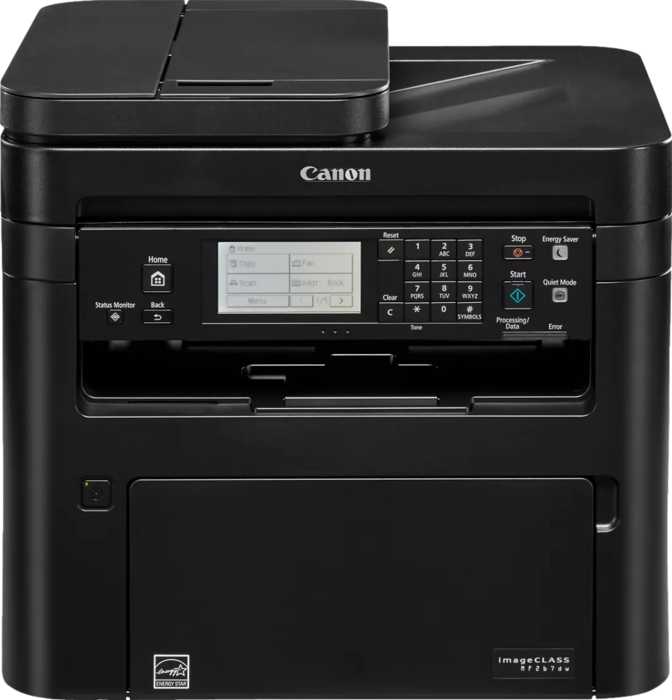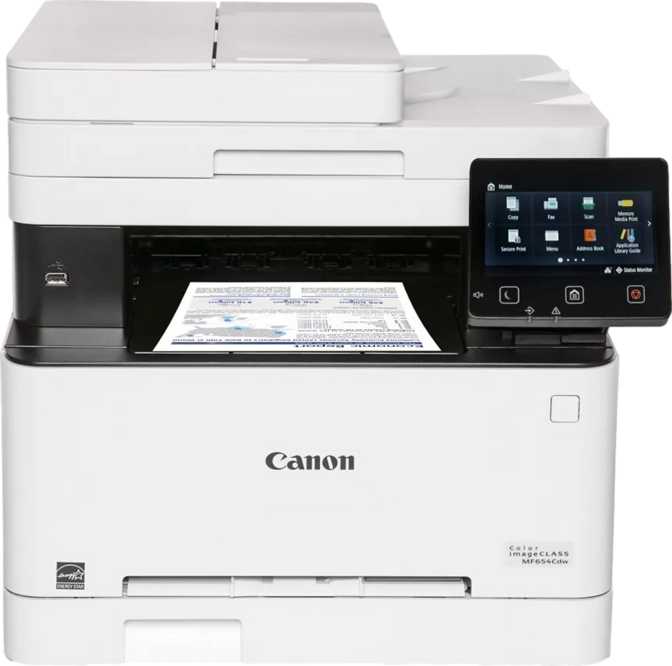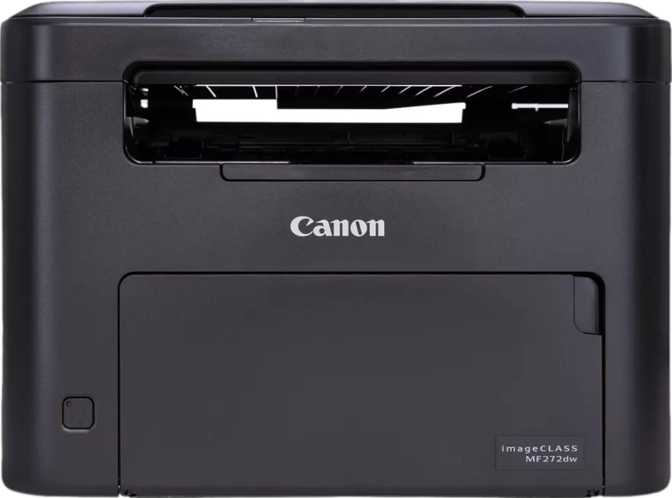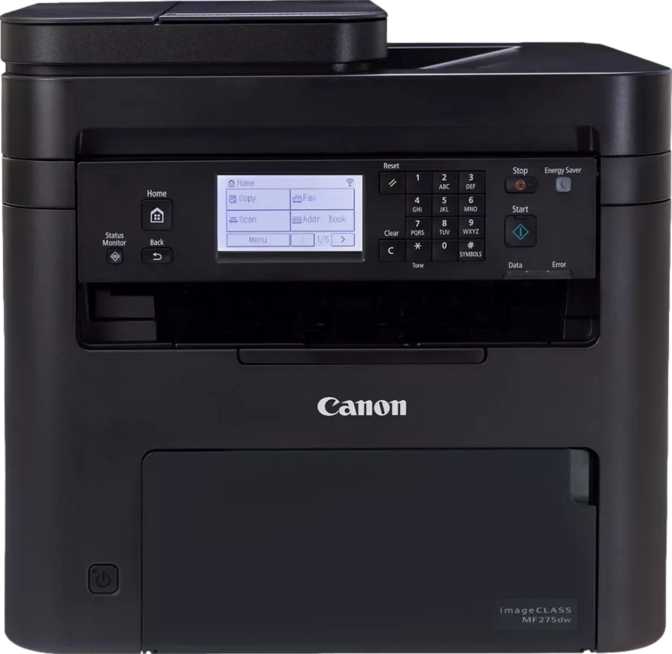
Most monochrome laser printers at this price tier ask you to accept a compromise: pay less and lose meaningful capabilities, or spend more for features that exceed what a home office or small team actually needs. The Canon imageClass MF275dw is built around a third option — a monochrome laser multifunction machine with fax, duplex scanning, optical character recognition, NFC printing, and broad wireless connectivity, bundled into a device physically sized for a desk rather than a dedicated print station.
If you are in the monochrome-is-fine camp — lawyers, accountants, administrators, healthcare workers, real estate professionals, and small-team offices where documents are the daily output — this machine’s feature depth rewards a close look. What follows is a complete, no-shortcut examination of everything the MF275dw delivers and where it stops short.
Design and Build: A Machine That Respects Your Desk Space
Laser multifunction printers have a reputation for occupying more desk than expected. The MF275dw is meaningfully compact for its category — roughly the width and depth of a mid-size desktop monitor, and about as tall as a standard three-ring binder standing upright. It won’t disappear into a corner, but it won’t colonize a surface either.
The weight sits just above eleven kilograms — a two-hand move but not a production effort. Once placed, it stays put. The housing is solid-feeling plastic that doesn’t flex under normal use; the flatbed scanner lid holds its angle without springing back, and the paper tray inserts without the vague wobble that signals cheaper construction.
Two separate paper input trays are a meaningful practical advantage. You can dedicate one to standard letter-format paper and the second to legal-size sheets, letterhead, or a different paper weight — and switch between them from software without physically swapping stock. For anyone who regularly works across more than one document format, this removes a friction point that single-tray machines create constantly.
The control panel centers around a compact display screen navigated through physical buttons. It is functional but a step behind competitors who have moved to larger touch panels. Users who manage most jobs from their phone or computer through the companion app will barely notice; those who prefer to operate primarily at the device itself will notice more.
Operational noise during printing — roughly comparable to a quiet conversation happening across the room — won’t silence an office, but it won’t demand raised voices on a phone call either. It occupies the upper end of acceptable in a shared workspace.
- Footprint ~39 cm wide × ~37 cm deep
- Height ~37 cm
- Weight ~11.2 kg (two-hand lift)
- Input Capacity 150 sheets across 2 trays
- Output Tray 50 sheets
- Operating Noise ~52 dB (conversation level)
- Max Print & Scan Size Legal — 8.5” × 14”
- Warranty 1 year (manufacturer)
Print Performance: Speed and Quality Built for Document Work
What Thirty Pages Per Minute Means in Practice
In practical terms, a ten-page contract is done before you have had time to walk to the printer; a fifty-page document lands in under two minutes. For a home office or small team, this speed is never the bottleneck in your workflow. The first page appears in roughly five and a half seconds from a standing start — shorter than the category average — which means you press print and the page is essentially waiting for you by the time you arrive.
When printing double-sided automatically, the effective throughput drops — the paper must pause, flip, and re-feed. For standard two-sided documents, the output arrives promptly and correctly. For very long batch jobs, the speed difference is worth factoring into print deadlines.
What the Print Resolution Means for Your Documents
The print engine delivers sharp, consistent output at a resolution standard for capable laser printing. Text at any business-relevant size — from body copy to fine-print footnotes — renders clearly. Dense tables, legal-sized forms, and multi-column layouts hold their structure without the blurring or bleeding that plagues inkjet alternatives. The output is immediately dry and consistent across the entire page.
What this engine handles less beautifully is photographic imagery. Greyscale images reproduce adequately — recognizable and functional — but not with the tonal richness of a dedicated photo device. If images in your documents are illustrative rather than the point, the output is acceptable. If image fidelity matters, this machine reaches its ceiling.
Adjustable copy density gives you control over how aggressively toner is laid down when duplicating an original. It matters most when you are copying faded documents, old thermal receipts, or low-contrast source material where the default density would produce a muddy result.
Monthly Volume and Consumable Planning
Canon rates this machine for a monthly volume of around two thousand pages — the performance-optimized sweet spot, not a hard mechanical limit. Users who consistently print at substantially higher volumes will find toner cycling faster than expected and may want to evaluate a machine rated for heavier workloads. For a solo professional or small team with measured printing habits, two thousand pages per month is generous headroom.
Scanning: More Capable Than the Price Suggests
Flatbed Scanner
Handles items that cannot be fed through a roller: bound books opened to a page, ID cards, fragile or aged documents, and anything where placement precision matters. Covers originals up to legal size (8.5” × 14”) — an important detail for legal, real estate, and government document workflows that routinely use the longer sheet format.
Automatic Document Feeder
Transforms multi-page scanning from a repetitive manual process into something that runs on its own. Stack the pages, press scan, and the feeder pulls each sheet through in sequence — scanning both sides of each page automatically, without requiring you to flip the stack and re-run the job.
Multi-Feed Detection: The Feature That Protects Critical Documents
The ultrasonic multi-feed detection is the standout reliability feature in the scanning system. It uses sound waves to monitor each sheet as it passes through the feeder, detecting whether two pages have stuck together and been pulled through as one. When that happens — and in long scanning sessions it does happen — the machine stops and alerts you before the error propagates through the rest of the job.
For high-stakes document scanning where a missing page could mean a missing clause or an incomplete record, this detection layer adds real-world reliability that many budget feeders omit entirely.
OCR and Scan-to-PDF: Paper Becomes Searchable Data
Built-in optical character recognition means this machine doesn’t just capture an image of your document — it interprets the text within it. The resulting scan is searchable: you can open the file later and search for a specific clause, copy a passage, or feed the document into a case management or document storage system that indexes text.
Native scan-to-PDF removes the need for any third-party conversion software. Network document synchronization is also supported, meaning scanned files can be sent directly to a shared network folder — a practical bridge into document management workflows without requiring manual file transfers.
Connectivity: Built for a Mixed-Device Office
The MF275dw covers more connection methods than most users will ever need, which is precisely the right approach for a shared office machine that may need to serve iPhones, Windows workstations, Android tablets, and occasional visiting devices simultaneously.
The Companion App
Canon provides a dedicated smartphone app that handles print job submission, scan retrieval, and basic device management from your phone. It extends the machine’s capabilities well beyond what the compact physical panel offers, and for app-comfortable users this is where most configuration meaningfully happens.
What Is Not Included
Bluetooth, external memory card slots, voice assistant integration (Alexa and Google Assistant are both absent), and USB-C ports are all missing. None of these omissions are surprising for the category. The lack of voice assistant support is the only absence that reflects a meaningful gap relative to smart-home print setups; the others are in line with category norms.
Standby power consumption is notably low — the machine sips energy when idle rather than maintaining the full operating draw of its active print cycle, which makes a meaningful difference for a device that stays plugged in around the clock.
- Wi-Fi
- Ethernet
- USB Direct
- Wi-Fi Direct
- NFC Tap-to-Print
- AirPrint (Apple)
- Mopria (Android)
- Smartphone App
- Bluetooth
- Memory Card Slot
- Alexa / Google Assistant
- USB-C
Fax Capability: Still Relevant for Document-Driven Industries
The inclusion of a fully functional fax module is increasingly unusual at this price tier — many manufacturers have stripped fax from mid-range devices. For anyone in a field where fax remains a standard communication channel, this printer’s built-in capability removes a layer of complexity and eliminates a recurring cost that online fax services introduce.
For users with no fax requirements whatsoever, this feature simply does not enter the daily workflow. It adds no ongoing cost, requires no ongoing attention, and does not complicate setup. It is there when the professional environment requires it and invisible when it does not.
Industries where built-in fax matters: Healthcare, legal practices, real estate, insurance, government contracting, and financial services continue to rely on fax as a legally recognized or procedurally mandated communication channel. If your industry is on this list, the fax inclusion alone justifies avoiding a separate online fax subscription.
Who Should Buy the MF275dw — and Who Should Not
Ideal For
-
Document-Intensive ProfessionalsLawyers, accountants, insurance agents, and administrators who print contracts, reports, and correspondence daily and need laser reliability without laser bulk.
-
Small Teams of Three to FiveShared network printers for small groups need enough speed that no one waits in a queue. This machine delivers.
-
Apple-First Households & OfficesAirPrint means the printer integrates with iPhones, iPads, and Macs without any driver installation or configuration work.
-
Paper Archive DigitizersAnyone building a searchable digital archive from physical records will find the OCR-capable scanning produces files that can be indexed and searched, not merely stored.
-
Industries Where Fax Is Still StandardHealthcare, real estate, legal, and insurance professionals who currently pay for a separate online fax service can consolidate onto one machine.
Not the Right Fit For
-
Anyone Who Needs Color — EverColor output is simply not available on this machine. Marketing materials, color invoices, brochures, anything where color carries meaning: look elsewhere before proceeding.
-
High-Volume Production EnvironmentsConsistently printing well above two thousand pages per month will push beyond the optimized range. A higher-duty-cycle machine is the better long-term investment.
-
Image or Photography OutputGreyscale images print adequately but not beautifully. This engine is designed for text; photographic output is not its purpose.
-
Smart Home Voice-Control SetupsAlexa and Google Assistant are both unsupported. Voice-controlled printing workflows require a different device.
-
Touchscreen-Preference UsersThe physical-button panel is functional but dated compared to competitors with larger touch displays. If on-device navigation is your primary workflow, this will frustrate you.
How It Compares to the Competition
At this tier, the MF275dw’s closest category rivals come from Brother and HP. The competitive picture across key differentiators reveals where Canon leads, where it trails, and where the decision hinges entirely on your specific priorities.
| Feature | Canon MF275dw | Brother (comparable tier) |
HP (comparable tier) |
|---|---|---|---|
| Built-in Fax | Often included | Often omitted at this tier | |
| ADF Duplex Scanning | Common | Less consistent | |
| NFC Tap-to-Print | Rarely | Rarely | |
| Multi-Feed Detection | Less common | Less common | |
| AirPrint + Mopria | Both | Both common | Both common |
| Built-in OCR | Varies | Varies | |
| Touchscreen Display | Available on some models | Available on some models | |
| Raw Print Speed | 30 ppm | Often faster 36–40 ppm range |
Comparable 28–30 ppm range |
| Rated Monthly Volume | ~2,000 pages | 2,000–4,000 varies | 2,000–3,000 varies |
The key trade-off: Brother’s competing machines frequently advertise higher raw print speeds — the meaningful advantage for true production environments. Canon’s argument is feature breadth: the combination of NFC, fax, duplex scanning with multi-feed detection, and OCR in one machine at this price is difficult to replicate from any single competitor without either spending more or losing one of those features.
Strengths and Honest Limitations
What It Does Well
The MF275dw’s greatest strength is completeness. Most multifunction printers at this price point are multifunction in name — printing is fully realized, while copying and scanning feel like afterthoughts bolted on to justify the label. Here, the ADF duplex scanning with OCR, the fax with answering machine, the NFC printing, and the multi-feed detection feel like deliberate additions rather than spec-sheet padding.
Print speed holds up in daily use exactly as the specification suggests it should. The short warm-up time before the first page is a practical advantage that cumulative daily use amplifies — over hundreds of printing events across months of operation, eliminating a prolonged wait before each job compounds into real time saved.
The connectivity suite covering Apple, Android, wired, wireless, direct, and NFC means this machine integrates into virtually any device environment without workarounds, adapters, or software overhead.
Where It Falls Short
The output tray’s fifty-sheet capacity is the most practical daily limitation. At the machine’s full print speed, that tray fills in under two minutes of continuous output. For typical individual job sizes — under twenty pages — this never surfaces as a problem. For batch printing sessions, plan to be present rather than queuing and returning.
The compact, button-navigated control panel is the most noticeable design gap relative to current category standards. Competing machines with larger touchscreens offer a more fluid on-device experience; the physical button navigation here has a learning curve and is less intuitive for infrequent users. The smartphone app compensates significantly for this — if you manage print tasks from your phone, the panel’s constraints become largely invisible.
The one-year warranty is industry-standard but not generous for a machine supporting business-critical document workflows. For anyone relying on this printer heavily, extended coverage warrants consideration before purchase.
On Color: The monochrome-only limitation deserves emphasis not as a criticism but as a decision point. If you are choosing this printer knowing you do not need color, it is a non-issue. If you are rationalizing that you probably do not need color when you actually do, it will frustrate you within the first month.
Questions Real Buyers Ask Before Purchasing
The Final Recommendation
The Canon imageClass MF275dw earns a clear recommendation for the user it is designed for — and a clear pass for everyone outside that profile.
For home office professionals and small teams in document-intensive fields, this machine assembles a feature set that is genuinely hard to replicate at this price: thirty pages per minute with a fast first-page response, duplex printing and scanning, intelligent multi-feed detection, full ADF operation, OCR-capable scan-to-PDF, built-in fax, NFC printing, and complete wireless coverage for Apple and Android devices alike. No single feature on that list is exclusive to Canon, but the combination in one machine — without paying up for a higher-tier model — is the MF275dw’s real value.
The compromises are few but firm. Accept that color output is simply not part of this machine’s capability. Accept a modest output tray that needs clearing during batch jobs. Accept a physical-button control panel that is functional but dated. None of these will frustrate a user who enters with clear expectations.