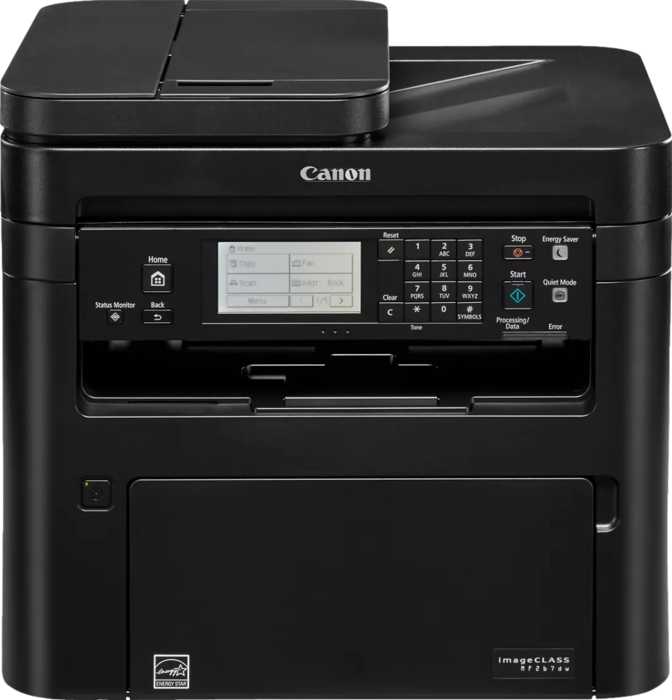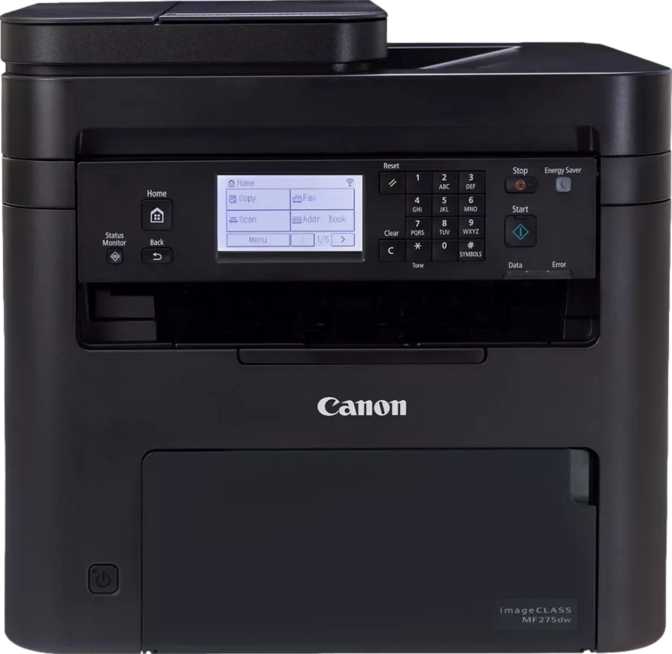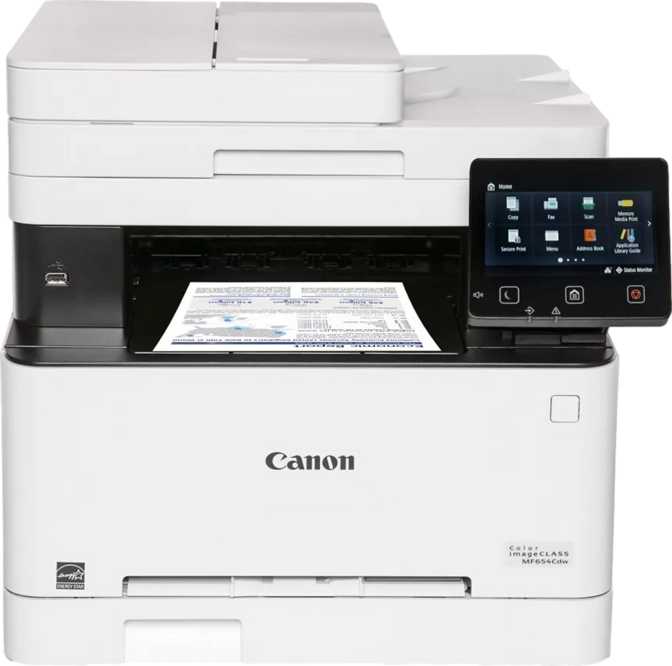
Canon Color imageClass MF654Cdw Review: Built for the Small Office
PrintersAt a Glance
The Canon Color imageClass MF654Cdw occupies a specific and important niche: a color laser all-in-one designed for small offices and home offices where work actually happens at volume, where color printing needs to look professional, and where the person using the printer cannot afford to babysit it. This is not a photo printer dressed in business clothes, nor is it a high-volume workhorse. It is something more precisely useful — a capable, well-connected, three-function device that handles daily print, copy, and scan workflows without fuss.
The question worth asking before spending money on any printer in this category is whether it closes the gap between convenience and output quality, or forces you to compromise one for the other. Based on its engineering choices and specifications, the MF654Cdw makes a strong argument for both.
Design and Build: Built for a Desk, Not a Corner Shelf
The MF654Cdw is a substantial machine. It weighs just under 22 kilograms — roughly the same as a large bag of cement — and its footprint covers approximately 45 by 46 centimeters of desk surface: comparable to two stacked reams of copy paper placed side by side. Before ordering, measure. This is not a printer you slide into a corner shelf. It needs a dedicated, sturdy surface with clear access at the front for paper retrieval.
That physical presence comes with a structural payoff. The machine's input tray holds a full 250-sheet ream without splitting it, and the output tray collects an equal amount before anything needs unloading. In practical terms, you can set the printer up for the morning, load a full ream, and not need to return until hundreds of pages have printed. The top-mounted flatbed scanner and the automatic document feeder above it create a clean, vertical stack — the physical design feels organized, not bulky for its own sake.
At a standing height of just over 41 centimeters, the unit's control panel lands at a natural position for desk-level operation. You do not have to crouch or reach.
Key Physical Features
-
5-Inch Color TouchscreenSmartphone-scale panel with page preview — large enough to navigate comfortably without squinting
-
250-Sheet Input TrayA full ream loads without splitting — set it up once and work uninterrupted for hours
-
ADF with Multi-Feed DetectionUltrasonic sensors catch double-fed pages before they corrupt a scan batch — reliable protection for unattended jobs
-
Stable, Substantial BuildThe machine's mass keeps it anchored through high-speed runs — no vibrating, no creeping across the desk
Print Performance: Where It Earns Its Position
The MF654Cdw's most meaningful technical distinction is also its simplest to state: it delivers the same output speed in color as it does in black and white.
Equal Color and Mono Speed — What It Actually Means
Most color laser printers in this class slow down for color pages — sometimes by a third or more — because the four-color toner process demands more of the fusing mechanism. The MF654Cdw eliminates that trade-off entirely: 22 pages per minute whether the job is a black-text memo or a fully branded client proposal. In a mixed-output office, the queue moves at a consistent pace regardless of document type.
Two-sided printing maintains that same speed. Flipping pages for duplex output introduces no slowdown. A 20-page contract printed front-and-back finishes in under a minute.
The first page arrives within 8 seconds of a black print job initiating — 10 seconds for color. The machine is ready before you can cross the room to collect it. For offices printing individual pages throughout the day, that responsiveness removes the micro-friction of standing and waiting.
1200 dpi Output
Professional-grade resolution that renders fine legal text, detailed charts, and color-branded headers cleanly. Fine-print footnotes and logo gradients reproduce without visible pixelation or banding.
1 GB Print Memory
Large enough to hold complex, graphics-heavy PDFs without stalling between pages. Multi-page color reports process start-to-finish without the printer waiting for data from the host computer.
2,500 Pages Monthly
Canon's recommended ceiling — approximately 100 pages per working day. Operating consistently above this risks premature component wear. Within the range, the machine handles steady workloads without stress.
Scanning: Two Paths, One Workflow
The MF654Cdw provides two scanning paths. The flatbed glass handles individual sheets, open books, and fragile originals that cannot go through a feeder. The automatic document feeder manages batched originals — stacks of contracts, invoices, or multi-page forms — and captures both sides of each sheet in a single automated pass.
A 15-page two-sided form becomes a 30-page digital document without any manual page-turning. Ultrasonic multi-feed detection adds a layer of reliability: if two pages accidentally travel together through the feeder, sensors detect the acoustic difference and halt the job before corrupted or missing pages accumulate unnoticed.
Completed scans route directly to a PDF file and can be sent to a network folder, USB drive, or cloud destination without a computer intermediary. For offices that regularly receive signed contracts, delivery notes, or application forms and need to archive them digitally, this is a self-contained workflow from paper to searchable file.
Scan Speed Reference
| Mode | Speed |
|---|---|
| Simplex grayscale | 25 ppm |
| Simplex color | 20 ppm |
| ADF duplex grayscale | 28 ipm |
| ADF duplex color | 25 ipm |
| ADF simplex color | 14 ppm |
OCR: Scans You Can Actually Search
Built-in optical character recognition converts scanned pages into searchable, selectable-text PDFs on the device itself — no desktop software step required. A scanned contract becomes a document you can search by keyword, copy from, or file with proper metadata. Over time, an archive built on this machine is a findable library, not a folder of locked image files.
Auto Mode and Blank Page Skip
Auto Scan Mode detects the original type and adjusts settings automatically, removing the need to configure each job. The Skip Blank Page function is quietly essential: when scanning single-sided originals through the ADF, the printer excludes the empty reverse sides from the output file. Scan batches arrive clean without a manual editing step to remove blank pages.
Connectivity: Multiple Paths, One Printer
The MF654Cdw covers virtually every standard connection method used in small offices today. Whether devices connect over the office network, through a personal Wi-Fi router, directly without any network, or via a physical cable, the printer accommodates the setup.
Mobile and Voice Printing
AirPrint allows iPhones and iPads to send jobs directly without any app or driver. Mopria certification covers Android devices in the same way — any Android phone on the same Wi-Fi network can discover and print to the MF654Cdw without setup. NFC tap-to-print provides an even faster option for compatible Android devices: hold the phone near the printer's NFC point and the job starts.
Voice command support covers both Amazon Alexa and Google Assistant — print a document, check toner status, or query paper level without touching the machine. In a shared office where not everyone knows the printer's menu, this is a practical convenience rather than a novelty.
What Is Missing
Bluetooth is absent — not a practical gap since Wi-Fi Direct provides the same point-to-point wireless connection without a router. The USB port is Type-A only; laptops that have moved entirely to USB-C will need an adapter for wired host connection.
There is no memory card slot. Documents stored on an SD card or camera card cannot be printed directly. A USB drive substitutes in most cases, though it adds a transfer step.
There is no fax modem. Offices with a genuine fax requirement — compliance-driven or client-facing — should factor this absence into their decision. The MF654Cdw has no fax workaround within its native feature set.
Smart Features: The Interface That Reduces Reliance on a PC
5-Inch Color Touchscreen
Comparable to a small smartphone display. The page preview function shows how a document will look before a full print or copy run — useful when adjusting scale, density, or orientation on the fly.
On-Device OCR
Scans convert to searchable PDFs at the panel, with no desktop software step. Archives built on this machine are indexable from day one — not locked image files that require manual reading to find anything.
Adjustable Copy Density
Copy output darkness is tunable from the panel. Faded receipts copy with darker output; high-contrast originals copy lighter, reducing toner use on copies that do not need full saturation.
USB Drive Sync
Documents save directly to a connected USB drive from the panel, or print directly from one. For users without cloud accounts or who move files between locations, this provides a fast, independent transfer method.
Power Consumption: Efficient at Rest, Sufficient in Action
During active printing, the MF654Cdw draws up to 680 watts — the fusing unit requires significant heat to bond toner to paper at speed. This is typical for a color laser in this output class and not a concern on a standard office circuit. At idle, the machine drops to just 10.5 watts — low enough that leaving it on overnight is barely measurable on an electricity bill. The standby consumption means the printer does not need to be powered off daily to remain energy-reasonable.
Who Should Buy the MF654Cdw — and Who Should Not
A Strong Fit For
- Small offices with mixed color and mono output — teams that print branded documents alongside standard text files daily, without wanting a speed penalty or a second machine for color jobs.
- Professional services businesses — law firms, real estate agencies, financial consultancies, and insurance offices that generate high volumes of two-sided documents and signed forms needing reliable digitization.
- Busy home offices — sole traders and freelancers who print daily and need a device that handles a full ream without babysitting, and scans documents into a searchable archive without extra software.
- Buyers who value long-term coverage — the three-year standard warranty removes the uncertainty of failure in the critical second and third years, with no extended warranty purchase required.
Not the Right Choice If
- Monthly volume routinely exceeds 3,000 pages — the recommended workload ceiling means high-output production environments will push this machine into premature wear. A higher-duty model is the right tool at that scale.
- Photo-accurate color is the primary need — color laser toner excels at business graphics but does not replicate the tonal depth of inkjet photo printing. For portfolio prints or color-critical design proofing, an inkjet system is more appropriate.
- Desk space is limited — at nearly 45 by 46 centimeters with a 41-centimeter height, this machine needs a permanent, dedicated surface. A compact mono laser is a better fit for tight workspaces.
- Fax is a firm operational requirement — the MF654Cdw has no fax modem and no workaround within its native feature set. If fax is non-negotiable, this machine does not qualify.
How the MF654Cdw Compares to the Category
Measured against the typical feature set of color laser all-in-ones in its price tier, the MF654Cdw holds several genuine advantages. The table below maps where it leads, matches, and falls short relative to what direct rivals commonly offer.
| Feature | Canon MF654Cdw | Typical Category Rival |
|---|---|---|
| Color vs. Mono Speed Parity | Equal at 22 ppm | Color typically 15–18 ppm |
| Full-Speed Duplex Printing | 22 ppm two-sided | Often drops to 12–16 ppm |
| Standard Warranty Period | 3 years | Typically 1 year |
| Touchscreen Size | 5-inch color | Usually 2–3 inch or LCD |
| Onboard Memory | 1 GB | Commonly 256–512 MB |
| Built-in OCR | Included | Add-on software or absent |
| Voice Assistant Support | Alexa + Google Assistant | One or neither |
| NFC Tap Printing | Yes | Uncommon in this tier |
| ADF Duplex Scanning | Yes | Available on many rivals |
| USB-C Port | Not included | Also typically absent |
| Fax Capability | Not included | Available on some rivals |
Comparison reflects general category norms for this price tier. Specific competitor models vary — verify specs before purchasing.
Honest Assessment: Strengths and Real Limitations
Where This Machine Excels
The speed parity between color and mono output is the headline achievement and it holds up to scrutiny. Most competing machines in this price range compromise color speed — the MF654Cdw does not. For offices where both output types appear daily, this removes a friction point that compounds into real time loss over months of use.
The three-year warranty is a standout. One year is the norm for printers in this class, and extended warranties typically carry an added cost. Getting three years as the baseline reflects confidence in the machine's longevity and removes the mental overhead of warranty upgrade decisions at checkout.
The combination of a 5-inch touchscreen, page preview, on-device OCR, and direct network scan routing creates a control experience that genuinely reduces reliance on a host computer. Previewing before copying, routing scans to a folder, adjusting copy density — tasks that require a PC intermediary on lesser machines are handled at the panel here.
The 1 GB memory allocation is the kind of specification that pays off invisibly: complex jobs process smoothly and the printer never stalls mid-page waiting for data. You will not notice it — which is exactly the point.
Where to Manage Expectations
The machine's size is the most immediate trade-off. At nearly 22 kilograms and with a footprint larger than two reams of paper laid side by side, it requires a permanent, dedicated home. This is the correct design choice for a device built to be used heavily — but it is worth confronting before purchase, not after delivery.
The operating noise at 58 decibels during printing is audible and present. In a quiet single-person office, print runs command attention. In a multi-person environment with typical ambient noise, the machine blends in — but someone sitting directly adjacent will always hear it working.
The single input tray means 250 sheets is the full paper supply. Some rivals in this tier offer an optional second tray for 500 or more total sheets. If the entire workload uses one paper type and size, this is minor. If the office regularly switches between letter and legal stock, or between bond and heavier paper, the single tray introduces a reload interruption every 250 pages.
The absence of fax is a complete exclusion — no native modem, no workaround, no add-on path within this device. Offices where fax is a compliance or client expectation should treat this as a disqualifier rather than a minor shortcoming.
Questions Buyers Ask Before Purchasing
Direct answers to the questions that come up most before committing to this machine.
Canon Color imageClass MF654Cdw: Recommended
For small offices that need consistent color output, duplex scan-to-archive, and a machine engineered to outlast its first year of use.
The Canon Color imageClass MF654Cdw makes its case cleanly. It eliminates the color-versus-mono speed gap that most rivals in this class accept as unavoidable. It pairs that advantage with a 3-year warranty, a 5-inch touchscreen, 1 GB of memory, on-device OCR, and ADF duplex scanning — all in a single machine built for sustained daily use.
For small offices printing 50 to 100 pages per working day across a mix of document types, this machine is well-matched. It handles the work without bottlenecks, the warranty covers the critical period after the first year, and the scan and connectivity features reduce the overhead of document management throughout the day.
The trade-offs — size, operating noise, a single input tray, no fax, no USB-C — are real and predictable. None are hidden. If your office prints at volume, needs color to match mono speed, and wants a machine still under warranty in year three, the MF654Cdw earns the purchase.
- Need equal speed for color and black print jobs
- Print 500 to 2,500 pages per month
- Need duplex scanning and searchable PDF archives
- Want a 3-year warranty without paying extra
- Routinely exceed 3,000 pages per month
- Have limited desk space or need portability
- Require photo-accurate color output
- Depend on fax as part of daily operations