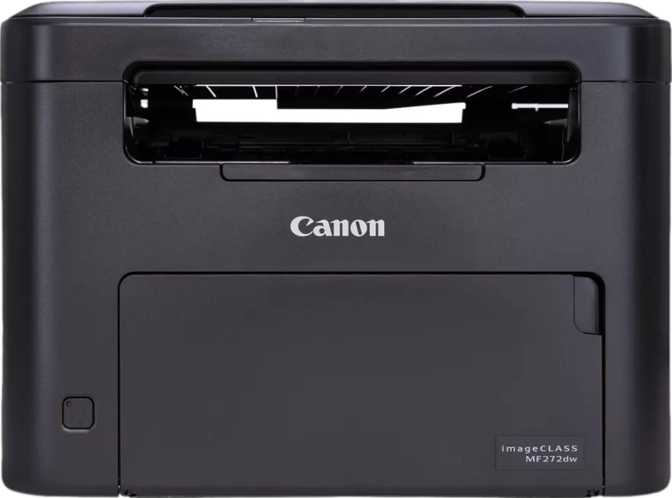
Canon imageClass MF272dw Review: An Honest, In-Depth Look
PrintersA printer purchase usually comes down to one frustrating question: do you need something fast, something cheap to run, or something that just works without a learning curve? The Canon imageClass MF272dw is aimed squarely at people who've stopped caring about flashy color photo printing and just want a dependable black-and-white workhorse that prints, copies, and scans without drama.
This is not a photo printer, and it's not trying to be one. It's a laser-based document machine built for the reality of home offices, small businesses, and shared workspaces where the actual daily grind is contracts, invoices, school forms, and double-sided reports — not vacation photos. Understanding that distinction early will save you from buyer's remorse, because everything about this machine's design reflects that single-minded focus.
At a Glance: What Actually Matters For Your Decision
Before getting into the technical detail, here's how the core capabilities translate into real, everyday impact.
| What It Has | What That Means For You |
|---|---|
| Monochrome laser engine | Crisp black text, no ink cartridges to dry out, lower cost per printed page than inkjet |
| Automatic two-sided printing and scanning | You stop manually flipping paper for reports, contracts, and forms |
| 150-sheet document feeder | Load a thick stack of paperwork and walk away while it processes |
| Wi-Fi, Ethernet and mobile printing standards | Works on a home network, an office network, or straight from a phone |
| 2.7-inch non-touch display | Simple, glance-and-go control without touchscreen smudges or gesture guesswork |
| No fax, no color, no Bluetooth | A machine that does fewer things, but does them with less to go wrong |
That last row matters more than it might seem — this printer earns trust by being narrowly focused, not by trying to be everything at once.
Design, Build, and the Reality of Living With It On Your Desk
Footprint and Weight
Desk space is precious, and multifunction printers have a habit of eating more of it than buyers expect. The MF272dw measures roughly 14.6 inches wide, 12.6 inches deep, and 10.6 inches tall — a footprint comparable to a large microwave oven.
At just under 17.6 pounds (about 8 kilograms), it's heavy enough to feel stable when paper is loading, light enough that one person can reposition it without help.
Noise Level in Real Use
Rated at 52 decibels during operation, this printer sits at roughly the loudness of a normal conversation or a running refrigerator.
Quiet enough not to dominate a shared office, but audible enough to notice during a long print job in a small home office adjacent to a call space.
Control Panel and Display
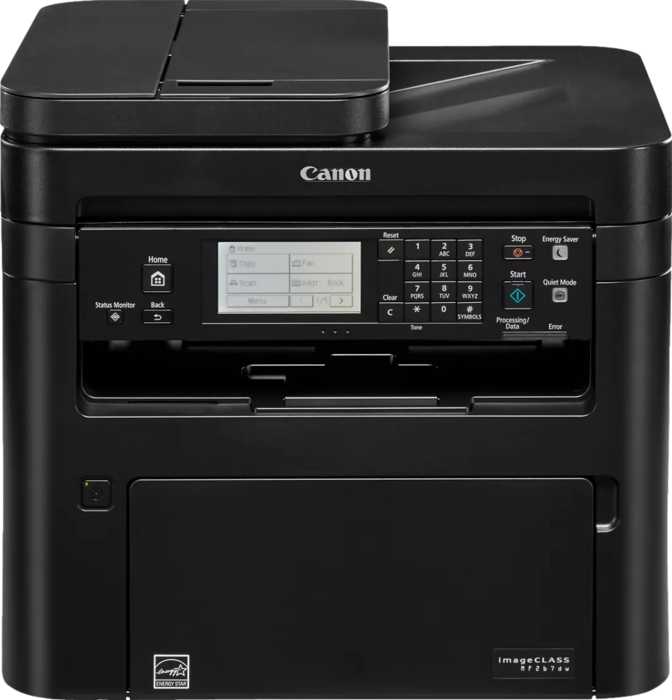
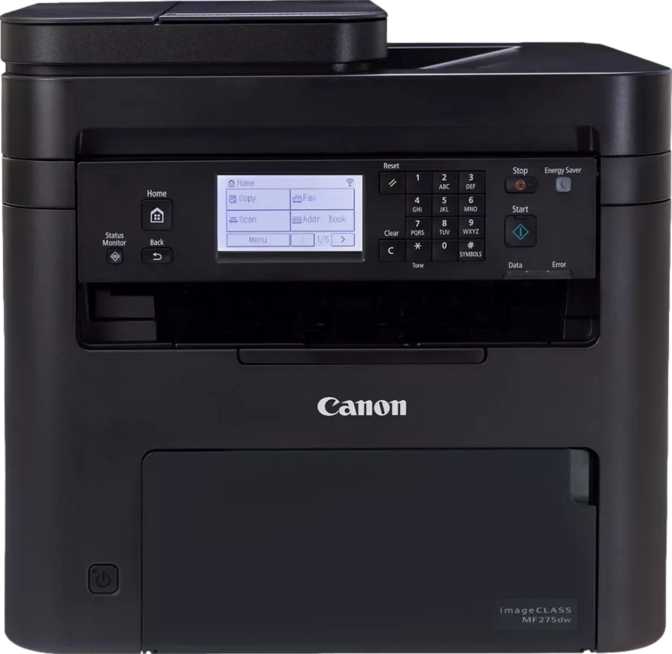
The 2.7-inch display is not a touchscreen. You navigate using physical buttons and a directional pad — fewer accidental taps, no smudges, no learning curve.
A built-in page preview lets you check what's about to print or what was just scanned before committing, guarding against wasted paper.
Print Performance: Speed, Sharpness, and Paper Handling
Speed in Everyday Terms
The MF272dw prints single-sided black-and-white pages at 29 pages per minute. A 20-page report comes out in well under a minute — fast enough that a small team's short print runs never become a bottleneck.
Switch to automatic double-sided printing and speed drops to 18 pages per minute. That's normal: the printer has to physically pull each sheet back through the mechanism to print the second side, a fair trade for not flipping pages yourself.
First-copy-out time is about 8 seconds — the difference between a printer that feels instant for a quick one-off copy and one that makes you wait around for a single page.
Resolution and Text Clarity
Print resolution sits at 600 x 2400 dpi. The elevated vertical figure is a resolution boost laser engines commonly use to sharpen edges on small text and fine lines.
In practice that means crisp characters even at small font sizes, clean barcode and QR reproduction, and text that doesn't show the slight fuzziness of budget printers — more than sufficient for the text and line-art documents this machine is built for.
Duplex Printing and Paper Size Support
Two-sided printing is fully automatic, and the printer supports paper up to legal size in addition to standard letter, covering most of what home offices actually print. Borderless printing is also supported — useful for full-bleed black-and-white graphics or labels without a white margin eating into the design.
Copy Functions and Density Control
As a standalone copier, it includes adjustable copy density to darken output for faded originals or lighten it for thin, translucent paper, plus reduction down to 25% of original size for shrinking a legal-size original onto letter paper. Small tools, used constantly once you have them.
Scanning and Copying: The Features That Save You From the Computer
Document Feeding and Multi-Feed Protection
The automatic document feeder holds up to 150 sheets — well beyond the 35-to-50-sheet feeders common on competing all-in-ones, letting you load mixed paperwork and let the machine work through it unattended.
Ultrasonic multi-feed detection uses sound waves to sense when two pages stick together and feed through simultaneously — a meaningful reliability feature for anyone scanning contracts or financial records where a missing page matters.
Duplex Scanning Speeds
Double-sided scanning runs at 22 pages per minute generally, climbing to 25 pages per minute via the automatic feeder for double-sided originals in a single pass — minutes, not an afternoon, to digitize a sizeable stack.
Scans capture grayscale at 8-bit depth (256 shades), preserving readable detail in scanned photos, shaded diagrams, and documents with watermarks, not just flat text.
OCR, Scan-to-PDF, and Searchable Archives
Built-in Optical Character Recognition converts scanned paper into searchable, selectable text, paired with direct scan-to-PDF output. Scan a stack of contracts and end up with PDFs you can search by keyword later, instead of a folder of flat image files.
Skip Blank Page and Auto Scan Mode
Skip Blank Page automatically discards blank sides when scanning double-sided originals not printed on both faces, keeping files clean. Auto Scan Mode detects document type and size on its own, reducing manual setup for every job.
Connectivity: How It Talks to Your Devices
Wireless, Wired, and Mobile Printing
The MF272dw supports both Wi-Fi and Ethernet, giving the flexibility to connect wirelessly on a home network or hard-wire into a router for a more stable connection in an office setting.
It supports AirPrint, Mopria, and Wi-Fi Direct — covering iPhone, Android, and direct phone-to-printer connections even without a shared network. NFC adds a tap-to-connect option for compatible Android devices.
A single USB port allows direct local printing, and scans can be saved straight to a USB flash drive or sent directly to a shared network folder — skipping the usual scan-email-save routine entirely. There's no memory card slot, so USB drives are the only offline storage option.
What's Missing
- No Bluetooth pairing
- No Alexa or Google Assistant integration
- No memory card slot
For most users this changes very little — Wi-Fi Direct and the mobile standards above cover the vast majority of real-world phone-printing needs.
Power Consumption and Running Costs
530W Operating Draw
Typical for laser printing — the fuser heats toner onto the page, the main reason laser printers draw more power while actively printing than inkjets do.
5.8W Standby Draw
Genuinely low. Leaving it powered on between jobs won't meaningfully move your electricity bill.
2,000 Pages a Month
The recommended monthly volume signals a home office or small team, not a shared departmental printer.
No dried-out ink cartridges from infrequent use, faster sustained printing, and lower cost per page over time since toner cartridges print far more pages than equivalent ink cartridges before replacement. Staying within the recommended volume is also the best way to protect the printer's long-term reliability.
Real-World Usage: Who This Printer Is For (And Who Should Look Elsewhere)
This Printer Makes Sense If You
- Primarily print and copy black-and-white documents
- Regularly deal with double-sided originals
- Need to digitize paper records into searchable PDFs
- Want Wi-Fi or Ethernet flexibility
- Print a steady, moderate volume up to ~2,000 pages a month
- Value reliability and simplicity over flashy extras
Look Elsewhere If You
- Need color printing of any kind
- Require fax or built-in answering machine functionality
- Print well beyond 2,000 pages a month
- Want Bluetooth or voice-assistant print commands
- Specifically want a touchscreen control panel
If your printing life revolves around black ink and paper documents, this machine was built with you in mind. If color or fax is non-negotiable, this isn't the right fit, full stop.
How the MF272dw Compares to Other Printer Types in This Range
Buyers shopping in this category usually weigh three broad printer types against each other.
| Factor | Monochrome Laser (this class) | Color Laser MFP | Inkjet All-in-One |
|---|---|---|---|
| Best suited for | High-volume text documents, contracts, forms | Mixed text and occasional color graphics | Photos, occasional color, lower upfront cost |
| Cost per page | Generally lowest for text-heavy printing | Higher than mono laser due to color toner | Typically highest long-term cost per page |
| Print speed (text) | Fast, consistent | Comparable for black text | Usually slower for high-volume jobs |
| Photo/color quality | Not applicable | Capable, but no substitute for inkjet | Best photo/color reproduction here |
| Maintenance | Toner rarely needs replacing | Same toner-based reliability | Ink can dry out with infrequent use |
| Upfront cost | Moderate | Generally highest | Often lowest |
If your printing diet is genuinely document-heavy and rarely needs color, a monochrome laser machine like the MF272dw will almost always beat both alternatives on running cost and reliability. The moment color becomes a frequent requirement, this isn't the right category of printer at all.
Strengths and Weaknesses: An Honest Assessment
Strengths
Consistency in the areas that matter most for document work. The 150-sheet feeder, automatic duplex scanning and printing, and ultrasonic multi-feed detection handle batches of real paperwork with care that's easy to take for granted until a cheaper machine loses a page mid-job.
OCR and scan-to-PDF elevate it from "printer" to genuine document management tool, and dual Wi-Fi/Ethernet connectivity means it adapts to whatever network you already have.
Weaknesses
No color printing at all rules it out for anyone who occasionally needs a color chart, flyer, or photo. The absence of fax support will matter to certain small businesses and legal or medical offices that still rely on it.
The 52-decibel operating noise is noticeable enough during longer jobs in quiet environments, and the lack of Bluetooth or voice-assistant integration assumes a fairly conventional Wi-Fi-or-Ethernet workflow.
None of these are design flaws — they're the direct consequence of a printer that chose to do a narrower set of things well rather than everything passably.
Common Questions Buyers Ask Before Purchasing
Final Verdict: Should You Buy the Canon imageClass MF272dw?
If your printing needs are honestly described as "mostly black-and-white documents, sometimes a lot of them, and I'd like scanning and copying handled well too," this printer earns its place on your desk.
The large document feeder, reliable duplex handling on both print and scan, multi-feed protection, and genuinely useful OCR and direct-to-network scanning push it well past "basic printer" territory into something closer to a small-office document hub.
It is not the right purchase if color printing or fax capability is something you need even occasionally — those gaps are absolute, not stylistic limitations to work around. But for the buyer it's actually designed for, the MF272dw delivers dependable, fast, well-rounded performance without asking you to pay for capabilities you'll never use.