Blackview Link 2 Review: An Honest Look at This Budget LTE Tablet
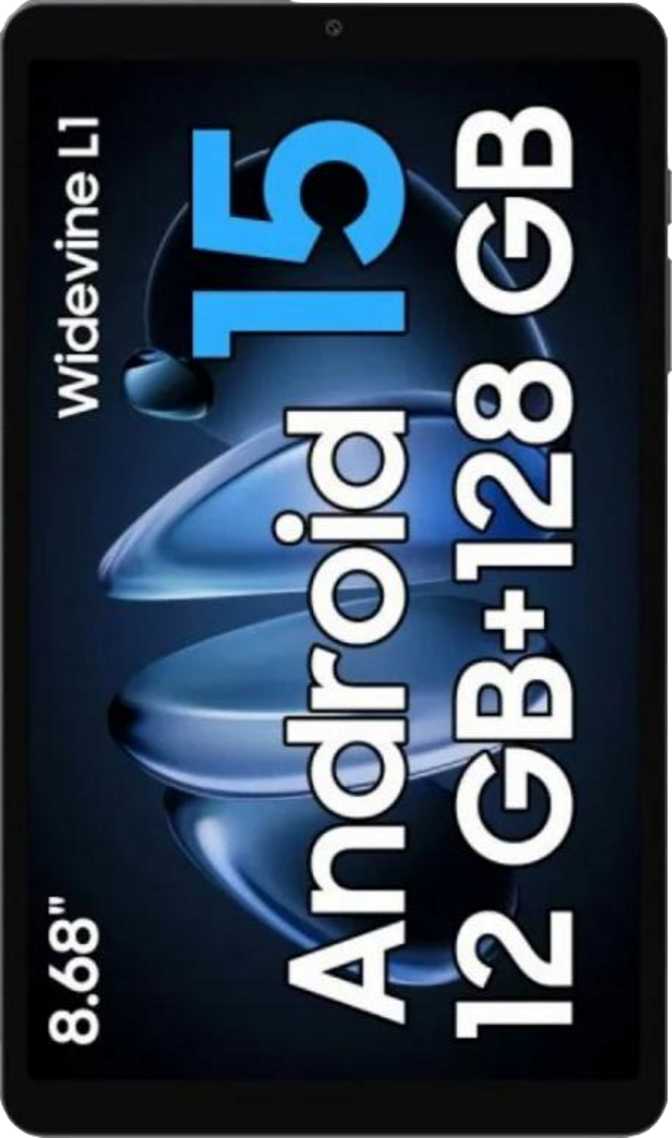
TabletsBudget Android tablets occupy a strange middle ground. They're too limited for power users but genuinely capable enough for millions of people who just need a screen for the right things. The Blackview Link 2 lands firmly in this category — an 8.68-inch LTE tablet running Android 15 that asks very little of your wallet in exchange for a clear set of compromises. Whether those compromises matter to you depends entirely on what you plan to do with it.
Our Rating at a Glance
Design and Build Quality
Compact, light, and honest about its materials
Physical Dimensions and Portability
At 329 grams, the Blackview Link 2 is notably easy to carry. Many tablets in this screen-size class push toward 400 grams or beyond — the Link 2 feels closer to holding a thin paperback than a tech slab. Its 8.5 mm profile keeps it genuinely pocketable in jacket pockets and comfortable to hold in one hand during extended reading or video sessions.
The footprint — roughly 213 mm wide by 126 mm tall — places this squarely in the large-phone-or-small-tablet zone many people find ideal. Big enough to feel like a proper media device, small enough to use without a bag.
Materials and Durability Expectations
The Link 2 carries no IP-rated water resistance certification, so it should be kept away from rain, poolside environments, and kitchen spills. The display uses no branded damage-resistant glass, meaning the screen deserves more care than you'd extend to a premium device. A basic screen protector is a worthwhile investment if you plan to carry this in a bag regularly.
Display: Clear Enough for Daily Use
Not built for cinephiles, but comfortable for everyday viewing
Size, Sharpness, and Real-World Clarity
The 8.68-inch IPS LCD panel outputs at 1340 × 800 pixels, yielding a pixel density of 189 pixels per inch. At this density, text is readable and clean — individual pixels are not visible during browsing or reading at a normal viewing distance. Sitting the Link 2 next to a tablet running at 300 ppi or more makes the sharpness gap visible in fine text and detailed imagery, but for YouTube, streaming services, and everyday web use, this resolution is entirely adequate.
IPS Panel Viewing Angles and Color
IPS (In-Plane Switching) technology means solid viewing angles — you can hand this to someone sitting beside you without the image washing out. Colors stay reasonably consistent from off-axis positions, which matters for shared viewing. The panel does not support HDR10, Dolby Vision, or any high dynamic range standard. Streaming services delivering HDR content will show it in standard dynamic range on this screen — undetectable to casual viewers, but real to those who specifically value cinematic picture quality.
Display Specifications
- Screen Size
- 8.68 inches
- Resolution
- 1340 × 800 px
- Pixel Density
- 189 ppi
- Panel Type
- IPS LCD
- Touch Screen
- Yes
- HDR Support
- None
- Anti-Reflection
- None
- Damage-Resistant Glass
- None
Performance: Functional, with a Clear Ceiling
Everyday tasks handled smoothly — demanding workloads reveal the limits
The Processor in Real-World Terms
The Link 2 uses a quad-core processor built on a 12-nanometer manufacturing process — a mature architecture that delivers reliable efficiency without being cutting-edge. One core runs at 2.0 GHz for performance-heavy moments; three supporting cores run at 1.8 GHz for sustained workloads. This arrangement — known as big.LITTLE technology — means the chip intelligently shifts power between demanding and lighter tasks, which helps battery life without sacrificing responsiveness for typical daily use.
In practice, launching apps, switching between social media and email, reading, streaming video, and light document editing all feel smooth. The ceiling becomes apparent when multitasking with several heavy apps simultaneously, running intensive 3D games, or pushing sustained peak output.
Memory and Storage
Four gigabytes of DDR4 RAM gives Android 15 enough headroom to run multiple apps without constant reloading. Switching between a browser, a messaging app, and a media player keeps your place without drama. Holding a large number of memory-hungry apps open simultaneously will push against this limit, but typical daily tablet use stays comfortably within it.
The 128 GB of internal storage delivered via eMMC 5.1 is generous for this price tier — and the built-in microSD expansion slot makes adding more space straightforward. For users downloading offline media for travel, this combination is a genuine practical strength.
GPU and Graphics Capability
The PowerVR GE8300 handles graphics workloads. It covers the vast majority of Android apps and casual games without issue. Demanding modern 3D titles with high-polygon environments will reveal its limits quickly. For casual gaming, this GPU is entirely sufficient. For anyone who takes mobile gaming seriously, it is not the right device.
Core Performance Specs
- CPU Architecture
- Quad-core
- Max Clock Speed
- 2.0 GHz
- Process Node
- 12 nm
- RAM
- 4 GB DDR4
- Internal Storage
- 128 GB eMMC
- Expandable
- Yes
- GPU
- PowerVR GE8300
- 64-bit Support
- Yes
Shipping the latest Android version at this price tier is uncommon. Android 15 delivers improved privacy controls, refined multitasking, and current notification management. Note that direct long-term OS updates from the vendor are not confirmed — current software is the advantage today, not a guaranteed pipeline of future versions.
Camera: Functional Utility, Not Photography
Capable of scanning, video calls, and reference shots — not much beyond that
Rear Camera — 8 MP
The 8-megapixel rear camera sits in the functional utility category. It captures enough detail for scanning documents, shooting quick reference photos, video conferencing, and photographing whiteboards. Touch autofocus, continuous autofocus during video recording, plus manual controls for ISO, white balance, focus, and exposure give experienced shooters more flexibility than is typical at this price level — though the underlying sensor hardware sets the ultimate ceiling on image quality.
- Touch & continuous autofocus
- Manual ISO, white balance & exposure
- CMOS sensor with manual focus
- No optical image stabilization
- No flash or video light
- No HDR, burst mode, or slow-motion
- No back-illuminated (BSI) sensor
Front Camera — 5 MP
The 5-megapixel front camera is appropriately sized for its primary job: video calls. Zoom, Teams, and Google Meet calls look acceptable in good lighting. In dim environments, image quality degrades noticeably — there is no front-facing flash, so the camera depends entirely on ambient light. For a tablet primarily used for media consumption, this is a fair trade-off.
Audio: A Legitimate Strength
Stereo speakers and a headphone jack set it apart from the competition
The Blackview Link 2 ships with stereo speakers — a meaningful feature that directly improves the experience of watching content or listening to music without headphones. Stereo separation gives media a sense of width and presence that a single-speaker setup simply cannot match. For a budget tablet, this is a genuine comfort upgrade.
The 3.5 mm headphone jack deserves specific mention because many manufacturers at all price points have quietly removed it. Here it remains, meaning wired headphones and earphones work without an adapter — a practical convenience a significant portion of users genuinely values.
FM radio support rounds out the audio package. It works without any internet connection, making it useful in areas with poor data signal or for listeners who simply prefer traditional broadcast radio — an increasingly rare feature that still earns its place.
Bluetooth 5 handles wireless audio reliably. However, none of the high-quality codec options — aptX, LDAC, or their variants — are present. Standard Bluetooth audio quality sounds fine with most wireless earbuds and headphones. Audiophile-grade wireless audio is not in the picture, but everyday wireless listening is entirely comfortable.
Audio Features at a Glance
- Stereo speakers — true left/right channel separation
- 3.5 mm headphone jack — no adapter required
- FM radio — works fully offline
- Bluetooth 5 — reliable wireless pairing
- No aptX / LDAC — standard codec quality only
Battery Life and Charging
Reliable for a full day — recharging requires patience
Daily Endurance
A 4,000 mAh battery powers the Link 2. On a device of this size with an IPS LCD panel and the efficiency provided by the 12 nm processor, this capacity comfortably supports full days of light-to-moderate use — web browsing, streaming, reading, and messaging without hunting for a charger before bedtime. Heavy video streaming at maximum brightness will draw the battery down faster, but most users should clear a typical day on a single charge.
The battery is sealed into the chassis — non-removable, as is standard across virtually all modern tablets. A built-in battery health monitoring feature lets you track capacity degradation over time, which is a useful long-term ownership tool.
Charging Speed and Options
The 10-watt wired charging rate is modest by current standards. Getting from empty to full will take a few hours — this is an overnight charger, not a rapid top-up before you leave the house. USB Type-C charging is supported, so the same cable you use for other modern devices works here without issue.
Connectivity: LTE Ready, Sensor-Limited
Strong cellular capability — but GPS, NFC, and several sensors are absent
Cellular and SIM Support
One of the more substantive selling points of the Link 2 is cellular connectivity. It accommodates two SIM cards and includes an integrated 4G LTE modem, meaning this tablet can operate as a standalone connected device without relying on a phone hotspot. For commuters, travelers, or anyone in environments where Wi-Fi is unavailable or unreliable, this is genuinely practical capability.
5G support is not present. In areas where 4G LTE coverage is strong — which describes the majority of urban, suburban, and many rural environments — this creates no practical limitation for daily internet use. Only in regions specifically dependent on 5G for meaningful connectivity does this absence become relevant.
Wi-Fi and Bluetooth
The tablet supports Wi-Fi 4 (802.11n) and Wi-Fi 5 (802.11ac) — the two most common home and office router standards. Wi-Fi 6 compatibility is absent; connecting to a newer router works at Wi-Fi 5 speeds, still fast and more than adequate for streaming and everyday browsing. Bluetooth 5 provides reliable peripheral pairing for keyboards, speakers, and headphones.
Connectivity Summary
- 4G LTE with dual SIM support
- Wi-Fi 5 (802.11ac) — fast home and office networking
- Bluetooth 5 — reliable peripheral pairing
- USB Type-C port for charging and data
- Galileo satellite positioning assist (network-dependent)
- No 5G support
- No GPS — no standalone satellite navigation
- No NFC — contactless payments not supported
- No gyroscope or compass
- No fingerprint scanner
Android 15 Software Features
A current, well-equipped software experience for everyday users
Usability and Multitasking
- Split-screen multitasking — run two apps side by side, useful for following a recipe while browsing or watching video while taking notes.
- Picture-in-Picture (PiP) — keep a video in a floating overlay while using other apps simultaneously.
- Full-page scrolling screenshots — captures entire web pages beyond what's visible on screen.
- Live Text — recognizes and extracts text from images and screenshots for copying or searching.
- Dark mode and extra dim mode — reduces eye strain in low-light environments, with brightness dimmable below the standard minimum.
- Multi-user support and child lock — separate profiles and content boundaries for different household members.
Privacy and Personalization
- Camera and microphone access controls — manage per-app permissions with granular control.
- Location privacy — toggle between precise and approximate location sharing per app.
- App tracking restrictions — limits cross-app data collection.
- Clipboard monitoring — alerts when apps attempt to read clipboard content.
- Dynamic theming and full customization — personalize the interface with material-you style options and widgets.
- Offline voice recognition — basic voice commands work without an internet connection.
Who Is the Blackview Link 2 Actually For?
Match your use case before buying — this tablet rewards the right buyer
A Strong Fit For
- Light daily users who need a tablet for reading, streaming, browsing, and messaging without paying a premium for tasks that don't demand it.
- Travelers and commuters who want a compact, LTE-enabled device that operates independently of a phone hotspot.
- Families with children where child lock, multi-user support, and a lower replacement cost are genuine practical priorities.
- Older users and first-time tablet owners who want current, accessible technology without complexity.
- Audio-conscious consumers who value a headphone jack and stereo speakers — features increasingly absent from competing devices.
- Portable readers wanting a smaller, lighter screen than a 10-inch-plus tablet.
Not the Right Choice For
- Mobile gamers who play demanding 3D titles and expect smooth, high-frame-rate performance.
- Photography enthusiasts using a tablet as a primary or secondary camera device.
- Power users running intensive applications simultaneously or needing sustained premium-tier processing throughput.
- Navigation-dependent users who need accurate offline GPS routing without cellular fallback.
- Content creators relying on high color accuracy, wide color gamut, or HDR display reproduction.
- NFC-dependent users who need tap-to-pay or NFC-based device functionality.
How It Compares to the Competition
Feature-for-feature against similarly priced budget tablets
| Feature | Blackview Link 2 | Typical Budget Rival |
|---|---|---|
| Android Version | Android 15 (current) | Often Android 13 or 14 |
| Cellular Connectivity | 4G LTE, Dual SIM | Sometimes Wi-Fi only |
| Internal Storage | 128 GB + Expandable | Often 64 GB at this tier |
| Stereo Speakers | Yes | Not always included |
| 3.5 mm Headphone Jack | Yes | Increasingly absent |
| GPS Navigation | No | Often included |
| NFC / Contactless Pay | No | Varies by model |
| Fingerprint Scanner | No | Varies by model |
| 5G Support | No | Rarely at this price |
Comparison reflects general market patterns for tablets in a similar price bracket. Individual competing models vary in specific features.
Honest Strengths and Weaknesses
The complete picture — where it delivers and where it asks for compromise
What It Does Well
The Link 2 does some things unusually well for its asking price. Running Android 15 out of the box puts it ahead of competitors still shipping older software, and the feature set that comes with it — split screen, Picture-in-Picture, privacy controls, full-page screenshots — is genuinely current and practical rather than a checkbox list of rarely-used tools.
The combination of dual-SIM LTE cellular support with 128 GB of expandable storage gives this tablet real independence. It's not just a Wi-Fi accessory to your phone — it can operate as a standalone connected device, which is a meaningful differentiator at this price point.
The stereo speakers are a genuine comfort upgrade for content consumption. At 329 grams, extended handheld reading sessions remain comfortable. And the 3.5 mm headphone jack, unremarkable by older standards, is genuinely useful in a market where the feature is disappearing from devices costing far more.
Where It Asks for Patience
The performance ceiling is real and will make itself known. Four gigabytes of RAM and this processor tier handle everyday tasks well but leave no room for ambition. Anyone running demanding apps, playing graphically intensive games, or doing serious photo or video work will feel the hardware's limits quickly and persistently — not occasionally.
The absence of GPS, NFC, and a fingerprint scanner removes capabilities many users now consider baseline. These aren't optional features that can be worked around — they're simply not present. If any of those matter to your daily routine, the Link 2 will frustrate rather than satisfy.
The battery situation is adequate rather than impressive, and the 10-watt charging speed requires patience. The display does the job for most people's needs but won't impress anyone accustomed to a sharper, higher-resolution panel.
Common Buyer Questions Answered
What real buyers search for before purchasing the Blackview Link 2
Final Verdict
The Blackview Link 2 is a tablet that knows what it is and does it without pretense. For a user who wants an 8-inch screen for everyday media consumption, reading, light browsing, and video calls — with the genuine bonus of LTE cellular independence, current Android 15 software, and stereo speakers — it represents strong value in its class.
The decision is clear-cut: if your priorities align with its strengths — portability, cellular connectivity, generous storage, and current software — the Link 2 justifies its asking price with little hesitation. If your priorities include GPS navigation, NFC payments, biometric security, serious gaming, or a high-resolution cinematic display, this tablet will leave you wanting, and spending more on a different device will be worth it. For the right buyer, this is a capable, practical tablet. For the wrong buyer, no amount of value elsewhere offsets the missing features their use case genuinely requires. Know which one you are before purchasing.