Attack Shark V8 — At a Glance
Six performance figures that define what this mouse is built for
Editorial Ratings
What Kind of Mouse Is the Attack Shark V8?
The Attack Shark V8 sits at an interesting crossroads. It carries flagship-tier sensor hardware, a polling rate that exceeds what most gaming peripherals even offer, and a weight that puts it firmly in the ultralight category — yet it strips away the RGB theatrics and bloated feature lists that typically accompany that level of internal hardware. The result is a mouse that demands to be judged almost entirely on how it performs, not how it looks on a desk.
If you have been searching for a wireless gaming mouse that can genuinely keep pace with wired precision while lasting long enough that charging becomes an afterthought, the V8 presents a compelling case. Whether it makes good on that promise depends on understanding exactly what is inside it — and what was deliberately left out.
Design and Build: Minimalism With Purpose
Shape, Size, and Ergonomics
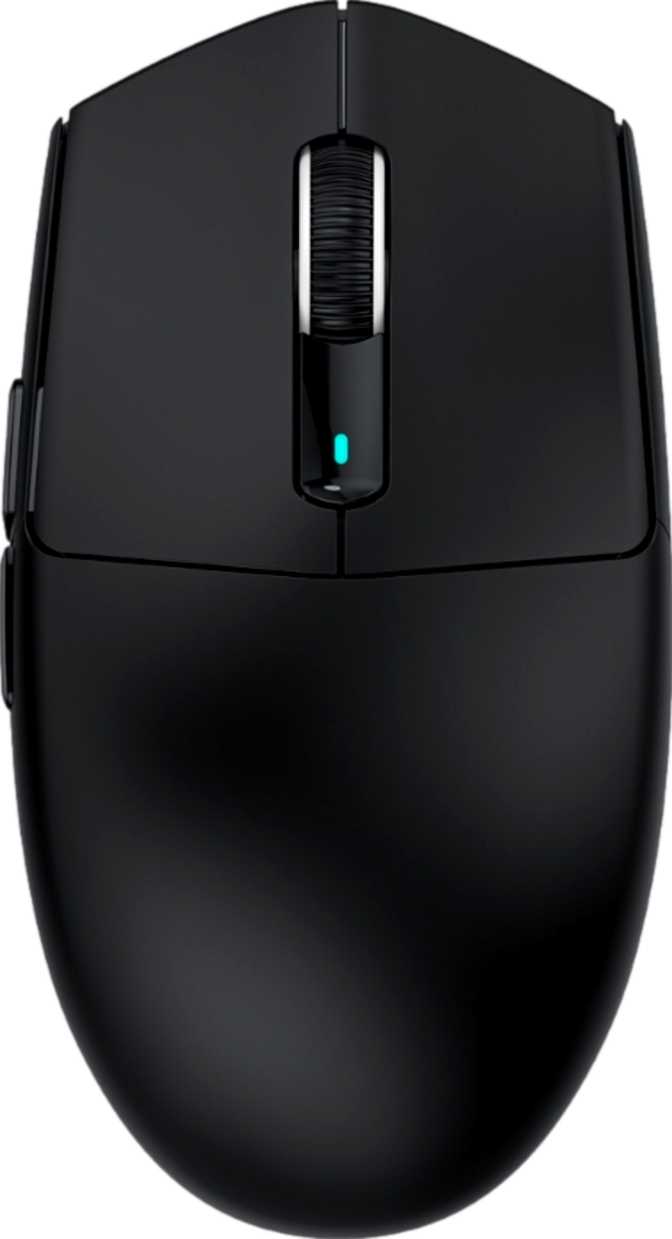
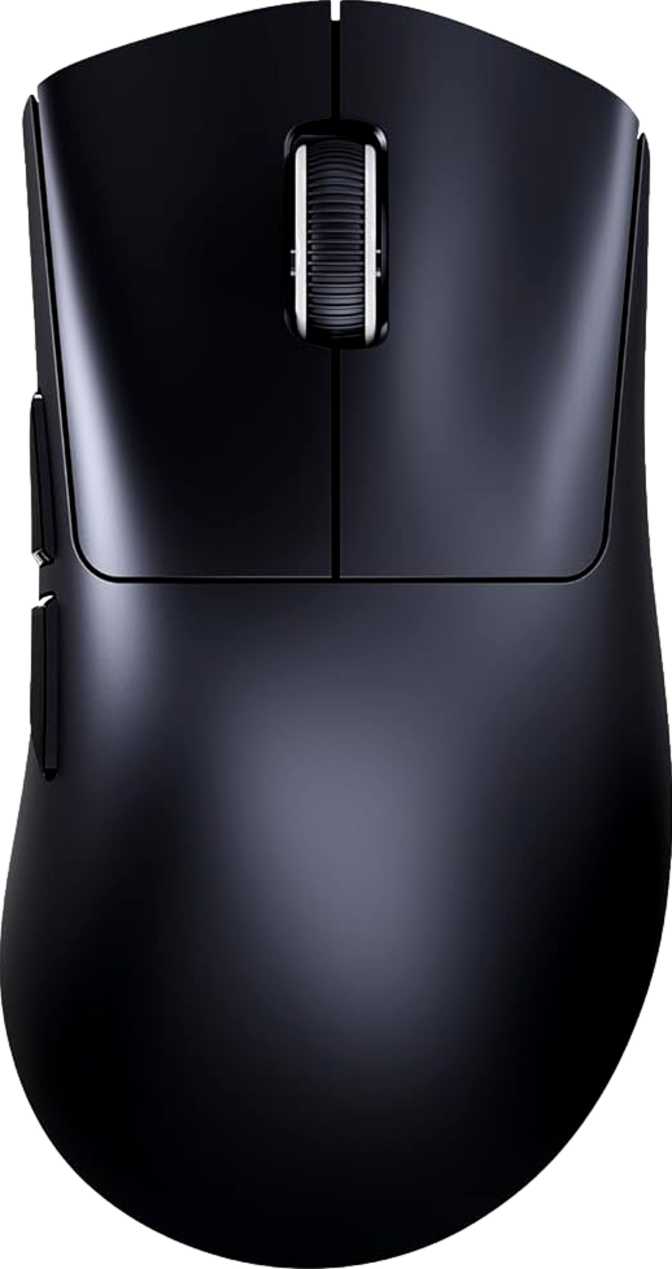
The V8 is built exclusively for right-handed users. The shape is contoured to cradle the right hand, with the side buttons positioned where a natural thumb rests without reaching. The overall footprint — roughly 126mm front to back and nearly 68mm at its widest — places it squarely in a medium form factor.
It accommodates medium to large hands well in a fingertip or claw grip. The height profile of roughly 41mm keeps the arch modest, suiting the flatter grip styles favored by competitive players who rely on arm movement to drive the cursor. Palm grip users with larger hands may find the profile a touch compact.
Weight: Where the V8 Makes Its First Statement
At 59 grams, the V8 is genuinely light. For reference, a standard AA battery weighs around 23 grams — this mouse comes in at roughly the weight of two and a half of them. That figure places it firmly within the ultralight category, where reduced mass translates directly to less wrist fatigue and faster directional changes.
Critically, that weight is achieved without the honeycomb shell cutouts some ultralight mice use. The solid shell means low mass comes from engineering choices, not cosmetic perforations. The result is a mouse that feels purposeful rather than hollow. No user-swappable weights are included.
Cable and Charging
The 1.8-meter cable provides ample reach for any wired workstation without needing a cable reel. The V8 can be used while it charges, so a low battery mid-session does not force a pause. Wireless charging is not supported — every charge cycle requires the physical cable.
Aesthetics: No RGB, No Apologies
There is no RGB lighting on the V8 — none at all. The mouse presents a clean, unlit exterior that gives no hint of its performance internals. On a business-focused desk or in any well-lit environment, the V8 blends into the background and lets the work take focus. If a glowing peripheral is part of your setup identity, this is simply not that mouse.
Sensor and Tracking Performance: The Technical Core
PixArt PAW3950 Max — What This Sensor Actually Means
The PAW3950 Max from PixArt is not a mid-range sensor with aspirational marketing attached to it. It sits at the top of PixArt's optical lineup and represents the current ceiling of what consumer gaming mouse sensors can do. Three figures tell the story:
- Tracking speed
Rated at 750 inches per second — well beyond the 200–300 IPS that even elite competitive players produce at full-arm-flick speed. No matter how aggressively you play, the sensor is not the limiting factor.
- Acceleration tolerance
Rated at 65G — exceeding what human movement can realistically produce. There is no practical ceiling where tracking degrades from a fast direction change.
- Resolution range
Spans from 800 to 42,000 DPI. Most competitive and creative scenarios operate between 400 and 3,200 DPI. The upper extreme confirms sensor capability but does not reflect everyday use. High-end PixArt sensors are also well-regarded for reporting cursor position accurately without prediction or artificial smoothing of your movement path.
8000 Hz Polling Rate
Standard gaming mice report their position to the computer 1,000 times per second. The V8 reports 8,000 times per second — cutting the maximum response delay from roughly 1 millisecond to around 0.125 milliseconds.
For most players, including competitive ones, the gap between 1,000 Hz and 8,000 Hz sits at the edge of human perception. The benefit becomes most relevant in three specific contexts:
- High-refresh displays running at 240Hz or above
- Very high DPI settings where jitter reduction becomes noticeable
- Competitive environments where sub-millisecond latency has real meaning
Connectivity: Three Modes, One Mouse
The V8 supports three distinct connection methods, and this flexibility is one of its most practically useful traits.
| Connection Mode | Best For | Latency Profile |
|---|---|---|
| 2.4GHz Wireless | Gaming, competitive use | Near-wired performance |
| Bluetooth 5.2 | Laptop, travel, productivity | Higher — acceptable for non-gaming |
| Wired USB | Charging & simultaneous use | Zero wireless overhead |
2.4GHz Wireless
The primary gaming mode. A dedicated dongle delivers a direct, low-interference connection that performs identically to wired for all practical purposes. Use this when latency matters.
Bluetooth 5.2
The multi-device option. Connects to a laptop without consuming a USB port, handles switching between a desktop and other devices, and is perfectly adequate for office work, browsing, and anything outside reflex-dependent gaming.
Wired USB
Functions primarily as a charging conduit but works as a fully functional connection. Useful if the wireless dongle is misplaced or if a competition environment restricts wireless peripherals.
Battery Life: The V8's Most Remarkable Specification
Four hundred hours of battery life on a single charge is, by any reasonable standard, exceptional. Most wireless gaming mice in the ultralight category deliver somewhere between 70 and 150 hours under typical gaming conditions. The V8's figure puts it in a different tier entirely.
In real terms: a player who games four hours a day would charge this mouse roughly every three and a half months. A more casual user — an hour or two a few times a week — might go six months between charges. The battery stops being something you manage and becomes something you deal with seasonally.
The internal battery is not user-replaceable, and wireless charging is not supported. These are the deliberate trade-offs that make the 400-hour figure possible.
Buttons, Controls, and Programmability
Button Layout and Configuration
Five buttons in total: two primary clicks, a scroll wheel click, and two side buttons positioned on the left flank for thumb access. This is a clean, conventional layout with nothing experimental about it. The scroll wheel does not tilt sideways — horizontal scrolling via the wheel is not available.
All five buttons are fully programmable, meaning any button can be reassigned to macros, DPI shortcuts, media controls, or application-specific commands. The DPI switching button is present for on-the-fly sensitivity adjustments during use.
There is no profile-switching button on the mouse body, which connects to a broader point: the V8 carries zero onboard memory profiles. Whatever configuration you build in software lives in the software, not the mouse. Unplug it and take it to another computer and it reverts to default behavior. For a dedicated gaming station where the software runs constantly, this is a non-issue. For a mouse moved between systems, it is a friction point worth knowing about in advance.
Button Summary
- 5 total buttons
- 2 dedicated thumb side buttons
- All 5 buttons fully programmable
- Dedicated DPI switching button included
- No profile-switching button
- No onboard memory profiles
- No scroll wheel tilt
Full Specifications Reference
Every key specification translated into its practical meaning for real-world use.
| Specification | Value | What It Means in Practice |
|---|---|---|
| Sensor | PixArt PAW3950 Max | Top-tier optical — no tracking failures under any realistic use case |
| Polling Rate | 8000 Hz | Reports position 8x more frequently than the standard 1000 Hz gaming mouse |
| Max Tracking Speed | 750 IPS | Exceeds any realistic human movement — sensor is never the weak link |
| Max Acceleration | 65G | No tracking degradation from even the most aggressive directional changes |
| DPI Range | 800 – 42,000 | Adjustable on the fly; competitive play typically uses 400–3,200 |
| Weight | 59 g | Ultralight — roughly half the weight of a conventional gaming mouse |
| Dimensions | 126 x 68 x 41 mm | Medium form factor; suits medium-to-large hands in fingertip or claw grip |
| Battery Life | 400 hours | Months between charges for typical gaming and office use patterns |
| Connections | USB / 2.4GHz / BT 5.2 | Three modes covering gaming, travel, and office environments |
| Buttons | 5 (all programmable) | Clean conventional layout; 2 side buttons, 1 DPI switch included |
| Onboard Memory | None | Settings stored in software only — configuration does not travel with the mouse |
| Wireless Charging | Not Supported | Physical cable charging only via the 1.8m bundled cable |
| RGB Lighting | None | No visual customization — the trade-off that enables exceptional battery life |
| Orientation | Right-Handed Only | No ambidextrous version — left-handed users are excluded |
| Warranty | 1 Year | Standard category coverage — register your purchase and keep your receipt |
Who the Attack Shark V8 Is Built For
- Competitive FPS and action game players
Flagship sensor performance in a light, unpretentious package. At 59 grams, extended sessions do not create cumulative wrist strain.
- Players who have had enough of charging
The battery genuinely removes charging from the ownership experience. Think in months, not days or weeks.
- Clean desk aesthetic users
High-end performance without visual noise. Looks like a productivity peripheral; performs like a competition tool.
- Multi-device users
Triple-connection covers a gaming rig and a laptop without multiple mice. Bluetooth for travel; 2.4GHz for play.
- You rely on onboard memory
No profiles are stored on the mouse. Custom settings do not travel to other systems — everything lives in software.
- Wireless charging is non-negotiable
Physical cable charging only. No charging pad support exists for this model.
- You are left-handed
Right-handed orientation only. There is no ambidextrous or mirrored version available.
- RGB lighting matters to your setup
Zero lighting customization. The V8 has no visual personalization features of any kind.
Competitive Context: How the V8 Stacks Up
The wireless ultralight gaming mouse market is competitive. Here is how the Attack Shark V8 positions itself against typical alternatives at this performance level.
| Factor | Attack Shark V8 | Typical Category Alternatives |
|---|---|---|
| Weight | ~59 g | 55–75 g range is common |
| Polling Rate | 8000 Hz | Most ship at 1000 Hz; select models offer 4000 Hz |
| Sensor Tier | Top-tier (PAW3950 Max) | Varies widely by price point |
| Battery Life | ~400 hours | 70–250 hours is typical across the category |
| RGB Lighting | None | Most competitors include RGB |
| Onboard Memory | None | Many competitors include 3–5 onboard profiles |
| Connection Options | Wired / 2.4GHz / Bluetooth | Many wireless mice omit Bluetooth entirely |
| Wireless Charging | Not Available | Available on select premium alternatives |
| Orientation | Right-handed only | Many ultralight mice are fully ambidextrous |
Honest Assessment: Strengths and Limitations
Where the V8 Delivers
The V8's greatest strength is coherence. Every significant design choice points in the same direction: maximum performance and minimum friction. The sensor does not limit you. The battery does not interrupt you. The weight does not fatigue you. The wireless does not lag behind you.
For a user whose primary goal is to remove the mouse as a variable in their performance equation, the V8 delivers thoroughly. Its combination of battery longevity and sensor tier is unusual — most mice that push flagship sensor hardware also load on RGB and other battery-intensive features, compressing runtime. The V8 goes the other direction entirely, and the result is a mouse that stays out of your way.
Where It Falls Short
No onboard memory means the mouse is tethered to a software environment to express its full configuration. No wireless charging is a genuine convenience loss in a market where some competitors have made cable-free ownership completely viable.
The right-handed exclusivity is not a flaw, but it immediately excludes a significant portion of buyers. The one-year warranty is standard for the category but not exceptional — some competitors offer two years on comparable hardware.
The 42,000 DPI ceiling lives in marketing more than in practice. Buyers should not select or reject this mouse based on that figure alone. The range that matters in actual use is a small fraction of it, and within that range the sensor performs excellently.
Questions Buyers Ask Before Purchasing
Final Verdict
Attack Shark V8 — Our Complete Recommendation
The Attack Shark V8 is a performance-first wireless gaming mouse that makes its priorities clear and never wavers from them. It carries one of the best optical sensors currently available at the consumer level, a polling rate that satisfies the most demanding use cases, and battery life that genuinely changes what ownership feels like. Instead of a peripheral you maintain, it becomes one you simply use.
The trade-offs are real and deliberate — no onboard profile memory, no wireless charging, no RGB, and a right-handed-only shape. These are not hidden flaws; they are the choices that make the V8 what it is. For the right buyer, none of them will register as a loss. For the wrong buyer, at least one will matter enough to look elsewhere.
You want a lightweight wireless mouse with top-tier tracking and battery life that stops being something you manage — and you do not need onboard memory or wireless charging.
You are left-handed, rely on onboard configuration profiles when moving between systems, or wireless charging is a requirement you will not compromise on.
Among wireless ultralight gaming mice at this performance tier, the Attack Shark V8 is one of the most coherently engineered options available. Its trade-offs are deliberate and honestly defined. For the right buyer, those trade-offs are invisible — and what remains is a mouse that works, exceptionally well, for months at a time without asking anything of you.