Attack Shark G3 Review: Tri-Mode Wireless on a Budget, Tested
MiceMost wireless gaming mice force a trade-off: either you get a premium sensor and pay a premium price, or you get an affordable mouse and accept compromises in connectivity and endurance. The Attack Shark G3 challenges that dynamic by packing tri-mode wireless, an exceptionally long battery life, and a genuinely lightweight frame into a package that aims squarely at practical, everyday value.
This is not a mouse chasing spec-sheet records or courting the esports crowd with flashy aesthetics. It is a thoughtfully designed wireless peripheral built for people who switch between devices, sit at long work sessions, and want to stop worrying about whether their mouse is going to die mid-task. Whether that profile matches you depends on the details — and the details are where this review lives.
Design and Build: Small, Light, Built for Both Hands
Physical experience, ergonomics, and construction quality
Shape and Ergonomics
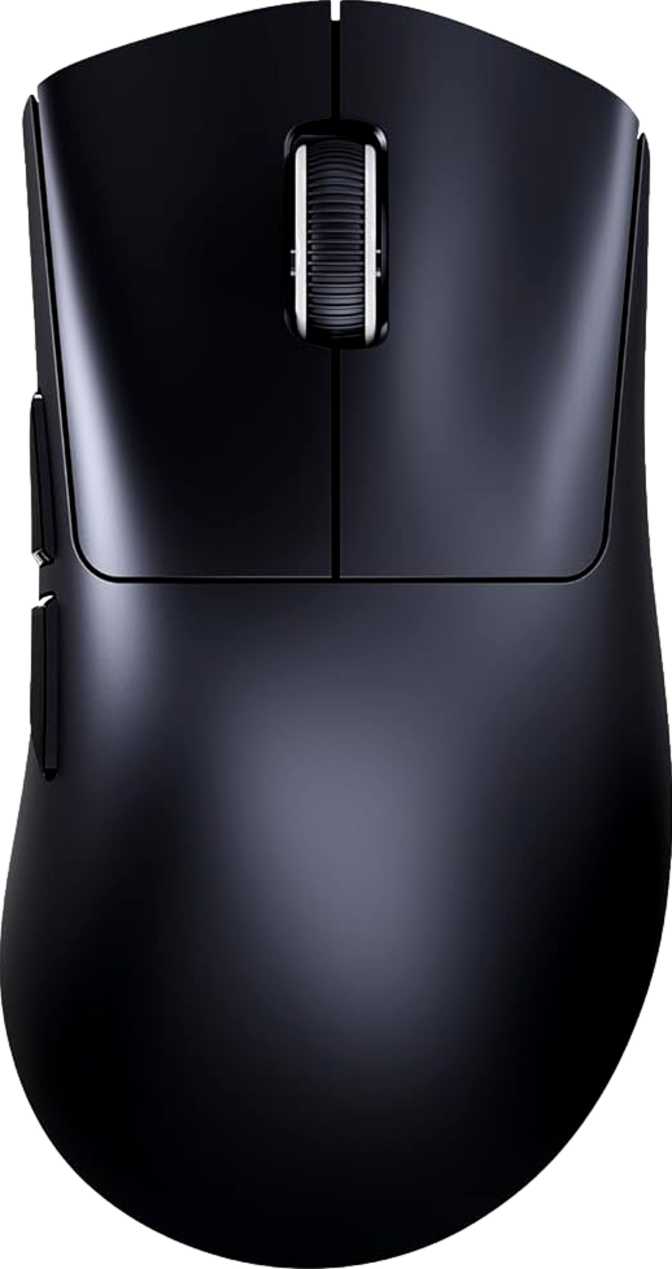
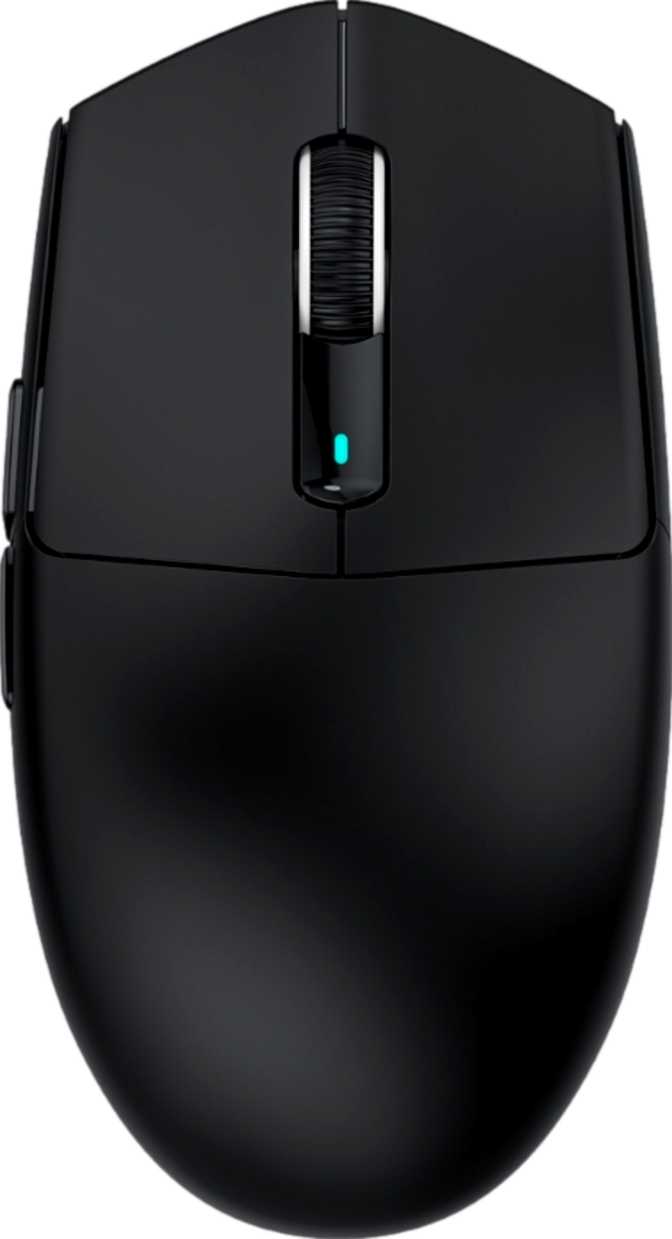
The G3 uses a symmetrical, ambidextrous form factor — a shape that curves identically on both sides rather than sculpting specifically for the right hand. This immediately opens the mouse to left-handed users, a group that most gaming peripheral makers actively ignore. For right-handed users, the trade-off is that you lose the contoured thumb shelf and dedicated pinky ridge found on an ergonomic right-handed mouse. What you gain is a clean, neutral profile that works across multiple grip styles.
At 117mm long and 63mm wide, the G3 sits in compact territory — it will feel most natural to small-to-medium hands. Players with larger hands may find the frame slightly pinched, particularly in the width. The 38mm height is notably low, making this a flat-profile mouse that naturally encourages claw grip or fingertip grip rather than a full palm rest. If you palm your mouse with your whole hand resting flat on the shell, this is probably not your ideal shape.
Weight and Build Feel
Fifty-nine grams is legitimately light. To put it in context: this mouse weighs less than a standard AA battery. Mice in this weight class require no warm-up when you start moving — your wrist does not fight inertia during quick direction changes, and after a long session, fatigue is noticeably lower than with heavier alternatives.
The G3 achieves this weight without any honeycombed cutout shell, which means the body feels solid rather than skeletal. The structural integrity holds up to firm gripping and confident clicking without any flexing or creaking.
Aesthetics: Minimalism by Design
The G3 ships without any RGB lighting. For buyers accustomed to the glow-everything approach of most gaming peripherals, this may feel like a step back. In practice, it is a deliberate trade — the absence of lighting is a meaningful reason this mouse achieves its extraordinary battery numbers, and it gives the G3 an understated, professional look that fits just as well on an office desk as a gaming setup.
The 1.8-metre cable handles charging duty and serves as a wired connection option when needed. It is long enough to reach from most desktop setups without strain, though it is not paracord-thin or ultra-flexible — expect a standard cable feel rather than something engineered for wireless-like drag reduction.
Sensor and Tracking: The PixArt PAW3311 Explained
What the sensor means in daily use — and where its limits appear
What This Sensor Actually Is
The G3 uses a PixArt PAW3311 optical sensor. PixArt manufactures sensors for the vast majority of the gaming mouse industry — from budget products all the way up to flagship peripherals — and the PAW3311 is their competent mid-tier offering positioned in the value segment.
The sensor tracks at speeds up to 400 inches per second and handles up to 40G of acceleration. To translate that into real-world meaning: 400 IPS is faster than any human wrist movement in normal gaming scenarios. Under typical conditions, you will not outrun this sensor during a standard match or work session. Where enthusiast buyers begin asking harder questions is in extreme edge cases — the very fastest, most explosive movements in high-stakes competitive play, where premium sensors operating at 650 IPS or higher offer a meaningful buffer. For the vast majority of players and all office users, the PAW3311 is a non-issue.
DPI Range and the 800 DPI Floor
The upper limit covers every practical use case. In real-world use, most users will never need to exceed 3,200 DPI — higher figures produce diminishing returns and introduce cursor instability rather than greater precision.
Many competitive FPS players prefer hardware sensitivity below 800 DPI — often 400 to 450 DPI. If your preferred setup lives under 800 DPI, this mouse does not accommodate it. This is a specific concern, not a universal one.
DPI adjustment is handled via a dedicated button, allowing on-the-fly switching between preset sensitivity steps without opening any software — a practical convenience during mid-session activity changes.
Polling Rate
The G3 reports its position to the connected device 1,000 times per second — the established standard for gaming mice. At this rate, cursor updates are smooth and responsive with no perceivable lag. Higher polling rates exist in premium mice, but 1,000 Hz remains the competitive standard and produces no detectable latency under normal or competitive use conditions.
Tri-Mode Wireless: One Mouse, Three Lives
The headline feature — and why each mode earns its place
Uses a USB dongle to create a dedicated low-latency wireless link. This is the mode for gaming. Latency is low enough that wireless and wired performance are practically indistinguishable under real-world conditions. When performance is the priority, this is the mode you use.
Plugging in the cable immediately activates a wired connection — useful when the dongle is unavailable, when you're at a desk with restricted USB policies, or when you want to charge without interrupting a session. The G3 supports active use while charging.
Adds connectivity to devices that do not accept a USB dongle — tablets, smart TVs, secondary laptops, and multi-device setups. Bluetooth introduces marginally more latency than 2.4GHz, which is undetectable in productivity use but worth noting for competitive gaming.
Battery Life: The Number That Stands Out
200 hours is not typical — here is what it means in daily use
Category average is 60 to 80 hours. At 8 hours of daily use, the G3 runs three to four weeks between charges.
In a product category where 60 to 80 hours is considered good and 100 hours earns headlines, 200 hours is a genuine outlier. If you use the mouse for eight hours a day, you are looking at roughly three to four weeks between charges depending on usage intensity. The persistent anxiety of whether your mouse will die tonight essentially disappears.
The reason this figure is plausible comes down to a hardware decision already discussed: there is no RGB lighting on the G3. Illuminated mice consistently sacrifice battery hours for their glow effects. The G3 trades aesthetics for endurance — a worthwhile deal depending on your priorities.
- Fully usable while charging via cable — no forced downtime when the battery runs low
- Internal rechargeable battery — no disposable AA or AAA replacements needed
- Battery is not removable — eventual cell degradation affects the whole unit, not just a swappable component
Real-World Use Scenarios
Who benefits most from the G3 — and who should look elsewhere
-
Remote and hybrid workers
Who carry a mouse between home and office setups, or connect to multiple devices in the same day. Bluetooth removes dongle shuffling, and week-plus battery life means charging is an afterthought.
-
Casual and mid-level gamers
Who want wireless gaming performance without paying premium sensor prices. The 2.4GHz mode delivers genuinely low latency, and the sensor handles every mainstream game title without stress.
-
Left-handed users
Consistently underserved by the gaming peripheral market. The ambidextrous build is a direct answer to a real scarcity of quality left-hand-friendly options at this price point.
-
Minimalist desk setups
Where RGB lighting feels out of place and clean, unlit hardware is preferred on both aesthetic and practical grounds.
-
Multi-device laptop users
Who want one consistent pointing device across a productivity tablet, work laptop, and personal computer without managing multiple accessories.
-
Competitive FPS players demanding flagship sensors
Who require a sensor with 650+ IPS tracking capability, premium acceleration handling, and zero inconsistencies at maximum movement speed.
-
Sub-800 DPI users
If your preferred sensitivity lives below 800 DPI in hardware terms, the G3's minimum floor simply does not accommodate that configuration.
-
Users needing cross-machine profile portability
Who depend on onboard memory to carry custom button mappings and settings automatically between multiple computers.
-
RGB enthusiasts
Who want expressive lighting as part of their setup's visual identity. There is no RGB here — that is a deliberate design choice, not an oversight.
Competitive Positioning
How the G3 stacks up against the most likely alternatives in its price range
| Feature | Attack Shark G3 | Typical Budget Wireless | Mid-Range Wireless |
|---|---|---|---|
| Connection Modes | USB + 2.4GHz + BT | 2.4GHz only | 2.4GHz + sometimes BT |
| Rated Battery Life | ~200 hours | ~250 hrs (AA battery) | 60–100 hours |
| Sensor Tier | PAW3311 (value-mid) | HERO / PMW3335 (mid) | PAW3395 / HERO (high) |
| Weight | 59g | ~99g | 60–70g |
| Ambidextrous | Varies | ||
| RGB Lighting | Often yes | ||
| Onboard Memory | None | 1 profile | 2–5 profiles |
| Price Bracket | Budget | Budget | Mid-range ($60–$80) |
The G3's clearest competitive advantage is the combination of tri-mode connectivity and sub-60g weight at budget pricing. Where it concedes ground is sensor specification and the absence of onboard memory. Users willing to pay more will find stronger sensors and profile storage; users who prioritize connectivity flexibility and low weight will find the G3 genuinely competitive.
Honest Assessment
Strengths and trade-offs stated without spin
The Attack Shark G3 is strongest where portability and connectivity intersect. Its weight is genuinely impressive — achieving 59 grams without a perforated shell indicates thoughtful internal engineering rather than a simple cutout shortcut.
The tri-mode wireless implementation is not a checklist item: each connection mode has a clear use case, and the Bluetooth 5.0 integration in particular adds day-to-day utility that 2.4GHz-only mice cannot match. Remote workers, multi-device users, and people who move between workstations will find real, daily value in that flexibility.
The battery endurance is the single most surprising figure on the sheet. Approaching 200 hours of rated life is not typical even of mice costing twice as much. The absence of RGB, often seen as a downside, is precisely what makes this figure achievable — and it results in a product that looks equally at home in an office as at a gaming station.
The sensor is where expert buyers will register a meaningful gap. The PAW3311 is a solid, honest performer at its price point, but it is not the same class of hardware as the sensors found in premium mice. For most users and most games, this distinction will never matter in practice. For competitive FPS players who have trained their movements to the precise behavior of a high-end sensor, the difference exists and is worth weighing carefully.
The lack of onboard memory is the most practically frustrating limitation, and it sits in direct tension with what makes the G3 appealing. If you are buying a Bluetooth-capable mouse because you move between computers, you are also the user most likely to be frustrated when button mappings do not follow you.
The 800 DPI minimum floor is a narrower concern, relevant mainly to competitive FPS players. The one-year warranty reflects the budget pricing of the product rather than signaling long-term manufacturer confidence.
Questions Buyers Ask Before Purchasing
Direct answers to the questions that actually matter
Verdict
A Smart Purchase — With Both Eyes Open
The Attack Shark G3 earns a genuine recommendation for a specific buyer — and that category is wider than it might first appear.
If you want a lightweight wireless mouse with real multi-device capability — not just 2.4GHz, but actual Bluetooth for tablets and secondary laptops — without paying flagship prices, the G3 delivers on that promise. Its battery life alone removes a persistent source of friction that plagues most wireless mice. Its weight makes extended sessions noticeably less tiring. Its ambidextrous build serves a user group routinely overlooked by the industry.
Buy this mouse if you value connectivity flexibility, endurance, and low weight above top-tier tracking precision and automatic profile portability. Look elsewhere if you are a competitive FPS player who demands a flagship sensor, or if you need custom configurations to follow your mouse between machines without manual reconfiguration.
- You switch between two or more devices regularly
- Battery endurance is a top priority
- You are a left-handed user seeking real options
- You want lightweight wireless at a budget price
- You play competitive FPS at a high level
- You need hardware DPI settings below 800
- Profile portability across PCs is essential
- RGB lighting is part of your setup plan
The G3 does not pretend to be something it is not. That clarity of purpose is, ultimately, what makes it a trustworthy product rather than an oversold one.