Attack Shark R11 Ultra Review: Flagship Sensor, Ultralight Frame
MiceQuick Review Summary
Attack Shark R11 Ultra — Ultralight Wireless Gaming Mouse
What 49 Grams and a Flagship Sensor Actually Buys You
The ultralight wireless gaming mouse market has gotten brutally competitive. Every brand promises the lightest mouse with the best sensor, and most deliver something in the middle. The Attack Shark R11 Ultra is different in a way that demands attention: it weighs less than a standard AA battery while packing professional-grade internals that many flagship mice costing significantly more would envy.
Understanding what Attack Shark traded to reach that weight, and what they absolutely refused to compromise on, is the real story of this mouse. The trade-offs are few, the wins are significant, and one limitation matters more than any spec sheet will tell you.
Design and Build: Ambidextrous Done Right
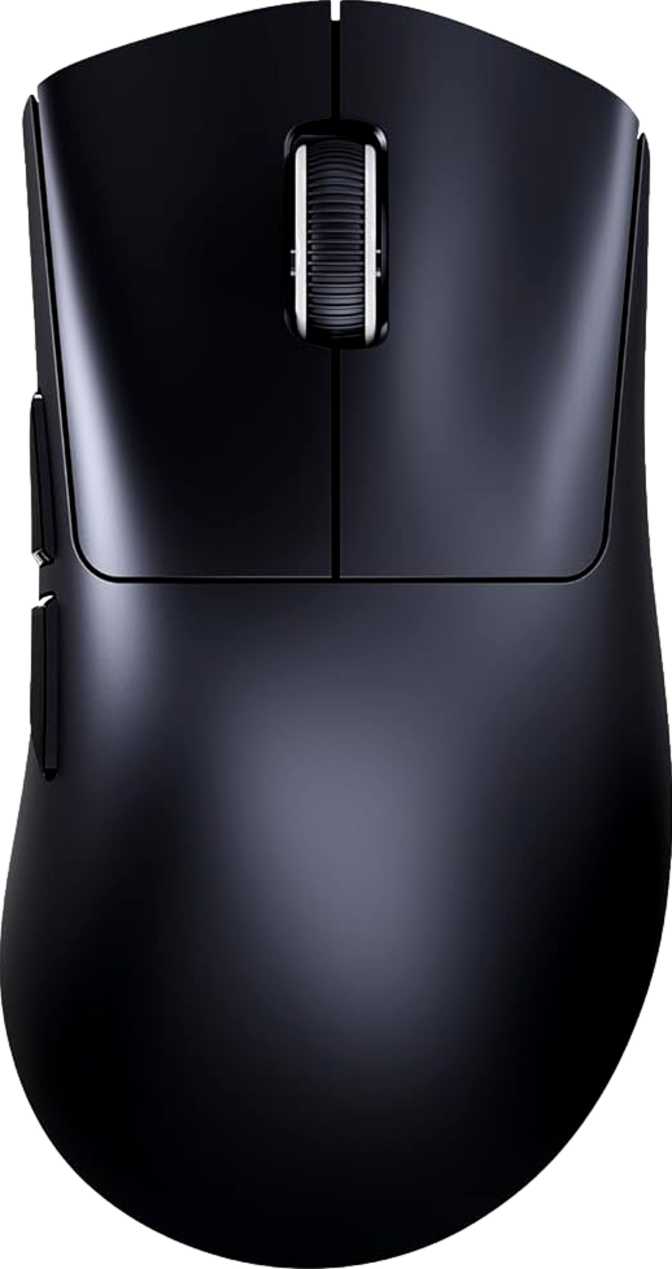
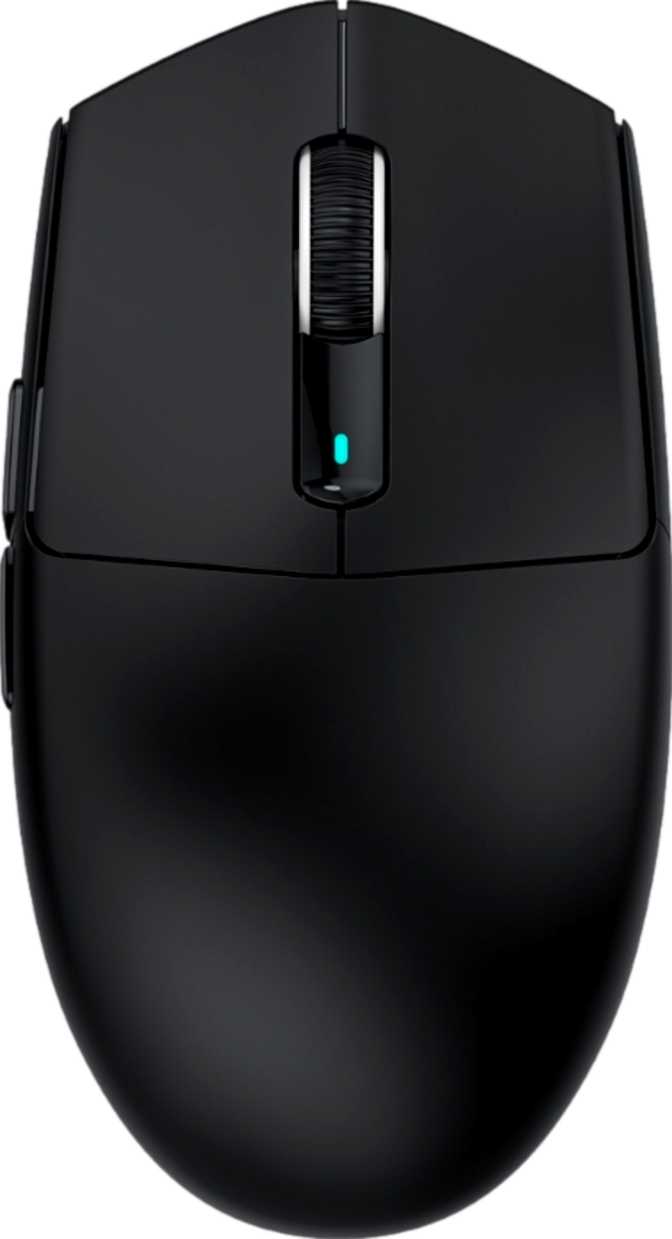
At 124mm long and 65.5mm wide, the R11 Ultra lands in the medium footprint range — substantial enough to fill a palm grip for average to medium-sized hands, compact enough for fingertip or claw grip with larger hands. The ambidextrous shape means neither left-handers nor right-handers are working around a compromised design, and the symmetrical layout gives both orientations equal ergonomic footing.
The 38mm height profile is notably flat for a mouse of this footprint. Players who prefer a low, spread-out hand position will feel at home immediately; those who like to cup their palm high over a taller shell may find the profile slightly shallow at first. This flatness is a deliberate ergonomic choice that favours precision-grip styles and low-angle wrist positioning.
At 49 grams, the R11 Ultra sits in a weight class where the engineering priorities are obvious the moment you pick it up. Your first instinct may be to check whether something is missing. Nothing is. The shell is built to maintain structural integrity without carrying a gram of unnecessary material. For players managing wrist fatigue, recovering from repetitive strain concerns, or executing wide sweeping arm motions across large desk mats, this weight reduction translates directly into less fatigue over multi-hour sessions.
One deliberate aesthetic decision defines the external experience: there is no RGB lighting on the R11 Ultra. For buyers who want a light show from their peripherals, this is a hard stop. For those who want a clean, unlit mouse that disappears into a professional workspace and stops drawing power to glow, this is precisely the point — and the battery section explains the full payoff of that choice.
The included cable stretches to 1.8 metres — noticeably longer than the 1.5-metre standard on most competitors. For larger desks, floor-mount PC configurations, or setups where extra slack makes cable management easier, that additional reach is a practical benefit that quietly distinguishes it from a generic accessory.
- Orientation
- Ambidextrous
- Dimensions (L × W × H)
- 124 × 65.5 × 38 mm
- Weight
- 49 g Ultralight Class
- Cable Length
- 1.8 metres
- RGB Lighting
- None (maximises battery life)
- Supported Grip Styles
- Palm, Claw, Fingertip
The PixArt PAW3950 Max Sensor Explained
The PixArt PAW3950 Max is PixArt's top-of-line optical sensor, and it is the component that justifies the R11 Ultra's competitive ambitions more than any other single specification. This sensor appears in mice from brands that charge considerably more than Attack Shark — its presence here is not a marketing claim, it is a verifiable hardware specification.
To understand why this matters: a mouse sensor translates physical surface movement into cursor movement. A poor sensor introduces jitter — erratic micro-movements you did not make — or smoothing, which is artificial path correction that masks your real tracking, or prediction, where the sensor guesses your trajectory rather than following it precisely. The PAW3950 Max does none of these things. What your hand does, the cursor mirrors without interpretation, correction, or interpolation.
The DPI range on this sensor deserves specific attention at both ends. The lower limit of 50 DPI is genuinely low — at this sensitivity, significant physical movement produces very little cursor travel, giving precise control useful for tasks requiring extreme accuracy, from in-game sniping to detailed design work. The upper ceiling of 42,000 DPI far exceeds what any gaming scenario practically requires, but its significance is what it reveals about the sensor's resolution fidelity throughout the full range — a sensor that can reach that ceiling without degradation handles every real-world setting with the same consistency.
The sensor can also follow cursor movement at velocities that exceed what any human wrist can realistically produce in normal use. In practice, this means aggressive, wide-arc flick shots track cleanly rather than dropping or approximating position — the sensor keeps up with the player, not the other way around.
PAW3950 Max: Key Capabilities
Extreme precision for low-sensitivity sniping and detailed creative work
Standard range for professional FPS play — tracked with identical accuracy throughout
Confirms sensor resolution fidelity — zero degradation across the entire range
Polling Rate: The 8,000 Hz Difference
Polling rate describes how many times per second the mouse reports its position to the computer. The standard for conventional gaming mice is 1,000 times per second. The R11 Ultra communicates at 8,000 times per second.
For those unfamiliar with the practical impact: at the standard 1,000 Hz rate, one position update is sent every millisecond. At 8,000 Hz, that interval drops to 0.125 milliseconds — a reduction that produces smoother cursor motion at all speeds and faster registration of micro-corrections when precision matters most. The effect is particularly perceptible during slow, deliberate aiming movements, where the quality of tracking smoothness becomes clearly visible at lower polling rates.
For competitive players, where responsiveness is measured in milliseconds and fine cursor control determines outcomes, this is a hardware advantage that is legitimately earned, not marketed theater. This specification places the R11 Ultra in the same class as mice from companies that charge a significant premium specifically to offer 8,000 Hz polling.
Polling Rate Comparison
Three Ways to Connect
The R11 Ultra supports wired USB, 2.4 GHz wireless, and Bluetooth 5.2. Each serves a distinct purpose — understanding the hierarchy between them prevents frustration.
2.4 GHz Wireless
Primary Gaming ModeOperating via a dedicated USB dongle, this connection delivers performance functionally indistinguishable from wired in terms of latency. It is immune to the interference that affects Bluetooth in congested environments. Use this mode for any session where performance is the priority.
Wired USB
Passthrough & BackupServes two roles simultaneously: charging mode and zero-compromise fallback. When battery is low, plugging in does not pause your session — the mouse remains fully operational through the cable. The 1.8-metre cable provides ample reach for most desk configurations.
Bluetooth 5.2
Multi-Device & TravelWithout occupying a USB port, Bluetooth 5.2 pairs with laptops, secondary devices, or any compatible machine. Efficient and reliable for everyday productivity use. One clarification: Bluetooth carries marginally more latency than the 2.4 GHz dongle — ideal for productivity, not recommended for competitive gaming.
Battery Life: 200 Hours Is Not a Typo
Most wireless gaming mice in the performance tier manage between 60 and 120 hours before needing a charge. The R11 Ultra's rated figure sits at 200 hours — a number that deserves scrutiny, but also makes complete engineering sense in context.
The R11 Ultra has no RGB lighting. RGB LEDs are among the highest power draws in any gaming peripheral. Removing them entirely, combined with the efficiency of modern wireless chipsets and the PAW3950 Max's low power consumption, creates a mouse that uses very little energy per hour of operation. The absence of glow is not a compromise — it is the reason this battery life is possible.
For a player gaming four hours a day, every day, that translates to roughly seven weeks between charges. Even at eight hours a day, it exceeds three weeks. In practice, charging becomes an infrequent background task — the kind of routine you associate with a television remote, not a gaming peripheral.
The battery is integrated rather than removable, which is standard practice in the ultralight category — a removable battery mechanism adds grams that directly conflict with the sub-50-gram philosophy. The ability to continue using the mouse while it charges means there is no hard stop moment even on the rare occasion the battery runs flat. Wireless (Qi) charging is not supported; recharging requires a physical cable connection.
Who the R11 Ultra Is For — and Who It Isn't
- Competitive FPS and multiplayer players who want top-tier sensor and polling performance without paying for a legacy brand name
- Left-handed gamers persistently underserved by the market's right-handed dominant designs
- Players managing wrist fatigue, RSI concerns, or transitioning from heavier mice to a genuinely lighter setup
- Multi-device users who need a single mouse that moves between a gaming desktop and travel laptop without a separate peripheral
- Anyone who values six-plus weeks of wireless operation between charges over light-up aesthetics
- Regularly compete at LAN events or use multiple computers and need your configuration to travel with the device
- Depend on more than six programmable buttons for MMORPG play or complex software workflows
- Prioritise RGB lighting customisation as a core part of your setup aesthetic
- Are a palm-grip player with very large hands who needs a taller or more voluminous shell profile
- Place significant value on the long-term driver support and service reliability of a fully established brand with decades of history
Competitive Positioning
The ultralight wireless gaming mouse category has a defined set of criteria that separate credible options from the rest: sensor quality, frame weight, polling rate support, battery life, and connectivity flexibility. Here is how the R11 Ultra measures up.
| Specification Area | Attack Shark R11 Ultra | Typical Ultralight Wireless Competitor |
|---|---|---|
| Frame Weight | ~49 g | 49 – 65 g typical range |
| Sensor Tier | Flagship (PAW3950 Max) | Flagship to high-midrange |
| Polling Rate | 8,000 Hz | 1,000 – 8,000 Hz |
| Battery Life | ~200 hours | 60 – 140 hours |
| Onboard Profiles | None | 1 – 5 typically |
| RGB Lighting | None | Often included |
| Connectivity Modes | 3 (Wired / 2.4 GHz / BT) | Typically 1 – 2 modes |
What the R11 Ultra achieves unusually well is combining specifications that normally require choosing between them. Flagship sensors often appear on heavier bodies. Extended battery life frequently comes at the expense of sensor class or polling rate support. The area where established competitors retain an advantage is software ecosystem maturity and onboard profile storage — both of which represent years of refinement that a newer brand has not yet accumulated.
Honest Strengths and Real Limitations
The R11 Ultra earns genuine admiration for its engineering restraint. The decision to exclude RGB lighting, extra weights, a thumb scroll wheel, and onboard profile memory wasn't arbitrary — each exclusion directly serves the weight target and battery endurance. The result is a mouse built around a clear priority list, executed without compromise.
- Top-tier sensor, full stop. The PAW3950 Max is not "impressive for the price" — it is the same flagship sensor found in mice from brands charging far more.
- 8,000 Hz polling is a genuine differentiator even in the premium segment. Having it here is a performance advantage, not a checkbox feature.
- 200-hour battery life stands alone in this weight class. No competitor at 49 grams consistently matches that endurance figure.
- Ambidextrous design broadens appeal to a far larger audience than most performance mice address, including a consistently underserved left-handed market.
- Triple connectivity makes this a single device that covers competitive gaming, travel, and productivity without compromising any use case.
The limitations are few but meaningful for specific buyer profiles, and stating them plainly is more useful than burying them.
- Zero onboard memory is a real functional gap for mobile and tournament players. Settings do not travel with the mouse to a new machine.
- One-year warranty is standard industry practice but unremarkable. Buyers seeking long-term reliability assurance may weigh this against more established alternatives.
- No wireless (Qi) charging — recharging always requires a physical cable connection, unlike some competitors at this performance tier.
- Brand maturity gap. The hardware specifications are verifiable and impressive; long-term driver support and customer service experience are less proven than companies with decades of history.
- No RGB lighting — a deliberate choice most buyers will appreciate, but a hard dealbreaker for those who want visual peripheral customisation.
Questions Real Buyers Ask Before Purchasing
A Strong Recommendation With One Honest Caveat
The Attack Shark R11 Ultra is the kind of product that makes the case for paying attention to newer brands rather than defaulting to established names. Its hardware specification is not aspirational — it is delivered. The PixArt PAW3950 Max sensor, 8,000 Hz polling rate, 49-gram weight, and 200-hour battery life represent a combination that would headline a premium launch from a legacy manufacturer, not quietly appear on a challenger brand's mid-tier product page.
The onboard memory absence is the clearest functional limitation, and it deserves to be treated as such rather than dismissed. For players who own and compete exclusively on their own hardware, it is invisible in daily use. For those who need their settings to follow the mouse to different machines, it is a real disqualifying factor that no amount of otherwise impressive specification can paper over.
If you are shopping in the ultralight wireless category and the absence of onboard profiles does not conflict with how you game, the Attack Shark R11 Ultra presents a specification set that punches well above its position in the market. It earns a strong recommendation for competitive players, left-handed gamers underserved by the mainstream, and anyone who wants flagship-tier performance without paying flagship-tier prices.