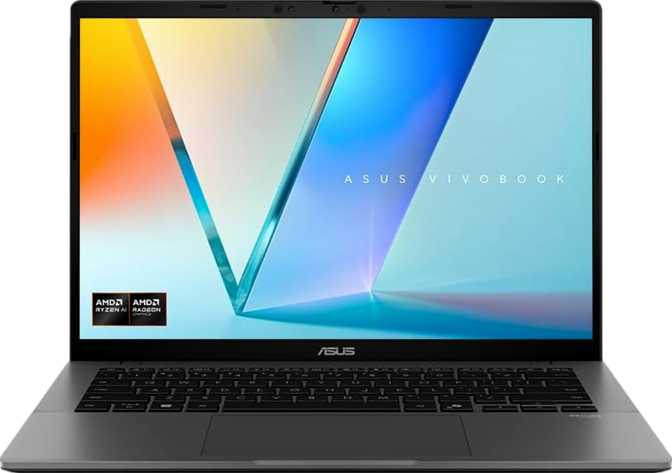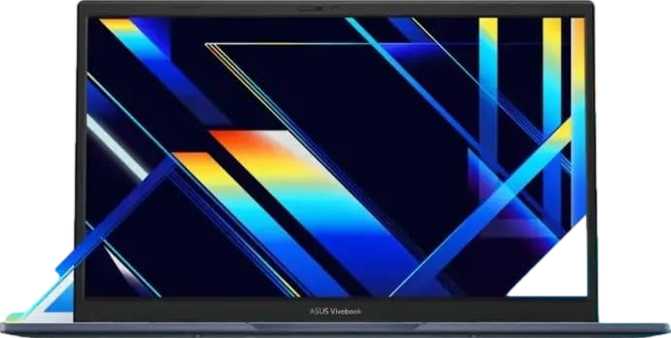
Asus VivoBook 14 X1404 Review: An Honest Productivity Pick
LaptopsThe mainstream productivity laptop market is crowded with machines that promise everything and deliver something less. The Asus VivoBook 14 X1404 takes a different posture — it does not pretend to be a powerhouse workstation or a featherweight ultrabook. It is a well-equipped 14-inch daily driver aimed at students, home office workers, and anyone who needs a capable machine without a premium price tag. Whether that positioning makes it the right choice for you depends entirely on how your priorities line up — and that is exactly what this review lays out.
Hybrid Core
Dual-Channel
PCIe 4.0 SSD
1920 × 1080
8 Hours
80EU iGPU
Design and Build: Familiar Form, Functional Focus
The VivoBook 14 X1404 lands squarely in the practical rather than aspirational camp of laptop design. It is a conventional clamshell at 14 inches — a size that has earned its reputation for good reason. Large enough to work comfortably for hours, compact enough to slide into a backpack without planning around it.
The construction does not carry any rugged certification and there is no weather-sealing. This is not a machine for construction sites or unpredictable environments. It is built for controlled spaces — offices, classrooms, kitchen tables, and coffee shops. Treat it with standard care and it will hold up fine; subject it to punishment and it will not thank you.
The backlit keyboard is a meaningful inclusion at this price tier. Typing in dim lighting — on a plane, in a dark study room, or during a video call with the main lights off — becomes noticeably more comfortable with key illumination. It is a small feature that users only miss when it is absent.
Worth Knowing Before You Buy
There is no fingerprint scanner and no 3D facial recognition on this model. Windows Hello biometric login — which users on many competing machines take for granted — is not available. You will be entering a PIN or password every time the machine wakes. For a laptop used multiple times daily, that friction accumulates.
Build Highlights at a Glance
-
14-inch Clamshell Form FactorPortable without sacrificing screen space for daily work
-
Backlit KeyboardComfortable typing in low-light environments
-
Stereo Speakers + 3.5mm JackBuilt-in audio output with full headset support
-
Active Fan CoolingManages the 15W processor under sustained workloads
-
No Biometric LoginNo fingerprint reader or facial recognition available
-
No Rugged Build or Weather SealingStandard laptop construction for everyday controlled environments
Display: Sharp and Functional, Not Dazzling
The 14-inch screen delivers a full 1080p resolution — the standard bearer for non-4K content work at this screen size. Text is crisp, spreadsheets are readable at comfortable zoom levels, and video playback at standard streaming quality looks clean and clear. For everyday productivity tasks, this panel does the job without complaint.
What this panel does not have is an anti-reflection coating. In bright rooms or near windows with strong natural light behind you, glare will be a factor. This is not a dealbreaker but it does mean workspace positioning matters more than it would with a matte display. If you work near large windows regularly, plan accordingly.
There is no touch capability and no stylus is included or implied by the hardware. For pure productivity work with a keyboard and trackpad, most users will never feel the absence. For annotation, sketching, or any pen-based workflow, look elsewhere.
One genuinely impressive capability for this class of machine: the integrated graphics configuration can drive up to four simultaneous displays. Home office users who want a monitor plus the built-in panel — or even a two-monitor external setup — have real flexibility here without needing a dedicated GPU.
Display Specifications
- Screen Size
- 14 inches
- Resolution
- 1920 × 1080 Full HD
- Touch Screen
- Not available
- Anti-Glare Coating
- Not available
- Stylus Support
- Not included
- Max Displays
- Up to 4 screens
Performance: The Hybrid Architecture That Gets Things Done
The processor inside the X1404 uses Intel's hybrid core architecture — two high-performance cores handle demanding, time-sensitive tasks while eight efficiency cores manage background processes and lighter workloads. Together they deliver twelve processing threads and a maximum boost speed of 4.6GHz, competitive with what many higher-priced machines achieve under load.
This architecture was designed to stop your laptop from feeling sluggish during normal use. When you are compiling code, rendering a document, or running a video call while switching between fifteen browser tabs, the efficiency cores absorb the ambient processing load while the performance cores punch through the heavy lifting.
The chip operates within a 15-watt thermal envelope — this is an efficiency-first design. It will not throttle aggressively or cook your lap, but sustained professional workloads like 3D rendering, high-bitrate video encoding, or large data computation will hit its ceiling. For those workflows, a higher-TDP platform is the correct tool.
For everyday work — Office applications, web browsing, video calls, cloud tools, and development environments — this processor handles everything without hesitation, and does so quietly and efficiently.
Benchmark Results
Scores shown relative to flagship laptop performance tier. Higher bar = closer to top-end.
PassMark multi placed within the solid mid-range productivity tier — faster than entry-level Celeron or Pentium configurations, on par with or ahead of competing Core i5 machines from previous generations.
Memory and Storage: Where This Machine Earns Its Price
16GB DDR4 — Why It Matters
Sixteen gigabytes of dual-channel DDR4 is the X1404's most compelling selling point at this price. Many competing machines still ship with 8GB — a configuration that is genuinely limiting as operating systems, browsers, and web applications grow more memory-hungry. Here you get real headroom: multiple browser windows with many tabs, a spreadsheet, a communication app, and background sync can all coexist without slowdown. The board supports expansion up to 64GB for users whose needs grow over time.
1TB NVMe PCIe 4.0 — Genuinely Generous
A full terabyte of NVMe solid-state storage on a PCIe 4.0 interface is rare at this tier. Application launches, file transfers, and OS boot times are measured in seconds, not minutes. A terabyte accommodates years of documents, a full software suite, a photo library, and media files without space anxiety or constant cloud-offloading. The PCIe 4.0 interface is future-ready even if current workloads may not saturate that bandwidth ceiling.
Graphics: Capable Integrated, Not a Gaming Machine
The Intel Iris Xe 80EU integrated GPU is a meaningful step above the bare-minimum graphics found in budget configurations. It handles 1080p video playback without breaking a sweat, supports light image editing, manages 2D illustration tools, and can push casual gaming at modest settings on less demanding titles.
The dual-channel memory configuration feeding it bandwidth is important here. When both memory modules work in tandem, the Iris Xe performs noticeably better than in single-channel setups at the same price point — frame pacing is smoother, and UI responsiveness is more consistent across graphically active tasks.
The GPU boosts to 1,250MHz under load and supports DirectX 12, OpenGL 4.6, and OpenCL 3.0 — covering compatibility with modern software stacks. 640 shader units and 40 texture mapping units give it reasonable capability for integrated graphics in its tier.
What this GPU cannot do is clear: there is no ray tracing, no AI-assisted upscaling, no XeSS or DLSS. Demanding 3D titles and GPU-accelerated professional workflows are outside its capability. There is no discrete graphics option in this configuration — if those workflows matter to you, a different machine is required.
Graphics Capabilities
- 1080p video playback
- Light photo and image editing
- 2D illustration and design tools
- Casual and low-demand gaming
- Multi-display output (up to 4 screens)
- Ray tracing — not supported
- Modern AAA gaming at any setting
- GPU-accelerated video rendering
- AI upscaling (no XeSS or DLSS)
Connectivity: Functional but Showing Its Age in Places
The port selection covers the essentials without being generous. A few choices here will affect some buyers significantly — especially those planning a 4K display workflow or working in environments with wired network infrastructure.
| Port | Qty | Speed / Standard | Notes |
|---|---|---|---|
| USB-C | 1 | 5 Gbps (USB 3.2 Gen 1) | Data and charging; no Thunderbolt |
| USB-A | 2 | 5 Gbps (USB 3.2 Gen 1) | Full-speed peripherals and external drives |
| USB-A | 1 | 480 Mbps (USB 2.0) | Mouse, keyboard, low-bandwidth devices only |
| HDMI | 1 | HDMI 1.4 | 4K capped at 30Hz; 1080p and 1440p are fine |
| 3.5mm Audio | 1 | Combo headset jack | Headphones and microphone support |
| Ethernet (RJ45) | Not available | USB adapter required for wired internet | |
| SD / microSD Card | Not available | USB card reader required |
Wireless Connectivity
- Wi-Fi Standard
- Wi-Fi 5 (802.11ac)
- Bluetooth
- Version 5.1
- Ethernet
- Not built-in
Wi-Fi 5 Limitation
Wi-Fi 5 performs well in most home and small office environments but lacks the congestion-handling improvements of Wi-Fi 6. In dense apartment buildings or busy office floors with many competing devices, this may be a noticeable difference.
Battery Life: A Workday, Mostly
The rated eight-hour battery life places this machine in the acceptable-but-not-impressive bracket for a 15-watt efficiency chip. In typical mixed use — document editing, web browsing, video calls, and background tasks — real-world endurance lands somewhere between six and eight hours depending on screen brightness and workload intensity. That covers most standard workdays with some margin.
Heavy tasks pull that figure down significantly. Sustained video calls with screen sharing, compilation workloads, or media playback at high brightness consume more power and drain the battery faster. Do not plan on eight hours of demanding work without a charger nearby.
Charging is handled via the USB-C port. A standard USB-C charger or a capable power bank can top the machine up when a wall outlet is not nearby — a genuine convenience advantage over proprietary charging connectors. The trade-off is one fewer port available while charging. There are no sleep-and-charge USB ports.
Expected Endurance by Use Case
Estimates based on rated capacity and typical usage patterns for this processor class. Actual results vary with screen brightness, active applications, and ambient conditions.
Who This Laptop Is For — and Who Should Look Elsewhere
The X1404 excels in specific hands. Before purchasing, check which column describes your situation.
This IS the Right Machine If You:
- Are a student or office worker whose daily toolkit includes browser-based apps, Office suite tools, communication platforms, and document management
- Need large local storage without relying on cloud subscriptions to supplement a cramped SSD
- Value 16GB of RAM as a genuine multitasking baseline at an accessible price point
- Work primarily indoors in controlled environments with stable Wi-Fi and predictable lighting
- Want a backlit keyboard without paying ultrabook prices for the privilege
Step Away If You:
- Need reliable wired Ethernet in your work environment without carrying and managing a USB adapter
- Plan to connect a 4K monitor at 60Hz as your primary external display — HDMI 1.4 caps 4K at a stuttery 30Hz
- Do GPU-intensive work: 3D modeling, high-bitrate video export, gaming, or any machine learning workflows
- Require biometric login — fingerprint or face recognition — as a non-negotiable daily security feature
- Regularly pull files from camera cards and need a built-in SD or microSD slot to do so
How It Compares to the Competition
At this price tier, the X1404 leads on storage and memory. Its competitors frequently cut both to hit the same price point. Here is how they stack up across the features that matter most.
| Feature | Asus VivoBook 14 X1404 | Typical 8GB / 256GB Rival | Wi-Fi 6 Mid-Range Alternative |
|---|---|---|---|
| RAM | 16GB DDR4 | 8GB DDR4 | 8–16GB DDR5 |
| Storage | 1TB NVMe | 256–512GB NVMe | 512GB NVMe |
| Wireless | Wi-Fi 5 | Wi-Fi 5–6 | Wi-Fi 6 |
| Biometrics | None | Often fingerprint | Often fingerprint |
| USB-C Speed | 5 Gbps | 5–10 Gbps | 10–40 Gbps |
| Ethernet | No | Often no | Sometimes included |
| Integrated GPU | Iris Xe 80EU | Iris Xe / AMD 610M | Iris Xe / AMD 780M |
Strengths and Weaknesses in Plain Language
Where It Delivers
-
16GB RAM at a budget priceGenuinely rare at this tier. Competitors routinely cut to 8GB. This machine provides real future-proofing and smooth daily multitasking from day one.
-
Full 1TB of fast NVMe storageYears of files, apps, and media without cloud-dependency. PCIe 4.0 keeps the storage interface future-compatible.
-
Dual-channel memory boosts iGPU performanceBoth modules working in tandem meaningfully improves integrated graphics responsiveness compared to single-channel competitors at the same price.
-
Hybrid processor for genuine multitaskingBackground tasks stay contained. Foreground work stays responsive. Fan behaviour is composed during normal use.
-
Expandable up to 64GB RAMNot a sealed unit — an upgrade path exists for users whose needs grow over time.
Where It Falls Short
-
No biometric loginNo fingerprint reader, no facial recognition. Daily PIN or password entry is friction that competitors resolve as standard at this price point.
-
Wi-Fi 5 in a Wi-Fi 6 marketAdequate for most home setups, but congested wireless environments will benefit from Wi-Fi 6's congestion-handling improvements that this machine cannot offer.
-
HDMI 1.4 limits 4K output4K at 30Hz makes desktop use feel sluggish. For 4K at full 60Hz via HDMI, this laptop is simply not the right tool.
-
No Ethernet portWired internet requires a USB-to-Ethernet adapter — an extra purchase and an extra item to carry, track, and potentially lose.
-
No SD card slotPhotographers and videographers pulling files from camera cards need a USB card reader as a separate purchase and peripheral to manage.
Common Questions Before You Buy
Answers to questions real buyers search for before purchasing the Asus VivoBook 14 X1404.
Final Verdict
Recommended — With Clear Eyes
The Asus VivoBook 14 X1404 makes a specific, sensible bet: prioritise RAM and storage — the specifications that shape everyday computing experience most directly — and accept trade-offs in wireless generation, port bandwidth, and biometric security. For a student handling coursework, a remote worker running standard business applications, or anyone replacing an older machine and wanting genuinely future-proofed storage and memory at an accessible price, that bet pays off clearly.
It is not the right choice for anyone who needs wired Ethernet without adapters, plans to use a 4K display at full quality, wants biometric login, or does any GPU-intensive creative or gaming work. Know those limitations going in and they stop being surprises.
Best For
Students, remote workers, and home office users who need generous storage and multitasking headroom at a budget price, working primarily in stable Wi-Fi environments with standard 1080p or 1440p displays.
Skip If
You need biometric security, a 4K-capable display output, built-in Ethernet, Wi-Fi 6, or any GPU-dependent workflows beyond light casual use. A different machine serves those needs better.