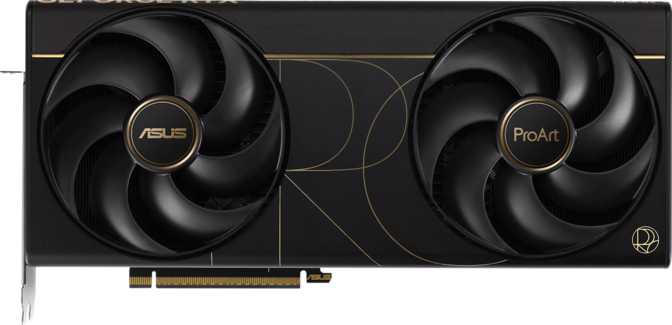
Asus ProArt GeForce RTX 5090: An Expert Review for Creators
Graphics CardsThe Most Capable Consumer GPU Available—With Caveats Worth Knowing
The GeForce RTX 5090 is the most powerful consumer GPU Nvidia has ever produced. Asus wraps it in the ProArt treatment, targeting 3D artists, video editors, machine learning engineers, and visualization professionals who need extreme performance without gaming aesthetics. Whether that territory fits your workflow is exactly what this review will settle.
Overall Rating
Key Specifications at a Glance
Six numbers that define what this card can actually do
106.1
TFLOPS
Compute Power
32GB
GDDR7
Video Memory
1,790
GB/s
Bandwidth
92.2B
Transistors
5nm Process
575W
TDP
Power Draw
4
Displays
Simultaneous
Understated Authority: Design Built for Studios, Not Just Gaming Rigs
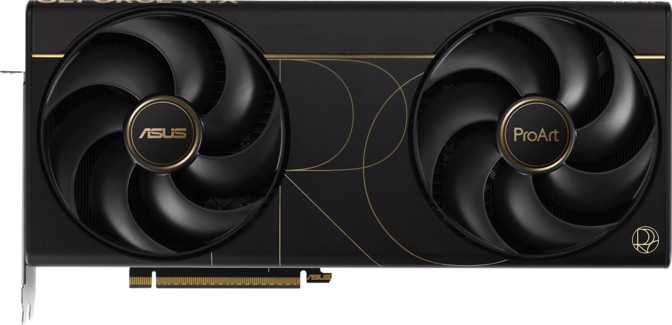
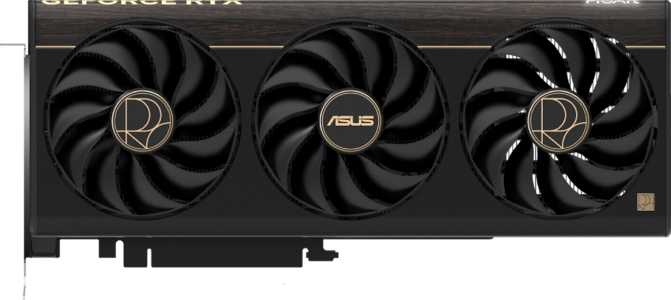
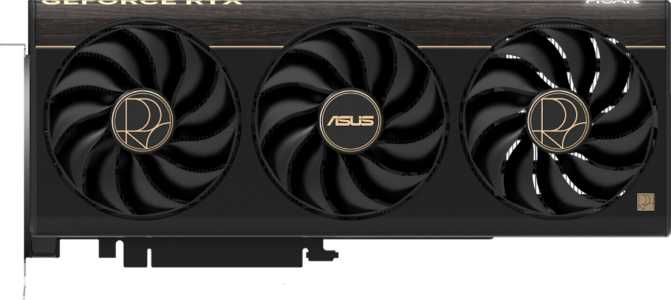
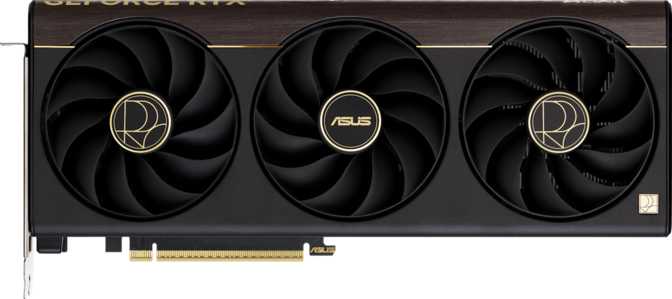
The ProArt line has always been defined by restraint. Where the ROG Strix equivalent arrives with aggressive angles and aggressive lighting, the ProArt GeForce RTX 5090 opts for clean lines, a neutral color palette, and a professional aesthetic—dark gunmetal tones, brushed surfaces, and the ProArt logo in place of anything resembling a dragon or lightning bolt.
At 304mm long and 140mm tall, this is an unambiguously large card. It occupies three expansion slots in your chassis. Verify clearance before purchasing, particularly if your case has drive bays or PSU shrouds that encroach on the lower PCIe zone.
Cooling is handled entirely by air, with a multi-fan array pushing air through a dense heatsink assembly. No liquid cooling loop is integrated into this model, which keeps installation simpler—but your case airflow genuinely matters. RGB lighting is present but tasteful: it is there if you want it, and it does not dominate.
Case Clearance Check
The 304mm length fits most mid-tower and full-tower cases, but confirmation before purchase takes thirty seconds and prevents a very frustrating return.
304mm
Card Length
140mm
Card Height
3-Slot
PCIe Footprint
3 Years
Warranty
Build Quality Highlights
- Premium capacitors & reinforced PCB traces
- Tighter power delivery filtering than gaming-tier cards
- Neutral aesthetic suitable for professional environments
- Air cooling only—no AIO integration needed
Blackwell: What 92 Billion Transistors Mean in Practice
A smaller fabrication node packs more processing units into the same physical space—translating directly to higher compute, better efficiency per operation, and elevated clock ceilings.
Shader & Compute Pipeline
The card houses 21,760 shader processors working in tandem with 680 texture mapping units and 176 render output units. Each element does a distinct job:
- 21,760 Shaders
- These are the fundamental compute cores. More shader processors mean more parallel operations per clock cycle—critical for rendering, simulation, and AI inference simultaneously.
- 680 Texture Units (TMUs)
- Governs how quickly the GPU applies and filters textures. Directly relevant to 3D rendering workflows where scenes are dense with detailed surface materials.
- 176 Render Output Units (ROPs)
- Controls pixel write speed and anti-aliasing throughput—affecting how cleanly the card resolves complex geometry at very high resolutions.
Clock Speed Reality
The GPU runs at a 2,017 MHz base clock and boosts to 2,437 MHz under sustained load. But raw clock speed is only part of the throughput story—the architectural improvements in Blackwell mean each clock cycle accomplishes more than the same cycle would on an older generation.
106.1 TFLOPS
The theoretical single-precision compute ceiling—the absolute top of consumer GPU performance hierarchy at the time of this review.
5nm Fabrication
Smaller nodes yield higher transistor density, improved power efficiency per operation, and higher achievable clock speeds within thermal limits.
DPFP Enabled
Double-precision floating-point support retained—essential for scientific computing, simulation, and CFD workloads that many gaming GPUs throttle or disable entirely.
32GB GDDR7: Where the Professional Positioning Becomes Tangible
Memory capacity is often the first specification to become a real workflow bottleneck. The RTX 5090 ProArt eliminates that ceiling for virtually every current professional task.
What 32GB VRAM Enables
Raw VRAM capacity is not primarily a gaming luxury—it is a professional necessity for specific workloads. In practical terms, this card holds entirely in local memory:
- High-resolution 3D scenes with multi-layer texture sets
- Large language and diffusion models for local AI generation workflows
- 8K video timelines with minimal cache offloading to system RAM
- Multiple high-resolution render passes simultaneously in compositing
Why Bandwidth Is the Real Story
Capacity tells you how much you can hold. Bandwidth tells you how fast your compute units can access it. Stalling on data movement is how capable GPUs underperform on paper.
1,790 GB/s
Peak Bandwidth
512-bit
Memory Bus
28,000
Effective MHz
GDDR7
Memory Gen
ECC Memory Support—Not Just a Checkbox
Error-Correcting Code memory continuously monitors operations and corrects single-bit errors in real time. For gaming it is irrelevant. For scientific computing, financial modeling, AI training, or any mission-critical workload where a silently corrupted calculation produces a wrong result, it matters enormously. Its presence is a clear signal of the ProArt's intended professional audience.
What This Card Actually Does Beyond Raw Speed
Specifications describe potential. Features determine how that potential reaches your workflow.
DLSS: AI-Accelerated Rendering
DLSS uses dedicated neural network hardware to render at a lower internal resolution and reconstruct high-resolution output—delivering performance that can approach or exceed native rendering at reduced GPU load. By this generation, DLSS has matured to include frame generation, interpolating entirely new frames to multiply apparent frame rates. For professionals, the same AI hardware accelerates real-time denoising in 3D applications and local diffusion model inference.
Hardware Ray Tracing
Dedicated RT cores compute how light physically behaves—reflections, shadows, ambient occlusion, global illumination—at rates viable in real-time rather than only offline rendering. The Blackwell RT cores deliver improved throughput over the previous architecture. For architects, visualization professionals, and game developers using real-time preview renders, this means accurate scene previews without the hours-long queues that software-only path tracing requires.
API & Compute Compatibility
Full DirectX 12 Ultimate support covers hardware ray tracing, mesh shaders, and variable-rate shading. OpenGL 4.6 ensures compatibility with professional applications that have not transitioned to modern APIs—many CAD, scientific visualization, and legacy creative tools still rely on it. OpenCL 3 opens GPU-accelerated compute beyond the CUDA ecosystem.
Resizable BAR
Intel Resizable BAR allows the CPU to access the full VRAM pool simultaneously rather than in small windows. This delivers meaningful performance gains in both gaming and creative workloads on compatible platforms—reducing the back-and-forth data staging that creates micro-stalls in complex scenes.
3D & Stereoscopic
Stereoscopic 3D support broadens compatibility with visualization displays and niche review workflows. For immersive architectural walk-throughs and scientific data visualization, this remains a relevant capability even outside mainstream gaming contexts.
Multi-Display Support
Up to four simultaneous displays covers the common three-monitor editing arrangement plus an additional preview monitor without a second GPU. This is the configuration most video, 3D, and UI professionals will find sufficient for their workspace layout.
Display Outputs: Built for Multi-Monitor Professional Setups
Four ports covering four simultaneous displays—configured for modern workflows without legacy compromise.
| Port Type | Count | Version | Best For |
|---|---|---|---|
| HDMI | 1 | HDMI 2.1b | 4K high-refresh, 8K, HDR10+, Dolby Vision |
| DisplayPort | 2 | Current-Gen | High-accuracy workstation monitors |
| USB-C | 1 | USB-C | Modern monitors and display devices |
| DVI | 0 | N/A | Legacy only—adapters available if needed |
Port Selection Notes
HDMI 2.1b supports 4K at very high refresh rates and 8K at standard rates, plus the full suite of HDR formats including Dolby Vision—making the single HDMI port well-suited to a primary display or content review screen.
Dual DisplayPort handles the workstation monitor setup most professionals prefer, supporting high-resolution, high-color-accuracy displays with wide gamut and local dimming.
USB-C output adds flexibility for newer monitors adopting that connector as the preferred standard for combined power delivery and display signal.
No DVI is expected at this tier. Legacy DVI compatibility requires an active adapter and does not limit any modern workflow.
575W TDP: Plan Your Build Around This Number First
This is the specification that will define your system requirements more than almost any other. Treat it as a constraint before you treat anything else as a feature.
Power Supply
A 1,000W PSU is the practical floor for a balanced system around this card. Most builders targeting this GPU will use 1,200W or 1,400W units to provide headroom and efficiency margin when paired with a high-end CPU.
Case Airflow
575W of concentrated heat dissipation in a three-slot card means your case airflow setup is a genuine system design decision. Adequate front-to-back or bottom-to-top airflow, maintained with clean filters, prevents thermal throttling during sustained workloads.
The ProArt's premium cooler handles its job effectively—it cannot compensate for a poorly ventilated case.
PCIe 5.0 Platform
The card uses a PCIe 5.0 interface, providing double the bus bandwidth of PCIe 4.0. On current-generation platforms, this bandwidth is not yet a limiting factor for GPU workloads—but it ensures no bottleneck as software continues to evolve.
Backward compatible: this card works in a PCIe 4.0 slot with negligible real-world performance impact in most current scenarios.
Who Should Buy This Card—And Who Definitely Shouldn't
Honest audience segmentation saves you money and prevents buyer's regret.
Right Choice For
3D Artists & Animators
Running interactive viewport rendering and pre-visualization who need VRAM headroom for complex scene files and compute throughput for real-time feedback.
AI Practitioners
Running local inference and fine-tuning—the combination of VRAM, bandwidth, DPFP, and ECC makes this one of the most capable consumer-grade options for large model work without renting cloud compute.
Video Professionals at 8K
With heavy effects stacks where VRAM capacity prevents constant cache spills to system memory, turning what would be stuttering scrub into fluid playback.
High-End Gamer + Creator Hybrids
Who want a single card that handles both demanding gaming and creative workflows without compromise or mode-switching.
Researchers & Engineers
Whose applications benefit from DPFP and ECC but who cannot justify the cost of a dedicated workstation GPU—this card bridges that gap meaningfully.
Wrong Choice For
Pure Gamers at 1080p or 1440p
The vast majority of this card's performance and VRAM capacity sits unused at those resolutions. Better value exists several tiers down without meaningful quality loss.
Budget-Conscious Buyers
At any tier. This card occupies the absolute top of the consumer market and the price reflects that without apology. There is no value-engineering at play here.
Users Requiring ISV-Certified Drivers
If your workflow depends on a CAD or simulation package requiring certified workstation drivers—Autodesk Maya in enterprise environments, SolidWorks, Siemens NX production certification—the ProArt GeForce line runs GeForce drivers, not the Quadro/RTX professional stack. The card will not solve that problem regardless of how capable the silicon is.
How It Stacks Up Against Logical Alternatives
No purchase decision at this tier happens in isolation. Here is where the ProArt RTX 5090 sits relative to the cards a serious buyer would actually consider.
| Card | Best For | Key Trade-off vs. ProArt RTX 5090 | Verdict |
|---|---|---|---|
You Are HereAsus ProArt RTX 5090 |
Creator + AI | Reference point for this comparison | Top Pick |
| Asus ROG Strix RTX 5090 | Gamers | Same GPU, gaming aesthetics, no professional orientation in component selection or brand positioning | Gamer Alt |
| Nvidia RTX 5090 FE | Compact builds | Shorter card, Nvidia's own cooler design, no ProArt-specific build quality tier or professional component selection | Compact Alt |
| Nvidia RTX 4090 | Value seekers | Significantly less compute, half the VRAM, older memory technology—substantial performance gap exists between generations | Prev-Gen |
| AMD RX 9070 XT | Budget-conscious | Much lower price and power draw, but nowhere near this performance tier—a completely different market segment, not a direct alternative | Different Tier |
| Nvidia RTX Pro 6000 | Enterprise CAD | Professional driver stack with ISV certification, more VRAM, dramatically higher price—purpose-built workstation card for enterprise requirements | Workstation |
Board Partner Note: All RTX 5090 variants from different board partners run the same Nvidia Blackwell silicon. The differentiation between the ProArt and other RTX 5090 variants comes down to build quality philosophy, component selection, cooler design approach, and intended audience—not meaningful GPU performance differences.
Strengths and Weaknesses: The Unvarnished View
No product at this tier is without trade-offs. Understanding them is what separates a confident purchase from an expensive regret.
Where It Excels
Feature Set Coherence for Professional-Adjacent Buyers
The ECC memory and DPFP support are not marketing checkboxes. They represent real utility for computational workloads that would otherwise require considerably more expensive workstation hardware. The card's professional character is consistent rather than cosmetic.
VRAM That Actually Prevents Bottlenecks
Users running large diffusion models locally, processing complex 3D scenes, or editing multi-stream 8K footage genuinely benefit rather than bumping against limits that constrain lesser cards. The capacity advantage is real and workload-relevant.
Design Language That Belongs in a Studio
The ProArt aesthetic is a genuine differentiator for professionals who build workstations in visible environments or simply prefer restrained hardware design. This is rare at the top of the consumer GPU market, where aggressive styling is the default.
Memory Bandwidth That Eliminates Stalling
The near-1,800 GB/s bandwidth means workloads that stall other cards due to memory saturation are substantially less likely to hit that ceiling. This is particularly impactful for large model inference and texture-heavy rendering scenes.
Where It Falls Short
575W Is a Non-Negotiable System Constraint
This figure demands proactive planning around power supply, case airflow, and cooling. Any buyer who does not factor it into the full build design is setting up for instability. The card does not throttle quietly—it either has what it needs or the system shows signs of inadequacy.
No ISV-Certified Driver Stack
Some enterprise-grade CAD and simulation tools specifically require certified workstation drivers that this card does not support. This is not Asus's failing—it is the line Nvidia draws between consumer and workstation product families—but discovering it post-purchase is an expensive inconvenience.
Physical Size Requires Verification
The three-slot footprint and 304mm length demand case compatibility confirmation rather than assumption. It fits the majority of modern mid and full-tower cases, but "majority" is not "all." Verify before ordering.
Price Reflects Absolute Market Position
Sitting at the very top of consumer GPU pricing, every dollar spent on this card is a dollar unavailable for the rest of the system. For buyers where that trade-off is not fully justified by actual workload demands, there is significant value left on the table.
Answers to Questions Real Buyers Search Before Purchasing
The questions that come up most often when buyers are deciding at this price tier.
Buy It If Your Workload Justifies It. Skip It If It Doesn't.
The Asus ProArt GeForce RTX 5090 is a card with a precise audience, and it serves that audience better than any alternative currently available. For 3D artists, AI practitioners running local workloads, video professionals at high resolutions, and creative professionals who want performance that will not be a constraint for years, this card is the answer.
Expert Score
9.2
out of 10
The card is the answer when:
- Your workloads demand 32GB VRAM—3D, AI, 8K video
- ECC and DPFP matter for your compute tasks
- You have a 1,000W+ PSU and proper case airflow
- ISV driver certification is not required for your apps
- You want the best consumer GPU available, full stop
Keep looking when:
- You game at 1080p or 1440p exclusively
- Your enterprise CAD software requires certified drivers
- Your budget or build cannot support 575W properly
- Your current workflows fit comfortably within 16GB VRAM
- You need the Quadro/RTX Pro driver stack for your tools
The power demands are real and non-negotiable, the price sits at the top of what consumer hardware costs, and the lack of certified workstation drivers limits its utility in specific enterprise software environments. None of those are flaws—they are characteristics that define exactly who it is and is not for. If your workloads are demanding enough, your system is properly equipped, and ISV certification is not a constraint, there is no better-equipped consumer GPU available.