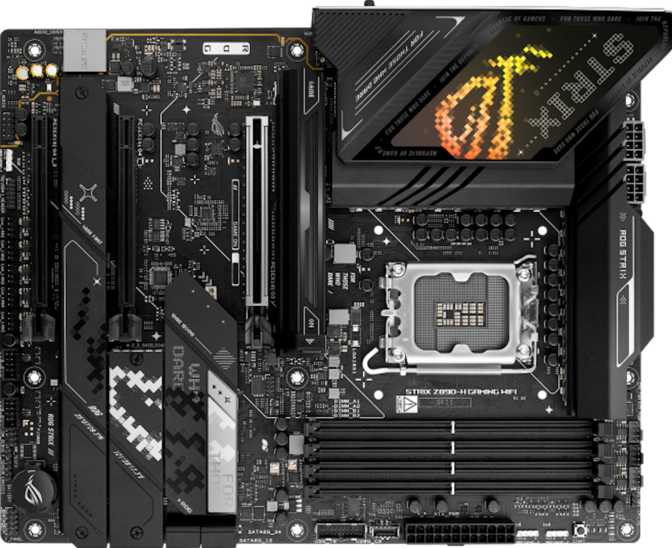
Asus ROG Strix Z890-H Gaming Wi-Fi: Full Review and Verdict
MotherboardsKey Specifications at a Glance
Where This Board Fits in the Intel Z890 Ecosystem
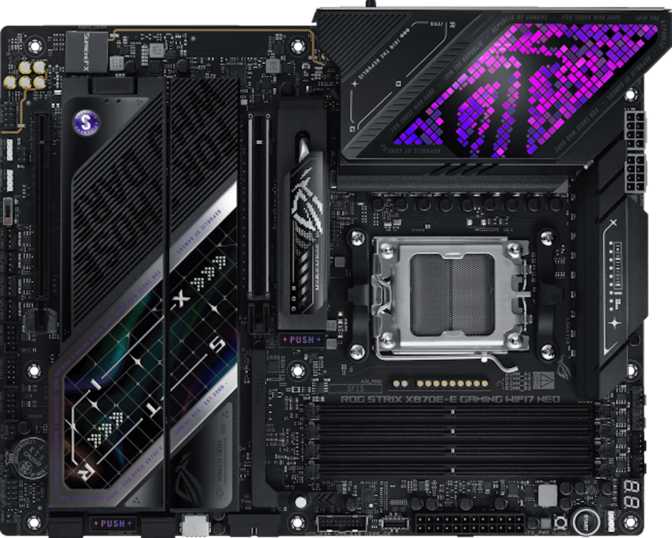
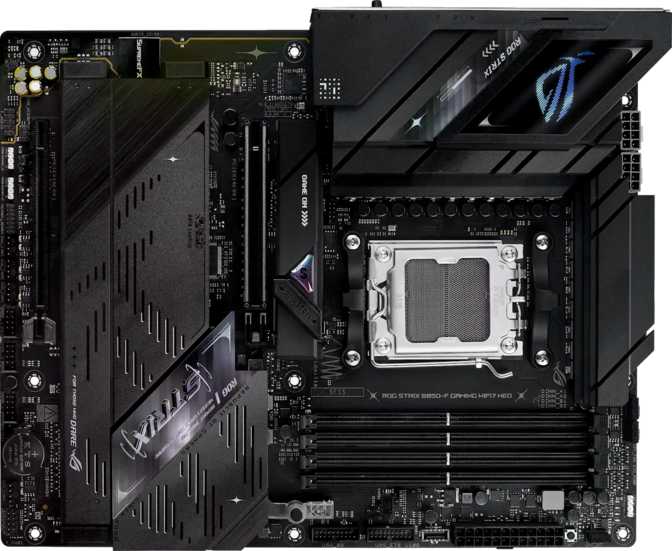
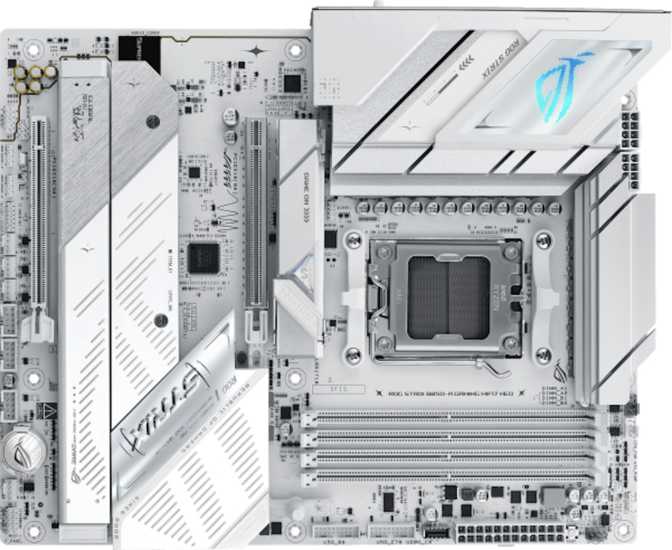
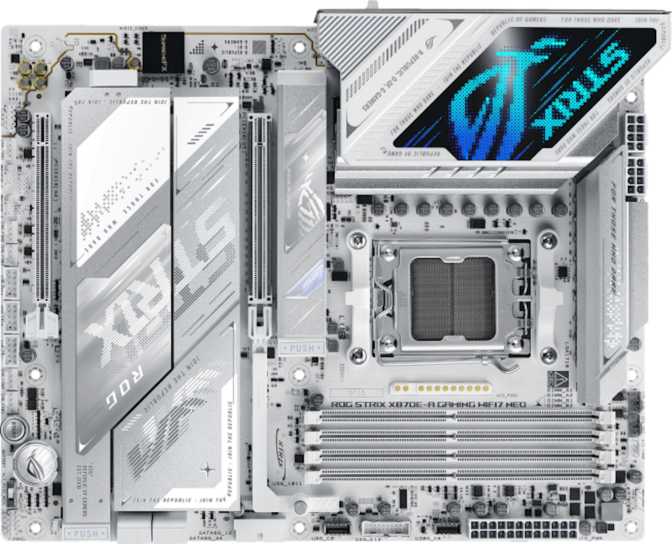
Building a new Intel-based PC right now means committing to one platform, and that commitment starts with the motherboard. The Asus ROG Strix Z890-H Gaming Wi-Fi is a mid-tier entry into Intel's current high-performance desktop chipset — powerful enough to justify the ROG (Republic of Gamers) nameplate, thoughtfully trimmed enough to land below flagship pricing.
The "H" designation is Asus's internal signal that this is the starting point of the ROG Strix range, not its peak. This is not a board for someone replacing an older PC who wants to reuse existing components. It is a clean-slate platform — purpose-built around Intel's latest architecture, demanding modern memory, and optimized for the current generation of high-speed storage and connectivity.
The Z890 chipset represents Intel's current high-performance desktop silicon, designed exclusively for Core Ultra 200 series processors. Everything about this board assumes you are building something new. The question this review answers: does the H deliver enough ROG pedigree to justify its price over cheaper Z890 alternatives?
- SocketLGA 1851
- ChipsetIntel Z890
- Form FactorATX
- Memory TypeDDR5 Only
- Memory Slots4 (Dual-Channel)
- Max Memory256 GB
- NVMe Slots4x M.2
- SATA III4 Ports
- WirelessWi-Fi 7
- Bluetooth5.4
- Warranty3 Years
Physical Design and Build Quality
The ROG Strix Z890-H Gaming Wi-Fi ships in standard ATX format — 305mm wide and 244mm tall — fitting comfortably in any mid-tower, full-tower, or large ATX case. This is not a compact board, nor is it the oversized EATX format that some enthusiast cases require. For the vast majority of mid-tower builds, this size is the sweet spot.
The board features onboard RGB lighting integrated with Asus's Aura Sync ecosystem. More substantively, heatsinks cover the voltage regulation components — the circuitry responsible for delivering clean, stable power to the processor — and all M.2 storage slots. Unprotected VRM and NVMe thermal throttling are real performance limiters in cheaper builds; covered components remove that variable entirely.
Physical dimensions are the standard ATX footprint at 305mm × 244mm. The layout places thermal solutions over the highest-load components, reflecting practical engineering decisions rather than aesthetic ones.
Seven fan and pump headers distributed across the board provide granular cooling control without a separate fan controller.
- CPU cooler header — air tower or AIO liquid
- Multiple case fan headers
- Additional radiator pump headers
- Full custom liquid loop coverage
- VRM and M.2 heatsinks included
Processor Compatibility: Intel Arrow Lake Only
The LGA 1851 socket is built exclusively for Intel's Core Ultra 200 series processors — the Arrow Lake generation. There is no backward compatibility with 12th, 13th, or 14th generation Intel processors, which use a physically different socket. If you are upgrading from a previous-gen Intel build, your existing CPU will not transfer here.
What you gain in exchange for that commitment is access to the full capabilities of Arrow Lake — including PCIe 5.0 connectivity directly from the CPU lanes, modern I/O standards, and forward compatibility within the LGA 1851 ecosystem for future processor revisions.
The rear HDMI 2.1 and DisplayPort outputs are only active when using a processor with integrated graphics. Core Ultra 200K and KF CPUs ship without an integrated GPU — a discrete graphics card is mandatory for those builds.
Z890 is a clean-slate platform. No DDR4 memory, no LGA 1700 CPUs. Every component in this build must be chosen for this generation. This is the standard trade-off for adopting Intel's latest architecture at launch.
DDR5 Memory: Speed, Capacity, and Real-World Meaning
This board runs exclusively on DDR5 memory — there is no DDR4 fallback, which is standard for Z890 across the board. Four slots in a dual-channel configuration allow up to 256 gigabytes of total memory, a ceiling far above what any gaming workload will ever approach.
The overclocked memory speed ceiling puts this board well beyond where mid-range DDR5 kits ship from the factory. Most DDR5 memory sold today runs between 6000 and 7200 MHz — hitting the sweet spot between cost, stability, and measurable benefit. The board's headroom beyond that is there for enthusiasts who want to chase memory benchmarks or push specific memory-sensitive workloads.
Four Slots vs. Two: Why It Matters
Four slots mean genuine upgrade flexibility. Start with two sticks and add two more when budget allows — staying in the performance-optimal dual-channel configuration throughout the entire life of the build. Two-slot designs close off that path permanently from day one.
| Speed Tier | Typical Use | Status |
|---|---|---|
| 4800 MHz | DDR5 base spec | Entry Level |
| 6000–7200 MHz | Gaming sweet spot | Recommended |
| 7200–8400 MHz | Enthusiast range | Advanced |
| Up to ~9066 MHz | Board OC ceiling | Max Headroom |
Storage: Four M.2 Drives and SATA for Legacy Devices
Four M.2 slots is the headline storage specification, and it deserves genuine appreciation. It means your OS drive, game library drive, scratch disk, and project storage can all sit independently as fast NVMe devices — no SATA bottlenecks, no compromises in a working multi-drive setup.
Rear I/O: USB, Video, and Wired Networking
The rear panel defines daily usability more than almost any other specification. Here is a complete breakdown of what this board provides.
USB Port Summary
| Port Type | Count | Transfer Speed | Best For |
|---|---|---|---|
| USB-A 3.2 Gen 2 | 4 | 10 Gbps each | External SSDs, DACs, capture cards, fast hubs |
| USB-A 3.2 Gen 1 | 4 | 5 Gbps each | Mice, keyboards, controllers, general USB devices |
| USB-C 3.2 Gen 2x2 | 2 | 20 Gbps each | Latest external storage, modern accessories, high-bandwidth peripherals |
| Total Rear USB Ports | 10 | Across USB-A and USB-C formats | |
Display Outputs
One HDMI 2.1 output and one DisplayPort output serve users with integrated graphics in their processor. HDMI 2.1 handles 4K at high refresh rates through to 8K — the port itself will not be a bottleneck for any current display technology.
Active only with iGPU-equipped processors. Discrete GPU recommended for gaming builds.
Wired Networking
One RJ45 Ethernet port provides reliable, consistent wired network connectivity — still the recommended choice for gaming and large file transfers where wireless latency variability is unacceptable.
Delivers the low-latency consistency that wireless cannot fully replicate.
What Is Missing: USB4 and Thunderbolt
Neither USB4 at 40 Gbps nor Thunderbolt 4 is present. This matters for users who rely on Thunderbolt docks (common with creative workstations), high-resolution external display chains, or the fastest external storage enclosures. If USB4 or Thunderbolt connectivity is part of your daily workflow, this board is the wrong choice regardless of its other merits.
Wireless: Wi-Fi 7 and Bluetooth 5.4
The wireless module supports Wi-Fi 7 — the current generation of the standard — and its inclusion is a genuinely forward-looking decision. Wi-Fi 7's real-world advantage over Wi-Fi 6E is not purely theoretical throughput. More important for gaming and everyday use is its significantly reduced latency and improved performance in congested environments — apartment buildings and dense neighborhoods where dozens of overlapping networks compete for the same spectrum.
Wi-Fi 7 introduces multi-link operation, which allows simultaneous use of multiple bands (2.4 GHz, 5 GHz, and 6 GHz at once) to optimize connection quality dynamically. Most home routers today are Wi-Fi 5 or 6. Wi-Fi 7 routers are commercially available and improving in price. The module is fully backward compatible with older routers — there is no downside to having it now.
Bluetooth 5.4 covers wireless audio, peripherals, and accessories. One limitation for audiophiles: the Bluetooth implementation does not include aptX codec support, which limits wireless audio fidelity compared to boards or adapters that include it.
- Wi-Fi 4 (802.11n)Legacy
- Wi-Fi 5 (802.11ac)Compatible
- Wi-Fi 6 (802.11ax)Current
- Wi-Fi 6E (802.11ax 6GHz)Current
- Wi-Fi 7 (802.11be)Latest
- Bluetooth 5.4Included
- aptX Audio CodecNot Included
Internal Expansion: Fan Headers, USB Headers, and PCIe Slots
Seven fan headers allow direct PWM or DC control over cooling throughout your case. This comfortably covers a CPU cooler, multiple radiator fans, and front/rear case fans — all from the motherboard's BIOS without a separate fan controller. For a clean, integrated build, this is a meaningful advantage.
- CPU cooler (air or liquid)
- 3–4 case airflow fans
- Radiator pump headers for custom loops
Internal headers connect your case's front panel USB ports. The board covers the full range of what modern cases require:
- USB 2.0 headers — budget and mid-range case standard
- USB 3.2 Gen 1 — current front panel standard
- USB 3.2 Gen 2x2 — 20 Gbps USB-C for premium cases
PCIe Expansion Slots
| Slot | Interface Generation | Bandwidth | Primary Purpose |
|---|---|---|---|
| 1 PCIe x16 Physical | PCIe 5.0 | Maximum available | Primary discrete GPU — no bottleneck for current or upcoming cards |
| 2 PCIe x16 Physical | PCIe 4.0 | High bandwidth | Secondary GPU, capture card, high-end networking |
| 3 PCIe x16 Physical | PCIe 4.0 | High bandwidth | Additional expansion cards, storage controllers |
No PCIe x1 slots. PCIe x1 historically housed add-in sound cards, basic network cards, and simple expansion peripherals. Given the quality of integrated audio and onboard Wi-Fi on this board, the absence is unlikely to matter — but anyone planning to reuse a legacy PCIe x1 card should be aware it will not fit.
Onboard Audio: Where It Actually Delivers
- 7.1 channel surround support
- S/PDIF optical digital output
- Inaudible background noise floor
The integrated audio achieves a 120 dB signal-to-noise ratio at the digital-to-analog conversion stage — the component that transforms digital audio data into the analog signal reaching your headphones or speakers. For context: 110 dB is considered excellent for motherboard audio. Achieving 120 dB places this solution on par with standalone USB DACs sold in the $100–200 range.
This matters concretely. At 120 dB signal-to-noise, background hiss is inaudible even through high-sensitivity headphones. Dynamic range is fully preserved. The audio path sounds clean in a way that lower-quality implementations simply do not — especially at moderate to high volumes.
The digital optical S/PDIF output provides a clean routing path to external amplifiers or home theater receivers without picking up interference from other board components — always the cleanest signal path for audiophile setups.
Overclocking, Dual BIOS, and System Reliability
Easy Overclock
One-click XMP memory profile activation through the BIOS brings DDR5 kits to their rated speeds without manual timing configuration. Overclocking is accessible to non-experts here — the board handles the complexity.
Dual BIOS
Two independent BIOS chips. If a firmware update fails — corrupted file, power cut mid-flash, or a setting that bricks boot — the board recovers automatically from the backup. No chip replacement or warranty service required.
Easy CMOS Reset
Recovery from unstable overclock settings is accessible without physically opening the case to short jumper pins. A small but genuinely appreciated quality-of-life feature for builders who experiment with settings.
3-Year Warranty: Asus's three-year coverage reflects confidence in component quality. For a motherboard that typically anchors a system for five or more years, that coverage period is meaningful protection on a high-value component.
Who Should Buy This Motherboard — and Who Shouldn't
- Building a new Core Ultra 200 series system and want premium features without flagship pricing
- Wi-Fi 7 matters to you now or within the next few upgrade cycles
- Your storage plan involves multiple NVMe drives — four M.2 slots is genuinely useful
- You plan to overclock or update BIOS frequently and want dual BIOS as a safety net
- High-quality integrated audio is part of your setup — eliminates the need for a dedicated sound card
- Thermal management through the motherboard is important — seven fan headers provide full coverage
- Thunderbolt 4 or USB4 at 40 Gbps is part of your daily workflow — docking stations and professional A/V interfaces require it
- Upgrading from 12th, 13th, or 14th gen Intel — you cannot reuse that CPU here
- More than four SATA ports are required for mechanical storage arrays
- Budget is the primary constraint — capable Z890 boards exist at lower price points for less demanding use cases
- High-fidelity Bluetooth audio via aptX codec is a priority for your setup
How It Compares to the Competition
The mid-range Z890 segment is genuinely competitive. MSI, Gigabyte, and ASRock all field capable boards targeting the same buyer at similar price points. The ROG Strix Z890-H's differentiating factors come down to a few key areas.
| Feature | ROG Strix Z890-H | Typical Mid-Range Z890 | Higher-Tier Z890 |
|---|---|---|---|
| Wireless | Wi-Fi 7 | Wi-Fi 6E | Wi-Fi 7 |
| M.2 NVMe Slots | 4 Slots | 3–4 Slots | 4–5 Slots |
| Fan Headers | 7 Headers | 5–6 Headers | 7+ Headers |
| USB4 / Thunderbolt | Not Included | Rarely Included | Often Included |
| Audio SNR | 120 dB | Varies | 120+ dB |
| Dual BIOS | |||
| Warranty | 3 Years | 1–3 Years | 3 Years |
| Software Ecosystem | Mature (Armoury Crate) | Varies by brand | Comprehensive |
Comparison is representative of the competitive segment. Individual competing models vary; verify specific features before purchasing any alternative.
An Honest Assessment: Strengths and Weaknesses
The ROG Strix Z890-H Gaming Wi-Fi is genuinely well-executed within its defined scope. The combination of Wi-Fi 7, four M.2 slots, a 120 dB audio DAC, extensive USB port coverage, and dual BIOS make for a board you can recommend without conditions for its target audience.
The dual BIOS and easy overclock features are not padded specifications — they reflect real engineering for the builder who updates firmware, pushes memory speeds, and wants recovery options baked in rather than bolted on. The ROG software ecosystem (Armoury Crate) is among the most feature-complete system management suites in the industry — covering fan curves, RGB synchronization, and BIOS-level monitoring in a single interface.
Where the board shows its mid-range positioning is consistent and predictable. The absence of USB4 and Thunderbolt is the most significant gap — not because every user needs those interfaces, but because the users who do will find this board categorically unsuitable regardless of its other merits. The limited analog audio jack count on the rear panel is a constraint for analog multi-channel surround setups. The Bluetooth audio limitation affects a specific audience.
None of these feel like cynical cuts. They feel like the expected result of targeting a price tier below flagship. The primary GPU slot is PCIe 5.0. The wireless is Wi-Fi 7. The storage expansion is generous. The compromises exist at the margins of what most buyers use — and that is the right architecture for a mid-range product.
- Wi-Fi 7 future-proofs wireless
- Four M.2 slots — no storage compromise
- 120 dB audio replaces a sound card
- Dual BIOS — genuine peace of mind
- 10 rear USB ports with fast USB-C
- Seven fan headers — full thermal control
- PCIe 5.0 primary GPU slot
- No USB4 or Thunderbolt 4
- Only 4 SATA ports
- No PCIe x1 slots for legacy cards
- Minimal rear analog audio jacks
- No aptX Bluetooth audio codec
Questions Buyers Frequently Ask
A Confident Mid-Range Z890 Choice with One Clear Caveat
A well-executed mid-range entry point into Intel's current flagship desktop platform. It delivers where it matters most, and its compromises are predictable and honest.
The Asus ROG Strix Z890-H Gaming Wi-Fi makes a clear, confident case for the buyer it was designed for. Wi-Fi 7 when competitors are still shipping Wi-Fi 6E. Four M.2 slots with no storage compromises. Strong rear USB coverage with fast USB-C. Audiophile-grade integrated audio that genuinely replaces a dedicated sound card. Dual BIOS for the builder who updates firmware and experiments with settings. All of this at a price point that sits deliberately below the ROG Strix flagship.
The one honest caveat is unchanging: if Thunderbolt 4 or USB4 at 40 Gbps is part of your daily workflow — docking stations, professional audio/video interfaces, multi-display cable chains — this board cannot serve that need. Acknowledge that limitation before purchasing. If it does not apply to you, this limitation does not matter at all.