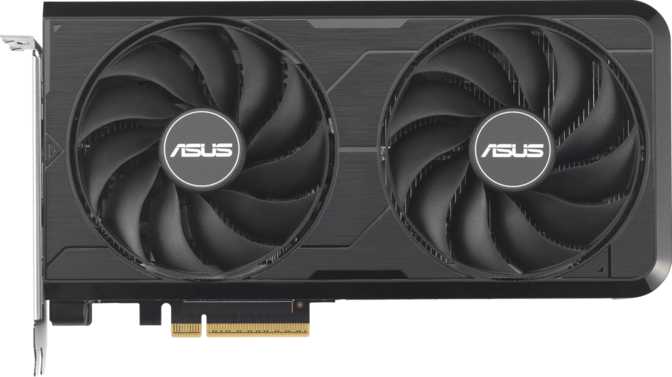
Asus Dual GeForce RTX 5060 Ti Evo 16GB: A Full Midrange GPU Review
Graphics CardsBlackwell / 5nm
GPU Architecture
16GB GDDR7
Video Memory
180W TDP
Power Draw
225mm Length
Compact Form Factor
The mainstream GPU segment has always been the most contested battleground in PC gaming — where real buyers live, and where the difference between a smart purchase and a regrettable one is measured in hundreds of dollars. The Asus Dual GeForce RTX 5060 Ti Evo 16GB arrives in that space carrying NVIDIA’s newest Blackwell architecture in a compact, practical package. It is not NVIDIA’s flagship, and it was never meant to be. What it is, however, is something arguably more useful: a purpose-built card for the enormous segment of gamers who want modern technology, a generous memory pool, and a power bill that does not require a second mortgage. This review covers every meaningful aspect of the card so you can make a confident purchase decision without visiting a single other page.
Design and Build Quality
A Compact Card That Means Business
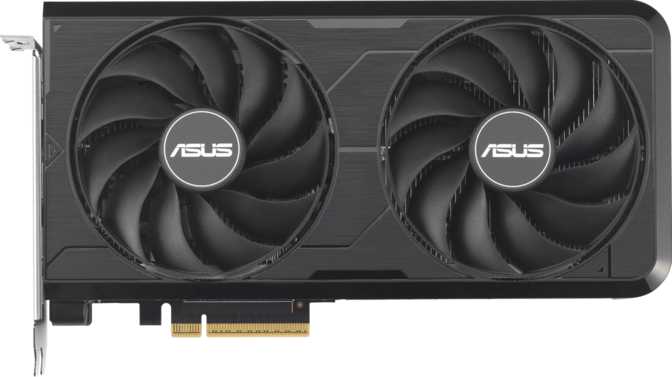
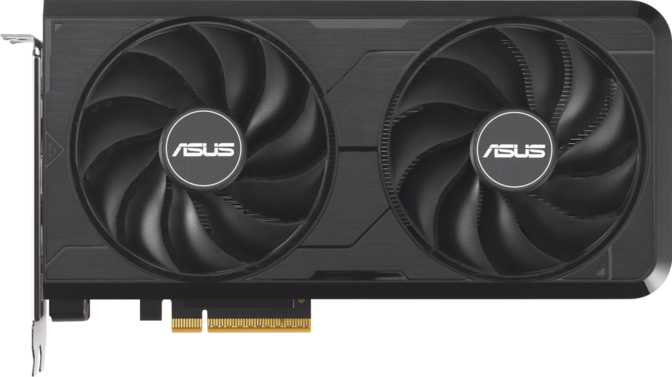
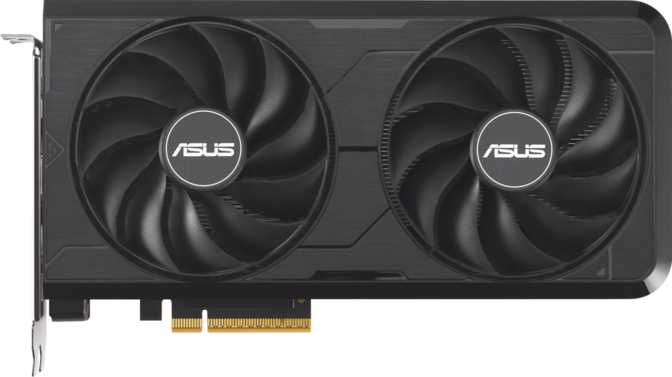
The Asus Dual branding signals a dual-fan cooler, and the physical dimensions confirm that Asus kept things disciplined. At 225mm in length and 120mm in height, this is a genuinely compact graphics card — short enough to fit in a wide range of mid-tower and even some smaller form factor cases without any clearance anxiety. Builders who have wrestled with 330mm-plus behemoths inside compact cases will immediately appreciate the restraint here.
The absence of RGB lighting is a deliberate design choice that splits opinion. If your build is a light show, you will need to source that ambiance elsewhere. If you value a clean, understated aesthetic — or if the card sits behind a closed panel — the lack of LEDs is irrelevant and arguably cleaner. Asus has not cheaped out on construction; the Dual series consistently delivers solid plastic shrouding with a no-nonsense finish.
The cooling solution relies entirely on air, using two fans to push airflow across the heatsink. This is appropriate for a 180-watt thermal design rating — a figure that sits comfortably in the modern midrange efficiency bracket, demanding no exotic cooling infrastructure and playing well with quality 650W or 750W power supplies already commonplace in gaming builds.
- Card Length225 mm
- Card Height120 mm
- CoolingDual-Fan Air
- RGB LightingNone
- TDP180W
- Min. PSU650W
- PCIe InterfacePCIe 5.0
- Max Displays4 Simultaneous
Architecture and Silicon: What Blackwell Actually Means
NVIDIA’s Newest Generation on a 5nm Process
The RTX 5060 Ti is built on NVIDIA’s Blackwell GPU architecture, fabricated on a 5-nanometer process. Each new process node typically brings improved power efficiency and transistor density — meaning more computational capability per watt compared to the prior generation. Blackwell represents NVIDIA’s current architectural generation, not a recycled or refreshed design.
The chip packs approximately 21.9 billion transistors into that 5nm die. To put that number in perspective: that is a staggering density of logic packed into a small area of silicon, enabling hardware features — ray tracing acceleration, AI processing for upscaling, and shader execution — that simply could not have existed in this power envelope on older manufacturing nodes.
The card connects to your motherboard via PCIe 5.0, the current-generation standard. For most users, the practical difference between PCIe 4.0 and 5.0 in GPU workloads is negligible today, but having PCIe 5.0 means this card is fully current-generation and will not be the limiting factor in any modern system.
Core Performance Analysis
Shaders, Clocks, and Raw Compute
The GPU runs at a base clock of around 2,407 MHz, with its boost state reaching approximately 2,572 MHz under load. These are high clock speeds, consistent with the efficiency gains modern architectures can extract. Clock speed alone does not tell the full story, but paired with 4,608 shader processors, the card delivers substantial floating-point compute throughput suited to 1080p and 1440p gaming workloads.
Rasterization workloads — the traditional rendering method that runs the majority of games — are driven by this compute figure in combination with the texture mapping and render output units. Together, these mean the card is not starved for texture throughput at 1080p or 1440p resolutions, where the overwhelming majority of its buyers will be gaming.
Memory Architecture: The GDDR7 Equation
16GB Is the Headline, But the Full Story Is More Interesting
Sixteen gigabytes of video memory is the most immediately marketable figure on this card’s specification sheet, and it genuinely matters. Modern game titles — particularly those with high-resolution texture packs enabled — are increasingly brushing against the 8GB and 10GB ceilings of competing cards at higher settings. Having 16GB of VRAM provides meaningful headroom for current games at high and ultra settings, and future-proofs the card against the steady upward creep of VRAM requirements across the industry.
The memory technology is GDDR7, the newest generation of graphics memory. GDDR7 achieves significantly higher data rates per pin than GDDR6X, running at an effective speed of 28,000 MHz in this implementation. That translates to a total memory bandwidth of 448 gigabytes per second — a substantial throughput figure for this price bracket.
The 128-bit Bus: What You Need to Know
This card uses a 128-bit memory interface — narrower than the 192-bit or 256-bit buses found on pricier cards. However, GDDR7’s dramatically higher per-pin data rates are specifically engineered to compensate. At 448 GB/s of bandwidth, the card punches above what GDDR6 could achieve on a 192-bit bus. For 1080p and 1440p gaming, this is not a meaningful bottleneck in the vast majority of workloads. At native 4K with maximum ray tracing, the margin narrows — something 4K-primary gamers should factor into their decision.
Features That Change How You Play
DLSS AI Upscaling
DLSS allows games to render at a lower internal resolution and reconstruct a sharper image using trained neural networks. For this card’s target audience, DLSS is not a gimmick — it is the mechanism by which the RTX 5060 Ti punches above its raw rasterization weight class. Buyers who dismiss it are leaving a significant portion of this card’s effective performance unused. Support in new titles is now essentially standard.
Hardware Ray Tracing
Hardware-accelerated ray tracing simulates how light physically behaves in a scene — reflections, shadows, and ambient occlusion that look materially more realistic than traditional techniques. The RTX 5060 Ti handles ray tracing, but expect frame rate reductions at high ray tracing settings in demanding titles. DLSS is the practical companion that keeps it playable.
DirectX 12 Ultimate
Full DirectX 12 Ultimate compliance means this card supports mesh shading, variable rate shading, and sampler feedback — all features game developers are increasingly leveraging. OpenGL 4.6 and OpenCL 3.0 support ensure broad compatibility with professional and creative software alongside games.
4-Display Output
Four simultaneous displays are supported via three DisplayPort outputs and one HDMI 2.1b port. HDMI 2.1b supports the bandwidth needed for 4K at high refresh rates, while the three DisplayPort outputs provide flexibility for gaming panels, productivity monitors, and triple-screen sim racing setups. There are no USB-C outputs on this card.
Intel Resizable BAR
Resizable BAR allows the CPU to access the full VRAM in a single operation rather than in segmented chunks. Most modern gaming platforms with recent Intel or AMD CPUs and updated motherboard firmware support this feature. Enabling it typically yields a small but real performance improvement across many game titles at no extra cost.
ECC Memory Support
The 16GB GDDR7 memory includes error-correcting code support. For gaming this has no meaningful impact, but for anyone using this card in a creative or compute workflow — running 3D applications, video editing, or professional software alongside gaming — it adds a layer of data integrity that workstation users will recognize and appreciate.
Who This Card Is Built For
- 1080p and 1440p gamers who want high-to-maximum settings in current and upcoming titles without requiring a flagship budget
- Compact case builders where 330mm-plus GPU lengths are simply not an option, including micro-ATX and many mini-ITX systems
- Power-conscious users running 650W to 750W PSUs who want a fully current-generation card without worrying about headroom
- Content creators and streamers who game and benefit from the 16GB VRAM buffer when handling high-resolution assets or editing software
- Upgraders from GTX 10-series or early RTX 20-series cards who will experience an immediate and dramatic generational leap
- A native 4K ultra-settings gamer who wants maximum performance without relying on AI upscaling to reach playable frame rates
- Dependent on USB-C display output — this card has none, and your monitor or workflow compatibility should be verified before purchasing
- Running heavy GPU compute workloads such as machine learning training or large 3D rendering pipelines that demand maximum shader count and bus width
- Building a lit RGB showcase system where the GPU is expected to contribute to the light show — this card will not cooperate
Competitive Positioning
Where It Sits in the Current Market
The most important competitive consideration for the RTX 5060 Ti is the generational memory advantage it holds over the RTX 4060 Ti — which offered the same 16GB capacity but on much slower GDDR6 memory, yielding roughly half the bandwidth of this card. Against AMD’s RX 7800 XT, the RTX 5060 Ti trades a wider memory bus and higher raw rasterization throughput for a significantly lower power envelope, newer architecture features, and the DLSS advantage in supported titles.
| Card | Architecture | VRAM | Memory Type | TDP | Target Resolution |
|---|---|---|---|---|---|
| RTX 5060 Ti 16GB This Card | Blackwell / 5nm | 16GB | GDDR7 | 180W | 1080p – 1440p |
| RTX 4070 | Ada Lovelace / 5nm | 12GB | GDDR6X | 200W | 1440p |
| RTX 4060 Ti 16GB | Ada Lovelace / 4nm | 16GB | GDDR6 | 165W | 1080p – 1440p |
| AMD RX 7800 XT | RDNA 3 / 5nm | 16GB | GDDR6 | 263W | 1440p |
Honest Assessment: Strengths and Weaknesses
Where It Excels
The RTX 5060 Ti Evo 16GB has a genuinely compelling core proposition. Sixteen gigabytes of GDDR7 memory at this price tier is not something buyers should take for granted — it directly addresses the most common regret expressed by owners of recent midrange cards that launched with 8GB. The Blackwell architecture brings the latest hardware ray tracing and AI acceleration to a practical power envelope, and the compact dimensions open doors that longer cards close.
The DLSS support, far from being a minor feature checkbox, is arguably the reason this card performs as well as its raw specs might suggest in the games that support it. And because DLSS support in new titles is now standard rather than optional, that advantage accrues across the majority of a buyer’s library. The 180-watt power draw is a genuine strength in an era when competing architectures occasionally approach 250 watts and beyond at similar performance tiers.
Where It Falls Short
The 128-bit memory interface is a legitimate engineering compromise at this price point. While GDDR7’s bandwidth largely offsets it in typical gaming workloads, it remains a narrower pipeline than competing architectures offer at similar prices. Buyers who routinely game at 4K native or push maximum settings in the most demanding rasterization workloads may find this ceiling occasionally relevant.
The absence of USB-C outputs is a real-world limitation for a meaningful subset of modern display owners. This is not a deal-breaker for the majority of the card’s audience, but it is worth verifying your display input requirements before purchasing. The lack of RGB lighting will also disappoint buyers building an illuminated showcase system — though this is unlikely to affect anyone’s actual gaming experience.
Frequently Asked Questions
Final Verdict
Asus Dual GeForce RTX 5060 Ti Evo 16GB
The Asus Dual GeForce RTX 5060 Ti Evo 16GB is a well-executed midrange graphics card that makes the right compromises and refuses to make the wrong ones. The decision to equip it with 16GB of next-generation GDDR7 memory is the single most important choice NVIDIA and Asus made with this product, and it is the right call. It differentiates this card from the vast majority of competitors at similar price points and extends its relevance well beyond what prior midrange cards have managed.
The compact form factor, modest power draw, and full Blackwell feature set — including meaningful DLSS support and hardware ray tracing — combine to make this an excellent choice for 1080p and 1440p gaming in current and near-future titles. If your gaming happens at 1440p or below, your case has space constraints, and you want a current-generation card with a memory configuration that will not feel dated within two years, the RTX 5060 Ti Evo 16GB deserves serious consideration. If you are chasing native 4K at maximum quality settings without AI upscaling assistance, the budget should stretch further up the stack.
Recommended For
- 1080p and 1440p gaming at high settings
- Compact case and SFF system builds
- Upgraders from older midrange cards
- Buyers prioritizing future VRAM headroom
Look Elsewhere If
- Native 4K ultra-settings is the primary goal
- USB-C display output is a hard requirement
- Heavy professional GPU compute workloads