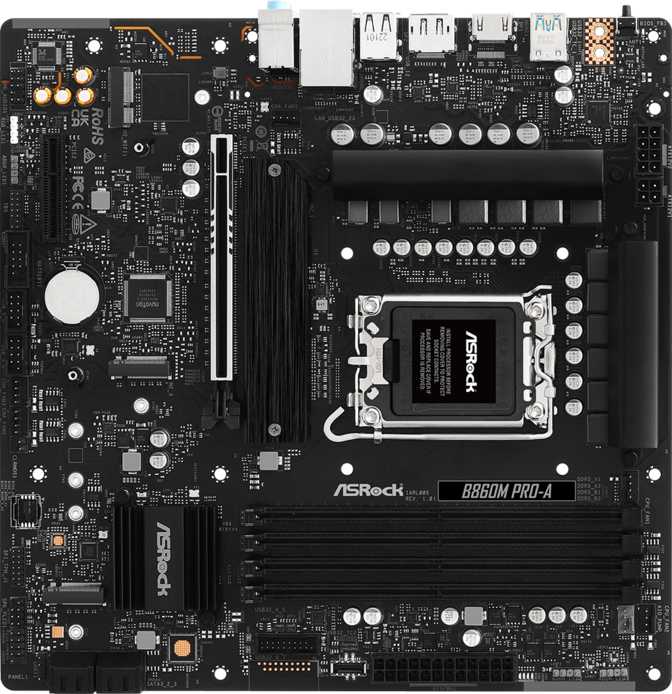
ASRock B860M Pro-A: An Honest Look at This B860 Micro-ATX Board
MotherboardsChoosing a motherboard for a new Intel build usually comes down to a simple question: how much of the platform's full potential do you actually need? The ASRock B860M Pro-A answers that question by stripping away the extras that drive up cost on flagship boards and focusing on what most builders actually use — solid memory support, enough storage room for a growing collection of NVMe drives, and a layout that fits comfortably into a smaller case. It's aimed squarely at the buyer who wants Intel's current-generation socket without paying for features they'll never touch.
This is not a board chasing attention with lighting effects or a packed accessory box. It's a working board, and once you understand what ASRock prioritized — and what they left out — it becomes very clear who it was designed for.
Design, Build Quality, and the Physical Experience
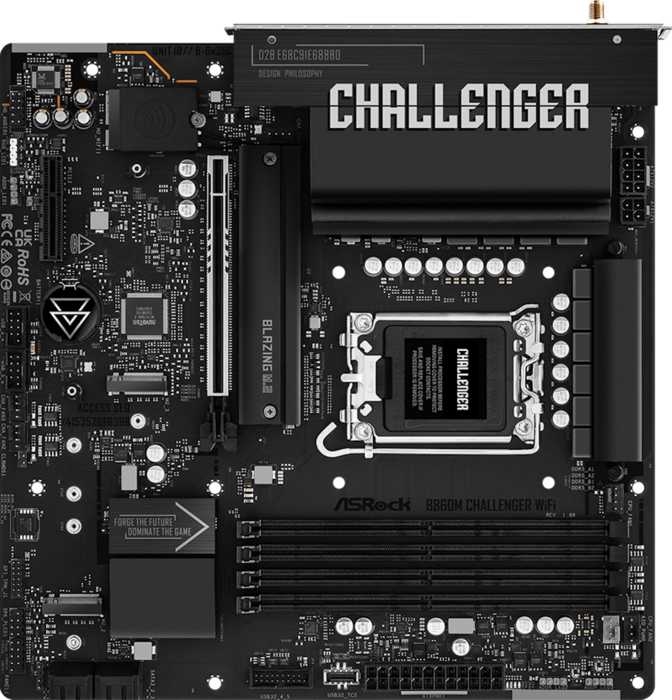
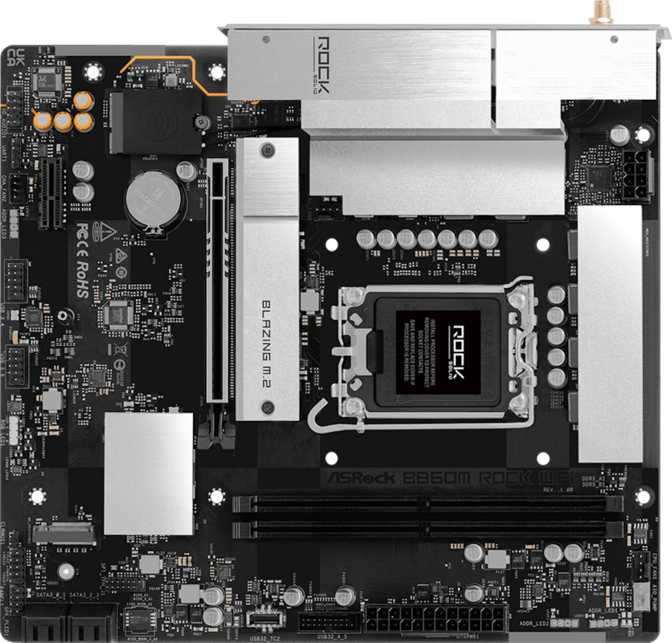
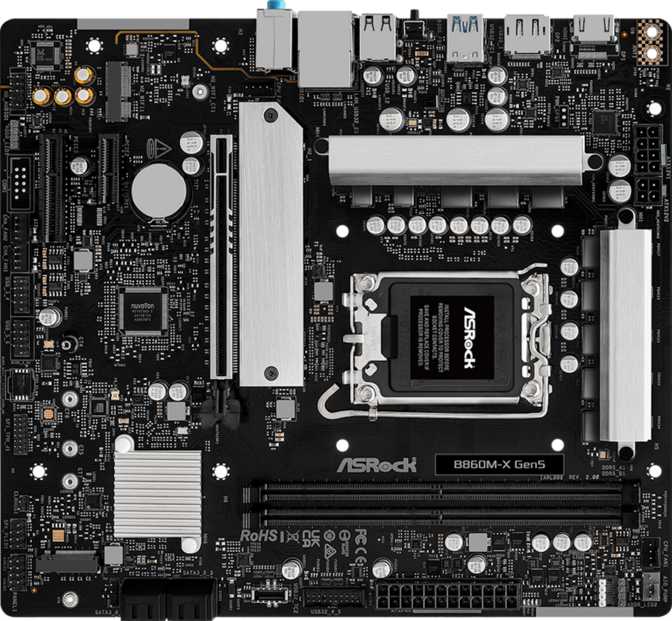
At 244mm by 244mm, the B860M Pro-A follows the standard Micro-ATX footprint, meaning it slots into the vast majority of mid-tower cases as well as many smaller Micro-ATX-specific enclosures without any fitment surprises. If you're moving from a full ATX board to save desk space or simplify a build, you won't lose meaningful functionality in the transition — you're mainly giving up a couple of expansion slots, which we'll cover shortly.
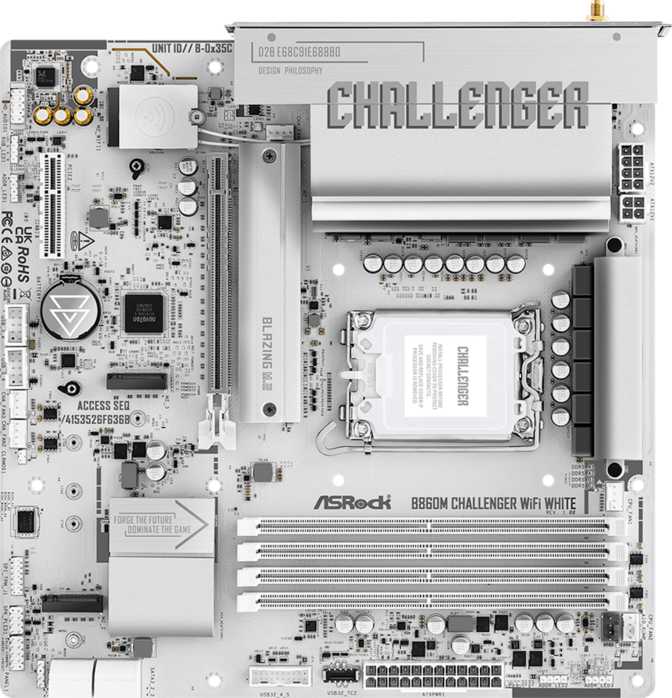
The board skips onboard RGB lighting entirely. For buyers who want a glowing centerpiece, that's worth knowing upfront. For everyone else, it means a cleaner-looking build where the visual statement comes from your case, fans, or memory kit rather than the motherboard itself — a sensible trade-off on a board clearly priced for function over flash.
One detail that matters more than it might first appear: dual BIOS support. This gives the board a backup BIOS chip that can recover the system if a firmware update fails or gets interrupted partway through — a real safety net, especially for anyone who plans to update firmware regularly to support new CPU releases on this socket. The flip side is the absence of a dedicated clear CMOS button on the rear panel. Resetting BIOS settings after a failed overclock means popping the case open and using the onboard jumper rather than a quick press of an external button — a minor inconvenience, but one that overclocking-focused buyers should factor in.
Backing it all is a three-year warranty, which lands in line with what you'd expect from a mainstream board in this category and offers reasonable peace of mind for a component meant to anchor a system for years.
Platform Foundation: What the LGA 1851 Socket and B860 Chipset Mean for You
The B860M Pro-A uses Intel's LGA 1851 socket, which is the current-generation platform for Intel's latest desktop processor lineup. Choosing this board means you're building on the newest available CPU architecture from Intel rather than a previous-generation holdover — important if longevity and access to future CPU upgrades within the same socket generation matter to you.
The B860 chipset itself sits in the mainstream tier, a step below Intel's flagship chipset for this platform. In practical terms, that positioning shapes almost everything else about the board: you get strong day-to-day performance, solid memory support, and enough connectivity for a capable build, but you're not paying for the no-expense-spared VRM design, maximum lane counts, or unrestricted CPU overclocking headroom that flagship-chipset boards offer. That's not a knock — it's the entire point of the B-series tier, and it's reflected in a friendlier price.
What "Easy Overclock" Actually Means Here
ASRock lists this board as easy to overclock, and it's worth being precise about what that means on a B-series chipset. Intel's platform architecture reserves full CPU multiplier (core ratio) overclocking for its top-tier chipset — B860 boards are not built for unlocking a processor's core clocks the way a flagship board is. What "easy overclock" refers to here is ASRock's simplified BIOS tools for tuning memory frequency and system-level performance profiles, letting less experienced builders push their DDR5 kit to its rated speed (or beyond) with a couple of clicks rather than digging through manual timings. If your build plans center on squeezing maximum clock speed out of an unlocked CPU, that's a job for a higher-tier chipset — but for getting the most out of your memory kit without guesswork, this board makes it approachable.
Memory Performance: DDR5 Headroom Without the Premium Price Tag
The B860M Pro-A is built exclusively around DDR5 memory, supported across four slots running in dual-channel configuration. Dual-channel operation is what lets two (or four) sticks of memory work in tandem rather than one at a time, which is the difference that actually shows up in everyday responsiveness and in workloads like video editing or multitasking with several demanding applications open at once.
Capacity-wise, the board supports up to 256GB total — far beyond what a typical gaming or productivity build will ever need today, but a genuinely useful ceiling for anyone planning to run virtual machines, large creative-software caches, or memory-hungry professional applications now or down the line.
On speed, the board officially supports memory running at up to 5600 MHz at standard settings, with overclocking headroom rated as high as 8666 MHz when paired with the right high-performance DDR5 kit and the platform's memory controller cooperating. That gap between the rated baseline and the overclocked ceiling tells you two things: out of the box, you're getting genuinely fast memory performance without touching a single BIOS setting, and if you want to chase higher numbers later, the board has the headroom to let you, using the streamlined overclocking tools mentioned above.
One notable absence: ECC (error-correcting code) memory support isn't included. ECC memory automatically detects and corrects small data errors, and it matters primarily in server environments and certain professional workstation scenarios where data integrity is mission-critical. Its absence here isn't a flaw — it simply confirms this board is built for gaming, content creation, and general desktop use rather than workstation-class reliability requirements.
Connectivity: Rear I/O and Display Outputs
The rear panel leans toward practicality over raw port count, with a layout that should cover most builders without requiring a USB hub.
| Port Type | Count | Real-World Use |
|---|---|---|
| USB 3.2 Gen 1 Type-A | 3 | Everyday peripherals — keyboard, mouse, external drives |
| USB 3.2 Gen 2x2 Type-C (20Gbps) | 1 | Fast external SSDs, high-speed transfers |
| USB 2.0 Type-A | 2 | Low-bandwidth devices, dongles, legacy accessories |
| HDMI (2.1) | 1 | High-resolution, high-refresh display output |
| DisplayPort | 1 | Secondary or primary monitor connection |
| RJ45 (wired LAN) | 1 | Wired network connection |
The single USB-C port is worth highlighting on its own: it's rated at 20Gbps (USB 3.2 Gen 2x2), making it genuinely fast for transferring large files to a compatible external SSD — a meaningfully quicker option than relying on the Type-A ports for that kind of work.
The HDMI 2.1 output is a notable inclusion, supporting higher resolutions and refresh rates than older HDMI standards allow, which matters if you're connecting a modern 4K display and want smooth motion without compression workarounds. Combined with a single DisplayPort output, you have two independent video paths available — but only if your chosen CPU includes integrated graphics. The B860M Pro-A itself has no dedicated graphics chip onboard (no motherboard in this category does), so these outputs only activate when paired with a processor that has its own integrated GPU. If you select a CPU variant without integrated graphics, you'll need a discrete graphics card regardless of these display outputs.
What's Conspicuously Absent: Wireless
Neither Wi-Fi nor Bluetooth is built into this board. If your setup relies on wireless networking or wireless peripherals like a Bluetooth headset or controller, you'll need to add that capability yourself — either through a USB Wi-Fi adapter, a discrete PCIe wireless card, or simply by running an Ethernet cable to your router, which the board's single wired LAN port handles natively. For anyone already on a wired connection, this is a non-issue and one less feature you're paying for unnecessarily; for anyone who needs wireless and isn't expecting to add it themselves, it's an important detail to know before purchase.
Internal Expansion: Headers and Front-Panel Connectivity
Beyond the rear panel, the board adds meaningful expansion capacity through internal headers. You get two additional USB 3.2 Gen 1 ports and two more USB 3.0-class ports available through internal headers — useful for case front-panel USB-C/USB-A ports or internal hubs — plus four more USB 2.0 ports for headers controlling case fans, RGB controllers, or other low-bandwidth accessories.
Six fan headers give you solid cooling flexibility for a Micro-ATX board, enough to run a CPU cooler, several case fans, and a dedicated pump or AIO without needing a fan-splitter workaround.
A TPM (Trusted Platform Module) header is also present, which matters more than it used to: modern Windows installations increasingly require TPM 2.0 for full feature support and security compliance. Having this header built in means you can add a TPM module later if your CPU doesn't already handle this in firmware, future-proofing the build against OS requirement changes.
Storage and RAID: Built for a Modern, NVMe-Centric Build
Storage is where this board quietly punches above its price point. Three M.2 sockets give you room to run a fast NVMe boot drive alongside one or two additional drives for games, projects, or media — without falling back to slower SATA storage for everything beyond your primary drive. That's a meaningful upgrade path for anyone whose storage needs grow over time, letting you add capacity in fast NVMe form rather than settling for 2.5-inch SATA SSDs.
Four SATA3 connectors round out the storage options, ideal for traditional SSDs, mechanical hard drives for bulk storage, or optical drives if you still use one.
On the RAID front, the board supports RAID 0 (striping for speed), RAID 1 (mirroring for redundancy), RAID 5 (striping with parity for a balance of speed and protection), and RAID 10 (combining striping and mirroring). That's a genuinely capable spread for a mainstream board, suitable for anyone building a home server, a backup-conscious workstation, or simply wanting redundancy for important files. The one gap is RAID 0+1, a less commonly used configuration that most home and small-office users won't miss given the broader RAID 10 support already covers similar redundancy-plus-speed needs.
Expansion Slots: What You Can Actually Plug In
The B860M Pro-A keeps its expansion slot count modest, in keeping with its Micro-ATX form factor:
- One full-length PCIe 5.0 x16 slot
Your primary graphics card slot, running on the platform's newest and fastest PCIe standard for maximum bandwidth headroom with current and future GPUs. - One PCIe x4 slot
Suited to capture cards, sound cards, additional storage controllers, or other add-in cards that don't need full x16 bandwidth.
This is a lean but sensible setup for the form factor. Micro-ATX boards inherently sacrifice slot count compared to full ATX, and two well-chosen slots — one fast, one flexible — covers the needs of the vast majority of single-GPU builds without wasted board space.
Audio: Functional Multi-Channel Sound
The board includes 7.1-channel audio support through three rear audio jacks. Three jacks is fewer than the five or six you'll find on higher-end boards, but modern audio codecs handle jack retasking well, meaning the board can still output full 7.1 surround sound through a compatible receiver or speaker set using fewer physical connectors than older standards required. There's no S/PDIF digital output, so anyone routing audio to an external DAC or home theater receiver via optical or coaxial digital connection will need a USB or HDMI-based alternative instead.
What ASRock Left Out: The Honest Trade-Offs
No motherboard at this price point includes everything, and being upfront about the gaps is what separates a useful review from a marketing sheet. Here's what you're not getting with the B860M Pro-A:
- No built-in Wi-Fi or Bluetooth — wired networking only, unless you add wireless yourself.
- No RGB lighting — a blank-slate aesthetic rather than a lit-up centerpiece.
- No dedicated clear CMOS button — BIOS resets require the onboard jumper rather than a one-touch rear panel button.
- No Thunderbolt or USB4 support — the fastest port available is the 20Gbps USB-C connection, which is quick but not Thunderbolt-tier for external GPU enclosures or daisy-chained high-bandwidth devices.
- No ECC memory support — ruling out workstation-grade error correction, though irrelevant for gaming and most creative work.
- Limited to two expansion slots — a natural consequence of the Micro-ATX size, but worth confirming fits your add-in card plans.
None of these are surprising for a board in this category — they're the expected cost of keeping the price reasonable while still delivering current-generation platform support, strong memory speeds, and ample M.2 storage.
Who Should Buy It — and Who Shouldn't
Buy This If You Are...
- A gamer building a focused, single-GPU system who already has wired internet access.
- A content creator who needs fast storage expansion and high memory capacity, without workstation-grade ECC requirements.
- Prioritizing a smaller case footprint without giving up current-generation platform performance.
- Looking for a backup BIOS chip and three-year warranty as insurance against firmware mishaps.
Look Elsewhere If You Need...
- Built-in wireless networking out of the box without adding a card or adapter.
- Full CPU overclocking headroom — look at a flagship-chipset board instead.
- Thunderbolt connectivity for external GPU enclosures or high-speed daisy-chained accessories.
- RGB lighting synchronization built directly into the motherboard, or more than two expansion slots.
How It Compares Within the B860 Category
Positioned within the broader B860 chipset lineup, boards in this segment typically split along a few predictable lines: Micro-ATX versus full ATX sizing, wireless-equipped versus wired-only variants, and differences in M.2 slot count and USB speed tiers. The B860M Pro-A leans into the wired-only, storage-forward end of that spectrum.
| Consideration | B860M Pro-A Approach | Typical Alternative in Category |
|---|---|---|
| Form factor | Micro-ATX, compact case fit | Full ATX boards offer more slots, larger boards |
| Wireless | None built in | Wi-Fi / Bluetooth variants cost more, add convenience |
| Storage | 3x M.2, 4x SATA, RAID 0/1/5/10 | Varies — fewer M.2 slots common at this tier |
| Fastest USB port | 20Gbps USB-C (Gen 2x2) | Often capped at 10Gbps on similarly priced boards |
| Lighting | None | RGB headers/zones common on competing boards |
| CPU overclocking | Not supported (chipset limitation) | Same limitation across all B860 boards |
The takeaway: within its own chipset tier, this board trades wireless convenience and onboard lighting for stronger-than-average storage flexibility and a notably fast USB-C port — a sensible bet if storage expansion and transfer speed matter more to you than wireless convenience.
Strengths and Weaknesses, In Plain Terms
What Stands Out
What stands out most about the B860M Pro-A is how deliberately it allocates its budget. Three M.2 sockets on a Micro-ATX board is genuinely generous, giving you real room to grow storage without compromise, and the 20Gbps USB-C port delivers transfer speeds you'd expect from a pricier board. DDR5 support up to 256GB with real overclocking headroom up to 8666 MHz means the memory subsystem won't be a bottleneck for years, and dual BIOS plus a three-year warranty add genuine peace of mind for anyone nervous about firmware updates or long-term reliability. RAID support across four modes also gives the board unexpected appeal for home-server or backup-conscious builds that most boards in this price range simply skip.
Where It Falls Short
Set against that, the lack of built-in wireless will be a real inconvenience for anyone without easy access to a wired connection, and the absence of a clear CMOS button is a small but real annoyance for overclockers who tinker often. The chipset's inherent lack of CPU overclocking support, the modest two-slot expansion layout, and the missing Thunderbolt/USB4 connectivity all confirm this board knows exactly what tier it's playing in — it doesn't overreach, but it also won't satisfy buyers chasing flagship-level flexibility.
Frequently Asked Questions
Final Verdict
The ASRock B860M Pro-A succeeds by being honest about what it is: a focused, current-generation Micro-ATX board for builders who know exactly what they need and don't want to pay for what they don't.
Its storage flexibility, fast DDR5 memory support, and surprisingly quick USB-C port make it a strong foundation for gaming rigs, compact creator builds, and even light home-server duty thanks to its RAID support — provided you're comfortable handling networking over a wired connection rather than wireless. If built-in Wi-Fi, CPU overclocking, or Thunderbolt connectivity are non-negotiable for your build, look further up the product stack. But for a no-nonsense, well-equipped board built around Intel's newest socket, this is a genuinely solid pick.