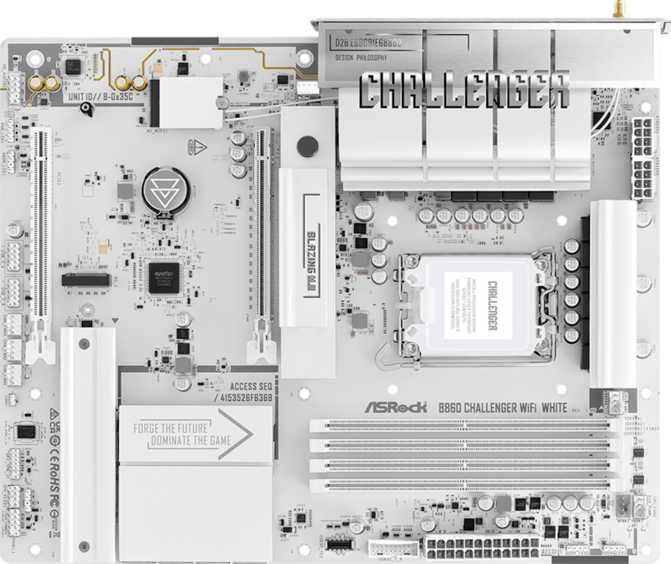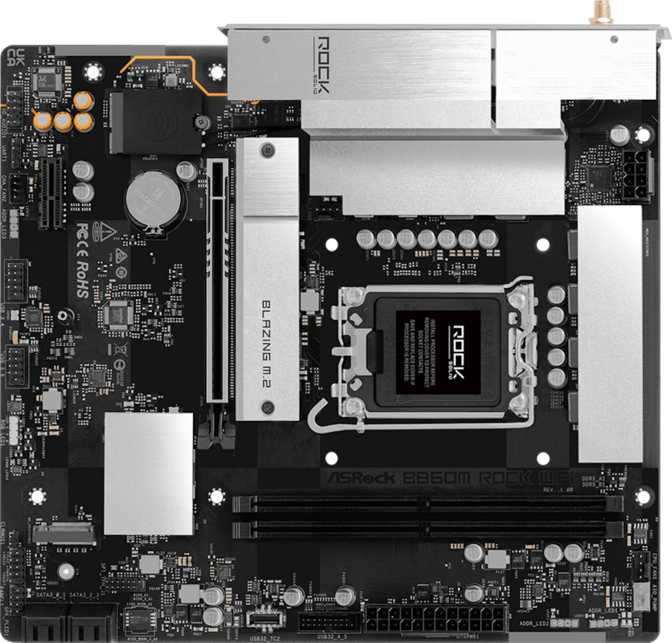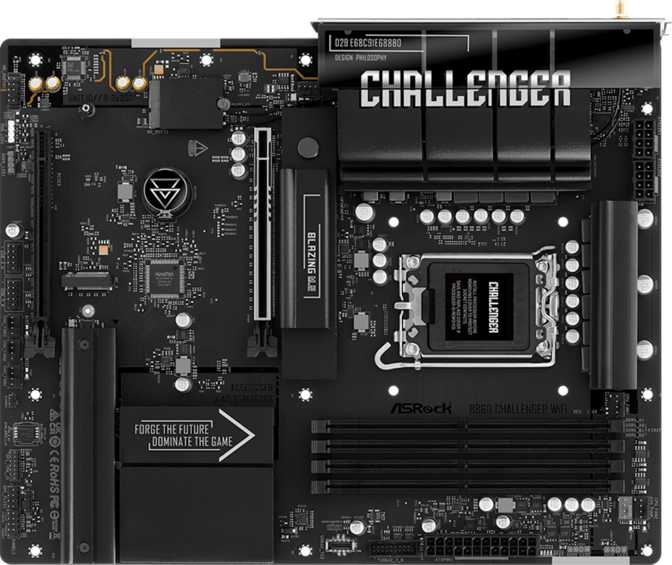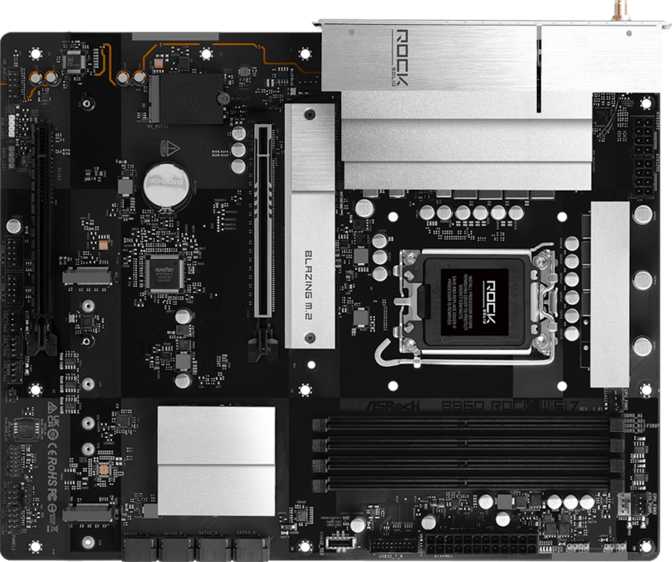
- You are pairing a non-K Intel processor with a mid-range platform and do not need Z890's CPU multiplier overclocking
- You want to run elevated DDR5 memory speeds via one-click XMP profiles without navigating a complex BIOS manually
- Wi-Fi 7 connectivity is a build priority and you want it built-in without adding a separate PCIe wireless card later
- Your configuration needs three M.2 slots and continued SATA support for a flexible multi-drive storage layout
- You are building a gaming PC, a content creation workstation, or a productivity machine on a well-reasoned budget
- Silent or thermally complex builds benefit from seven independently controlled fan headers without third-party hardware
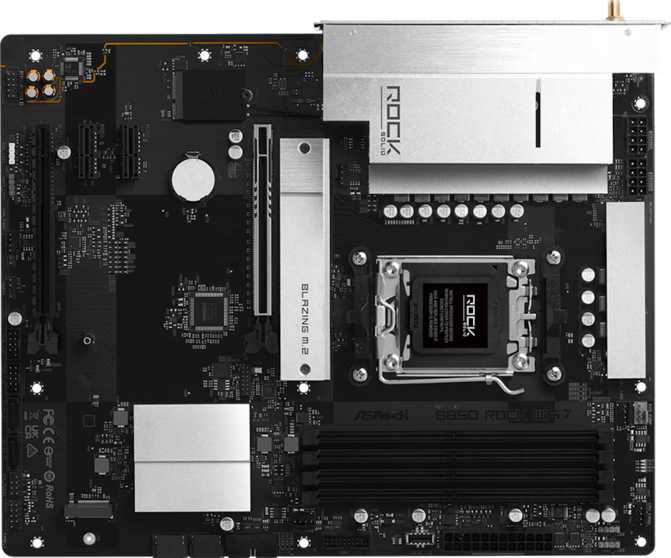
ASRock B860 Rock Wi-Fi 7: Full Motherboard Review for Intel Builders
MotherboardsIntel's mid-range platform has a reputation problem. Most buyers assume that stepping down from a flagship chipset means painful compromises — slower storage, weak connectivity, and a board that feels like a budget afterthought. The ASRock B860 Rock Wi-Fi 7 challenges that assumption directly, pairing the B860 chipset with built-in Wi-Fi 7, a full ATX footprint, DDR5 memory scaling to 256 GB, and a PCIe 5.0 primary slot without demanding a flagship price. Whether it earns its place in your build depends entirely on what you are actually planning to build.
out of 5.0
- Wireless
- Memory Support
- Storage Options
- Value
- Rear USB Speed
Design and Build Quality
Physical Presence and Layout
The B860 Rock Wi-Fi 7 follows the standard ATX format — 305 mm wide by 244 mm tall — fitting comfortably in the overwhelming majority of mid-tower and full-tower cases on the market. There is nothing unusual about its footprint, which is exactly what most builders want from a platform board: predictability without compatibility guesswork.
ASRock has included RGB lighting across the board, suggesting visual ambition without pushing into the territory of the brand's more theatrical gaming lines. The "Rock" branding has historically favored a utilitarian aesthetic with measured flair — expect accent lighting zones rather than a fully saturated RGB showcase. The three-year warranty reflects manufacturer confidence in long-term reliability, which is the standard for ASRock's mid-range lineup.
Notable Build Omissions
Two features are notably absent: there is no dedicated physical BIOS reset button, and there is no dual-BIOS failsafe. For anyone experimenting with memory overclocking profiles, recovering from a bad configuration requires the traditional jumper method or battery removal. Both are manageable — but worth knowing before your first memory tuning session.
- Form FactorATX
- Width305 mm
- Height244 mm
- RGB Lighting
- Dual BIOS
- Physical CMOS Clear
- Warranty3 Years
B860 Chipset: What It Gives You — and What It Doesn't
The Most Important Purchase Decision
The B860 chipset occupies a deliberate position in Intel's LGA 1851 lineup. It sits below the Z890 — which unlocks full CPU multiplier overclocking — but well above entry-level options. Understanding this single distinction is the most critical step in deciding whether this board belongs in your build.
What B860 supports: loading high-speed memory profiles with one click, adjusting memory frequency and timings manually, PCIe 5.0 on the primary graphics slot, and a complete modern feature set across storage, USB, and wireless. What it does not support: adjusting the CPU's core clock multiplier. The board is marketed as easy to overclock — in B860's context, this refers exclusively to memory speed tuning through XMP profile loading, which ASRock has streamlined considerably for first-time builders.
| Capability | B860 (This Board) | Z890 |
|---|---|---|
| CPU Multiplier OC | ||
| Memory Overclocking | ||
| One-Click XMP Profiles | ||
| PCIe 5.0 x16 GPU Slot | ||
| DDR5 Support | ||
| Price Tier | Mid | Higher |
Memory: Serious DDR5 Headroom
Four DDR5 memory slots arranged in a dual-channel configuration give this board significant flexibility for current and future builds. The capacity ceiling sits at 256 GB — enough for video editing workstations, virtualization rigs, and any productivity scenario imaginable. Most gaming builds will use a fraction of that, but knowing the headroom exists means this board will not become a memory bottleneck as kit prices fall and 32 GB becomes the new standard baseline.
Dual-channel operation doubles effective memory bandwidth compared to a single stick running alone. Always install RAM in matched pairs and follow your manual's recommended slot layout — most boards require specific slots to activate dual-channel, and running in the wrong configuration halves bandwidth without any visible error.
The overclocked memory speed ceiling is exceptional for a B860-tier board, reaching into very high DDR5 territory that benefits content creation, simulation software, and bandwidth-sensitive workloads. One-click XMP profile loading makes accessing those speeds accessible for any experience level. ECC memory is not supported — an irrelevant omission for the consumer audience this board serves.
- DDR GenerationDDR5
- Slots4 (Dual-Channel)
- Maximum Capacity256 GB
- Max OC Speed8,666 MHz
- One-Click XMP
- ECC Support
First-Time Builder Tip
Install RAM in pairs and verify which slots your manual specifies. Populating the wrong two slots can silently halve memory bandwidth — no warning appears, performance simply suffers.
Storage: Three M.2 Slots and Comprehensive SATA Coverage
Three M.2 slots give this board enough storage flexibility for sophisticated multi-drive configurations without any cable management overhead. A typical build might use one slot for the operating system, a second for a games or application library, and a third for project files or long-term storage — all without touching a single SATA cable. Four SATA 3 ports extend usefulness to builders with existing mechanical drives, older SATA SSDs, or optical drives.
RAID support is thorough. Whether the priority is raw speed, data redundancy, or a practical balance of both, all major configurations are present. This makes the board a viable candidate for home NAS setups, creative professionals who need fast and redundant storage simultaneously, or enthusiasts who enjoy building managed storage arrays.
- M.2 Slots3
- SATA 3 Ports4
- Max Simultaneous DrivesUp to 7
- RAID 0 — Speed
- RAID 1 — Mirror
- RAID 5 — Parity
- RAID 10 — Combined
- U.2 / mSATA
Expansion Slots: PCIe 5.0 Where It Counts
The primary graphics slot runs PCIe 5.0 at full x16 electrical bandwidth — the current maximum for consumer graphics cards. Any modern discrete GPU, including current and next-generation flagship models, will have access to the full interface speed this slot provides. There is no bandwidth compromise waiting to catch you off guard here.
A second slot operates at PCIe 4.0 x16 physical, with lower electrical bandwidth depending on platform configuration. This slot handles secondary expansion well: capture cards, RAID controllers, 10 GbE network adapters, or a secondary GPU in compute configurations. There are no PCIe x1 slots, but nearly all modern expansion accessories have migrated to M.2 or USB-based solutions, making this a non-issue for virtually all builders today.
- Primary GPU SlotPCIe 5.0 x16
- Secondary SlotPCIe 4.0 x16
- PCIe x1 SlotsNone
- Secondary Slot Best Uses:
Capture cards, 10 GbE NICs, RAID controllers
Connectivity: Wi-Fi 7, Bluetooth 5.4, and the USB Reality Check
Wi-Fi 7 — What the Upgrade Means in Practice
The integrated wireless module supports all major Wi-Fi generations through to 802.11be (Wi-Fi 7). In environments with a Wi-Fi 7 router, multi-link operation allows the module to transmit and receive across multiple frequency bands simultaneously — delivering more consistent latency under congested conditions and higher throughput for large local file transfers. For gaming, this translates to more stable ping. For everyday use, the improvement over Wi-Fi 6 is real but incremental. Crucially, it is fully backward compatible with any router you already own.
Bluetooth 5.4 is integrated alongside Wi-Fi and handles all wireless peripherals — headsets, controllers, keyboards, and mice — without any USB dongle.
Rear Panel USB — The Honest Assessment
The rear I/O panel provides nine USB ports total. Six USB 3.2 Gen 1 Type-A ports run at 5 Gbps each — adequate for keyboards, mice, hubs, headsets, and most everyday peripherals. One USB 3.2 Gen 1 Type-C port adds a modern connector format at the same 5 Gbps speed. Two USB 2.0 ports cover lower-bandwidth accessories.
Two internal USB 3.2 Gen 1 headers and four USB 2.0 headers extend front-panel connectivity for case ports and internal USB accessories. A single standard Ethernet jack handles wired networking — appropriate for home environments, though without 2.5 GbE or 10 GbE for high-throughput local network builds.
| Port / Connector | Qty | Speed |
|---|---|---|
| USB 3.2 Gen 1 Type-A (Rear) | 6 | 5 Gbps |
| USB 3.2 Gen 1 Type-C (Rear) | 1 | 5 Gbps |
| USB 2.0 (Rear) | 2 | 480 Mbps |
| USB 3.2 Gen 1 Headers | 2 | 5 Gbps |
| USB 2.0 Headers | 4 | 480 Mbps |
| HDMI Output | 1 | v2.1 |
| Ethernet (RJ45) | 1 | Standard |
| Wi-Fi | — | Wi-Fi 7 |
| Bluetooth | — | v5.4 |
Audio, Video Output, and Thermal Management
The onboard audio delivers 7.1 surround output through three analog rear panel jacks — a solid implementation for gaming headsets and 2.0 or 2.1 speaker setups. Audiophiles using high-impedance headphones or studio monitors will benefit from an external DAC, but casual users and gamers will find the onboard audio entirely functional.
There is no optical S/PDIF output, removing one connection pathway for older home theater receivers. This is consistent with the board's pricing tier and rarely a practical concern for the target audience.
- Surround Support7.1 Channels
- Rear Audio Jacks3
- S/PDIF Optical
A single HDMI 2.1 port supports 4K displays at 120 Hz or 8K at lower refresh rates — provided your processor includes integrated graphics. This output is primarily useful during initial system setup, for HTPC configurations relying on CPU-integrated visuals, or as a secondary output alongside a discrete GPU.
There is no DisplayPort output onboard, which limits native multi-monitor flexibility for integrated graphics users. A discrete GPU handles multiple monitors cleanly for most build scenarios.
- HDMI Version2.1
- Max Resolution4K @ 120 Hz
- DisplayPort / VGA / DVI
Seven fan headers give this board exceptional cooling flexibility. A build with multiple intake fans, exhaust fans, a CPU air cooler, and an AIO pump can connect everything directly to the motherboard — no splitter cables or external fan controllers required in most configurations.
Per-header PWM and DC curve control through BIOS allows independent tuning for each fan, making this board particularly capable for silent-build enthusiasts who want near-quiet operation under light loads and aggressive cooling on demand.
- Total Fan Headers7
- Individual Curve Control
- PWM + DC Support
Who Should Buy the ASRock B860 Rock Wi-Fi 7
- You own a K-series Intel processor and plan to manually push its CPU clock frequency — B860 cannot do this, and a Z890 board is the only correct platform
- You regularly connect fast external SSDs or video capture hardware to rear USB ports — nothing on the rear panel exceeds 5 Gbps
- Thunderbolt 4 is required for professional audio interfaces, 40 Gbps external storage, or Apple ecosystem peripherals
- Your workload requires ECC memory for server-grade data integrity guarantees
- You need multiple high-bandwidth USB-C connections at the rear panel for a dense creative device workspace
How It Compares Against the Alternatives
Placing the ASRock B860 Rock Wi-Fi 7 against its logical alternatives clarifies where B860 makes sense and where Z890 justifies the premium. The comparison also positions this board against a typical competing B860 board to show what ASRock's wireless upgrade concretely delivers.
| Feature | ASRock B860 Rock Wi-Fi 7 | Typical B860 Board | Z890 Entry Board |
|---|---|---|---|
| CPU Multiplier OC | No | No | Yes (K-Series) |
| Memory Overclocking | Yes | Yes | Yes |
| Wi-Fi Generation | Wi-Fi 7 | Often Wi-Fi 6E | Varies |
| PCIe 5.0 x16 Slot | Yes | Yes | Yes |
| M.2 Slots | 3 | 2–3 | 3–5 |
| Rear USB Max Speed | 5 Gbps | Varies | Often 10 Gbps+ |
| Thunderbolt | None | Rarely | Sometimes |
| Price Tier | Mid | Baseline | Higher |
Wi-Fi 7 inclusion at the B860 tier is the clearest differentiator when choosing within this chipset class. Most competing B860 boards stop at Wi-Fi 6E, making this a meaningful future-proofing advantage for wireless-first builds.
Strengths and Weaknesses: The Honest Assessment
- Wi-Fi 7 at a mid-range price. Built-in Wi-Fi 7 with Bluetooth 5.4 is not standard on B860 boards. Many competitors ship with Wi-Fi 6E as the maximum, making this a genuine differentiation for wireless-first and future-proofed builds.
- Exceptional DDR5 memory headroom. A 256 GB ceiling and support for very high overclocked XMP profiles ensures this board will not become a memory limitation for years as DDR5 kit prices fall and capacities grow.
- Three M.2 slots with full SATA support. Most builds need two storage drives at most — three M.2 slots plus four SATA 3 ports covers nearly every realistic configuration without forced trade-offs.
- Seven independently controlled fan headers. Per-header BIOS fan curve control makes this board excellent for both silent builds and thermally demanding configurations without any additional hardware investment.
- PCIe 5.0 primary graphics slot. The GPU interface sits at the current consumer maximum, keeping this platform competitive for current and next-generation discrete GPUs without any bandwidth bottleneck.
- Rear USB speed ceiling is a genuine limitation. In a market where 10 Gbps rear ports are increasingly standard on mid-range boards, having nothing faster than 5 Gbps at the rear panel is a step behind. External SSD users and video professionals will feel this daily.
- No Thunderbolt in any form. Builders with professional audio interfaces, 40 Gbps external drives, or Thunderbolt-dependent peripherals have no path forward with this board.
- No physical CMOS clear button. For a board targeting builders who experiment with memory settings, requiring jumper access or battery removal for BIOS recovery is an unnecessary friction point.
- No dual BIOS protection. A failed BIOS update — rare but possible — requires significantly more manual effort to recover from than boards with automatic firmware fallback. Frequent BIOS updaters should note this risk.
Common Questions Before You Buy
A Well-Executed Mid-Range Platform for the Right Builder
Recommended — Best for Non-K Intel Builds and Wireless-First Configurations
The ASRock B860 Rock Wi-Fi 7 is a well-executed mid-range motherboard for builders who understand what B860 is — and what it is not. If your build does not depend on CPU overclocking, this board offers a compelling package: next-generation wireless without an add-in card, strong DDR5 memory support, ample M.2 storage, and a PCIe 5.0 graphics slot that keeps the platform genuinely current for years ahead.
The rear USB speed ceiling is the most significant real-world compromise, and buyers with high-speed peripheral workflows should weigh it carefully before committing. The absence of a physical CMOS clear button and dual-BIOS protection are smaller inconveniences that matter more for frequent tinkerers than typical system builders. For the gaming PC builder, the productivity workstation user, or the first-time DDR5 platform adopter — this board earns its place as a sensible, future-aware choice that does not ask you to pay for features you will never use.
Best For
Non-K Intel builds, wireless-first setups, multi-drive DDR5 platforms
Skip If
CPU OC, Thunderbolt, or fast rear USB are non-negotiable for your workflow
Verdict
Recommended — a sensible, future-aware mid-range platform choice