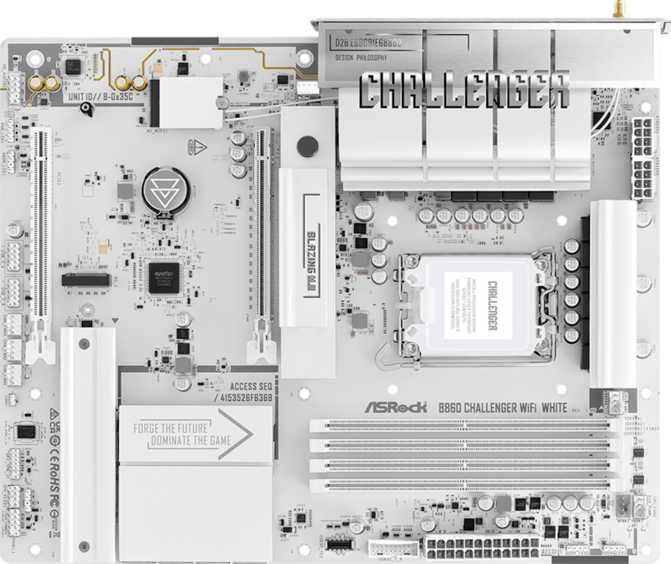
ASRock B860 Challenger Wi-Fi White: An Honest Full Review
MotherboardsFirst Impressions: White, Wireless, and Ready for Intel's Latest
White PC builds have moved from a niche aesthetic choice to genuine mainstream preference, and the component market has followed. The ASRock B860 Challenger Wi-Fi White lands squarely in that conversation — a full-size ATX board finished in clean white, built around Intel's current-generation LGA 1851 platform, and equipped with Wi-Fi 7 wireless out of the box. At the B860 tier, ASRock targets the builder who wants modern connectivity and real-world performance without paying a premium for unlocked overclocking features they may never use. Whether this board earns its place on your shortlist depends on a handful of meaningful trade-offs worth examining closely.
Design and Build Quality: Aesthetic First, Substance Behind It
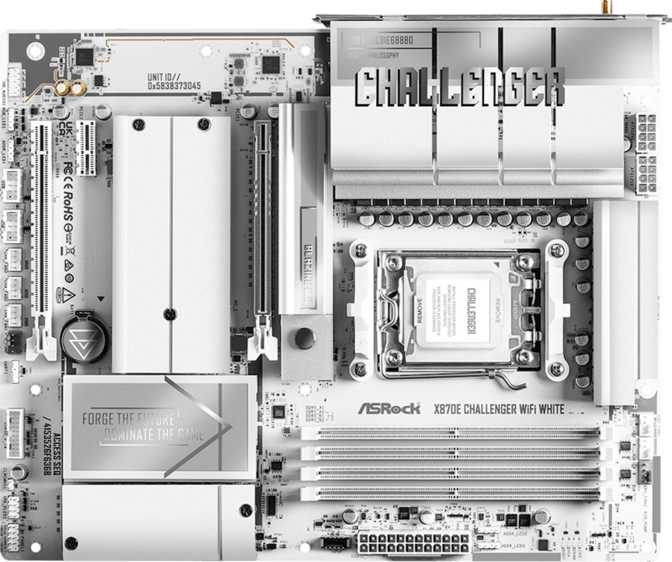
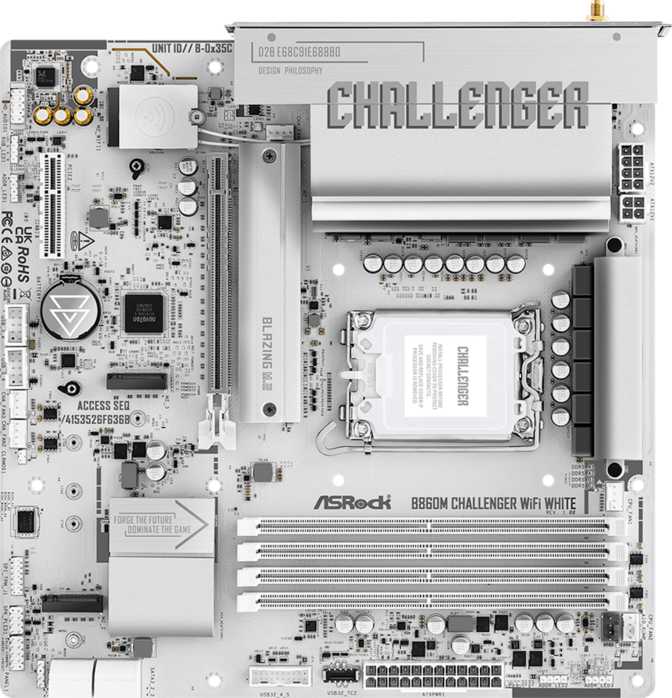
The white colorway is the obvious headline, and ASRock has executed it thoughtfully. The PCB carries a matte white finish, and the heatsinks, shrouds, and slot covers follow suit — creating a visually consistent board that holds up even when RGB lighting is switched off. For builders planning an all-white or white-and-black theme, this level of cohesion matters. Mismatched component tones are a frustration that shows in the finished build, and many competing boards only go halfway.
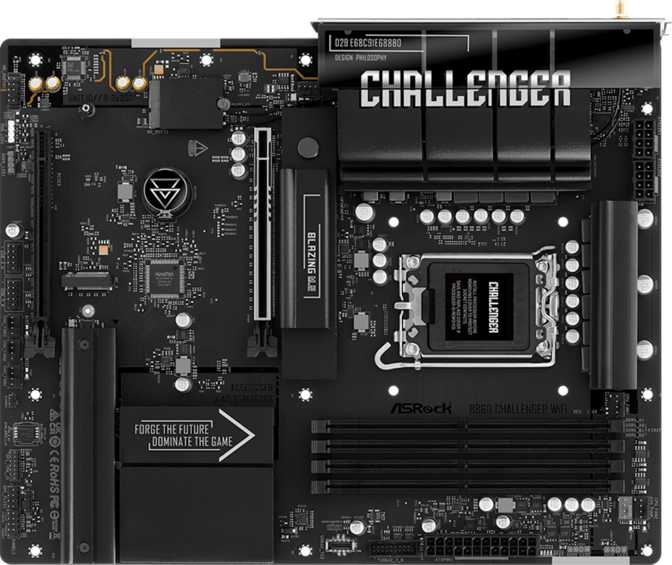
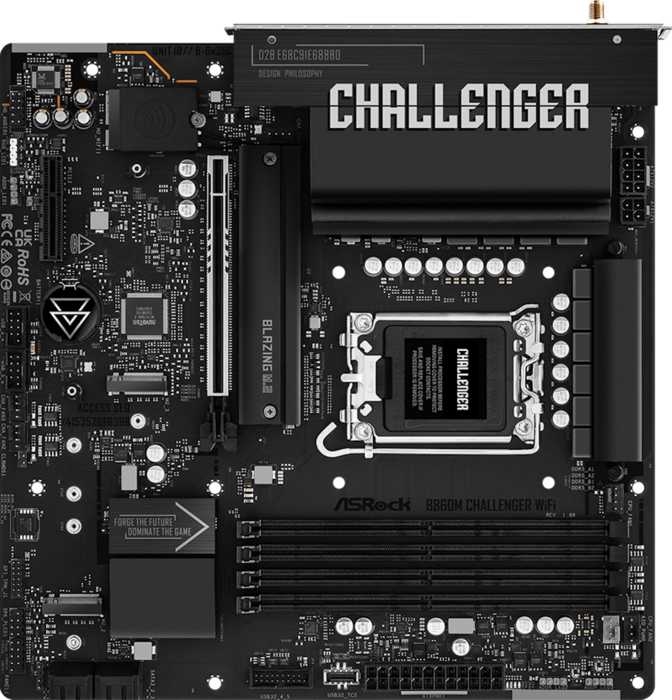
The board follows the standard ATX footprint at 305mm by 244mm, fitting into virtually any mid-tower or full-tower case without clearance concerns. RGB lighting is present onboard, providing visual customization and a foundation for synchronizing with other components through ASRock's Polychrome Sync ecosystem. It contributes meaningfully to a lit build without overwhelming the overall look.
Build quality at the Challenger tier sits at the practical end of mid-range: solid VRM heatsink coverage, a reinforced primary PCIe slot, and structural integrity appropriate for a standard build. ASRock backs this board with a three-year warranty — a reassuring commitment at this price bracket.
No Clear CMOS Button — Know Before You Buy
This board does not include a dedicated Clear CMOS button on the rear I/O panel, and there is no dual BIOS configuration. For most builders, BIOS resets are rare enough that this never surfaces. For those who push memory configurations aggressively or experiment frequently with BIOS settings, the absence of a one-button reset adds a genuine friction point worth knowing about before purchase.
Platform and Chipset: What B860 Actually Means for Your Build
The B860 chipset is Intel's current-generation mid-range silicon, paired here with the LGA 1851 socket. That socket supports Intel's latest processors, meaning this board is built for the present and the near-future upgrade cycle — you are not buying into a platform at the end of its life. Understanding what B860 gives you versus Intel's higher-end Z890 chipset is essential before you commit to a purchase.
- Full support for all current Intel processors on LGA 1851
- PCIe 5.0 on the primary graphics slot at full electrical bandwidth
- DDR5 memory support with XMP profile overclocking
- Modern I/O including Wi-Fi 7 and high-speed USB connectivity
- CPU core frequency overclocking via multiplier adjustment
- The board's easy overclock feature applies to memory XMP profiles only — not to processor clock speeds
For the vast majority of users — including gamers, content creators, and everyday power users — CPU multiplier overclocking delivers diminishing real-world returns on modern Intel processors. Choosing B860 over Z890 typically saves meaningful money that can be redirected toward a better GPU, faster storage, or more RAM. If you are a dedicated overclocker who needs full manual control over CPU frequencies and voltages, B860 is architecturally the wrong platform — that is a design constraint of the chipset, not a defect of this board.
Memory Performance: DDR5 With Room to Push
The board runs DDR5 memory exclusively — no DDR4 backward compatibility, which is standard for this platform generation. Four physical slots support a dual-channel configuration, delivering the full memory bandwidth benefit when two or four matched sticks are installed. The maximum addressable capacity reaches 256GB, an effective ceiling for any consumer workload you are likely to run.
The more meaningful figure is the XMP overclocking ceiling. DDR5 typically ships at base speeds around 4800 MHz, with mainstream kits running between 5600 and 7200 MHz. This board supports XMP profiles up to approximately 8666 MHz — well above the range of most kits currently at retail. In practical terms, the board will not be the bottleneck when you install fast memory.
Enabling XMP is a single BIOS toggle. Beginners get a straightforward experience with no manual tuning required; enthusiasts get headroom that accommodates today's fastest consumer DDR5 kits without hitting a platform ceiling.
Storage: Three M.2 Slots and a Clean SATA Layout
Three M.2 slots give this board a modern storage backbone. M.2 is the format used by today's fastest SSDs — compact, card-style drives that slot directly into the motherboard and deliver performance no traditional hard drive or older-format drive can approach. Having three of them means a primary boot drive plus two additional high-speed storage drives can all be installed without occupying a single SATA port.
Four SATA 3 ports remain available for existing SATA SSDs, hard drives, or any build that requires bulk mechanical storage alongside fast primary drives. RAID support covers levels 0, 1, 5, and 10 — relevant for home server builds, creative professionals maintaining local redundant backups, or any workflow where data protection at the storage layer matters.
There are no U.2 ports and no mSATA. Neither is a practical concern for mainstream builds in this class.
Expansion Slots: PCIe 5.0 Primary, PCIe 4.0 Secondary
The primary graphics slot operates at PCIe 5.0 x16 — the current leading standard for GPU bandwidth. Every current and near-future discrete graphics card runs optimally here. This is not a compromised or limited implementation; it is the full specification at full electrical bandwidth.
A secondary PCIe 4.0 x16 slot is also present on the board. Physically it accepts a full-length card, but it operates at x4 electrical bandwidth — more than sufficient for add-in cards like capture cards, network adapters, or NVMe expansion cards, but not suitable for a second high-performance GPU. Multi-GPU configurations are largely irrelevant on modern platforms anyway, so this is not a meaningful limitation for nearly any real-world build.
There are no legacy PCIe x1 slots or older PCI slots. The slot configuration is clean and deliberate — two slots, each serving a clear purpose.
Connectivity and I/O: Wi-Fi 7 Is the Real Story
Wireless: Wi-Fi 7 Built In
The wireless module supports Wi-Fi 7 (802.11be) — the current leading standard in consumer networking. Wi-Fi 7 delivers meaningfully lower latency and higher throughput than Wi-Fi 6E, and dramatically more than Wi-Fi 5. For a wired-first builder this might feel peripheral, but having Wi-Fi 7 built in means you never need a separate wireless card, and when your router is upgraded to Wi-Fi 7, the motherboard is already ready. Bluetooth 5.4 accompanies the Wi-Fi module, providing reliable short-range wireless for peripherals, headphones, and controllers without any additional hardware.
Rear USB and Video Ports
The rear I/O panel provides six USB 3.2 Gen 1 Type-A ports alongside one USB 3.2 Gen 1 Type-C port. Gen 1 runs at up to 5Gbps — fast enough for mice, keyboards, external SSDs, audio interfaces, and most peripherals without bottlenecking. Two additional USB 2.0 ports handle legacy devices and accessories that do not require high transfer speeds.
Note on USB throughput: The rear panel includes no USB 3.2 Gen 2 (10Gbps) or faster ports. Users who regularly transfer large files to and from USB-connected external drives and want maximum throughput will feel this gap. For peripheral use and general connectivity, Gen 1 is perfectly functional.
A single HDMI 2.1 output is present on the rear panel for processors with integrated graphics. HDMI 2.1 supports 4K at high refresh rates and is the correct standard for modern displays. There is no DisplayPort output — users who require DisplayPort from integrated graphics would need an adapter, or simply use a discrete GPU with its own output options. A single Ethernet port handles wired networking at gigabit and multi-gigabit speeds depending on the connected infrastructure.
Internal Expansion Headers
Two internal USB 3.2 Gen 1 headers deliver additional front-panel USB 3.0 ports through your case, along with four USB 2.0 internal headers for further expansion. This is a well-stocked internal header layout that accommodates cases with generous front I/O configurations without requiring external hubs.
Audio: 7.1 Surround Capability
The onboard audio solution supports 7.1-channel surround sound through three rear audio jacks — a standard implementation that handles stereo, 2.1, and full surround configurations. For the overwhelming majority of users — headphone users, stereo speaker setups, or gaming headsets — the onboard audio performs at a level that makes a separate sound card unnecessary.
There is no S/PDIF optical output on this board. Users who connect to a home theater receiver or external DAC via optical cable will need to factor in a USB DAC or dedicated sound card as part of their build budget.
Fan and Thermal Control: Seven Headers for a Well-Managed Build
Seven fan headers across the board is generous for this price class. A complete cooling configuration — CPU cooler, several case fans, and a radiator pump — can be managed entirely through the motherboard without relying on external fan hubs. Each header supports PWM and DC control, allowing either automatic temperature-responsive curves or manual fixed-speed profiles through ASRock's BIOS or companion software.
For a system with a large air cooler and three or four case fans, seven headers provides comfortable overhead. For more elaborate water-cooling loops with multiple pumps and radiator fans, it still covers most configurations without requiring external controllers.
Who Should Buy the ASRock B860 Challenger Wi-Fi White
- Are building a white-themed or white-accented PC and want genuine aesthetic cohesion across every surface of the board
- Want Intel's current-generation platform without paying for CPU overclocking features you will not use
- Value Wi-Fi 7 as a built-in feature rather than an afterthought add-in card
- Plan to run one primary GPU and multiple fast NVMe drives
- Are building a clean, capable gaming or productivity system at a practical price point
- Want to overclock your CPU beyond Intel's stock Boost behavior — B860 does not permit multiplier adjustments
- Require USB 3.2 Gen 2 or faster ports on the rear panel for high-speed external storage workflows
- Need a DisplayPort output directly from integrated graphics
- Rely on S/PDIF optical audio output to connect a home theater receiver
- Prioritize dual BIOS failsafe protection or a one-button CMOS reset for frequent BIOS experimentation
How It Compares to the Obvious Alternatives
The ASRock B860 Challenger Wi-Fi White sits in a specific competitive context. Here is how its key attributes stack up against a typical non-white B860 competitor and an entry-level Z890 alternative.
| Feature | ASRock B860 Challenger Wi-Fi White Reviewed | Typical B860 Competitors | Z890 Entry-Level Boards |
|---|---|---|---|
| White Aesthetic | Full board cohesion | Rare or partial | Available on select models |
| CPU Overclocking | Not supported (B860) | Not supported (B860) | Fully supported |
| Wi-Fi Generation | Wi-Fi 7 | Often Wi-Fi 6E or below | Varies by model |
| M.2 Slots | 3 | 2 to 3 typical | 3 to 5 typical |
| Primary PCIe | Gen 5 x16 | Gen 5 x16 | Gen 5 x16 |
| DDR5 Memory OC | Up to ~8666 MHz | 6400 to 7200 MHz typical | Higher ceiling typical |
| Price Range | Mid-range B860 | Comparable | 20 to 40% higher typically |
| Dual BIOS | No | Varies by brand | Common on most models |
Honest Assessment: Strengths and Weaknesses
The ASRock B860 Challenger Wi-Fi White does several things genuinely well. The white finish is consistent and thoroughly executed — this is not a board where one component is white while others drift toward grey or silver. Every major surface follows the same theme, and the result holds up in a lit build.
Wi-Fi 7 at this price tier is a meaningful inclusion that competitors sometimes withhold to push buyers toward pricier SKUs. Three M.2 slots and PCIe 5.0 on the primary slot ensure the board will not become a bottleneck in a well-specced system. Seven fan headers and a generous DDR5 frequency ceiling add real practical value that goes beyond what the paper specifications suggest.
The three-year warranty reflects confidence in build quality, and the Polychrome Sync ecosystem keeps RGB management within a single software environment when paired with other ASRock components.
The rear USB panel leans on Gen 1 speeds throughout. Users who transfer large files to and from USB-connected external storage will feel the absence of Gen 2 or faster ports — 5Gbps is functional, but it is not the ceiling most builds in this class should carry.
The lack of a Clear CMOS button and dual BIOS is a comfort-feature deficit. Most users never encounter the scenario that makes these matter, but they are standard on many competing boards and their absence is noticed when you actually need them.
No DisplayPort output limits flexibility for integrated-graphics use cases, and the missing S/PDIF optical output excludes a specific subset of home-theater audio users. Like all B860 boards, it cannot unlock CPU overclocking — the right call for the platform's intent, but an important constraint to accept before purchasing.
Common Pre-Purchase Questions Answered
Final Verdict
The ASRock B860 Challenger Wi-Fi White is a well-positioned, purpose-built board for a specific type of builder: someone assembling a clean, capable Intel system on a practical budget, who values aesthetic cohesion in a white build and genuinely benefits from Wi-Fi 7 connectivity. It does not pretend to be something it is not — B860 is a mainstream platform, and this board leans into that identity with honest feature prioritization.
The three-year warranty, PCIe 5.0 primary slot, DDR5 support with real headroom, and seven fan headers give this board a strong functional foundation. The white execution is among the more thorough in its class. Where it compromises — rear USB speeds, no dual BIOS, no CPU overclocking — these are category-level realities, not failures specific to ASRock's implementation.
You are building a white-themed Intel system, have no plans to manually overclock your CPU, and want Wi-Fi 7 without paying for a separate wireless card. It delivers exactly what it promises, and for its intended audience, that is enough.
You need full CPU overclocking access, faster USB on the rear panel, or dual BIOS protection — in which case a Z890 board or a competing B860 model with stronger I/O specifications would serve you better.