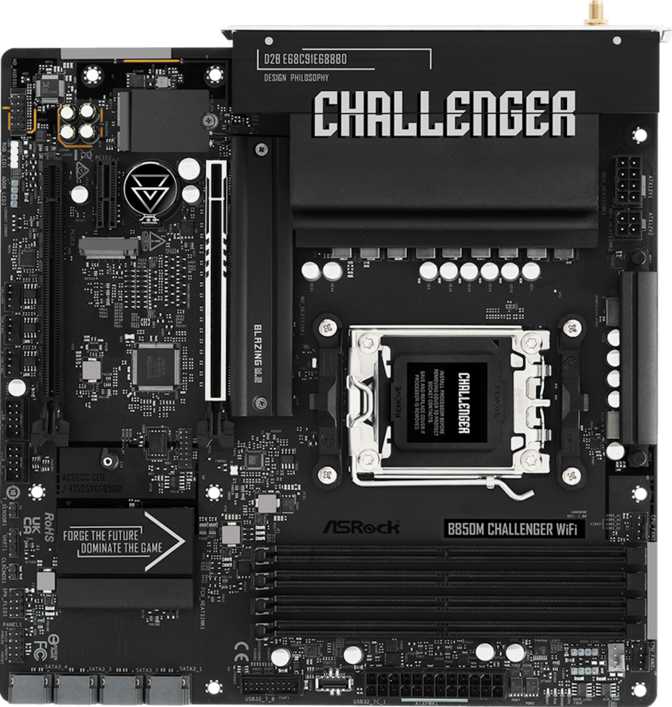
ASRock B850M Challenger Wi-Fi: Full Review for AM5 Builders
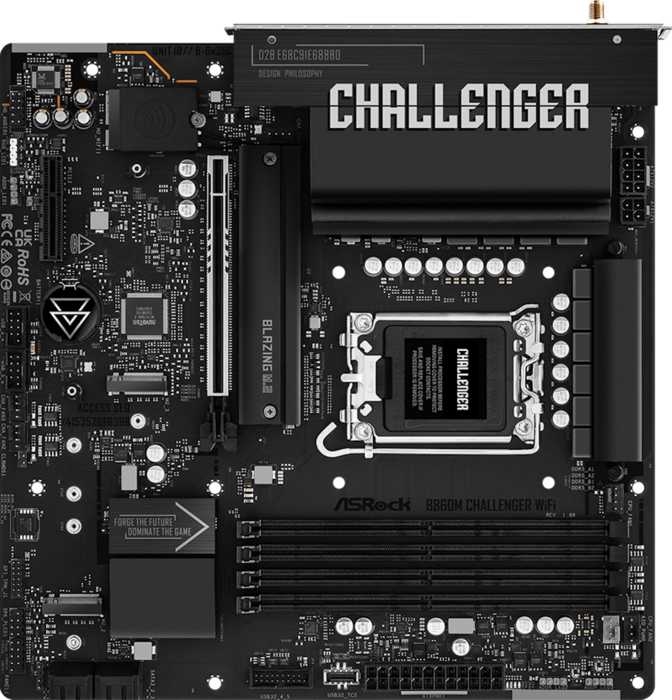
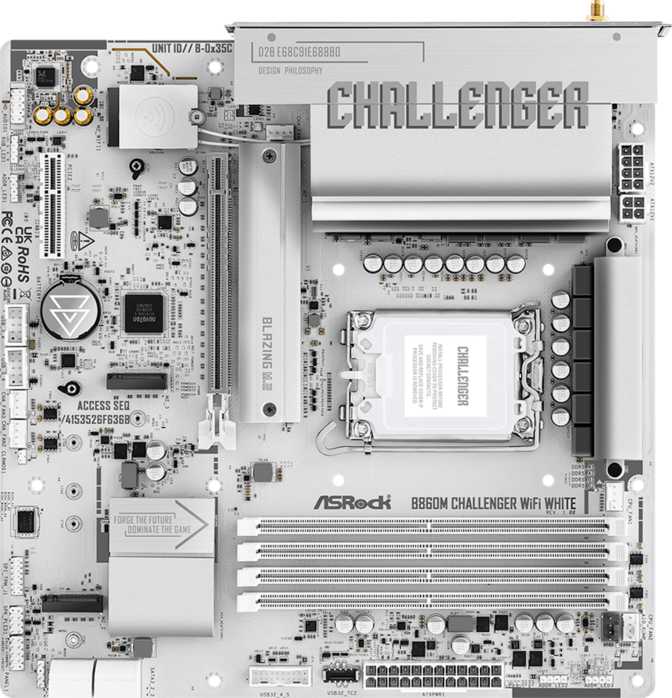
MotherboardsNot every builder needs a flagship motherboard. The ASRock B850M Challenger Wi-Fi sits in the space between budget compromise and unnecessary excess — a Micro-ATX board built on AMD's B850 chipset that targets the AM5 platform with a feature set more associated with higher price brackets than its tier suggests.
This review breaks that down honestly — for the first-time builder trying to make sense of chipset tiers, and for the experienced enthusiast who wants to know exactly what B850 on AM5 means in practice before committing.
Design and Build: Compact Form, Practical Layout
The B850M Challenger Wi-Fi follows the Micro-ATX standard, measuring 244mm on each side. That square footprint fits comfortably in most mid-tower cases and opens the door to a smaller chassis if compact builds appeal to you — without the extreme sacrifices that come with Mini-ITX territory.
ASRock has included RGB lighting on this board, which is a genuine extra at this tier rather than a given. It's tasteful enough for enthusiasts who want visual cohesion in a windowed case, and invisible in a practical sense if you simply don't care about it.
Build quality feels appropriate for the price class — solid VRM heatsink coverage, a reinforced primary PCIe slot, and a layout that doesn't feel cramped despite the reduced footprint. The board gives a sturdy first impression that holds up on closer inspection.
Build Caveats to Know
- No dedicated Clear CMOS button on the rear panel — resetting BIOS after a failed overclock requires working through the internal header method.
- No dual BIOS chip means no backup firmware fallback if a BIOS update goes wrong — a common but worth-noting B-series trade-off.
Platform Performance: What B850 on AM5 Actually Delivers
Positioned Above Entry-Level, Below Enthusiast
The B850 chipset sits above AMD's entry-level B650 but below the enthusiast-oriented X870 and X870E. In practical terms, this means you get PCIe 5.0 connectivity on the primary graphics slot without paying the premium the X-series commands.
AM5 is AMD's current-generation platform, expected to remain viable across multiple CPU generations. Whether you're pairing this board with a Ryzen 7000-series chip today or planning a future upgrade, the socket longevity is a real and tangible advantage over platforms already at end-of-life.
Four Slots, Serious Headroom
Four DDR5 memory slots support up to 256GB total — covering everything from an 8GB starter gaming build to a 64GB content creation workstation. The board runs DDR5 exclusively; DDR4 is not compatible, which is standard across the entire AM5 platform.
The overclocking headroom for memory is substantial. AM5 Ryzen processors are notably sensitive to memory bandwidth, and running comfortably at the proven 6000–6400MHz performance sweet spot is well within this board's capability in dual-channel configuration across all four slots.
Connectivity and Expansion: Where It Counts
Storage Configuration
Two M.2 slots handle modern NVMe solid-state drives — the fast, compact drives that have largely replaced traditional hard drives for primary storage. Four SATA 3 ports add capacity for conventional drives or SATA SSDs, providing enough storage paths for a multi-drive setup without an add-in card.
RAID support covers the configurations most relevant to home and prosumer builders:
- RAID 0 — combines drives for faster read/write throughput
- RAID 1 — mirrors data across drives for redundancy
- RAID 10 — balances both speed and redundancy
- RAID 5 not supported — rarely relevant outside dedicated NAS or workstation contexts
Rear Panel Ports
Six USB-A ports running at USB 3.2 Gen 1 speeds and two USB 2.0 ports round out the rear USB offering. A single Gigabit Ethernet port handles wired networking alongside the onboard wireless module.
The HDMI 2.1 output on the rear panel is available for AMD APU configurations — processors with an integrated GPU. If you're running a discrete graphics card, your displays connect directly to that card; the rear HDMI plays no role in that setup.
PCIe Expansion Slots
| Slot | Standard | Real-World Use |
|---|---|---|
| Primary x16 | PCIe 5.0 | Current and next-gen GPUs; PCIe 5.0 NVMe drives via adapter |
| Secondary x16 (physical) | PCIe 4.0 | Secondary GPU, capture card, or NVMe adapter |
| x1 slot | PCIe | Sound card, USB expansion, or networking card |
The PCIe 5.0 primary slot ensures the board won't create a bottleneck as GPU generations advance — even though most current cards don't yet saturate PCIe 4.0 bandwidth fully.
Internal Headers at a Glance
Wireless Connectivity: Wi-Fi 7 at This Price Point
The wireless module is one of this board's most compelling inclusions. Wi-Fi 7 (802.11be) is the current state of the art in consumer wireless — offering not just raw theoretical throughput well beyond what typical home networks can saturate, but more practically, lower latency and better behavior in dense wireless environments compared to Wi-Fi 6 and 6E.
Backward compatibility covers Wi-Fi 4, 5, 6, and 6E, meaning the board works with any router you're likely to own today while staying genuinely future-ready for Wi-Fi 7 infrastructure as it becomes mainstream.
Bluetooth 5.4 accompanies the Wi-Fi module, supporting the current generation of wireless peripherals including headsets, game controllers, and keyboards. The board does not carry aptX certification — meaning Bluetooth audio quality depends on the connected device's own codec support rather than any board-level enhancement. This matters only if you're routing high-quality audio specifically over Bluetooth.
Wireless Specifications
- Wi-Fi Standard
- Wi-Fi 7 (802.11be)
- Also Supports
- Wi-Fi 4 / 5 / 6 / 6E
- Bluetooth
- 5.4
- aptX Audio
- Not included
aptX absence is a minor consideration for most users. If Bluetooth audio fidelity is a priority, verify the codec support of the headset or receiver you plan to pair with this board.
Audio: Capable Onboard Sound with One Gap
The onboard audio delivers 7.1 surround sound capability through three analog jacks on the rear panel — the standard trio of line-in, line-out, and microphone. For gaming headsets, desktop speakers, and casual listening, this is more than sufficient for the overwhelming majority of users.
One notable omission is S/PDIF digital optical output. If you're connecting to an external DAC or an older home theater receiver via optical cable, you'll need a USB audio interface or a sound card installed in the PCIe x1 slot. Users who don't rely on optical digital audio output won't feel this gap at all — it's a niche requirement, but a real one for the people who have it.
Audio Summary
Overclocking: More Capable Than the Price Suggests
The B850 chipset supports CPU overclocking — a meaningful distinction from entry-level chipsets that lock out this capability. ASRock has flagged this board as overclock-friendly, and the memory ceiling backs that claim up. Tuning memory at the proven 6000–6400MHz sweet spot for Ryzen is squarely within reach across all four slots.
For CPU overclocking specifically: the VRM at this price tier is capable for pushing within reasonable limits, but sustained extreme overclocking sessions are better suited to boards with more substantial power delivery hardware. For a 5–10% frequency uplift above stock and an enthusiast memory profile, this board handles it cleanly.
Who Should Buy This Board — And Who Should Not
- Are building a compact or mid-size AM5 system and want to keep footprint manageable
- Want Wi-Fi 7 without sourcing and fitting a separate wireless adapter
- Plan to run a single high-end GPU alongside one or two NVMe drives
- Want PCIe 5.0 on the primary slot without paying enthusiast chipset prices
- Value the three-year warranty for long-term purchase confidence
- Rely heavily on USB-C at the rear panel — there is no USB-C anywhere on this board's I/O
- Need dual BIOS protection for safe firmware experimentation
- Require optical audio output to an existing home theater receiver or external DAC
- Need more than two M.2 drives for a high-storage creative or archival workflow
- Are building a server or workstation that requires ECC memory support
Competitive Positioning: How It Compares
The B850M Challenger Wi-Fi earns its position by delivering PCIe 5.0 and Wi-Fi 7 at a Micro-ATX form factor and price bracket where those features normally require an upgrade to a higher chipset tier. Here's how it stacks up against the logical alternatives a buyer in this range would realistically consider.
| Feature | ASRock B850M Challenger Wi-Fi | Typical B650 Board | Typical X870 Board |
|---|---|---|---|
| Chipset Tier | Mid-range B850 | Entry-level B650 | Enthusiast X870 |
| Primary PCIe Slot | PCIe 5.0 | PCIe 5.0 or 4.0 (varies) | PCIe 5.0 |
| Wi-Fi Standard | Wi-Fi 7 | Wi-Fi 6 or 6E (typically) | Wi-Fi 7 |
| M.2 Slots | 2 | 2 (typically) | 3 to 5 |
| Rear USB-C | None | Varies by model | Usually present |
| Dual BIOS | No | Varies by model | Often included |
| Form Factor | Micro-ATX | Varies | ATX or Micro-ATX |
| Warranty | 3 Years | Typically 1–3 years | Typically 3 years |
Against B650 competition, the B850M Challenger Wi-Fi generally delivers better wireless and equivalent or superior PCIe capability, making the chipset step-up worthwhile for most builds. Where it concedes to X870 boards is in USB-C rear I/O, dual BIOS protection, and M.2 slot count.
Honest Assessment: Strengths and Weaknesses
Where It Gets It Right
Wi-Fi 7 inclusion at this tier is not a marketing checkbox — it's a forward-thinking addition that most competing boards at this price require a separate card to match. The PCIe 5.0 primary slot ensures the board won't create a bottleneck for next-generation graphics hardware, even if current cards don't yet demand it.
Four memory slots with meaningful DDR5 overclocking capability give this board flexibility that budget alternatives routinely skip. The Micro-ATX form factor hits a practical sweet spot for builders who want compact sizing without the painful concessions that Mini-ITX demands.
The three-year warranty is easy to overlook during spec comparisons but matters over the lifetime of a build. It's a straightforward sign of the manufacturer's confidence in the product's durability at this price point.
Where It Falls Short
The rear I/O lacks USB-C entirely — and this is a significant omission, not a minor one. As more peripherals and accessories adopt USB-C as their primary connection, the absence here is increasingly difficult to work around without adapters or relying entirely on front-panel headers.
Without a one-touch Clear CMOS button and without dual BIOS protection, recovery from a problematic firmware update or a stubborn overclock failure is a more involved process than necessary. For builders who push settings regularly, this adds real friction at the moments it matters most.
Two M.2 slots is workable for most single-drive or two-drive setups but becomes a genuine constraint for storage-intensive workflows. None of these weaknesses are dealbreakers in isolation — but together they define clearly who this board was and wasn't designed to serve.
Common Questions Before You Buy
Final Verdict
The ASRock B850M Challenger Wi-Fi is a well-constructed value proposition for AM5 builders who want modern wireless, PCIe 5.0 primary slot access, and capable DDR5 performance in a compact form factor — without stretching to enthusiast chipset pricing.
It earns a confident recommendation for its target audience: builders prioritizing platform longevity, Wi-Fi 7 wireless, and a clean single-GPU setup in a Micro-ATX chassis. The three-year warranty adds purchase confidence that budget-tier alternatives routinely skip.
The missing rear USB-C and absence of dual BIOS are real limitations worth weighing honestly. If either is a hard requirement for your specific build, step up to a competing B850 or entry-level X870 that addresses them. If those gaps don't apply to you, this board delivers exactly what it promises — without unnecessary compromise.