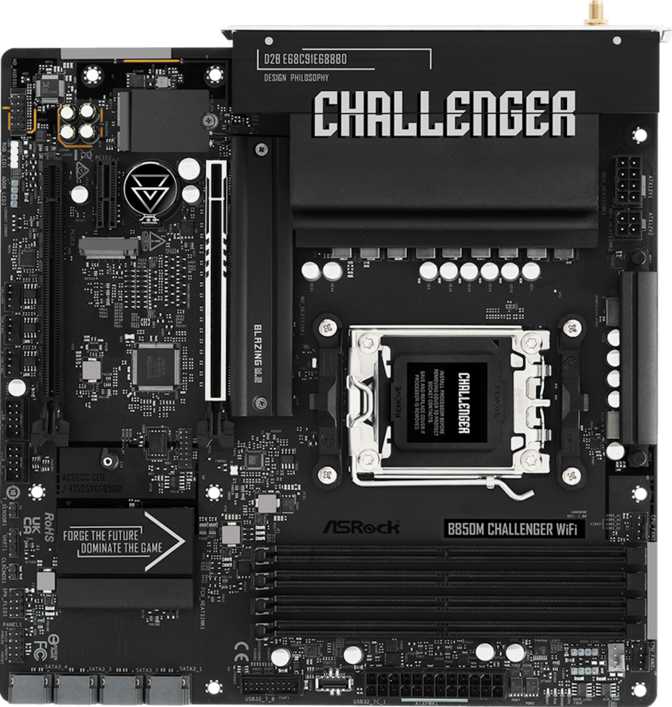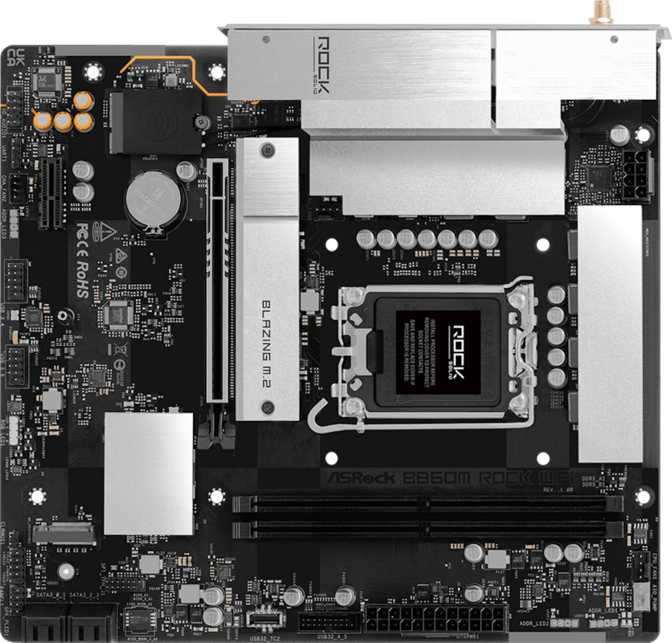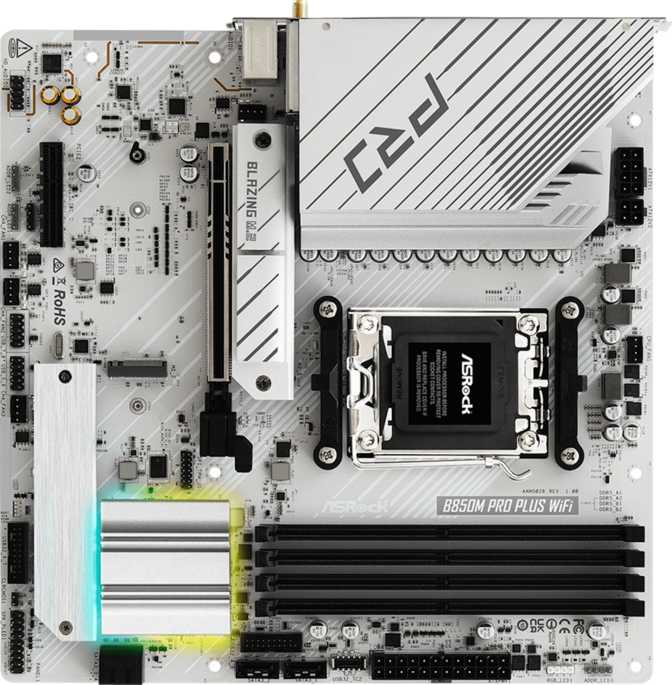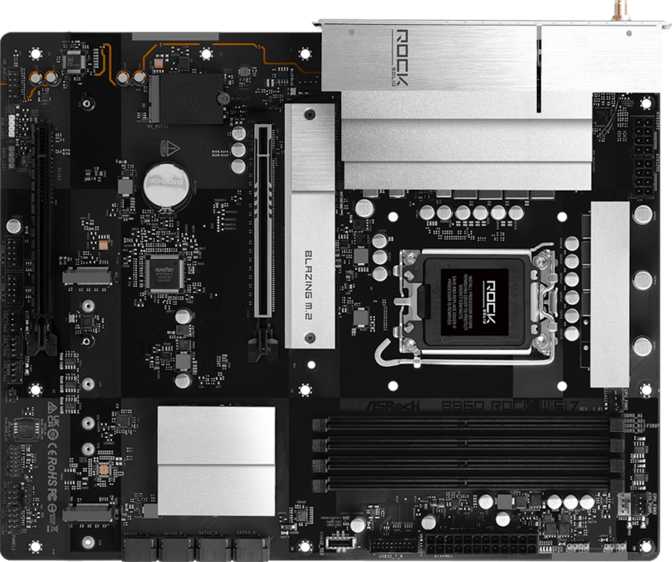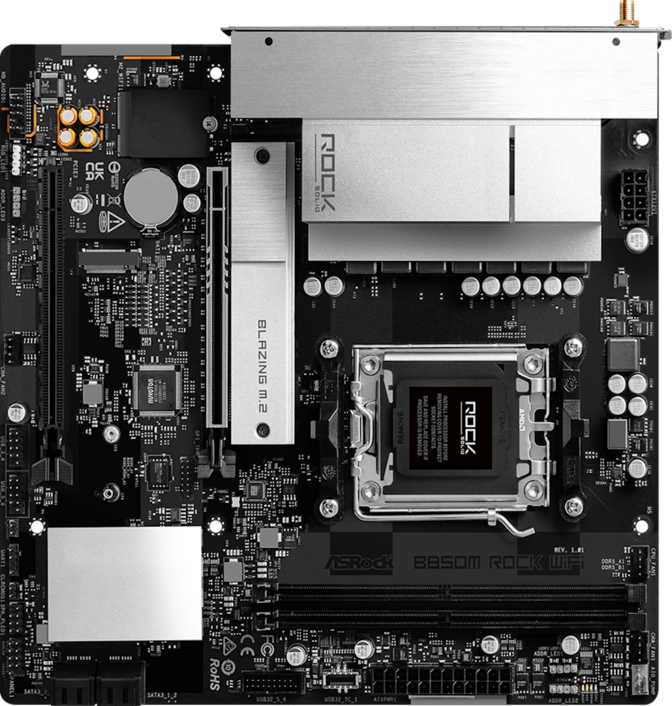
ASRock B850M Rock Wi-Fi: The Compact AM5 Board That Delivers
MotherboardsBuilding a new AMD Ryzen system on a budget used to mean giving up meaningful features — you'd trade away fast wireless, future-proofed storage, or reliable BIOS tooling just to stay under a spending limit. The ASRock B850M Rock Wi-Fi challenges that compromise. Sitting on AMD's B850 chipset with an AM5 socket, it targets builders who want the long-term headroom of AMD's current platform without paying for a flagship board they'll never fully use.
This is a Micro-ATX motherboard, which already tells you something about its character: compact, practical, and focused. But compact doesn't mean stripped down. The B850M Rock Wi-Fi arrives with Wi-Fi 6E, PCIe 5.0 graphics support, DDR5 memory compatibility, and a dual-BIOS safety net — features that would have seemed premium just two generations ago. Whether you're a first-time builder wondering if you need to spend more, or an experienced system builder evaluating chipset tiers, this board deserves a close look.
Design, Build Quality, and Physical Experience
At 244 mm wide and 226 mm tall, the B850M Rock Wi-Fi fits the standard Micro-ATX footprint, slotting cleanly into the overwhelming majority of mid-tower and compact cases on the market. The smaller board size relative to full ATX works in many builders' favor: cases with Micro-ATX support tend to be cheaper, lighter, and more portable — a real consideration for LAN party regulars or anyone working in a tight space.
ASRock has included RGB lighting on this board, which contributes to aesthetics without being the main event. The lighting is measured — it adds visual character to a build without demanding center stage. Builders who dislike RGB can typically disable it through BIOS or ASRock's software; builders who want it will find enough to work with.
The physical layout reflects the board's compact nature: two DDR5 memory slots rather than the four you'd find on full ATX boards, a clean arrangement of storage and expansion connectors, and rear I/O that's well-organized for the size class. The board does not include a dedicated clear-CMOS button on the rear panel, meaning BIOS recovery requires the internal CMOS jumper or reliance on the dual-BIOS failover system — more on that below.
Build quality on ASRock's mid-range boards has improved noticeably over recent generations, and the B850M Rock Wi-Fi reflects that: solid PCIe slot reinforcement on the primary graphics slot, quality power delivery headers, and a layout that avoids the cable-routing frustrations common in cheaper alternatives.
Platform and Chipset: Why B850 and AM5 Matter for Your Build
The AM5 Socket Advantage
The AM5 socket is AMD's current-generation platform, designed to remain relevant for multiple processor generations. This matters enormously for buyers thinking beyond their first CPU — socket compatibility means future Ryzen processor upgrades are far more likely to work without replacing the motherboard. Choosing AM5 now is a deliberate bet on upgrade longevity, and the B850M Rock Wi-Fi makes that bet accessible at a lower cost of entry.
B850 vs. B650 vs. X870: Where This Chipset Sits
Compared to the B650, B850 offers meaningfully more connectivity and bandwidth — particularly for USB and storage. Compared to the X870, B850 trades away some advanced overclocking features and USB4 connectivity, but for the majority of builders those omissions are invisible in daily use. B850 is the sweet spot: genuine capability without the flagship price premium, and without the connectivity limitations of the true budget tier.
Memory: DDR5 With Serious Headroom
The B850M Rock Wi-Fi uses DDR5 memory exclusively — consistent with the AM5 platform as a whole. DDR5 is faster, more power-efficient, and architecturally more modern than DDR4, but carries a price premium over older memory. The trade-off is worth it for a new build: DDR5 is where the platform's performance ceiling lives.
The dual-channel configuration is all most builders need — install two matched sticks and gain the full bandwidth benefit immediately. The trade-off compared to a four-slot board is expandability: you cannot add more RAM later without replacing both sticks entirely. For gaming and general productivity, 32 GB (two 16 GB sticks) is the practical sweet spot; 64 GB suits content creators and professional workloads. Where the configuration becomes genuinely impressive is in overclocked speeds — reaching frequencies associated with high-performance enthusiast kits, accessible via AMD EXPO profiles as a single BIOS toggle, not a complex manual tuning session.
Storage: Fast Primary Drives, Plenty of Traditional Capacity
M.2 NVMe: The Fast Lane
Two M.2 slots provide the board's primary high-speed storage capability. M.2 drives install directly onto the motherboard with no cables and offer dramatically faster read/write speeds than traditional drives. Two slots is the right number for most builds: one for the operating system and primary applications, and a second for games, large project files, or fast secondary storage. Builders with larger libraries can supplement with SATA drives.
SATA: Four Ports for Bulk Storage
Four SATA 3 connectors support traditional solid-state and mechanical hard drives. This allows a build to use fast NVMe storage for active workloads while offloading bulk storage to higher-capacity, lower-cost SATA drives. RAID support covers RAID 0 (striping for speed), RAID 1 (mirroring for redundancy), and RAID 10 (a combination of both). RAID 5 is not supported — a minor limitation for prosumer NAS-adjacent use cases, but irrelevant to most desktop builders.
Graphics and Expansion: PCIe 5.0 Ready
The primary PCIe slot — the one your graphics card occupies — runs at PCIe 5.0 x16. This is the latest standard, identical to what's found on enthusiast-tier boards. Current high-end graphics cards are designed around PCIe 5.0, meaning the B850M Rock Wi-Fi does not create a bottleneck for any current or near-future GPU.
| Slot | Standard | Electrical Width | Best Use |
|---|---|---|---|
| Primary x16 | PCIe 5.0 x16 | x16 | Dedicated graphics card |
| Secondary x16 | PCIe 3.0 x16 | x4 (typical) | Capture cards, expansion devices |
The secondary slot suits capture cards, PCIe-based networking, or other expansion devices — it is not intended as a primary GPU slot. There are no PCIe x1 slots, a predictable trade-off of the Micro-ATX form factor that some builders miss for sound cards or additional USB controllers.
Connectivity: Wired, Wireless, and What's on the Rear Panel
Wi-Fi 6E: The Right Wireless Standard for New Builds
The board's wireless capability spans Wi-Fi 4 through Wi-Fi 6E — the practical reality is that Wi-Fi 6E is what you're paying for, and it's a meaningful differentiator. Wi-Fi 6E opens access to the 6 GHz frequency band, which is less congested than the 2.4 GHz and 5 GHz bands used by older devices. In environments with many wireless devices — apartments, shared offices, homes with dozens of smart devices — 6 GHz access translates to more consistent speeds and lower latency for gaming, large downloads, and video streaming. Backward compatibility with older standards means the board works with any existing wireless network. Bluetooth 5.3 accompanies the module, supporting modern audio devices, peripherals, and Bluetooth-connected accessories.
Rear USB Port Summary
Display Outputs
An HDMI 2.1 output and one DisplayPort output sit on the rear panel. These are relevant primarily for builders using AMD APUs with integrated graphics or for diagnostic purposes during initial setup. With a dedicated graphics card installed, you'll use the GPU's own display outputs — the board's video outputs become a diagnostic fallback. HDMI 2.1 supports 4K at high refresh rates, a quality provision for those who do use the integrated output path.
Wired Networking
A single RJ45 Ethernet port handles wired networking — appropriate for all common home and office network use.
Audio: Capable Onboard Sound
The board's onboard audio supports 7.1 surround sound, served through three physical 3.5 mm audio jacks on the rear panel. This covers the vast majority of speaker, headphone, and microphone setups in use. There is no S/PDIF optical output, which limits direct connection to certain AV receivers or DAC/amplifier setups that expect a digital audio signal. For everyone else, the onboard audio is fully adequate — builders with high-end external audio hardware will likely add a dedicated sound card or USB DAC regardless.
Fan Control and Thermal Management
Four fan headers provide control over system cooling. For a Micro-ATX build with a typical CPU cooler and one or two case fans, this is the right number — you won't run short of headers in a standard cooling arrangement. More elaborate multi-fan configurations may require a fan hub, which is standard practice in larger builds regardless of board size.
Dual BIOS: A Genuine Safety Net
The dual-BIOS feature is one of the B850M Rock Wi-Fi's most practically useful provisions. The board carries two separate BIOS chips — a primary and a backup. If a BIOS update goes wrong (a corrupted firmware flash, a power outage mid-update), the board automatically falls back to the backup chip and recovers without any intervention from the user.
For builders who regularly update firmware or experiment with BIOS settings, this is genuine peace of mind. BIOS corruption is rare but catastrophic on single-BIOS boards — the only recovery is sending the board in for service or using a specialized recovery kit. Here, the fallback is built in from day one.
Dual BIOS
Automatic failover to a backup BIOS chip if the primary firmware becomes corrupted during an update
Who Should Buy the ASRock B850M Rock Wi-Fi
- First-time AM5 platform builders who want genuine, non-compromised features at a mid-range price
- Compact build enthusiasts working with Micro-ATX cases where a full ATX board won't fit
- Gamers who want PCIe 5.0 GPU support and Wi-Fi 6E without paying flagship prices
- Content creators needing high-speed DDR5 and solid M.2 storage options
- Builders who value the dual-BIOS safety net during firmware updates and overclocking experiments
- Anyone upgrading from an older platform who wants AM5's long-term upgrade path
- You need four memory slots for maximum RAM expandability or ECC memory support
- Multiple USB-C devices need to connect at the rear of the machine regularly
- You need USB4 or Thunderbolt 4 for external GPU enclosures or ultra-fast external storage
- Your audio chain requires S/PDIF optical output without adding a separate card
- You're building a high-density storage array that requires RAID 5 support
How It Compares: B850 vs. B650 vs. X870 Micro-ATX
| Feature | ASRock B850M Rock Wi-Fi | Typical B650 Micro-ATX | Typical X870 Micro-ATX |
|---|---|---|---|
| CPU Platform | AM5 | AM5 | AM5 |
| Memory Type | DDR5 | DDR5 | DDR5 |
| Memory Slots | 2 | 2–4 | 2–4 |
| Primary PCIe Slot | PCIe 5.0 x16 | PCIe 4.0 or 5.0 x16 | PCIe 5.0 x16 |
| Wi-Fi | Wi-Fi 6E | Wi-Fi 5 or 6 (varies) | Wi-Fi 6E or 7 |
| M.2 Slots | 2 | 2 | 2–3 |
| Rear USB-C | None | Rarely included | Often present |
| Dual BIOS | Yes | Varies | Usually yes |
| USB4 / Thunderbolt | No | No | Sometimes |
| Price Tier | Mid-range | Budget | Premium |
The B850M Rock Wi-Fi undercuts X870 boards while delivering the same PCIe 5.0 GPU slot and Wi-Fi 6E — the two features most builders actually use daily. The gap between this board and a B650 is more meaningful than it might appear: PCIe 5.0 and Wi-Fi 6E are genuine upgrades, not theoretical ones.
Honest Assessment: Strengths and Weaknesses
Where It Excels
The PCIe 5.0 primary slot ensures no buyer remorse when next-generation graphics cards arrive. Wi-Fi 6E is the right wireless standard for a new build, not a cost-cut compromise. The dual-BIOS protection is exactly the kind of practical feature that matters during long ownership. Memory support at high overclocked speeds — accessible through AMD EXPO profiles as a single BIOS toggle — means builders can extract real performance from quality DDR5 kits without expert-level tuning. At its price tier, this combination of features is difficult to match.
Where It Falls Short
The connectivity picture is the board's most visible limitation. Six rear USB ports is respectable in absolute terms, but the absence of any high-speed USB-C on the rear panel is a gap that will frustrate builders who regularly use USB-C storage, displays, or peripherals. The two-slot memory configuration is sufficient today but limits tomorrow's expansion — upgrading RAM later means replacing both sticks, not adding to them. The absent rear clear-CMOS button adds minor ergonomic friction during BIOS recovery.
Common Questions Before You Buy
Final Verdict
The ASRock B850M Rock Wi-Fi earns a clear recommendation for anyone building a compact AM5 system at a mid-range budget. It packages the features that genuinely matter — PCIe 5.0 graphics support, Wi-Fi 6E wireless, DDR5 with real headroom, and dual-BIOS protection — without inflating the price for features most builders will never touch.
The USB-C absence on the rear panel is a legitimate shortcoming, and anyone who depends on USB-C connectivity at the back of their machine should weigh that carefully. Two memory slots are sufficient today but limit tomorrow's expansion options.
For the builder who wants an AM5 platform foundation that won't feel outdated in two years, fits in a compact case, and doesn't require flagship spending to unlock essential modern features, the B850M Rock Wi-Fi is one of the most sensible choices in its class. It's the kind of board you install, configure once, and forget about — which is exactly what a good motherboard should be.