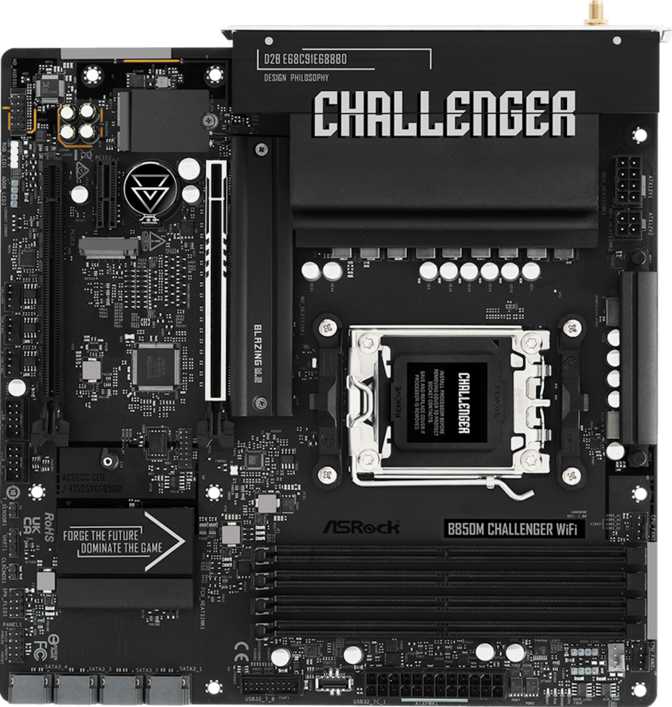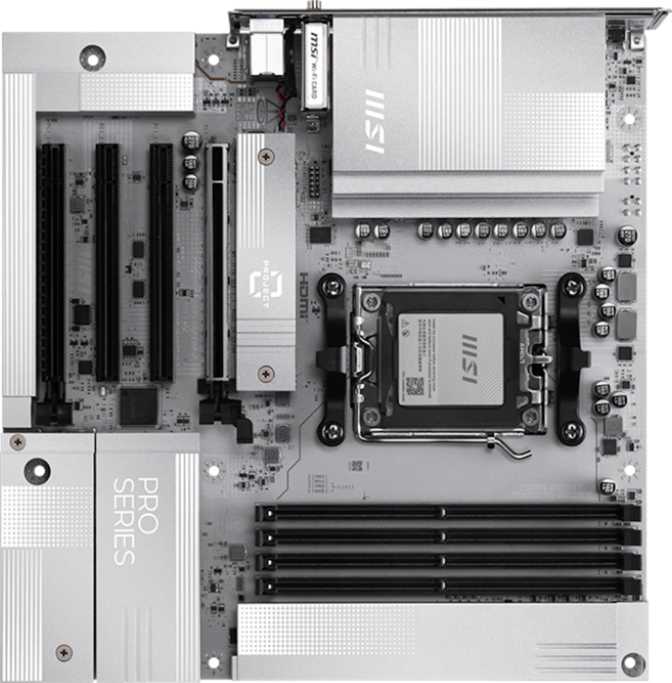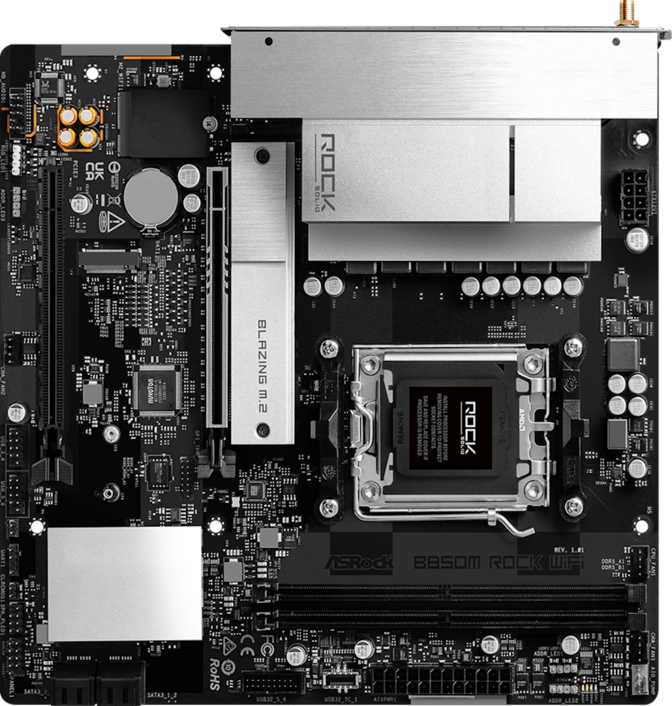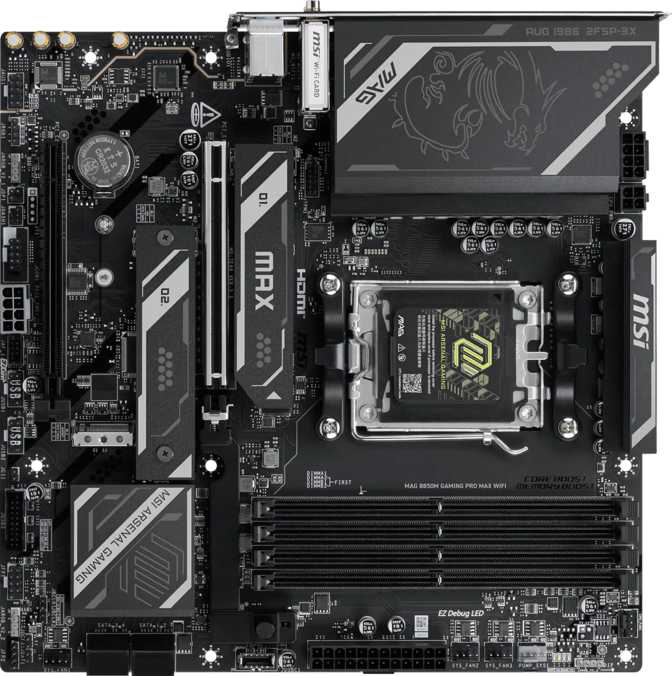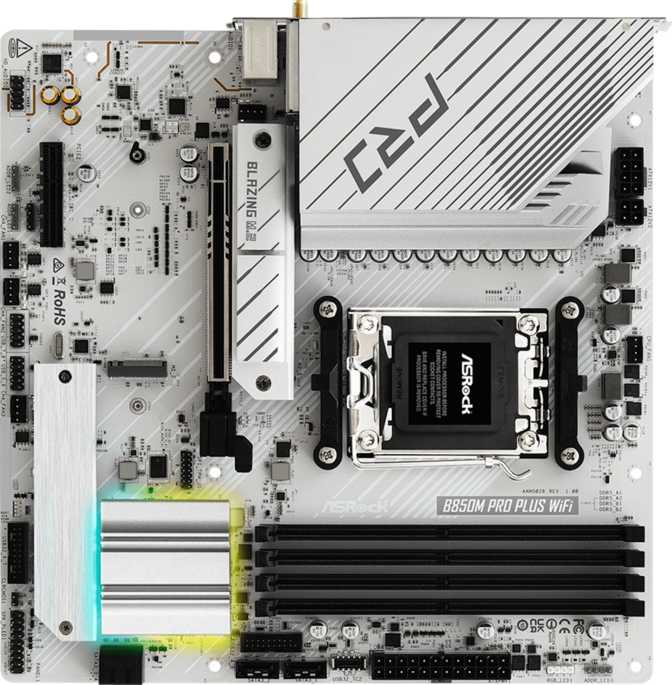
Setting the Foundation: Why the Chipset Choice Matters Here
Pick the wrong motherboard for an AM5 build and you'll spend the next three years quietly regretting it — missing a feature when you finally need it, or discovering your "future-proof" board can't actually take the upgrade you wanted. The ASRock B850M Pro Plus Wi-Fi is built to remove that anxiety from a Micro-ATX AM5 build. It sits in AMD's current mid-tier chipset lineup, positioned above the more budget-oriented B650 boards and just below the flagship X870 series, which means it's aimed squarely at builders who want most of the modern platform's capability without paying for headroom they'll never use. Whether that trade-off makes sense for you depends on what you're actually plugging into it, and that's exactly what this review breaks down.
Design, Build Quality, and Physical Footprint
A True Micro-ATX Board, Not a Compromise
At 244mm by 244mm, this board is a perfectly square Micro-ATX layout — the standard size the form factor was built around, not a stretched or cramped variant. That matters more than it sounds: it means the board will drop into virtually any Micro-ATX or ATX case without hunting for a compatibility list, and you won't run into the awkward mounting-hole mismatches that occasionally plague non-standard mATX designs.
Cooling and Expansion Headers
ASRock has fitted six fan headers onto this board, which is generous for a Micro-ATX layout. In practical terms, that's enough to run a CPU cooler, two or three case fans, and still have a header spare for an AIO pump or an extra exhaust fan down the line — you're unlikely to need a fan splitter unless you're building a serious airflow setup with eight or more fans.
Dual BIOS: A Safety Net You'll Appreciate Once
The board includes dual BIOS, meaning there are two independent firmware chips rather than one. If a BIOS update goes wrong, or an overclocking experiment corrupts the active firmware, the board can recover from the backup chip instead of leaving you with a brick. Most users will never notice this feature exists — until the one day it saves their build.
RGB Lighting
Onboard RGB lighting is included, giving the board some visual presence even without add-in components. It's a nice-to-have rather than a headline feature, and most buyers in this segment will care more about whether it can be synced with their case fans and RAM than about the onboard lighting itself.
The One Real Ergonomic Miss
Here's an honest weakness worth flagging early: there's no dedicated clear-CMOS button or external reset switch on this board. If you push an overclock too far and the system won't boot, dual BIOS gives you a recovery path, but resetting the CMOS itself still means opening the case and either shorting a jumper or pulling the battery — a minor inconvenience, but a real one for anyone who tinkers with settings often.
Platform and Performance: What AM5 and B850 Actually Mean for You
The AM5 Socket
This board uses AMD's AM5 socket, the platform AMD has committed to supporting across multiple generations of desktop Ryzen processors. Buying into AM5 now means you're not just buying a CPU-and-motherboard pairing for today — you're buying into a socket designed to accept newer processor generations as they arrive, without forcing a full platform replacement. For anyone who upgrades a CPU mid-cycle rather than rebuilding from scratch, that's a meaningful piece of value embedded in the platform itself, not just this specific board.
Single-Socket, Consumer-Focused Design
This is a single-CPU-socket board, which is exactly what you want for a personal desktop or gaming rig — it's built for one powerful consumer processor, not a server-style multi-socket workstation. No integrated graphics or onboard CPU are built into the board itself, which is standard for any socketed motherboard; it simply means your display output depends on the processor you install. If you choose an AM5 chip with integrated graphics, the board's video outputs will work right out of the box — useful if you're waiting to add a discrete graphics card later or building a basic office machine in the meantime.
Built for Overclocking, With Guardrails
ASRock specifically positions this board as easy to overclock, and the spec sheet backs that up with support for memory speeds well above stock DDR5 levels when pushed. Combined with dual BIOS for recovery, this is a board that invites experimentation rather than punishing it — a meaningfully different experience from cheaper boards that technically allow overclocking but make it frustrating or risky.
Memory: Headroom That Outlasts Most Builds
The board takes DDR5 memory exclusively, running in dual-channel mode across four slots, with support for up to 256GB total. For context, that's far beyond what any current gaming setup or content-creation workflow demands — even memory-hungry video editing or multitasking-heavy setups rarely exceed a fraction of that ceiling. What it does buy you is long-term flexibility: you can start with two sticks today and add more later as DDR5 prices shift, without ever hitting a wall.
On the performance side, the board supports overclocked memory speeds up to a genuinely high mark when paired with a compatible kit and a CPU memory controller that can keep pace. Two honest caveats apply here, as they do to nearly every AM5 board on the market: hitting that top speed isn't guaranteed across every memory kit, and it depends heavily on the silicon lottery of your specific CPU's memory controller. Treat the headline number as a ceiling worth knowing about, not a guarantee you'll casually reach.
One notable absence: there's no support for ECC (error-correcting code) memory. For the gaming, creative, and general productivity audience this board targets, that's irrelevant — ECC matters for servers and mission-critical workstations, not desktop builds. It's only a real limitation if you were hoping to repurpose this as a budget workstation board, which isn't really its lane.
Storage and Expansion: Where This Board Earns Its Keep
M.2 and SATA Storage
Three M.2 slots is a strong number for a Micro-ATX board, where physical space is always the limiting factor. That's enough room for a fast primary drive, a secondary drive for games or working files, and a third for bulk storage or backups — without ever touching a SATA cable. On top of that, four SATA III connectors remain available for traditional 2.5-inch SSDs or mechanical drives, so storage flexibility isn't sacrificed just because NVMe is the priority.
RAID Support
The board supports RAID 0, RAID 1, and RAID 10 configurations across its storage connectors. In plain terms: you can stripe drives together for raw speed, mirror them for redundancy and peace of mind, or combine both approaches if you have enough drives. RAID 5 isn't supported, which will only matter to a small slice of buyers — typically those building dedicated NAS-style storage arrays, which isn't really what a board in this category is meant for anyway.
Expansion Slots
There's one PCIe 5.0 x16 slot for your primary graphics card — the current top tier of PCIe bandwidth, meaning the slot itself won't be the bottleneck for any consumer GPU available today or in the near future. A second slot, wired at x4, gives you room for an additional card such as a capture card, a sound card, or a secondary low-bandwidth GPU for compute tasks. Worth setting expectations correctly: this isn't a multi-GPU gaming setup, it's a practical expansion slot for the kind of add-in card a single-GPU build still benefits from. There are no PCIe x1 slots or legacy PCI slots, which keeps the board clean and modern but does mean older expansion cards have nowhere to go.
TPM Support
A TPM (Trusted Platform Module) connector is included, which is the hardware security component required for a clean Windows 11 installation. If you've heard horror stories about people unable to upgrade older PCs to Windows 11, this is the part of the puzzle that solves that problem — and it's built in here without needing a separate purchase.
Connectivity: Wireless, Wired, and Rear I/O
Wi-Fi and Bluetooth
The "Wi-Fi" in the product name isn't a token gesture — this board includes a wireless adapter spanning three Wi-Fi generations, meaning it'll connect cleanly to older routers and take full advantage of a modern Wi-Fi 6 network if you have one. Paired with that is Bluetooth 5.3, AMD's current standard for low-latency, power-efficient wireless peripherals — keyboards, mice, and audio devices will pair reliably without the dropouts older Bluetooth versions were known for. One omission: there's no aptX support, which matters only if you're pairing high-end Bluetooth headphones that specifically rely on that codec for higher-fidelity wireless audio. Most users plugging in standard Bluetooth peripherals won't notice the difference.
Wired Networking
A single RJ45 Ethernet port handles wired networking — the more reliable choice for gaming and large file transfers, where Wi-Fi's variability can introduce frustrating inconsistency.
Rear I/O and Display Outputs
The rear panel includes HDMI 2.1 and one DisplayPort output, both useful primarily when paired with a CPU that has integrated graphics, or as a secondary display path alongside a dedicated GPU's outputs. HDMI 2.1 specifically supports higher refresh rates and resolutions than older HDMI versions, which is relevant if you're using this board's video output for high-refresh-rate gaming or media playback without a discrete card installed.
USB Ports: What You Can Actually Plug In
Here's the full picture of connectivity, broken down by what each port type realistically supports:
| Port Type | Rear Panel Count | Real-World Use |
|---|---|---|
| USB 3.2 Gen 2 Type-A (10 Gbps) | 1 | Fast external SSDs, high-throughput peripherals |
| USB 3.2 Gen 1 Type-A (5 Gbps) | 2 | Standard peripherals, external drives |
| USB 3.2 Gen 2 Type-C (10 Gbps) | 1 | Modern phones, fast portable storage, some docks |
| USB 2.0 | 4 | Keyboards, mice, low-bandwidth devices |
Beyond the rear panel, the board also provides internal headers for additional USB 3.2 and USB 2.0 ports — useful for front-panel case connectors or expansion brackets if you need more accessible ports without resorting to a USB hub. There's no USB 3.2 Gen 1 Type-C port on the rear panel specifically, which is a minor quirk worth knowing if you were hoping for two USB-C ports rather than one.
Audio Quality for Everyday Listening
The onboard audio solution supports 7.1-channel surround sound output with a signal-to-noise ratio of 120 dB on the DAC (digital-to-analog converter). In practical terms, a higher signal-to-noise ratio means cleaner audio with less background hiss — 120 dB is a genuinely solid figure for integrated motherboard audio, easily good enough for gaming, movies, and casual music listening without needing a separate sound card. Three audio connectors on the rear panel cover the standard speaker and microphone setup. The one omission is a digital S/PDIF output, which only matters if you're routing audio to an external receiver or soundbar via optical cable rather than analog connections or HDMI audio — a shrinking use case, but worth knowing if your setup depends on it.
Who This Motherboard Is For — and Who Should Look Elsewhere
Who This Motherboard Is Built For
- Builders prioritizing storage over multi-GPU expansion — three M.2 slots and four SATA ports give you more flexibility here than most boards in this size class.
- Anyone who wants wireless networking built in without buying a separate Wi-Fi adapter or USB dongle.
- First-time overclockers who want forgiving recovery options with dual BIOS while they learn.
- Space-conscious builders who want a compact case without sacrificing a PCIe 5.0 GPU slot or modern I/O.
- Windows 11 upgraders who specifically need built-in TPM support without extra purchases.
Who Should Look Elsewhere
- You need ECC memory for a workstation or server-style build — that requirement points you toward a different chipset class entirely.
- You frequently reset BIOS settings and want a physical clear-CMOS button for convenience — you'll need to adapt to the jumper or battery method instead.
- You want a true multi-GPU setup — the second PCIe slot's x4 wiring is for accessory cards, not a second full-speed graphics card.
- You specifically use aptX Bluetooth headphones and want full codec support out of the box.
How It Stacks Up Against the Alternatives
| Consideration | B650 Micro-ATX Boards | ASRock B850M Pro Plus Wi-Fi | X870/X870E ATX Boards |
|---|---|---|---|
| Chipset tier | Entry-level AM5 | Mid-tier AM5 | Flagship AM5 |
| PCIe 5.0 GPU slot | Often absent or limited | Included | Included, often with more lanes |
| Wireless networking | Frequently optional or absent | Built-in Wi-Fi 6 + Bluetooth 5.3 | Usually built-in |
| Form factor | Compact | Compact | Larger, more expansion room |
| Typical price position | Lower | Mid-range | Premium |
| Best suited for | Budget builds, light use | Balanced everyday builds | High-end builds, maximum expansion |
The pattern is straightforward: this board picks up the wireless connectivity and PCIe 5.0 support that budget B650 boards often skip, while staying meaningfully more affordable than the X870 tier — without the extra ATX-sized real estate or lane count that flagship boards offer. If your case is full-size ATX and you're chasing maximum expansion, a larger board makes more sense. If you're building something compact and don't need every extra lane, this is the sensible middle ground.
Strengths and Weaknesses: The Honest Take
The clearest strength here is how much modern connectivity ASRock packed into a compact footprint. Built-in Wi-Fi 6, Bluetooth 5.3, a PCIe 5.0 GPU slot, three M.2 slots, and TPM support are all things you'd expect to pay considerably more for, or find missing entirely, on a Micro-ATX board a tier below this one. Storage flexibility in particular stands out — between the M.2 slots, SATA ports, and RAID support, this board can comfortably serve as the backbone of a multi-drive setup without feeling cramped.
The weaknesses are narrower but real. The missing clear-CMOS button is a genuine inconvenience for overclockers who like to iterate quickly, even with dual BIOS softening the risk. The lack of aptX Bluetooth support and S/PDIF audio output will only bother a small subset of buyers, but if you fall into that subset, it's worth knowing before you buy rather than after. And while the second PCIe slot adds welcome flexibility, builders expecting a second full-bandwidth GPU slot need to recalibrate that expectation.
None of these weaknesses are deal-breakers for the audience this board is actually built for — they're the kind of trade-offs that come from smart cost allocation, not corner-cutting.
Frequently Asked Questions
Final Verdict
The ASRock B850M Pro Plus Wi-Fi earns its place by doing something a lot of boards in this price bracket fail to do: it doesn't make you choose between compact size and modern features. You get a PCIe 5.0 graphics slot, genuinely useful storage flexibility with three M.2 slots and RAID support, built-in Wi-Fi 6 and Bluetooth 5.3, and overclocking headroom backed by a dual-BIOS safety net — all in a footprint that fits into smaller builds without complaint.
The trade-offs are narrow and easy to plan around: no clear-CMOS button, no aptX Bluetooth, no S/PDIF audio, and a second PCIe slot that's for accessories rather than a second graphics card. None of those will matter to most buyers in this board's target audience.
Buy This If
You're building a compact, modern AM5 system and want strong storage and wireless connectivity without stepping up to a full ATX flagship board.
Consider Something Else If
You specifically need ECC memory support, a physical CMOS reset button, or true multi-GPU expansion.
For the builder in between those two extremes — which is most people — this board delivers more capability per square inch than its price tier usually allows.