Apple Studio Display XDR 27″ Review: A True Pro Display for Mac Users
MonitorsThe original Apple Studio Display arrived with a mixed reception. The panel was gorgeous — a 5K screen with Apple's signature color precision — but the stand was rigid, the brightness ceiling was modest for HDR work, and the camera was, to put it charitably, a disappointment. The Studio Display XDR changes the conversation on several of those fronts. This isn't a minor update dressed up with a new name. The combination of Mini-LED backlighting, a ProMotion refresh rate, a fully articulating stand, and a dramatically better camera produces a monitor that professionals have been quietly waiting for Apple to build since they retired the Pro Display XDR from consideration for budget-conscious creatives.
Whether it's worth the considerable investment depends almost entirely on what you do, what machine drives it, and how deeply you live inside the Apple ecosystem. This review works through all of it.
Design and Build Quality
The Physical Presence
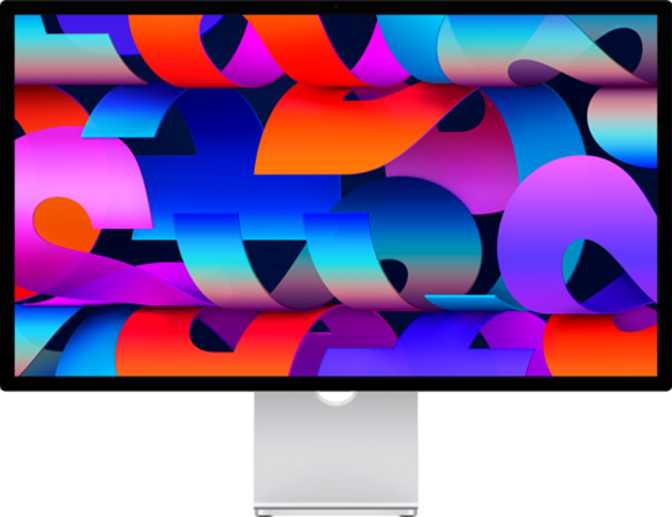
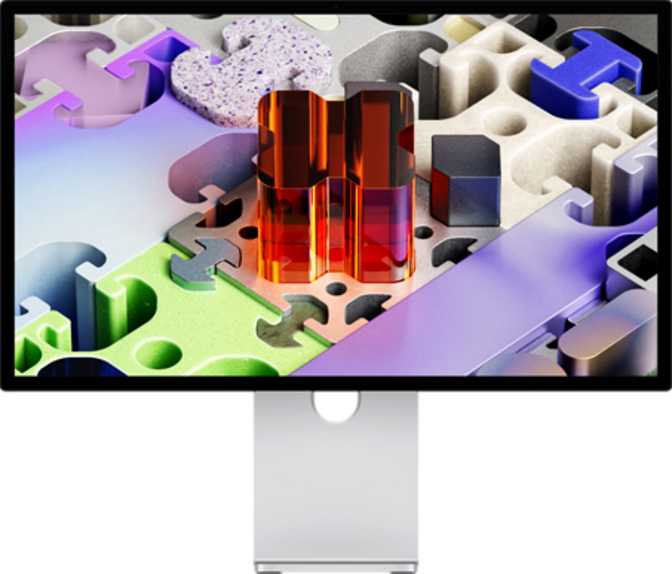
At 623mm wide and 362mm tall with a depth of just 33mm, the Studio Display XDR is a remarkably thin slab of aluminum and glass for a monitor this capable. The panel itself has almost no visual mass — the chassis disappears behind the image in a way that cheaper monitors simply cannot replicate. At 6.3 kilograms, it's substantial enough to feel permanently anchored on a desk, without the industrial heaviness of larger color-critical displays aimed at broadcast suites.
Apple's industrial design language remains unchanged in the best possible way: matte aluminum housing, a chin that houses the speaker array, and a single central arm that now does far more than just tilt.
The Stand: Apple Fixed What Was Broken
The original Studio Display's stand was widely criticized for offering only tilt adjustment. The XDR revision addresses this directly with a stand that supports tilt, full swivel, and height adjustment.
- Full tilt, swivel, and height adjustment built into the included stand
- Portrait mode supported — rotate 90 degrees for vertical workflows
- VESA compatibility for third-party monitor arms and wall mounts
- 33mm chassis depth — impressively thin given the Mini-LED components inside
Display Performance: What Mini-LED Changes
The headline upgrade of the XDR revision is its backlighting architecture. Understanding what Mini-LED means in practice is essential to evaluating whether this display justifies its price.
From IPS to Mini-LED
Traditional IPS panels use a constant backlight across the entire screen — blacks appear as illuminated dark gray. Mini-LED uses thousands of independently controlled LED zones, creating genuinely deep blacks and brilliant highlights within the same frame. The result approaches OLED-level contrast while retaining LCD's color stability and brightness advantages.
Brightness and HDR
1000 nits of sustained brightness crosses a meaningful threshold. Most professional IPS monitors sit in the 400–600 nit range for sustained output. At 1000 nits, HDR content — including HDR10 and Dolby Vision masters — can be evaluated at something approaching intended viewing conditions. For creatives delivering to HDR platforms, grading on a 400-nit panel is educated guesswork. This display removes that uncertainty.
5K at 218 Pixels Per Inch
5120×2880 pixels across 27 inches produces 218 pixels per inch — individual pixels are invisible at normal working distances. Text is razor sharp, fine brush strokes render with genuine fidelity, and 4K video plays at full resolution with room for toolbars and timelines. Photographers working with 50MP+ files can examine meaningful 1:1 crops without constant panning and zooming.
120Hz ProMotion
The step from 60Hz to 120Hz is often dismissed as a gaming feature. For creative professionals, the real benefit is precision: cursor tracking across large canvases becomes lag-free in a way that directly affects fine-motor control during detailed retouching. Scrolling, panning, and scrubbing through video timelines feel physically different — more immediate and more accurate.
Color Accuracy and Calibration
This display is explicitly categorized for photo and video editing work, and hardware color calibration support is the specification that justifies that classification. Calibration allows the display's internal look-up table to be adjusted using a colorimeter or spectrophotometer, correcting any drift from the factory reference state.
Over time, all displays drift from their original calibration. Backlights age unevenly, panel characteristics shift. A monitor without calibration support forces you to compensate through your workflow — adjusting output to correct for a display you can't trust. A calibrated display, verified regularly, is one you can trust. Your color decisions translate accurately to your client's screen, your print output, and your streaming deliverable.
Apple's color pipeline on macOS — Display P3 gamut support and native ICC profile management — integrates tightly with the hardware calibration capability. For users working entirely within Apple's ecosystem, this integration becomes invisible, which is precisely the point.
Color Pipeline Highlights
- Hardware Color Calibration
Internal LUT adjustable with a colorimeter or spectrophotometer - Display P3 Wide Color Gamut
Covers the color space of modern phones, tablets, and streaming displays - Native macOS ICC Integration
Color profiles applied system-wide without third-party software
Connectivity: Apple's Ecosystem, Apple's Rules
The Studio Display XDR connects to your computer exclusively through Thunderbolt. There is no HDMI port, no DisplayPort input, and no adapter-based workaround for Windows PCs or non-Thunderbolt sources. This is the single largest limitation of the display and deserves direct acknowledgment rather than a footnote.
| Connection | Supported |
|---|---|
| Thunderbolt (video + power + data) | |
| USB-C downstream ports | 2 ports |
| HDMI | |
| DisplayPort | |
| 3.5mm Headphone Jack | |
| Ethernet | |
| Wi-Fi / AirPlay |
Single-Cable Simplicity for Mac Users
For Mac users — particularly those on Apple Silicon machines — the Thunderbolt connection is the point. A single cable carries the 5K video signal, charges the connected MacBook, and provides data connectivity simultaneously. That simplicity is genuinely elegant for a MacBook-centric workflow.
USB-C Downstream Ports
Two USB-C ports on the rear extend connectivity without cluttering your desk with additional hubs. Useful for storage drives, audio interfaces, drawing tablets, or any other USB-C peripheral. Photographers ingesting cards or videographers offloading drives benefit from bus-powered storage connected directly to the display.
The Missing Headphone Jack
The original Studio Display included a 3.5mm headphone jack. The XDR revision removes it — a meaningful regression for anyone who uses wired reference headphones for audio work. You'll need a dedicated audio interface, a USB-C audio adapter, or Bluetooth headphones. None of these are as convenient as a native jack on the display you're already plugged into.
Built-In Camera and Audio
12MP Webcam: A Genuine Redemption
The original Studio Display shipped with a camera that was universally criticized as performing below acceptable standards for its price point. The XDR replaces it with a 12-megapixel sensor — a significant amount of resolution for a webcam. The extra resolution allows Center Stage (Apple's AI-powered subject-following feature) to perform digital pan, tilt, and zoom without meaningfully degrading image quality, because there's substantial sensor area to crop from.
On Apple Silicon Macs, the Neural Engine handles background blur, skin tone rendering, and Center Stage tracking in real time. The camera becomes a credible tool for client calls, remote collaboration, and professional video presentations — something the original Studio Display camera never quite was.
Stereo Speakers
The speaker system, housed in the lower chassis, delivers stereo output appropriate for a monitor of this class. For casual listening, reference playback during client reviews, and monitoring video content, they perform well beyond what the thin chassis would lead you to expect.
They are not a replacement for studio monitors or dedicated audio reference speakers for serious mix work, but for the vast majority of professional workflows — and for anyone using the display in a smaller space — they remove the need for a separate desktop speaker setup entirely.
Who This Display Is For — And Who Should Look Elsewhere
Ideal Users
- Mac-Centric Creative Professionals
Photographers, video editors, graphic designers, and motion designers working exclusively on Apple Silicon Macs who need a color-accurate, high-resolution display with native macOS integration. - MacBook Users Wanting a Desktop Experience
A single cable carries power, data, and the display signal — transforming a MacBook Pro into a full workstation instantly with no docks or separate chargers required. - HDR Content Creators
Anyone delivering to HDR streaming platforms who needs to evaluate work at something approaching real viewing conditions on modern televisions and phones. - Multi-Position Desk Workers
The improved stand's full range of motion, portrait mode support, and VESA compatibility make it adaptable to setups where the original Studio Display would have been genuinely frustrating.
Not the Right Choice For
- Windows or Linux Users
The Thunderbolt-only connection is a hard wall. There is no workaround — not even with adapters. This display requires Thunderbolt, and that requirement is architectural. - Dual-Source Users
If you want to connect a Mac for work and a gaming PC or console for downtime, you need a display with multiple input sources. This is not that display. - Users Requiring Wired Audio Monitoring
The removed 3.5mm headphone jack is a real inconvenience for audio-focused work without a separate dedicated audio interface. - Budget-Conscious Buyers
The price-to-specification ratio makes sense only when Apple's ecosystem integration is fully utilized. If Center Stage, single-cable power delivery, and macOS color management aren't central to your workflow, competitive alternatives cost significantly less.
How It Compares to Logical Alternatives
All four displays target 27-inch professional use. The distinctions matter significantly at this price tier.
| Feature | Apple Studio Display XDR 27″ | LG UltraFine 5K 27″ | Samsung ViewFinity S9 27″ | Dell UltraSharp U2725D 27″ |
|---|---|---|---|---|
| Backlight Tech | Mini-LED | IPS LCD | IPS LCD | IPS Black LCD |
| Resolution | 5120×2880 | 5120×2880 | 5120×2880 | 2560×1440 |
| Peak Brightness | 1000 nits | ~500 nits | 600 nits | ~400 nits |
| Refresh Rate | 120Hz | 60Hz | 60Hz | 60Hz |
| Thunderbolt | ||||
| HDMI Input | ||||
| Stand (Swivel/Height) | Limited | |||
| Built-In Camera | 12MP | None | 4K | None |
| VESA Mount | ||||
| Color Calibration |
The LG UltraFine 5K is the Studio Display XDR's most direct predecessor in the Mac ecosystem — same resolution, same Thunderbolt integration, significantly lower price. The XDR's Mini-LED backlighting, 120Hz refresh, improved camera, and articulating stand represent meaningful upgrades that justify the price gap for professionals whose work demands them. The Samsung ViewFinity S9 offers 5K resolution with HDMI connectivity but its IPS panel and 60Hz ceiling put it behind on both contrast and motion rendering. Dell's UltraSharp at this size tops out at 4K — excellent for general professional use, but without the pixel density that makes 5K compelling for photographers and video creators.
Honest Assessment: Strengths and Weaknesses
Where It Excels
The Mini-LED backlighting is the headline upgrade, and it delivers what the specification implies — richer shadow detail, more convincing HDR highlight rendering, and a contrast ratio that makes extended viewing genuinely comfortable rather than fatiguing.
The 120Hz refresh rate is a smaller but real quality-of-life improvement across everything from cursor tracking to timeline scrubbing. The redesigned stand, with its full range of adjustment and VESA compatibility, repairs the most criticized physical shortcoming of its predecessor.
The 12-megapixel camera transforms what was previously the display's most embarrassing specification into a genuine asset for professional video calls and remote collaboration.
Where It Falls Short
The removal of the 3.5mm headphone jack is a regression that will frustrate audio professionals and anyone with high-quality wired headphones. The original Studio Display had it; the XDR removes it without replacing the functionality.
The exclusive reliance on Thunderbolt is a fundamental constraint — if your computing environment includes any non-Apple devices, this display does not accommodate them, and no adapter changes that.
At the price Apple commands for this display, the absence of picture-in-picture functionality limits its utility for users who monitor secondary sources simultaneously — an omission that feels like an oversight at this tier.
Frequently Asked Questions
Final Verdict
The Apple Studio Display XDR is the monitor Apple should have launched when they first introduced the Studio Display concept. The Mini-LED backlighting finally gives it HDR credibility. The 120Hz refresh makes it feel alive in daily use. The redesigned stand fixes the fundamental ergonomic failure of its predecessor. And the 12MP camera transforms what was previously the display's most embarrassing specification into a genuine asset.
For Mac-based creative professionals — photographers, video editors, designers, and anyone delivering content to modern display standards — this is the most refined single-cable solution available. It asks you to accept the Thunderbolt-only constraint, the missing headphone jack, and a price that reflects the engineering packed into 33mm of aluminum and glass.
The Apple ecosystem lock-in is real, but for users already inside that ecosystem, it's less a limitation than a feature — tight integration that makes everything work invisibly from the moment the cable connects. For anyone outside Apple's ecosystem, the search continues elsewhere. But inside it, this is the clearest answer to the question of what the best monitor for a creative Mac setup looks like that Apple has produced in years.