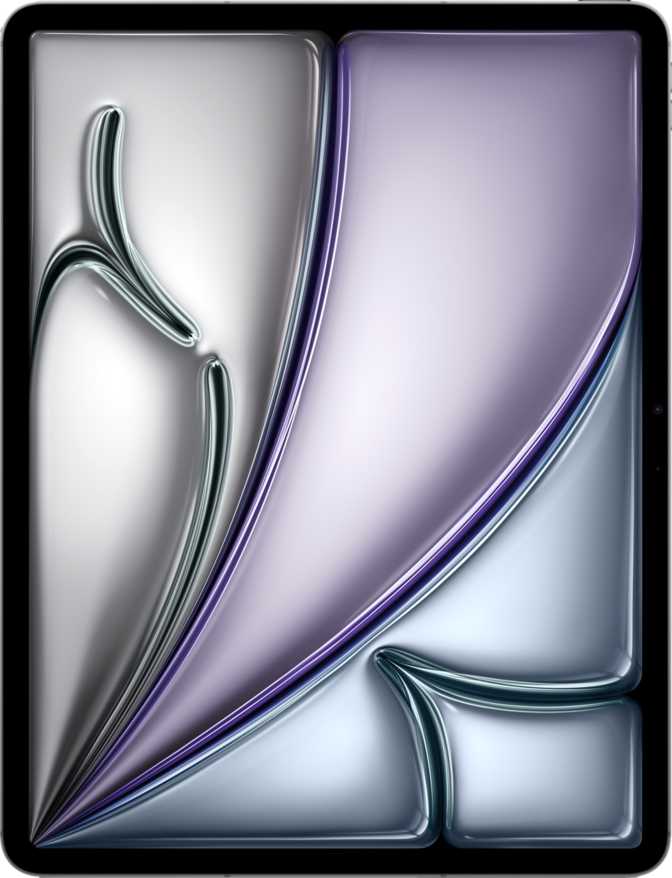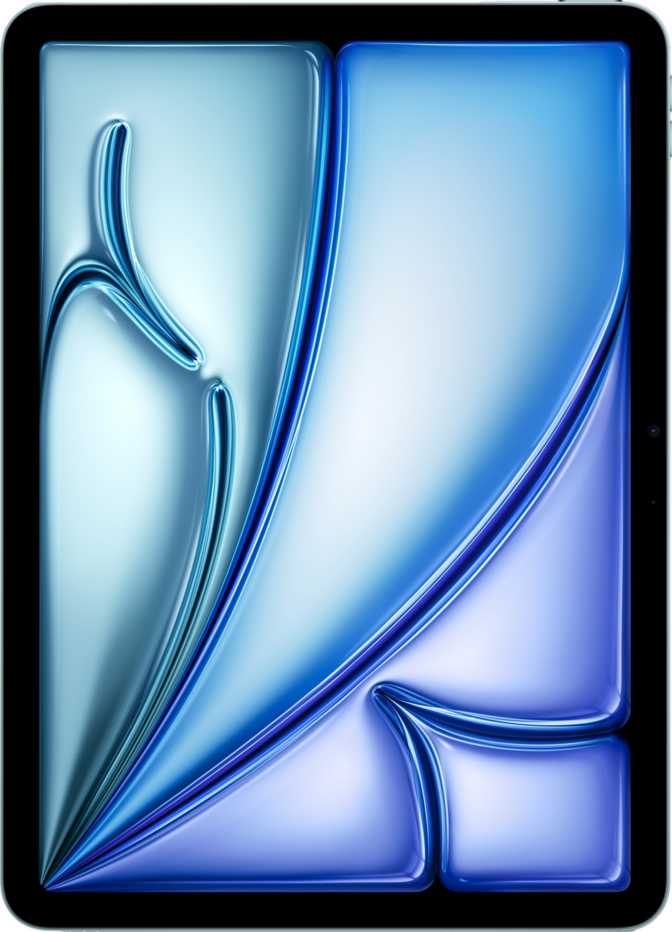
Apple iPad Air 11 (2026) Wi-Fi + Cellular: A Complete Review
TabletsEditors Rating
Apple M4
3nm Processor
11" / 264 ppi
IPS LCD
10 Hours
Battery Life
5G + Wi-Fi 7
Cellular & Wireless
The Sweet Spot in Apple's Lineup — But Is It Right for You?
Most tablet buyers face the same dilemma: the base iPad is too limited for serious work, and the iPad Pro feels like paying for power they will never use. The iPad Air 11 has historically lived in that productive middle ground, and this latest generation makes that case more convincingly than ever. With Apple's M4 chip now trickling down from the Pro tier and a cellular option that cuts the cord to your router, this version of the Air targets a specific, well-defined buyer. Whether you are that buyer depends on a few honest trade-offs worth examining closely.
Design and Build: Thin, Light, and Seriously Pocketable
Form factor, physical dimensions, and materials
At just over six millimeters thick — roughly the width of a pencil — the iPad Air 11 is one of the slimmest tablets available in its class. That figure is not just a bragging point; it changes how the device feels in a bag, in one hand, and on a lap. Paired with a weight that sits comfortably under half a kilogram, this is a tablet you will actually carry around rather than leaving on the desk.
The footprint — slightly under 25 centimeters wide and just under 18 centimeters tall — makes it genuinely manageable in portrait orientation. Compared to a standard legal notepad, it is narrower and shorter, yet packs more usable screen than most people expect from an 11-inch device.
- Thickness
- 6.1 mm
- Weight
- 465 g
- Width
- 247.6 mm
- Height
- 178.5 mm
- Biometric
- Fingerprint (power button)
- Water Resistance
- None
Build Highlights
- Anti-reflection coating on the display glass cuts glare in brightly lit rooms and outdoor environments, improving readability without adding bulk
- The fingerprint scanner is integrated into the power button and works at any orientation — a genuine practical advantage for a device used in landscape, portrait, and flat on a desk
- No water or dust resistance rating means extra caution near sinks, pools, or in unpredictable outdoor weather — the iPad Pro has an advantage here for rugged environments
- The glass does not carry a specifically marketed damage-resistant certification, so treat the display surface with appropriate care
The Display: Beautiful, But With One Asterisk
Screen quality, brightness, and the ProMotion question
Screen Size
11"
Pixel Density
264 ppi
Peak Brightness
500 nits
Refresh Rate
60 Hz
Fixed — no ProMotion
The 11-inch LCD panel on this iPad Air produces a sharp, color-accurate image that the vast majority of buyers will find entirely satisfying. At 264 pixels per inch, text appears crisp, artwork looks clean, and web content renders with the kind of density that makes reading feel natural rather than pixelated.
Brightness sits at a solid 500 nits — enough for comfortable indoor use in all lighting conditions and manageable in shaded outdoor environments. Direct sunlight will challenge it, as it does most tablets in this price range. The anti-reflection coating helps here more than you might expect, reducing eye strain when competing with ambient light.
Performance: A Chip That Belongs in a Different Tier
Apple M4, RAM, storage, and what they mean day-to-day
This is where the iPad Air 11 genuinely earns attention. The Apple M4 is a chip designed for professional-level computing tasks — it was first introduced in Apple's highest-end iPad before appearing here. Built on a 3-nanometer manufacturing process — the most advanced available in consumer silicon at this scale — it contains 28 billion transistors in a form factor that sips power rather than demanding it.
The chip pairs with 12 gigabytes of RAM in this configuration, with the architecture supporting up to 24 gigabytes total. Memory bandwidth reaches 120 gigabytes per second — in practical terms, large assets, textures, and media files move between storage and active memory at speeds that eliminate the micro-pauses that plague lesser tablets. You will not see a loading spinner when switching between a full Safari session and a document editor.
Video editing in 4K, running multiple apps simultaneously, AI-assisted features, complex spreadsheets, graphic design workflows, music production — none of these create meaningful slowdown. For a device in the Air category, that is a meaningful statement.
- Processor
- Apple M4 (8-core)
- Architecture
- 3 nm / 28B transistors
- RAM
- 12 GB (LPDDR5)
- Memory Bandwidth
- 120 GB/s
- Max Supported RAM
- 24 GB
- Storage
- 1 TB (this config)
- External Storage
- Not available
- External Display Support
- Up to 2 displays
What the Numbers Mean in Practice
- Pro-class CPU for an Air price: The M4 handles 4K video editing, music production, and complex creative apps without compromise
- Storage that removes anxiety: 1 TB holds years of photos, large video projects, and multiple professional apps with all local assets intact
- Dual display output: Drive an external monitor while the iPad screen stays active — relevant for desk setups where the tablet functions as a portable hub
- Storage is permanent: No expansion slot means the capacity you choose at purchase is what you live with — plan with three-year usage in mind
Apple Pencil Compatibility: What You Need to Know Before Buying
Stylus support, tilt sensitivity, and the real total cost of ownership
The iPad Air 11 supports Apple Pencil use, including tilt sensitivity — which detects the angle of the stylus to simulate shading and brush effects that feel natural to artists and note-takers alike. This matters significantly for anyone considering the device for drawing, handwritten notes, or annotation workflows.
Important: What Is Not in the Box
The Apple Pencil is sold separately. For buyers where handwriting or illustration is central to their intended use, this represents a meaningful additional investment to factor into the total cost before purchase.
Similarly, the Magic Keyboard with backlit keys — which transforms this iPad into a capable laptop replacement — is also a separate purchase. Neither the Pencil nor any keyboard accessory ships in the box with this device.
Stylus Capabilities
- Tilt sensitivity supported: Detects the stylus angle for natural shading effects in drawing apps — a feature that matters to illustrators and calligraphers
- Full Apple Pencil ecosystem: Compatible with Apple Pencil accessories for note-taking, illustration, and annotation workflows
- 60Hz affects Pencil feel: Stroke response is perceptibly less fluid than the 120Hz iPad Pro — a real consideration for illustrators working at speed
Connectivity: Genuinely Future-Ready
5G cellular, Wi-Fi 7, Bluetooth 6, USB-C 3.1, and what is missing
The cellular model reviewed here adds something valuable beyond basic Wi-Fi tablets: the ability to stay connected wherever you are without depending on a hotspot. It accepts one physical SIM card plus an eSIM — meaning you can maintain two data plans simultaneously, which is useful for travelers who want to keep a home carrier active while picking up a local plan abroad.
Wi-Fi 7 — the newest generation of wireless standard — offers dramatically higher throughput and lower latency on compatible routers. Even if your current router does not support Wi-Fi 7, the hardware is ready when you upgrade, and it remains backward-compatible with every older Wi-Fi generation you will encounter.
- Cellular
- 5G (Sub-6GHz)
- SIM Support
- 1 physical SIM + 1 eSIM
- Wi-Fi
- Wi-Fi 7, 6E, 6, 5, 4 (all supported)
- Bluetooth
- Bluetooth 6
- USB-C Port
- USB 3.1 — fast data & video out
- Navigation
- GPS, Galileo, compass, barometer
- NFC
- Not included
- HDMI
- Not native (adapter required)
What Each Standard Delivers
- Wi-Fi 7: Hardware ready for next-generation routers — buy this iPad now and upgrade your network later without changing devices
- 5G cellular: In areas with strong coverage, download speeds that rival home broadband — streaming, downloads, and video calls work anywhere
- USB 3.1: Fast enough for external monitor output, professional camera card readers, and rapid large-file transfers — a meaningful step up from USB 2.0
- No NFC: Contactless payments and NFC-based workflows are not supported — this is absent from the entire iPad Air lineup, not just this configuration
Cameras: Competent, Not the Point
12MP rear and front cameras, 4K video, and honest limitations
Both the rear and front cameras on the iPad Air 11 are 12-megapixel sensors — equal resolution on both sides, which reflects Apple's priority on video calling quality as much as traditional photography. The rear camera shoots 4K video at up to 60 frames per second — smooth, detailed footage that most professional workflows can use directly.
The relatively wide aperture of the rear camera lets in more light than the front-facing sensor, helping in mixed or lower-light shooting conditions. The back-illuminated sensor design improves light capture efficiency compared to older sensor architectures, keeping images cleaner when conditions are not ideal. Manual controls including shutter speed, exposure, and focus give photographers meaningful creative options beyond automatic modes.
- Rear Camera
- 12 MP, f/1.8
- Front Camera
- 12 MP, f/2.4
- Video (Rear)
- 4K at 60 fps
- Sensor Type
- BSI CMOS
- Manual Controls
- Shutter, ISO, Exposure, Focus
- OIS
- Not included
- Flash
- None (front or rear)
- Slow Motion
- Supported
- Timelapse
- Supported
Honest Camera Assessment
Most people using an iPad as their primary camera are either video calling or occasionally capturing documents, whiteboards, and reference photos. For those jobs, these cameras are excellent. The equal 12MP resolution on both sides is particularly well-suited to video calls, where a sharp front camera matters far more than the rear sensor.
- Missing optical image stabilization means handheld video will show some camera shake — brace the device or use a mount for smoother footage
- No front or rear flash means low-light photography relies entirely on ambient light — not a concern for typical use cases, but worth knowing for content creators
Battery Life and Charging: All-Day and Then Some
Endurance across usage types, fast charging, and the wireless charging question
The battery inside the iPad Air 11 is sized generously for a device this thin. Apple rates it at 10 hours of active use — a figure that holds up for media consumption, document work, and general browsing at moderate brightness. Heavy loads like sustained 4K video export or graphics-intensive gaming will bring that number down; light reading or note-taking will push it up.
For a typical buyer using this iPad for work during the day and entertainment in the evening, charging once before bed is likely all that is needed. Travelers and commuters relying on cellular all day may find themselves reaching for the cable by mid-to-late afternoon on heavier usage days.
Rated Battery Life
10 Hours
Active use — varies by workload
Charging Notes
- Fast charging supported via USB-C — shortens the time from empty to usable considerably versus standard charging speeds
- No wireless charging — charging requires the USB-C cable; if your workspace is built around wireless charging pads, this distinction matters
- Battery health monitoring — iPadOS includes a battery health check so you can track capacity degradation over time and plan for service when needed
Software and Privacy: iPadOS Does the Heavy Lifting
Multitasking, AI features, privacy controls, and a notable limitation
The software experience on this iPad is iPadOS, which brings a suite of productivity and privacy features that differentiate it from Android tablets. Split-screen multitasking lets two apps run side by side — useful for referencing a document while writing, or watching a video while taking notes. Picture-in-Picture keeps a video playing in a floating window while you switch to other tasks.
On-device machine learning handles Siri requests, text recognition in images through Live Text, and AI-assisted features without sending your data to external servers by default. The device receives OS updates directly from Apple — not delayed by a carrier or retailer. For a cellular model where security updates matter, that direct update pipeline is a meaningful advantage.
Privacy Controls at a Glance
Who Should Buy This iPad Air 11 — And Who Should Not
Matching the right buyer to this specific configuration
- Traveling professionals who need a lightweight device capable of handling demanding apps — the M4 handles creative and productivity software without compromise
- Students and academics who take handwritten notes, annotate PDFs, and move between campus, library, and home — cellular connectivity eliminates Wi-Fi dependency
- Creatives working in illustration, light video editing, or music production who want portability without sacrificing processing headroom
- Frequent video callers who want a large display with a sharp, high-resolution front camera and clear stereo audio
- Upgraders from older iPads who will experience the performance improvement as genuinely transformative in everyday use
- Buyers motivated by display quality above all else — the 60Hz panel and absence of ProMotion is a meaningful step below the iPad Pro experience
- Gamers sensitive to display smoothness — 120Hz makes a real, perceptible difference in fast-motion gameplay and UI animations
- Outdoor or workshop environments where water or dust resistance is essential — the iPad Pro carries rated protection, the Air does not
- Those wanting a complete kit at one price — the Apple Pencil and keyboard accessories are both additional purchases not included in the box
- Users requiring NFC for contactless payments or NFC-based workflows — this feature is absent from the entire iPad Air lineup
How It Compares to the Obvious Alternatives
iPad Air 11 (2026) vs iPad (base model) vs iPad Pro 11
| Feature | iPad Air 11 (2026) This Review |
iPad (Base Model) | iPad Pro 11 |
|---|---|---|---|
| Chip Tier | M4 — Pro-class performance | A-series — entry level | M4 |
| Display Refresh | 60 Hz (fixed) | 60 Hz (fixed) | 120 Hz ProMotion |
| Display Technology | IPS LCD | IPS LCD | OLED (larger variant) |
| Cellular Option | Yes | Some configurations | Yes |
| Build Thickness | 6.1 mm (very slim) | Noticeably thicker | Similar slim profile |
| Apple Pencil Tilt | Yes | Limited support | Yes |
| Water Resistance | None | None | Yes (rated) |
| USB Speed | USB 3.1 (fast) | USB 2.0 (basic) | USB 4.0 (fastest) |
The base iPad is meaningfully cheaper and suitable for lighter tasks, but the performance gap becomes apparent in any creative or multitasking workflow. The iPad Pro delivers ProMotion, OLED, water resistance, and faster USB — but at a substantial price premium. The Air 11 occupies the middle ground honestly: Pro-class processing in a slightly less premium shell.
Honest Strengths and Weaknesses
A balanced editorial assessment based on the complete specification profile
The iPad Air 11 earns its position by pairing processing power that was, until recently, exclusive to Apple's most expensive tablets with a form factor light enough to carry comfortably all day. For any buyer whose primary friction with tablets has been sluggishness under load or storage anxiety, this addresses both directly.
The combination of M4 silicon, generous RAM, and a terabyte of storage creates a machine with real longevity — this will not feel underpowered several years from now. Cellular connectivity combined with 5G and Wi-Fi 7 further future-proofs the hardware. It is also one of the more privacy-conscious consumer devices on the market, with Apple's software protections baked in at a system level rather than layered on as afterthoughts.
Where the device shows its compromises most clearly is in its display. The 60Hz refresh rate is the single specification that separates this iPad from feeling like a true Pro alternative. On a tablet used for handwritten input, the Pencil stroke trailing your hand is perceptible at 60Hz in ways it is not at 120Hz. For media consumption, the panel's color accuracy and brightness are excellent — but the iPad Pro display is measurably more impressive for those who care about that ceiling.
The absence of wireless charging and NFC are real omissions worth knowing before purchasing rather than after. The lack of water resistance also narrows the environments where you can use this confidently, and the total cost of ownership rises meaningfully once you factor in the Pencil and keyboard accessories.
Questions Real Buyers Ask Before Purchasing
Answers to the most common pre-purchase concerns about this iPad Air configuration
Editorial Verdict
Final Recommendation
The iPad Air 11 in Wi-Fi + Cellular configuration is one of the most capable tablets available to buyers who do not want to pay iPad Pro prices.
The M4 chip alone positions it above anything from Android competitors in raw performance, and the 1TB storage option removes every capacity concern for years of ownership. The cellular connectivity combined with 5G and Wi-Fi 7 future-proofs the hardware meaningfully — this is a device built for the next several years, not just today.
The honest caveat: if display quality is your primary evaluation criterion — if you spend hours illustrating, gaming, or watching premium video content — the iPad Pro's ProMotion and OLED advantages are worth the premium. But for professionals, students, creatives, and serious everyday users who want processing power, portability, genuine cellular independence, and a tablet that will not feel dated quickly, the iPad Air 11 delivers exactly what it promises.
Buy it because you want serious performance in a carry-anywhere form factor. Skip it if the absolute best display Apple makes is non-negotiable for you. Within those honest parameters, this is an excellent choice.
Verdict at a Glance