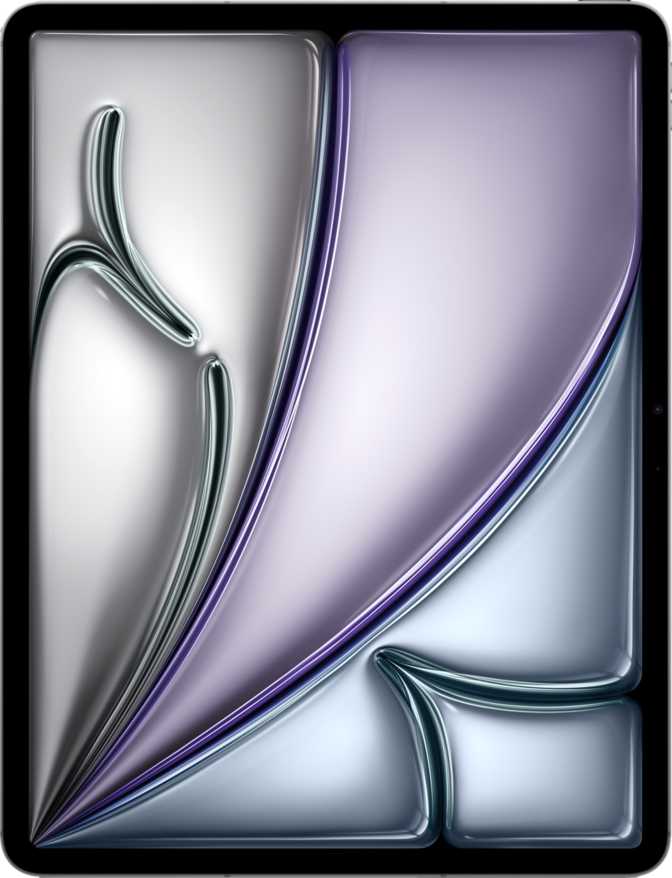
Apple iPad Air 13 (2026) Wi-Fi Review: M4 Power Without the Pro Price
Overall Score
Most people shopping for a big tablet face an uncomfortable truth: the larger the screen, the thinner the justification. A sprawling display is only as valuable as the processor underneath it, and for years, the iPad Air line lived in the shadow of the iPad Pro — close enough to tempt you, just short enough to frustrate you. The Apple iPad Air 13 (2026) Wi-Fi changes that calculus. Powered by the same M4 chip that sits inside Apple's professional lineup, wrapped in a chassis that barely registers in your bag, and priced below the Pro tier, this is the 13-inch iPad for people who want serious capability without paying the premium that "Pro" demands.
Design and Build: Effortlessly Large
Holding a 13-inch tablet that weighs just over 600 grams is a mildly surreal experience. At that weight, it's lighter than most hardcover books of comparable size, and at just over 6mm thin — thinner than a standard pencil — it disappears into a bag with an ease that larger iPads historically have not managed. The physical footprint is generous but not unwieldy: the 280 x 215mm frame sits naturally in landscape orientation on a desk and can be balanced in two hands for reading, though single-handed use for extended periods will tire most wrists.
The chassis maintains Apple's signature aluminum unibody construction, which translates to a device that feels premium in hand without carrying any flex or creak. Corners are squared rather than rounded, giving the Air 13 a modern architectural look that holds up to daily contact.
The Apple Pencil Pro (sold separately) gains full tilt sensitivity support on this device, which matters for artists and note-takers who rely on brush angle variation. The Magic Keyboard and other detachable keyboard accessories connect via the Smart Connector, though neither keyboard nor stylus is included in the box — a continuing Apple tradition that will feel acceptable or frustrating depending on your expectations coming in.
Physical Specifications
- Dimensions280.6 × 214.9 × 6.1 mm — borderline pencil-thin
- Weight616 g — lighter than most hardcover books
- Biometric AuthTouch ID in the top button — no Face ID on this model
- Stylus SupportApple Pencil Pro with full tilt sensitivity (sold separately)
- Connectivity PortUSB-C (USB 3.1) — no 3.5mm headphone jack
The M4 Chip: What "Laptop-Class" Actually Means Here
The M4 chip is a 3-nanometer processor — the smallest manufacturing node available in consumer silicon at this level — which has real-world implications beyond the marketing headline. Smaller transistors pack more processing units into less physical space while generating less heat per calculation. The result is a chip that runs demanding workloads without the iPad ever becoming uncomfortably warm to hold, and without throttling performance to protect temperature limits.
Adaptive CPU Architecture
Four high-performance cores handle demanding tasks like video rendering and machine learning. Four efficiency cores manage lighter work — email, browsing, notes — without burning through battery. The iPad performs aggressively when needed and conservatively when not, which is directly responsible for its all-day endurance.
12GB Unified Memory
Unified memory is shared intelligently between the CPU and GPU rather than siloed in separate pools. Stage Manager — Apple's multi-window environment — runs smoothly with a video call, creative app, and reference document open simultaneously without the jank that hits less capable tablets.
Up to 1TB Storage
The top storage configuration is exceptional for the non-Pro iPad tier. Photographers, video editors, and anyone archiving large project files no longer need to constantly manage what lives on the device. There is no microSD card slot — storage cannot be expanded after purchase, so choose your configuration carefully at checkout.
Graphics and Memory Bandwidth
The integrated GPU within the M4 processes data at a peak rate of 120 gigabytes per second — a figure that puts it firmly in professional graphics territory. In practical terms: fluid 4K video playback with no dropped frames, responsive canvas performance in illustration apps, and real-time preview in video editing software.
The GPU also drives two external displays simultaneously through compatible USB-C hubs — a capability that reinforces the case for using this as a desk-anchored workstation, not a portable-only device.
Display: Excellent Resolution, One Meaningful Trade-off
Clarity and Color
The 13-inch Liquid Retina display packs over 2700 pixels along its longer axis and nearly 2050 along the shorter, at a density of 264 pixels per inch. At standard viewing distances, individual pixels are invisible. Text renders with the kind of crispness that makes reading long documents or dense PDFs genuinely pleasant, and fine artwork or photography fills the screen with detail that IPS LCD technology, handled well, can render faithfully.
The anti-reflection coating is not a minor detail. A 13-inch screen is a large reflective surface, and in offices with overhead lighting or near windows, an uncoated panel becomes a distracting mirror. Apple's coating reduces glare without the milky, contrast-killing haze that cheaper anti-glare treatments introduce. You will notice this most when working outdoors or in brightly lit rooms.
At 600 nits of typical brightness, the display holds up well in most indoor environments and manages direct sunlight with some adjustment — usable outside, but not as confidently as devices in the 1000+ n it category.
Display Specifications — What They Mean
- Resolution: 2732 × 2048 px
Pixel-perfect text and photos at all normal viewing distances. Ideal for document work and detailed illustration.
- Pixel Density: 264 ppi
Apple's Retina threshold — individual pixels cannot be distinguished at normal use distance.
- Brightness: 600 nits
Comfortable in most indoor environments; direct outdoor sunlight may require shade for best viewing.
- Anti-Reflection Coating: Yes
Reduces glare without degrading contrast — especially useful in offices with overhead or window light.
- Refresh Rate: 60Hz
Smooth for most use cases, but notably behind the iPad Pro's ProMotion 120Hz for Pencil artists and animation-heavy workflows.
Cameras: Capable, with Honest Limitations
12MP Main Camera
The 12-megapixel rear camera with its wide f/1.8 aperture captures well-exposed images in varied lighting. The backside-illuminated sensor gathers more light per pixel than a traditional sensor design, which means photos taken in dim conference rooms retain more detail and less noise than competing tablet cameras in this category.
Video recording tops out at 4K at 60 frames per second — legitimate broadcast-quality capture that makes this viable for YouTube creators, educators filming tutorials, or professionals capturing client presentation footage. Slow-motion recording, timelapse, and panorama are all supported natively.
12MP Front Camera
The 12-megapixel front camera is the more frequently used for most iPad owners. Video calls, FaceTime sessions, and document scanning all benefit from the resolution and f/2.4 aperture, which handles typical indoor lighting without supplemental light sources.
There is no 3D facial recognition on this device — Face ID is absent. Biometric authentication is handled entirely by the Touch ID fingerprint sensor embedded in the top button. It is fast and accurate, but it requires physical contact rather than the glance-and-unlock experience Face ID provides.
Audio: Stereo Sound That Fills a Room
Four-speaker stereo audio — two on each side in landscape orientation — delivers spatial sound that scales to fill medium-sized rooms. The system doesn't compete with dedicated Bluetooth speakers for outdoor use, but for watching films, video calls, or audio-accompanied creative work at a desk, it's among the better built-in audio systems available in a consumer tablet.
Two microphones handle voice capture — adequate for clear calls and basic dictation. Users recording professional-grade audio for podcasts or instruments will want an external USB-C microphone. The headphone jack is absent; wired audio requires a USB-C to 3.5mm adapter sold separately. Bluetooth 6 support enables connection to modern wireless headphones with lower latency and more stable connections than Bluetooth 5 devices.
- Four-speaker stereo system in landscape orientation
- Bluetooth 6 — lower latency, more stable pairing
- Two microphones — clear for calls and dictation
- No 3.5mm headphone jack — adapter required
- No radio — streaming only
Battery Life: All-Day and Then Some
Endurance in Real Use
Ten hours of active use means a full workday without hunting for an outlet. Users who work eight-hour days with the iPad as a primary tool — teachers, students, field professionals — will typically end the day with something in reserve rather than scrambling for a charger.
Under heavy M4 workloads — sustained video export, large canvas rendering, intensive multitasking — runtime drops. For heavy creative work, plan for a midday top-up on long days. For basic reading or video consumption, expect runtime to comfortably exceed the rated figure.
Connectivity: Modern Where It Counts, Conservative Where It Surprises
What This Model Includes
- Wi-Fi 7 (802.11be)Latest wireless generation — future-ready for faster routers, lower latency in congested environments, and improved multi-device performance.
- Bluetooth 6Improved audio codec support, more stable multi-device connections, and lower latency pairing for peripherals.
- USB-C (USB 3.1)Fast enough for high-resolution external displays and rapid file transfers to compatible SSDs — not Thunderbolt speed, but capable.
- Compass, Barometer, Gyroscope, AccelerometerFull sensor suite for orientation-aware apps, AR experiences, and fitness-related tracking.
Notable Absences
- No Built-in CellularInternet away from Wi-Fi requires tethering to a phone hotspot. A cellular variant addresses this but is a separate product.
- No GPSLocation works through Wi-Fi triangulation only — less precise than satellite positioning. Turn-by-turn navigation accuracy is limited.
- No NFCContactless payment tap interactions and NFC tag reading are not supported.
- No Water Resistance RatingNo IP certification — handle with the same care as an unprotected laptop near liquids.
Software and Privacy: The Ecosystem Advantage
iPadOS with Apple Intelligence integration puts a set of on-device machine learning capabilities directly into daily workflows — writing tools, summarization, contextual actions — all processed locally rather than routed through external servers. The M4 chip provides the computational floor necessary for this to run without noticeable delay.
Stage Manager, Split View, and Slide Over are all supported, making the 13-inch canvas genuinely productive for multi-window workflows. The screen real estate that a 13-inch display provides makes side-by-side app usage feel spacious rather than cramped.
Apple also commits to direct OS updates — no carrier or third-party delay — and the M4 chip ensures this device will handle future iPadOS feature requirements with room to spare. Expect five or more years of software support.
- Per-app camera and microphone access
- Clipboard access warnings
- Cross-site tracking blocked natively
- Mail Privacy Protection included
- Location granularity controls
- On-device machine learning (no data sent to servers)
Who Should Buy the iPad Air 13 — and Who Should Pass
Strong Fit For
- Students and educators who need a large screen for annotation, video lectures, document review, and note-taking with the Apple Pencil
- Creative professionals — illustrators, graphic designers, video editors — who need M4 processing power but cannot justify Pro pricing
- Knowledge workers who use the iPad as a primary portable computer and need Stage Manager multitasking to perform reliably under load
- Home and office users who have stable Wi-Fi coverage and don't require cellular connectivity
- Upgraders from older iPad Air or entry-level iPad models who will notice the performance gap immediately
Not the Right Fit For
- Users who need GPS for navigation or location-tagged photography away from Wi-Fi
- Anyone who requires always-on cellular connectivity without tethering
- Professionals who need Thunderbolt-speed wired data transfer or Pro-specific connectivity
- Users who have come from a 120Hz tablet and consider ProMotion essential to their workflow
- Buyers expecting a splash-proof or water-resistant device for outdoor or kitchen environments
How It Compares to the Obvious Alternatives
| Consideration | iPad Air 13 (2026) Wi-Fi | iPad Pro 13 | iPad Air 11 (2026) |
|---|---|---|---|
| Display Size | 13 inches | 13 inches | 11 inches |
| Refresh Rate | 60Hz | Up to 120Hz | 60Hz |
| Chip | Apple M4 | Apple M4 | Apple M4 |
| Face ID | Touch ID only | Yes | Touch ID only |
| Water Resistance | None | IP rated | None |
| Cellular Option | Available separately | Available | Available separately |
| Max Storage | 1TB | 2TB | 1TB |
| Price Tier | Mid-Range | Premium | Mid-Range (Lower) |
Strengths and Weaknesses, Stated Plainly
Genuine Strengths
The M4 chip at this price tier is the most important argument for this iPad. It future-proofs the device against software demands for several years, handles demanding creative apps without compromise, and enables Apple Intelligence features that require serious local processing. This is not aspirational performance — it is everyday performance with a ceiling you won't hit for a long time.
The 13-inch Liquid Retina display is genuinely beautiful — sharp, well-calibrated, and treated with an anti-reflection coating that makes it usable in varied lighting without adding a case or screen protector. And the build quality is what Apple builds: it will feel premium several years after purchase.
The 616g weight for a 13-inch device is a real advantage over similarly sized Windows tablets and competing Android slates. Carrying this all day in a bag is not a burden.
Real Weaknesses
The 60Hz display is a genuine step behind the competition at this price point. It is not catastrophic, but users sensitive to display smoothness will feel it daily — particularly anyone who has already calibrated their expectations to 120Hz. Apple knows how to make ProMotion displays. This is a product decision, not a technical limitation.
The absence of water resistance at this price is equally a policy choice. Other manufacturers at this tier have begun offering IP ratings, and the omission means every accident near liquid carries real financial risk. At the price this device commands, that feels like a concession that shouldn't have to be made.
The "real" cost of this device is noticeably higher than the advertised price. No stylus, no keyboard, no charger included. Building a complete setup — iPad Air 13, Apple Pencil Pro, Magic Keyboard — requires a meaningful additional investment on top of the device itself.
Common Buyer Questions Answered
The Large-Screen iPad That Earns Its Place
M4 performance at mid-range pricing, in an impossibly thin 13-inch frame
The Apple iPad Air 13 (2026) Wi-Fi is the answer to a straightforward question: what do you buy when the iPad Pro is more than you need but you refuse to compromise on performance? The M4 chip makes it genuinely capable rather than aspirationally capable. The 13-inch display makes it a legitimate workspace. The weight and thinness make carrying it credible.
The 60Hz display deserves genuine weight before purchasing — not because 60Hz is bad, but because the competition has moved on, and Pencil artists or 120Hz veterans will feel the difference. If that doesn't describe you, it is not a problem. For everyone else: this is the one to buy, without conditions.