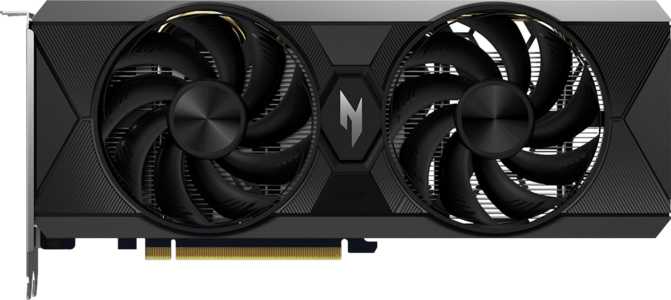
Acer Nitro Radeon RX 9060 XT OC 16GB Review: Full Analysis & Verdict
Graphics CardsFor years, buying a mid-range graphics card meant accepting a painful trade-off: either you got enough VRAM to handle modern games comfortably, or you got competitive raw performance — rarely both. The Acer Nitro Radeon RX 9060 XT OC 16GB arrives as a direct challenge to that compromise. Built on AMD's latest RDNA 4 architecture and manufactured on a cutting-edge 4-nanometer process, this card packs a frankly unusual amount of memory into a power envelope that won't require upgrading your power supply. Whether that proposition holds up in practice is exactly what this review sets out to determine.
Design and Build Quality
Physical Footprint and Aesthetics
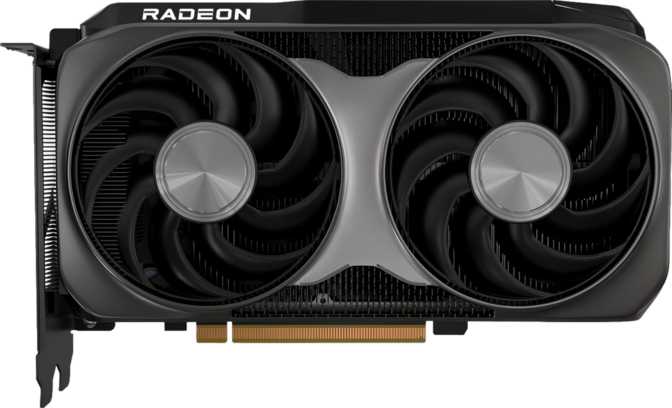
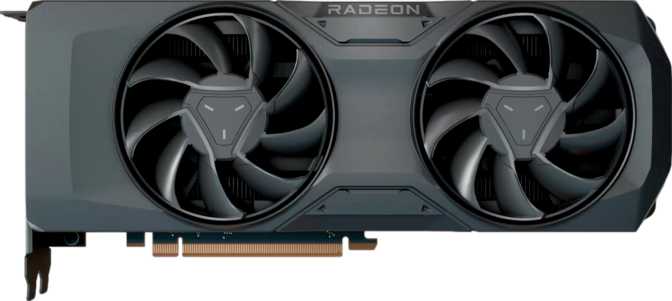
At 269mm long and 110mm tall, the Acer Nitro RX 9060 XT OC occupies a sensible amount of space inside a case. It's long enough to feel substantial — this is clearly a purpose-built gaming card, not a budget afterthought — but not so large that it becomes a compatibility problem in mid-tower cases. Most standard ATX builds will accommodate it without issue, and even some compact mid-towers should be fine provided there's adequate clearance ahead of the drive bays.
The Nitro line has always leaned into an aggressive aesthetic, and this card continues that tradition. RGB lighting is present, adding visual flair that can be synchronized with compatible motherboard and peripheral ecosystems. If you're building a windowed showcase rig, the lighting integration will feel at home. Users who prefer a blacked-out build can typically disable or customize it through Acer's software utilities — a standard expectation at this tier.
Cooling Solution
The card uses an air cooling solution rather than a liquid-assisted hybrid setup. This is entirely appropriate at the 160-watt thermal envelope this GPU operates within — a genuinely modest power draw for the performance tier it's targeting. Acer's Nitro cooler employs multiple fans and a direct-contact heatpipe arrangement designed to keep temperatures controlled without generating excessive noise.
A 160W card doesn't demand heroics from its cooler, which means the fans can run slower and quieter under typical gaming workloads compared to higher-wattage competitors. For noise-sensitive environments or compact builds where airflow is limited, the thermal profile here is a genuine design advantage.
Architecture and Core Performance
What RDNA 4 Actually Means
The RX 9060 XT is built on AMD's RDNA 4 architecture — the same generational leap that brought meaningful improvements in ray tracing throughput, shader efficiency, and AI-adjacent compute capabilities over its predecessors. The 4nm fabrication process is significant: smaller transistors mean more computing logic fits into a given chip area while consuming less power. With nearly 30 billion transistors packed into this die, AMD has crammed a substantial amount of hardware capability into an efficient package.
RDNA 4 also marks AMD's serious re-engagement with hardware-accelerated ray tracing. Previous RDNA generations had the feature on paper but lagged meaningfully behind competing implementations. RDNA 4 closes much of that gap, making ray tracing a realistic option rather than a checkbox feature — though specific per-title results will still vary.
Clock Speeds and Raw Throughput
The GPU's base operating frequency suits stable, low-demand workloads, but the boost clock tells the more interesting story: under load, the chip can reach 3,320 MHz — an exceptionally high frequency for a graphics processor, reflecting RDNA 4's architectural efficiency at elevated clock rates.
The practical output of that clock speed, combined with the active compute units, translates to over 27 teraflops of single-precision floating-point performance — one trillion mathematical operations per second, multiplied by 27. The texture processing rate reaches 425 billion texture operations per second, while pixel output capacity exceeds 212 billion pixels per second. Together, these figures indicate strong performance at high resolutions without the bottlenecks that affect lesser cards when scenes become complex.
PCIe 5.0 Connectivity
The card connects via PCIe 5.0 — the most current interface standard, offering twice the theoretical bandwidth of PCIe 4.0. Practically, current graphics workloads rarely saturate even a PCIe 4.0 slot. The real value is longevity: a PCIe 5.0 motherboard ensures the interface will not become a constraint as game engines evolve. For those on PCIe 4.0 boards, backward compatibility ensures the card works without issue — just without the forward headroom the newer interface provides.
Memory: The 16GB Advantage
More Than a Spec Sheet Bullet Point
The most attention-grabbing aspect of the RX 9060 XT is its 16GB of video memory. In a market where many competing cards at similar price points ship with 8GB or 12GB, this stands out sharply — and for good reason.
Video memory is where the GPU stores textures, frame buffers, and game data it needs immediate access to. When a game's demand exceeds available VRAM, performance can fall off a cliff — stuttering, hitching, and frame rate drops that no amount of raw GPU power can compensate for, because the card is forced to fetch data from much slower system memory instead.
Modern games at 1440p — and especially at 4K — are increasingly pushing past the 8GB threshold. High-resolution texture packs, large open worlds, and games without well-optimized VRAM management have made 8GB feel tight in a growing number of titles. Having 16GB available means this card has room to breathe not just today, but well into future releases that will only grow more memory-hungry.
Speed, Bandwidth, and the Bus Trade-Off
The GDDR6 memory runs at an effective speed exceeding 20,000 MHz, delivering over 322 gigabytes of data per second between memory and processor. This is notably strong for the memory bus width in play.
That bus width — 128 bits — is the one area where informed buyers should understand the trade-off. A 128-bit bus is narrower than the 192-bit or 256-bit interfaces found on higher-end cards. AMD compensates through extremely fast GDDR6 memory, achieving bandwidth figures that exceed slower 128-bit implementations. For 1080p and 1440p gaming, the bandwidth is more than adequate. At 4K with maximum texture quality in the most demanding titles, the narrower bus may introduce occasional bottlenecks that a wider-interface card would not experience.
Typically a workstation-only feature, ECC memory prevents data corruption during long compute jobs. Irrelevant for gaming, but meaningful for 3D rendering, machine learning, and scientific workloads on a gaming budget.
Key Features Explained
Each feature is analyzed for what it means in day-to-day use — not what the spec sheet says it does.
Power Consumption and System Requirements
At 160 watts, the RX 9060 XT OC operates in a notably efficient power bracket for the performance it delivers. Many competing cards at similar performance levels draw significantly more — some approaching or exceeding 200 to 250 watts.
This matters in several practical ways. It reduces strain on your power supply unit; a quality 650W PSU should be entirely comfortable powering this card alongside a modern CPU. It keeps heat generation manageable, which benefits both cooling performance and long-term component longevity. For those building in smaller cases with limited airflow, a lower-heat card is considerably easier to work with than a power-hungry alternative.
Electricity costs, while rarely the primary purchase driver, accumulate during long gaming sessions. A card that achieves competitive performance at lower wattage represents genuine operational savings over months and years of use — a consideration that becomes more meaningful the longer you own it.
Who Should Buy This Card
This Card Is Built For
- 1080p enthusiasts pushing for high refresh rates. More than enough headroom to drive 144Hz and beyond in the majority of current titles at ultra settings, with VRAM to spare for maximum texture quality.
- 1440p gamers wanting a future-aware setup. The card's sweet spot. High-quality gaming with strong frame rates and a memory allocation that handles demanding open-world titles with room to spare.
- Builders prioritizing efficiency and quiet operation. The 160W TDP means this card runs cooler and quieter relative to its performance class — a genuine advantage in noise-sensitive or thermally constrained builds.
- AMD Ryzen platform users. SAM compatibility, native upscaling integration, and architectural synergies make this a natural fit for existing AMD builds without any additional setup.
- Budget-conscious creative professionals. 16GB with ECC support makes this more capable for 3D rendering, video editing, and lighter machine learning workloads than most competitors at this price point.
Not the Right Choice For
- DLSS-dependent users. If specific games you play rely on DLSS 3 Frame Generation as a core part of the experience, this card will not provide it. AMD's alternative is strong but the ecosystems are not interchangeable.
- Dedicated 4K maximum-settings enthusiasts. The 128-bit memory bus may introduce bandwidth constraints in the most demanding native 4K scenarios at maximum settings. A wider-bus card will generally serve this scenario more consistently.
- USB-C monitor users. With no USB-C output on the card, USB-C display connections require an active adapter — an added complication and cost that's easily avoidable by choosing a card with that output built in.
How It Compares to the Alternatives
The RX 9060 XT OC occupies a specific niche in the mid-range stack. Here's how it stacks up against the most likely alternatives a buyer at this price point would consider.
| Feature | Acer Nitro RX 9060 XT OC 16GB | Typical 8GB Mid-Range Competitor | Higher-Tier 12GB Alternative |
|---|---|---|---|
| VRAM | 16GB GDDR6 | 8GB GDDR6 | 12GB GDDR6X |
| Memory Bus | 128-bit | 128-bit | 192-bit |
| Power Draw | ~160W | ~115–130W | ~165–200W |
| Ray Tracing | RDNA 4 — Strong | Previous Gen — Moderate | Ada / RDNA 3 — Strong |
| DLSS Support | No | Varies by brand | NVIDIA variants: Yes |
| PCIe Generation | 5.0 | 4.0 | 4.0 |
| Architecture | RDNA 4 — Current Gen | Previous Gen | Previous Gen |
Honest Assessment
Where It Excels
Sixteen gigabytes of video memory at this performance tier is a rarity, and it's not a gimmick — it's a practical buffer against a future where game engines keep demanding more. The 16GB allocation gives this card longevity that 8GB alternatives simply cannot match, regardless of how competitive their raw performance may be today.
The RDNA 4 architecture represents a real generational improvement over AMD's previous work, particularly in ray tracing performance and efficiency. This isn't an incremental update — it's a meaningful architectural step that changes what ray tracing feels like on an AMD card.
The 160W power envelope makes this accessible to a wide range of systems without power supply upgrades, and the PCIe 5.0 interface provides long-term headroom that current PCIe 4.0 cards lack. Both of these ensure the hardware remains relevant as platform standards advance around it.
Where It Falls Short
The 128-bit memory bus is the card's most discussed technical limitation, and with good reason. AMD's fast GDDR6 implementation partially compensates, but the constraint is felt at 4K resolutions under maximum load, where bandwidth-heavy scenarios reveal the trade-off made to keep pricing and power draw competitive.
The absence of DLSS will matter to a specific subset of buyers — those who have built their gaming habits around NVIDIA's upscaling technology, particularly DLSS 3 Frame Generation. AMD's alternative is genuinely competitive, but the ecosystems are not interchangeable and game-by-game support continues to vary.
The missing USB-C output is a minor but real inconvenience for USB-C monitor users, and an odd omission on a current-generation card. At the very top of ray tracing performance, NVIDIA's highest-tier dedicated silicon still holds an advantage — though the gap is considerably narrower than in previous RDNA generations.
Common Questions Buyers Ask
Final Verdict
The Acer Nitro Radeon RX 9060 XT OC 16GB is a thoughtfully positioned card that makes a specific, defensible argument: more VRAM and better efficiency matter more than raw bandwidth or proprietary feature ecosystems.
For the buyer who games primarily at 1080p or 1440p, wants a card that will remain capable as game memory requirements grow, and prefers a lower power draw without sacrificing performance, this card makes a compelling case. It is not the right card for someone locked into the DLSS ecosystem, a dedicated 4K gaming setup with no upscaling, or anyone who needs a USB-C display connection without an adapter.
For everyone else — and that's a broad group — the combination of RDNA 4 architecture, a genuinely large 16GB memory allocation, efficient power consumption, and PCIe 5.0 readiness makes the Acer Nitro RX 9060 XT OC 16GB one of the more honest value propositions in the current mid-range market. Buy it with clear eyes about what it is, and it will reward you well.