Razer Viper V4 Pro Review: Built for Competitive FPS Players
MiceThere is a specific type of mouse buyer who has stopped caring about RGB lighting, scroll wheel tilt, and weight customization kits. They want the best possible sensor, the lowest possible latency, and a shell light enough to never get in the way of their aim. The Razer Viper V4 Pro was built entirely for that person — and the specification sheet reads like a checklist of every technical demand a serious competitive player could make.
But raw specifications only tell part of the story. What matters is whether those numbers translate into a real, tangible edge during actual use — and whether the trade-offs Razer made to hit this performance ceiling are ones you can live with. That is exactly what this review examines.
Key Specifications at a Glance
Design and Build Quality: Precision Over Personality
Physical experience, shell shape, and what that 50g build actually feels like in hand
Shape and Ergonomics
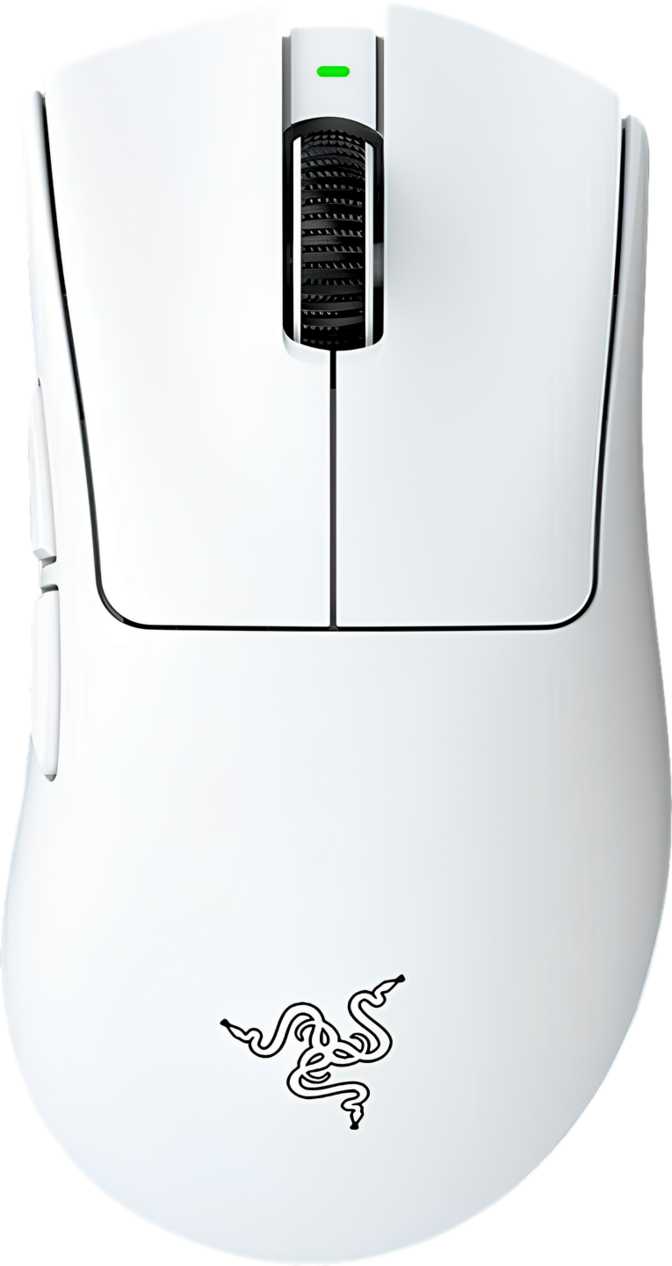
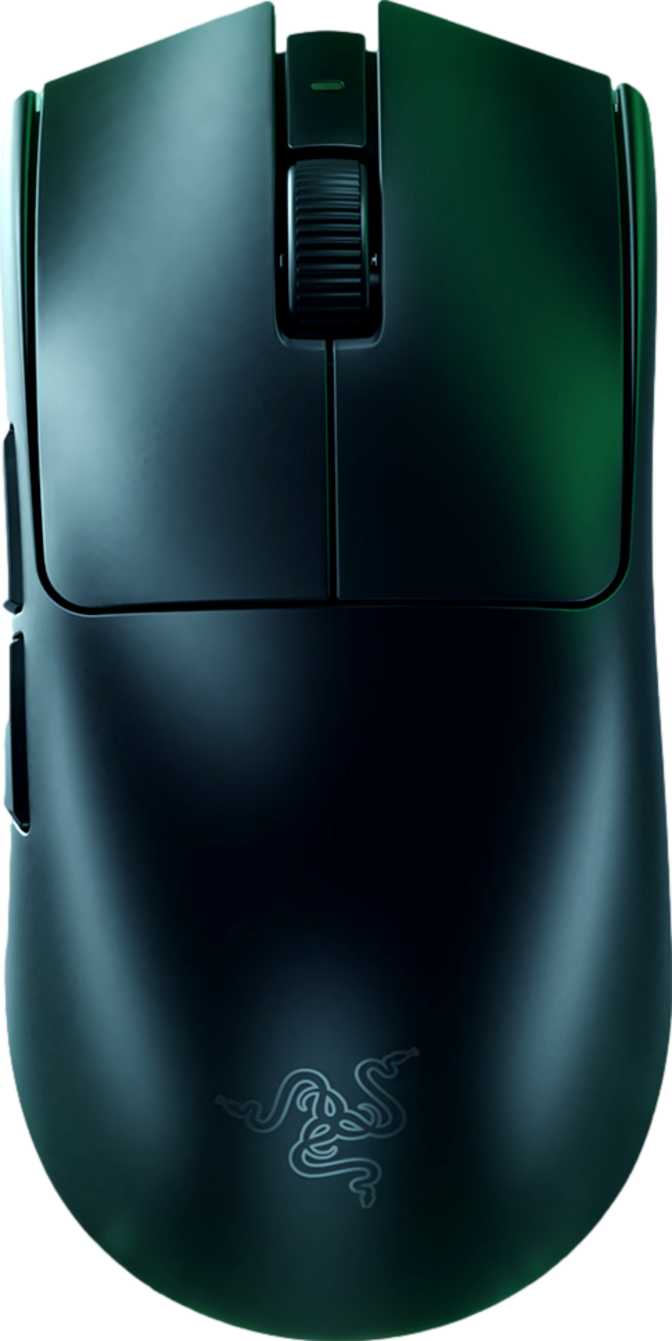
The Viper V4 Pro follows the right-handed silhouette that has defined the Viper line. At just under 128mm in length and 64mm at its widest point, it sits firmly in the medium mouse category — large enough for palm grip users with medium-to-large hands, and naturally suited to claw and fingertip grip styles. The height of roughly 40mm keeps the hump low and flat by gaming mouse standards. This is not a mouse designed to fill your palm — it is designed to stay out of the way while your fingers do the work. If you prefer a tall, sculpted shell that naturally cups your hand, this shape will feel surprisingly minimalist.
The Weight Advantage
Fifty grams. That figure deserves context. The average gaming mouse sits somewhere between 70 and 100 grams. Many mice marketed aggressively as lightweight come in around 60 to 65 grams. At 50 grams, the Viper V4 Pro belongs to a genuinely elite weight class — the kind that becomes immediately noticeable the moment you lift it off a surface or change direction mid-swipe.
This weight is achieved without a honeycomb shell cutout. The chassis is solid, which matters for feel and structural rigidity. There is no flex, no creaking, and no sense that material was removed in ways that compromise durability. Razer has trimmed grams at the engineering level rather than the cosmetic one.
The Absence of RGB: A Statement, Not an Oversight
There is no RGB lighting on the Viper V4 Pro. For some buyers, this is a dealbreaker. For others — specifically the competitive player this mouse targets — it is a selling point. No RGB means no power draw from lighting during wireless use, which contributes directly to battery endurance. It also means the mouse looks clean and understated on a desk. If you stream and want your setup to look a certain way on camera, take note. If you play to win, you will likely not miss it.
Cable and Charging
The included cable stretches to two meters — generous enough that the wire will never feel taut regardless of how your desk is arranged. More importantly, the mouse supports continued use while charging. You never have to stop playing because the battery ran low. That one detail eliminates what has historically been the most frustrating limitation of wireless gaming mice.
Sensor Performance: What the Focus Pro 50K Actually Means
Understanding the tracking engine at the heart of the Razer Viper V4 Pro
Tracking That Exceeds Any Reasonable Demand
The Razer Focus Pro 50K sensor is the core technical story here. The "50K" refers to its DPI ceiling — a maximum sensitivity level so high that it exists mostly as a proof of engineering capability rather than a setting any human being would actually use. In practice, the vast majority of competitive players operate somewhere between 400 and 3,200 DPI. The floor of 100 DPI is equally useful for certain precision applications or software tasks.
What actually matters in a sensor is not the maximum DPI number — it is accuracy, consistency, and the absence of tracking errors at the speeds and accelerations a player realistically generates. The Focus Pro 50K handles fast, erratic movement without introducing artificial smoothing or interpolation. What you physically do with the mouse is what the cursor does on screen, with no filtering layer getting in the way.
Polling Rate: The 8,000 Hz Difference
Standard gaming mice report their position to the computer 1,000 times per second. The Razer Viper V4 Pro reports eight times more frequently — 8,000 times per second. For most buyers, 1,000 Hz is already imperceptibly fast. The gap between 1,000 Hz and 8,000 Hz is measured in fractions of a millisecond.
For elite competitive players, that fraction matters. At 8,000 Hz, the position data the game receives is fresher and more granular. Rapid micro-corrections — the kind that separate good aim from great aim — are captured and transmitted with more fidelity. This is not a feature that makes a bad player good. It is a feature that removes a ceiling for players already operating at high levels.
System Note: The 8,000 Hz polling rate demands more from your USB controller and CPU. On most modern gaming PCs this is completely manageable, but if you are running older hardware, confirm your system handles high-polling mice without performance issues before committing. The mouse is fully compatible at standard polling rates if you need to step down.
Speed and Acceleration Handling
The sensor tracks movement up to 930 inches per second — a figure so high that no human wrist movement can exceed it under any realistic gaming scenario. The 90G acceleration ceiling means the sensor will not lose tracking during the fastest, most violent swipes a player can produce. These numbers exist to tell you that sensor failure under speed is simply not a variable you need to think about. The hardware will keep up with you.
Wireless Performance: Freedom Without Compromise
2.4GHz connection quality and what 45 hours of battery life means in real-world play
The Viper V4 Pro connects via 2.4GHz wireless, the same radio frequency band used by high-end wireless gaming peripherals across the industry. At this frequency, wireless performance is effectively indistinguishable from a wired connection in everyday use. There is no perceivable input lag, no signal dropout under normal conditions, and no jitter introduced by the wireless link. The USB receiver should stay plugged into a port close to your mouse pad — ideally within one to two feet — for the most stable signal, though the connection holds at typical desk distances.
Battery Life in Real Terms
Forty-five hours of battery life on a single charge covers most players for multiple days of heavy use before a recharge is necessary. Consider that a committed player gaming four hours daily would need to recharge approximately once every eleven days. Casual players might go two to three weeks between charges.
The absence of wireless charging — like Qi or a proprietary charging dock — means you recharge via the same USB-C cable used for wired play. This keeps the charging process simple and universal but means there is no set-it-on-the-pad option. Given the battery endurance involved, this is a minor inconvenience rather than a meaningful limitation.
Buttons and Programmability
Six fully programmable buttons, and one important caveat about onboard storage
Button Layout
Six buttons total: two primary clicks, a clickable scroll wheel, a DPI cycle button, and two thumb buttons positioned on the left side of the shell. The right-handed orientation means the thumb buttons sit exactly where your thumb naturally rests — accessible without repositioning your grip. All six buttons are fully programmable through Razer's Synapse software, meaning no button is locked to a fixed function. Whether you want the thumb buttons to handle push-to-talk, ability bindings, or browser navigation, those assignments are yours to make.
What Is Not Here
There is no profile switching button on the mouse itself. The Viper V4 Pro stores one onboard memory profile — so the configuration you save to the mouse is the one it uses, whether or not Synapse is running. For players who use one setup across one system, this is completely sufficient. For anyone who needs to hot-swap between multiple distinct profiles on the fly without software running — competitive players using shared tournament PCs, for instance — this is worth knowing before purchase.
The scroll wheel does not tilt sideways for horizontal scrolling, and there is no secondary thumb-operated scroll wheel. The scroll experience is clean and functional, not feature-heavy.
Who Should Buy the Razer Viper V4 Pro
An honest breakdown of the exact buyer this mouse was designed for — and who should look elsewhere
This Mouse Is Built For
- Competitive FPS and battle royale players who prioritize tracking accuracy and input latency above all other features. The sensor and polling rate combination is genuinely top-tier.
- Players who have found heavier mice fatiguing during long sessions. At 50 grams, extended gaming becomes physically easier — less wrist fatigue, faster direction changes.
- Wireless skeptics who have been convinced by a generation of premium 2.4GHz mice that wired-only is no longer necessary for competition-level play.
- Minimalists who want a clean desk setup without lighting effects or complex button configurations to manage.
This Mouse Is Not the Right Fit For
- Left-handed players. The right-handed shape is not comfortable or practical for southpaw use.
- Palm grip users with large hands who prefer a tall, sculpted shell with a pronounced rear hump. The low profile suits claw and fingertip grips more naturally.
- Players who want a charging dock or wireless charging mat. There is no option for that here — cable-only charging.
- Users who need multiple onboard profiles stored on the mouse for use across different machines without software.
- Buyers who value an RGB aesthetic as part of their setup. This is a completely dark mouse.
Competitive Positioning: Where the Viper V4 Pro Stands
The 8,000 Hz polling rate wireless mouse segment is small but competitive. At equivalent polling rates and sensor quality, the differentiators become weight, shape, battery life, and price. The table below shows where the Viper V4 Pro lands against the field.
| Feature | Razer Viper V4 Pro | Typical Competitor A | Typical Competitor B |
|---|---|---|---|
| Weight | ~50g | ~55–60g | ~63g |
| Polling Rate | 8,000 Hz | 8,000 Hz | 1,000 Hz |
| Battery Life | 45 hours | 30–40 hours | 70+ hours |
| RGB Lighting | |||
| Wireless Charging | |||
| Onboard Profiles | 1 | 1–5 | 3–5 |
| Orientation | Right-handed | Ambidextrous | Right-handed |
The Viper V4 Pro's weight advantage is its clearest differentiator at this performance tier. Where it concedes ground is in onboard profile storage and wireless charging convenience.
Honest Assessment: Strengths and Weaknesses
A balanced look at what the Razer Viper V4 Pro genuinely does well — and where it falls short
Where It Excels
The Viper V4 Pro's greatest strength is coherence. Razer made a specific set of decisions — strip the weight, remove the RGB, store one profile, skip the charging dock — and those decisions serve a single goal: building the lightest, most latency-optimized wireless gaming mouse they could. The result does not feel compromised. It feels deliberate.
The sensor tracks without flaw. The wireless connection is reliable. The battery holds up across extended play, and the ability to keep playing while charging removes the one friction point that used to make wireless mice impractical for serious sessions. The weight makes itself felt in every session — not as something you consciously notice, but as an absence of resistance that makes the mouse feel almost effortless to move.
Where It Falls Short
The weaknesses are real but narrow. One onboard profile is a genuine limitation for players who move between machines or need hardware-stored configuration flexibility. The right-handed shape excludes left-handed players entirely. And the lack of wireless charging — while easy to dismiss given the battery life — is a convenience that competing products at similar price points have started offering.
If you are a general-purpose or casual gaming buyer who simply wants a great wireless mouse without a specific need for 8,000 Hz polling, there are mice in this price bracket with more features per dollar.
Frequently Asked Questions
Answers to the real questions buyers search for before purchasing the Viper V4 Pro
Final Verdict
The Razer Viper V4 Pro is one of the most technically capable wireless gaming mice available.
Its sensor tracks without flaw, its polling rate sits at the cutting edge of what current hardware supports, and its 50-gram build is among the lightest you will find in a full-featured wireless package. The battery holds up across extended play, and the ability to keep playing while charging removes the one friction point that used to make wireless mice impractical for serious sessions.
It earns its place at the top of the competitive mouse category — but only if you fit its profile. This is a mouse engineered for FPS players who have decided that performance is the only specification that matters. If that is you, it is hard to recommend anything else at this weight class. If you need left-hand support, multiple onboard profiles, or wireless charging, look at what the competition offers before committing.
Our Verdict
For the player it was designed for, the Viper V4 Pro is not a compromise. It is the answer.