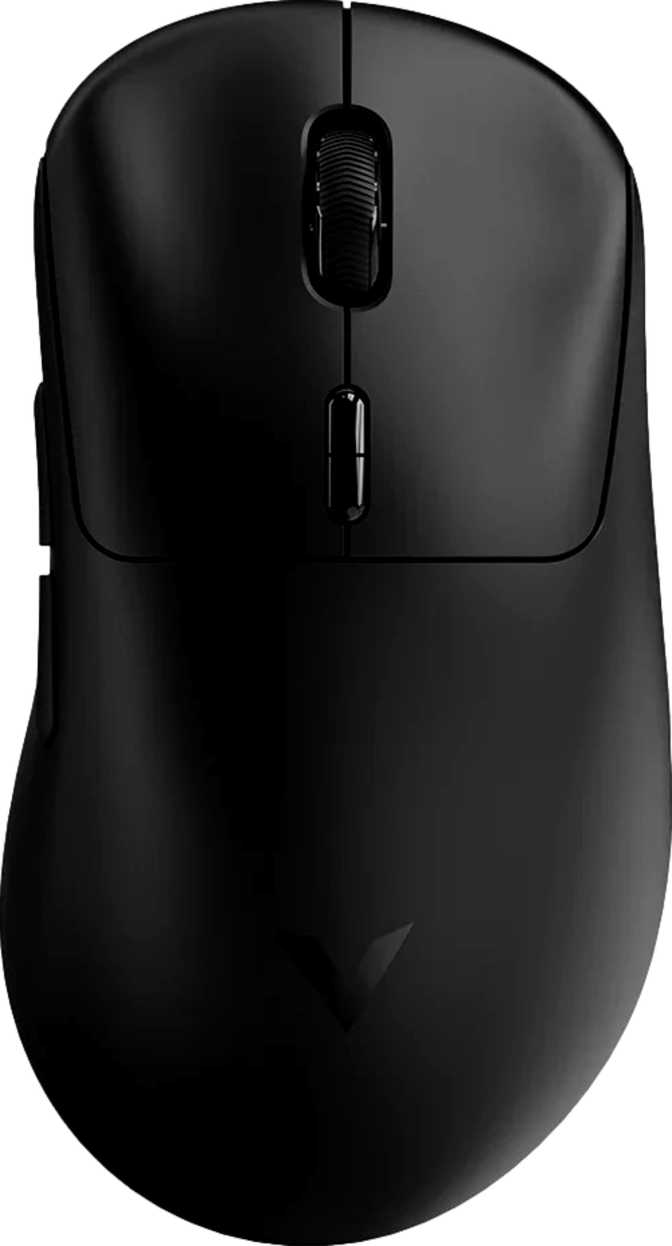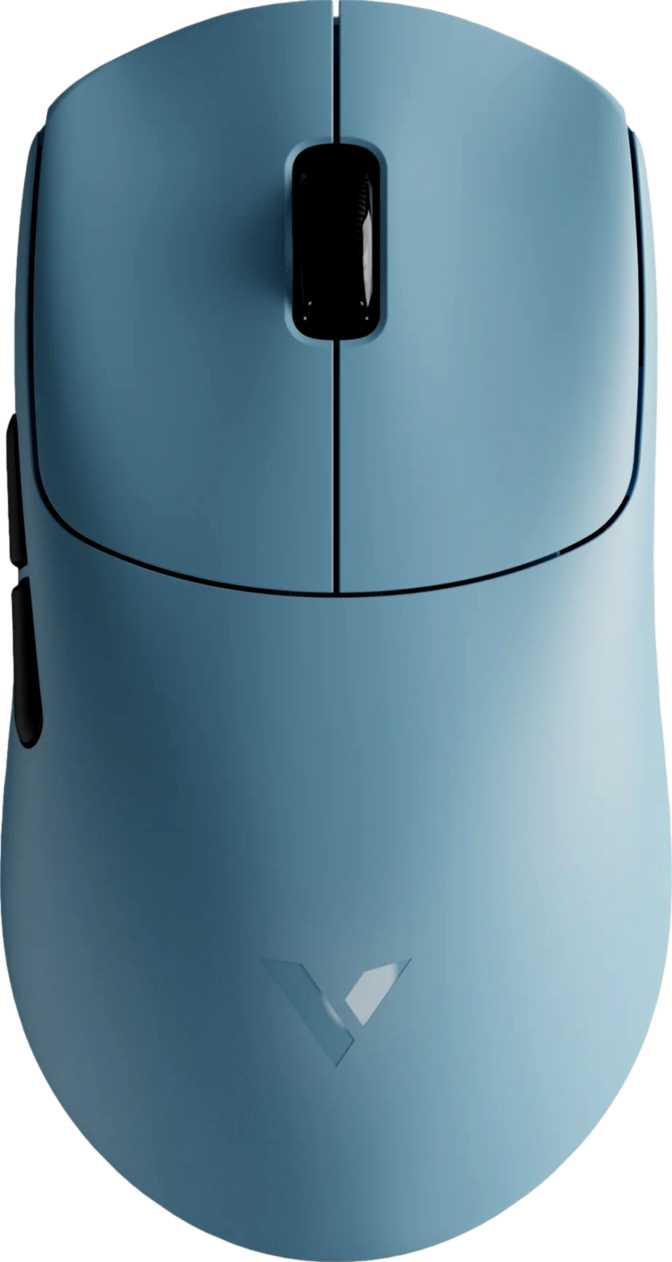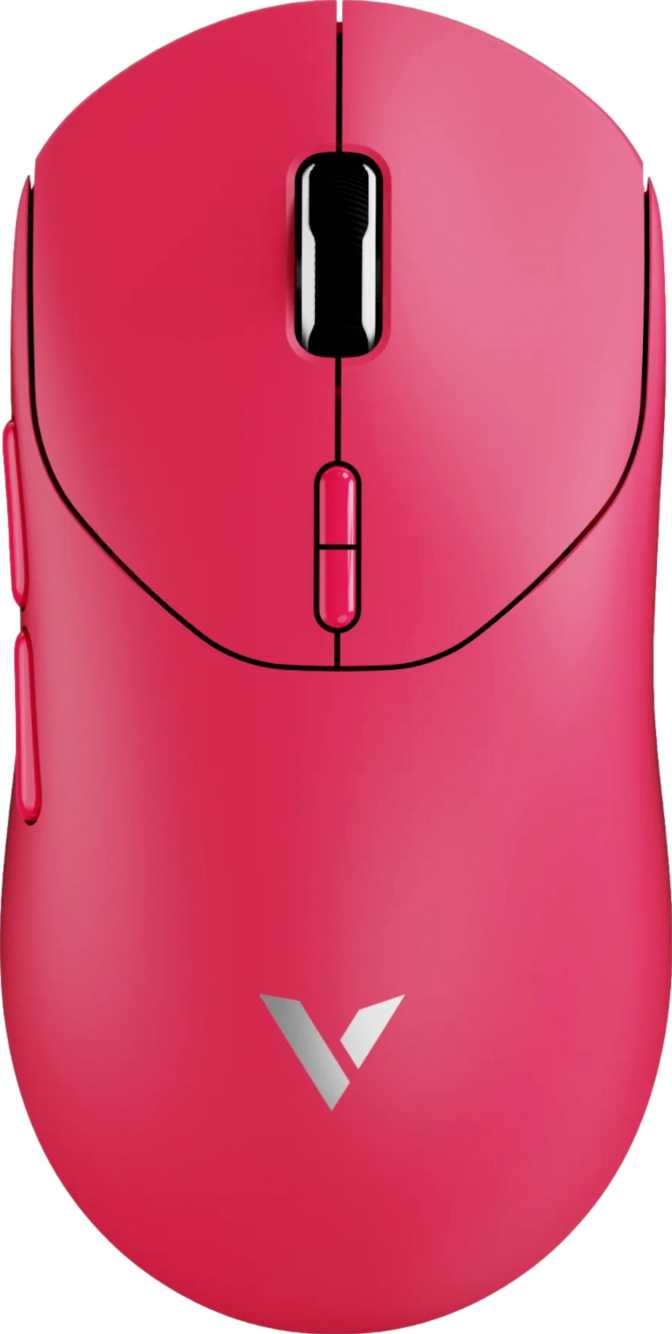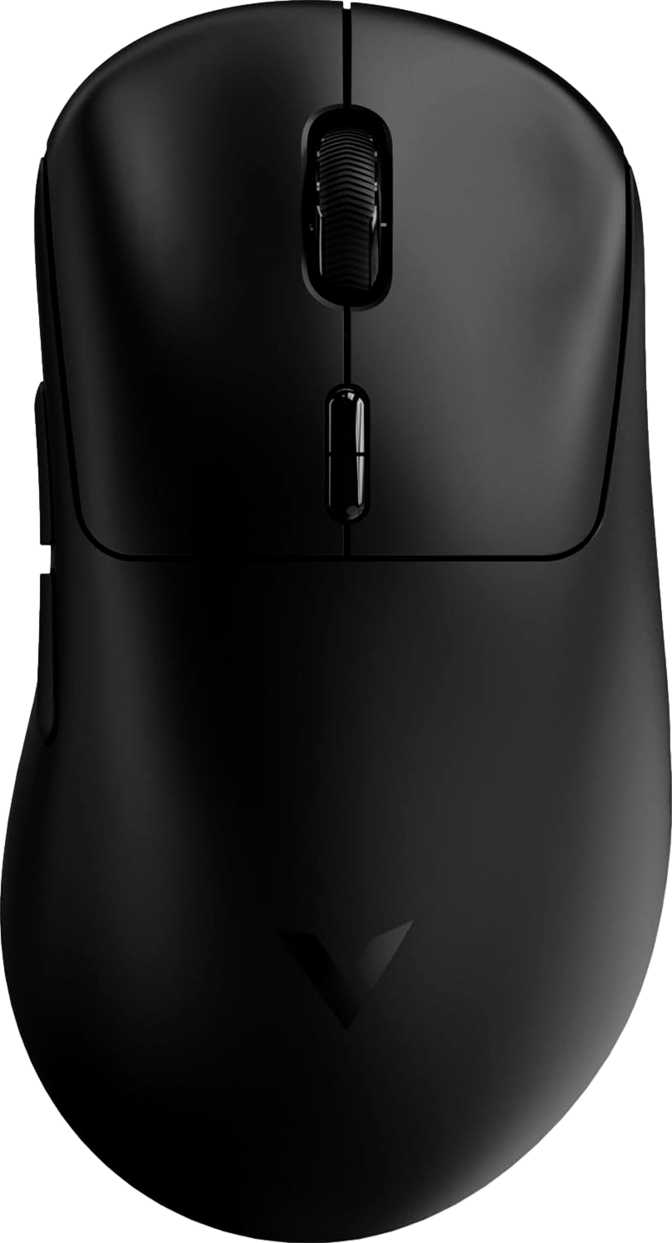
Rapoo VT3 Gen-2 Review: An Ultralight Mouse With Flagship Tracking
MiceQuick Summary
The four defining specifications before the detailed analysis begins.
Hardware class; zero onboard profiles is the primary trade-off.
Performance Scorecard
Opening the box of a sub-60-gram wireless gaming mouse with a top-tier optical sensor and a polling rate that doubles what most premium competitors offer might trigger reasonable skepticism — what’s the catch? The Rapoo VT3 Gen-2 answers that question by being refreshingly straightforward: it trades software depth and cosmetic flair for pure tracking fundamentals, endurance, and low-latency wireless performance. If your priority is mouse feel and performance rather than a light show or a profile library, this mouse demands a serious look.
Design, Build, and Physical Experience
A Mouse That Disappears in Your Hand
The VT3 Gen-2’s most immediately physical characteristic is its weight — or rather, the near-absence of it. At 53 grams, this mouse belongs in the top tier of ultralight gaming peripheral design. Most gaming mice advertised as “light” still fall between 65 and 90 grams. Standard office mice commonly exceed 100 grams. The VT3 Gen-2 comes in below all of them by a meaningful margin.
That lightness is not achieved by drilling honeycomb cutouts through the shell — a technique that reduces weight while introducing structural flex and debris accumulation. The weight figure reflects deliberate component choices: no heavy lighting circuits, no modular weight tray, no bulky battery systems. The result is a mouse that feels engineered light from the ground up, not hollowed out as an afterthought. For gamers whose aim benefits from low friction and minimal resistance during fast movements, this weight profile matters in practice, not just on paper.
Shape, Size, and Ergonomic Fit
The VT3 Gen-2 is shaped for right-handed use exclusively — this is a deliberate ergonomic design, not an ambidextrous form factor. Left-handed users should consider this a firm constraint with no workaround available.
At 126.2 mm long, 68.2 mm wide, and 42.4 mm tall, the dimensions land in the medium-to-medium-large range. This sizing accommodates palm and claw grip styles comfortably across average to large hands. For users with smaller hands who prefer a compact form and use a fingertip grip with aggressive low-sensitivity movement, the length may feel slightly generous — worth reviewing against your current mouse before committing.
The No-RGB Design Choice
The absence of RGB lighting is a product decision with downstream consequences, most of them positive. It removes a meaningful source of power draw, contributing directly to the battery performance covered below. It reduces internal component complexity and potential failure points. It also delivers a peripheral that fits cleanly into any desk environment — backlit or not, professional or casual.
The charging and wired-use cable runs to 1.8 metres, long enough to reach across most desk configurations comfortably when playing in wired mode or topping up the battery without displacing the mouse from its natural operating position.
Sensor Performance: The PAW3398 Advantage
A Flagship Sensor, Full Stop
The Rapoo VT3 Gen-2 uses the PixArt PAW3398 optical sensor. This is not a minor footnote — it is one of the most important facts about this mouse. The PAW3398 is a flagship-tier sensor found in mice sold at significantly higher price points, carrying a well-established reputation for accuracy, consistency, and artifact-free tracking: near-zero jitter, no output smoothing applied, reliable lift-off detection, and no angle snapping by default. What you move is what the cursor does.
For buyers less familiar with why this matters: the sensor reads your physical movements and translates them into on-screen cursor movement. A mediocre sensor introduces subtle errors at fast speeds, slight positional drift, or inconsistent response under pressure. A great sensor simply tracks honestly. The PAW3398 belongs to the latter category without qualification.
Sensitivity Range: From Surgical to Theoretical
The VT3 Gen-2 offers adjustable sensitivity from 50 DPI at the minimum up to 26,000 DPI at the ceiling. Here is what those numbers mean in real-world terms:
Extremely slow cursor movement — useful for pixel-level precision in design work, or for very low-sensitivity competitive setups using large mouse mats.
Where most competitive gamers actually play. The PAW3398 delivers its most valued accuracy and consistency throughout this entire range without compromise.
A technical capability ceiling. At this sensitivity, any hand tremor makes the cursor unusable. This number demonstrates sensor range, not a usage recommendation.
Tracking Speed and Acceleration Headroom
The sensor maintains accurate tracking at movement speeds far beyond what any human hand produces even in the most aggressive gaming scenarios — deliberate wrist flicks, arm sweeps, or snap movements all included. The acceleration tolerance is similarly well beyond real-world demand. In practical terms: the hardware will never be the source of tracking error under any normal use condition. If a shot misses, it was aim, not sensor failure.
The 4,000 Hz Polling Rate: Who It Actually Benefits
The polling rate describes how frequently the mouse reports its position to the computer. The VT3 Gen-2 does this 4,000 times per second — meaning the cursor position updates every 0.25 milliseconds. A standard 1,000 Hz gaming mouse updates every 1 millisecond. A budget mouse at 125 Hz updates every 8 milliseconds.
For Most Gamers
At typical setups — 60 Hz to 144 Hz monitors with standard competitive use — the practical difference between 1,000 Hz and 4,000 Hz is not perceptible during gameplay. The input pipeline contains larger sources of latency that dwarf the 0.75-millisecond gap. The 4,000 Hz rate is a ceiling that costs nothing to have.
For Elite Competitive Players
On high-refresh displays running at 240 Hz or above, with active effort to minimize every component of input latency, 4,000 Hz polling is a genuine, measurable advantage. At this level of competitive play, it is a legitimate differentiator rather than a marketing figure with no practical relevance.
One note for enthusiasts: ultra-high polling rates require marginally more CPU processing overhead. On any modern system this is negligible, but very aged hardware may notice a minor increase in system load during gameplay. Worth knowing, not worth worrying about on any machine built in the last several years.
Wireless Performance and Connectivity
The VT3 Gen-2 uses a dedicated 2.4 GHz wireless connection via a USB dongle. This is not Bluetooth. The distinction matters: Bluetooth is a general-purpose protocol with variable latency and frequent retransmissions that make it unsuitable for competitive gaming. Dedicated 2.4 GHz wireless gaming connections operate at consistent, extremely low latency — effectively indistinguishable from a wired connection during normal play. Professional esports players compete wirelessly with this technology as standard practice.
The mouse also supports full wired operation through its USB cable. This provides a reliable fallback in wireless-congested environments or at tournament venues with wireless restrictions, and doubles as the charging connection. The dual-mode setup means you are never without a functioning, full-performance option regardless of the environment you are playing in.
Battery Life: The Defining Advantage
No specification about this mouse deserves more attention than its battery life, because none changes the day-to-day experience of ownership more profoundly. Here is the figure in real-world context:
Built-in rechargeable — non-removable
| Daily Gaming Time | Days Between Charges | Charge Frequency |
|---|---|---|
| 2 hours / day | 375 days | Once per year |
| 6 hours / day | 125 days | Once every 4 months |
| 10 hours / day | 75 days | Once every 2.5 months |
Most wireless gaming mice require charging every one to two weeks under normal gaming use. Some high-performance models with RGB lighting need attention every few days. The VT3 Gen-2 removes charging from the routine maintenance calendar of gaming entirely — it becomes a rare, almost forgettable event rather than a weekly ritual.
The decision to omit RGB lighting pays for this directly. A significant portion of wireless battery drain in most gaming mice comes from powering illumination. By eliminating that draw entirely, Rapoo has redirected that power budget into something with genuine daily value: uninterrupted, anxiety-free wireless use for months at a time.
The battery is built-in and non-removable, which is standard for this product category. In the rare event that it needs power mid-session, the mouse operates fully via its USB cable while charging — so even on the uncommon occasion when the battery does need attention, your session does not have to stop.
Who Should Buy the Rapoo VT3 Gen-2
The VT3 Gen-2 has a sharply defined buyer profile. Knowing which side of this line you fall on is more useful than any single specification.
This Mouse Is Built For You
- Competitive FPS, battle royale, or MOBA players who want every tracking and latency advantage packed into the lightest possible package.
- Enthusiasts who understand sensor specifications and recognize the PAW3398 as a flagship component regardless of the price point it ships in.
- Gamers on a fixed desktop setup where settings portability between machines is not a concern.
- Players frustrated by wireless charging anxiety — the 750-hour battery eliminates the problem for months at a time.
- Those who actively prefer a clean, understated aesthetic and have no desire for RGB in their setup.
Look Elsewhere If...
- You are left-handed — the ergonomic shaping is specifically right-handed with no workaround available.
- You regularly use your mouse across multiple machines, attend LAN events, or need your custom configuration to travel with you.
- You rely on multiple distinct profiles and need to switch between them quickly without opening software.
- RGB lighting is an integral part of your setup experience rather than something you merely tolerate.
- You have smaller hands and prefer a compact, shorter mouse for fingertip grip with aggressive large-swipe movement.
How It Compares: VT3 Gen-2 vs. the Mid-Range Field
The VT3 Gen-2 occupies a specific position in the wireless gaming mouse landscape. This table shows where it leads, where it matches the field, and where it concedes.
| Feature | Rapoo VT3 Gen-2 | Typical Mid-Range Wireless |
|---|---|---|
| Sensor Class | Flagship (PAW3398) | Mid-range to flagship |
| Polling Rate | 4,000 Hz | 1,000 Hz standard |
| Weight | 53 g — Ultralight | 65–95 g typical |
| Battery Life | ~750 hours | 50–150 hours typical |
| RGB Lighting | None | Usually included |
| Onboard Profiles | None | 1–5 profiles typically |
| Programmable Buttons | All 10 | Varies — typically 5–8 |
| Dual Wired / Wireless | Both modes | Varies by model |
Honest Assessment: Strengths and Trade-offs
Where the VT3 Gen-2 Leads
The Rapoo VT3 Gen-2 is a confident product because its strengths are not marginal. The PAW3398 sensor is not a compromise at this price — it is a premium component with a proven record, full stop. The 4,000 Hz polling rate is a genuine technical differentiator. The weight of 53 grams is a figure that high-end peripheral brands charge a premium to reach. And the battery life is not incrementally better than competitors — it is categorically different in a way that changes daily habits.
These strengths are compounded by the no-RGB decision, which is where the product shows its clearest point of view. Omitting lighting was not an arbitrary cost reduction. It is simultaneously the source of the weight advantage, the battery advantage, and the clean aesthetic. The engineering logic is tight and consistent throughout the entire design.
Where It Falls Short
Zero onboard memory is a hard restriction, not a soft inconvenience. If you ever need your settings to work on an unfamiliar machine, this mouse will disappoint you. The absence of a profile-switching button compounds that — there is no quick way to flip between a gaming layout and a productivity layout during the same session without opening software.
The right-handed ergonomic design is a non-negotiable exclusion for left-handed buyers. And the scroll wheel, while adequate for gaming, lacks the horizontal tilt functionality that productivity and design users may depend on. These are deliberate design choices, not oversights — but they are real limitations that the right buyer must weigh carefully before purchasing.
Questions Buyers Ask Before Purchasing
Straight answers to the questions that come up most frequently when researching a mouse like this.
Final Verdict
The Rapoo VT3 Gen-2 is a technically exceptional mouse wearing deliberately plain clothes. It uses a flagship optical sensor, operates at a polling rate most competing products cannot match, weighs less than a deck of playing cards, and lasts so long between charges that charging becomes a quarterly event. Those are verifiable specifications from components with established performance reputations — not claims that require taking anyone’s word for it.
The concessions are real: no onboard memory means settings do not travel with the mouse, there is no profile system, and the right-handed design excludes a portion of potential buyers. These are deliberate trade-offs in service of weight, battery life, and engineering focus — not failures of execution.
Recommended For
- Right-handed competitive and enthusiast gamers on a fixed home setup
- Players who prioritize tracking precision and minimal input latency above all else
- Anyone who wants freedom from battery management as a recurring task
- Enthusiasts who recognize the PAW3398 sensor for what it is at any price point
Not Recommended For
- Left-handed users — the design constraint here is absolute
- Multi-machine users or LAN regulars who need portable, software-independent settings
- Those who need multiple profiles to switch between during a single session
- RGB enthusiasts for whom lighting is a non-negotiable setup element
If the use case above describes you accurately, this is not simply a reasonable choice — it is a technically superior one for what it was built to do.