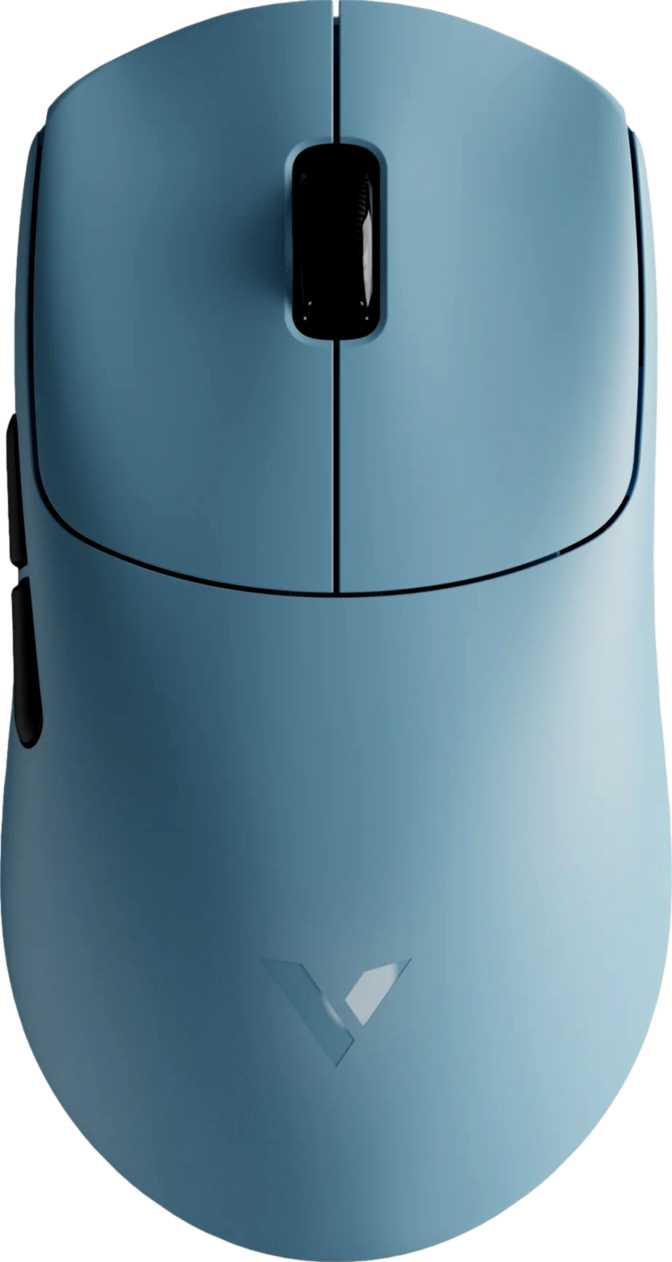
Key Performance Highlights
49g
Ultra-Light Build
PAW3398
Flagship Sensor
8,000 Hz
Polling Rate
750 hrs
Battery Endurance
The Case for Going Under 50 Grams
There is a specific category of gaming mouse buyer who has grown tired of the hardware compromises that dominated the last decade of wireless peripherals: too heavy, too dim on battery, or too expensive to justify the performance. The Rapoo VT0 Gen-2 positions itself as an answer to all three objections simultaneously — and the specifications it brings to the conversation are difficult to dismiss.
What arrives is a wireless, right-handed gaming mouse weighing less than 50 grams, built around a sensor that sits at the top tier of what the industry currently offers, and operating at a polling rate that, until recently, was a feature you paid a flagship premium to access. Whether those numbers translate into a coherent real-world experience — and for which specific kind of buyer — is the question this review answers.
Design and Physical Experience
Shape, Dimensions, and Grip Style
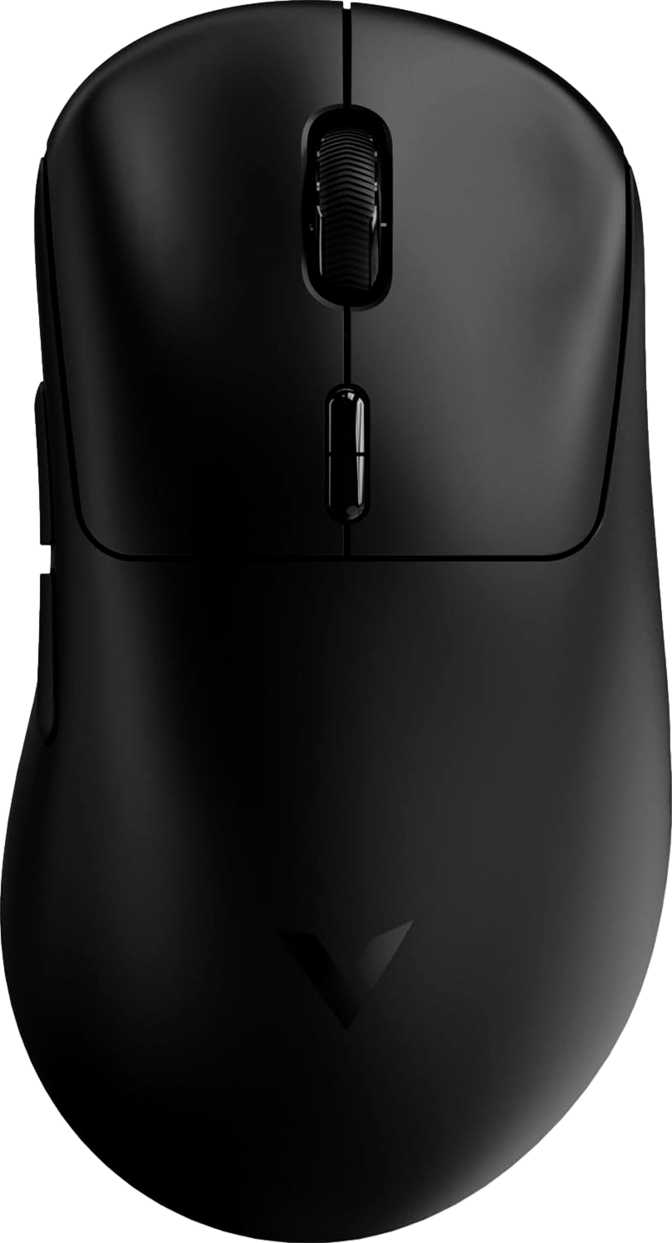
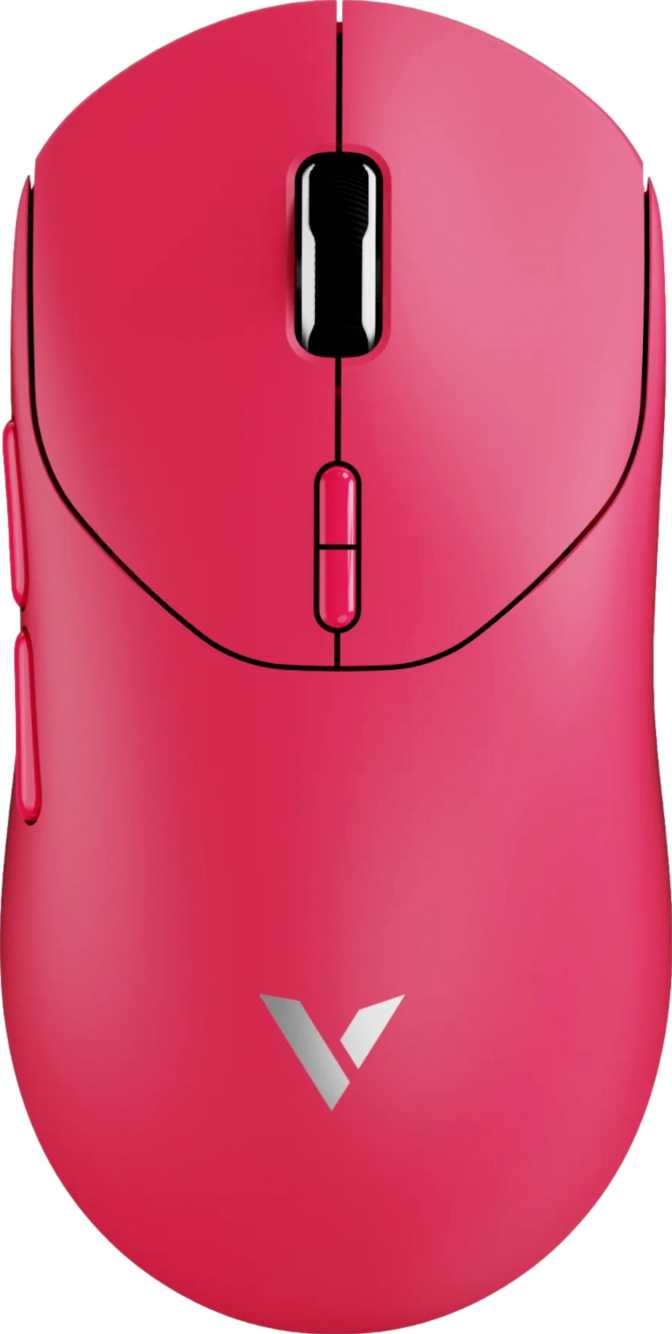
The VT0 Gen-2 is purpose-built for right-handed use, with an asymmetric shell that curves naturally toward the thumb side. At 119mm from front to back, 63mm across at its widest point, and just 38mm tall, it describes a compact, relatively flat mouse that sits close to the mousepad surface.
That low profile is a defining physical characteristic. Claw grip users — where fingertips and rear palm make contact while the hand arches — will find the shape immediately comfortable, the low hump placing the knuckles at a natural angle. Fingertip grip players will appreciate the compact footprint. Palm grip users with smaller to medium-sized hands may adapt well, but those with larger hands should know the 38mm height may not provide adequate palm support during extended sessions — the mouse will feel flatter than they are accustomed to.
The Weight Advantage — and What Was Left Out
The sub-50-gram figure is the VT0 Gen-2's opening argument, and it earns attention precisely because of what it represents: a fully wireless, rechargeable mouse with a premium sensor and ten physical controls. Reaching that weight in a capable chassis requires deliberate subtraction.
No RGB Lighting
Every gram and milliwatt-hour that decorative lighting would consume is redirected toward battery endurance and weight reduction instead.
No Adjustable Weights
Rapoo has made the weight decision for you. The 49g target is the feature — not a constraint that needs a workaround kit.
No Tilt-Scroll Wheel
Standard vertical-only scroll with centre-click. Surfaces in productivity workflows requiring horizontal navigation; rarely noticed during gaming.
For competitive players, each of these omissions reads as a feature. For buyers who want a richly appointed peripheral that lights up their desk and ships with a weight-tuning kit, the VT0 Gen-2 is explicitly not that product.
Sensor Performance: The PAW3398 in Context
What This Sensor Does for Your Accuracy
PixArt is the dominant manufacturer of optical gaming mouse sensors globally, and the PAW3398 occupies the top tier of their lineup. Its presence in the VT0 Gen-2 signals that Rapoo has not economised on the component that matters most.
The sensor translates the physical motion of your hand into cursor movement on screen. Inferior sensors introduce inconsistencies — micro-stutters during fast movements, subtle positional drift, or artificial acceleration that makes the cursor behave differently than your hand. The PAW3398 eliminates those concerns. It tracks with near-perfect one-to-one fidelity across the full range of movement speeds and surface types. What your hand does, the cursor does — without interpretation, correction, or artefact.
Speed Ceiling and Acceleration Tolerance
The sensor tracks accurately up to 750 inches per second. Even the most aggressive competitive players — sweeping the mouse across a full-size pad in a low-sensitivity flick — rarely exceed 250 to 350 IPS in practice. That ceiling means the sensor is never the weak point. The acceleration tolerance ensures extremely abrupt direction reversals and sharp micro-corrections are handled without positional loss — directly relevant for first-person shooter players relying on rapid target acquisition and precise micro-adjustment tracking.
DPI Range: From Surgical Precision to Sweeping Speed
The sensitivity range spans from 50 DPI at one end to 26,000 DPI at the other — wide enough to accommodate every conceivable use case. The upper extreme demonstrates sensor capability rather than representing a practical working setting; competitive players almost universally operate between 400 and 1,600 DPI. The lower end is more immediately practical: at 50 DPI, pixel-level precision becomes achievable — relevant for fine image editing, detailed design work, or any task demanding the utmost cursor control.
Sensitivity adjustment is handled by a dedicated hardware button cycling through preset steps without any software interaction required. Muscle memory stays intact across sessions.
Wireless Technology and the 8,000 Hz Question
Understanding the Polling Rate
Every mouse communicates its position to a computer at a fixed frequency — how many times per second it reports where it is. The longstanding gaming standard is 1,000 reports per second, producing a positional update every millisecond. The VT0 Gen-2 operates at 8,000 reports per second — eight times the conventional standard — updating every 0.125 milliseconds. The measurable result is reduced cursor latency and smoother motion response, most noticeable as a reduction in the faint "smearing" effect some players detect during fast sweeps.
Context for new buyers: The advantage is most clearly felt by players competing at high levels in reflex-intensive titles. Casual players and productivity users are unlikely to consciously detect the difference between 1,000Hz and 8,000Hz during normal use. The benefit is real and measurable — it has a diminishing-returns profile as you move down the competitive ladder. On any modern gaming PC, the incremental CPU load from 8,000Hz polling is negligible; on significantly older hardware, it is worth awareness.
The 2.4GHz Wireless Connection
The VT0 Gen-2 connects via a USB receiver operating on the 2.4GHz band — the established standard for competitive wireless peripherals. At this point in the technology's development, 2.4GHz gaming wireless is functionally equivalent to a wired USB connection for input latency. Professional esports players compete on wireless hardware at the highest organised levels; the connection type is no longer a meaningful performance distinction.
The included cable — 1.7 meters long — serves a dual function: it charges the internal battery and provides a wired fallback if the receiver is unavailable or the battery runs low mid-session. The ability to continue playing through the cable while charging means a depleted battery never forces a hard stop.
Battery Life — Months, Not Hours
Most wireless gaming peripherals in this category offer between 40 and 100 hours of claimed battery life — roughly weekly charging for regular players. The VT0 Gen-2's rated endurance converts to months of typical gaming use before the battery demands attention. Real-world consumption varies with usage intensity: maximum polling rates and frequent physical movement draw more power than lighter patterns. Even accounting for that variation, the practical result is that battery anxiety disappears as a consideration entirely.
Months Per Charge
Category norms sit at 40–100 hours. The VT0 Gen-2 operates in an entirely different tier of endurance.
Play While Charging
Connecting the included cable allows continued wired play simultaneously. No forced downtime when the battery runs low.
Internal Battery
The cell is permanently housed. Long-term health depends on internal cell longevity over years of charge cycles — the two-year warranty covers the medium-term concern.
Buttons, Customization, and the Software Trade-Off
Full Programmability Across All Ten Controls
The VT0 Gen-2 provides ten physical inputs: primary left and right click buttons, a scroll wheel with click function, a dedicated DPI adjustment button, two side buttons accessible to the thumb, and additional controls rounding out the set. Every single input is reassignable — a level of configurability covering most competitive and productivity use cases without requiring a dedicated MMO-style side panel.
The two side buttons are positioned for natural thumb access in the right-hand grip and handle standard browser navigation, in-game weapon cycling, or any custom macro or application command you assign. Their placement is conventional and comfortable for the ergonomic shape.
No Onboard Memory: What This Means Practically
Key Limitation: Settings Do Not Travel With the Mouse
The VT0 Gen-2 does not store configuration data onboard. Custom button remappings and DPI step configurations require Rapoo's software to be installed on the host machine. On any computer without that software, the mouse operates with default out-of-box settings. For a player who games exclusively on one machine, this never becomes a practical issue. For anyone who carries hardware between systems — a home desktop and a tournament laptop, for instance — the absence of portable profiles is a genuine gap that should factor directly into the purchase decision.
There is no profile-switching button on the mouse, consistent with this architecture. DPI cycling via the dedicated hardware button does function independently of software, so sensitivity adjustment is always available regardless of the computing environment.
Who the Rapoo VT0 Gen-2 Is Built For
The Right Buyer
- Competitive players in fast-paced, reflex-driven titles — first-person shooters, battle royales, and tactical games — where low input latency, precise tracking, and reduced physical fatigue provide a meaningful edge.
- Players who experience wrist or arm strain and want to reduce physical load without sacrificing sensor quality.
- Claw grip and fingertip grip users whose technique suits the low-profile, compact shell naturally.
- Single-machine setups where software is configured once and never needs to travel to another system.
- Players who find no value in RGB aesthetics and prefer a performance-focused tool free of visual distraction.
This Is Not the Right Mouse For
- Left-handed players. The ergonomic shell is built exclusively for right-hand use with no ambidextrous variant in this configuration.
- Multi-system users who need button assignments and custom settings to work on any machine they connect to, without software installation.
- Palm grip players with larger hands who need a higher-profile hump for support — the flat 38mm height may feel insufficient over long sessions.
- Buyers building or maintaining an RGB-coordinated desk setup. The unlit design will stand out in an illuminated aesthetic.
- Players who need on-the-fly profile switching via a hardware button for different game configurations.
How It Compares to the Competition
The VT0 Gen-2 competes in the ultra-lightweight wireless gaming mouse segment — a category that has grown significantly more crowded and capable in recent years. Its competitive position is technically aggressive: flagship-grade sensor performance and 8,000Hz polling have historically been associated with products at considerably higher price points.
| Feature | Rapoo VT0 Gen-2 This Product | Budget–Mid Wireless | Premium Flagship Wireless |
|---|---|---|---|
| Weight Class | Ultra-light (~49g) | Standard (80–110g typical) | Light (55–70g typical) |
| Sensor Tier | Flagship PAW3398 | Mid-range sensors common | Flagship-grade standard |
| Polling Rate | 8,000 Hz | 1,000 Hz standard | 1,000–4,000 Hz typical |
| Battery Endurance | Exceptional — months of use | 40–80 hours typical | 70–100 hours typical |
| RGB Lighting | None | Often included | Usually included |
| Onboard Profile Storage | None | Often included | Standard inclusion |
| Orientation | Right-hand only | Often ambidextrous | Both orientations offered |
| Warranty | 2 years | 1–2 years | 2 years |
Against premium flagships, the VT0 Gen-2 matches core sensor specification and undercuts on price, trailing only on software ecosystem depth and onboard memory breadth.
Honest Assessment
Where the VT0 Gen-2 Earns Its Reputation
The weight target is the product's founding argument, and it holds. Packaging a fully wireless, rechargeable mouse with a flagship sensor, ten programmable buttons, and 8,000Hz polling into fewer than 50 grams is a legitimate engineering achievement — not a spec sheet trick. The practical consequence during extended play is a measurable reduction in hand and wrist fatigue compared to conventional-weight alternatives.
The PAW3398 sensor performs without qualification. It is accurate, consistent, and free of the tracking artefacts that characterise lower-tier components. Gamers who have experienced micro-stutters, positional drift, or unpredictable acceleration from inferior sensors will notice the absence of all those issues immediately.
The 8,000Hz polling rate is a meaningful differentiator at this price point. Reduced input latency has tangible competitive value, and placing this technology in a more accessible bracket expands genuine performance hardware to a wider audience.
Battery endurance stands apart from almost everything in this category. The freedom from weekly charging cycles is a real quality-of-life improvement that becomes noticeable precisely because it stops being something you think about.
Where the Compromises Are Visible
The lack of onboard memory is the most consequential functional limitation. For a mouse positioned at competitive players — many of whom carry hardware to events, friends' setups, or secondary machines — the inability to store settings on the device itself is a practical gap, not just a spec omission. It narrows the product's applicability in ways worth genuinely weighing before purchase.
The right-hand-only design is a hard market constraint. Left-handed players have no path to this mouse, and ambidextrous users who routinely switch hands are similarly excluded.
No RGB will read as a negative to buyers who have built a coordinated lighting setup. The criticism is aesthetic rather than functional, but aesthetics matter to a meaningful portion of the gaming peripheral market, and the VT0 Gen-2 makes no concession in that direction.
The absence of a tilt-scroll wheel is a minor limitation that surfaces primarily outside of gaming — during document work or any workflow benefiting from horizontal scrolling. Within gaming, it is essentially irrelevant.
Real Buyer Questions, Answered
Final Verdict
The Rapoo VT0 Gen-2 is built around a specific, well-considered thesis: take the components that matter most to competitive performance, put them inside the lightest chassis the engineering allows, and cut everything that adds grams without adding gameplay value.
Executed consistently, that thesis produces a mouse that is difficult to fault on its core merits. The flagship-grade sensor delivers tracking that competes with anything on the market. The ultra-lightweight construction is genuine and measurable in practice. The 8,000Hz polling infrastructure provides input latency headroom that most mice in adjacent price brackets cannot match. The battery endurance removes a recurring friction point that wireless gaming mice have long been criticised for.
The gaps — most notably the absence of onboard profile storage — are real, and they matter to a specific subset of buyers. If those gaps apply to your situation, they should weigh heavily in your decision. If they don't, they are largely invisible in day-to-day use.
Buy it if
You are a right-handed competitive or enthusiast player on a single gaming system, using a claw or fingertip grip, who wants flagship sensor accuracy, 8,000Hz polling, and an ultra-light wireless chassis without paying a flagship price for it.
Look elsewhere if
You are left-handed, need your settings stored on the hardware for portability, require a higher-profile shell for palm grip support, or need RGB lighting to match your setup.