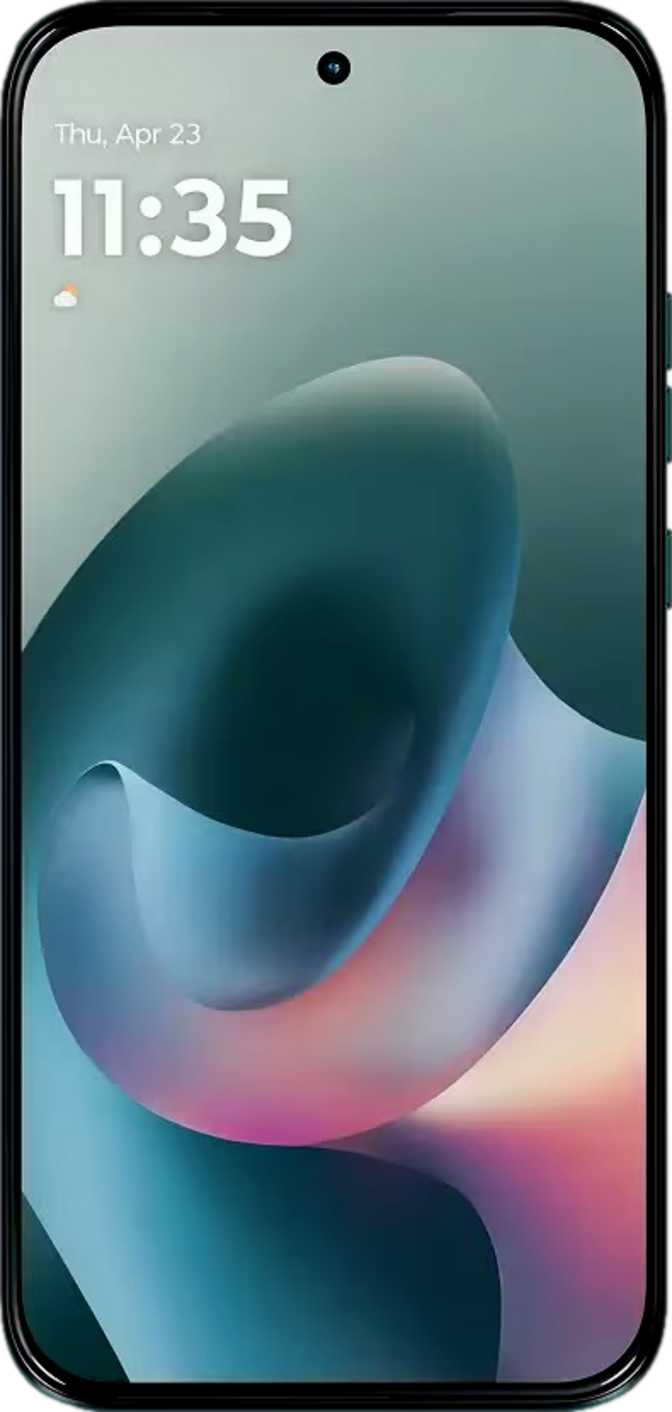
Motorola Moto G77 Full Review: Premium OLED in a Mid-Range Package
SmartphonesA Mid-Range Phone That Leads With Its Screen
The mid-range Android space is brutally competitive. Every phone in this tier promises more than it delivers, and buyers are left sorting through marketing noise to find out what they are actually getting. The Motorola Moto G77 takes a different posture — it leads with OLED display technology, a camera headline number that demands attention, and a design lean enough to slip into a shirt pocket. Whether those promises hold up under scrutiny is exactly what this review answers.
What makes the G77 worth evaluating carefully is where it places its bets. Motorola chose to put OLED panel quality, meaningful software cleanliness, and photographic versatility at the center of this phone — areas where mid-range buyers typically get shortchanged. The trade-offs are real, and you deserve to know about them before spending your money.
Key Specifications at a Glance
| Specification | Motorola Moto G77 — Details |
|---|---|
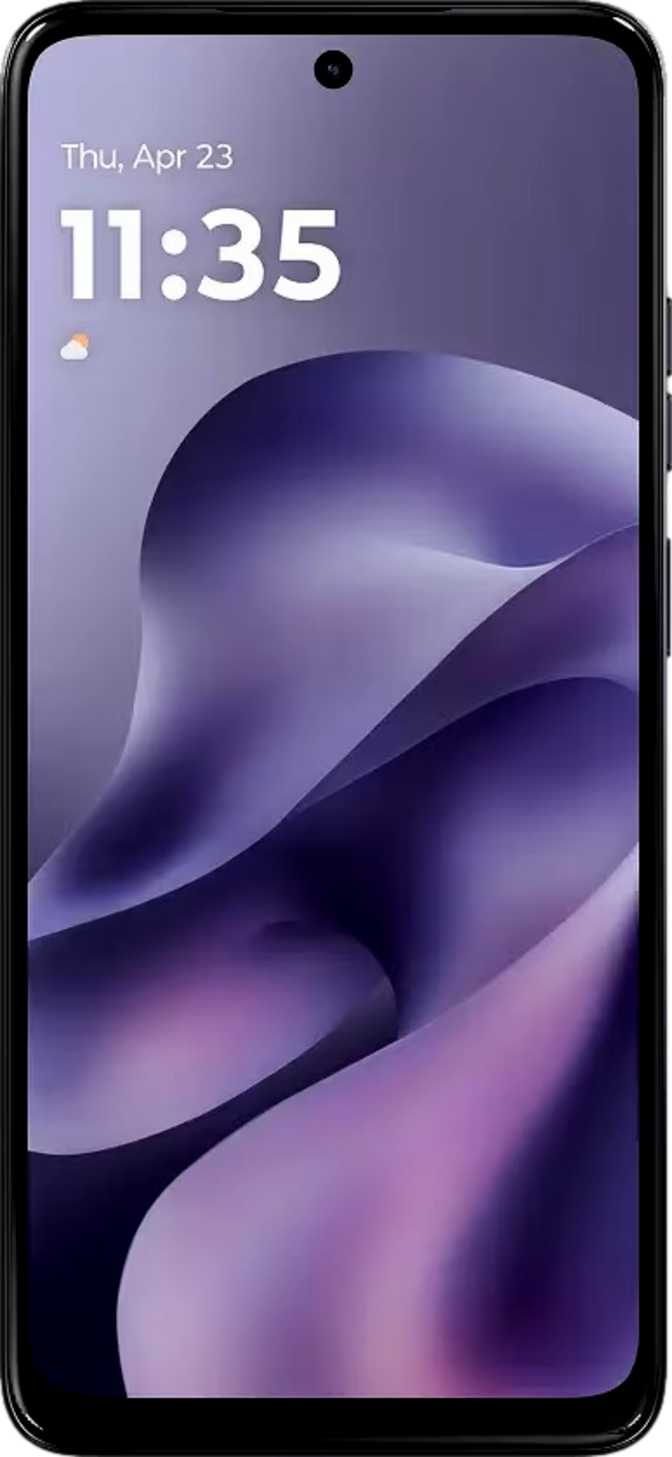
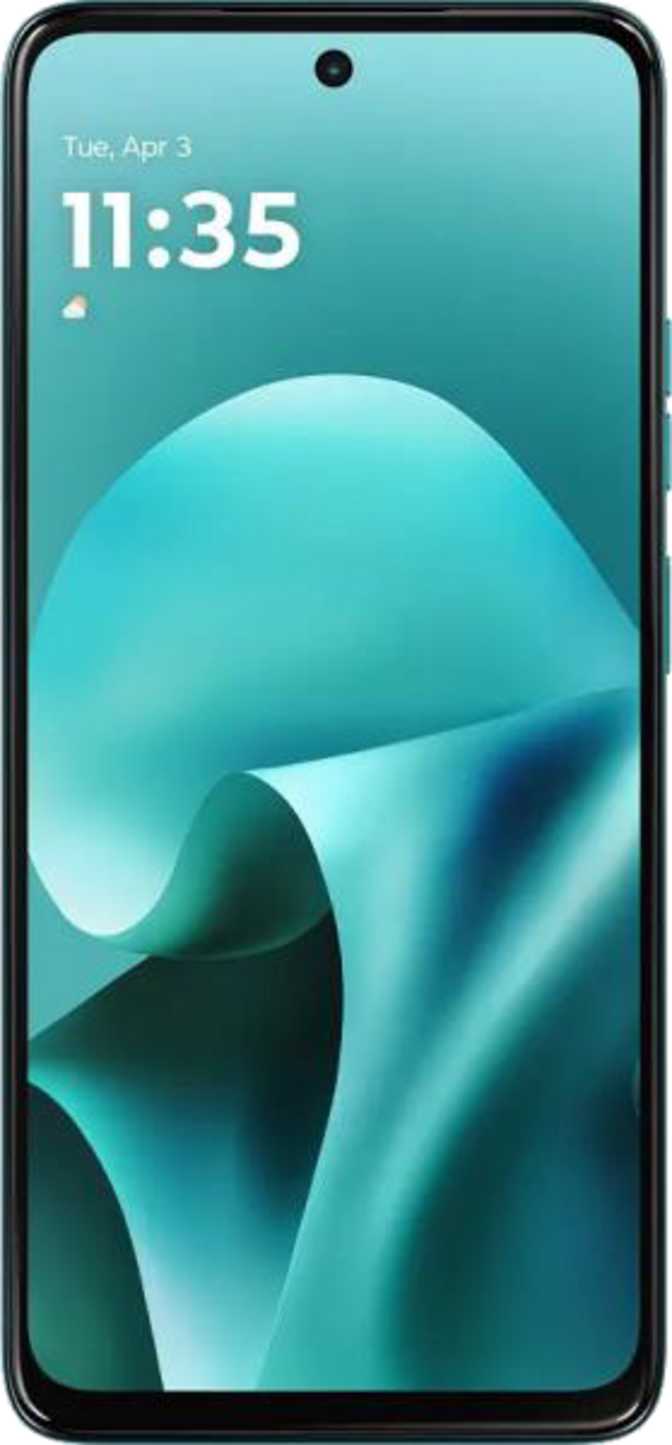
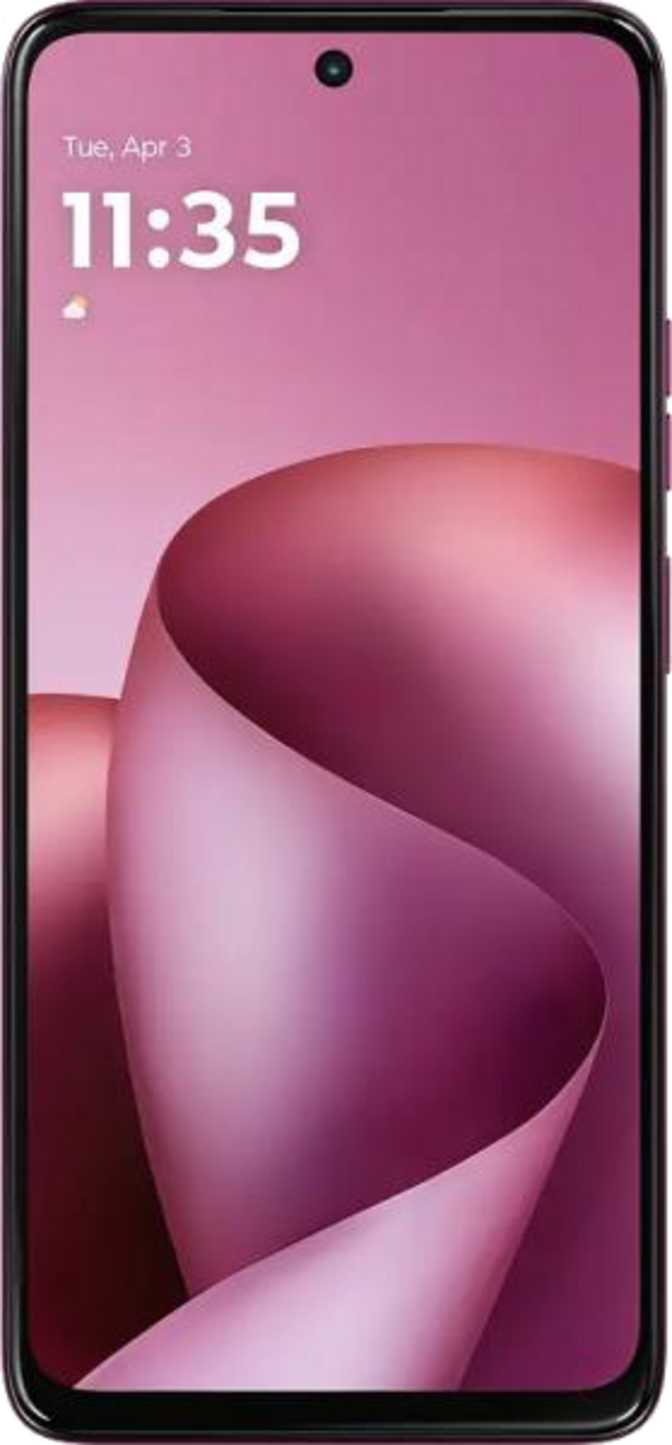
| Display | 6.78" OLED / AMOLED, 1272 × 2772 px, 450 ppi, 120Hz, Always-On Display, Gorilla Glass 7i |
| Chipset | MediaTek Dimensity 6400 (6nm) — 2 × 2.5GHz performance cores + 6 × 2.0GHz efficiency cores |
| RAM & Storage | 8GB LPDDR4 RAM / 256GB internal storage — microSD expansion slot included |
| Main Camera | 108MP f/1.7 with OIS + 8MP f/2.2 ultra-wide — phase detection AF, dual-tone LED flash, BSI sensor |
| Front Camera | 32MP f/2.2 |
| Video | 2560 × 1440 QHD @ 30fps, slow-motion, continuous AF during recording |
| Battery & Charging | 5200mAh — 30W wired fast charging. No wireless charging. Charger not included. |
| Operating System | Android 16 |
| Connectivity | 5G, Wi-Fi 5 (802.11ac), Bluetooth 5.4, NFC, GPS + Galileo, Dual SIM, USB-C (USB 2.0) |
| Build & Protection | IP64 rated — fully dust-sealed, splash-resistant. 7.3mm thin, 182g. |
| Audio | Stereo speakers, aptX HD Bluetooth — no 3.5mm headphone jack |
| Biometrics | Fingerprint scanner |
Design and Build: Thin, Light, and Properly Protected
How the G77 feels in the hand, and how well it stands up to real life.
Physical Experience
At 7.3mm thick and 182 grams, the Moto G77 is a phone you can forget is in your pocket. Many mid-range competitors run 8mm or thicker — Motorola has prioritized a hand-feel that leans closer to a premium device than a budget one. The 77.4mm width is toward the wider end of the ergonomic spectrum, the natural consequence of a 6.78-inch display. One-handed use will be a stretch for people with smaller hands.
IP64 Protection
The IP64 rating breaks down clearly: the “6” means the G77 is fully sealed against dust — no particle, however fine, gets inside. The “4” means it handles water splashes from any direction without complaint.
This is not submersion protection. A rainstorm or a sink splash is fine; taking it swimming is not. For a phone at this price tier, IP64 is a meaningful inclusion that many rivals skip entirely.
Gorilla Glass 7i
Corning’s Gorilla Glass 7i is the cost-optimized iteration of the seventh generation, engineered specifically for the mid-range segment. It offers substantially better drop resistance than older generations and solid scratch resistance against keys and coins in a pocket.
It is not the toughest glass available, but it is well ahead of generic or unbranded alternatives common at this price.
Display: The Strongest Argument for This Phone
The 6.78-inch OLED panel is the single most compelling reason to choose the Moto G77 over most rivals at this price point.
OLED at a Mid-Range Price
OLED technology — where each pixel generates its own light and can switch off individually — produces blacks that are genuinely black rather than dark grey. The visual difference versus the LCD panels found in many competitors at this price is stark: richer contrast, more vibrant colors, and dramatically better viewing in low light.
Pixel Density: Clarity That Holds Up
With 450 pixels packed into every inch of the screen, text is crisp even at small sizes, images are sharp and detailed, and interface elements have clean, defined edges. Most people start noticing individual pixels below roughly 300 ppi — at 450 ppi the G77’s screen looks smooth under virtually any normal viewing condition, including reading fine text in portrait orientation.
120Hz: What It Actually Means for You
A 120Hz refresh rate means the display redraws its image twice as often as a standard 60Hz screen. Scrolling through social media, swiping between apps, and navigating menus all feel noticeably more fluid and responsive. This is not a subtle difference — the majority of people who switch from a 60Hz phone to a 120Hz one immediately notice and prefer the smoother experience. The G77 offers this at a tier where some phones still ship at 90Hz.
Always-On Display
The Always-On Display mode lets the screen show time, date, and notification indicators while consuming minimal battery. This is practical rather than a drain because OLED only lights the individual pixels it needs rather than the entire backlit panel. For people who habitually glance at their phone on a desk or table, this eliminates the need to tap or lift the device at all.
Display Highlights
- OLED / AMOLED — true per-pixel black
- 6.78 inches — spacious media screen
- 120Hz — fluid premium scrolling
- 450 ppi — sharp at any viewing distance
- Always-On Display — near-zero battery cost
- Gorilla Glass 7i — current-gen drop protection
Performance: Understanding the Dimensity 6400
A current-generation 6nm chip, 8GB of RAM, and 256GB of storage — here is what that combination delivers in daily use.
The Chip and What It Represents
The MediaTek Dimensity 6400 is built on a 6-nanometer fabrication process — a manufacturing precision that places it firmly in the current generation rather than trailing behind. The 6nm node enables better power efficiency than older 8nm or 12nm chips, meaning more processing work per unit of battery consumed.
The processor uses two performance-focused cores running at 2.5GHz for demanding tasks, while six efficiency cores handle lighter workloads at 2.0GHz. This split architecture manages the difference automatically: the phone uses the efficient cores for checking emails and browsing, then switches to the more powerful pair when needed. The result is a phone that does not drain its battery unnecessarily during simple tasks.
Real-World Multitasking
With 8GB of RAM, switching between a dozen apps, running navigation while streaming music, or keeping several browser tabs open simultaneously are all within comfortable reach. Multithreading support means demanding apps that distribute work across multiple cores — many modern games and photo editors — make efficient use of the available hardware.
Gaming Performance Expectations
Gaming falls squarely in the capable mid-range tier. The GPU supports DirectX 12, covering the vast majority of Android games without issue. Casual and mid-weight titles run smoothly. Extremely graphically intensive titles at maximum settings will require dialing back visual quality — this chip is not designed to push the limits of mobile gaming. For everything short of the most demanding 3D titles, the experience is comfortable.
Storage: 256GB as the Starting Point
256GB of built-in storage is generous for this class — enough to hold thousands of photos, several hours of locally stored video, and a substantial app library before feeling crowded.
A dedicated microSD card slot sits alongside 256GB of base storage — a combination increasingly rare as manufacturers push users toward cloud services. The flexibility to expand local storage is a genuine practical advantage.
Camera System: 108 Megapixels in Context
A large headline number and meaningful hardware — here is what the camera system can genuinely do, and where its limits lie.
The primary camera’s 108-megapixel sensor warrants careful framing. This resolution is typically achieved through pixel binning — the camera combines multiple smaller pixels into one larger effective pixel, producing improved light capture rather than literally 108-megapixel output in standard shooting. The practical benefit is better performance in challenging lighting conditions: indoor scenes, late-afternoon shadows, and dimly lit environments.
The f/1.7 aperture describes the lens opening that determines how much light reaches the sensor. A wider aperture captures more light, translating to brighter, less grainy photos in low-light conditions. f/1.7 is a capable aperture for a mid-range phone and will produce noticeably better low-light results than cameras rated at f/1.9 or f/2.0.
Optical Image Stabilization (OIS) means the lens physically compensates for hand tremor during capture. This benefits both still photography and video recording — and is a hardware feature that cannot be replicated by software. It is frequently omitted at this price tier.
8MP Ultra-Wide (f/2.2)
The secondary ultra-wide lens suits architecture, landscapes, and group shots in tight spaces where you cannot or do not want to step further back. The resolution step-down from primary to secondary is typical and expected — this camera is a tool for capturing a scene, not for pixel-level detail extraction.
QHD Video — 2560 × 1440 @ 30fps
Shooting above 1080p Full HD means footage holds up better when cropped or viewed on larger screens. Continuous autofocus during recording keeps moving subjects sharp without manual intervention. Slow-motion mode is available for creative work. One notable absence: there is no optical zoom. Digital zoom is simply cropping the sensor output — quality degrades with distance.
32MP Front Camera (f/2.2)
Well-specified for video calls, social media, and self-portraits — sufficient detail for cropping, editing, and sharing without compromise.
Manual Camera Controls
Battery and Charging: A Comfortable Daily Driver
A large-capacity cell backed by a 6nm efficient processor — here is how endurance translates to real usage.
Daily Endurance
The G77’s battery sits well above the 4000–4500mAh range common in many mid-range phones. Combined with the efficiency advantages of the 6nm chip, typical daily usage — social media, messaging, navigation, streaming, photography — should comfortably reach the end of a full day with charge to spare.
Heavy users running demanding apps continuously for extended stretches may find themselves reaching for a charger before bedtime. For moderate-to-average usage patterns, single-day endurance is a reasonable and confident expectation.
30W Fast Charging
30-watt wired charging restores a significant portion of battery capacity quickly — going from near-empty to a usable charge level in roughly 40–50 minutes is a realistic expectation. This is a practical speed for topping up during a lunch break or while getting ready in the morning.
- No wireless charging — the phone must always be plugged in by cable.
- No charger in the box — a 30W USB-C charger must be purchased separately.
Audio: Stereo Sound, No Headphone Jack
The G77 features stereo speakers — two separate outputs that create a wider, more immersive sound stage compared to a single mono speaker. For media consumption, video calls, and speaker-phone use, the difference is perceptible and appreciated.
There is no 3.5mm headphone jack. Wired headphone users need USB-C earphones or a USB-C to 3.5mm adapter. This is now common across the Android mid-range, but it remains a genuine inconvenience if you own a library of standard wired headphones.
- Stereo speakers — immersive media playback
- aptX HD — higher-quality wireless audio on compatible headphones
- Bluetooth 5.4 — current-gen stable connections
- No 3.5mm jack — USB-C adapter required for standard wired headphones
- No FM radio
Software: Android 16 and What That Means
A clean, current Android experience with meaningful privacy controls — here is what the software side actually delivers.
A Current, Clean Experience
Shipping with Android 16 means the G77 arrives with the most current version of the operating system. Motorola’s approach is traditionally light-touch — close to stock Android with Motorola-specific additions rather than a heavily modified skin. The practical outcome is a phone that feels familiar, is not cluttered with bloatware, and performs efficiently because the OS is not adding unnecessary overhead.
Privacy Controls
The G77 includes a solid set of privacy tools: per-app microphone and camera access controls, clipboard access warnings when apps read your clipboard, location privacy options to share approximate rather than precise location, and the ability to block app tracking. These are meaningful controls for users who want to manage their data footprint. One absence worth noting is cross-site tracking prevention in the browser — less critical than app-level controls, but relevant for privacy-conscious buyers.
Practical Software Features
- Split-Screen MultitaskingRun two apps simultaneously side by side
- Picture-in-Picture ModeKeep video or calls floating while using other apps
- Full-Page ScreenshotsCapture entire scrollable pages, not just the visible screen
- Offline Voice RecognitionVoice input and commands work without internet
- Dynamic ThemingSystem color palette adapts to your wallpaper
- Multi-User SupportMultiple people can use the phone with separate profiles
- Play While DownloadingStart games before the download completes
Connectivity: Where It Leads and Where It Trails
5G, Bluetooth 5.4, and NFC headline a strong connectivity profile — but Wi-Fi 5 and USB 2.0 show where cost savings were made.
Connectivity Strengths
- 5G support — on current network infrastructure, future-proofed for carrier upgrades.
- Dual SIM — two active numbers simultaneously; ideal for separating work and personal or using a local SIM while traveling.
- Bluetooth 5.4 — the current generation offering stable connections and improved efficiency over older versions.
- NFC — enables contactless payments via Google Pay. Not universal at this price tier.
- MicroSD expansion — storage can be expanded beyond the built-in 256GB.
Connectivity Limitations
- Wi-Fi 5 only — Wi-Fi 6’s improved performance in crowded environments (offices, apartment blocks, public spaces) is not supported. For home use with a typical router, Wi-Fi 5 is entirely sufficient.
- USB 2.0 behind USB-C — the physical connector is USB-C, but the underlying standard is USB 2.0. Large file transfers to a computer are noticeably slower than phones with USB 3.x. If you regularly move large video or photo libraries by cable, this will be a frustration.
Who This Phone Is For — and Who Should Look Elsewhere
Matching the right buyer to the right device is the most honest service a review can provide.
- You want a genuinely good display experience without paying flagship prices — the OLED screen is the standout quality, and you feel its advantage in every daily interaction.
- You want a reliable everyday camera without a complex multi-sensor system. The 108MP primary with OIS and an ultra-wide covers the situations most people actually photograph.
- You prefer a clean, uncluttered Android experience close to stock and value having current software from the start.
- You want water and dust protection at a mid-range price — IP64 is above average for this tier.
- Certified HDR streaming from Netflix, Disney+, or Amazon Prime Video at the highest quality tier is important — the display’s lack of HDR certification is a real limitation.
- You need telephoto reach or shoot extensively in RAW format — the G77 offers neither.
- Wireless charging is part of your daily routine — this phone requires a cable every time.
- You regularly transfer large files to a computer by cable — USB 2.0 speeds will frustrate this workflow.
- You own standard 3.5mm wired headphones and do not want to buy an adapter or new earphones.
How the Moto G77 Stacks Up Against the Competition
The most relevant trade-offs buyers in this segment typically face, mapped against what the G77 actually delivers.
| Feature | Moto G77 | Rival A LCD · 90Hz typical |
Rival B OLED · No OIS typical |
|---|---|---|---|
| Display Technology | OLED | LCD | OLED |
| Refresh Rate | 120Hz | 90Hz | 120Hz |
| Camera Stabilization | OIS (hardware) | EIS (software only) | None / EIS |
| Internal Storage | 256GB + microSD | 128GB base / microSD | 256GB, no expansion |
| IP Protection | IP64 | IP52 or none | IP53 |
| Wireless Charging | |||
| Headphone Jack | |||
| 5G Support | Varies |
The G77’s clearest edge over LCD rivals is the display — the difference is visible immediately and benefits every use. Against other OLED competitors, OIS and the full IP64 rating are the differentiators that matter most for camera-focused buyers and those who need confidence in everyday protection.
Common Questions Before You Buy
The questions real buyers search for — answered directly.
Honest Assessment: Where It Delivers and Where It Compromises
No product is perfect. Here is a transparent look at the trade-offs the Moto G77 makes.
The OLED display at this price is a genuine quality upgrade. Visitors who switch from an LCD mid-range phone will feel the difference in every single interaction — sharper blacks, richer contrast, more natural colors. Combined with 120Hz fluidity, it is the part of this phone you will appreciate most over time.
IP64 protection in a 7.3mm frame shows engineering discipline. Motorola chose to deliver real-world durability — full dust sealing and splash resistance — without sacrificing the slim profile. Many competitors make you choose one or the other.
The software approach deserves credit. Running Android 16 with a near-stock experience means less bloat, better privacy controls, and a more current system than many rivals deliver. The phone works efficiently because it is not fighting its own operating system.
The absence of wireless charging is a convenience loss that competitors at this tier are beginning to include. Having to find and plug in a cable every time is a daily friction point that adds up — particularly for people whose overnight charging involves just dropping the phone on a pad.
USB 2.0 behind the USB-C port is a specification that belongs to a previous era of mid-range phones. It limits wired file transfer speeds in a way that frustrates anyone who regularly moves large photo or video libraries to a computer.
HDR streaming support would have completed what is otherwise a strong display package. The screen is genuinely capable — not supporting certified HDR content from streaming services is a limitation that will feel like an incomplete promise for buyers drawn to the phone specifically for media consumption.
Recommended — With Clear Eyes
The Motorola Moto G77 makes a coherent, honest argument for itself: put a real OLED display and real water resistance in a genuinely slim mid-range phone, run it on clean Android 16, and give the camera meaningful hardware — OIS, a capable aperture, and a large sensor — rather than just a large number.
For buyers who want the screen-quality upgrade that OLED delivers, who shoot photos in varied lighting conditions, and who value a software experience that stays out of the way, the G77 delivers well above what its price tier typically provides.
If you need wireless charging, certified HDR streaming, a headphone jack, or telephoto reach, the G77 is the wrong answer regardless of its other merits. Shop with those specific requirements in mind.